
Xen Orchestra 6.8
XO 6.8 is out: synchronized snapshots for related VMs, more host management in XO 6, network creation in XO Lite, plus official Veeam support for XCP-ng.






This month is about what surrounds a migration rather than the migration itself: the backup tooling you already own, the hardware you can avoid buying, and the numbers you need before the decision gets made.
Alongside Xen Orchestra 6.8, Veeam Backup & Replication now officially supports XCP-ng, TwinStor opened as a Technology Preview for two-host pools, and we published a calculator that puts a Vates VMS environment side by side with its VMware equivalent. On the product side, Backup gains synchronized snapshots for VMs that belong to the same application, XO 6 keeps closing the operations that still required a return to XO 5, and XO Lite can now create networks instead of only displaying them.
Add XOA sizing its own memory, a declarative way to share a VM from Terraform or Go, and a round of documentation cleanup, and 6.8 is a release with as much happening around Xen Orchestra as inside it.
🔗 Summary
As usual, this announcement is available as a Youtube video:
👨🚀 Project & Community
A lot of the news from the ecosystem touches on questions that often come up before a migration. What happens to your backup tooling? Does a small pool really need a SAN? And how much will the whole setup cost?
We also have some upstream and maintenance news, including the release of Xen 4.22.
XCP-ng updates
XCP-ng 8.3 LTS got two update batches over the past month, both centered on storage. The first brought storage performance improvements and fixes, plus a configurable OpenSSH. The second fixed a leaf-coalesce failure on QCOW2-backed disks with CBT enabled, which could leave longer disk chains and eat extra space, and a case of LVM metadata corruption on a secondary host using block-based shared SRs. Sparse QCOW2 disks also migrate faster now, since empty sectors are no longer transferred. Updates are cumulative and host reboots are required, so applying the second batch covers both.
 Samuel Verschelde
 Samuel Verschelde
Refreshed XCP-ng 8.3 LTS installation ISOs came out on August 14, with the latest security updates and QCOW2 support out of the box.
 Gaël Duperrey
Windows PV drivers 9.2.350
Version 9.2.350 of the XCP-ng Windows PV drivers was released on August 6, with a new Windows guest agent. Full details are in the release notes.
 xcp-ng
Vates and Xen 4.22
The Xen Project released Xen 4.22 at the end of July, with modern hardware support, Arm improvements, continued RISC-V progress, Xenstore scalability work, and a five-year security support lifecycle.
Vates engineers are a growing part of that upstream work. In 2026 so far, Vates has authored about 10% of the commits merged into the Xen hypervisor and holds maintainer or reviewer roles in 12 subsystems. On the XAPI toolstack that powers XCP-ng, Vates authored 31% of this year's merged commits, up from 22% in 2025 and under 2% in 2024.
XCP-ng is now officially supported by Veeam
Veeam Backup & Replication now lists XCP-ng as a fully supported hypervisor. Backup jobs use Changed Block Tracking for incremental processing. Entire VMs restore onto XCP-ng from any supported hypervisor, cloud VM, or physical-server backup, and XCP-ng backups restore outward to that same range of targets. Disk mount, guest file-level restore, and backup export to VHD, VHDX, or VMDK are covered too.
For anyone weighing a move off VMware, this settles a question that used to come up early in every migration conversation: whether the backup tooling already in place would follow. Existing Veeam backups can now be the route in, restored straight onto XCP-ng while the surrounding backup infrastructure stays where it is.
 Veeam Software
TwinStor Technology Preview: volunteers wanted
TwinStor turns the local disks of a two-host pool into redundant, self-healing shared storage, so live migration, HA, and Rolling Pool Updates work with no SAN, no witness node, and no third host. It's now open as a Technology Preview, and we're looking for people willing to run it on real pools they can afford to break.
A Technology Preview is a pre-release build: not feature-complete, not for production, and not guaranteed to ship. What it gives testers is early access and a direct line into the engineering direction while it's still being decided. The forum thread is where the testing is actually happening, and the fastest way to see what other people have hit before you install anything.


 olivierlambert
Estimating what a migration costs
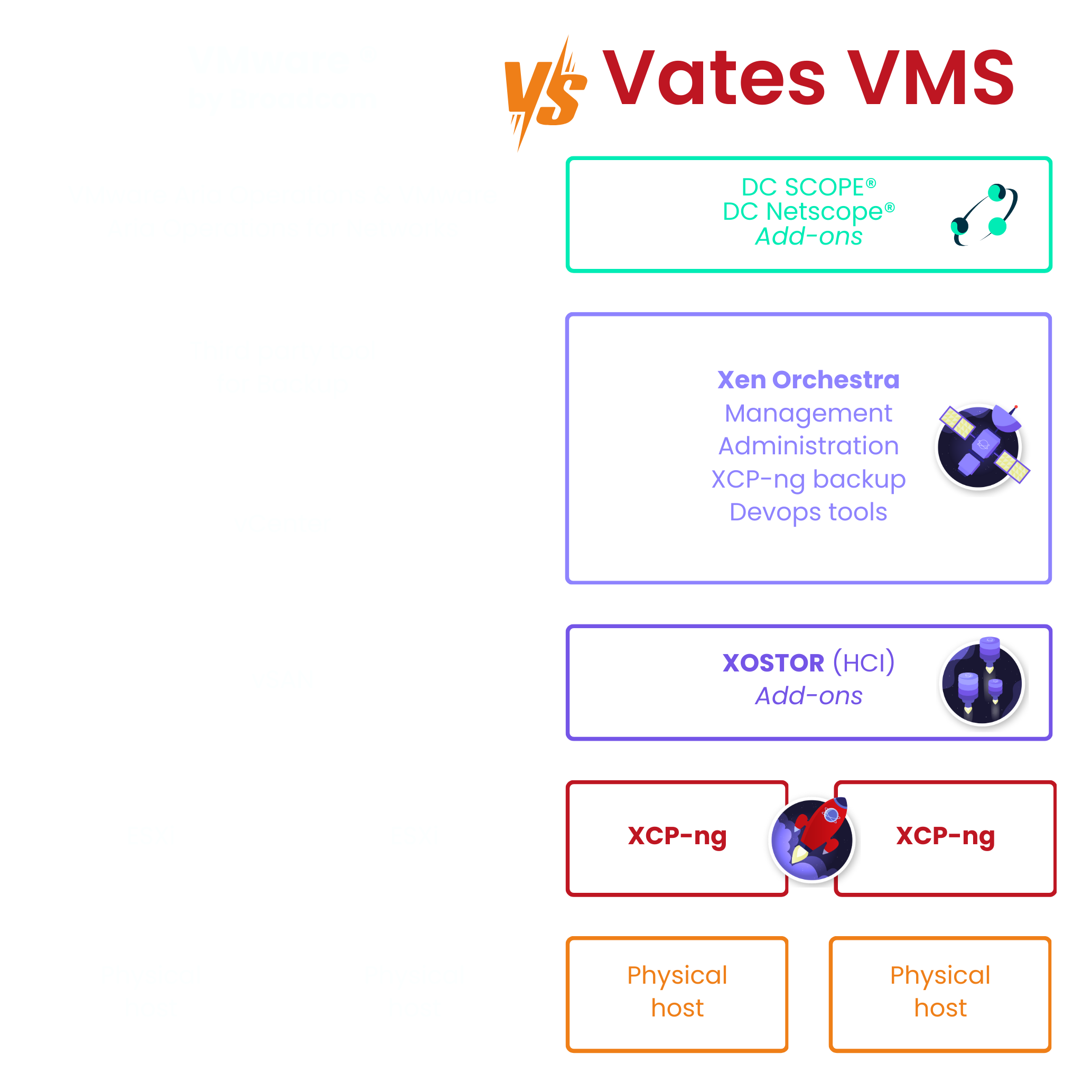
We published a calculator that puts a Vates VMS environment side by side with the equivalent on VMware. The figures come from publicly available reseller pricing, so they give an order of magnitude rather than a quote: a place to start the comparison and work out which questions to ask, not a substitute for one.

💡 Insights
Insights look at what's happening across the wider industry, and what it means for the way you run your own infrastructure. This time, two pieces on owning your infrastructure: what it looks like to run a company on it, and what to do about hardware prices before you buy more of it.
Why infrastructure control matters more than ever in 2026
We published a piece on running a company of around 150 people internationally, mostly on open-source, self-hosted tools. It covers what owning your infrastructure looks like in practice at that scale, and what it costs to do. Worth a read if you're weighing how much of your stack you want to own.
 Clément Schilling
Before buying new hardware, make sure you're using the hardware you already own
RAM prices are up more than 400% in a year. Our latest post covers where unused capacity hides in virtualized environments, and how to find it before you budget for more hardware.
 Clément Schilling
🎫 Events & webinars
September takes the team to Munich, Paris and Lyon, plus a webinar you can join from anywhere. Here is where you can catch us, and what each one is about.
Veeam User Group France in Paris, 8 September
The French Veeam User Group meets in Paris on 8 September, hosted at Scality's offices, with Vates among the sponsors. The programme runs from 13h30 and includes a dedicated session on the XCP-ng / Veeam integration, alongside a Veeam and Kasten update with an Ask Me Anything, a talk on meeting LPM, NIS2 and DORA obligations, and a field report on VSA. It closes with a quiz and a vBeer cocktail. Registration is open.
Xen Summit 2026 in Munich, 15-17 September
The Xen community gathers in Munich for Xen Summit 2026, hosted by Renesas at the HEADS office in Aschheim. Two days of technical talks are followed by a day of design sessions, where contributors work through project direction and architecture face-to-face rather than on the mailing list. The event is hybrid, so you can join the talks remotely if you cannot make the trip, and registration is still open.


Altern'IT in Lyon, 25 September
ADIRA and Polypus are running a morning in Lyon on digital sovereignty. Delphine Le Pochat, Marc-André Pezin and Simon Cojande are running the infrastructure, hosting and virtualisation workshop for us, alongside Bouygues Telecom Business and EasyVirt. In French, and limited to end-user organisations.


Another round with EasyVirt
We're running the joint webinar with EasyVirt again on 24 September, 16:30 to 17:30 CEST, with Jeff Duerr (US Sales Manager) for us and François Machacek (Business developer) for EasyVirt. The thread is the same as in July: getting more out of the infrastructure you already have, managing more than one hypervisor from a single place, and testing a migration before it reaches production rather than after. Registration is open, and the first edition is still up on YouTube if you would rather watch that one back, 45 minutes.
XO 6.8
Synchronized snapshots are the main new capability in XO 6.8. They address a specific problem: when a backup job covers a database and the services that depend on it, their restore points could previously end up hours apart.
The rest of XO 6.8 picks up where previous work left off. XO 6 takes on more tasks that still required XO 5, and XO Lite can now do more with networks than simply display them. XOA and the DevOps tools also get a few fixes for problems that tend to show up when something goes wrong.
💾 Backup
When a database and the services around it are backed up in the same job, the VM at the end of the queue may not be snapshotted until hours after the first. Synchronized snapshots take them all before any transfer starts, so the restore points line up. Separately, an unreachable backup repository no longer delays the listing of the ones that are available.
Synchronized snapshots
You can now synchronize VM snapshots in a backup job. When enabled, XO takes the snapshots for the selected VMs in a batch before starting any transfers. Each backup then uses the snapshot that was already taken, giving you restore points that are much closer together in time across related VMs.
This is useful when your VMs are part of the same application, such as a database and the services that depend on it. Without this option, VMs further down the queue might not be snapshotted until hours later, leaving their restore points out of sync.
You can synchronize snapshots for all VMs in a job, or use a tag to limit synchronization to VMs sharing that tag.
Fixed: Unreachable backup repositories
When a backup repository (BR) is unavailable, XO no longer waits for it before displaying the other backup archives. Available BRs are returned as soon as their information is ready, while unreachable ones are skipped for the current request. As a result, unreachable backup repositories no longer slow down backup listings, including the File restore and Backup health views.
XO retries unavailable BRs in the background, so a temporary connection issue won't slow down subsequent requests.
🛰️ XO 6
You now have fewer reasons to switch back to XO 5. You can scan PIFs and manage hosts directly from XO 6, and storage repositories now have their own dedicated view. Group and role management are ready as well, but they'll ship alongside the rest of the user management and RBAC work in a future release (shipping them on their own would only tell half the story).
‘Scan PIFs’ button
In previous versions of XO 6, scanning for physical interfaces (PIFs) required you to switch back to the XO 5 interface. With the new Scan PIFs button, you can now run scans directly from XO 6, from the host’s Network tab.
The scan runs as a background task, so you can keep working in Xen Orchestra while it completes.


In previous versions of XO 6, you had to open XO 5 to scan for PIFs


The new 'Scan PIFs' button in XO 6.8
Storage repository overview
Storage repositories now have their own dedicated view. Opening an SR takes you directly to its General tab, where you can find its main information and configuration instead of having to look for it elsewhere in the interface.
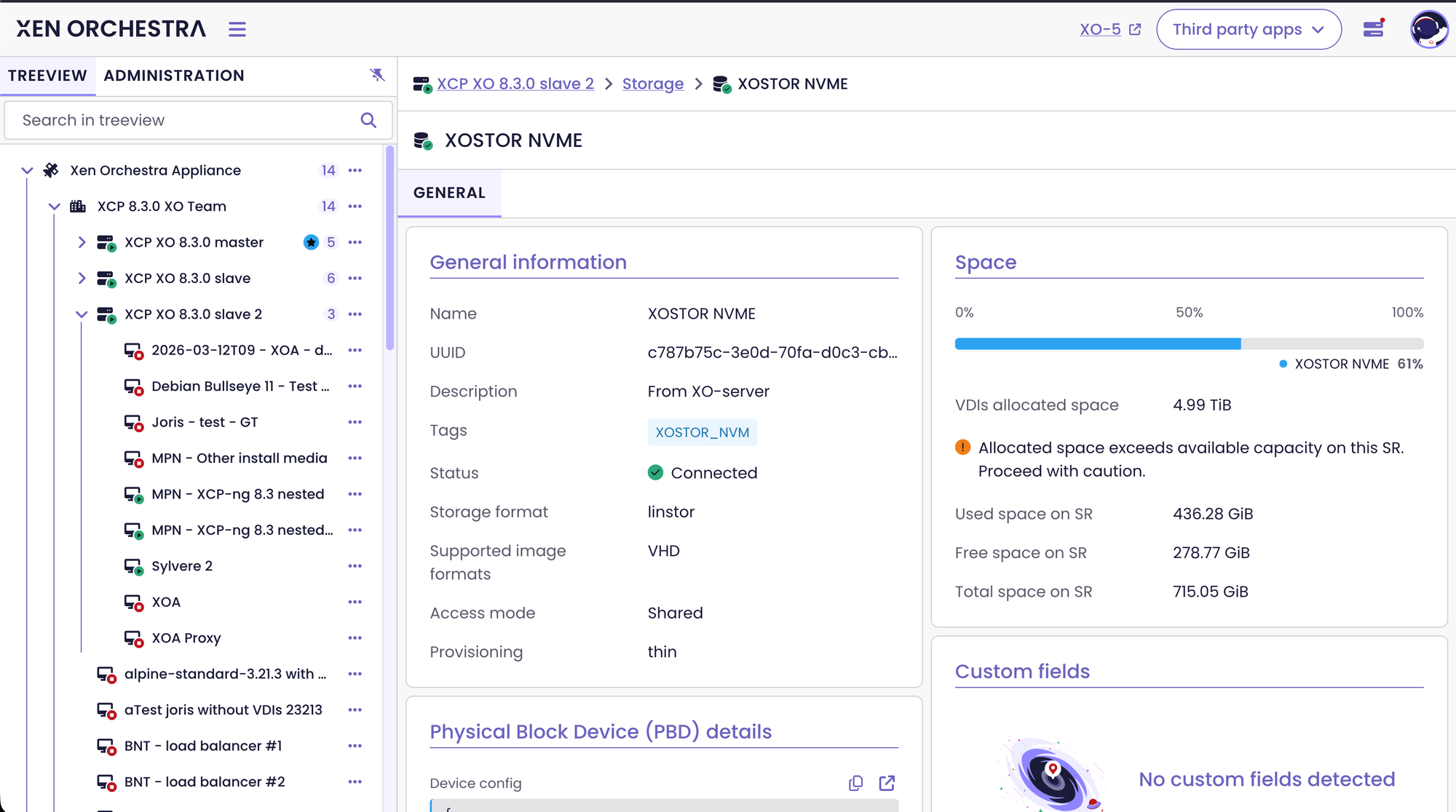
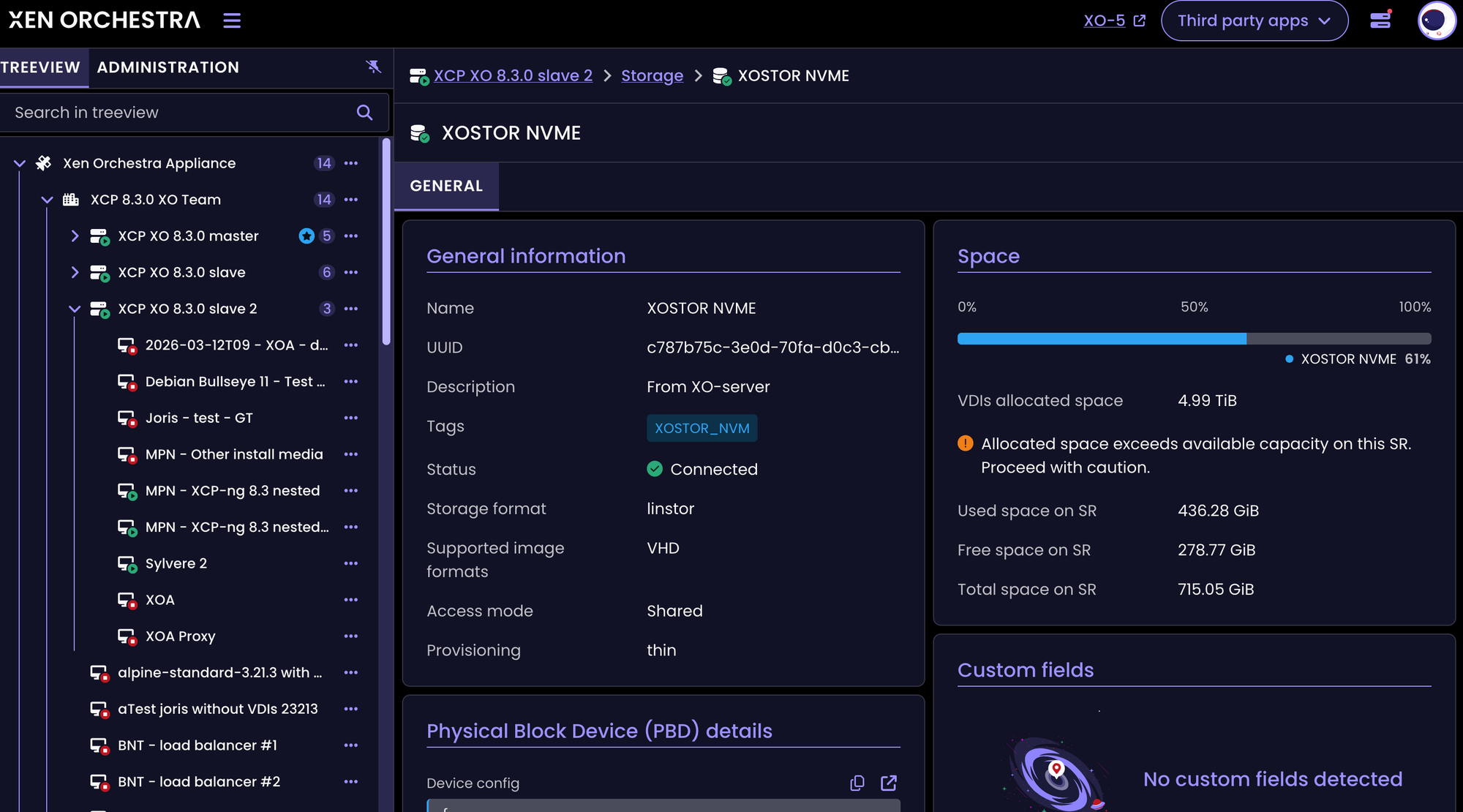
New SR view, with a General tab
Host actions
XO 6 now exposes host management actions, directly from the host view. You can restart the toolstack, reboot or shut down a host, forget a host, and force a reboot when needed. You can also use Smart Reboot to safely reboot a host, or Detach it from the pool. Emergency Shutdown is the one action still missing, and it lands next month.
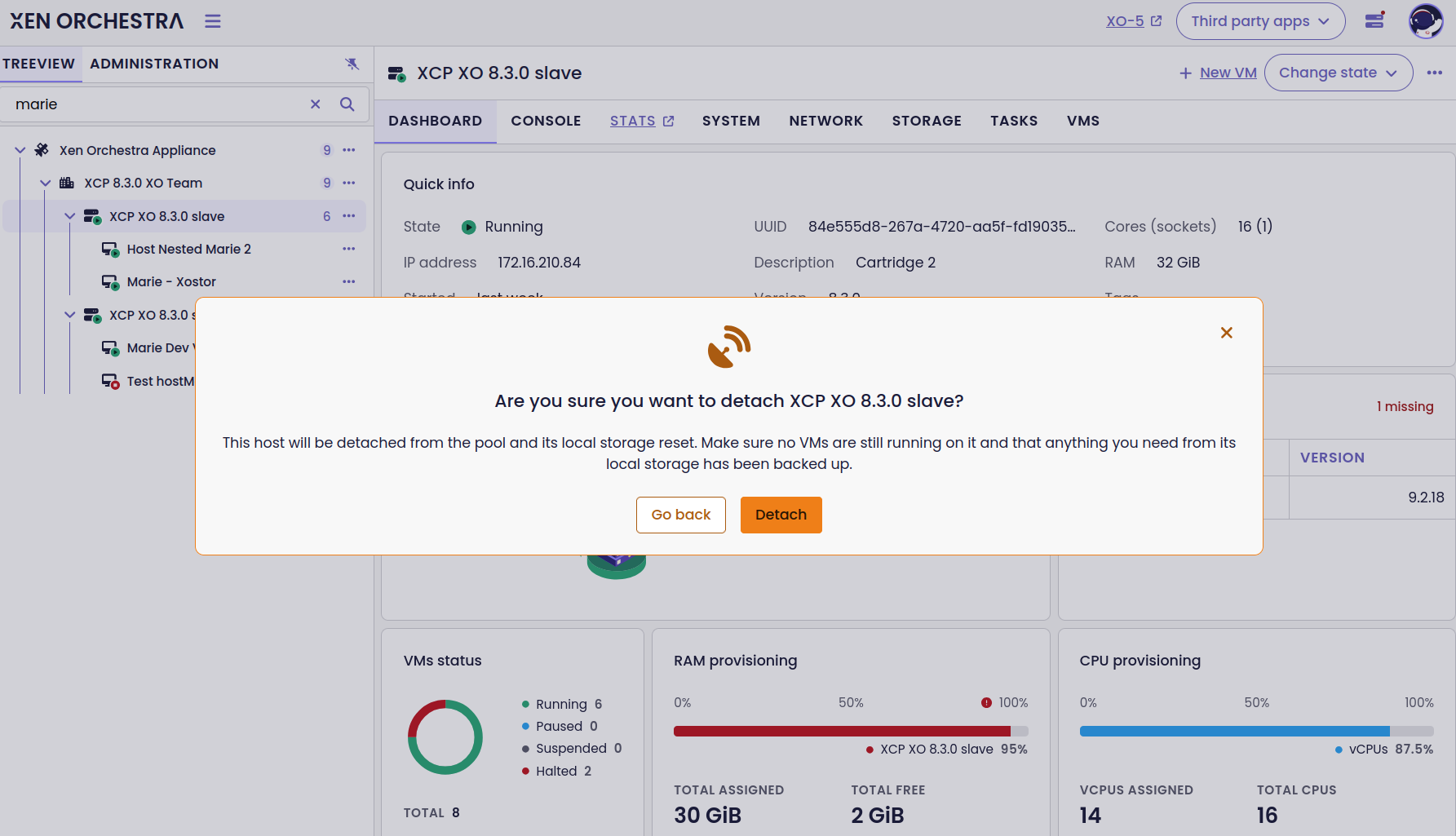
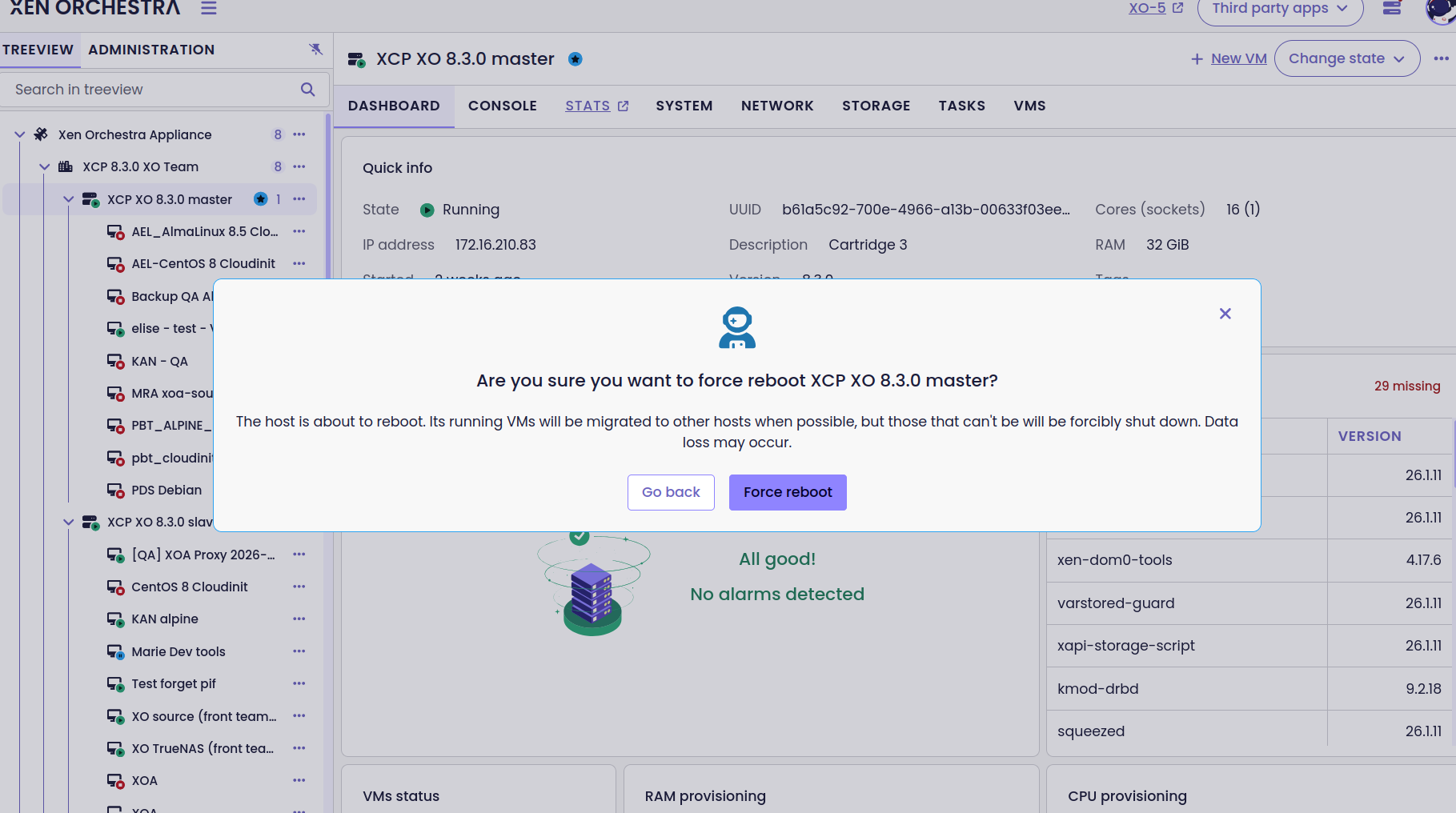
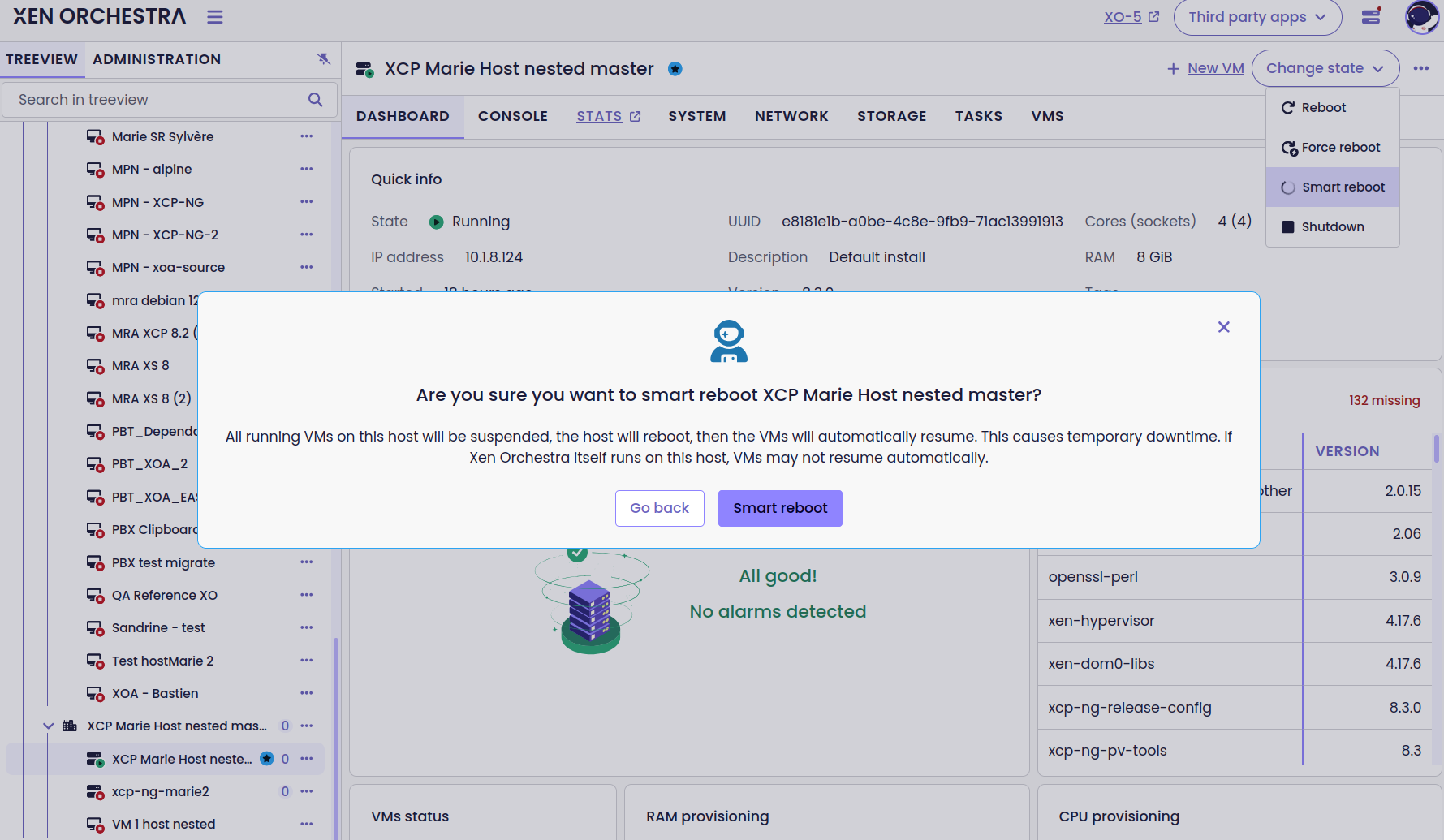
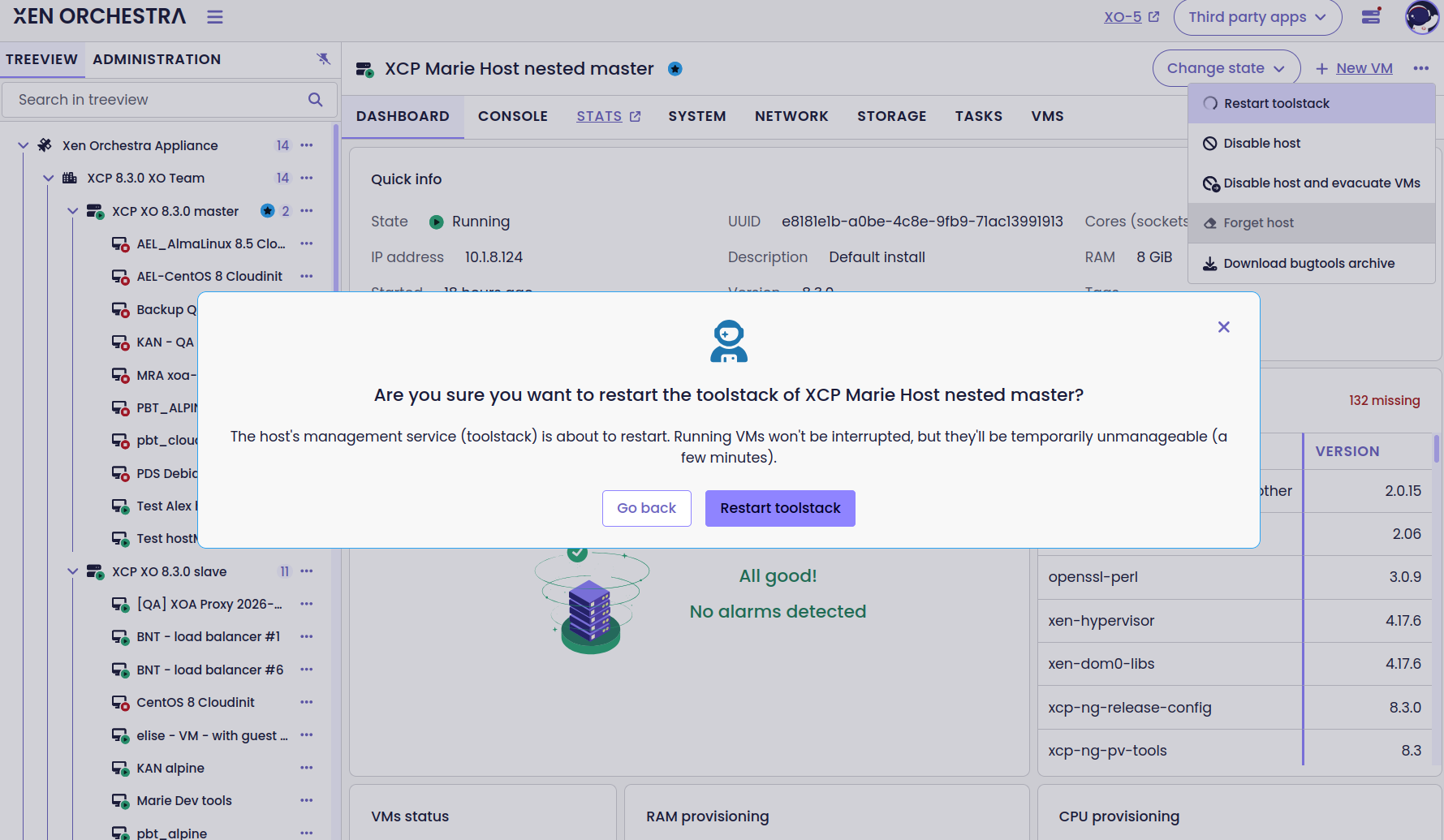
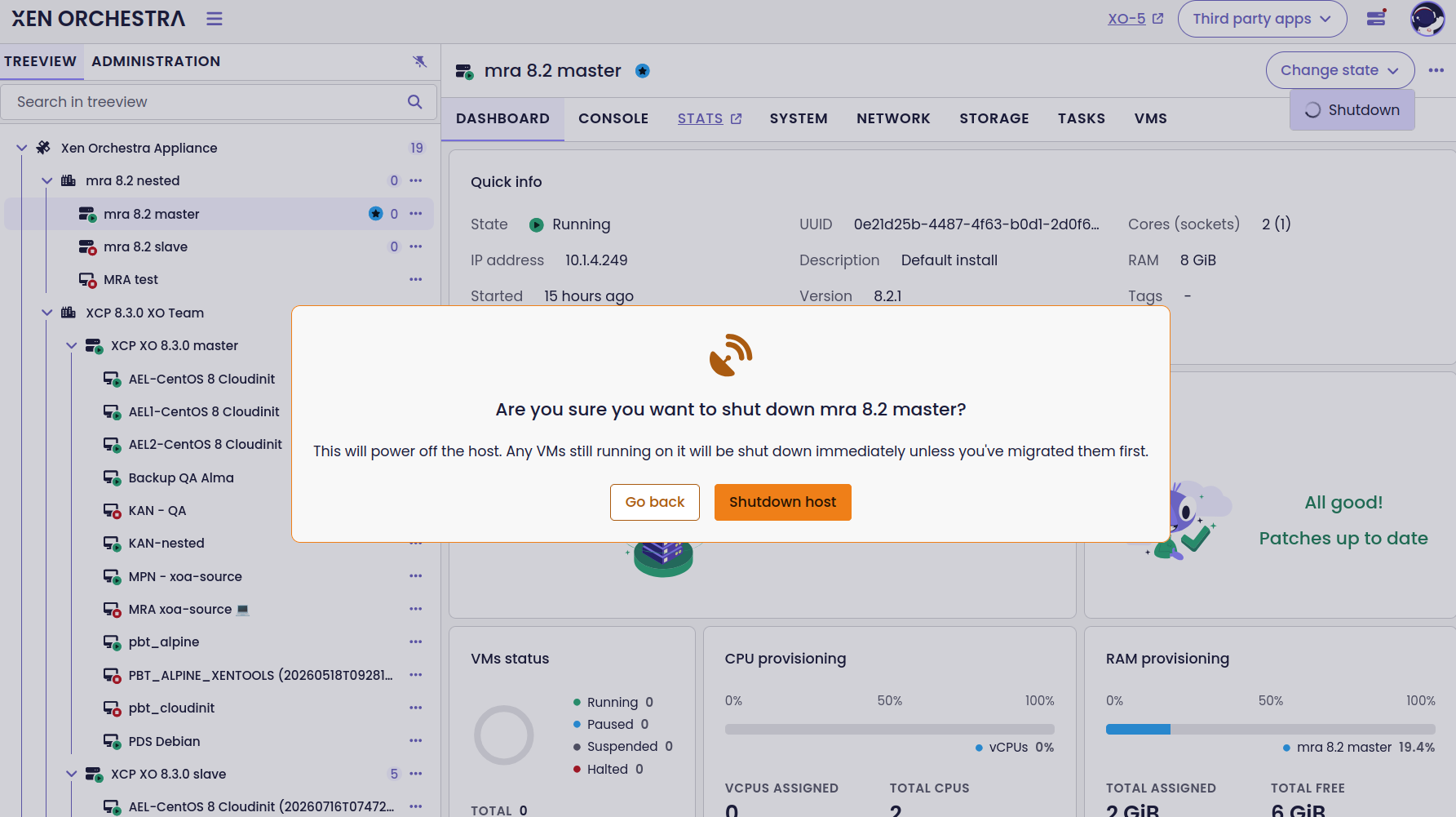
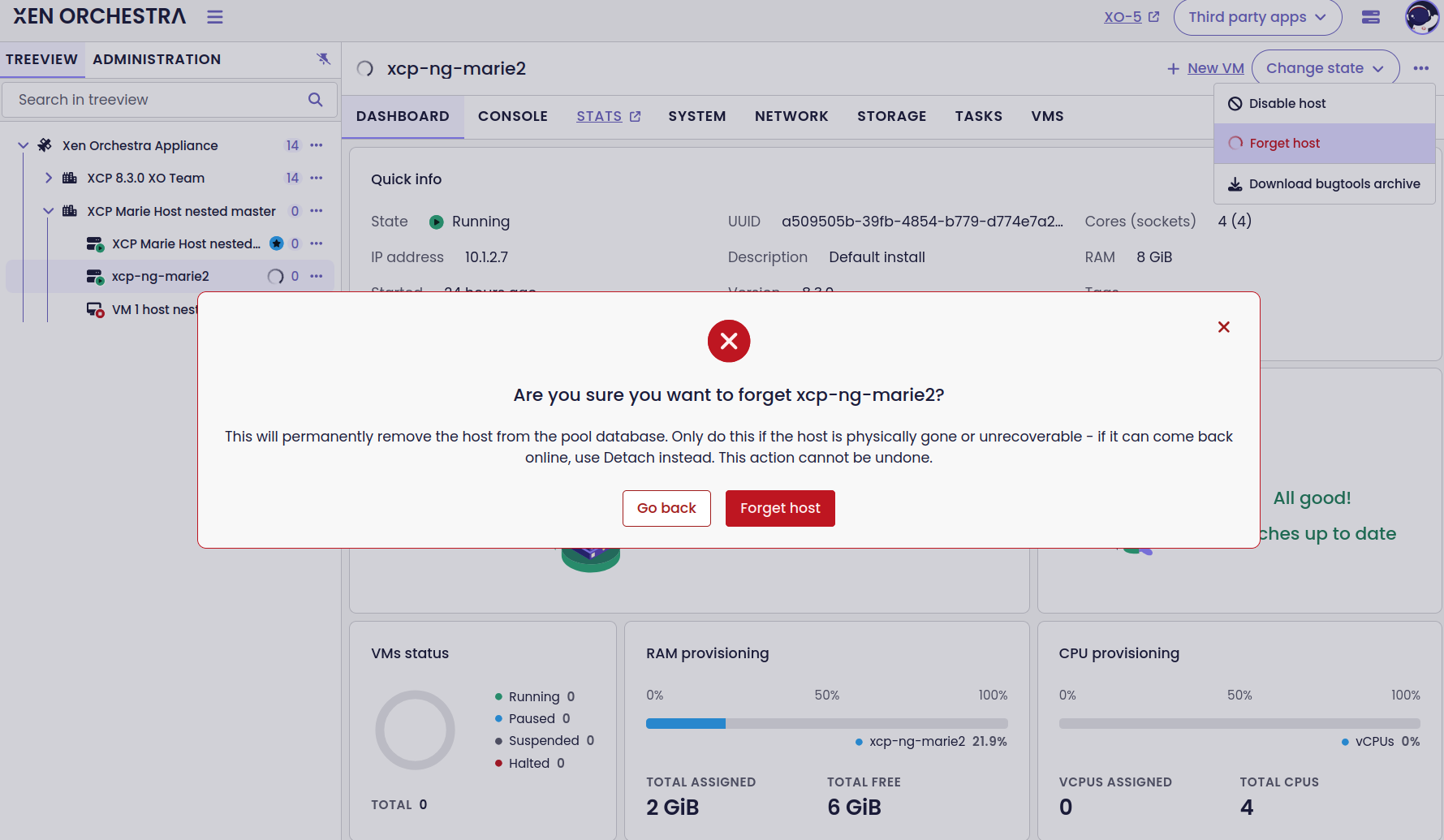
New actions available in XO 6
Connect and disconnect pools
You can now connect or disconnect pools in the Pools tab, in two ways: from the pools table, or from the side panel. This way, you can manage a pool without opening its dedicated view.
Disconnecting a pool also comes with a warning, since the pool can no longer be managed from XO while disconnected. You can reconnect it later from the same action.
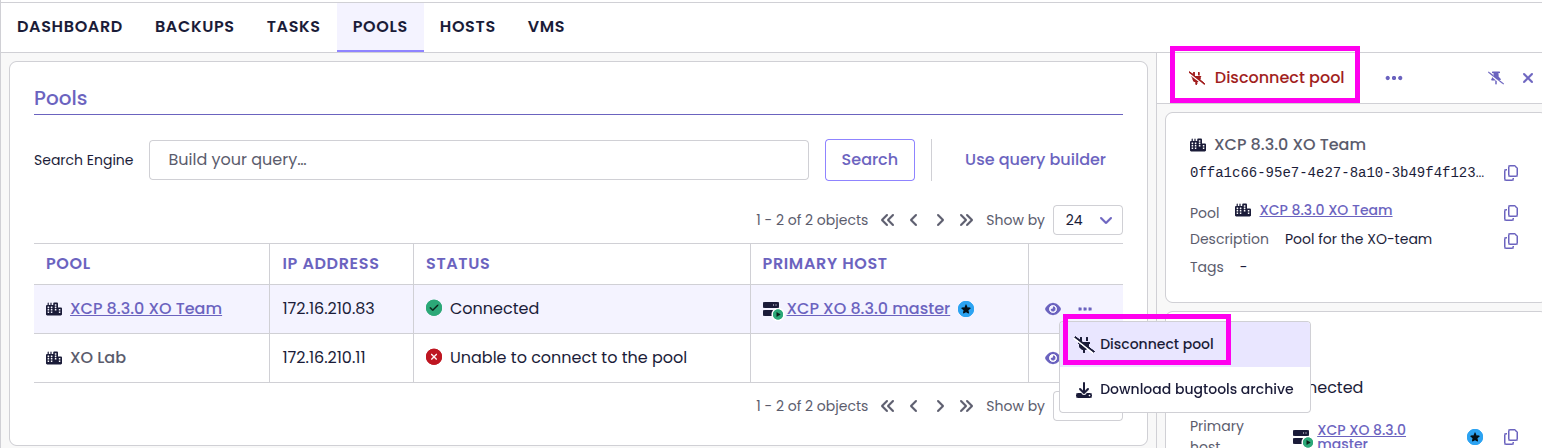
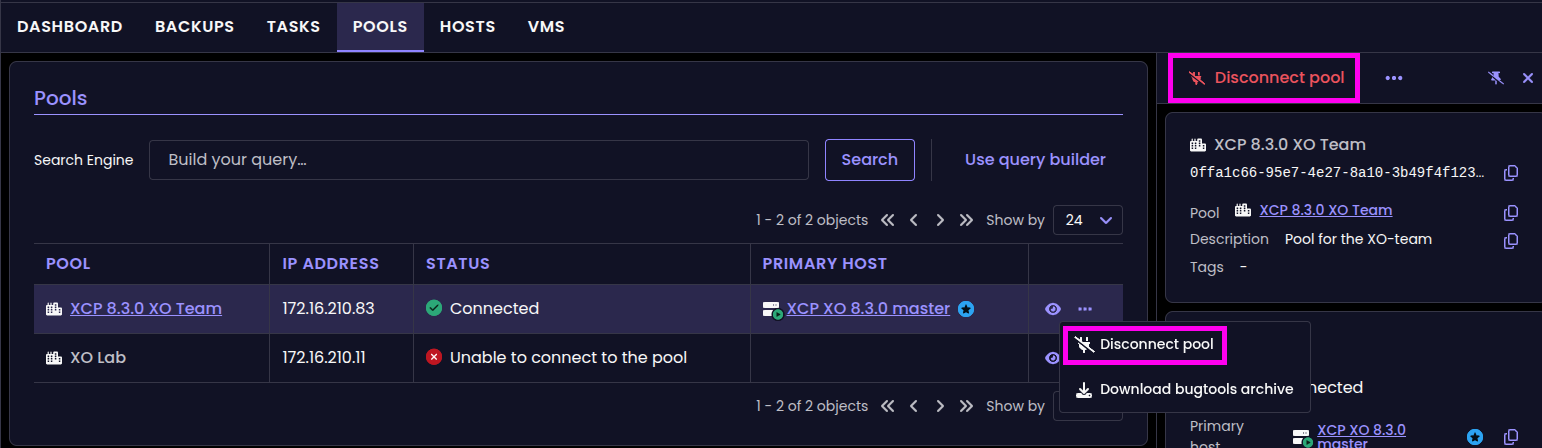
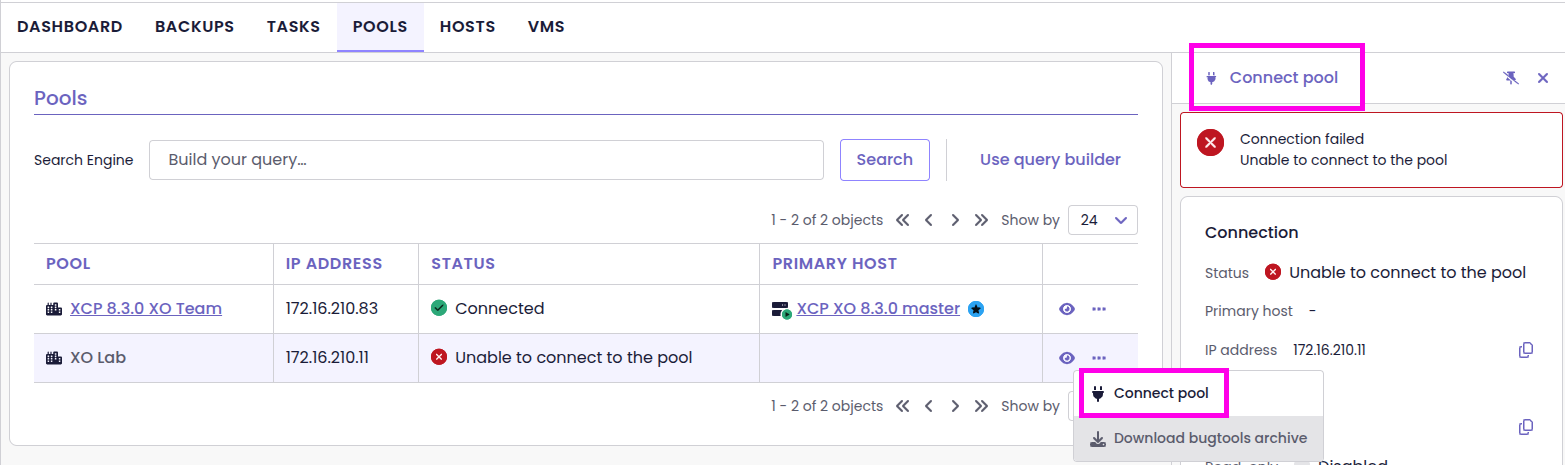
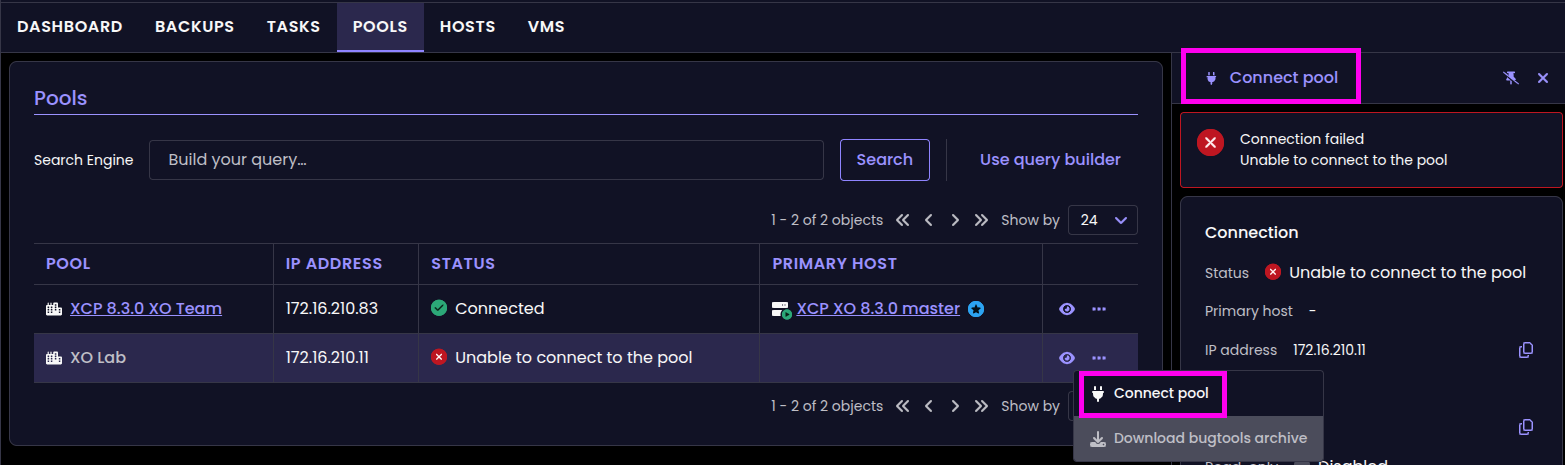
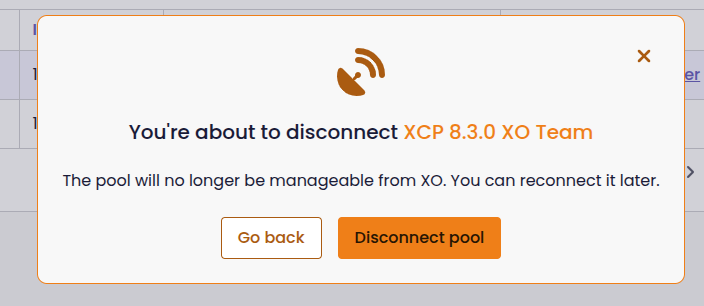
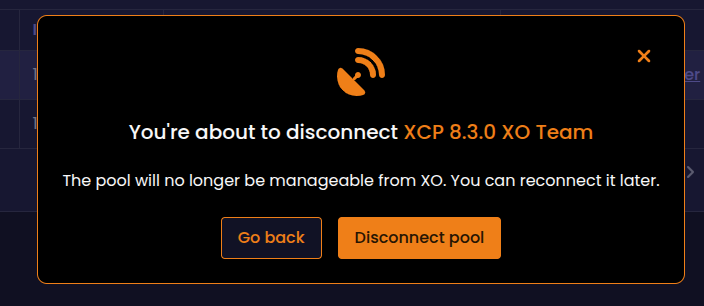
Connect and disconnect pools straight from the Pools view
Disable hosts and evacuate VMs
Now, you can disable a host and evacuate its VMs from the host action menu. Before disabling the host, XO checks that it can safely evacuate the VMs, and asks for confirmation.
Once disabled, the host won't receive new VMs, while its existing VMs can be migrated to other hosts in the pool. You can enable the host again from the same action menu when it's ready to be used again.
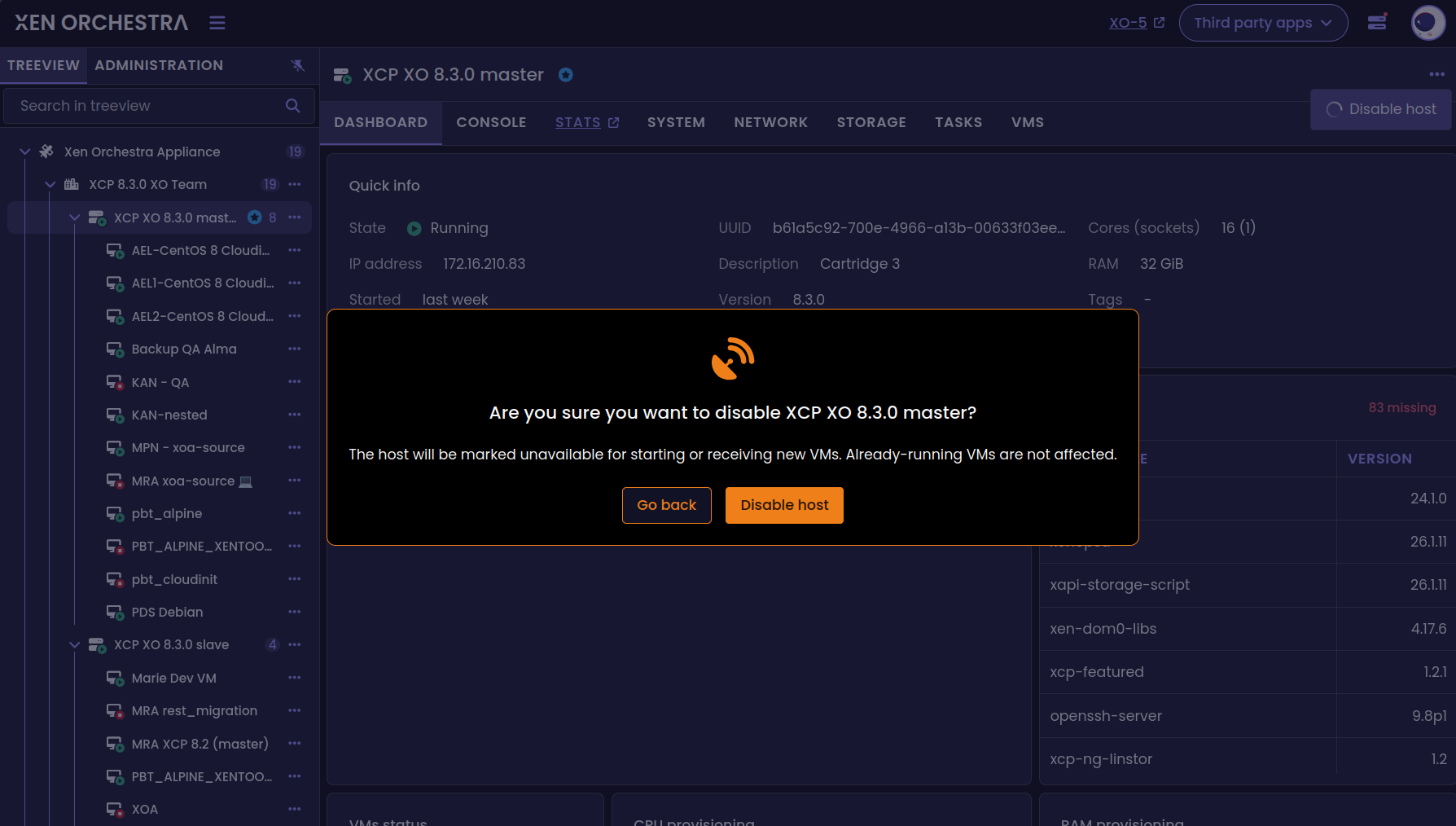
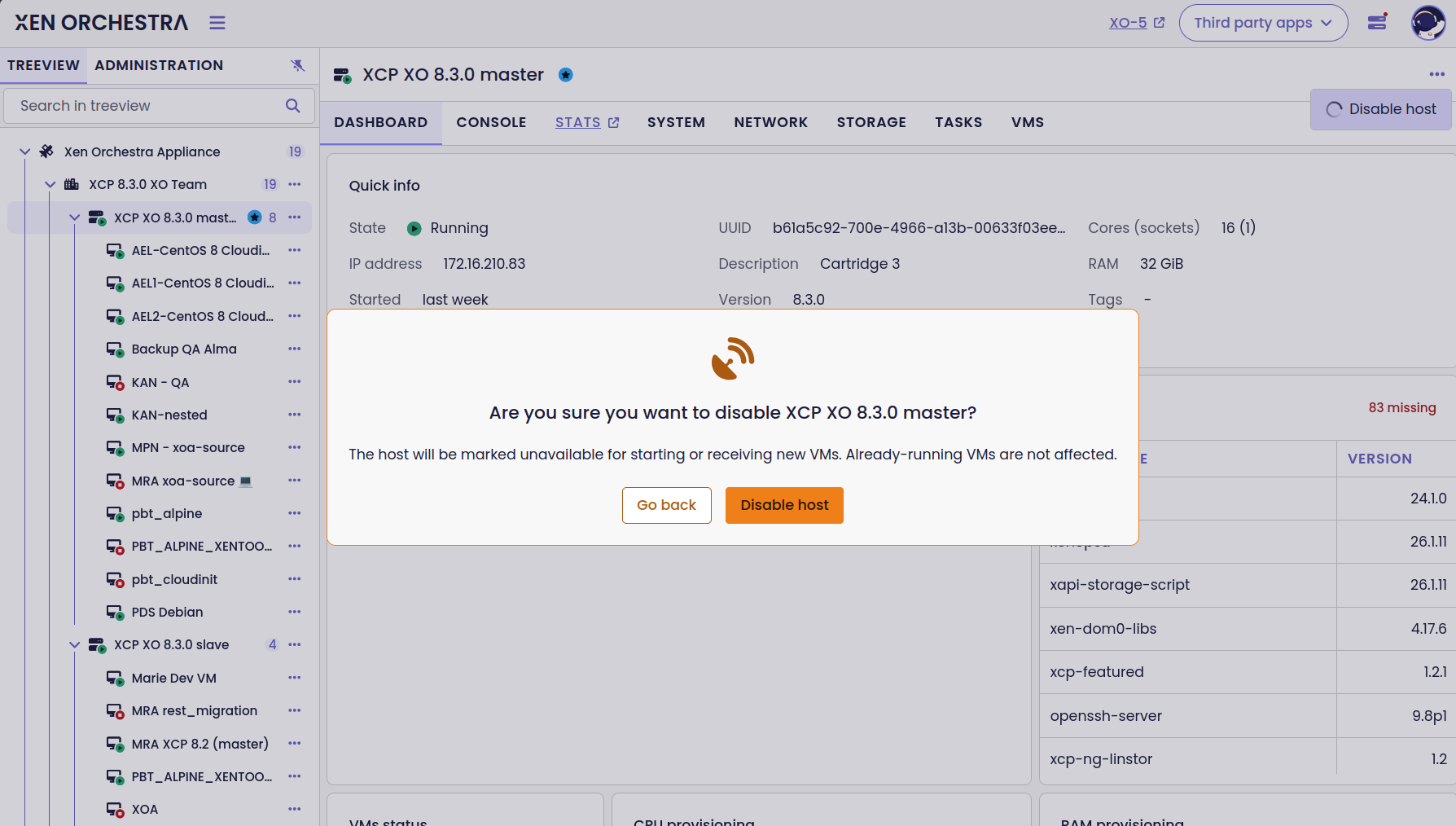
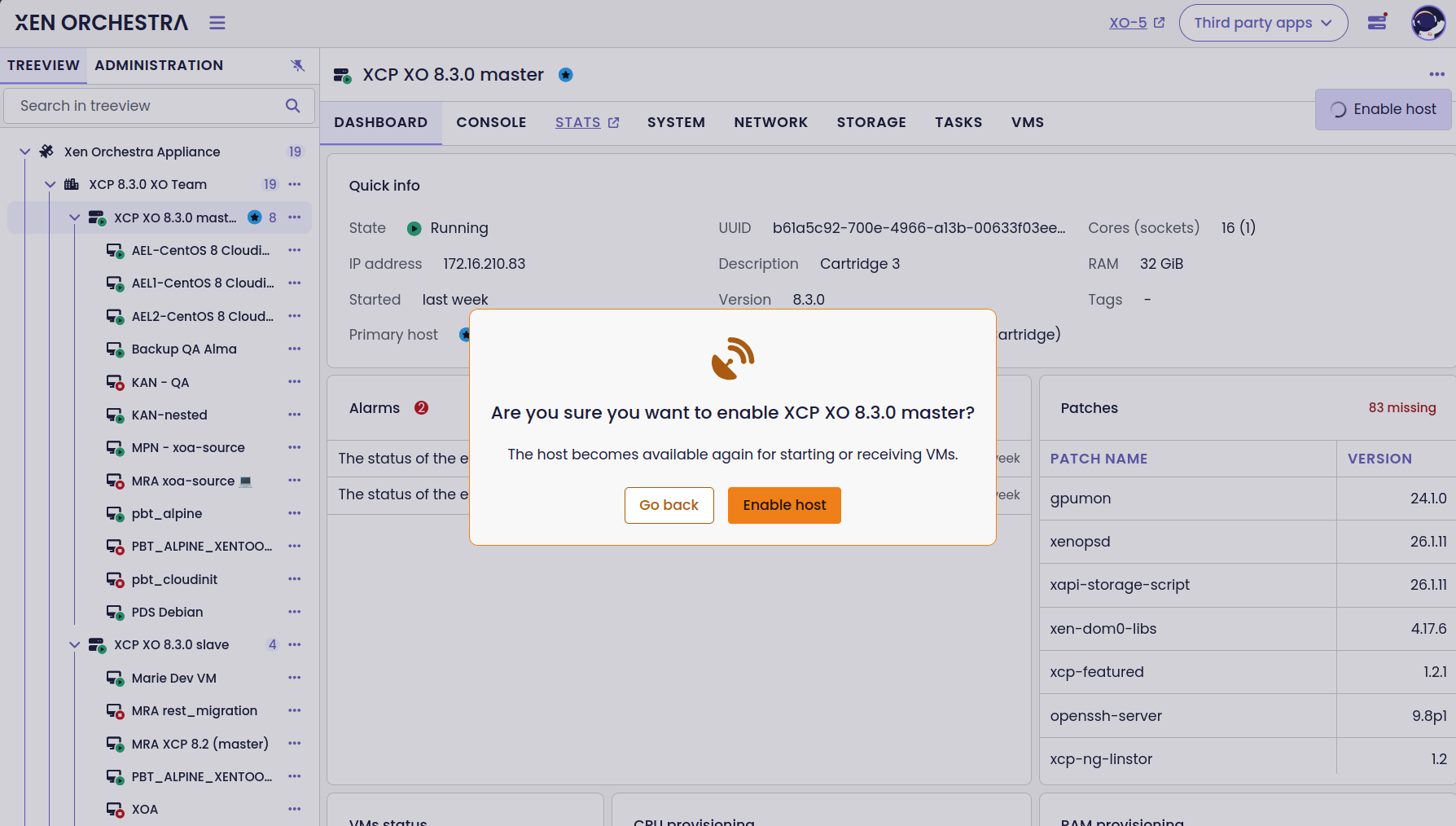
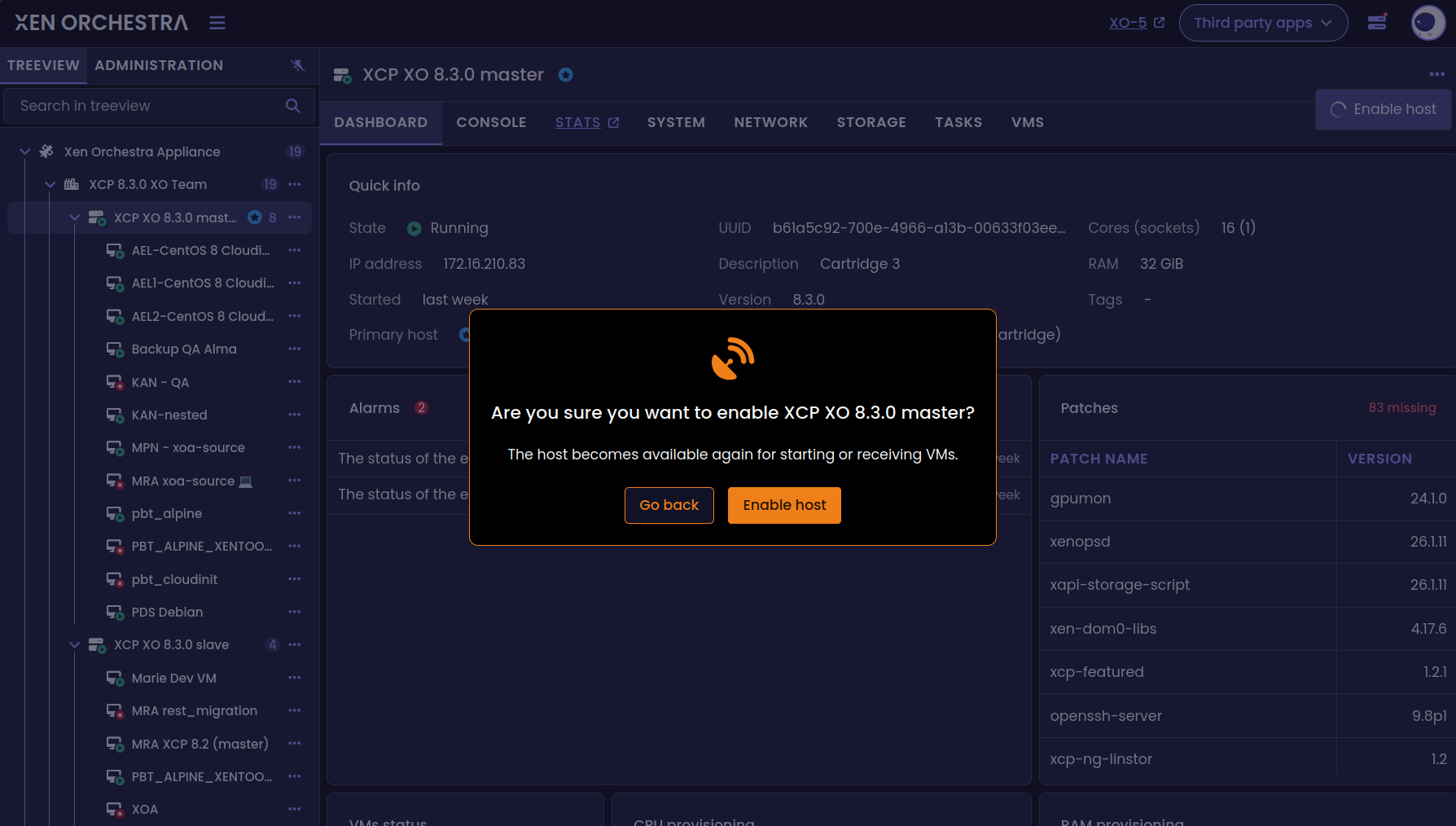
Disabling/enabling hosts in XO 6
Detailed guest tool status
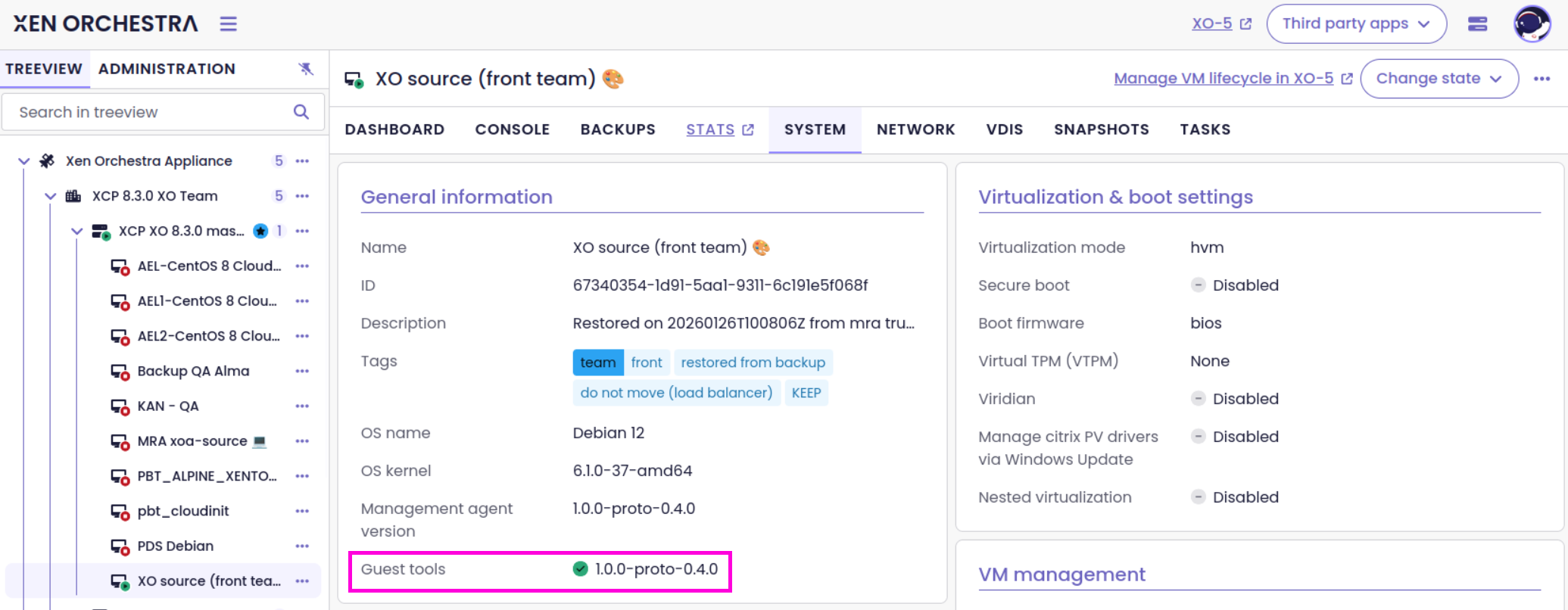
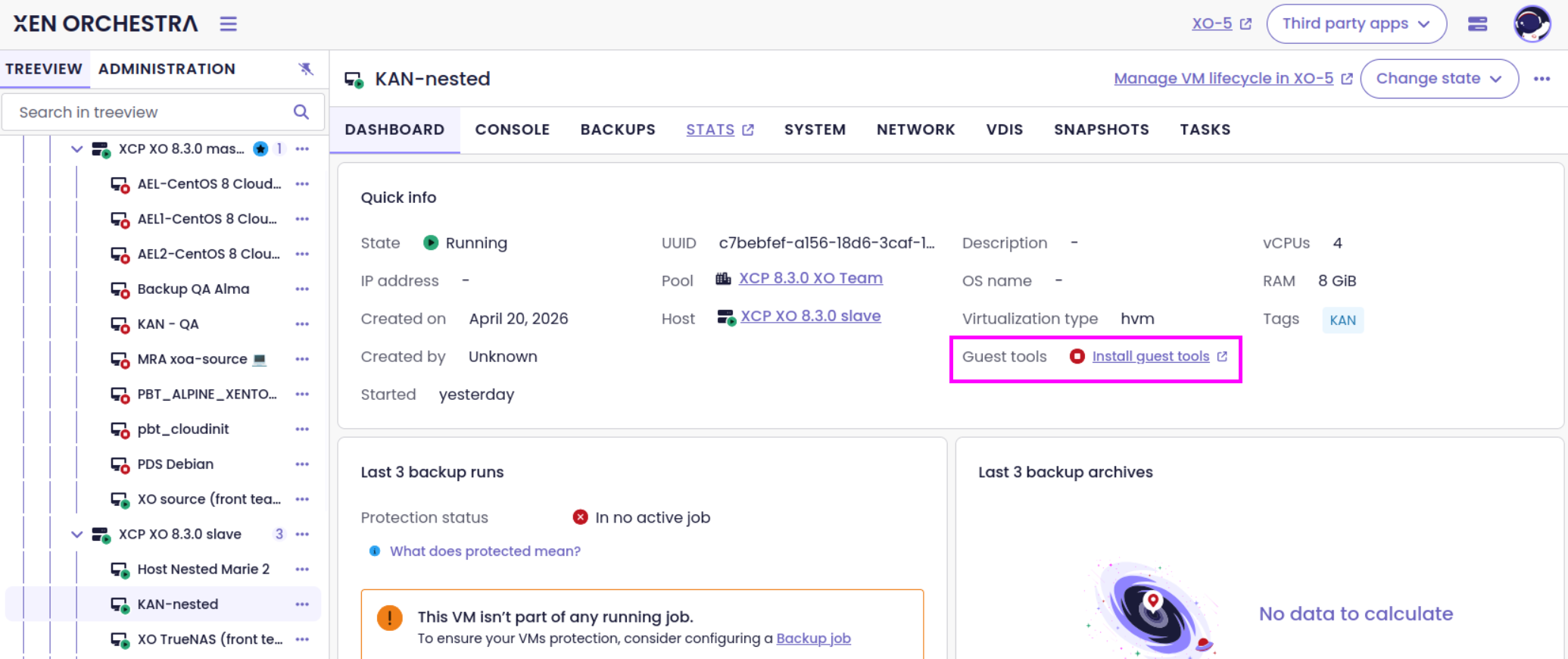
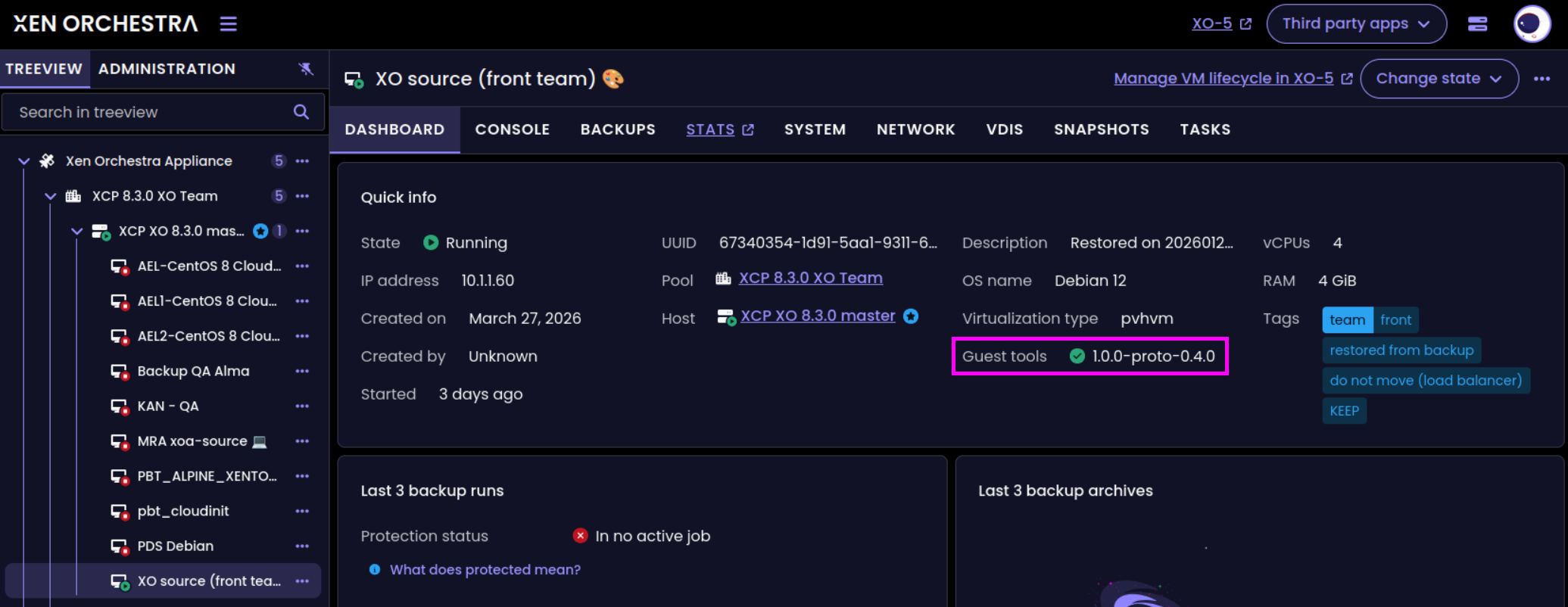
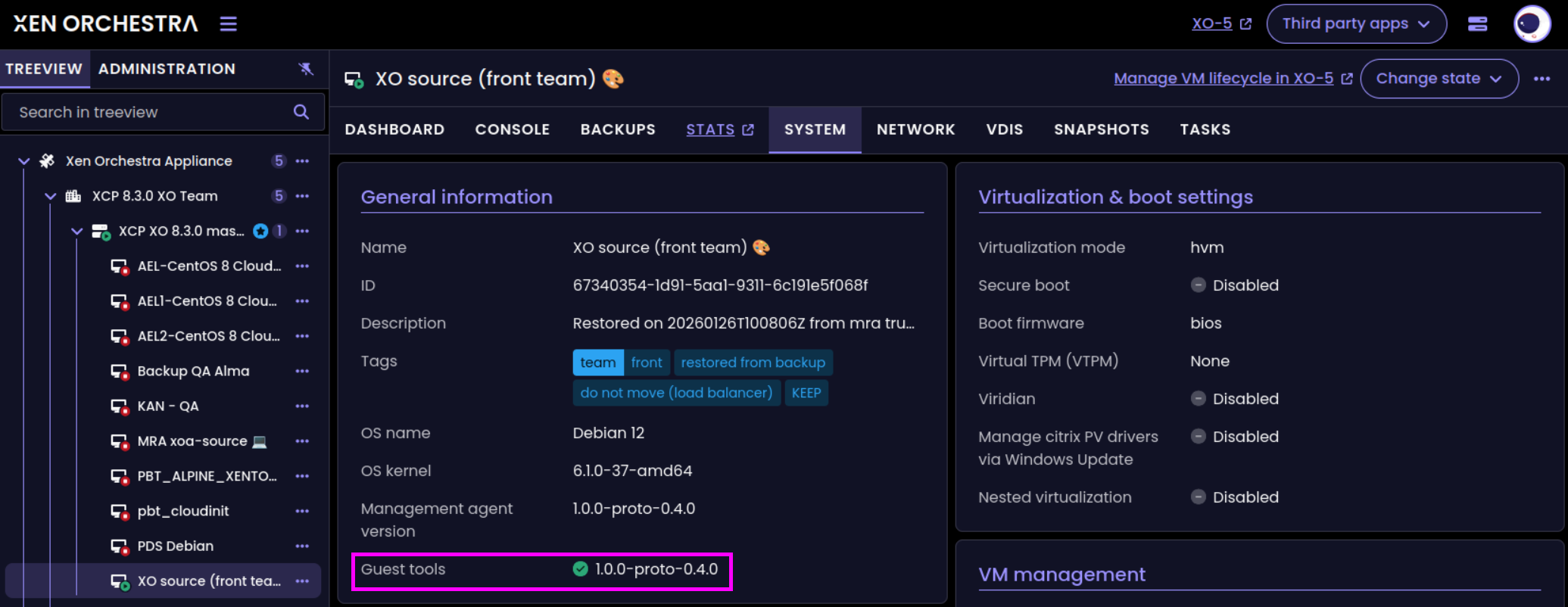
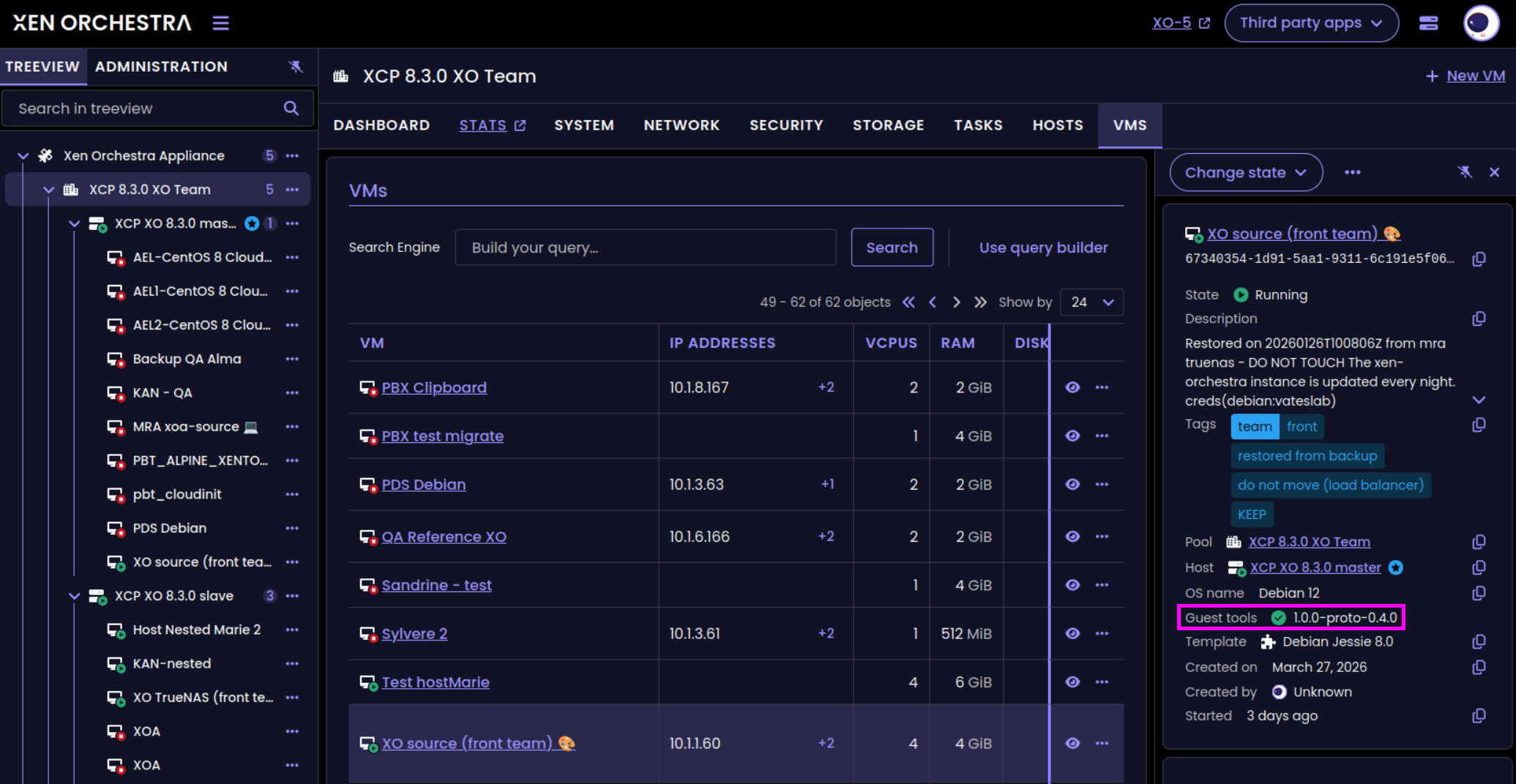
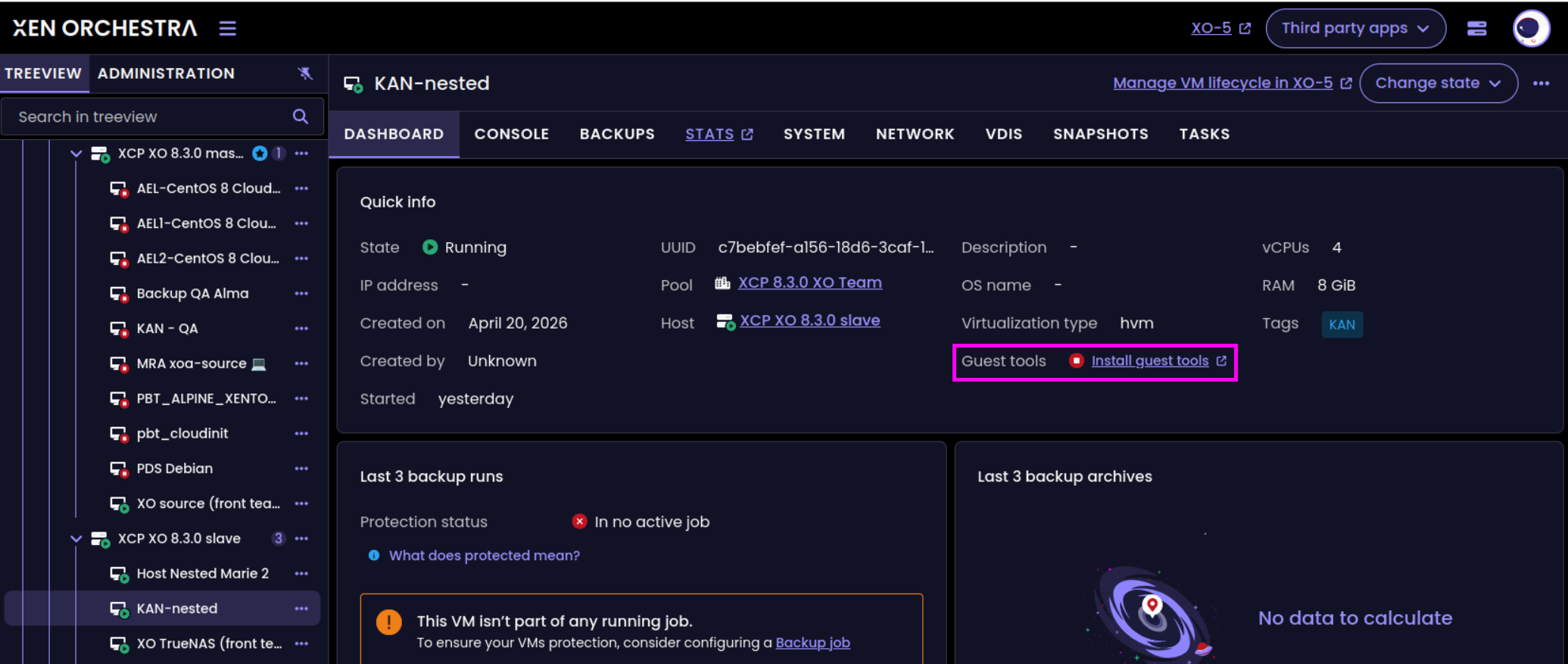
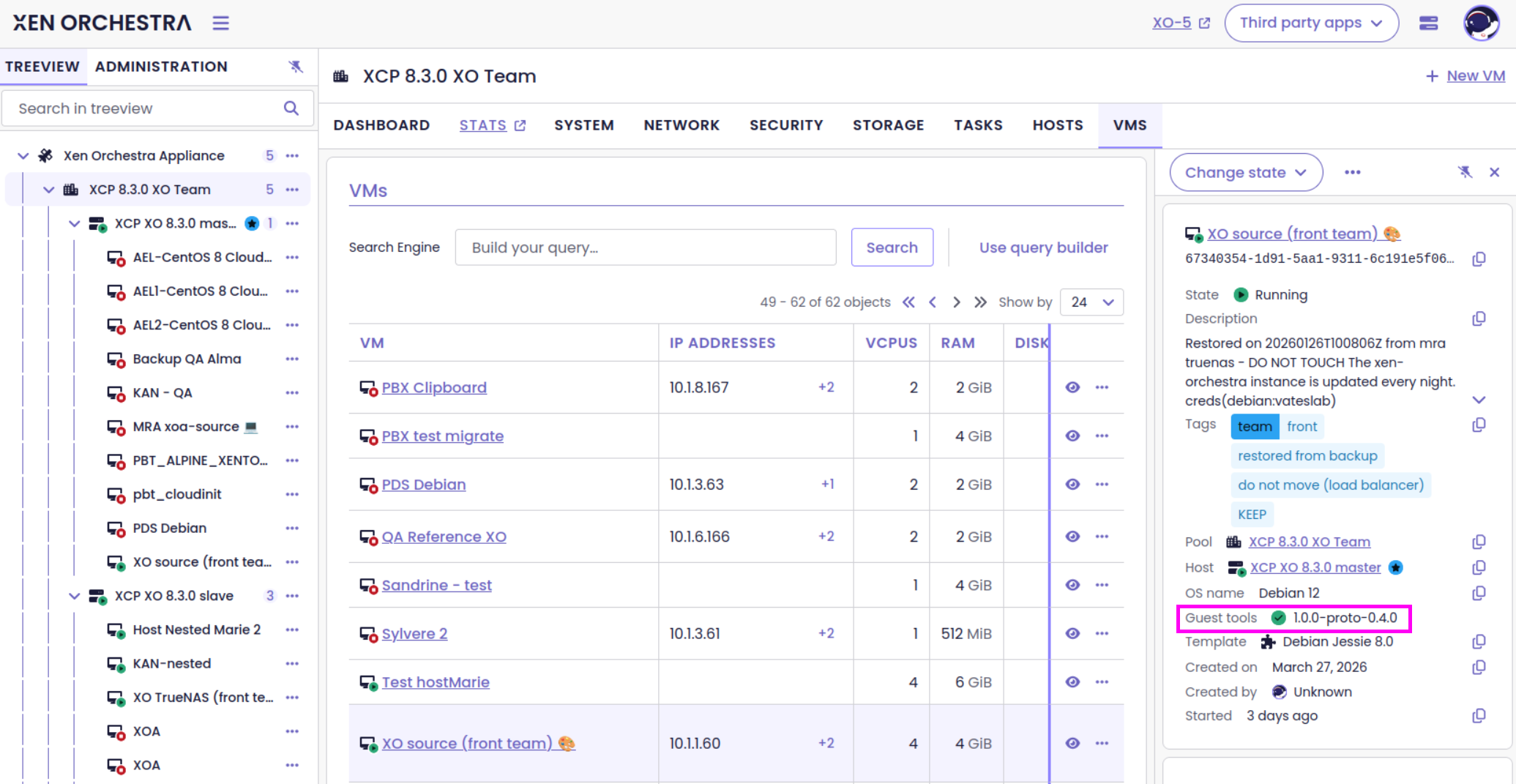
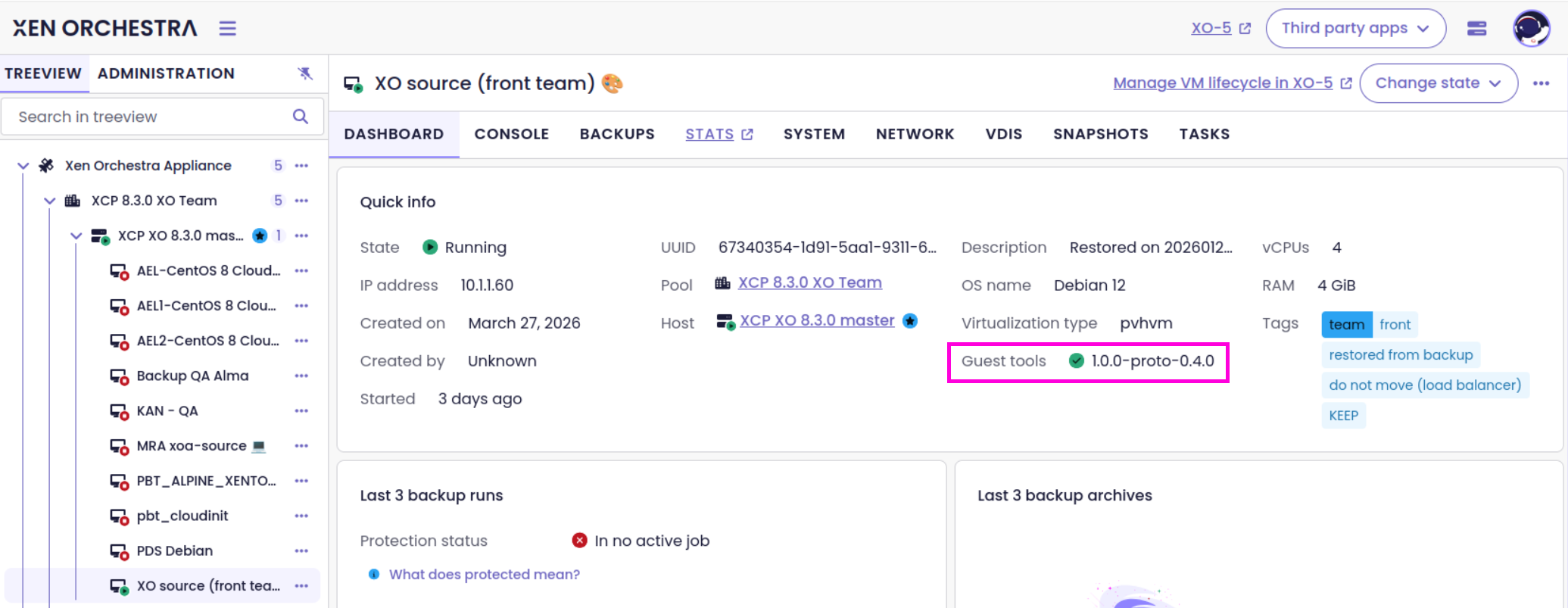
The VM dashboard now shows the status of the guest tools installed in each VM. You can see whether the tools are up to date, out of date, missing, or unknown.
Clicking the status gives you more details about the installed guest tools, including the detected version when available. The same status is also shown in the VM’s System tab and side panel.
Guest tool details in XO 6
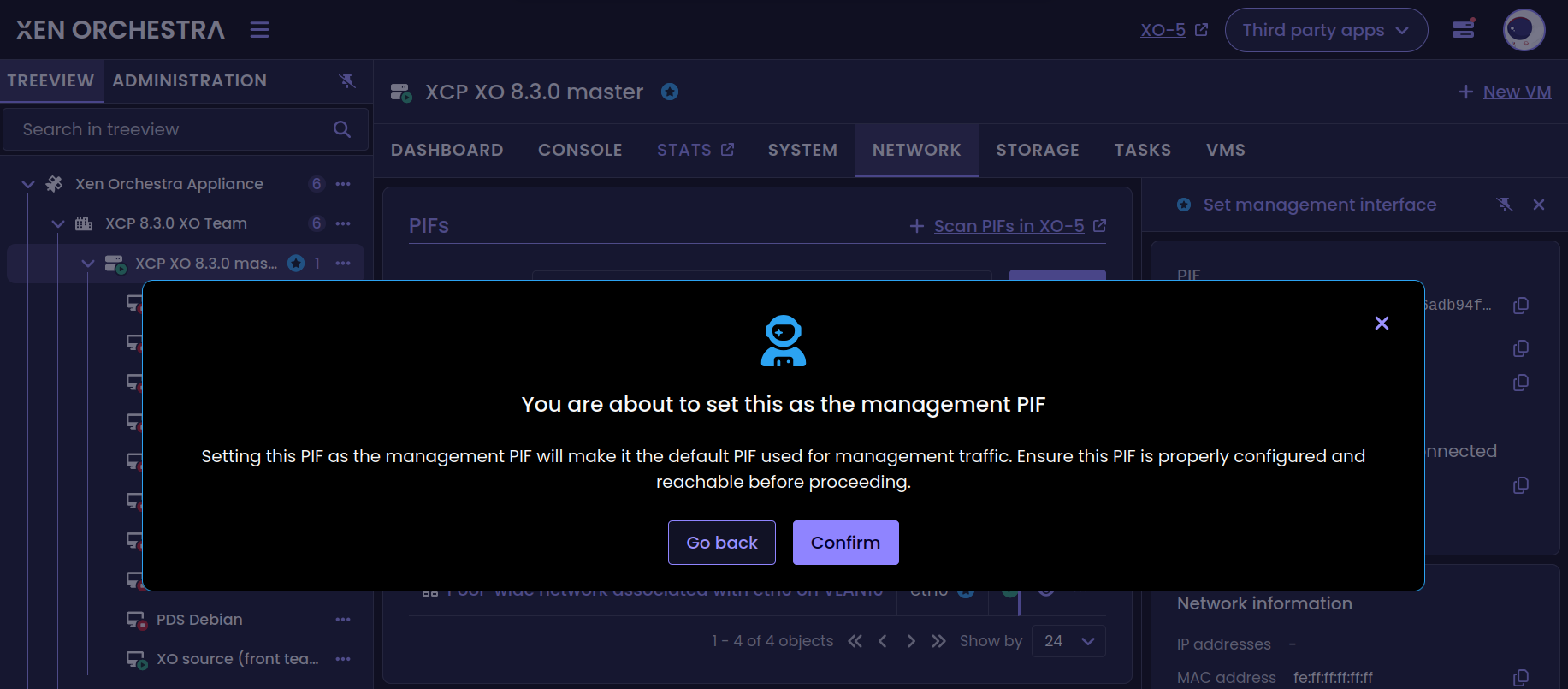
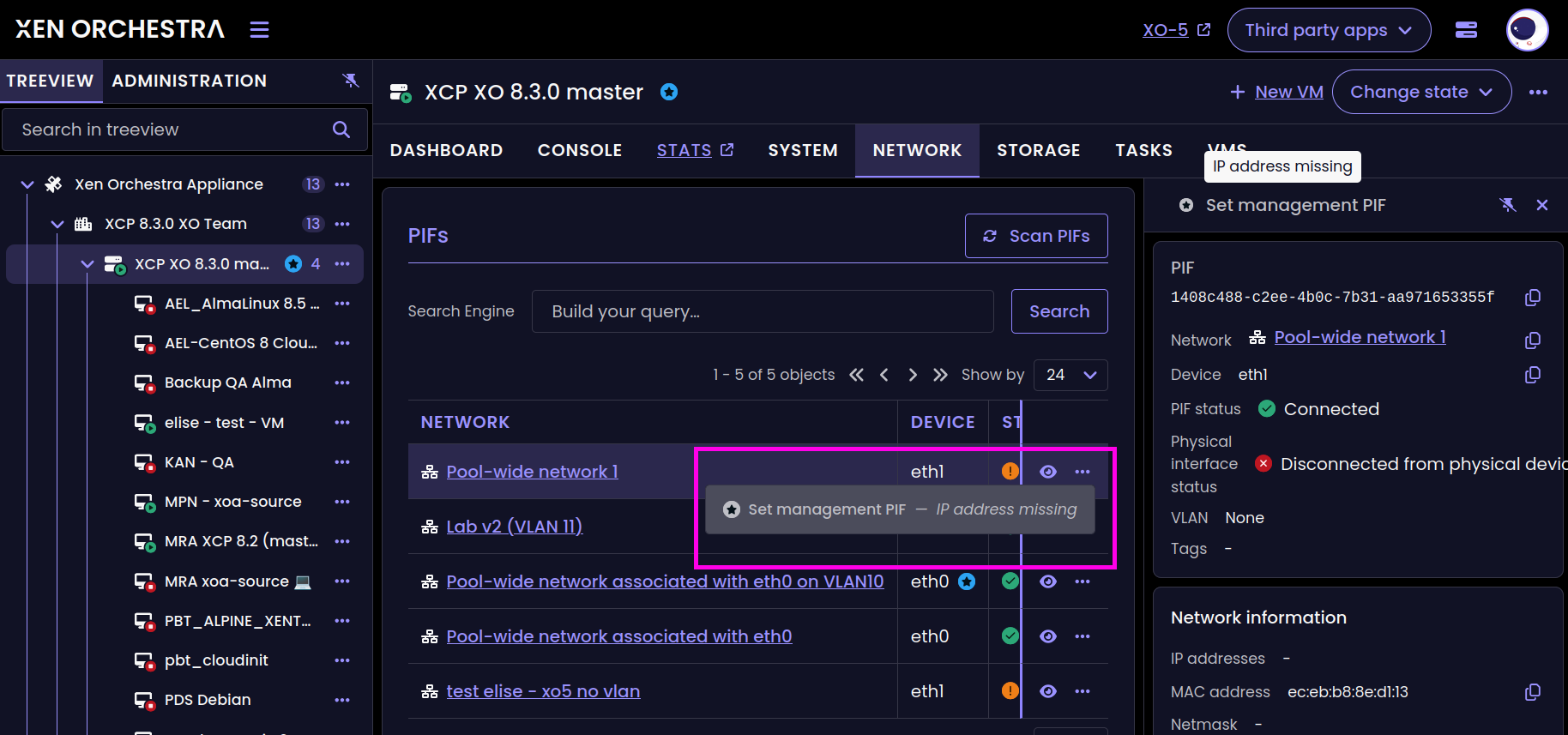
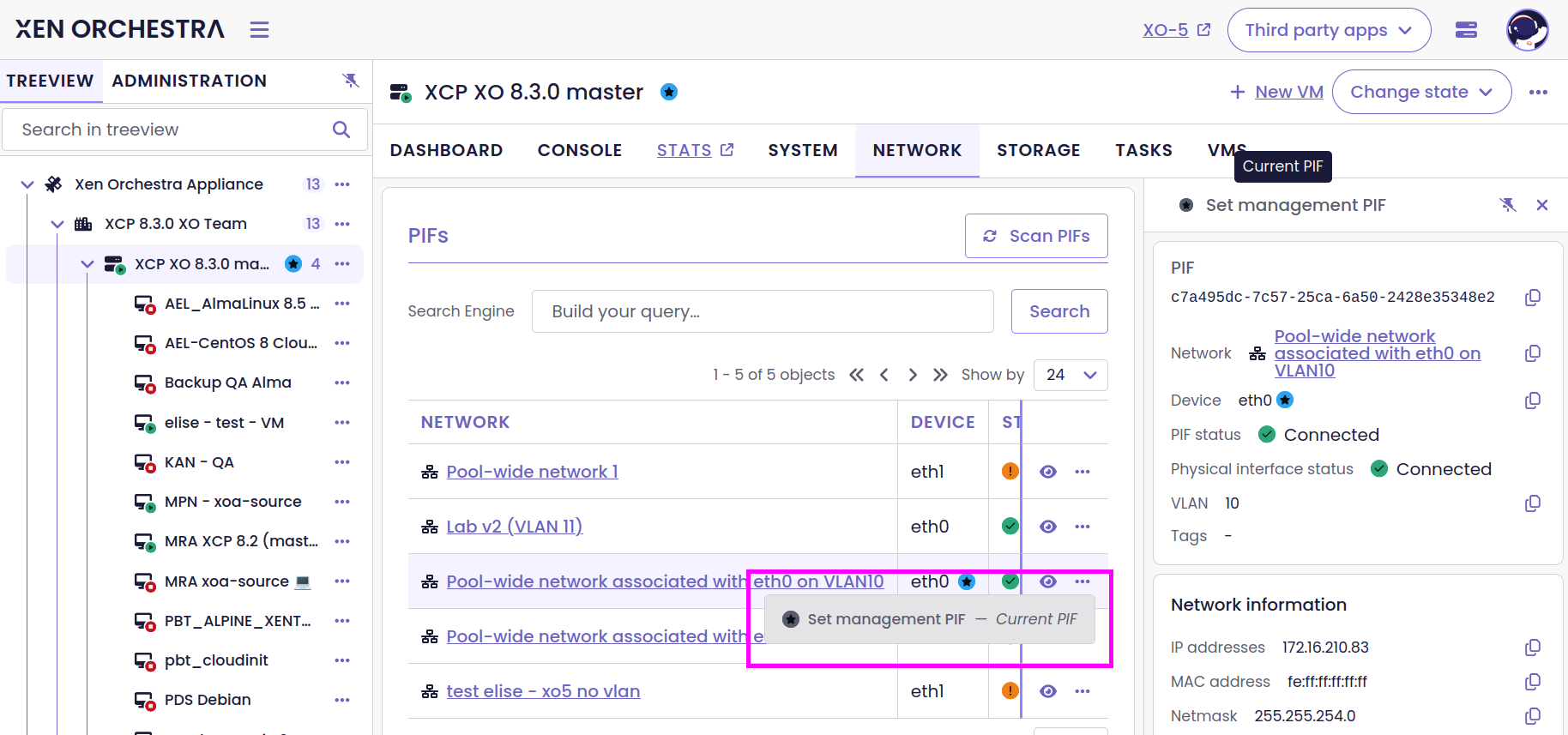
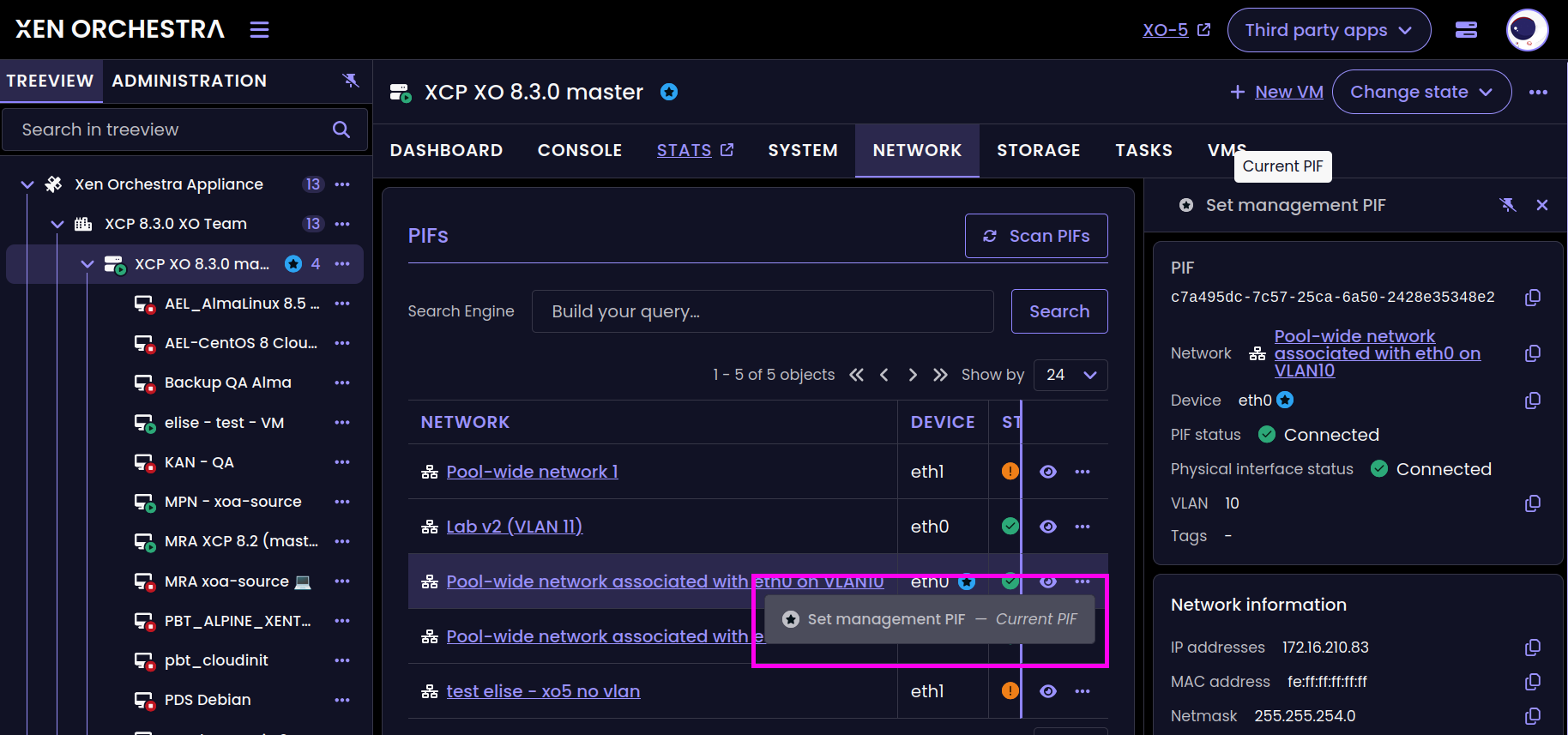
Reconfigure the management PIF
You can now move a host’s management interface to another physical interface (PIF), directly from XO 6. The action is available from the PIF table and its side panel, provided the target PIF has an IP configuration and isn't already the management interface.
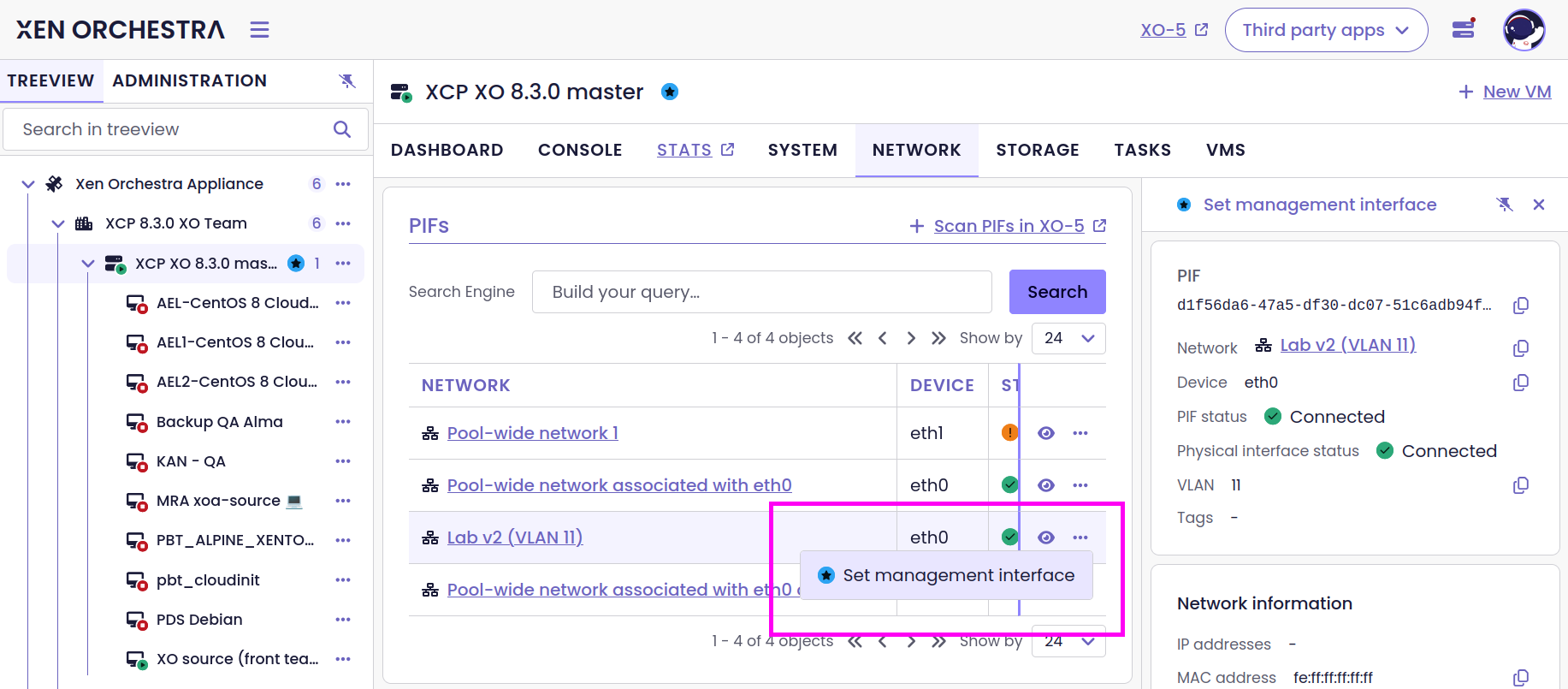
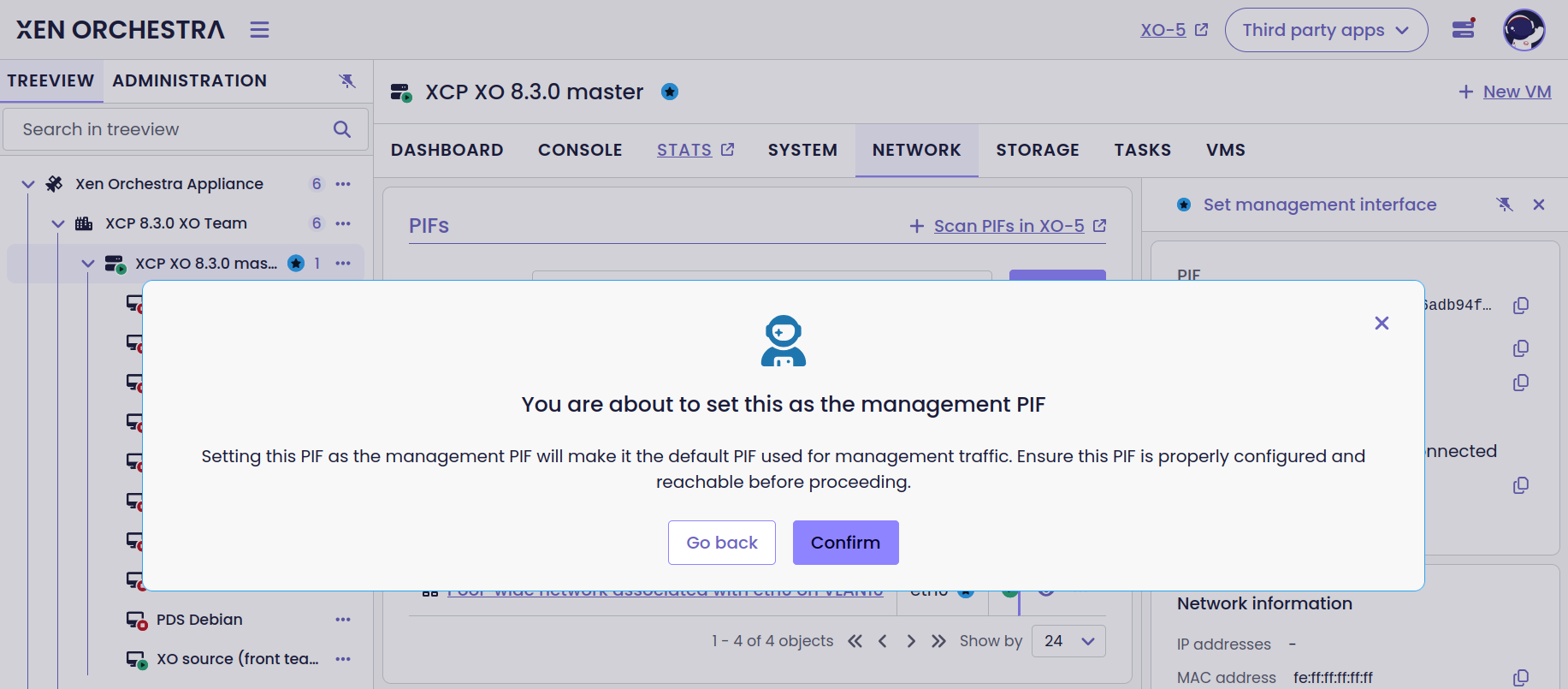
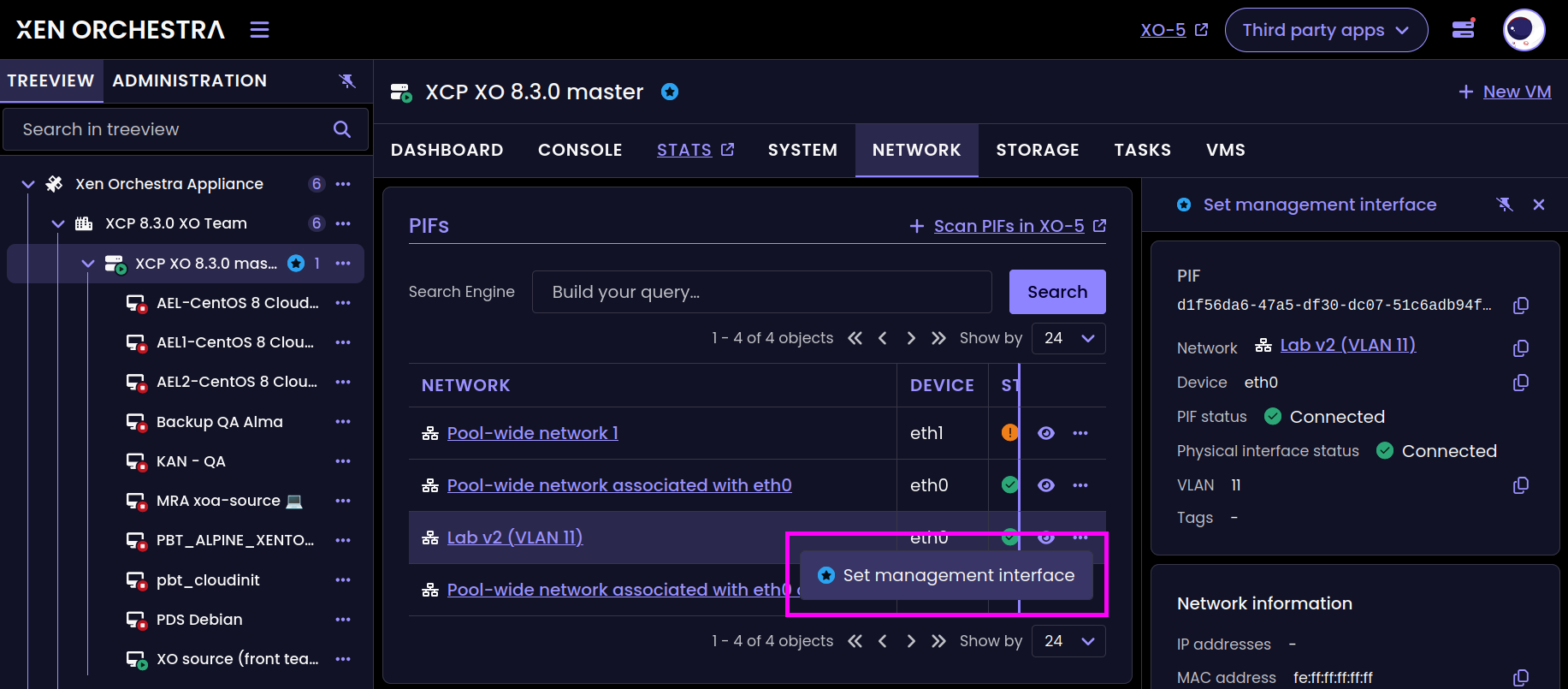
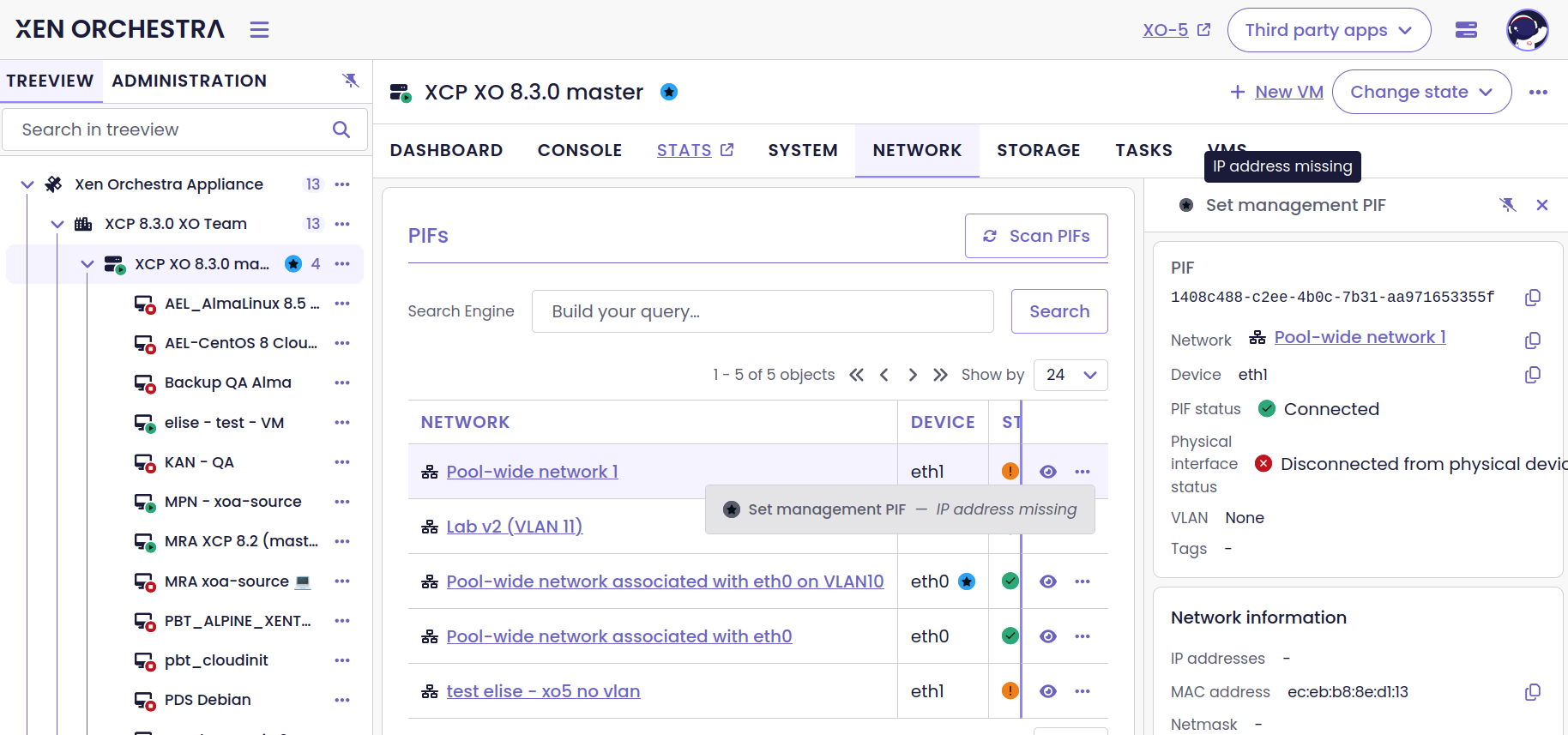
Change the management PIF right from XO 6
🔭 XO Lite
Network configuration in XO Lite was previously limited to viewing. You can now create networks, bonded networks and host internal networks without opening XO 6. VDIs gain a page of their own, and VM actions are available from the tree view.
Manage VDIs
XO Lite now has a dedicated page for listing virtual disk images (VDIs), just like in XO 6. The new page gives you an overview of your VDIs and lets you select one to view its details. VDI actions (create, attach, detach, delete) are coming soon.
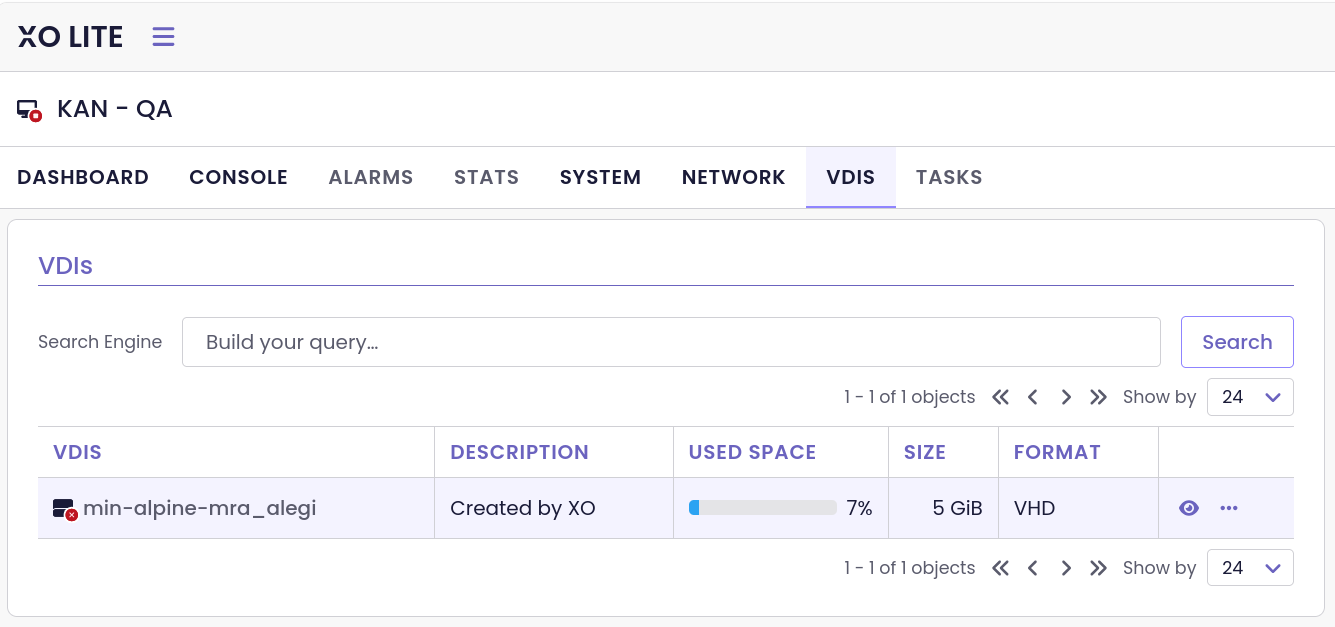
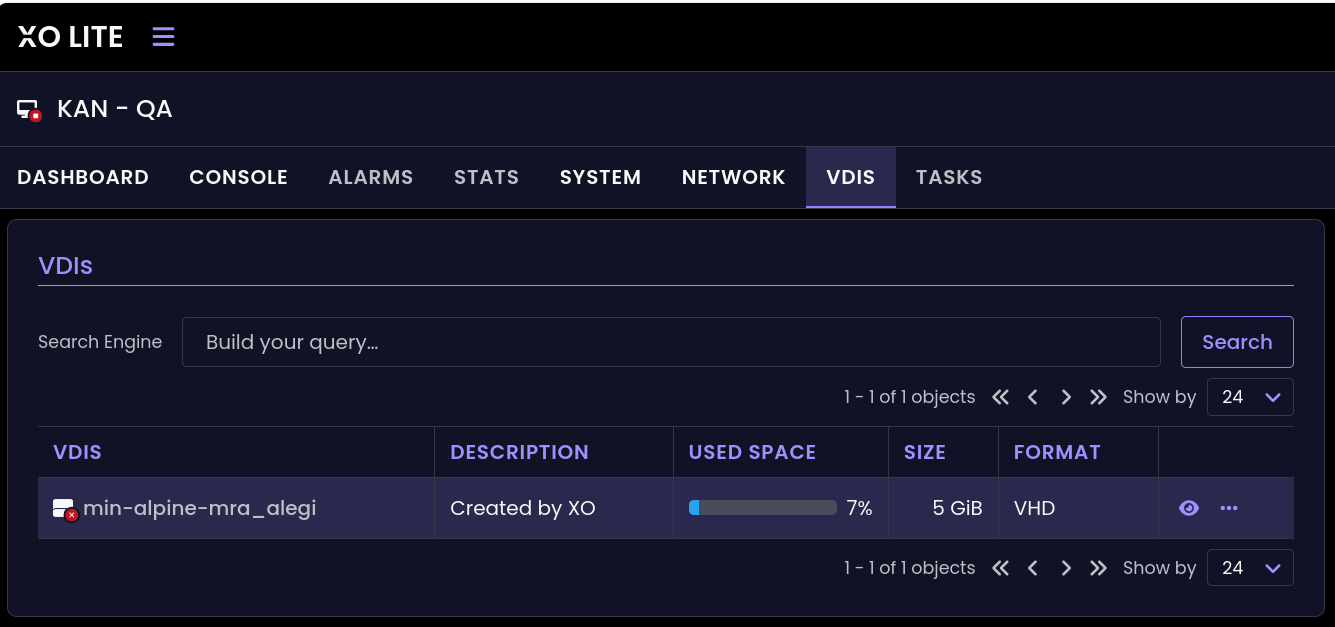
Now, XO Lite shows you a table with all your VDIs
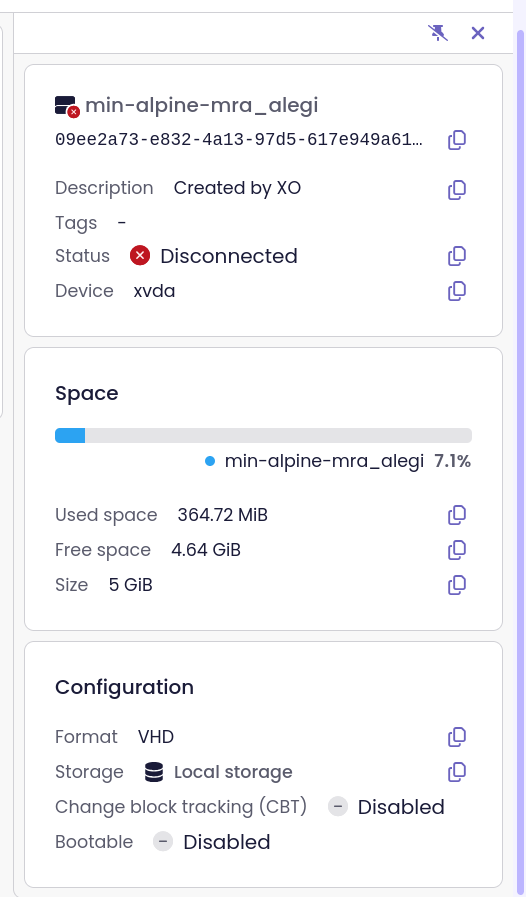
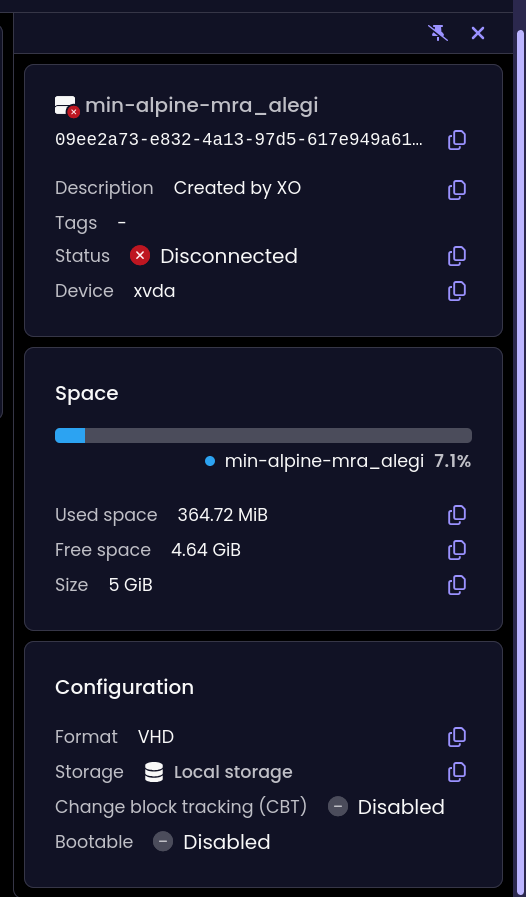
VDI details also appear in the side panel
Create networks and bonded networks
Starting with XO 6.8, you can create networks and bonded networks, without switching to XO 5. From a pool’s Network tab, use the Create network action to set up a network and configure its properties.
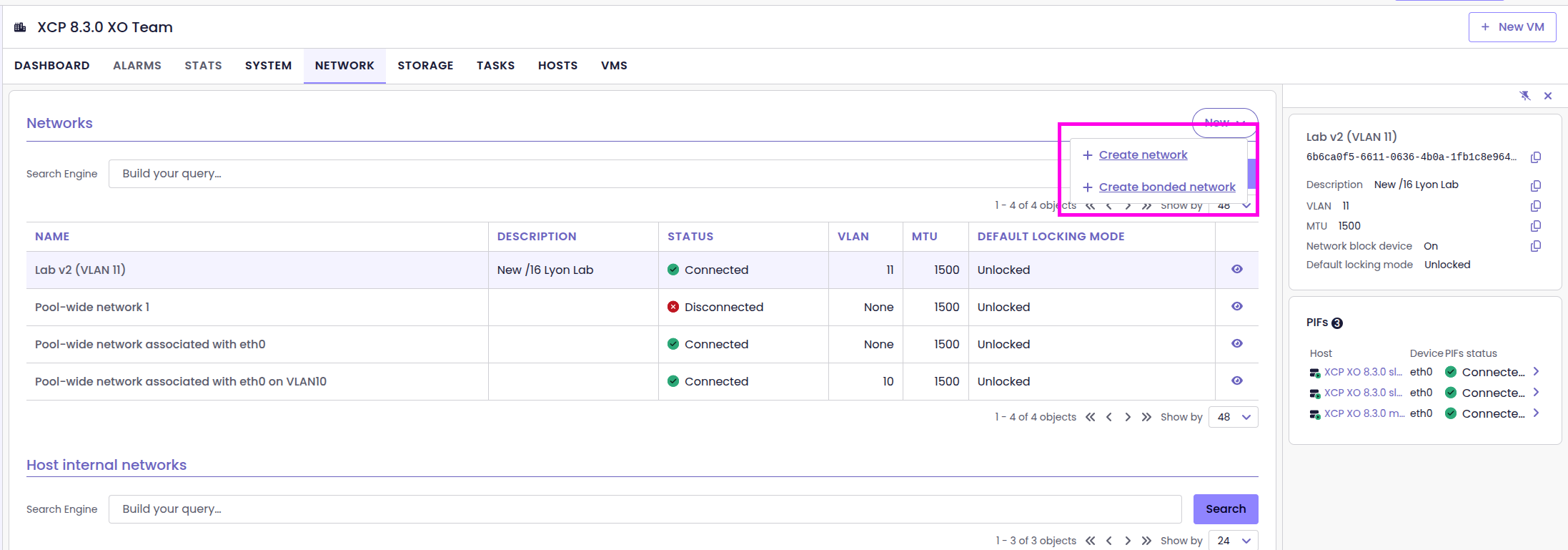
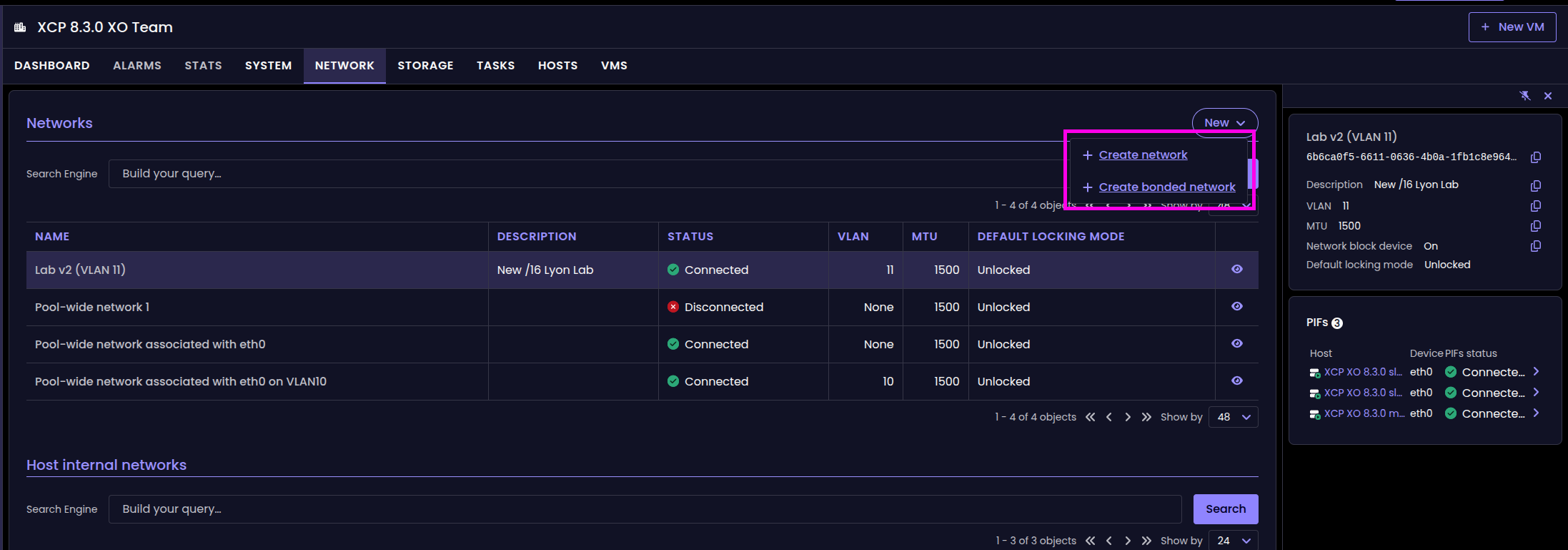
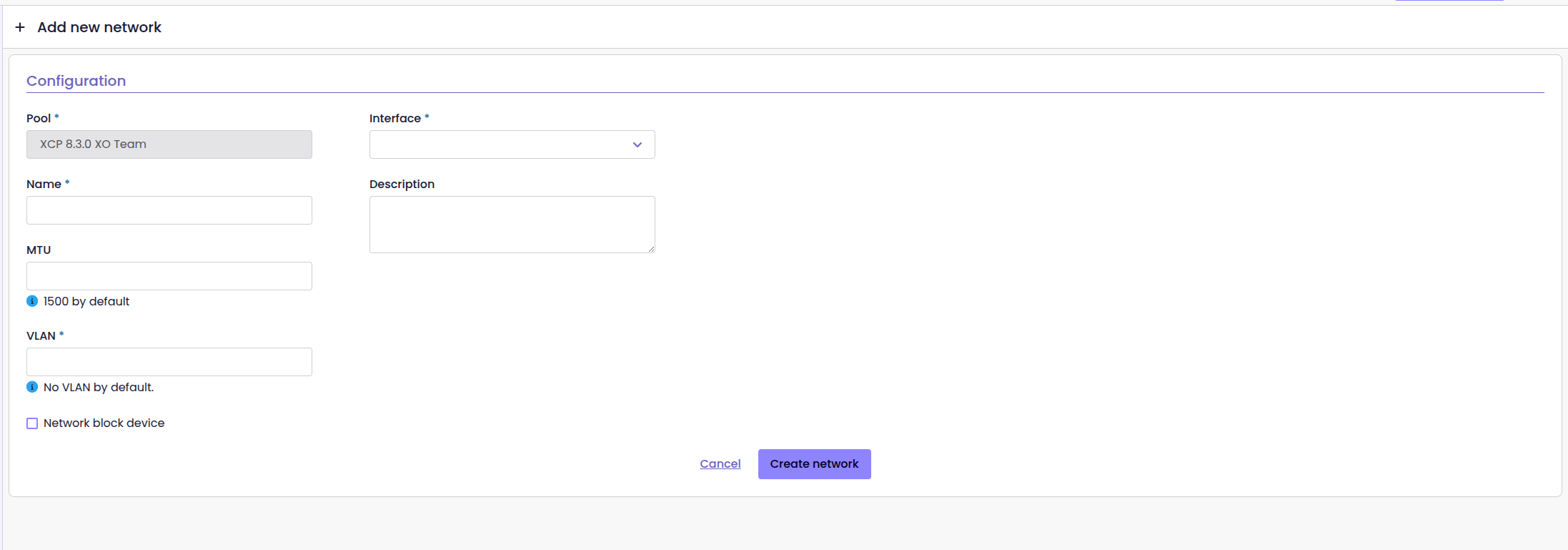
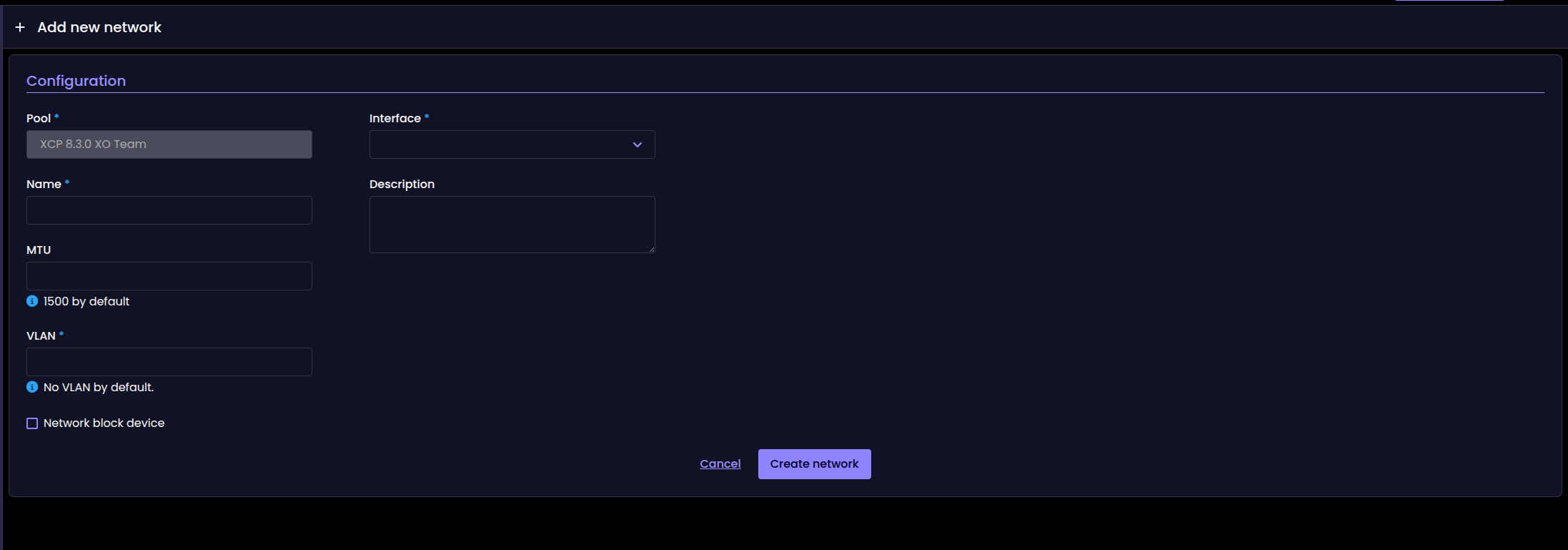
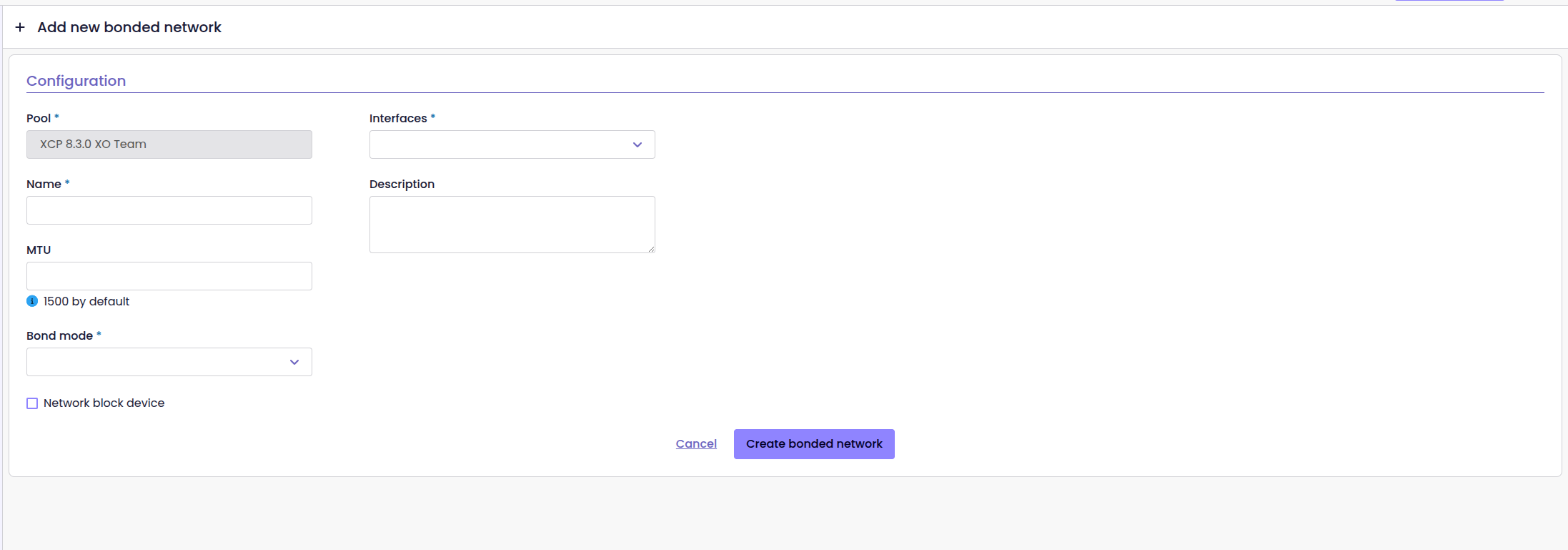
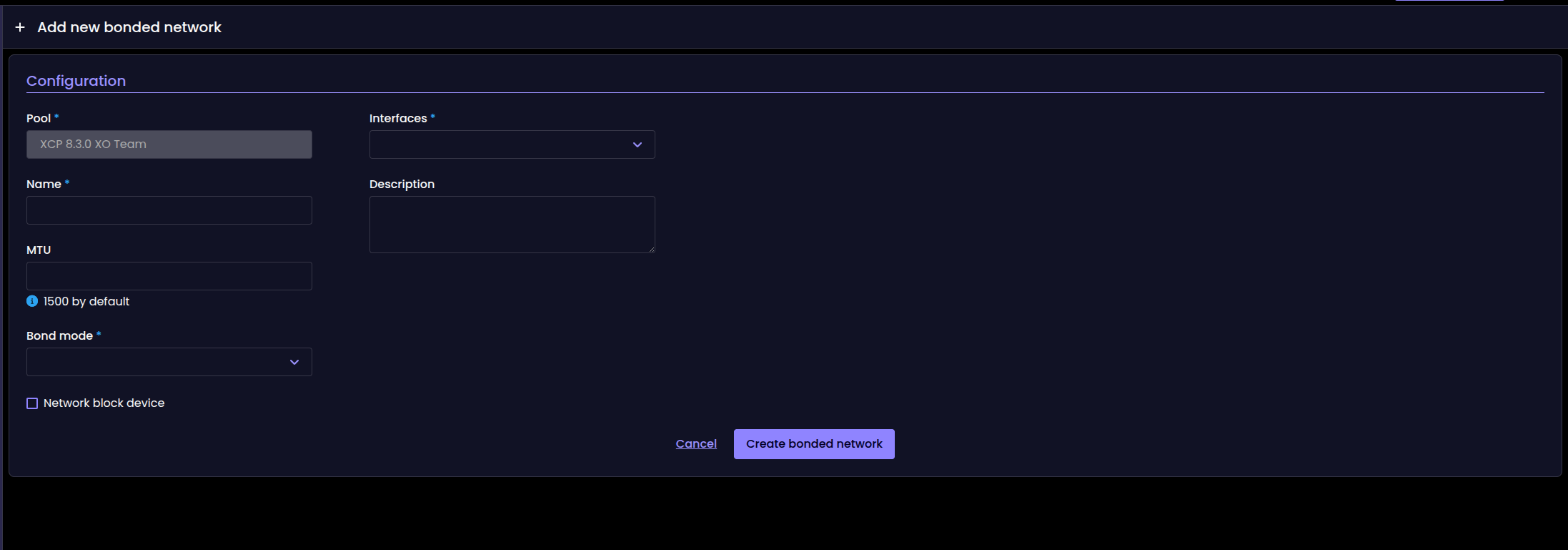
How to create networks in XO Lite
‘Scan PIFs’ button
We’re updating XO Lite to let you scan for physical interfaces (PIFs), just like we did with XO 6.
From a host’s Network tab, click the Scan PIFs button to start the scan.
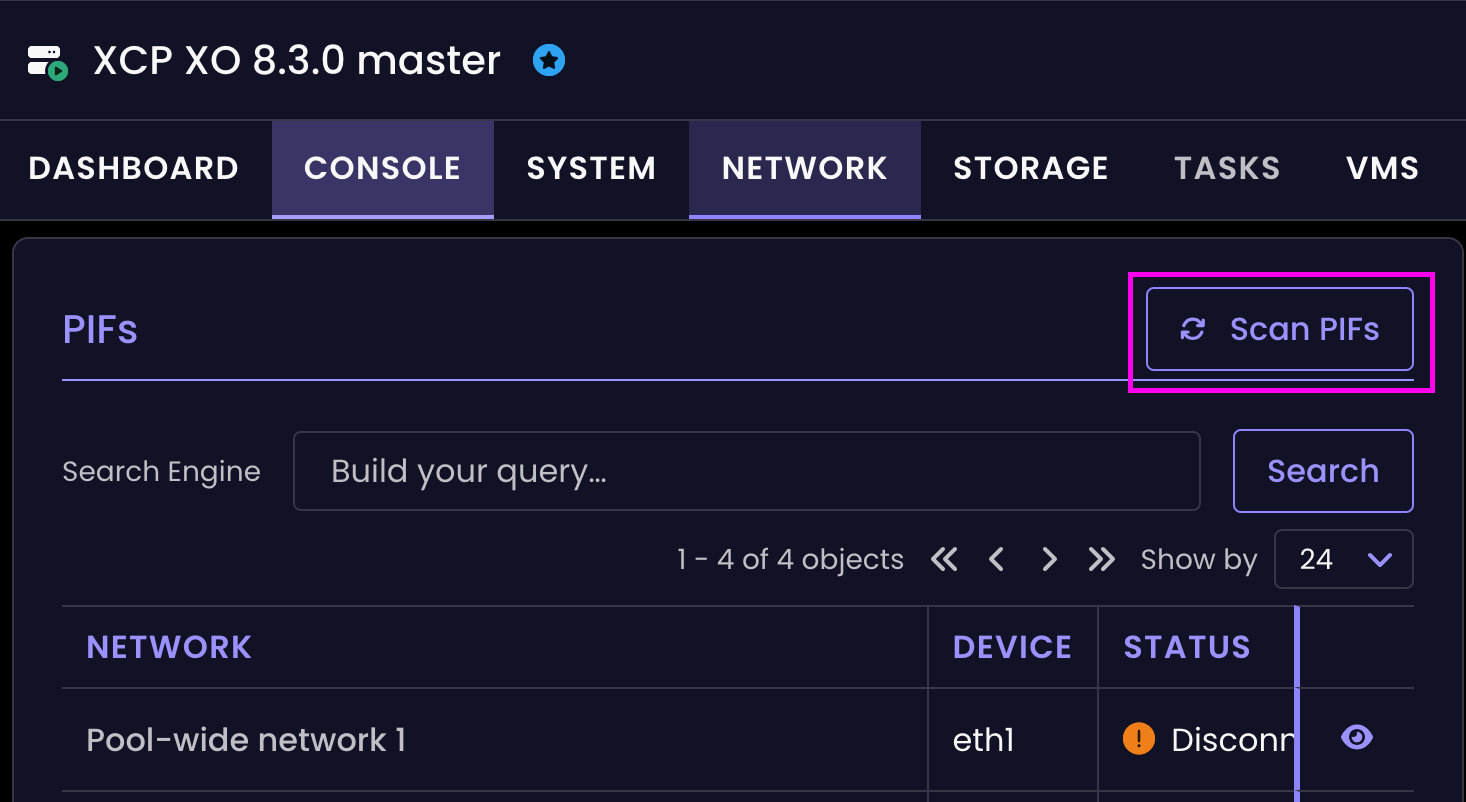
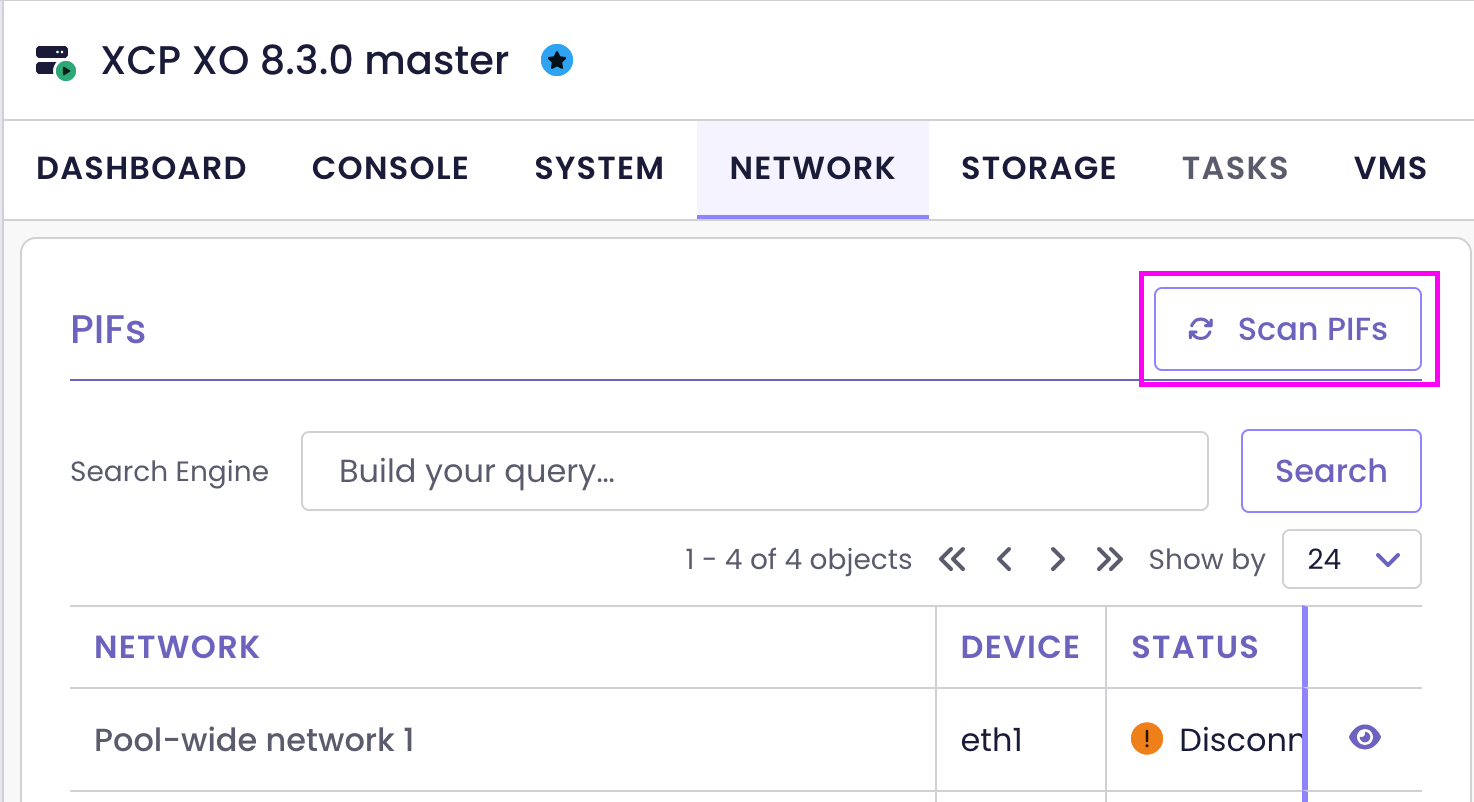
The new 'Scan PIFs' button in XO Lite
VM actions in the tree view
We’ve added VM actions to the XO Lite tree view. This means you can access the actions from a VM’s context menu, without opening the VM first. Also, the tree view shows when an operation is running on a VM.
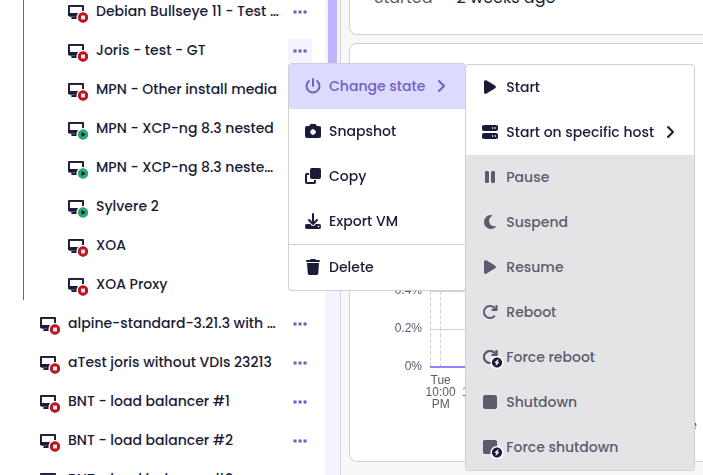
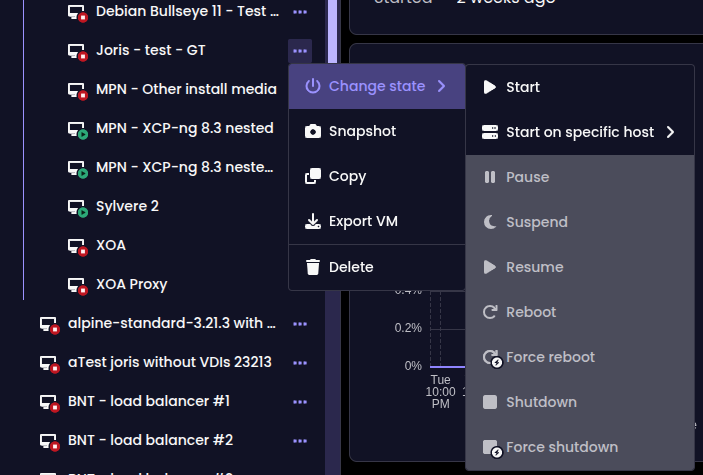
The tree view now shows the actions you can perform on a VM.
🪐 XOA
xo-server now sizes its Node.js memory limit from the RAM allocated to the VM rather than from a fixed default, so additional memory given to XOA is actually used. License checks also no longer hang indefinitely when the HTTP proxy in front of XOA stops responding.
Adapt memory usage to the VM size
xo-server now adjusts Node.js's memory limit based on the amount of RAM available to the XOA virtual machine. The limit is set to 70% of the VM's RAM, with a minimum of 1 GiB, leaving enough memory for the operating system and other XOA services.
The limit is recalculated every time xo-server starts, so resizing an XOA VM and rebooting it automatically updates the setting. This also prevents Node.js from hitting its default heap limit too early on VMs with more RAM.
More resilient license management
Previously, when an XOA instance used an HTTP proxy to access the Internet, a proxy that stops responding could leave license requests hanging indefinitely. In some cases, this prevented xoa-updater from falling back to its cached license information.
XO now puts a timeout on these requests. If the proxy doesn't respond in time, the request is aborted and xoa-updater can use the cached license data instead. This keeps license management working even when the proxy temporarily loses access to the Internet.
☸️ DevOps Tools
Until now, giving a whole team access to a VM meant opening the XO interface and sharing it manually, outside the configuration that originally defined the VM. The Terraform provider and the Go SDK both close that gap this cycle, alongside a fix for pools where several hosts have a storage repository named Local storage. The Kubernetes side moved too, with a first release candidate for the CSI driver and a maintenance release for the cloud controller manager.
Terraform provider v0.41.0
The provider gains a plural xenorchestra_srs data source, modeled on xenorchestra_pools, so you can list and iterate over storage repositories. The singular xenorchestra_sr resolves one SR at a time, which left no way to work with a pool where several hosts each own an SR called "Local storage". The singular data source also gains host_id filtering, which disambiguates those host-local SRs.
The VM resource picks up a share boolean. Setting it does what the Share button in the XO web UI does: the VM is granted to everyone in the resource set it belongs to, so team-wide access becomes a line in your configuration rather than a click afterwards.
 vatesfr
Go SDK v1.19.0
The v1 SDK learns the same share flag for VMs, which is what the Terraform provider builds on. If you drive Xen Orchestra from your own Go tooling rather than through Terraform, the capability is there directly.
 vatesfr
CSI driver v1.0.0-rc.1
The CSI driver reaches its first release candidate for 1.0, with four changes worth calling out.
Pick the storage repository at provision time. The driver now reads storageRepositoryId from a Kubernetes VolumeAttributesClass, so a PVC can target a specific SR instead of always landing in the pool's default one. The SR is validated against the selected pool and storage type before the VDI is created, and precedence runs VolumeAttributesClass first, then an explicit poolId, then topology-aware selection. You can also move an existing volume to another SR in the same pool at runtime by changing the VolumeAttributeClass of the PVC. Then, the migration is made without stopping or restarting the pod : it leverages the live migration of Xen Orchestra within Kubernetes.
Credentials stay on the controller. The driver splits into controller and node modes: only the controller talks to the Xen Orchestra API, and the node server runs with no XO configuration and no credential secret mounted. Node metadata now comes from the CCM-provided ProviderID on the Kubernetes Node. This matters most in clusters where control-plane and worker nodes are separated, since the XO credential is no longer present on every worker. Note that it also makes the CCM a requirement rather than an option.
A new Helm chart, aligned with the split deployment modes, with toggles to enable or disable individual components and Helm hook tests that provision a volume to check the install.
The XO client timeout is now a driver flag, -xo-client-timeout, defaulting to 30 seconds, instead of living alongside the credentials. The kxo helper also gains a --vdi-name-prefix override.
Cloud controller manager v1.1.2
The CCM's Helm chart gains an rbac.create switch, so you can turn off the Role and RoleBinding that the chart would otherwise create and manage RBAC yourself. Useful in clusters where a platform team owns RBAC centrally.
The release workflow also learned to cut chart-only releases, so a packaging fix no longer needs a driver release behind it.
The Kubernetes toolkit is still taking shape, and we would rather shape it with the people who will run it. If your team already runs Kubernetes on XCP-ng, or is working out whether to, tell us what you need from it. The Cluster API provider in particular is still early enough that there is real room to influence where it goes, and we would rather build against real workloads than our own assumptions.
📖 Documentation & Guides
The documentation got a structural pass, along with a new page for the IPMI plugin covering sensor rules and the REST endpoint that shows what your hosts actually report.
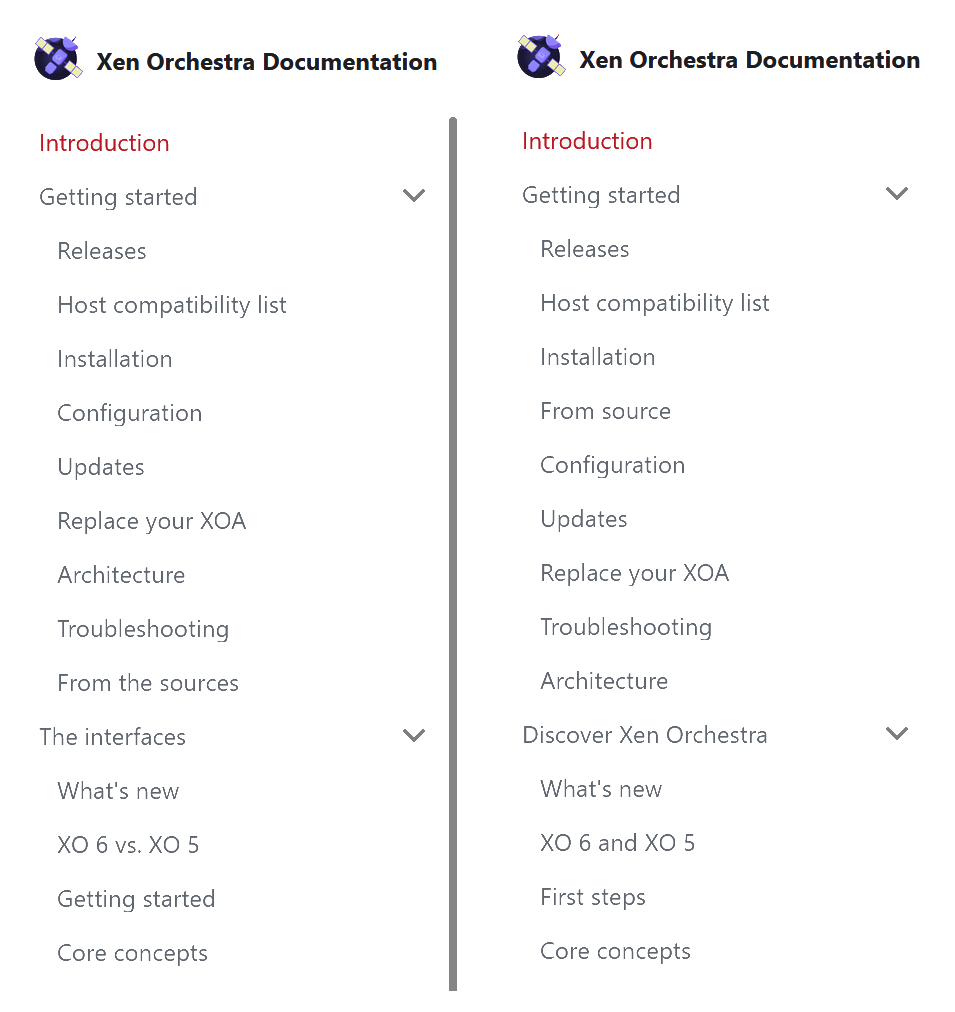
Cleaner documentation structure
Documentation accumulates. Pages get added where there was room rather than where they belong, titles get written in whatever style the author had in mind that day, and after a while finding something depends on knowing where it was put. We went through the Xen Orchestra documentation to fix that.
Page titles and navigation labels have been reworked to be easier to scan. XO 5 and XO 6 content is now clearly distinguished, which matters while both interfaces are in use and a page that applies to one but not the other is easy to land on by mistake. Naming follows a consistent style: title case is gone in favour of sentence case, as our guidelines recommend, and related pages now share the same patterns, so Management in XO 5 and Management in XO 6 read as a pair rather than as two unrelated pages. Navigation labels stay short without becoming cryptic.
A few sections and pages also moved or were renamed where their previous location or title sent you looking in the wrong place.

IPMI plugin doc
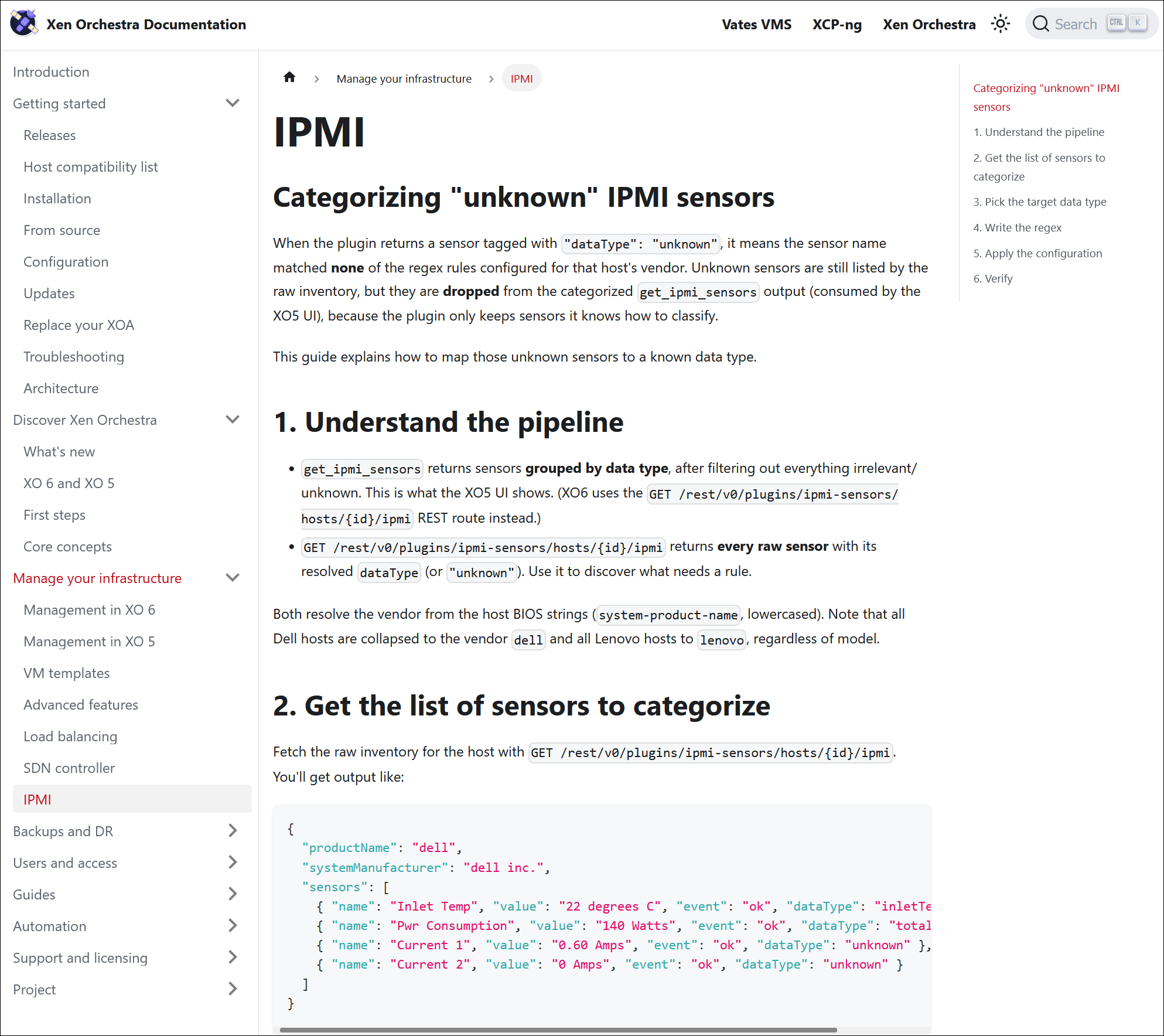
We’ve added a new documentation page for the IPMI plugin. It explains how the plugin handles IPMI sensors and what to do when a sensor isn't recognized by default. You’ll also find instructions for adding custom rules and using regular expressions to match specific sensors.
The guide covers the IPMI REST endpoint as well, which you can use to inspect the raw data available from your hosts. This should give you everything you need to set up the plugin and handle sensors that aren't covered by the default rules.
IPMI sensors over the REST API
The IPMI sensors plugin now has a REST endpoint.
GET /rest/v0/plugins/ipmi-sensors/hosts/{id}/ipmi returns a host's IPMI sensor readings, so you can feed hardware health data into your own monitoring tooling. Also, the plugin is now properly documented.
🌐 Translations
A big thank you to our community for their ongoing efforts in translating Xen Orchestra!
6 languages updated
This month, 6 languages were updated: Brazilian Portuguese, Czech, Dutch, Finnish, Slovak, and Swedish.
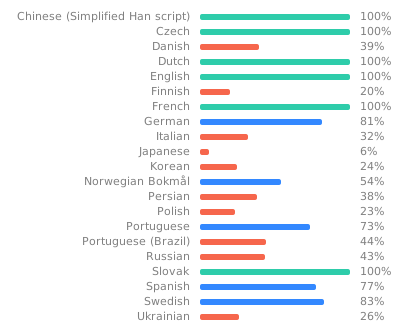
Want to help translate Xen Orchestra or improve existing translations? You’re more than welcome to join in here.
🆕 Misc
The most consequential item here is a memory fix. During a large backup over a slow connection, buffered task updates could accumulate enough to bring xo-server down.
Fixed: task memory usage
Now, XO 5 uses less memory when a client has a slow or unreliable connection. Previously, a slow or high-latency connection between xo-server and the client could cause task updates to pile up in memory.
During a large backup, this could use enough memory to bring down xo-server. XO now limits how much task data it buffers, which prevents updates from piling up indefinitely.