
DevBlog: Getting to know the NetBox plugin
Xen Orchestra always knows exactly what's running: every VM, every pool, every interface. The xo-server-netbox plugin keeps that in sync with NetBox automatically, one way, without touching what you built by hand.


NetBox has become much more than an IP Address Management (IPAM) tool. For many organizations, it acts as the central source of truth for the entire infrastructure, bringing together virtualization, networking, documentation and automation in a single place.
In that model, Xen Orchestra remains responsible for operating the infrastructure, while NetBox provides a consistent inventory consumed by network teams, CMDBs and automation platforms.
The challenge is keeping both systems synchronized. As virtual machines are created, migrated or removed, manually updating NetBox quickly becomes impractical.
That's exactly what the NetBox plugin is designed to solve. It continuously mirrors the virtualization layer into NetBox while preserving the manual information that belongs there, allowing each platform to focus on what it does best.
🔗 Summary
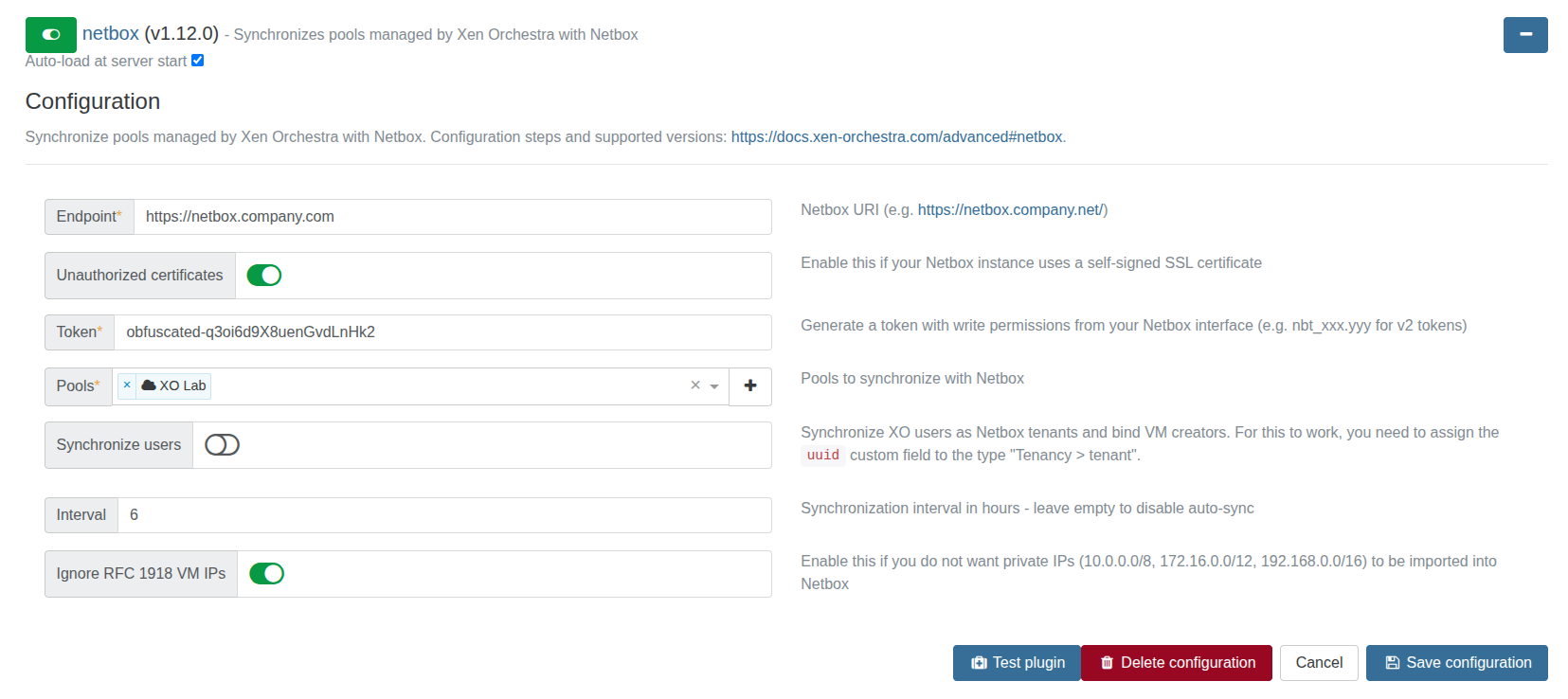
The NetBox plugin (xo-server-netbox) keeps your NetBox instance in sync with Xen Orchestra. You point it at NetBox, choose which pools to track, and XO writes your clusters, VMs, network interfaces and IP addresses into NetBox for you.
The setup steps, the NetBox objects you need to create beforehand and the list of supported NetBox versions are all in the official documentation, which we keep up to date:
 our blog post series about it
Check our setup guide here
Set it up there first. What follows is a deep dive into how the plugin works and the cool things you can get from it.
How synchronization works
Synchronization goes one way. Xen Orchestra is the reference, and NetBox follows it. The plugin reads your pools and writes the result into NetBox, but it never synchronizes anything back into XO.
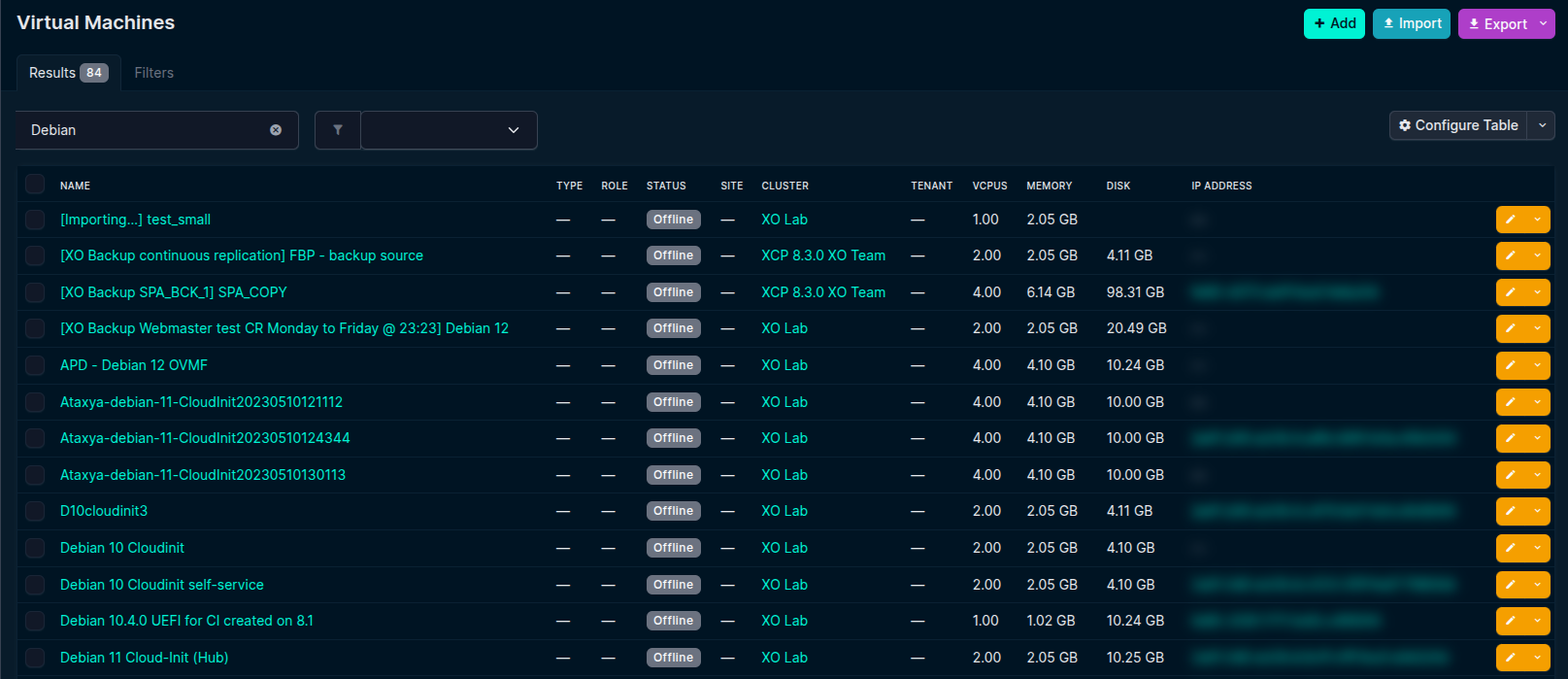
For the pools you select, it's also authoritative. If the plugin created a VM in NetBox and that VM later disappears from XO, the plugin removes it from NetBox on the next run.
It only manages its own objects, though. Everything the plugin creates carries a custom field named uuid that ties it back to the matching object in XO. Anything in NetBox without that field, such as VMs, sites, prefixes or tenants you added by hand, is left untouched. The uuid field is also how the plugin updates an existing object instead of creating a duplicate, which is why the setup guide has you create it before anything else.
This "only touch what it owns" rule is deliberate: the plugin is built to share your NetBox with you rather than take it over, and it goes out of its way to preserve your manual work. Objects you created yourself are never modified or deleted, and even when deduplicating names it avoids clashing with VMs you added by hand. The platforms and tags the plugin needs are only ever created, never removed or renamed, so the ones you set up yourself survive too. It fits VM IPs into the prefixes you've defined instead of inventing its own, never deletes a cluster on its own, and won't remove a tenant that other NetBox objects still depend on. When in doubt, it keeps your data rather than deleting it.
What ends up in NetBox
A dedicated cluster type
The plugin first makes sure a cluster type called XCP-ng Pool exists, and creates it if it doesn't. Everything XO manages goes under it, so you can always tell which clusters came from Xen Orchestra.
One cluster per pool
Each pool you selected becomes a NetBox cluster of that type. Clusters are created and updated automatically, but the plugin won't delete one on its own. Removing a cluster stays a manual decision, so you don't lose part of your topology because a pool was briefly unreachable.
Virtual machines
For every VM in a synchronized pool, NetBox gets a virtual machine with its name, description, notes (stored as comments), vCPUs, total disk, memory, power state, cluster, platform and tags. Running VMs are marked active, the rest offline.
Two things to keep in mind:
NetBox has stricter length limits than XO, so names are cut to 64 characters, descriptions to 200 and notes to 2048. That's why a value can look slightly shorter in NetBox than in XO.
Migrating a VM to another synchronized pool moves the existing NetBox VM to the new cluster instead of creating a second copy, again thanks to the uuid field.
Name deduplication
XO (and XCP-ng) lets you have ten VMs called Web. NetBox doesn't allow that, so when the plugin runs into a name that's already taken, it appends a counter: the first one stays Web, the next becomes Web (1), then Web (2), and so on.
There are a few subtleties. The suffix is added so the name still fits in 64 characters (it shortens the base name if it has to), the comparison ignores case (Web and web count as the same name), and deduplication is computed across all the pools you sync at once. The last point avoids a VM bouncing between different numbers every time you migrate it.
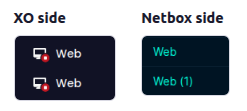
The plugin is also smart about the counter when it checks whether a VM needs updating. When it compares a VM against the one already in NetBox, it ignores name differences that come only from the suffix. So a VM stored as Web (2) in NetBox isn't seen as changed just because XO still calls it Web, and it won't be renamed back and forth on every sync.
Platforms
When a VM reports its operating system, the plugin creates a NetBox platform from the distribution name (Debian, Ubuntu, and so on). On recent NetBox versions it also creates a versioned child platform such as Debian 12 under Debian.
The versioned name reuses the parent's spelling, so if one VM reports fedora and another reports Fedora, you still get a single Fedora 38 rather than two nearly identical platforms.
Tags
XO VM tags are recreated as NetBox tags and attached to the matching VMs. Worth noting: NetBox matches tags by slug, and slugs ignore case. So prod and Prod, which are two separate tags in XO, become one tag in NetBox.
Interfaces
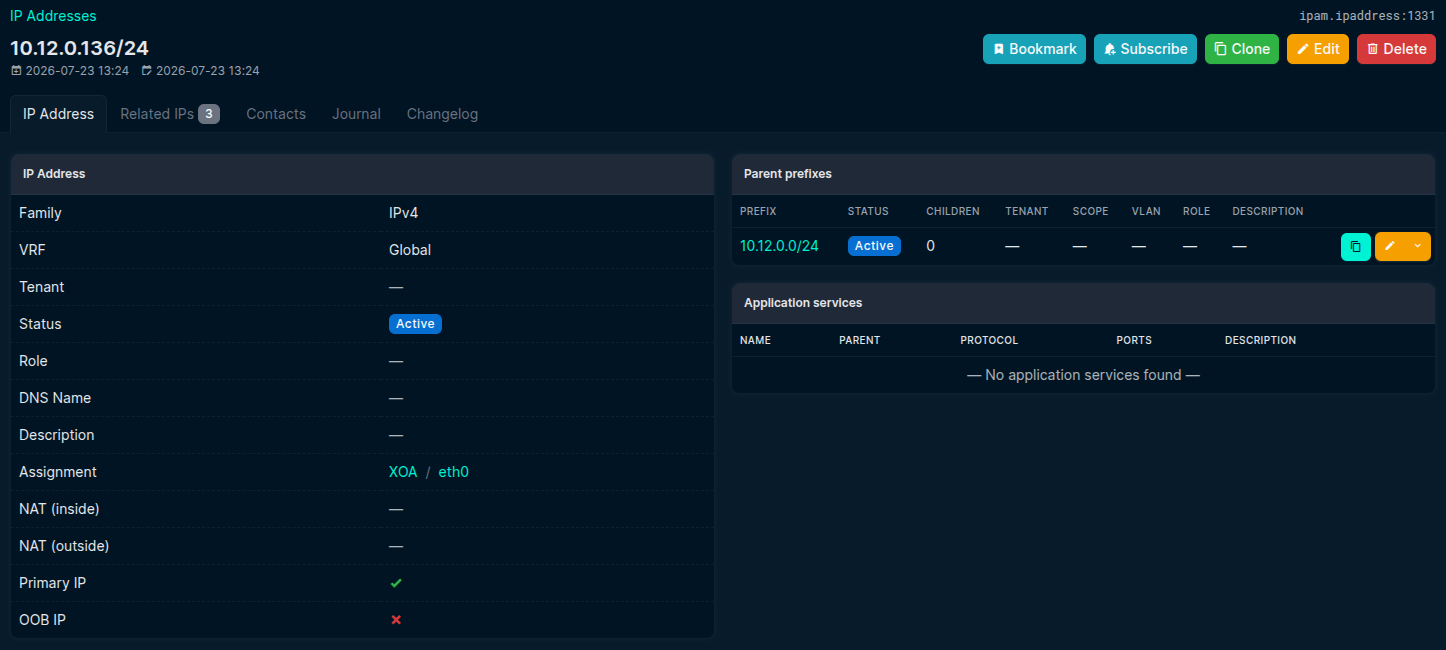
Each VM network interface (VIF) becomes a NetBox interface named after its device number (eth0, eth1, ...) and carries the VIF's MAC address. Remove an interface from a VM and it's gone from NetBox after the next sync.
IP addresses
An IP is only recorded in NetBox if it falls inside a prefix that already exists there. The plugin doesn't create prefixes for you, and that's deliberate: XO knows a VM's IP address but not the netmask behind it, so there's no reliable way to tell whether 10.0.0.5 belongs to a /24, a /16 or a /8. Guessing would litter your IPAM with wrong or overlapping prefixes, so the plugin leaves that design to you and borrows the mask from the matching prefix when it records the IP. If an address has no matching prefix, it's skipped and logged in the XO server logs, so you know which prefix to add.
When more than one prefix matches, the plugin uses the most specific one (the smallest network containing the address), so IPs land where you'd expect in your IPAM hierarchy.
If you'd rather not import private addresses, the Ignore RFC 1918 VM IPs option skips the 10.0.0.0/8, 172.16.0.0/12 and 192.168.0.0/16 ranges.
Primary IPs
The plugin also picks a primary IPv4 and a primary IPv6 for each VM, using the first address of each kind the VM reports. These are updated or cleared on their own as the VM's addresses change.
Users as tenants
If you enable Synchronize users, your XO users become NetBox tenants and each VM is assigned to the tenant who created it, so you can see who created a given VM straight from NetBox.
Deleted users are cleaned up too. When an XO user is gone, its tenant is removed, and if that tenant was still attached to some VMs, those VMs are unassigned first. The exception is a tenant that other NetBox objects depend on (a site, a prefix, a rack); the plugin leaves it alone and logs a warning rather than breaking those references.
This feature needs the uuid custom field to cover the tenant type as well, which the setup guide explains.
Running a synchronization
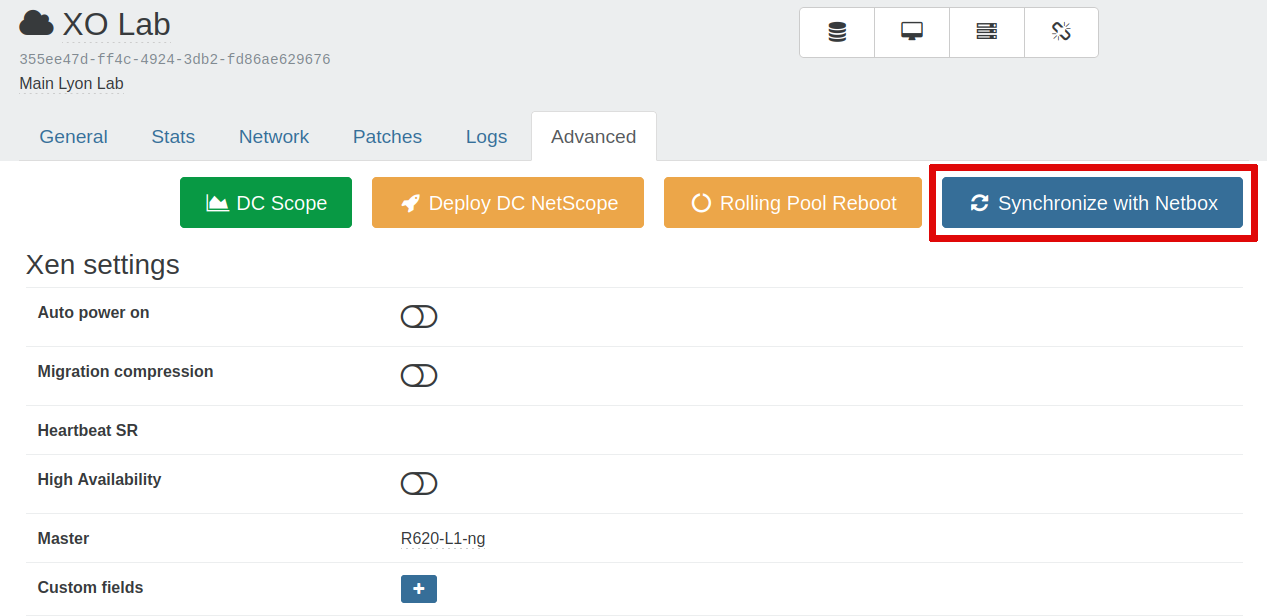
The easiest way to keep NetBox current is the Interval option: set it to a number of hours and the plugin re-syncs on that schedule. Leave it empty and a sync only runs when you start one yourself: on a pool's page (XO 5 only), open the Advanced tab and click "Synchronize with NetBox".
The plugin tries to be light on your NetBox: it reads each collection once, batches its writes, and only ever sends the fields that actually changed, leaving anything that's already up to date alone. In practice the first sync does the heavy lifting, since it creates everything from scratch, so it can take a while on a large infrastructure. Every sync after that only touches what moved, so it's much faster.
Triggering an on-demand sync from the XO REST API will be possible soon!
Keeping up with NetBox
NetBox moves fast, and we try to move with it. The plugin supports a wide range of NetBox versions, from older releases to the most recent ones, and every new NetBox version gets tested before we extend the supported range. You'll always find the current range in the setup guide.
Supporting a version isn't just about not breaking on it. When NetBox ships something useful, we try to make the most of it: the versioned sub-platforms you saw earlier (so Debian 12 nests neatly under Debian) and the tenant mapping for XO users both build on capabilities NetBox added over time. At the same time, the plugin quietly adapts to the changes NetBox makes under the hood, so the same sync keeps working whether you're on an older instance or the latest one, without you having to think about it.
Feedback and feature requests
Got an idea for the plugin, or ran into something that should work differently? Let us know on feedback.vates.tech. It's the best place to request features and tell us what would make the plugin more useful.
Quick recap
XO is the reference; NetBox mirrors it, one way only.
The uuid custom field keeps the mirror accurate and your manual NetBox objects safe.
Manual edits are preserved: the plugin never deletes what you created by hand and only ever adds the supporting objects it needs.
Colliding names get a (1), (2) suffix, computed across all your pools.
An IP needs an existing matching prefix in NetBox; the smallest match wins.
Clusters are never deleted automatically; VMs, interfaces and IPs are kept in step.
For installation, prerequisites and the supported NetBox versions, see the official documentation.