
Xen Orchestra 6.10
XO 6.10 is out: paste text into VM consoles, full mirror backups up to 3x faster, live restore in preview, backup management in XO 6, and a first look at VMK at KubeCon.





XO 6.10 starts with something you’ll use every day: you can now paste text from your computer into a host or VM console, in XO 6 and XO Lite, without guest tools. Backups get faster too. Full mirror backups reach up to 1.4 GB/s on our test bench, up from 450 MB/s, and live restore, in preview, boots a VM straight from its backup.
XO 6 takes over more of backup management, with backup repositories you can create and edit, dedicated views for jobs and logs, and VM migration. The load balancer can now pin VMs to hosts, V2V works with ESXi 6.x again, and the REST API gets live subscriptions and SR probing. XOA and XO Proxy move to Node.js 22.23.4, which fixes a high-severity vulnerability, so plan the update for your next maintenance window.
Outside the release, the Vates Alliance Network opened van.vates.tech, and we’re heading to KubeCon in Salt Lake City with XCP-ng 9 running on ARM and a first look at VMK, Vates Managed Kubernetes.
🔗 Summary
👨🚀 Project & Community
A lot happened around the platform in October. The Vates Alliance Network opened its platform today, so you can check what has been tested with Vates VMS before you choose the rest of your stack. Earlier in the month, Vates announced its first funding round, with no change to how XCP-ng and Xen Orchestra are licensed. xen-orchestra.org also got a new design, built around the open source project. XCP-ng 8.3 LTS also received three updates, two of which need a host reboot.
Vates raises €30 million, and XCP-ng and XO stay open source
On 6 October, Vates announced its first funding round after ten years of self-funded growth: €30 million from IRIS (Growth fund) and Bpifrance (Large Venture fund). The co-founders keep a majority stake, and the licenses don’t change. XCP-ng stays in the Xen Project under the Linux Foundation, Xen Orchestra stays under AGPLv3, and you can still build it from source.
Most of the money goes into the platform: performance, storage, security, automation and management of large infrastructures. The rest goes to sales in North America and Europe and to a bigger partner network. All three priorities mean hiring, including engineers for the hypervisor, storage, security and Xen Orchestra. If that sounds like you, the open positions are here.
 Marc-André Pezin
The Vates Alliance Network platform is live
Today we opened van.vates.tech, the platform of the Vates Alliance Network (VAN). It collects four things that were previously spread across our docs, the forum and vendor PDFs:
- VAN members
- the Solutions list
- Solution Briefs
- Solution Guides
Before you commit to a server, storage array, backup tool or monitoring stack, you can check whether it has been tested with XCP-ng and Xen Orchestra, and on which versions.
Every solution on the VAN goes through the same three steps. Vates engineers and the partner test the integration first. The result is then documented as a Solutions list entry, a Solution Brief or part of a multi-partner Solution Guide. Only after that do we promote it together. If it isn’t documented, it isn’t on the VAN. A logo on a partner page shows that two companies signed something. A Solution Brief shows what was tested and where the limits are.
If you’re planning a move to Vates VMS, start with the Solutions list. If a product you rely on is missing, let us know: those gaps decide which validations we prioritize next. If you build a product that works with Vates VMS, joining the VAN is free.
 Jb Piacentino
A new home for the Xen Orchestra project
xen-orchestra.org has been redesigned around the open source project. The home page lists the five ways to run Xen Orchestra, from deploying XOA in a few clicks to building it from sources. It also reminds you that XO Lite already runs on every XCP-ng host.
Below that, you’ll find what XO covers across the stack, the latest monthly releases, and the places where the project happens: the forum, Discord, GitHub and the docs. If you run XO in production and need support, a link points to Vates VMS.
 Vates
Vates
XCP-ng 8.3 LTS: three October updates
The first batch, Updates #1 (5 October), is a large maintenance release. Live storage migration now pipelines its writes, which makes it 2 to 2.5 times faster in some production-like setups. tapdisk gets a larger QCOW2 metadata cache. Storage fixes cover QCOW2 coalesce crashes, CBT data loss on shared NFS SRs, LVM metadata damage on shared iSCSI/HBA SRs and NFS deadlocks in dom0. OpenSSL moves to 3.5.5, XO Lite to 0.25.0, and the bundled Windows guest tools to 9.2.385.
Some changes need a check on your side. Viridian is now disabled by default in the “Other install media” template, so check Windows VMs created from it, V2V imports included. The AlmaLinux templates now come from XenServer, with new UUIDs and labels (almalinux-8 becomes alma-8), and the Kylin Linux 7 template is gone. If your automation relies on these templates, update it.
 Samuel Verschelde
Security Updates #2 (13 October) fixes five vulnerabilities. Two stand out:
- XSA-517 is a grant-table race that can let an unprivileged guest with several vCPUs escalate to host privileges.
- XSA-521 is a missing ring-size check in
tapdiskthat could lead to code execution as root in dom0.
 David Morel
Security Updates #3 (22 October) updates ca-certificates to drop two compromised eMudhra intermediate CAs (VSA-2026-050).
 David Morel
💡 Insights
Two posts from the XCP-ng devblog this month. In the first, Teddy explains how XCP-ng reads Intel CPU temperatures that dom0 can’t reach on its own. In the second, Bruno takes the RISC-V work started on real boards and runs the full XCP-ng and Xen Orchestra stack on it, in an emulator for now.
Reading Intel CPU temperatures from dom0
Under Xen, dom0’s coretemp driver can’t read Intel temperatures. Dom0 doesn’t see the thermal hardware, its vCPUs aren’t tied to physical cores, and direct MSR access is restricted. Teddy Astie explains the workaround. Xen’s XENPF_resource_op hypercall already reads a fixed list of platform registers, so the thermal MSRs were added to that list. You can now get per-core and package temperatures with xenpm get-core-temp.
 Teddy Astie
XCP-ng and Xen Orchestra on RISC-V, from the emulator
Last month, Xen booted guests on RISC-V boards. Bruno Verachten went one layer up and ran the full XCP-ng stack in QEMU with a riscv64 build of XO 6.9.1. XO lists the host and VMs, starts and stops them, and shows stats and consoles. A Debian 13 guest runs an XFCE desktop in the console tab and runs Docker containers, and K3s reports Ready about a minute after starting.
It’s a prototype, and the post says so. The packages are experimental and unsigned, disk reads run at about 800 KB/s, and the OCaml build takes 72 minutes. XO still has rough edges, such as reporting an 8 GiB guest disk as 1 GiB. Next steps are booting the stack on real RISC-V hardware, upstreaming the patches and building the packages natively.
 Bruno Verachten
🎫 Events & webinars
November takes us from Salt Lake City to Toulouse and Paris. At KubeCon, we’ll run a live demo of XCP-ng 9 and Xen Orchestra on an ARM server, and give a first look at VMK, Vates Managed Kubernetes. Cyrille and Patrice will give a talk at Open Source experience, and Bruno will speak at Capitole du Libre. The team will be at Tech Show Paris too.
KubeCon + CloudNativeCon North America in Salt Lake City, 9-12 November
We’ll be on the show floor with a live demo of XCP-ng on ARM. Our last ARM prototype ran Xen alone. This one runs XCP-ng 9 and Xen Orchestra on an AmpereOne server with 96 cores, and the Xen Orchestra appliance runs on that same machine.
The demo runs a full VM lifecycle, all through XAPI:
- Create a VM from the Generic Linux ARM64 UEFI template.
- Install Debian 13 arm64 from the netinst ISO, entirely in the XO console.
- Boot to an Xfce desktop.
- Shut the VM down from Xen Orchestra.
XAPI handles network, storage and RRD stats, and XO reads the hardware details from it.
The next milestones are a public Tech Preview, then full ARM support in XCP-ng 9, with live migration, suspend and resume, and backup and restore. If you’re in Salt Lake City, come and see it running at booth 264.
We’ll also show a preview of VMK at the booth: in Xen Orchestra 6, a Kubernetes cluster becomes an object of its own, with its status, version, nodes and dashboard. You can create, scale and upgrade it from XO, with Cluster API under the hood. Come and try it, and tell us what you’d need to run it in production.


Open Source Experience · Paris, France · 10 December
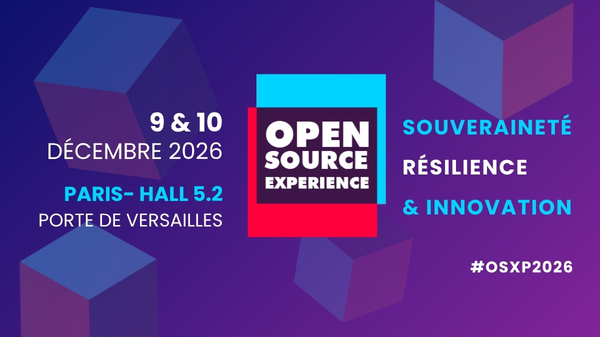
Cyrille Gandon and Patrice Ferlet show how to go from VMs to Kubernetes and build a sovereign platform on XCP-ng and Xen Orchestra. Thursday 10 December, 9:30, room Pierre Ficheux.

Capitole du Libre in Toulouse, 14-15 November
Bruno Verachten speaks on Saturday 14 November at 11:30 with “100 % open source, vraiment ? Un strace de la promesse, de la VM au silicium”. The 55-minute talk is in French and traces the open source promise from the VM down to the silicon.

Tech Show Paris, 18-19 November
We’ll be at Tech Show Paris at Paris Expo Porte de Versailles on 18 and 19 November. If you’re comparing VMware alternatives or planning a migration, come and talk to the team on stand B34.
 VIP
VIP
We've been there!
🇨🇭 Swiss IT Forum(s) · Geneva, Switzerland · 30 September – 1 October
Two days in Geneva with our partner EasyVirt, at booth E03, to talk about performance, cost control and dependencies with the IT community of French-speaking Switzerland.
 Vates VMS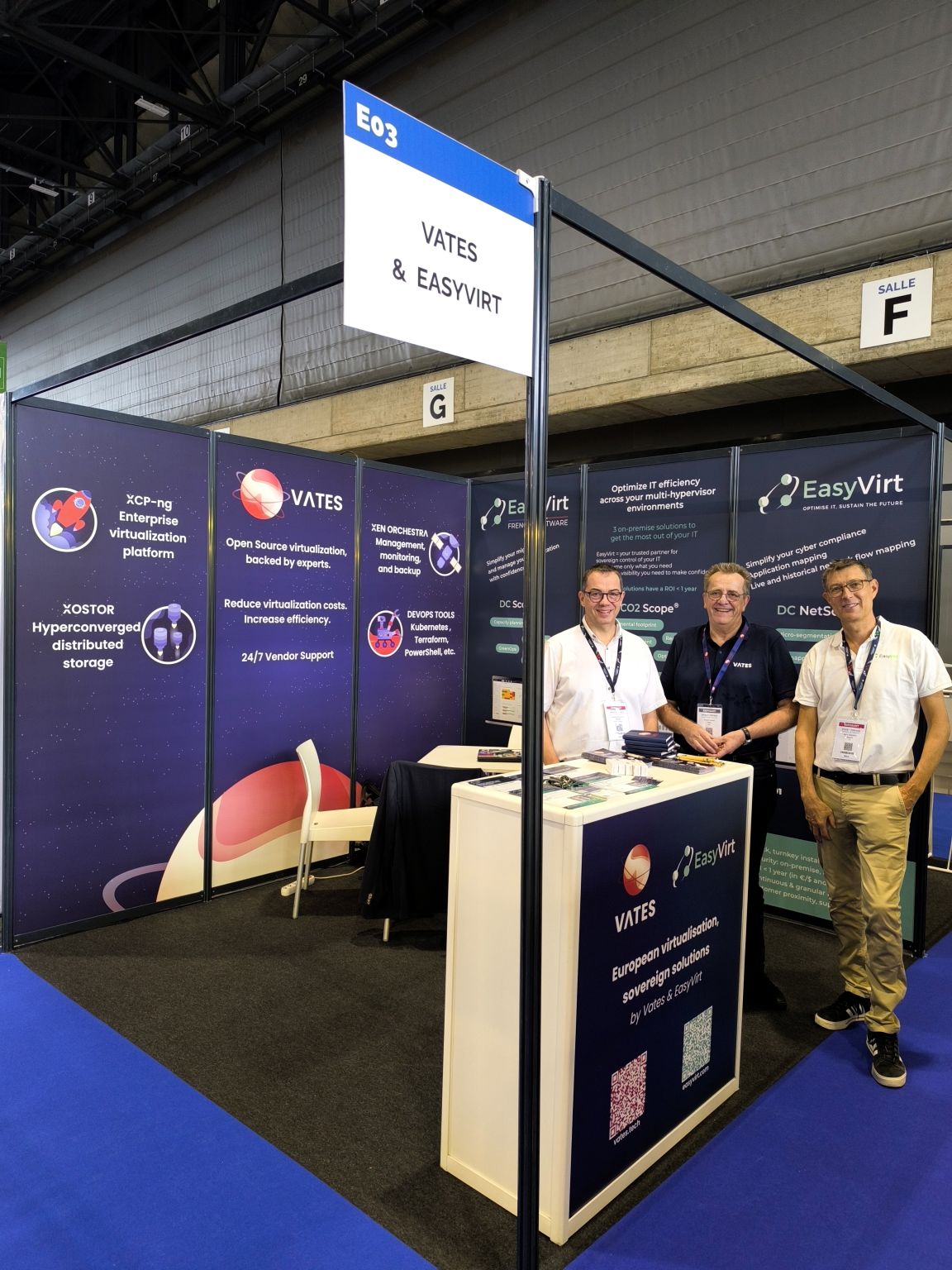
🇪🇺 Forum Ambition Europe
On October 5, we took part in the first edition of the Forum Ambition Europe, organized by Business France, alongside other players working on European sovereignty. For us, sovereignty is not a promise or a label: it means putting control of the technology building blocks back at the top of the list. Our virtualization stack has helped many organizations take back real control of their IT infrastructure, and we were glad to stand next to the people working toward the same goal.
 Vates VMS
🇱🇺 Open Source Conference Luxembourg
François Aubriot was at the Open Source Conference Luxembourg, meeting partners and members of the open source community. It was a good opportunity to exchange ideas and strengthen connections with people who share our view of a more open and sovereign digital future.
 Vates VMS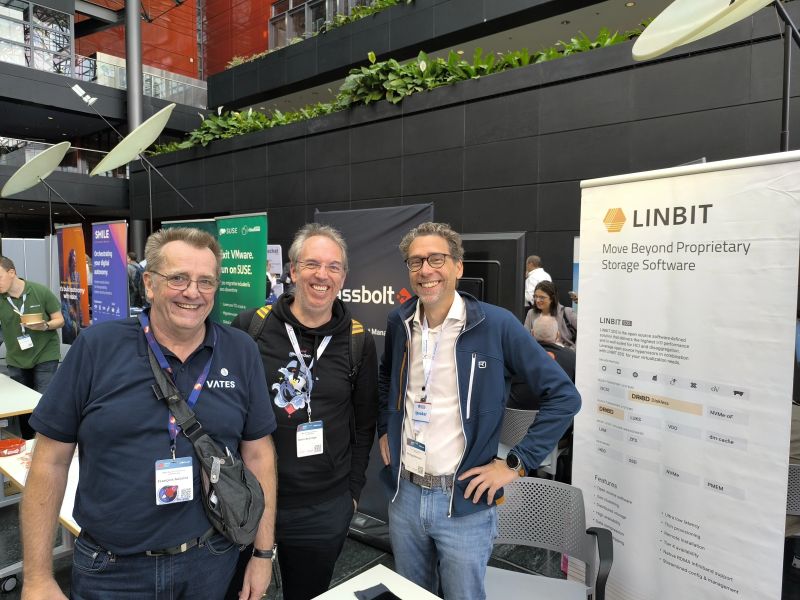
🇫🇷 Scality Day · Paris, France · 8 October
JB Piacentino and Timothé Léonetti were at Scality Day, the data infrastructure event that brought together customers, partners and experts around AI, cyber resilience, sovereignty and performance.
🇫🇷 Econocom Innovation Day · Paris, France · 15 October
Marc-André Pezin, our Chief Marketing Officer, and Olivier Taieb from Econocom ran a workshop on using your next tech refresh to build a more sustainable infrastructure path.
🇫🇷 Pure Accelerate · Paris, France · 15 October
Our team was at Pure Accelerate, the event of our partner Everpure, to talk about modernizing the infrastructure that carries your data: reducing dependencies and keeping costs under control.
 Vates VMS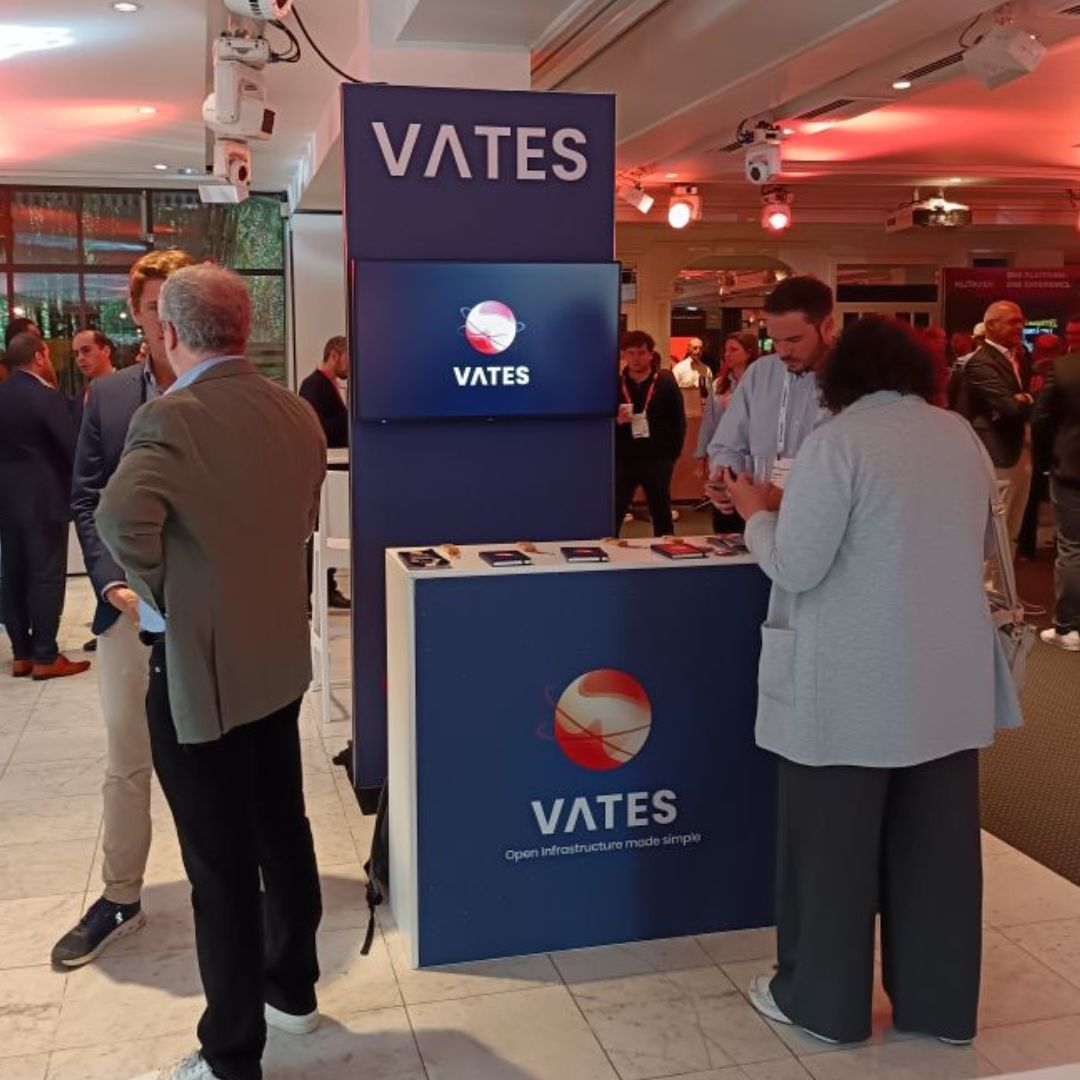
XO 6.10
This release finally brings the console clipboard, one of our most requested features. You can paste text into host and VM consoles from XO 6 and XO Lite, and XO types it as keystrokes in your keyboard layout. Backups come next: faster full mirror backups, insecure NBD for incremental backups on trusted networks, and live restore in preview. The load balancer adds VM-to-host affinity, vectura reads ESXi 6.x disks again, and the REST API gets subscriptions, plugin management and SR probes.
XO 6 keeps closing the gap with XO 5, this time on backup repositories, jobs and logs, and VM migration. The Node.js update in XOA and XO Proxy fixes a high-severity vulnerability, so don’t wait too long to update.
🛡️ Security
This release fixes an access control issue in XO 5, and vulnerabilities in two components XO depends on: Node.js, the runtime behind XOA and XO Proxy, and rustls, which the V2V disk reader uses.
The Node.js fix is the urgent one. The vulnerable code runs whenever XO downloads Brotli-compressed content, and that includes some backup repositories.
Security advisories
Xen Orchestra 6.10 addresses the following Vates Security Advisories. For full details on the impact, scope, and remediation, refer to the corresponding advisory in the Vates VMS documentation.
- VSA-2026-052 – Rust vulnerability affecting the
vecturadependency used in V2V migrations.
https://docs.vates.tech/security-advisories/advisories/2026/vates-sa-2026-054 - VSA-2026-053 – Broken access control in XO 5 due to missing server-side object filtering.
https://docs.vates.tech/security-advisories/advisories/2026/vates-sa-2026-053 - VSA-2026-054 – Node.js vulnerabilities affecting XO and XOA.
https://docs.vates.tech/security-advisories/advisories/2026/vates-sa-2026-054
Node.js 22.23.4 in XOA and XO Proxy
XOA and XO Proxy upgrade to Node.js 22.23.4, which includes security fixes released on October 21, 2026. The most serious addresses CVE-2026-111497, a high-severity vulnerability in the Brotli decoder that can corrupt memory when Node.js processes malformed compressed data. In XO, this code is reached when downloading Brotli-compressed content, including URL-based VM or disk imports, ESXi imports, plugins, and backup repositories that store Brotli-compressed blocks.
The update also fixes TLS certificate checks for non-standard IP address formats (CVE-2026-106069 and CVE-2026-106072) and an HTTP keep-alive issue (CVE-2026-105481). It also updates the bundled CA certificates and OpenSSL.
XOA and XO Proxy receive the update through their updater. Air-gapped appliances need a new image. If you run XO from source, update Node.js manually to 22.23.4 or later. The corresponding fixed versions on the other supported release lines are 24.22.1 and 26.12.1.
V2V: Update rustls in vectura
The vectura binary used to read VMware disks during V2V migrations upgrades to rustls 0.23.46, included in vectura 0.1.3. This update addresses four security advisories, RUSTSEC-2026-0346 through RUSTSEC-2026-0349, although only RUSTSEC-2026-0349 applies to the way vectura uses rustls.
💾 Backup
Backups get faster in two ways. Full mirror backups no longer recompute checksums they already have, and incremental backups can skip transport encryption on a network you trust. Live mount from XO 6.9 becomes live restore, which boots a VM from its backup. The rest of the section fixes NBD behind HTTP proxies, merges that got stuck, and storage use during replication.
Faster full mirror backups
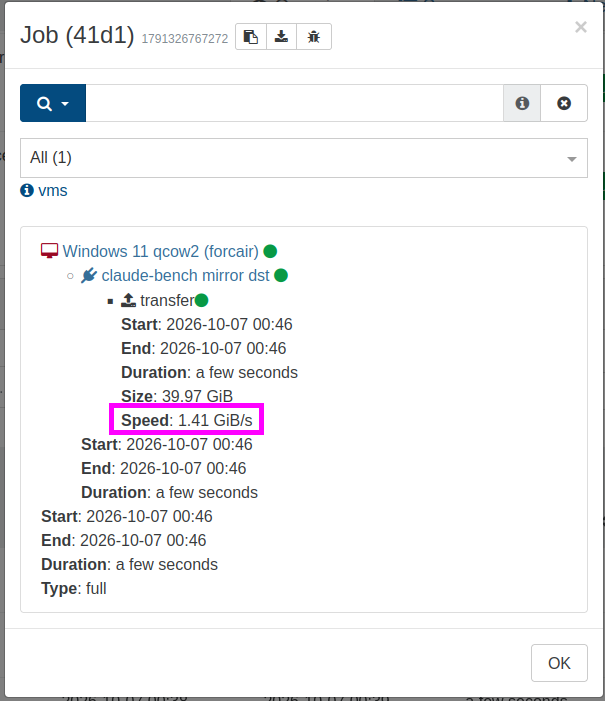
Full mirror backups deliver transfer speeds of up to 1.4 GB/s on our test bench, compared with 450 MB/s before. XO previously recalculated checksums even when copying data unchanged between unencrypted backup repositories. The new release reuses existing checksums instead of recalculating them unnecessarily.
XO also reads remote files in larger chunks, which increases the default buffer size from 64 KiB to 10 MiB. Together, these changes reduce CPU usage from 2.28 to 0.90 seconds per GB on our test bench.
Faster incremental backups with insecure NBD
Insecure NBD is available for incremental backups on trusted networks. This avoids the overhead of transport encryption, which can improve transfer performance.
Live restore: boot directly from backups
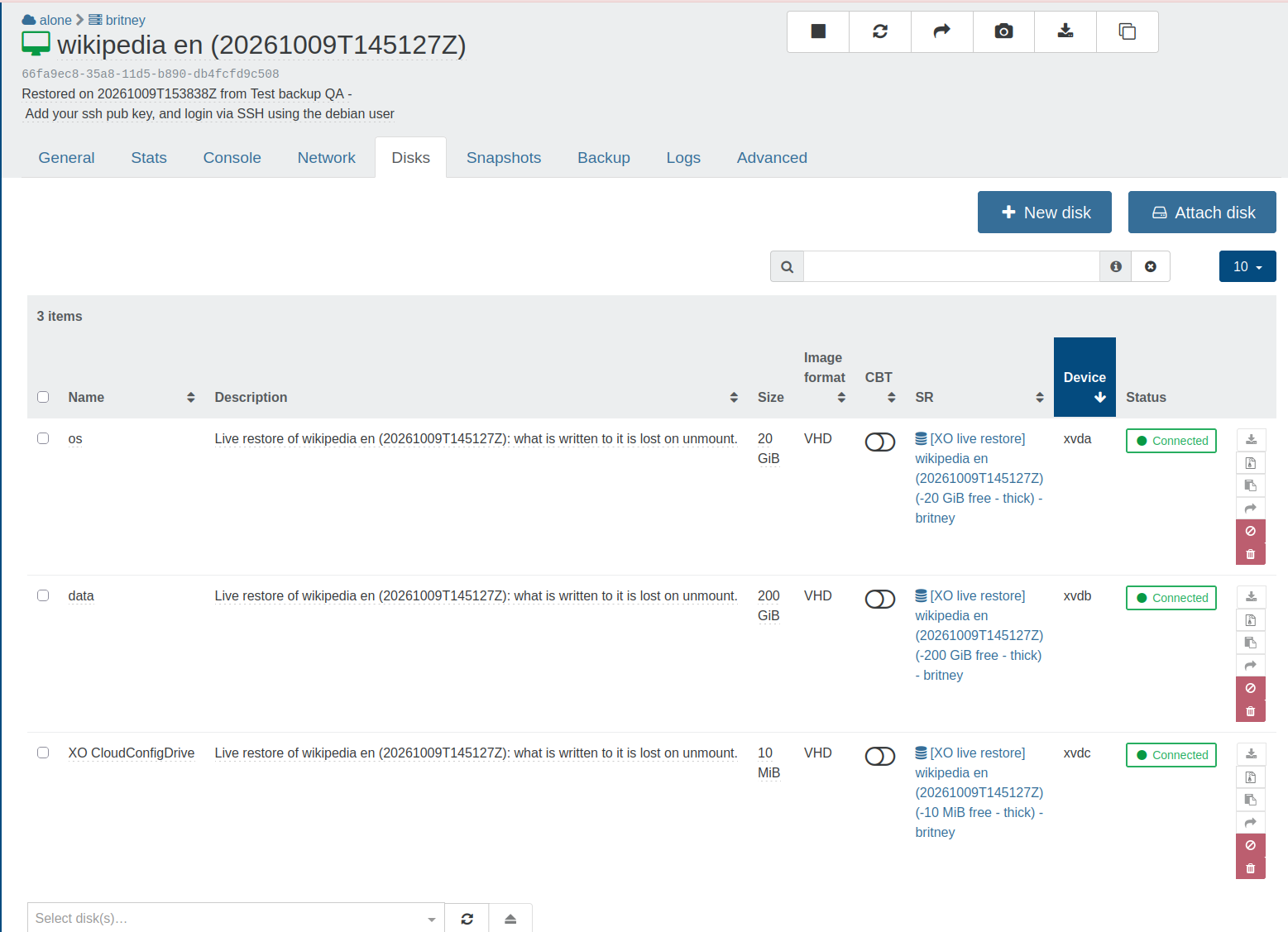
Following the live mount feature introduced last month, XO introduces an optional local disk cache to accelerate access to backed-up disks. It can also boot a VM directly from its backup, without restoring the entire disk first.
The cache is attached to the XOA or XO Proxy appliance handling the operation. As XO reads disk blocks from the backup, it stores them in the cache so it doesn't need to fetch them again. The VM can also write to the cached disk without modifying the original backup.
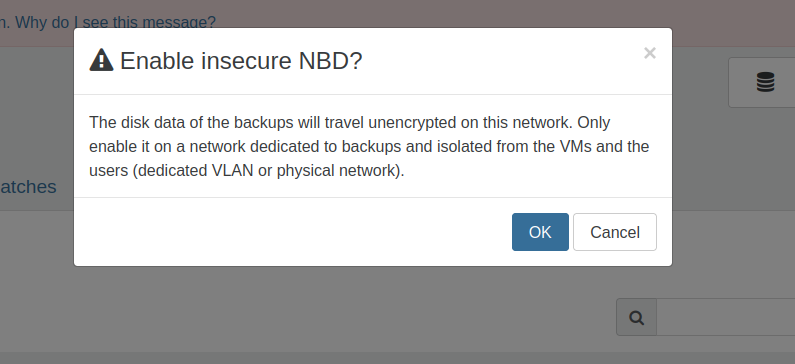
Live restore of a Windows 11 VM , completely operational in less than 2 minutes
Support NBD through HTTP proxies
Continuous VM replication works with NBD, even when the source host is accessible only through an HTTP proxy. Previously, replication fell back to stream export in this situation. If CBT data had also been purged, XO had to perform a full export instead of transferring only the changes since the last replication.
Now, NBD remains available regardless of how XO reaches the source host. This helps preserve incremental replication and avoid unnecessary full exports.
Fix: Recover deadlocked backup merges
Backup merges could get stuck when a disk was deleted during the merge process or when a backup chain could no longer be recovered. The merge could remain blocked even after the entire chain fell outside the retention period.
These scenarios are handled automatically, with cleanup of unrecoverable backup chains. This prevents obsolete chains from leaving merge operations stuck indefinitely.
Fix: Prevent backup errors from aborting sequences
When a backup fails while using an XO Proxy, the error can now be handled without aborting the entire backup sequence. Other operations in the sequence can continue instead of being interrupted by a single backup failure.
Fixed: deleteFirst for replication jobs
The deleteFirst setting lets XO delete old replicas before starting a new transfer, which reduces the amount of storage required on the destination. This is especially useful when the destination SR has limited space.
This setting was incorrectly disabled for non-distributed replication jobs. XO properly applies the setting, and deletes replicas that fall outside the retention limit before starting the new transfer. This avoids needing enough space to hold both the old replicas and the new one at the same time.
🥝 Core UI
Core UI holds the components shared by XO 6 and XO Lite, so anything that changes here shows up in both. This month, you can paste text from your computer into host and VM consoles, and the network creation form lets you choose the NBD mode.
Host and VM console clipboard
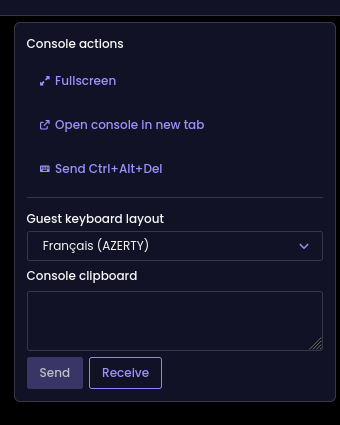
Text can be copied directly into host and VM consoles, without relying on the guest OS clipboard or guest tools. XO sends the text as individual keystrokes, based on the selected keyboard layout.
French AZERTY and US QWERTY are supported initially, and the layout selection is saved in your browser.
Some characters are also missing from the supported keyboard layouts. XO warns you when it cannot type a character.
Configure insecure NBD on network creation
As mentioned above, XO now supports insecure NBD for incremental backups. XO 6 and XO Lite also lets you enable this mode directly when creating a network, including when setting up a dedicated network for backup traffic.
The network creation form offers three options: no NBD, secure NBD, or insecure NBD.
🛰️ XO 6
Backup management keeps moving into XO 6. You can now create, edit, inspect and bulk-edit backup repositories, and backup jobs and logs have their own list views. VM migration also arrives, within a pool or to another pool, and VDIs can be exported in VMDK format. Smaller changes speed up daily use: copy buttons next to identifiers, real-time updates for every collection, and one date format everywhere.
Copy identifiers with one click
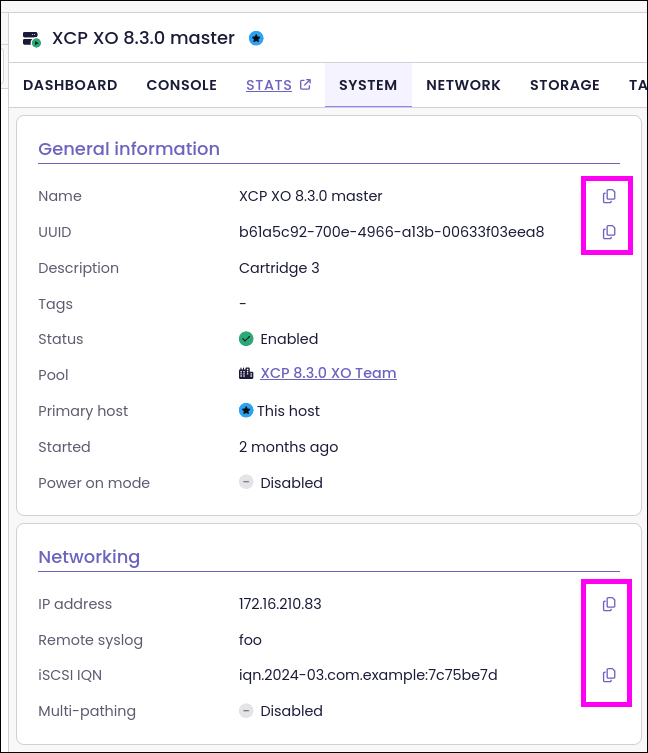
Copy buttons appear next to frequently used identifiers, so you can copy them to the clipboard without selecting the text manually. This includes host IP addresses and UUIDs on the Host dashboard, as well as pool names, UUIDs, IP addresses, and other details such as the iSCSI IQN on the Pool system page.
Real-time updates
The 6.10 release extends real-time updates to all collections, not just XAPI objects such as VMs and hosts. For example, if you update a user through XO 5, xo-cli, or the REST API, the change appears in XO 6 right away.
Export VDIs in VMDK format
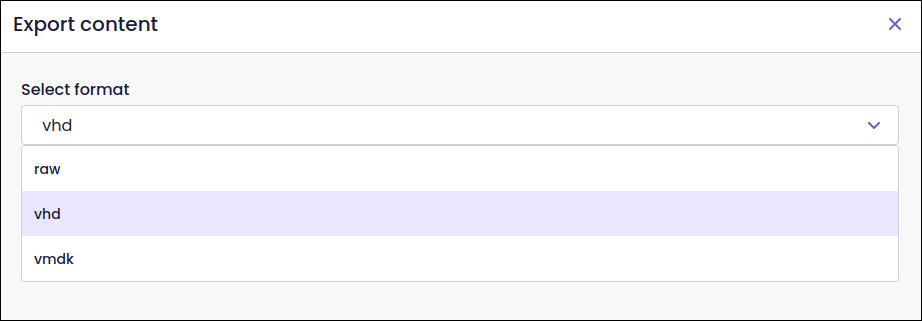
Virtual disk images (VDIs) are exportable in VMDK format, alongside the existing export formats. VMDK is widely used by VMware and offers another way to transfer virtual disks to other hypervisor platforms.
Create and edit backup repositories
The Backup repositories page includes a new form to create and edit repositories. It replaces the form previously available under Settings → Remotes in XO 5.
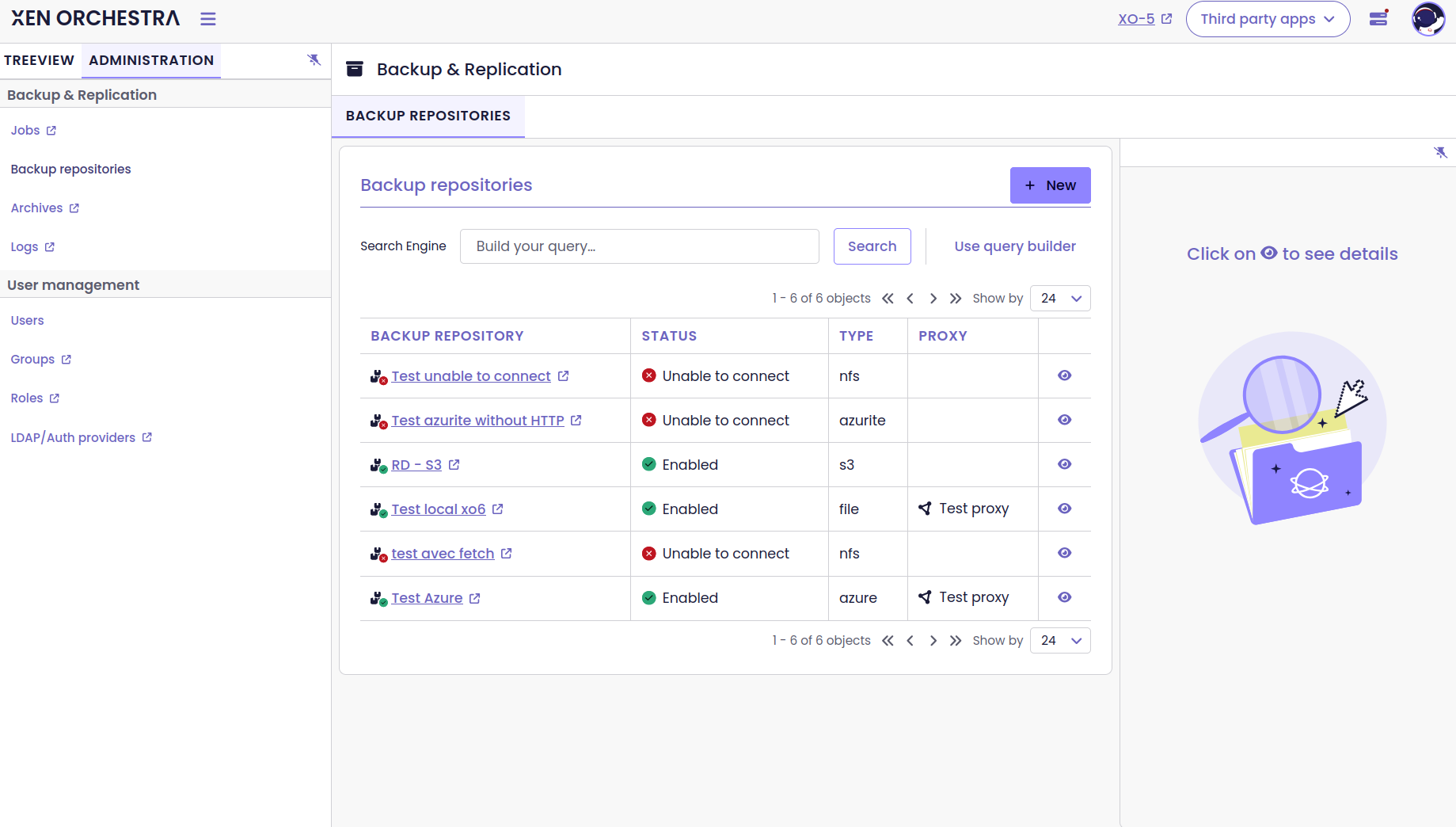
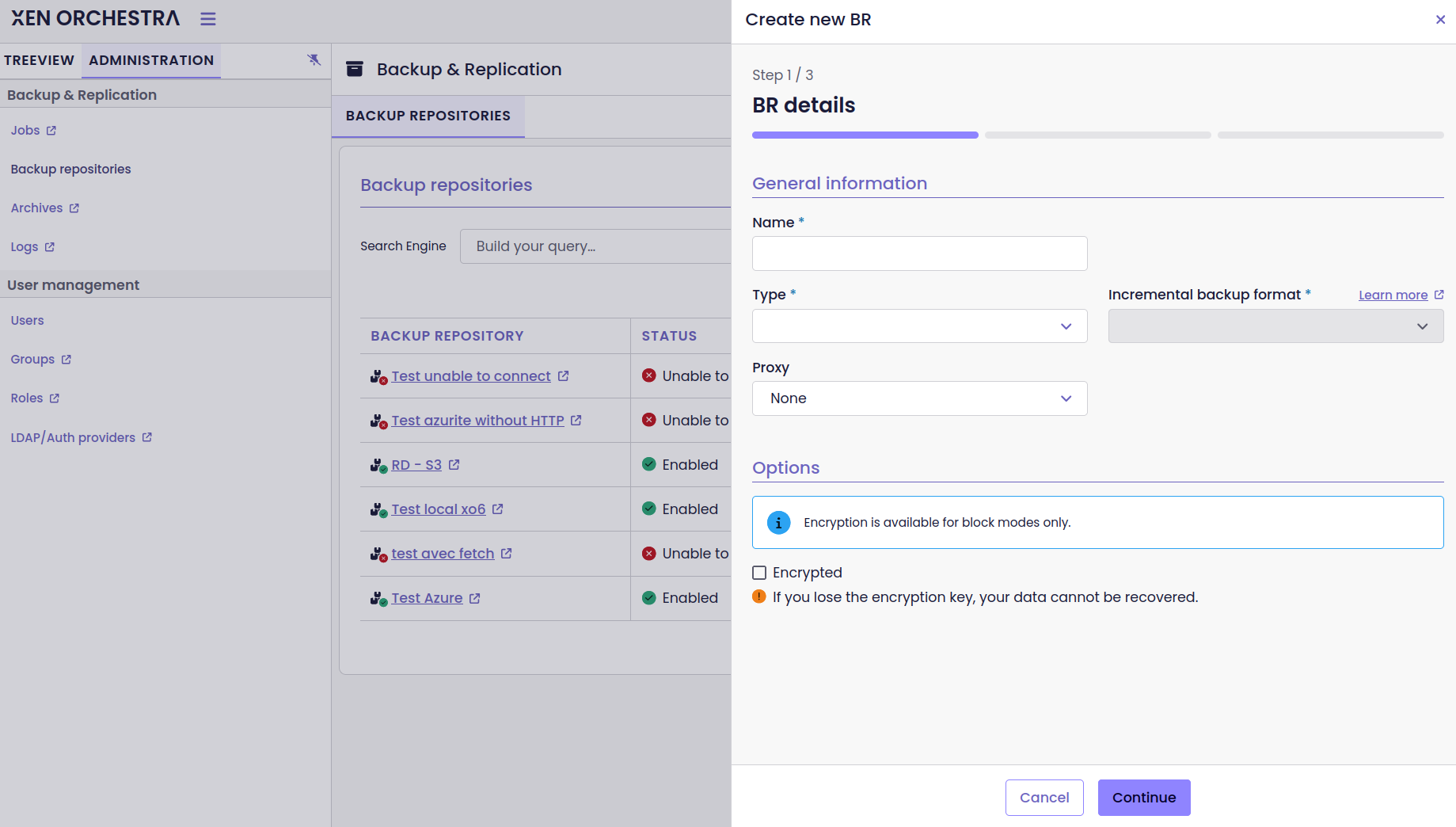
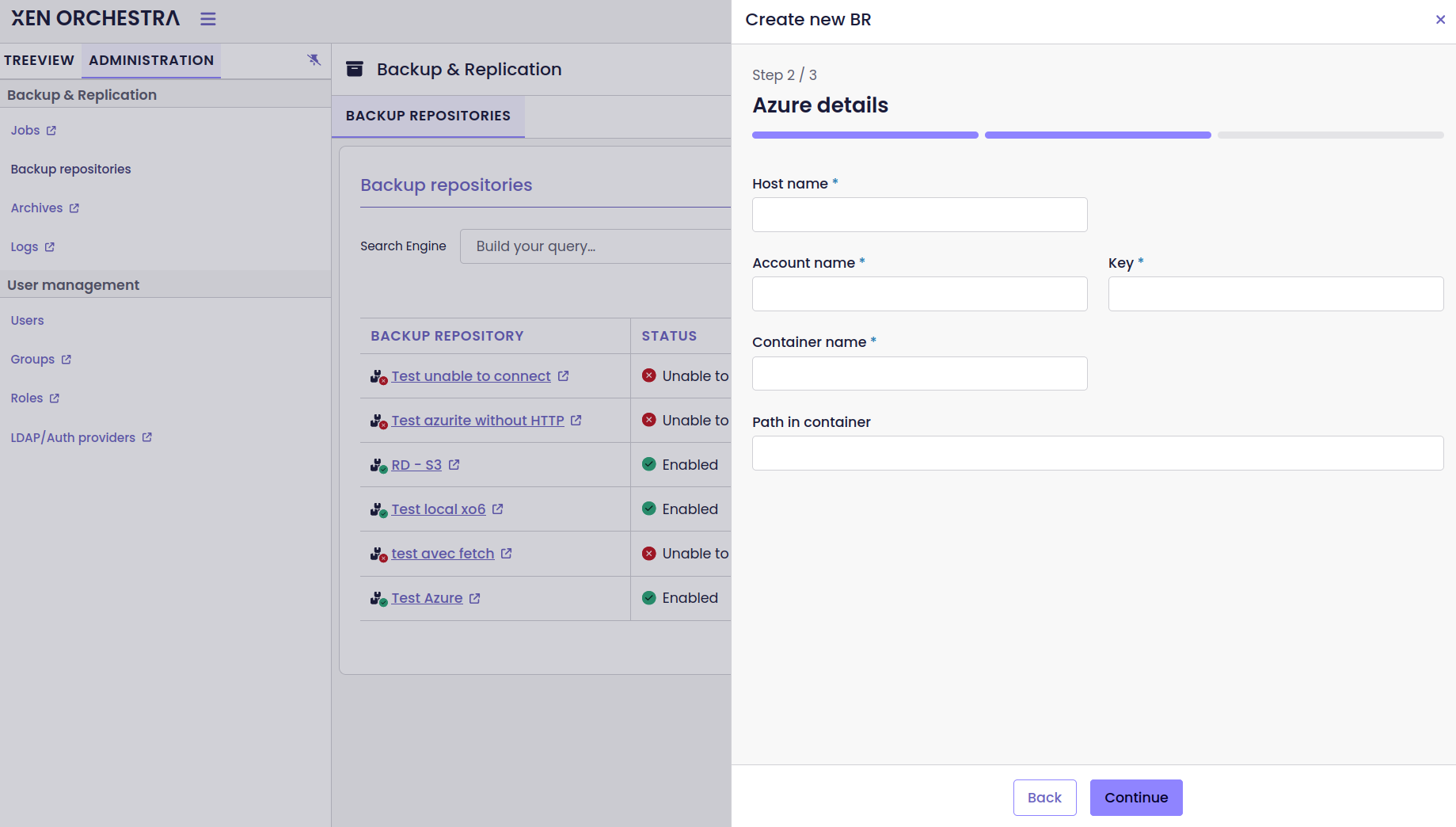
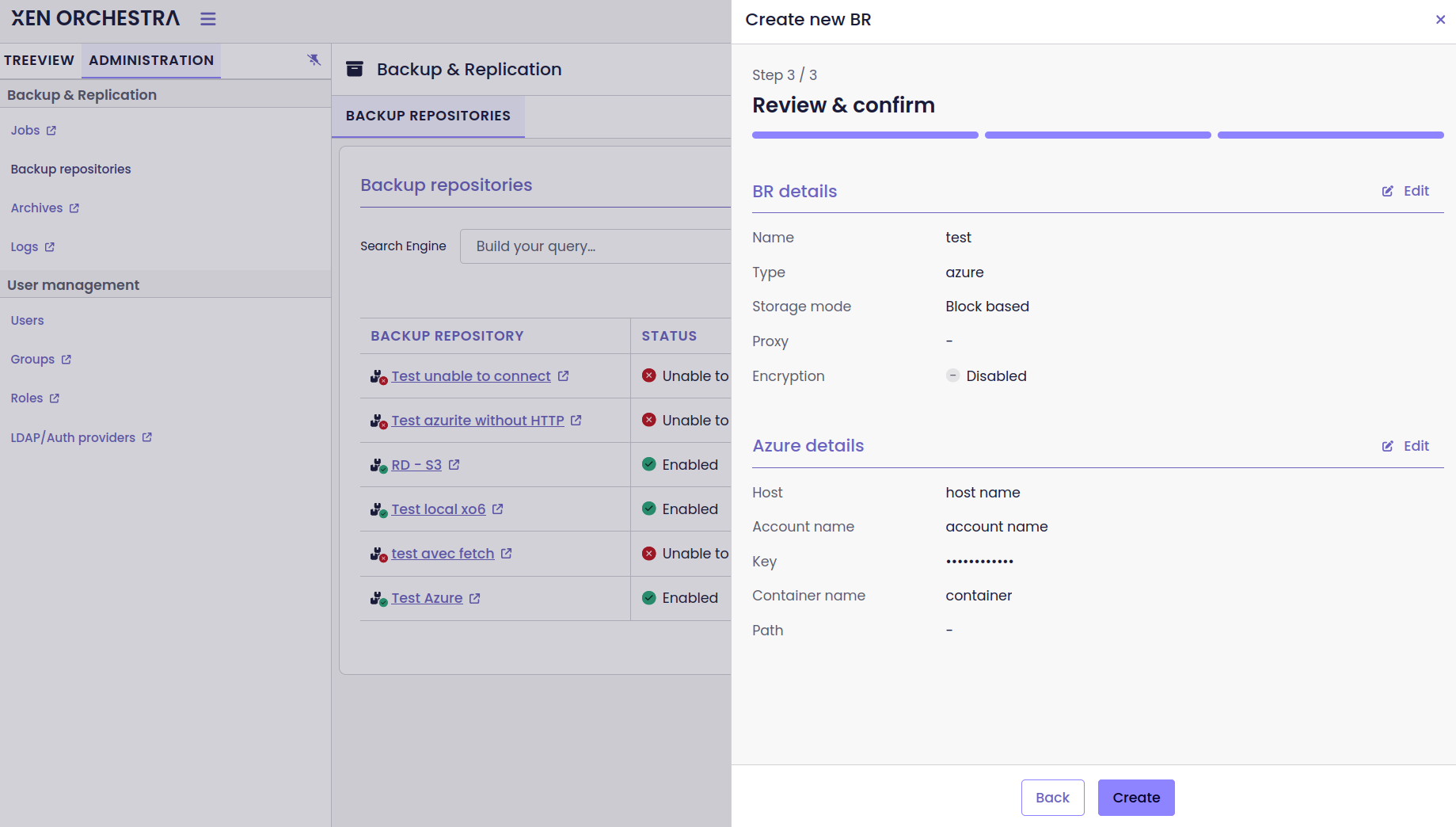
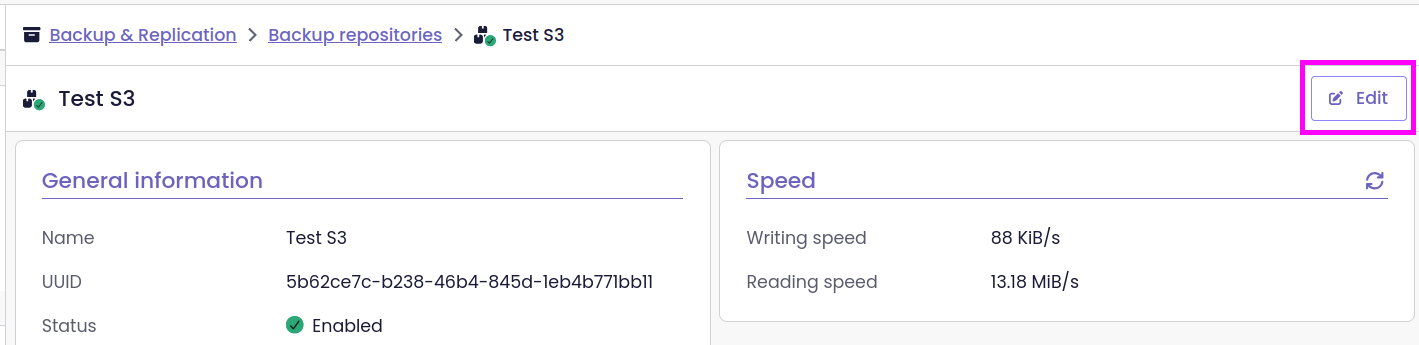
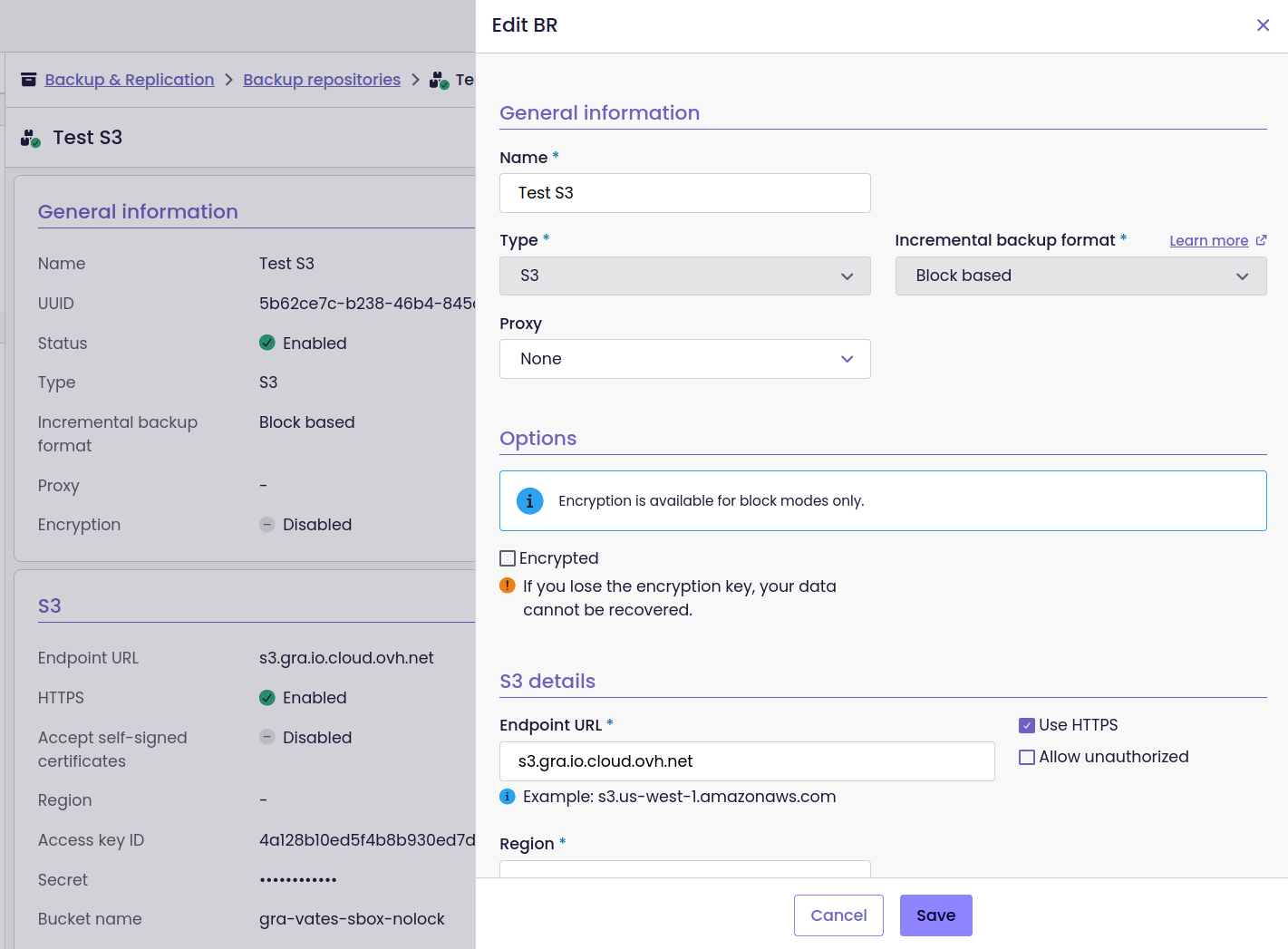
Create and edit backup repositories without going back to XO 5
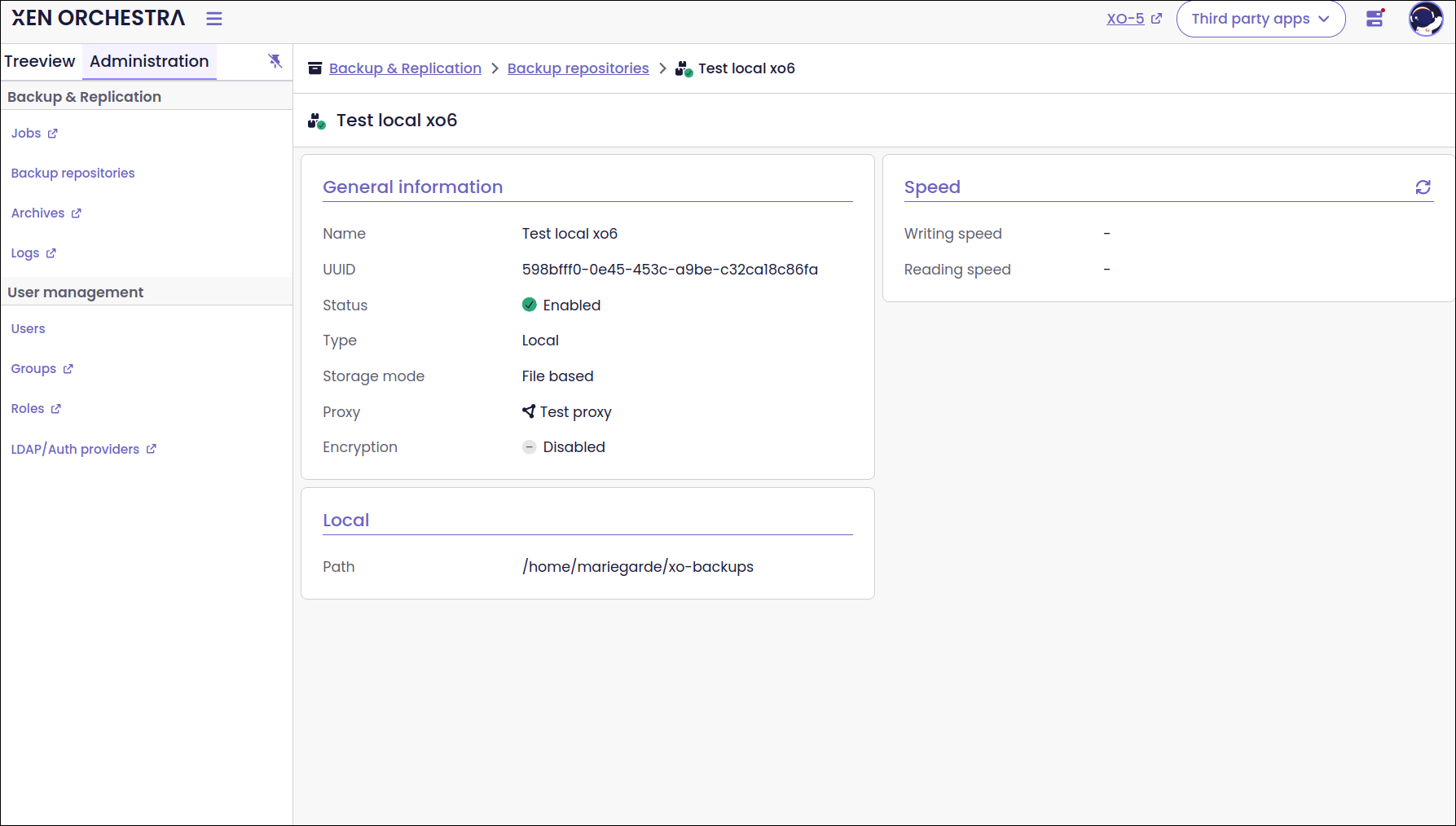
Backup repository details
Each backup repository features a dedicated detail page, with information about its type and configuration. From this page, you can change the repository’s state, test its speed, or forget it. The repository’s health status is also clearly visible.
The page includes details such as the storage mode and encryption settings, along with other configuration options specific to the repository type.
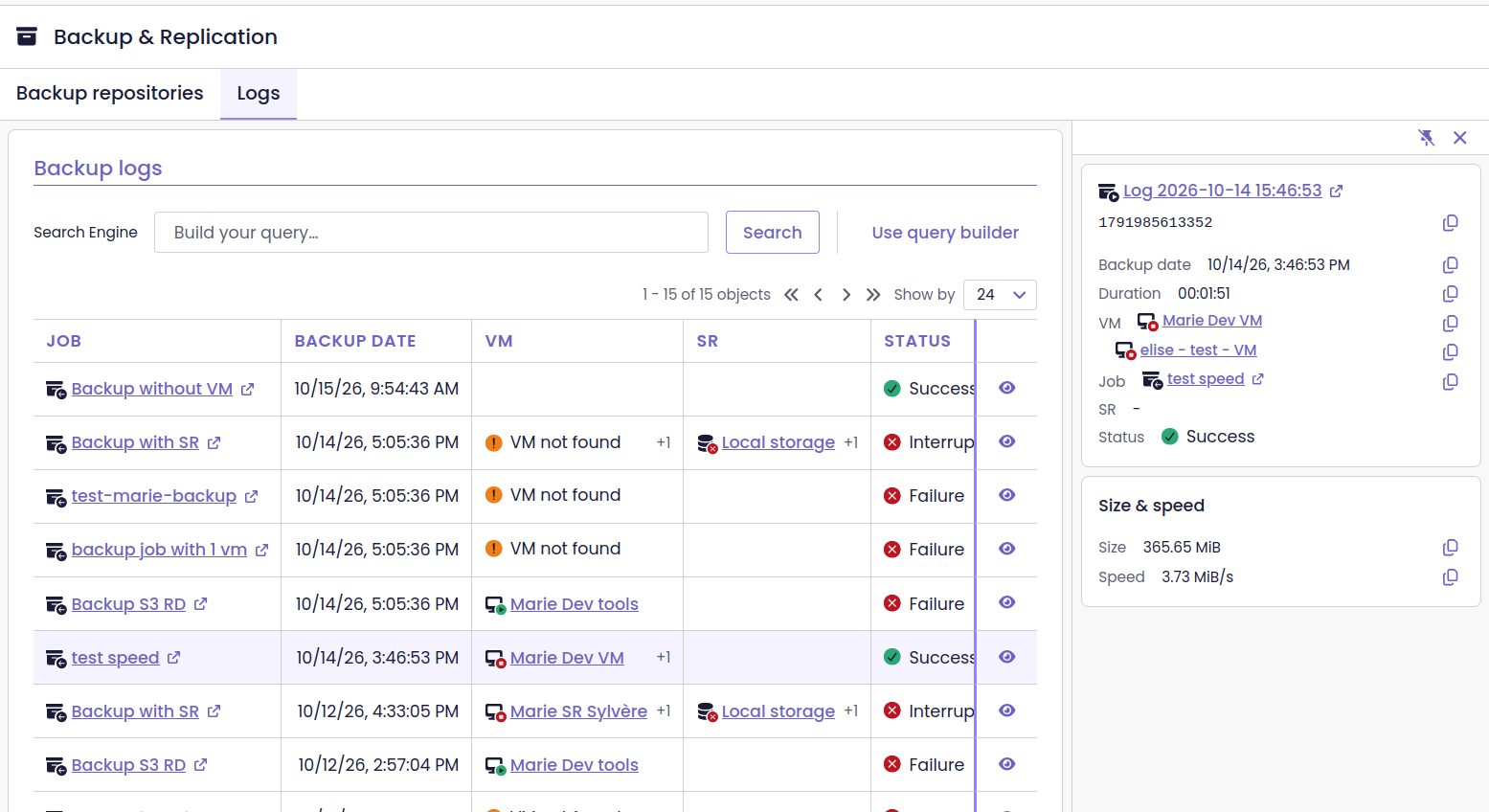
Backup log list
Backup logs are grouped under a dedicated Administration page. It provides a separate view of backup logs, while the existing dashboard view remains available for now. The plan is to replace the dashboard link with the new page once the backup job list is ready, then remove the duplicate views.
Backup repository actions
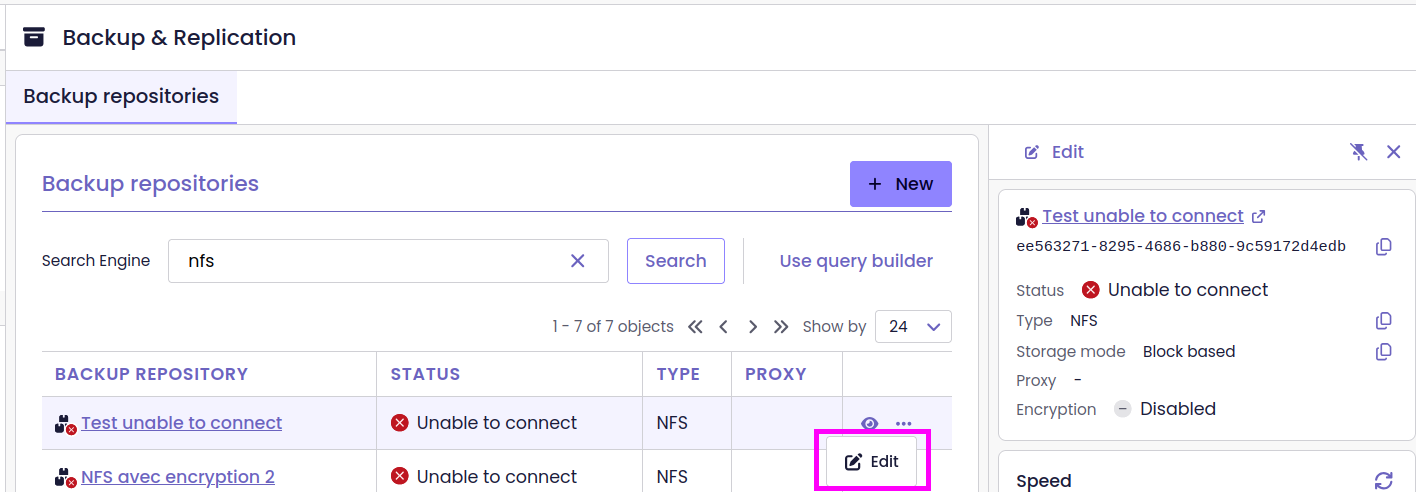
Building on the repository editing work, several actions are accessible directly from the backup repository list. Test a repository’s speed, forget it, or change its state without opening its detail page.
You can also select multiple repositories and edit them together. Shared settings are displayed normally, while settings that differ between repositories are marked as Mixed. Leaving a mixed field unchanged preserves each repository’s existing value.
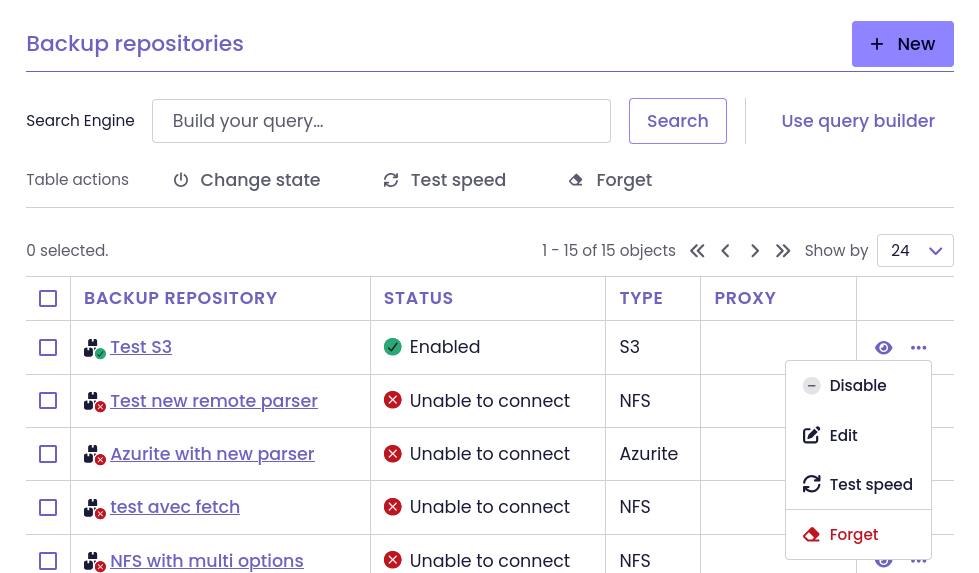
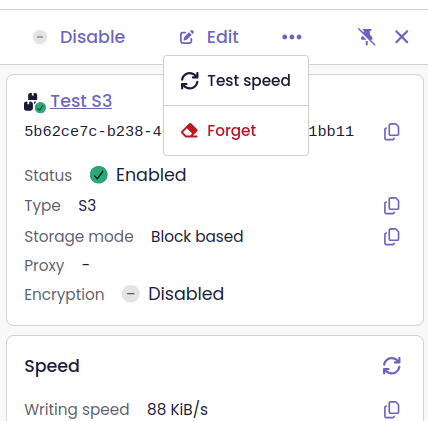
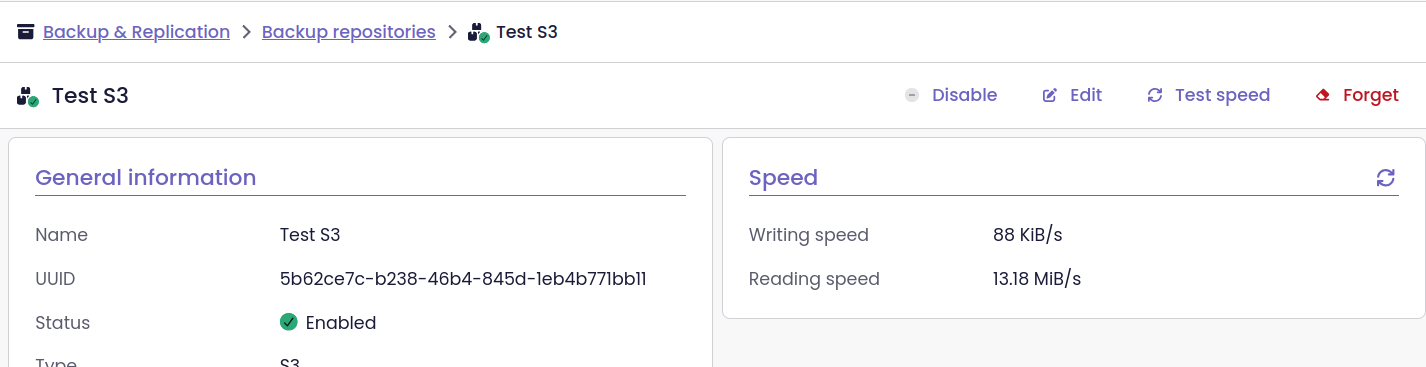
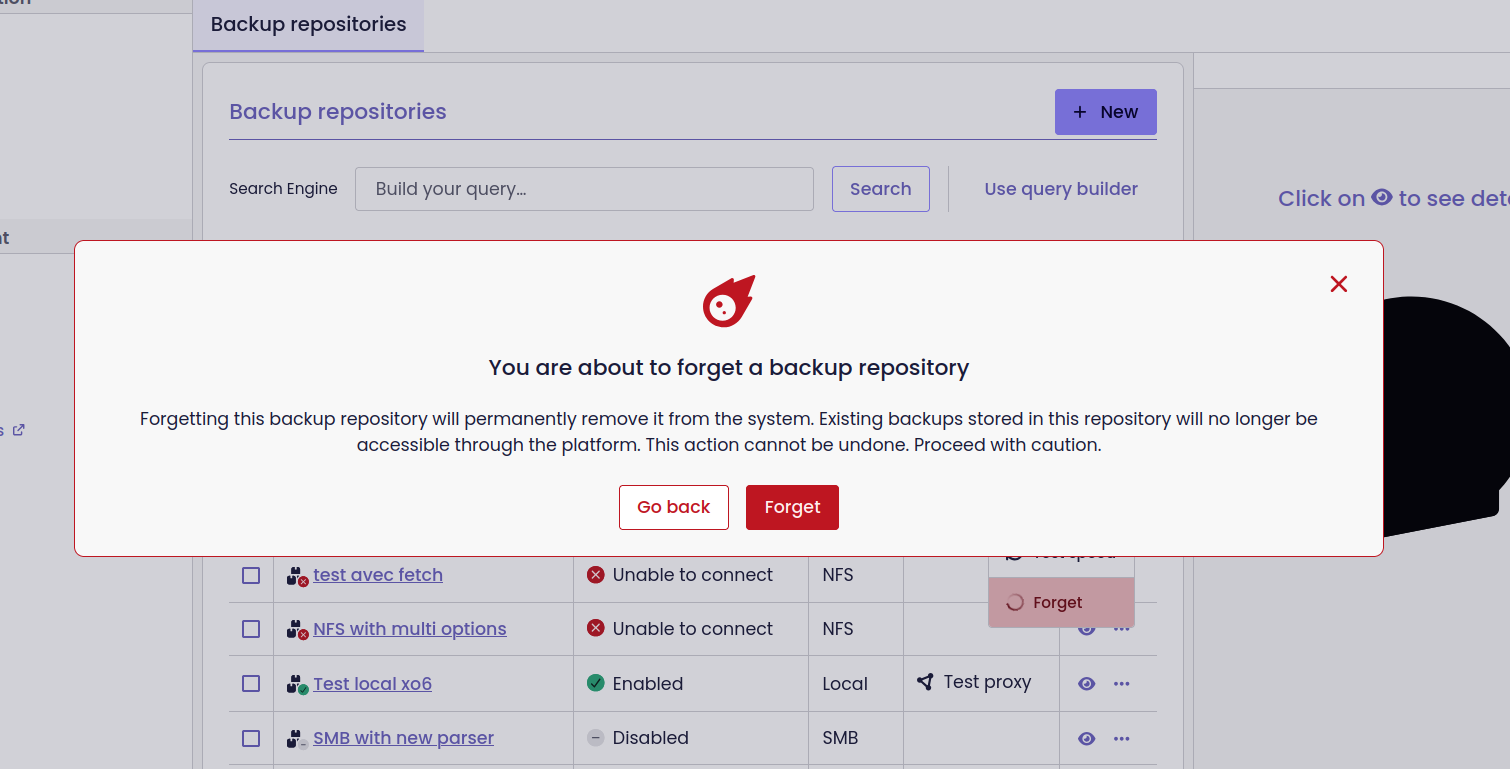
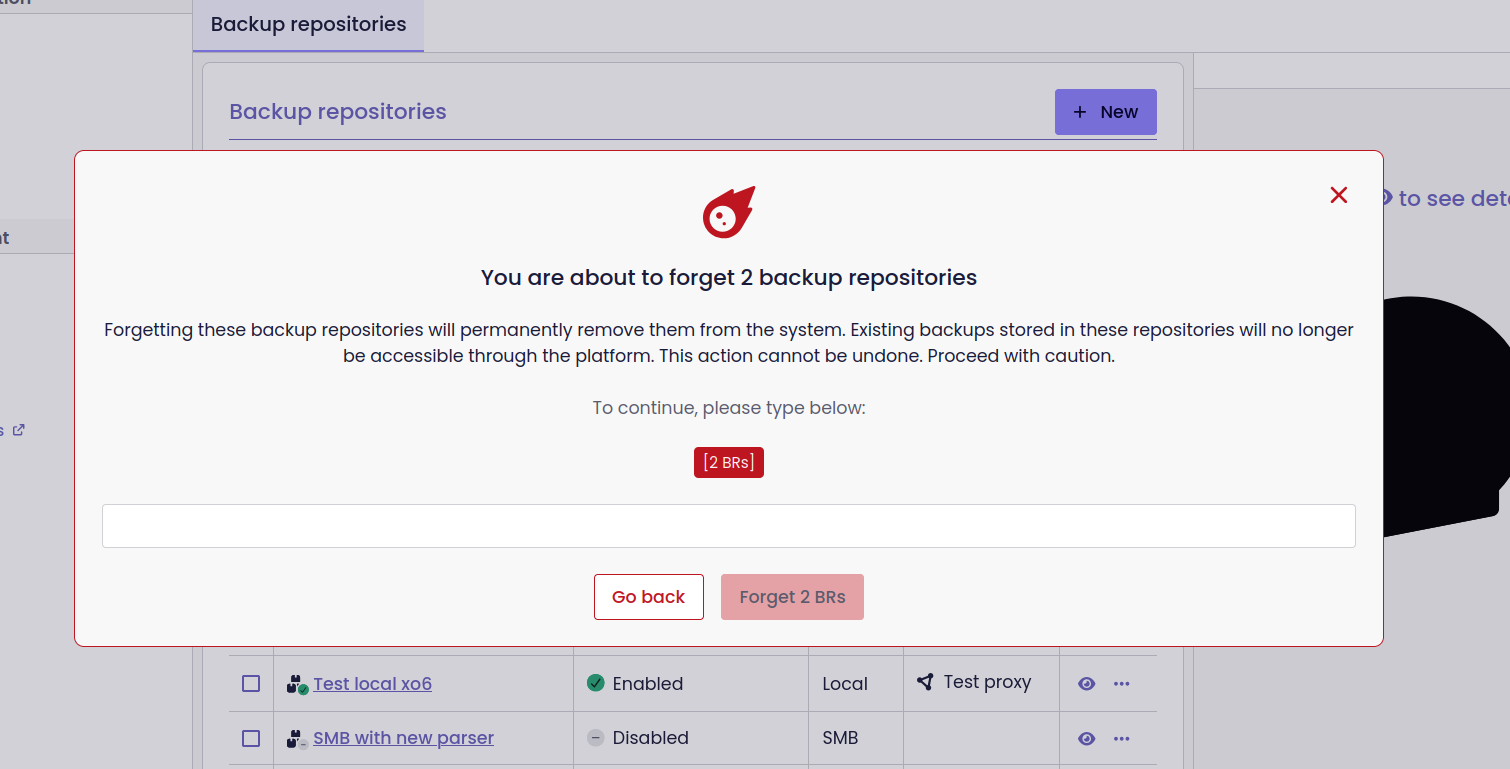
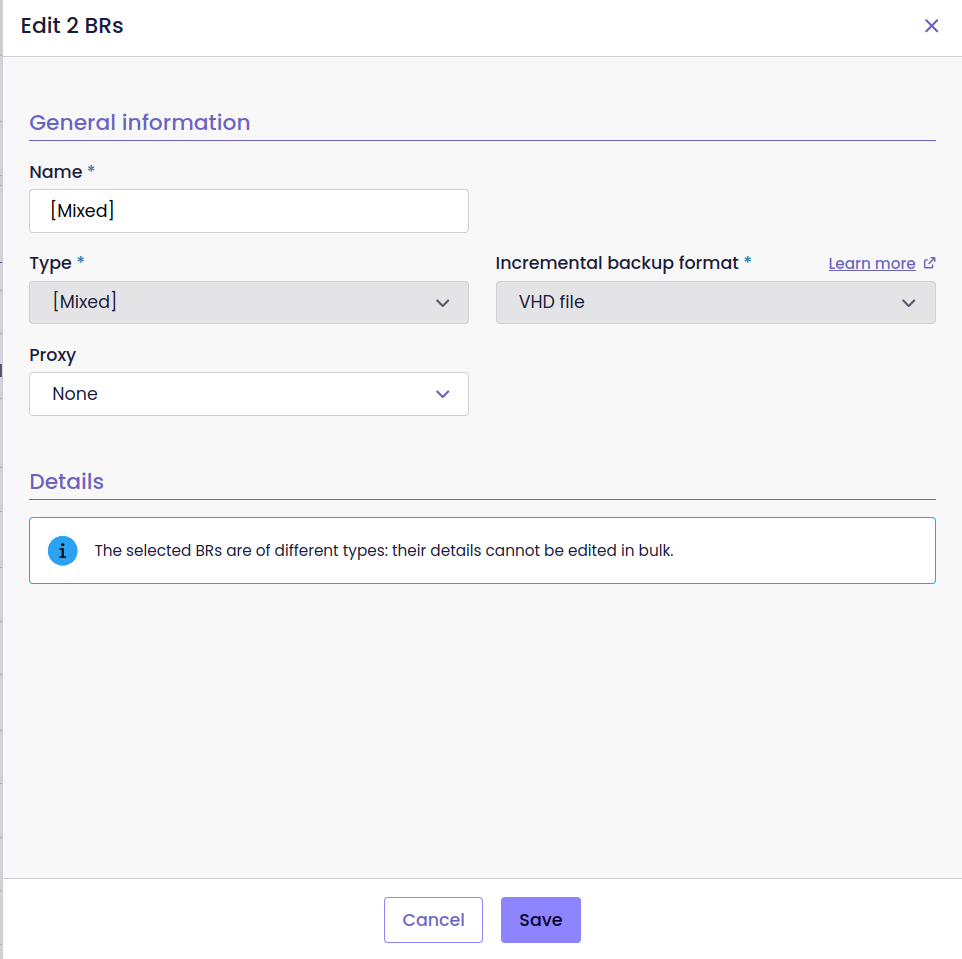
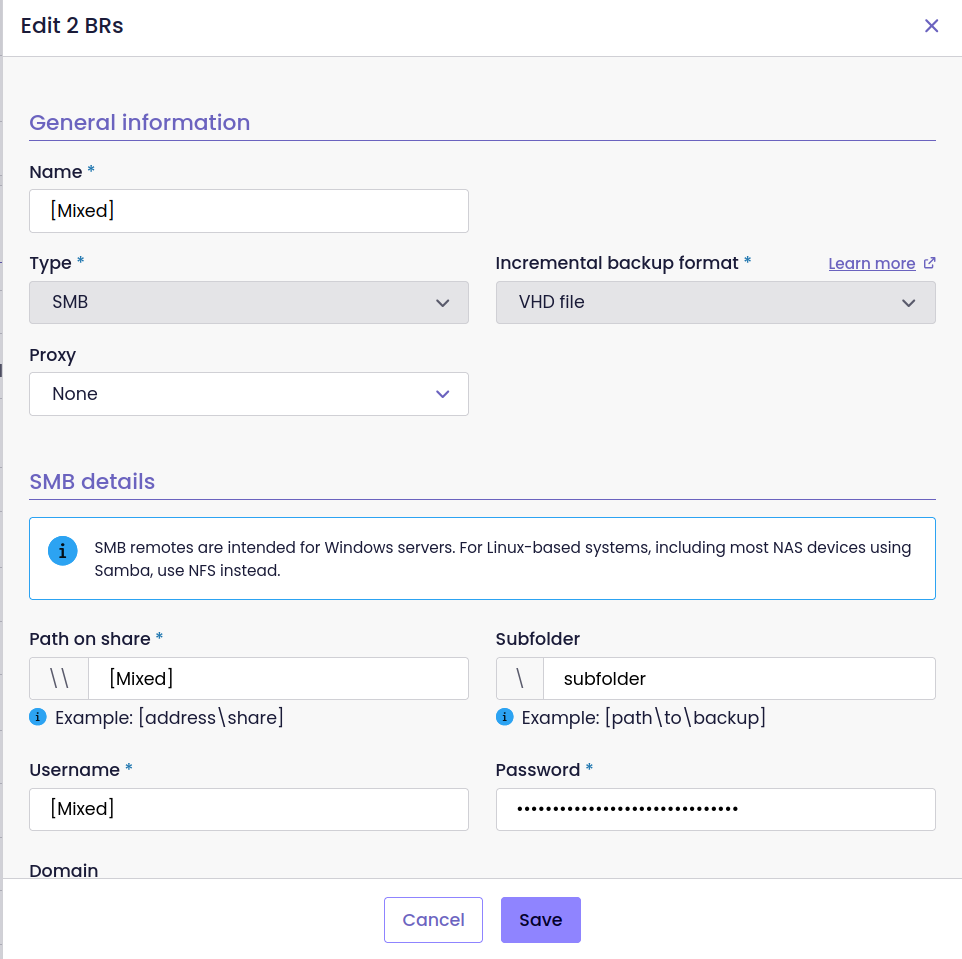
New actions are available from the backup repository list
Backup job list
The Jobs tab under Administration → Backup & Replication brings all backup jobs together in one list. Each entry shows the job’s type and mode, its last three runs, and its health check status.
Select a job to open a side panel with more details, including its configuration, schedules, backup targets, protected VMs, and recent runs. If a job has multiple schedules, XO recommends splitting it into separate jobs, each with its own schedule.
The same list and side panel are available from the Backups tab of a VM. Links to backup jobs from the site and VM dashboards also open the new interface.
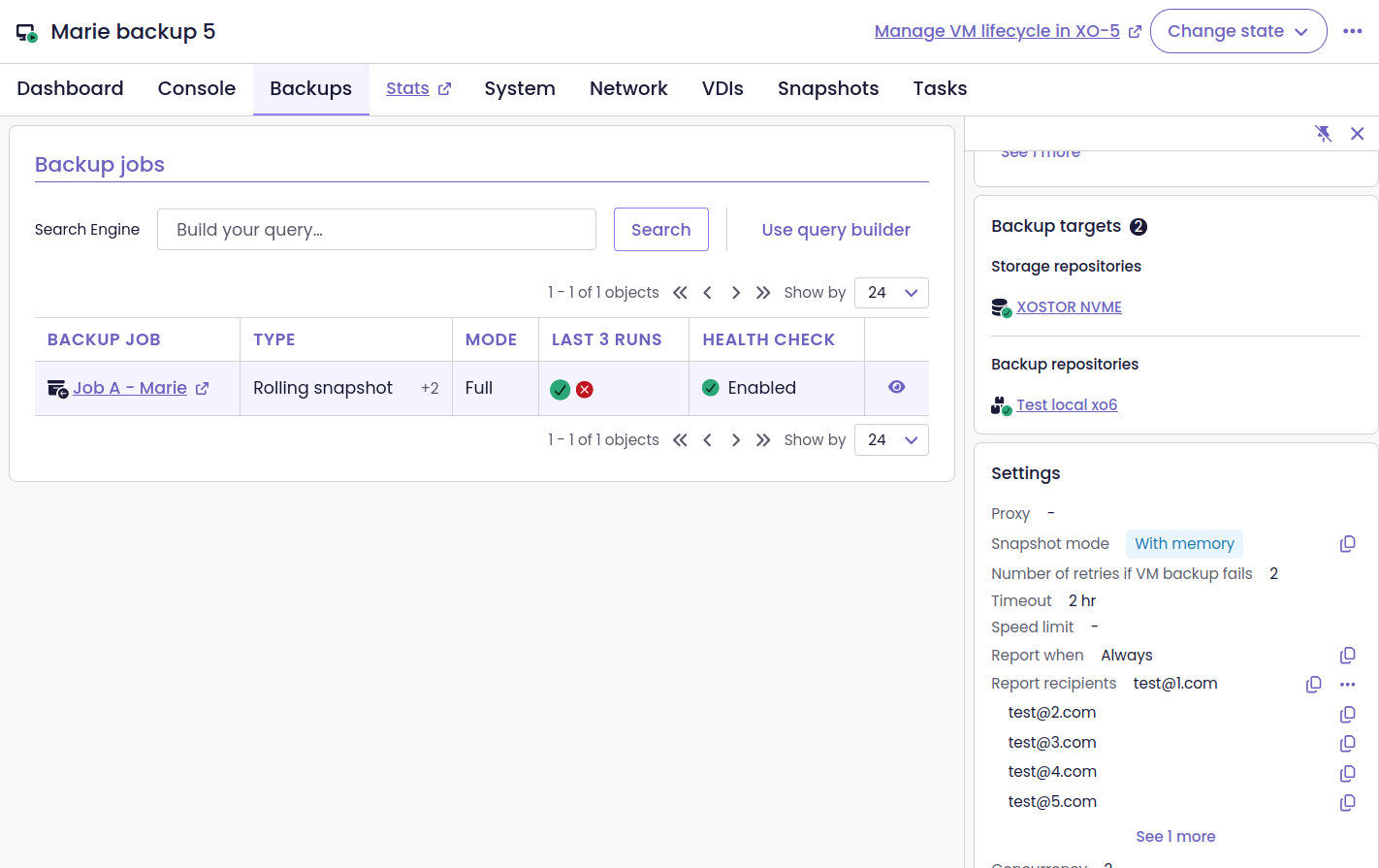
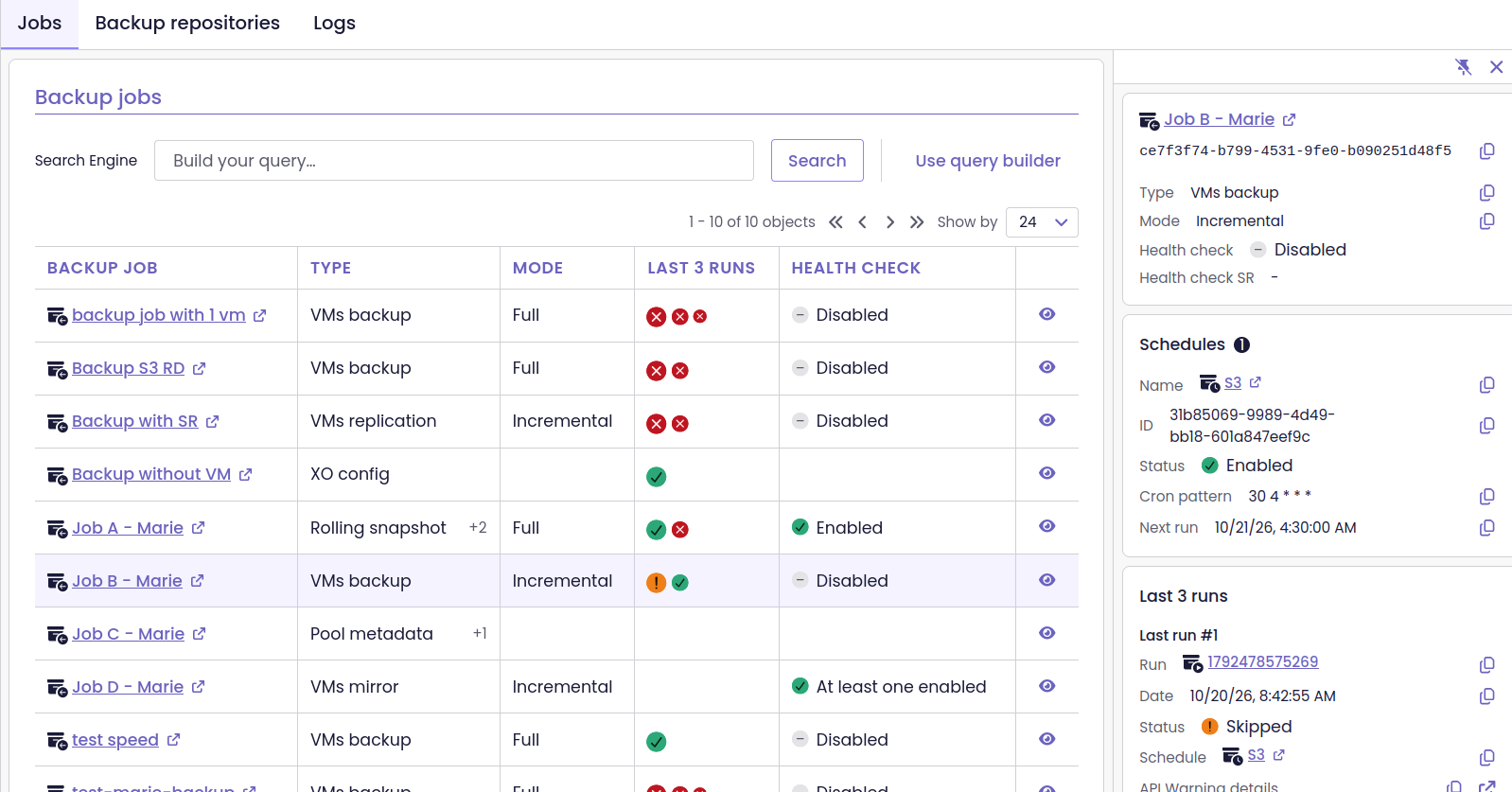
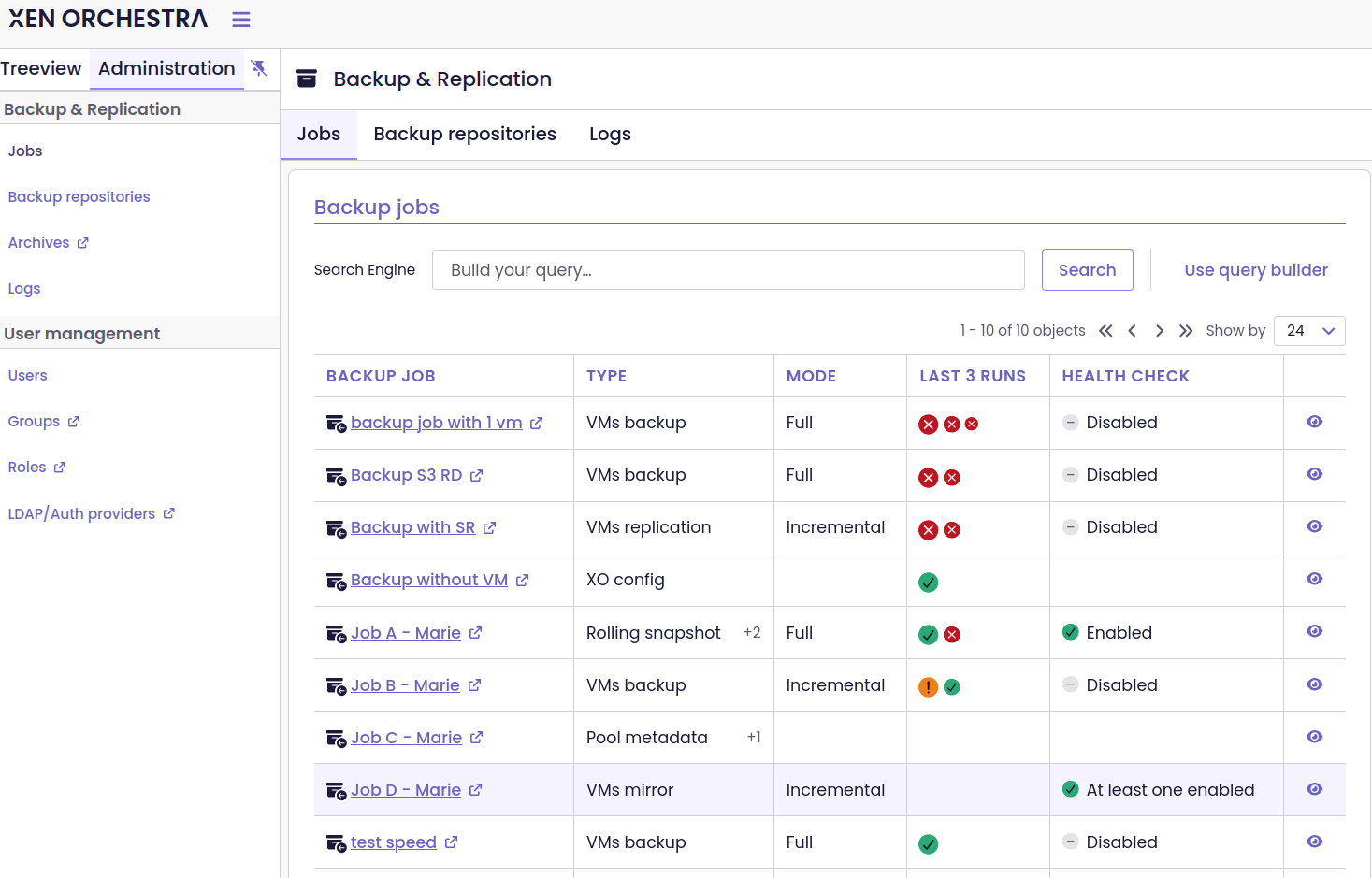
See your backup jobs all in one place, with a detail panel
Consistent date and time formats
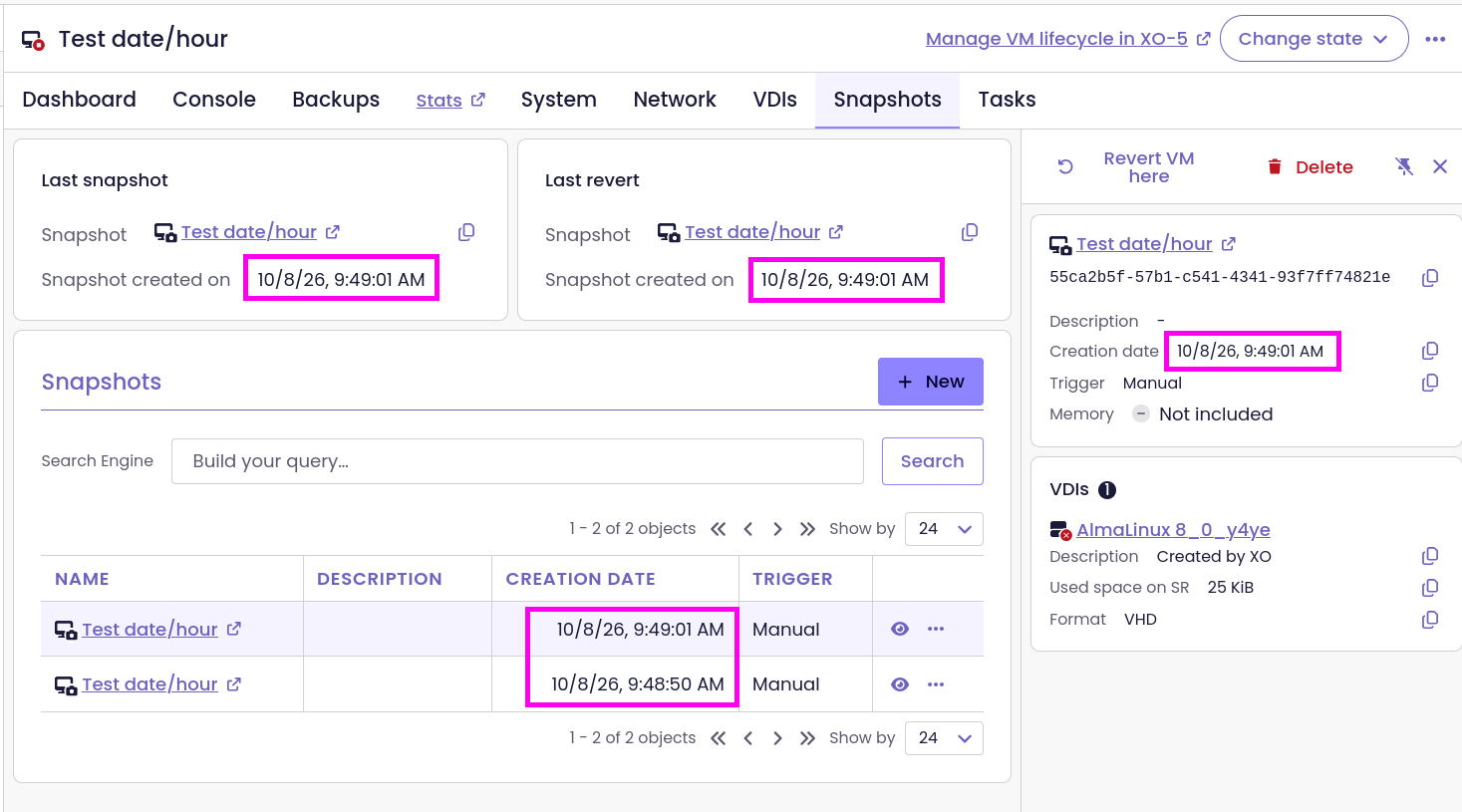
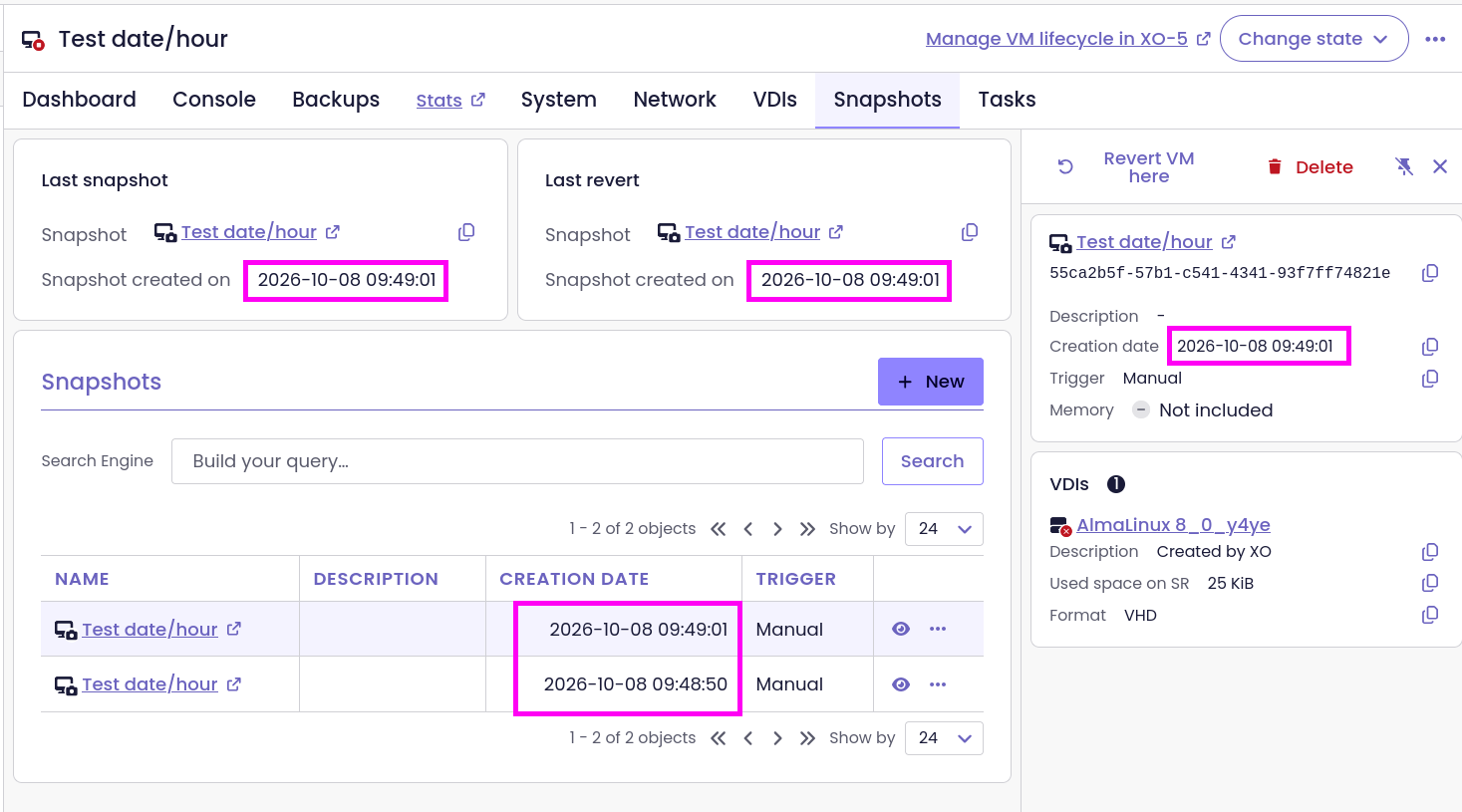
Dates and times follow a consistent format throughout the interface, regardless of the selected language. Dates follow the YYYY-MM-DD format, and times use a 24-hour clock. For example, a timestamp appears as 2026-10-26 14:30:00 instead of using a locale-dependent format such as 10/26/26 2:30 PM.
All times are displayed in the local time zone.
VM migration
You can migrate a VM to another host in the same pool or to a host in a different pool.
The migration wizard guides you through selecting the destination host and, if needed, a migration network. You can then map the VM’s disks to storage repositories and its network interfaces to networks on the destination.
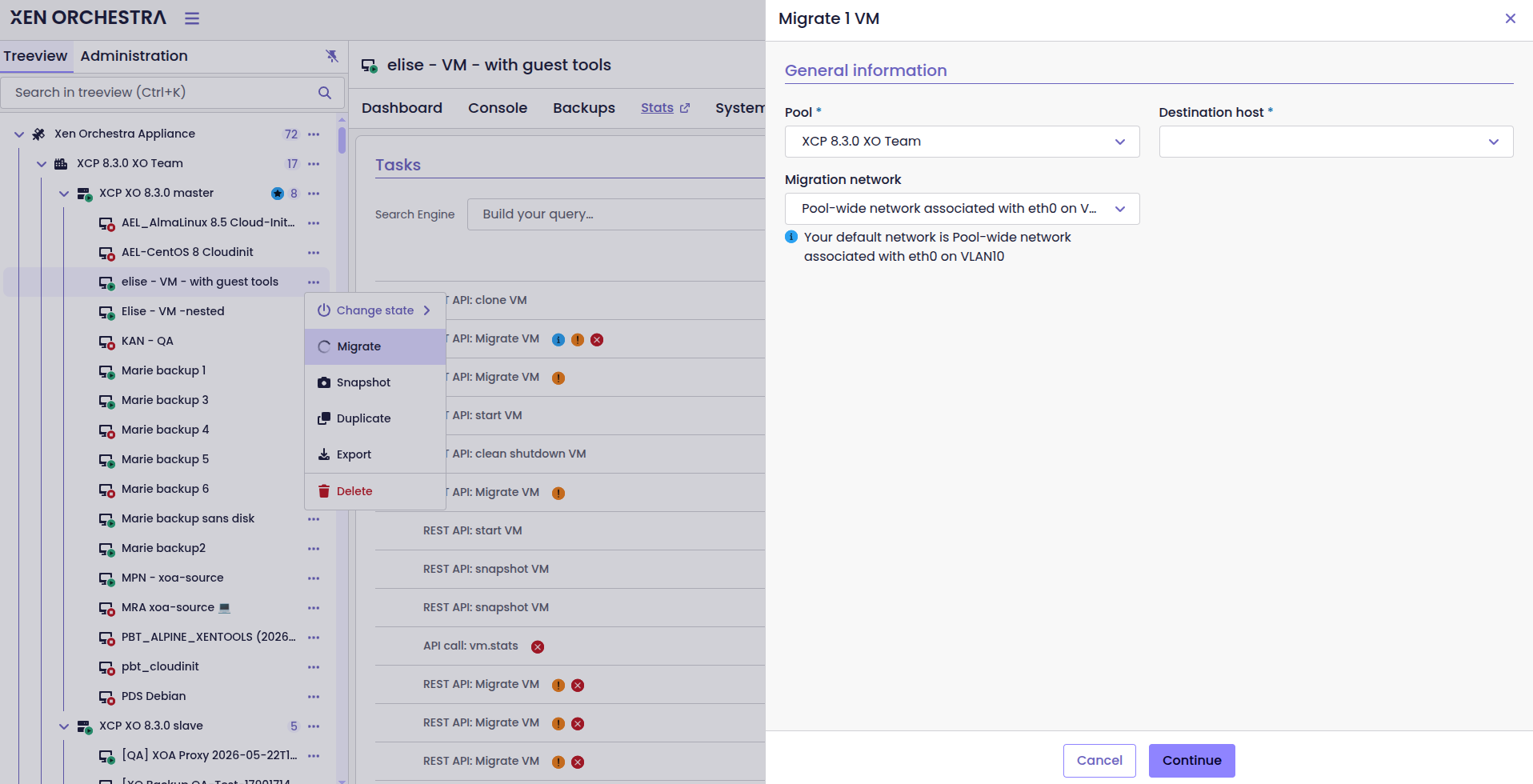
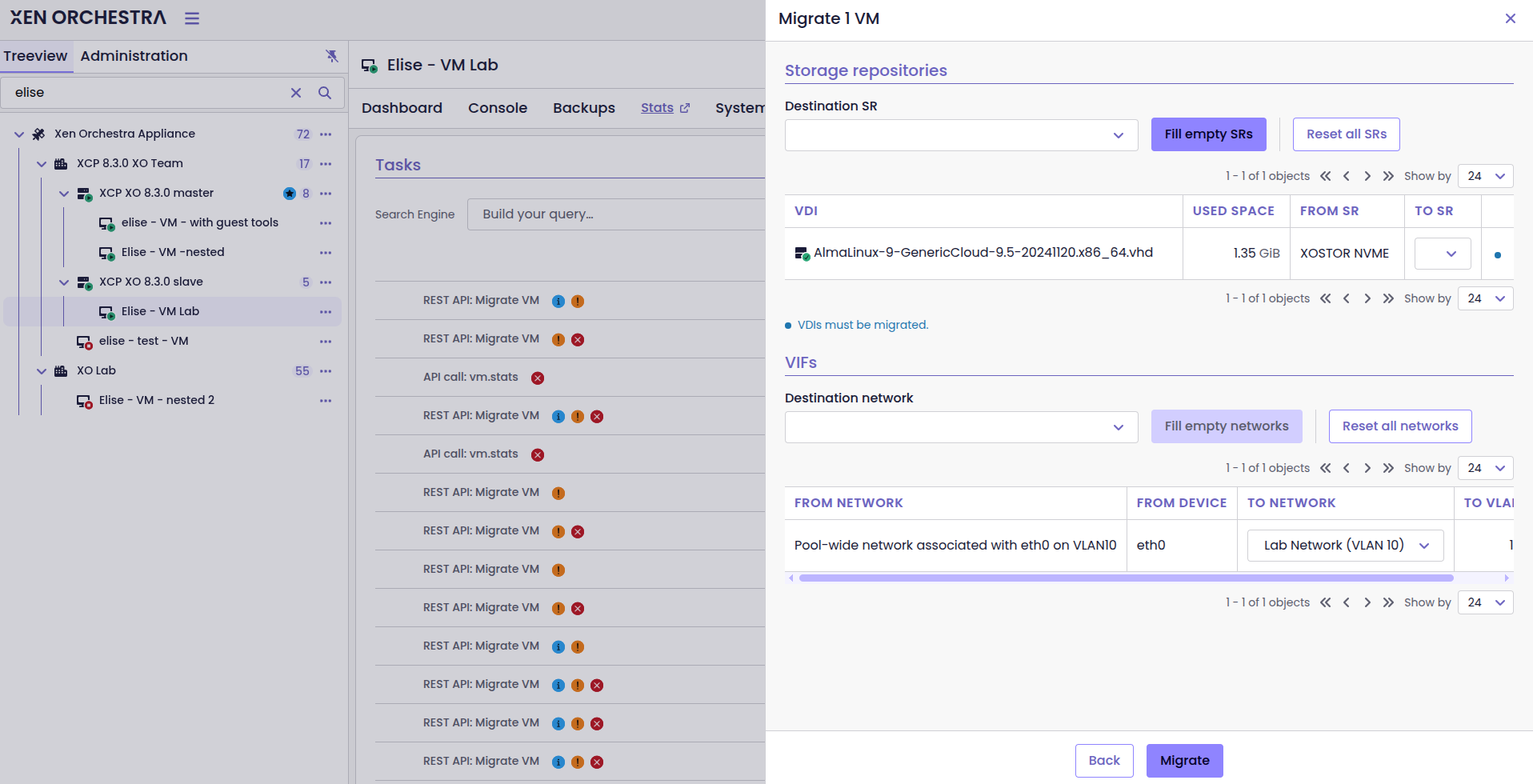
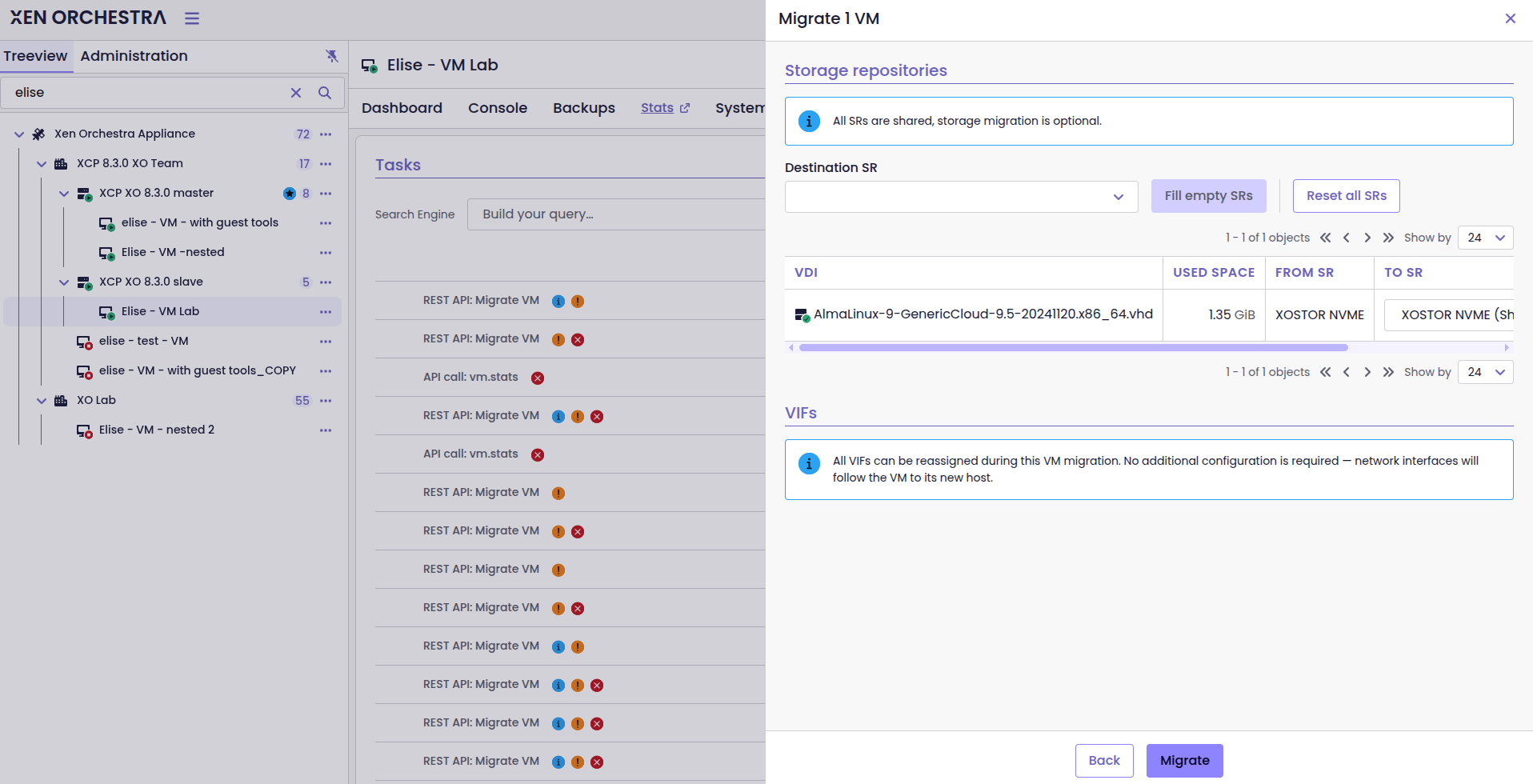
Migrate VMs straight from XO 6
🔭 XO Lite
XO Lite keeps adding what you need when XOA isn’t reachable. The Hosts tab gets a side panel, you can detach, disable and enable hosts or restart a toolstack, and you can forget PIFs from the network view.
Host side panel
The Hosts tab on a pool page includes a side panel showing information about the selected host. You can search the host list and select a host to view its details without leaving the page.
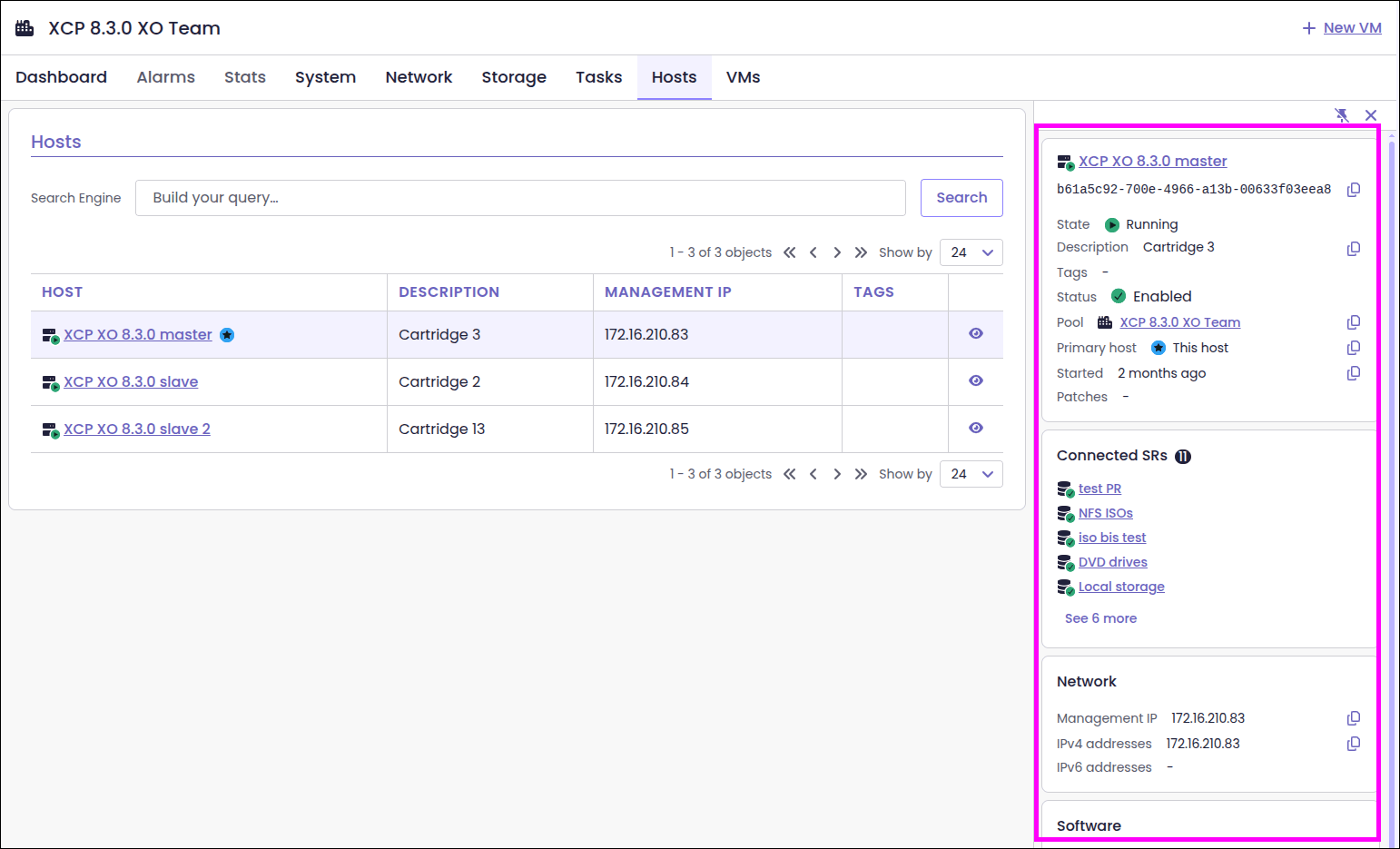
Host actions
You can now detach a host from its pool to make it standalone, disable it to prevent new VMs from starting on it, and enable it again when needed. You can also restart a host’s toolstack to fix management issues, without rebooting the host or stopping its running VMs.
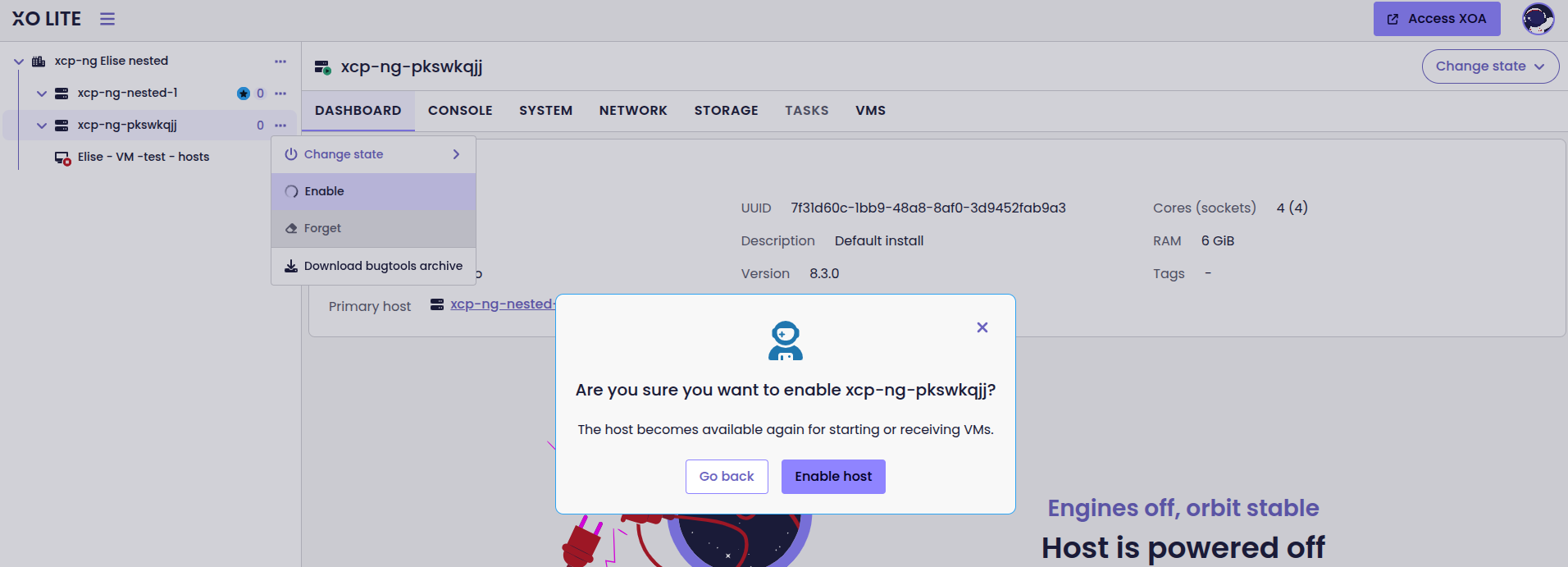
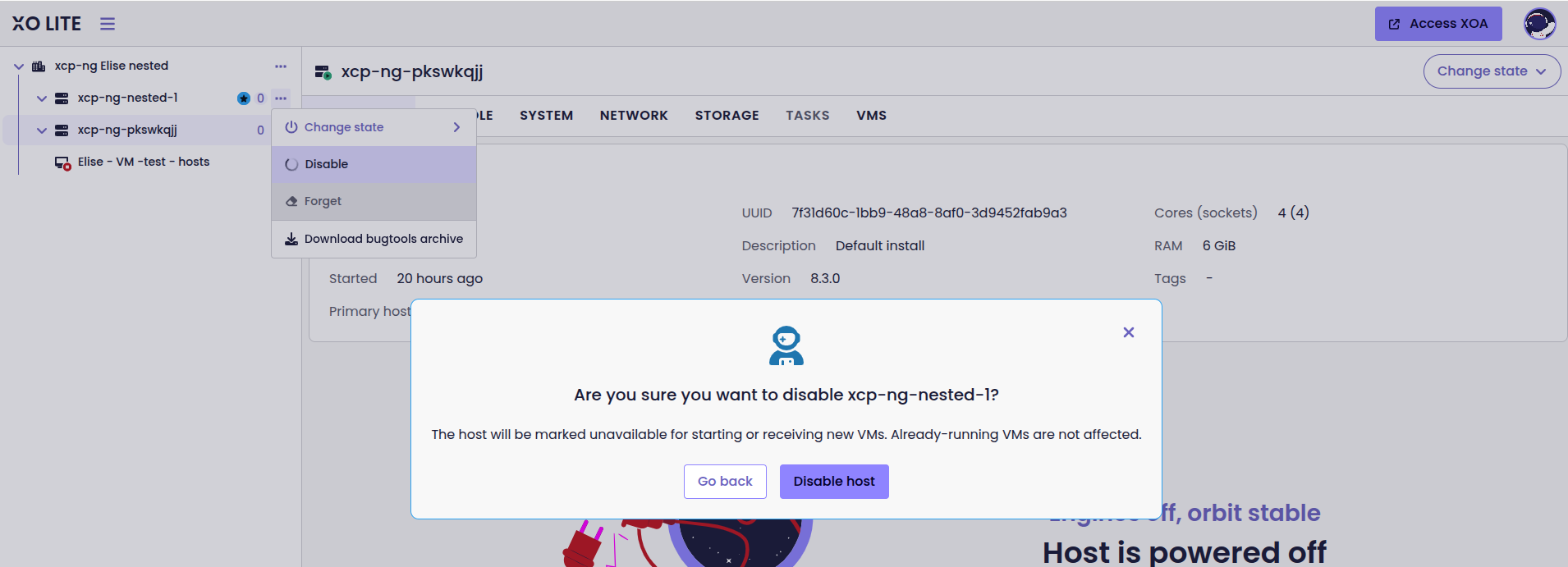
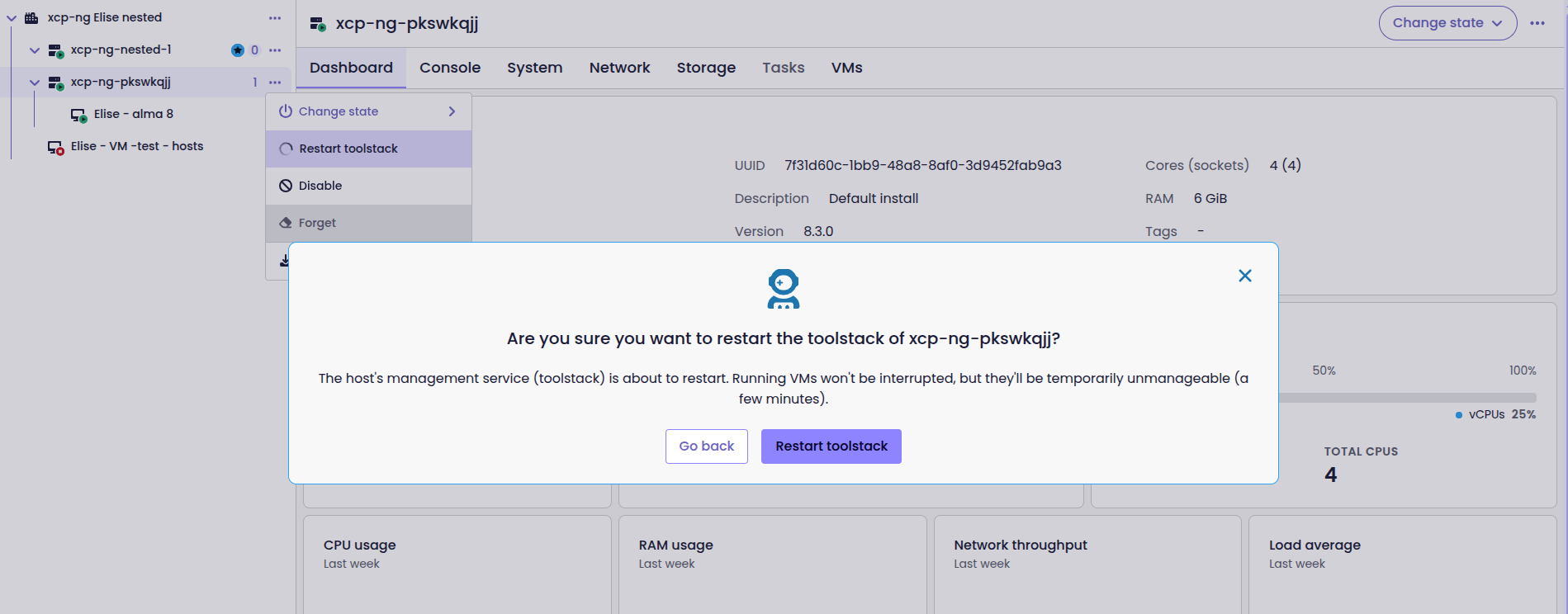
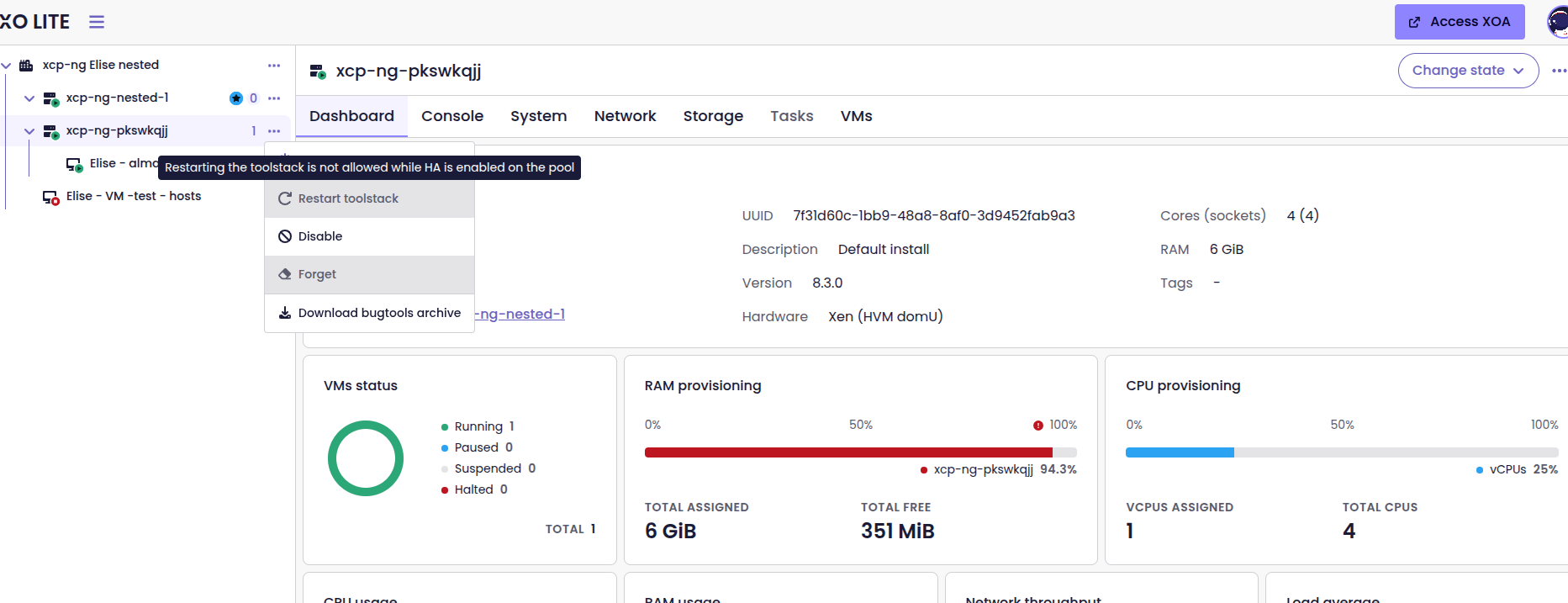
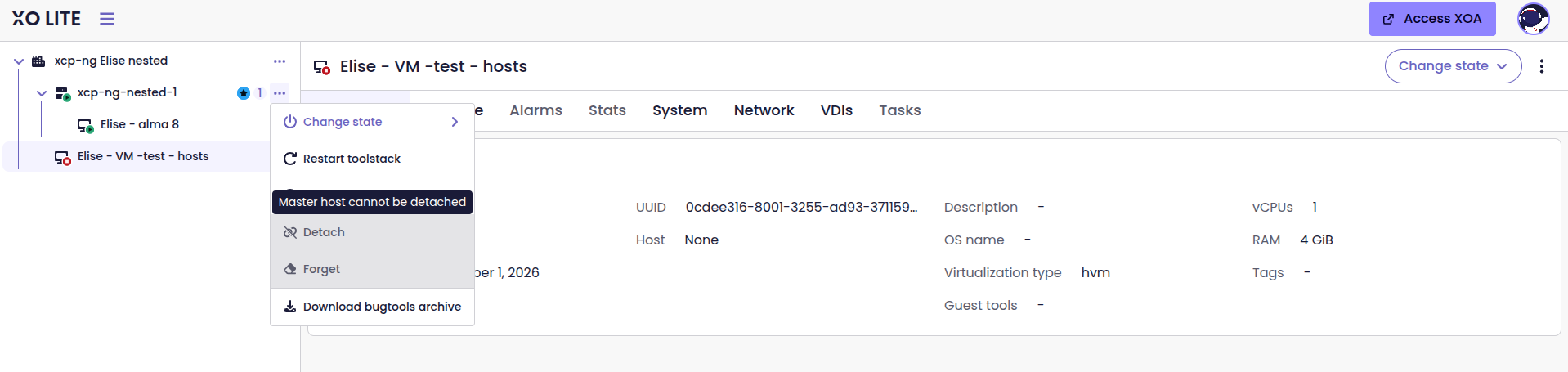
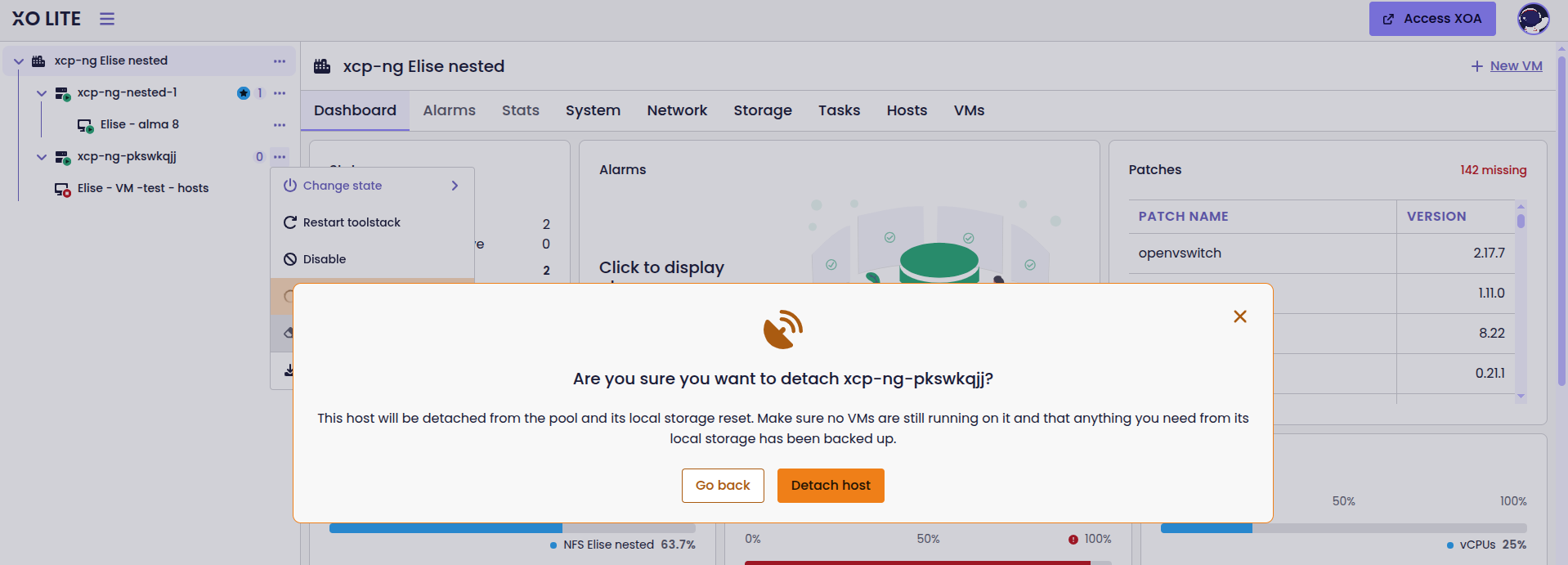
New actions are available in XO Lite
Forget a PIF from the network table
Physical interfaces (PIFs) can be forgotten directly from the network table or its side panel. The Forget action removes the interface from the host’s configuration without having to navigate away from the network view.
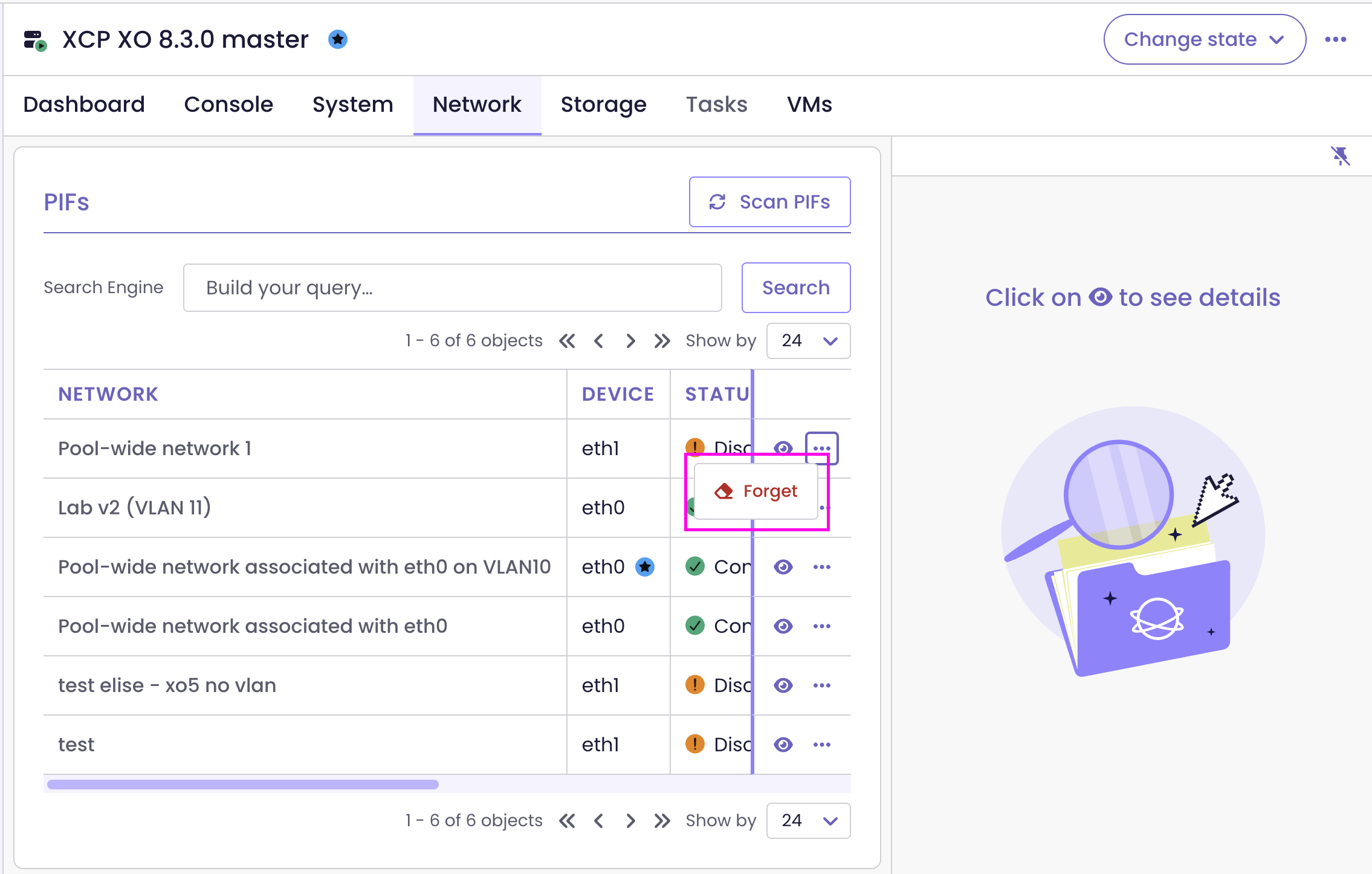
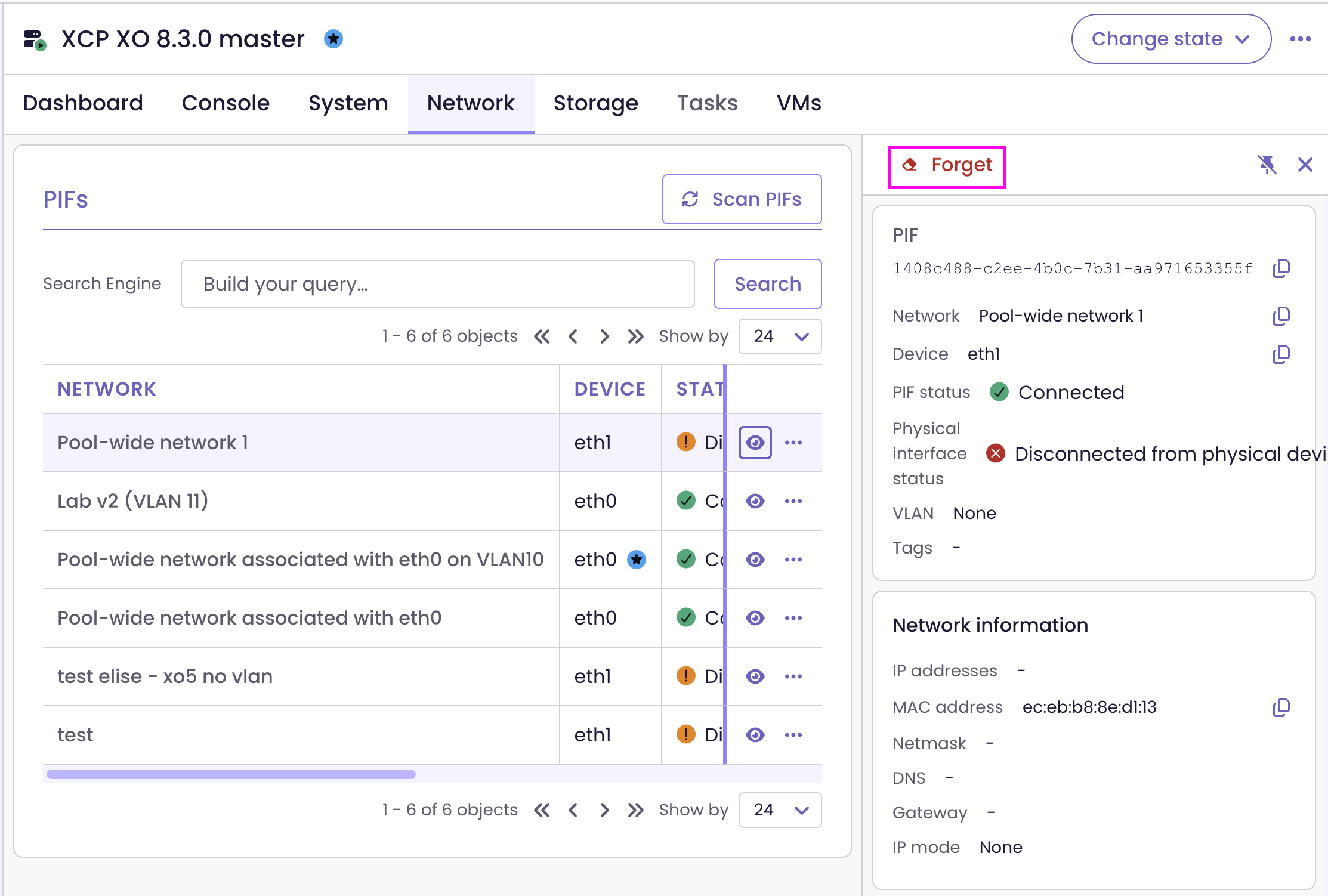
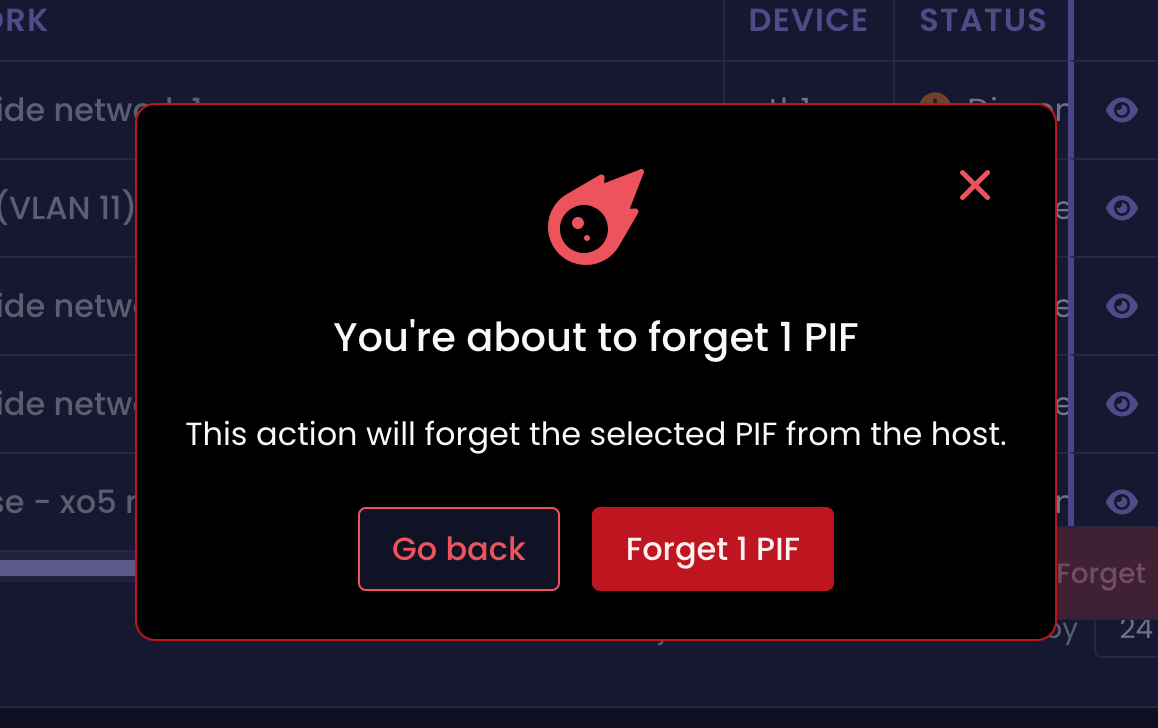
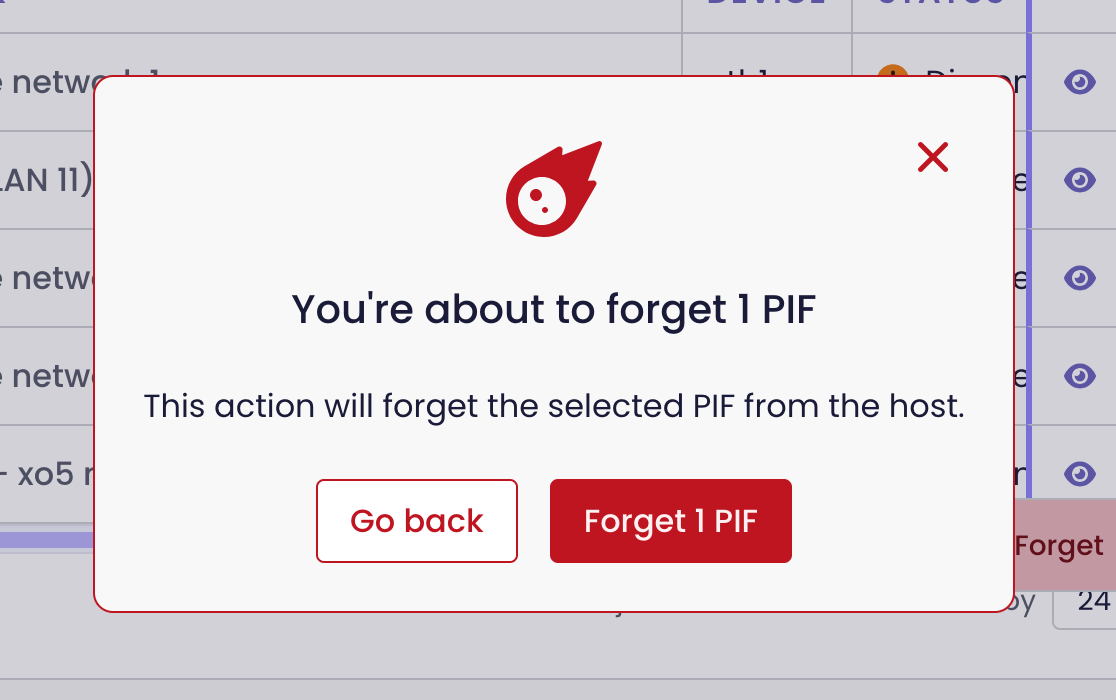
You can now forget PIFs from the network table and the side panel
Edit VIFs from the Network tab
Now, you can edit a VM's virtual network interface (VIF) directly from the Network tab. Open the edit form from either the VIF table or its side panel, without navigating through the VM's configuration.
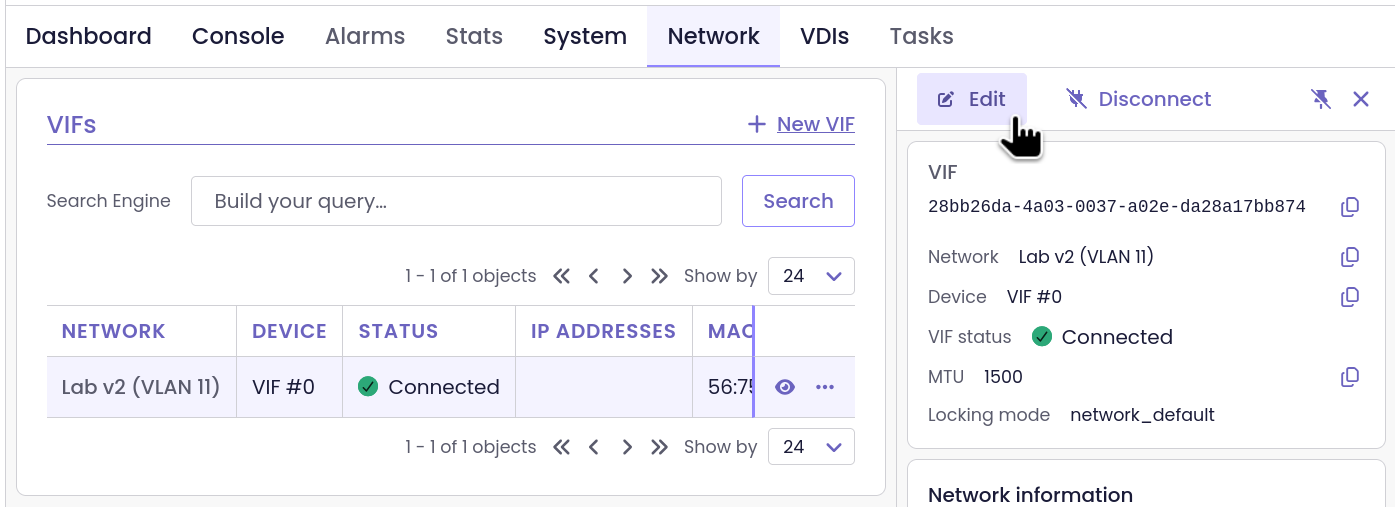
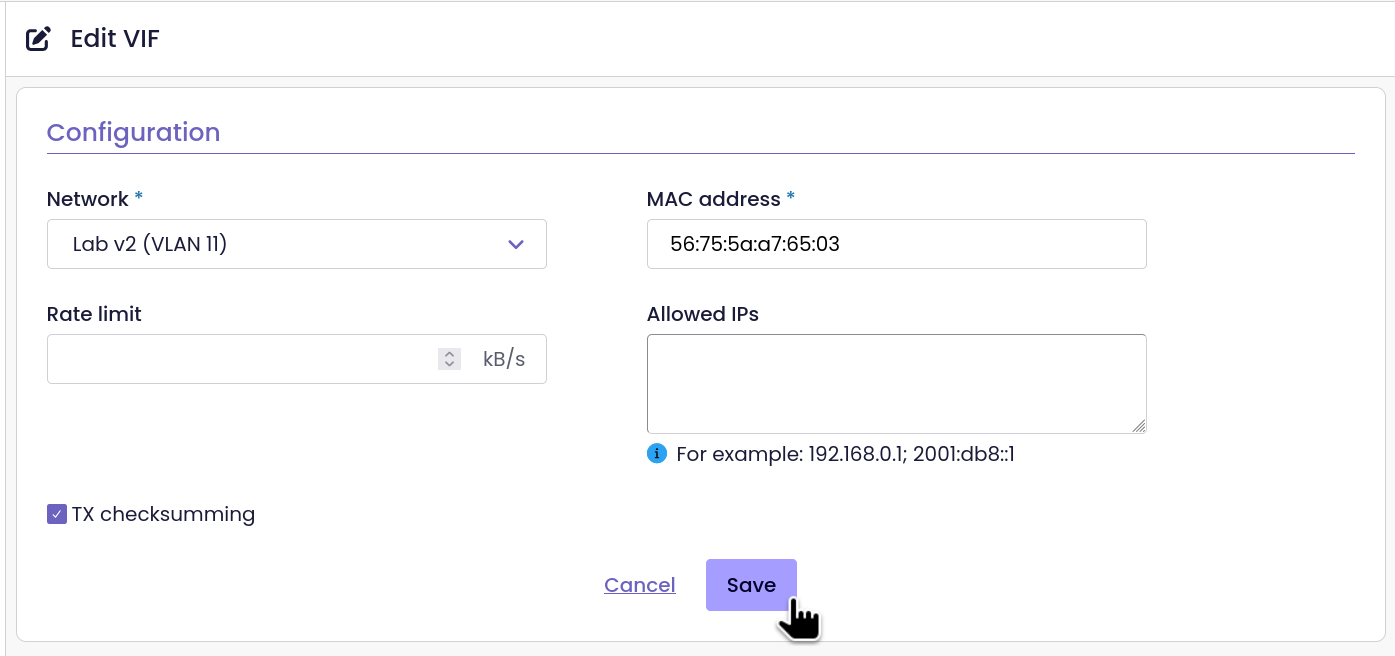
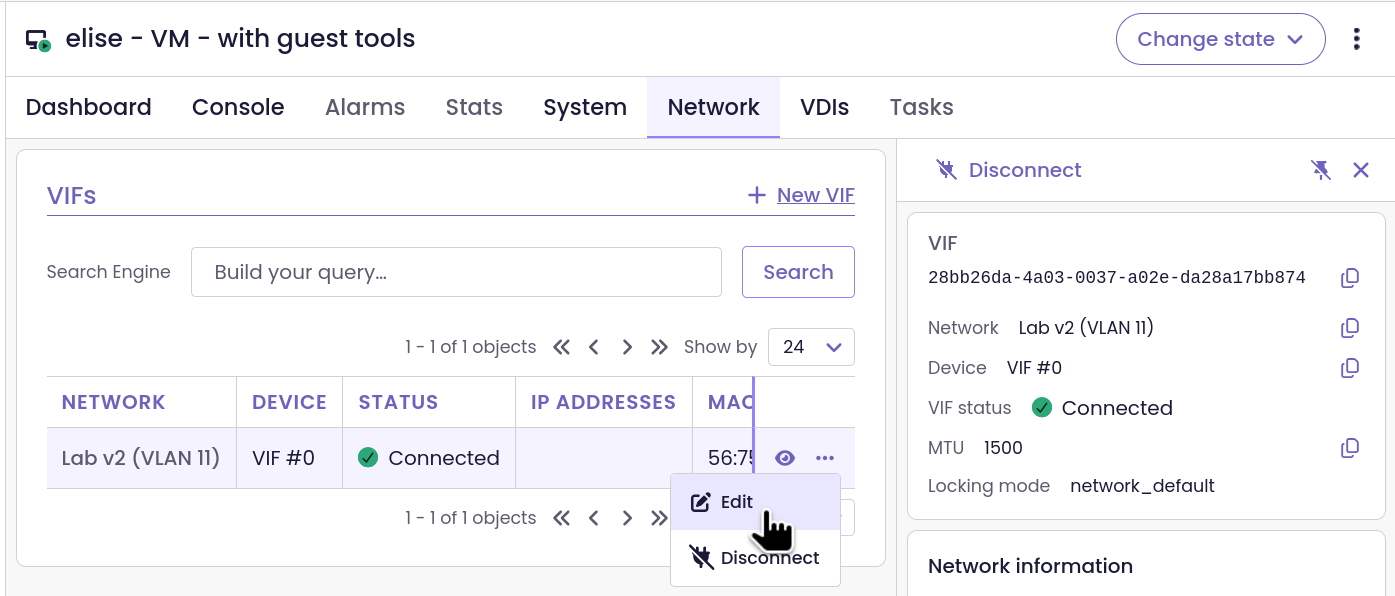
Edit VIFs straight from the Network tab
🪐 XOA
Only one change for XOA this month, and it’s a security one. Plan the update for your next maintenance window.
Node.js update
XOA upgrades to Node.js 22.23.4, which fixes a high-severity vulnerability in the previous version (details in the Security section). Updating XOA to 6.10 brings it along with the rest of the release.
⚖️ Load Balancer
The load balancer could already keep VMs together or apart. It can now also tie VMs to specific hosts. Tagged VMs are no longer stuck where they are: they can move for performance reasons as long as their rules still hold.
VM-to-host affinity
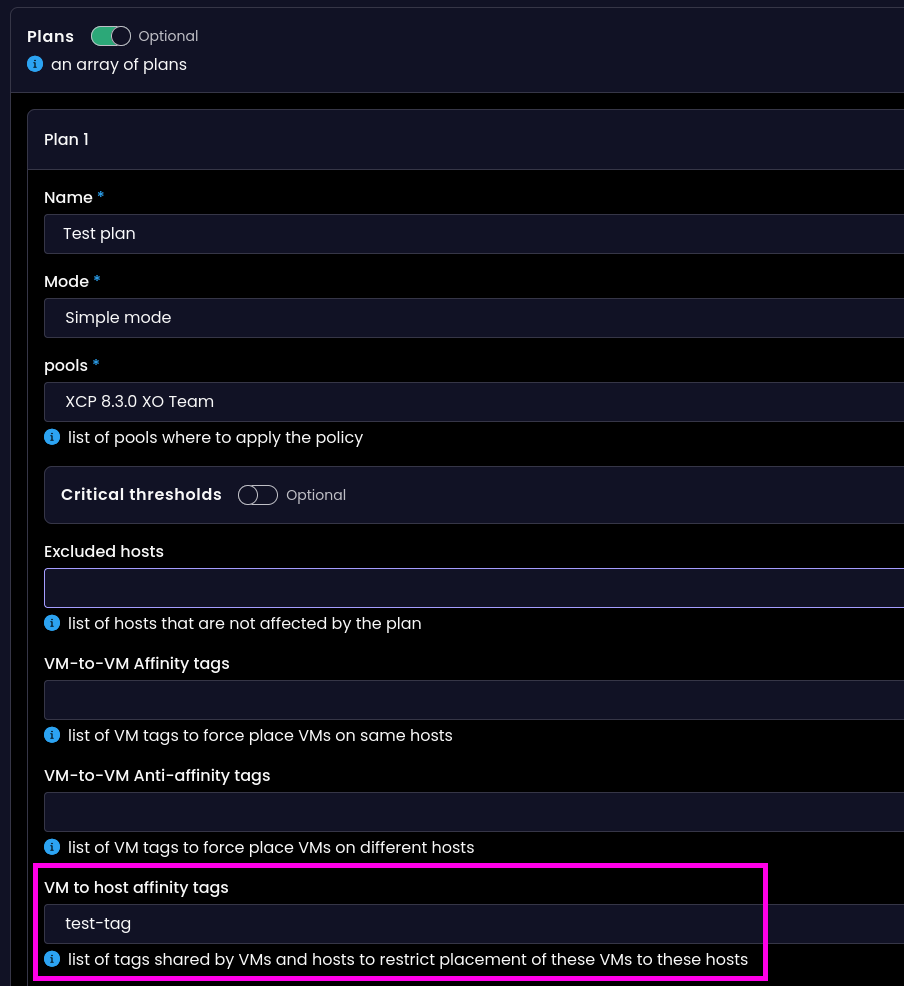
The load balancer extends support to VM-to-host affinity, alongside VM-to-VM affinity and anti-affinity.
You can assign the same tag to one or more hosts and VMs to tell the load balancer which hosts those VMs should run on, whenever possible. This tag also influences the VM’s preferred host when starting it.
The load balancer considers these rules when deciding whether to migrate a VM. It can move a VM between hosts within the same pool as long as the move respects its affinity and anti-affinity constraints.
Tags are evaluated separately for each pool, so affinity rules do not trigger migrations between pools.
Smarter migration decisions
The load balancer can now migrate VMs with affinity or anti-affinity tags for reasons beyond satisfying those rules. For example, it can move a VM to improve performance, as long as the migration does not violate its affinity constraints. Previously, tagged VMs could only be migrated to satisfy affinity or anti-affinity rules, which limited the load balancer's ability to balance workloads effectively.
The same logic applies to VM-to-host affinity: a VM can move to another host with a matching tag when there is a reason to do so. Migrations remain within the same pool, and the load balancer evaluates affinity rules separately for each pool.
🐦 VMware to Vates (V2V)
If you’re still migrating from older VMware hosts, vectura can read disks from ESXi 6.x again.
Compatibility with ESXi 6.x
The custom transport layer used by vectura to read VMware disks during V2V migrations is compatible with ESXi 6.x again. Previously, it rejected hosts that did not advertise SHA256 support in their initial protocol response, which prevented XO from reading their disks.
vectura detects the protocol supported by the host and falls back to the legacy protocol when needed. V2V imports from ESXi 6.0 have been tested successfully from end to end, and newer hosts such as ESXi 7.0 continue to use the modern protocol.
Testing was performed on ESXi 6.0.0; ESXi 6.5, 6.7, and vCenter 6.x have not been tested.
📡 REST API
The REST API catches up with XO 6 in three areas:
- live updates through subscriptions, so you don’t need to poll
- full plugin management
- SR probing before you create a storage repository
The SDN Controller also gets traffic rule priorities.
Real-time updates via subscriptions
All XO collections are accessible via Server-Sent Events (SSE) subscriptions. Applications built on top of the REST API can listen for changes to both XAPI objects, such as VMs and hosts, and other data, including backup logs and archives. This removes the need to poll the API repeatedly to keep data up to date.
Plugin management
Plugin endpoints are fully exposed. You can list plugins, update their configuration, load or unload them, and run tests. These operations can now be performed programmatically, instead of through the web interface.
List and inspect plugins
GET /plugins: List all plugins.GET /plugins/{id}: Get plugin details. Secret configuration values are obfuscated.
Manage plugin configuration
PATCH /plugins/{id}: Update the autoload setting.PUT /plugins/{id}/configuration: Validate, apply, and save the configuration.DELETE /plugins/{id}/configuration: Unload the plugin and remove its configuration.
Run plugin actions
POST /plugins/{id}/actions/load: Load the plugin.POST /plugins/{id}/actions/unload: Unload the plugin.POST /plugins/{id}/actions/test: Test the plugin using data that matches itstestSchema.
SDN Controller: Traffic rule priorities
Traffic rules support explicit OpenFlow priority, so when multiple rules match the same packet, the rule with the highest priority takes precedence. Network rules and VIF rules share the same priority order, and two rules on the same network cannot have the same priority.
You can set the priority parameter when calling add_traffic_rule or update_traffic_rule through the networks/{id} and vifs/{id} REST API endpoints.
SR probe endpoints
New REST API endpoints let you probe storage resources on a host before configuring a storage repository. They cover NFS, ZFS, iSCSI and HBA, with dedicated checks for the existence of NFS, iSCSI and HBA resources.
Probe storage resources
POST /rest/v0/hosts/{id}/actions/probe_nfs: Probe NFS storage.POST /rest/v0/hosts/{id}/actions/probe_zfs: Probe ZFS storage.POST /rest/v0/hosts/{id}/actions/probe_hba: Probe HBA storage.POST /rest/v0/hosts/{id}/actions/probe_iscsi_iqns: Discover iSCSI IQNs.POST /rest/v0/hosts/{id}/actions/probe_iscsi_luns: Discover iSCSI LUNs.
Check whether resources exist
POST /rest/v0/hosts/{id}/actions/probe_nfs_exists: Check whether an NFS resource exists.POST /rest/v0/hosts/{id}/actions/probe_hba_exists: Check whether an HBA resource exists.POST /rest/v0/hosts/{id}/actions/probe_iscsi_exists: Check whether an iSCSI resource exists.
☸️ DevOps Tools
On the DevOps side, the Cluster API provider went through five release candidates for v1.1.0, the Go SDK shipped two releases, and the Cloud Controller Manager got a fix for nodes whose VM is shutting down.
Cluster API provider for Vates: v1.1.0 release candidates
Between 12 and 16 October, the Cluster API provider published five release candidates for v1.1.0: rc1, rc3, rc4, rc5 and rc6. They add four things:
- Nodes can boot on an address claimed from an IPAM pool.
- You can add extra Xen Orchestra tags to the VMs it creates.
- The Helm chart exposes
extraArgsandextraEnvs. - Talos clusters can use Cilium’s kube-proxy replacement.
Several of these releases also fix Talos-related issues. If you run Kubernetes on XCP-ng with Cluster API, test a release candidate now and tell us what you find.

Xen Orchestra Go SDK v1.20.0, v1.21.0 and v1.22.0
The Go SDK shipped three releases. Version 1.20.0 types the VM operations fields and fixes the type of the VBD position. Version 1.21.0 adds a read-only template service for VM templates, and task waiting now treats an interrupted task as finished. Version 1.22.0, released on 28 October, improves error reporting: when a call to Xen Orchestra fails, the SDK now returns the error message and the reason the server gave, not just a generic failure, so you can see what went wrong without digging through raw logs. Thanks to @littlejo, @gCyrille and @abhicodes-007 for these contributions.


Cloud Controller Manager: out-of-service taint on shutdown
During a shutdown or a suspend, a VM’s power state stays “running” for a while, so the Cloud Controller Manager didn’t mark its node as down. It now checks the VM’s current operations. When a clean shutdown, hard shutdown or suspend is in progress and the node is NotReady, the node gets the out-of-service taint. The fix is merged but not in a tagged release yet.
 gCyrille
📖 Documentation & Guides
The V2V screenshots now show vectura, and the README shows XO 6. New pages cover warm migration and the estimated VM power consumption metric in OpenMetrics, and the OTP page now recommends enabling 2FA.
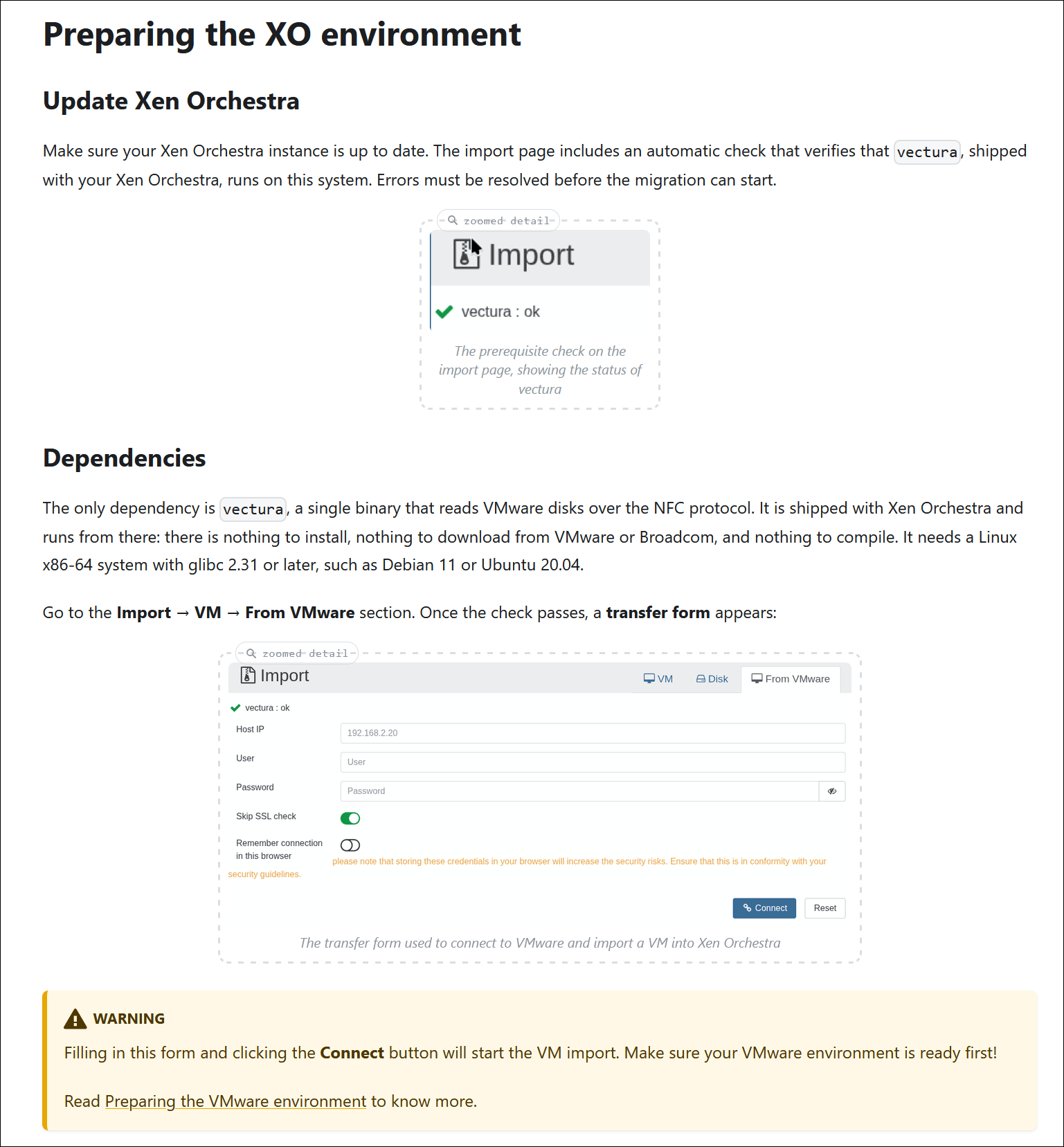
Updated V2V migration screenshots
Updated screenshots in the V2V migration guide show vectura instead of VDDK, nbdkit, and nbdinfo. The screenshots cover the prerequisite check and the disk transfer form, which now reflect the current migration workflow.

Updated README screenshots
The README replaces legacy screenshots with XO 6 dashboard views. The storage repository statistics screenshot still shows XO 5, as XO 6 doesn't have an equivalent view yet.

Warm migration
We've added documentation for warm migration, which lets you move a VM to another pool with minimal downtime. XO replicates the VM's disks while it is running, then shuts it down to transfer the remaining changes before completing the migration.
The guide covers the available options, including whether to start the VM on the destination and whether to delete the source VM.

OpenMetrics: estimated VM power consumption
The OpenMetrics documentation expands to include the xcp_vm_power_consumption_watts metric, which estimates the power consumption of each running VM. XO distributes the host's measured power among its VMs in proportion to their CPU load.
The guide explains how the estimate works, which labels are available, and how to use PromQL queries to compare VM power consumption, identify the highest-consuming VMs, and track estimated energy use over time.
 our blog post series about it
OTP recommendations
Two-factor authentication (2FA) is recommended in the OTP documentation, to help protect user accounts against brute-force password attacks.

🌐 Translations
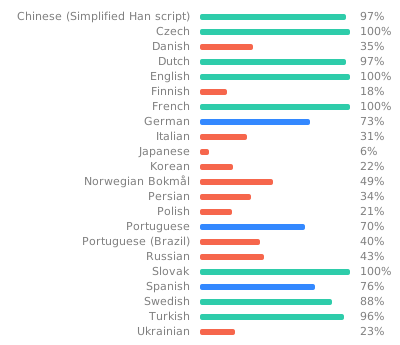
Twelve languages went from under 70% coverage to a full translation, partly with AI help, and 13 languages got updates. If you’re a native speaker, you can help polish the wording.
Translations updated in 13 languages
XO translations have been updated in 13 languages: Chinese (Simplified), Czech, Danish, Dutch, German, Italian, Portuguese, Brazilian Portuguese, Russian, Slovak, Spanish, Swedish, and Ukrainian.
Want to help translate Xen Orchestra or improve existing translations? You’re more than welcome to join in here.
12 more translations completed
Xen Orchestra reaches full translation coverage in 12 additional languages: Arabic, Danish, Finnish, Italian, Japanese, Korean, Norwegian, Persian, Polish, Brazilian Portuguese, Russian, and Ukrainian. Previously, less than 70% of the interface was translated into each of these languages.
🆕 Misc
Two smaller changes here: support for NetBox 4.7, and a fix that keeps local SRs connected when you enable multipathing.
NetBox 4.7
Xen Orchestra adds support for NetBox 4.7.x. The integration has been tested with this version, and the supported version range has been updated in the code and documentation. No code changes were needed to address breaking changes in NetBox 4.7.
Fixed: Multipathing enablement on hosts
When you enable multipathing on a host, XO disconnects only shared storage repositories (SRs). Local SRs stay connected. If running VMs use a shared SR, XO warns you before proceeding, since disconnecting that storage can affect them.