
Xen Orchestra 6.6
XO 6.6 is out: scoped Storage and Network admin roles, VM export in XO 6, automatic XOA safety snapshots before updates, lighter V2V migrations, plus a Storage tab in XO Lite.





It's release time again! With XO 6.6, we kept pushing on two fronts: who gets to do what, and what happens when an update goes wrong. You get scoped Storage and Network admin roles in the REST API, automatic XOA safety snapshots before updates, and a nice batch of V2V optimizations for smoother migrations. As always, plenty of smaller fixes round it out. Enjoy the read!
🔗 Summary
As usual, this announcement is available as a Youtube video:
👨🚀 Project & Community
Beyond Xen Orchestra itself, the wider Vates platform kept moving this cycle: two rounds of XCP-ng updates, a signed Windows driver build, and a storage partnership worth flagging.
DataCore storage compatibility
Vates and DataCore announced a technical and strategic partnership to keep Vates VMS working smoothly with DataCore storage. For teams that already run DataCore, it's one less integration question when moving to XCP-ng and Xen Orchestra.
 Marc-André Pezin
Signed Windows Guest Tools
The XCP-ng Windows Guest Tools have a signed build again. Build 9.0.9137 is the first signed release since 8.2.2.200-RC1, more than six years ago, and 9.1.200 adds further bug fixes. A signed installer means Windows guests accept the drivers cleanly, without the friction that unsigned builds caused. If you maintain Windows guests, moving to a signed build is worth scheduling.
 xcp-ng
XCP-ng 8.3 updates
XCP-ng 8.3 LTS continued its regular maintenance and security cadence, with two update rounds this month. The first June round patched security vulnerabilities in the Linux kernel of the control domain (dom0), along with lower-priority maintenance fixes.
The second round, pushed to the xcp-ng-updates repository across three tested batches, adds security fixes for both Xen and the kernel (not classed as critical, applied as defence-in-depth) on top of version bumps, bug fixes, and improvements. Apply them through your pool's usual update path. Each post lists the full set of changes and related advisories.
 Philippe Coval
 Philippe Coval
TwinStor: a demonstrator for 2 nodes HCI
Ever wanted a fully shared SR on just two XCP-ng hosts, no SAN, no NFS box, no third node playing witness? That is TwinStor: hyperconverged, replicated storage for a 2-node pool, built on the local disks you already have, so you finally get live migration, HA and snapshots on a two-host cluster.
It is not a new storage engine, it is a harness over components you already trust (DRBD, iSCSI/multipath, XHA), and it is safe by default. We have hammered it hard ourselves, but there is no better QA than the community. So before we call it a product, we want you to break it: grab the test build, pull cables, cut power, reboot switches, and tell us what survives.
 olivierlambert
Behind the scenes: debugging a pool join failure
When a host refused to join a pool after an upgrade from 8.2 to 8.3, the culprit was a TLS certificate verification error that traced back to a missing certificate bundle. This devblog from one of our engineers walks through the whole hunt, from the original forum report to the code, and the upstream change that now surfaces a clearer error message so the next person spots the cause without digging into the source.
Marc Pezin
🏢 User stories
This month’s user stories highlight major migrations away from VMware toward Vates VMS.
Biocoop successfully migrated its infrastructure to Vates VMS, reinforcing a broader trend we are seeing across organizations: moving away from legacy virtualization stacks in favor of more open, flexible, and cost-controlled environments.
Clément Schilling
KDDI France expanded its cloud offering and cut infrastructure costs with Vates VMS, without adding vendor lock-in. It is a good illustration of a trend we keep seeing: teams leaving legacy virtualization stacks for platforms that are more open, more adaptable, and cheaper to run over time.
Clément Schilling
🎫 Events & webinars
Beyond product updates, sharing experience and structuring knowledge remains an important part of the ecosystem.
What we heard in Vienna and why Vates is investing in DACH
We spent a week in Vienna alongside Bull, hearing how IT leaders across the DACH region now treat digital sovereignty as a mainstream procurement criterion rather than a defense-sector concern. The full write-up is in the Insights section above.
Marc-André Pezin
Vates joins the HELIOS chair for confidential healthcare AI
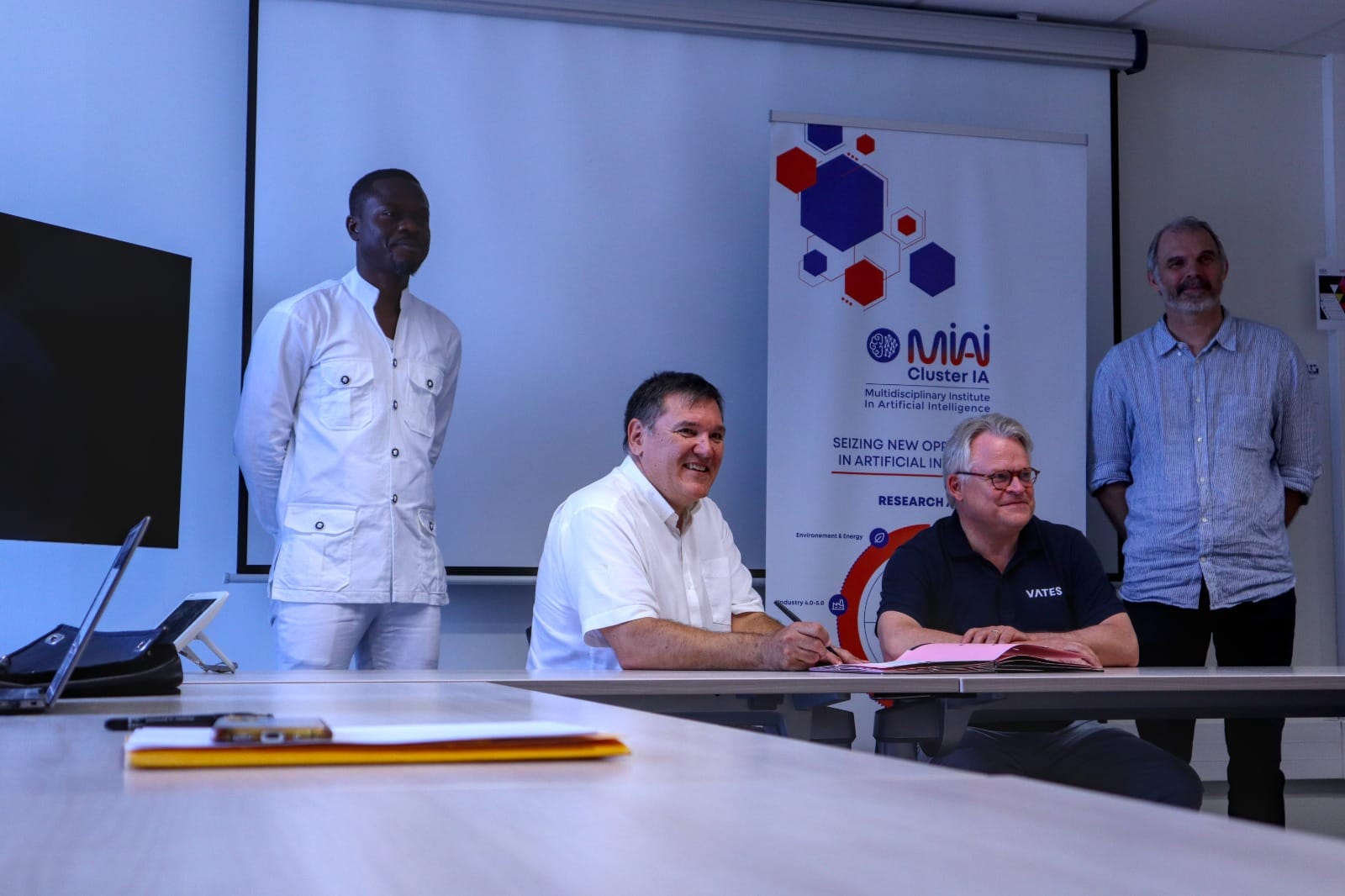
Vates is one of the industrial partners of HELIOS (Holistic Energy-aware & confidentiaL orchestratIOn for healthcare AI Systems), a new MIAI Cluster Industrial Chair hosted at Grenoble INP – UGA / LIG, which launched on 17–18 June 2026 in Grenoble, where Stanislas Assier de Pompignan signed the partnership for Vates. The chair tackles a hard problem: running healthcare AI on cloud infrastructure that is both energy-aware and genuinely confidential, so sensitive medical data stays protected end to end. On day two, Andrei Semenov (Vates) gave a talk titled "XCP-ng & Confidential VMs for healthcare", connecting XCP-ng (our open-source hypervisor) and our confidential-VM work to the chair's goal of a trustworthy, sovereign cloud for medical AI.


VeeamOn Tour
We were at VeeamON Tour Paris on June 18, where conversations with teams leaving VMware kept circling back to one topic: backup. Veeam's XCP-ng plugin has been in public beta since late 2025, and official support is set to arrive with Veeam's next release. Once it ships, you will be able to protect your XCP-ng workloads straight from Veeam Backup & Replication, while keeping the policies and repositories your teams already rely on.
 coolsport00
Vates & EasyVirt webinar
On July 2, Vates and EasyVirt will host a webinar focused on infrastructure optimization, migration planning, and operational visibility across multi-hypervisor environments. The session will show how the integration of DC Scope and DC NetScope within the Vates ecosystem helps organizations optimize resource usage, secure migrations, monitor network flows, and keep control over infrastructure costs and operations from a single interface.
XO 6.6
This release moves on two fronts. On the access side, the REST API gains dedicated Storage administrator and Network administrator roles, and XO 6 adds an Administration tab with user management, so you can delegate scoped access without giving away the keys to everything. On the resilience side, XOA now takes an automatic safety snapshot before every update, turning a bad release into a quick rollback.
A lot of the rest came from your feedback. A round of V2V memory optimizations makes large migrations lighter. Together with a fix for a memory crash on very large infrastructures, XO 6.6 keeps XO 6 maturing toward an interface you never need to leave.
🛡️ Security
We continuously update our core components to keep your environment safe. This month, we refreshed several key dependencies to patch potential vulnerabilities and maintain modern safety standards.
Security dependency updates
XO 6.6 comes with security updates, as we’re bumping several critical dependencies to their latest versions. Keeping these packages up to date addresses known vulnerabilities and ensures compliance with modern security standards.
These updates run under the hood and no manual configuration or changes to your existing workflows are required.
💾 Backup
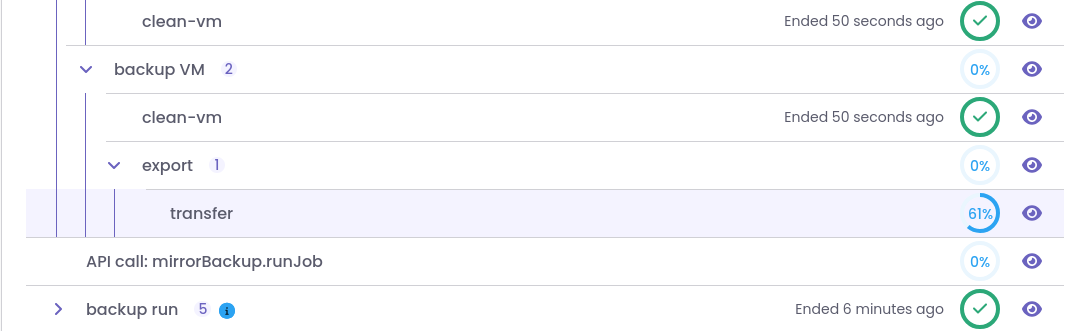
This month's updates don't change how your backups actually run, but rather how the interface displays what's happening. We focused on the front-end to bring back missing transfer details. After all, having clear, reliable numbers is the best way to keep things stress-free.
Fixed: hidden incremental mirror size and speed
Incremental mirror jobs stopped displaying their transferred size and transfer speed after a regression, which left you without the basic numbers you need to judge a job. We tracked down the regression and restored both readouts, so incremental mirror jobs once again report how much data has moved and how fast it is going.
🥝 Core UI
We're continuing to polish the Core UI so it looks and behaves more predictably. This month, it means fixing a major memory crash that triggered under heavy loads, while also refining a few visual elements to smooth out your daily workflow.
Fixed: critical memory crash
We resolved a critical bug where Xen Orchestra could crash when parsing massive NDJSON structures. This memory issue caused unexpected service interruptions, particularly in very large infrastructures with heavy data loads.
By restructuring how the application handles these large data streams, the NDJSON parser no longer exhausts available resources. The platform now manages complex, large-scale environment data smoothly. This keeps the daemon up and running even under high stress.
Web-core component polish
We refined several of the building blocks used throughout XO 6, including the UiInput and UiPanel components, the side-panel title and identifier display, and the way the interface redirects you after an action completes. These are small changes on their own, but together they make the interface feel more consistent and predictable as you move between views.
Refreshed UI components
Visible HA reboot settings
Xen Orchestra now exposes the ha_reboot_vm_on_internal_shutdown setting at the pool level.
This field controls what High Availability (HA) does when a VM is shut down from inside its own guest OS. If enabled, the pool will automatically restart the VM, even if the shutdown command came from the OS itself. Having this setting visible makes it easier to tweak your HA behavior across the entire pool.


HA Reboot behavior settings in XO 6
🛰️ XO 6
We're continuing to move everyday tasks over to XO 6 so you don't have to keep switching back to XO 5. Now, You can handle things like storage repositories and network rules directly in the new interface, which also gets a few smart fixes to make navigation smoother.
VIF column in the VM network view
The VM → Network table now includes a Virtual Network Interface (VIF) column.
This update provides a direct link between your VMs and their interfaces, so you can create, update, or delete traffic rules right from the network overview.
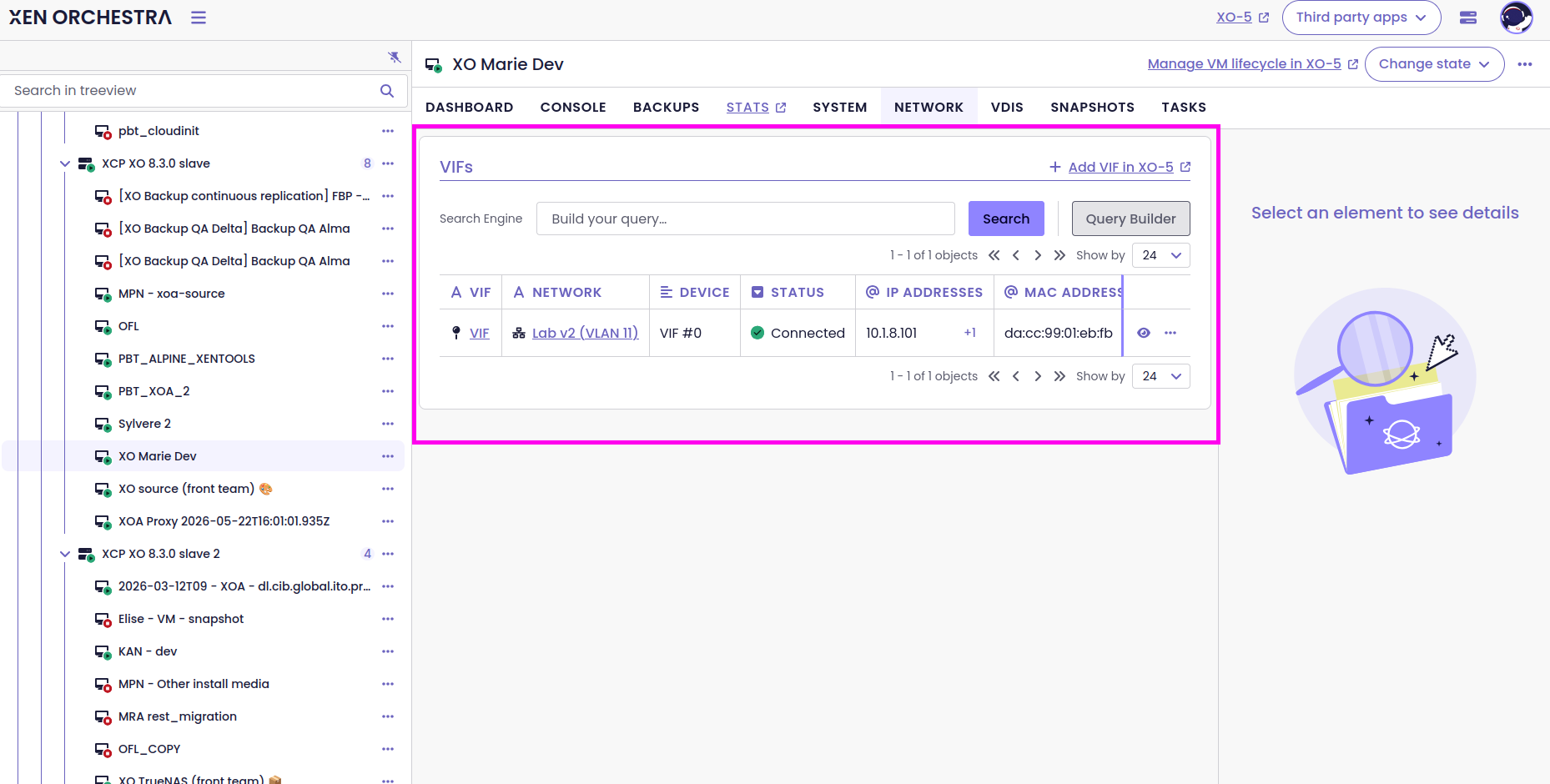
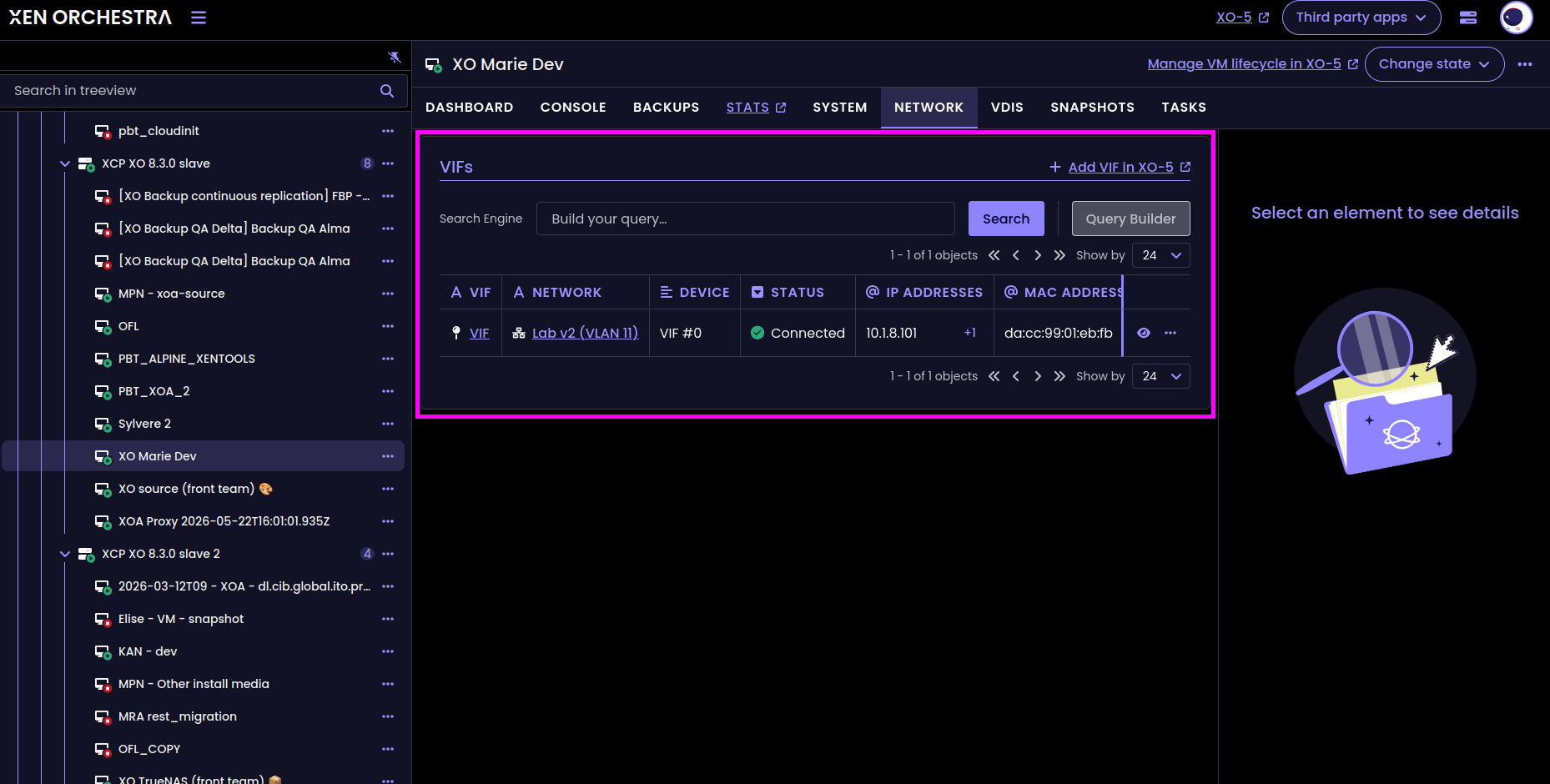
VIF column in the VM → Network view
Traffic rules mode notification
We’ve added a notification to guide users who want to use the new network traffic rules feature, but are still using the legacy SDN controller configuration.
Until now, the SDN controller defaulted to channel mode (where useDirectChannel is set to true). To create traffic rules, the controller must switch to xapi-plugin mode (useDirectChannel set to false). XO6 now detects this requirement and displays a clear notification to help users adjust their settings and unlock the feature.
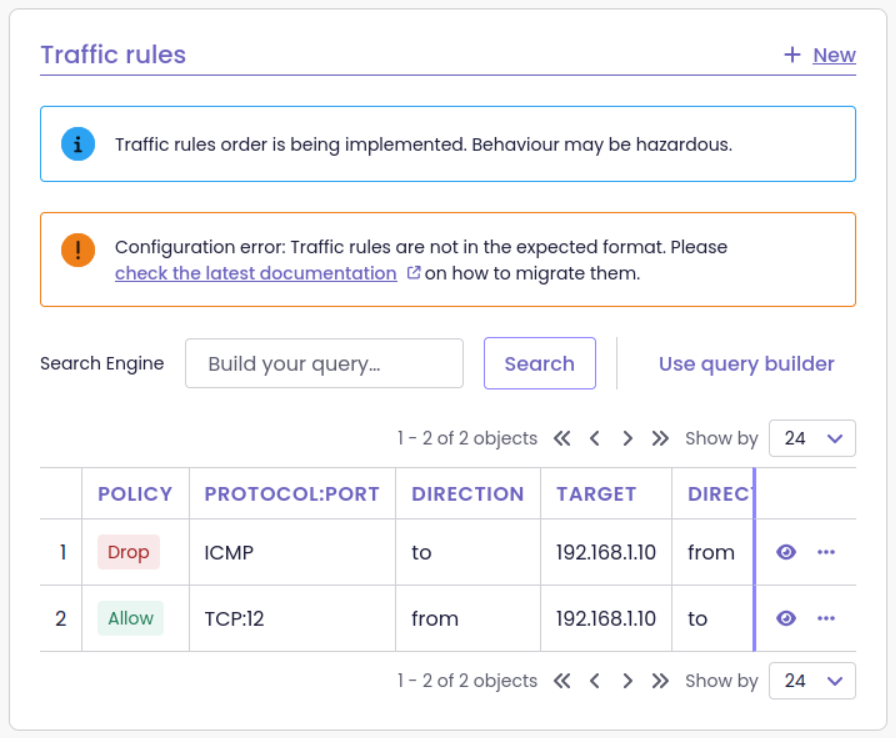
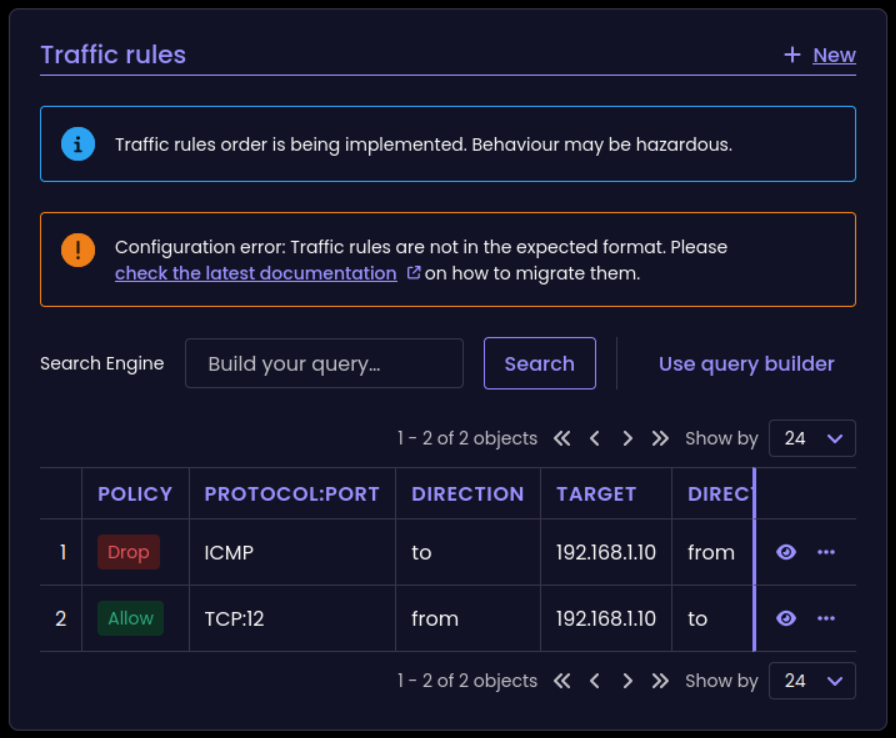
New notification for traffic rules
Delete a traffic rule
You can now delete a traffic rule directly from XO 6, so cleaning up a policy no longer means going back to XO 5. Managing your network policies stays in the same interface as the rest of your pool networking.
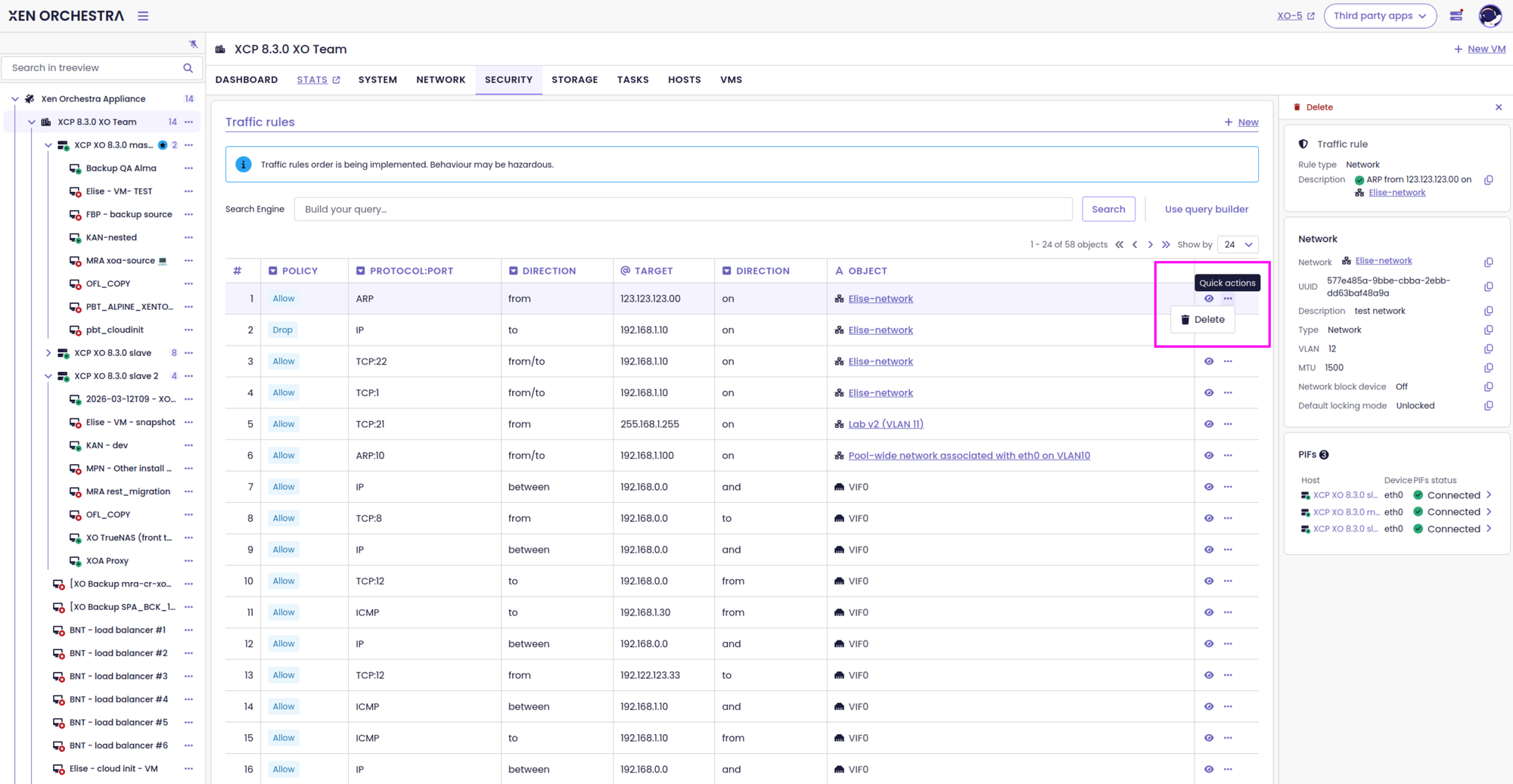
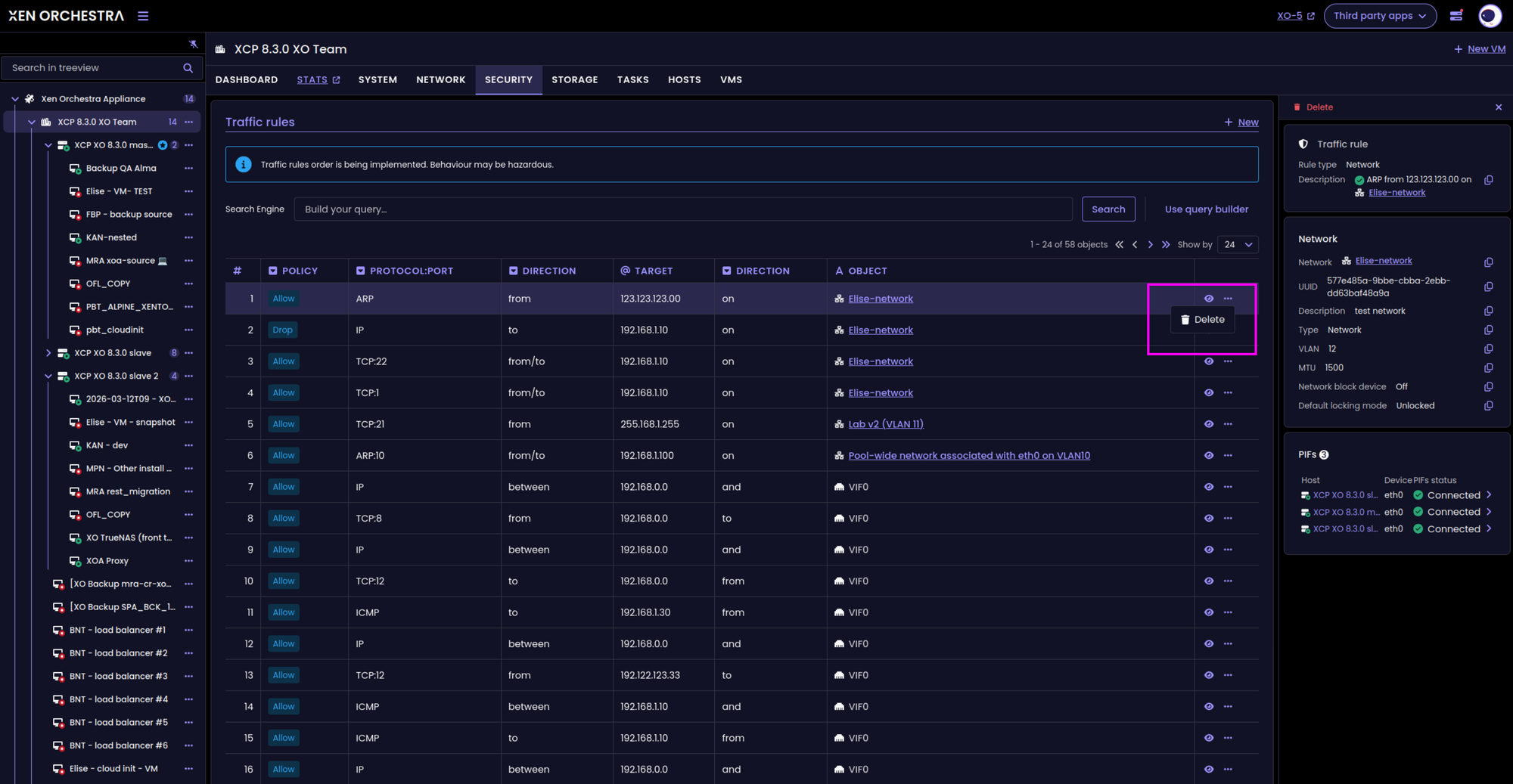
'Delete' action for traffic rules
Admin tab + User management menu
An Administration tab has been added to XO 6, with a dedicated User Management section .
This layout simplifies administration by grouping access controls, roles, and permissions into a single, accessible view. It also lays the groundwork for more granular Role-Based Access Control (RBAC) management directly within XO.
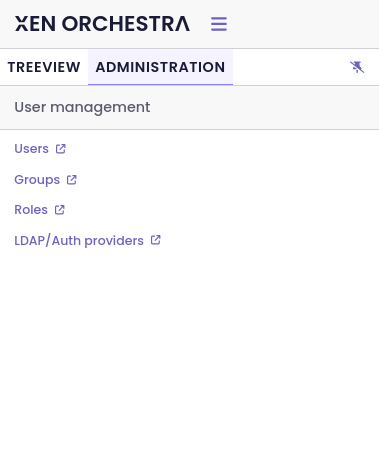
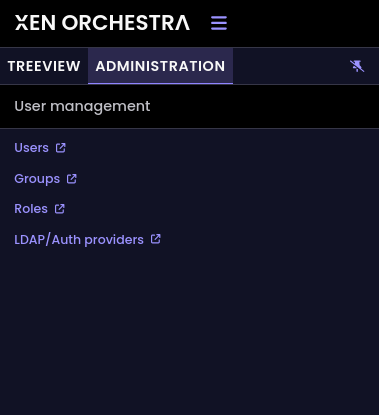
Administration tab, with the User management menu
Side panel title and ID updates
We've refreshed the side panel header with cleaner spacing around the object title and IDs. We also turned the object's name into a direct link, so you can jump straight to its dedicated detail page with a single click.
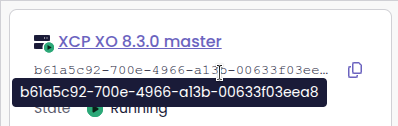
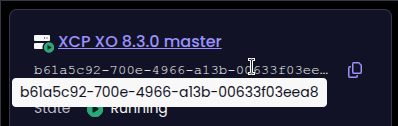
Refreshed side panel title and IDs
Redirection after deleting an object
XO 6 now handles page redirections gracefully after an object is deleted.
Previously, if you deleted a VM or a VIF while viewing its dedicated page, you would often end up on a broken 404 error screen. Now, the UI automatically redirects you to a logical parent view. For example, deleting a VM will take you back to its host or pool VM list, while removing a VIF routes you right back to the parent VM's networks tab. If you trigger a deletion from a completely separate dashboard or list, your current view remains uninterrupted.
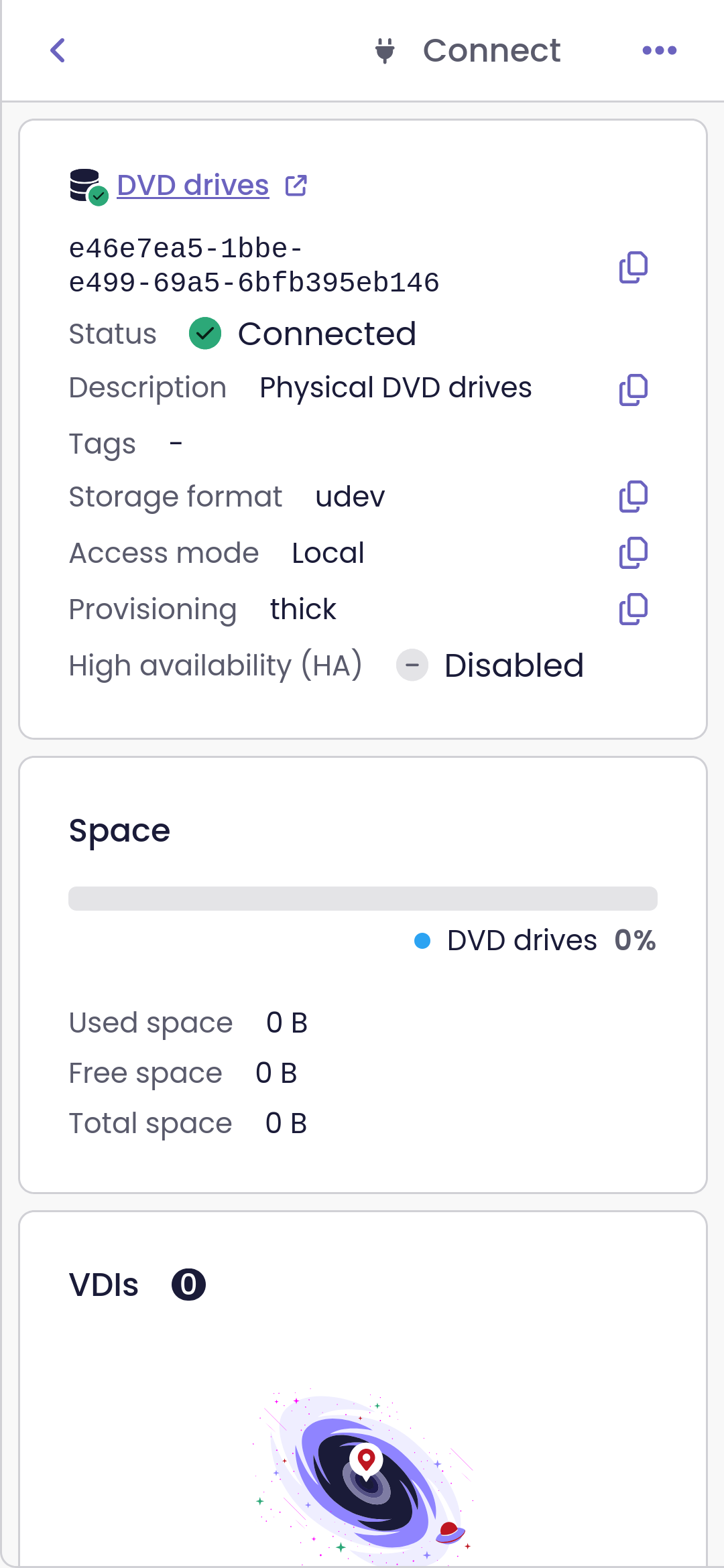
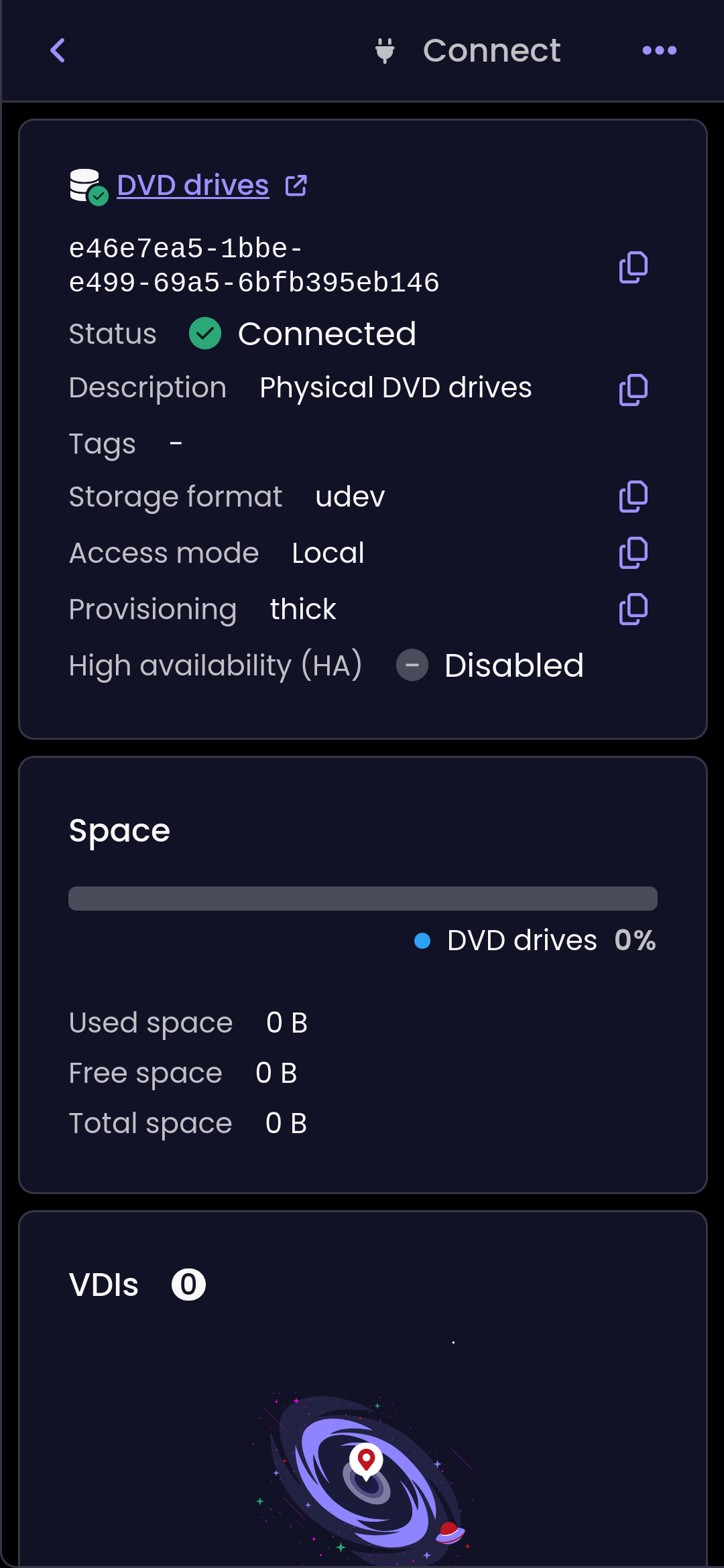
Storage repository connect, disconnect, and delete
You can now connect, disconnect, and delete storage repositories directly from XO 6, either on a single host or across every host in the pool. Managing SR connectivity no longer means dropping back to XO 5, which is one more daily task that lives entirely in the new interface.
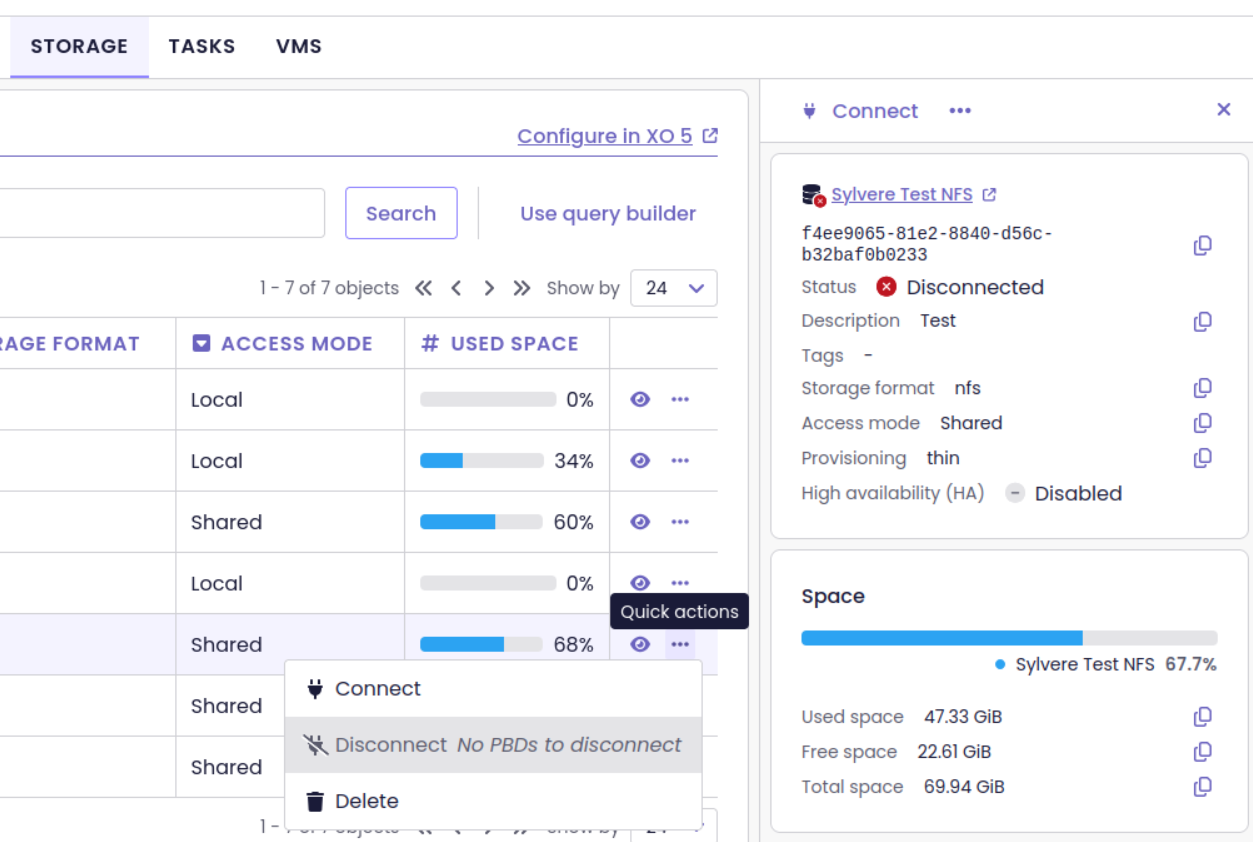
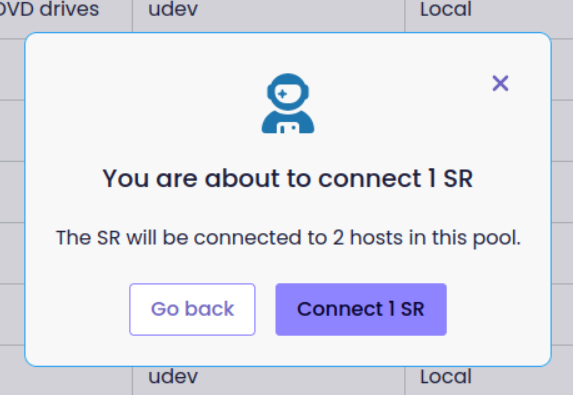
Connect/Disconnect/Delete SR actions
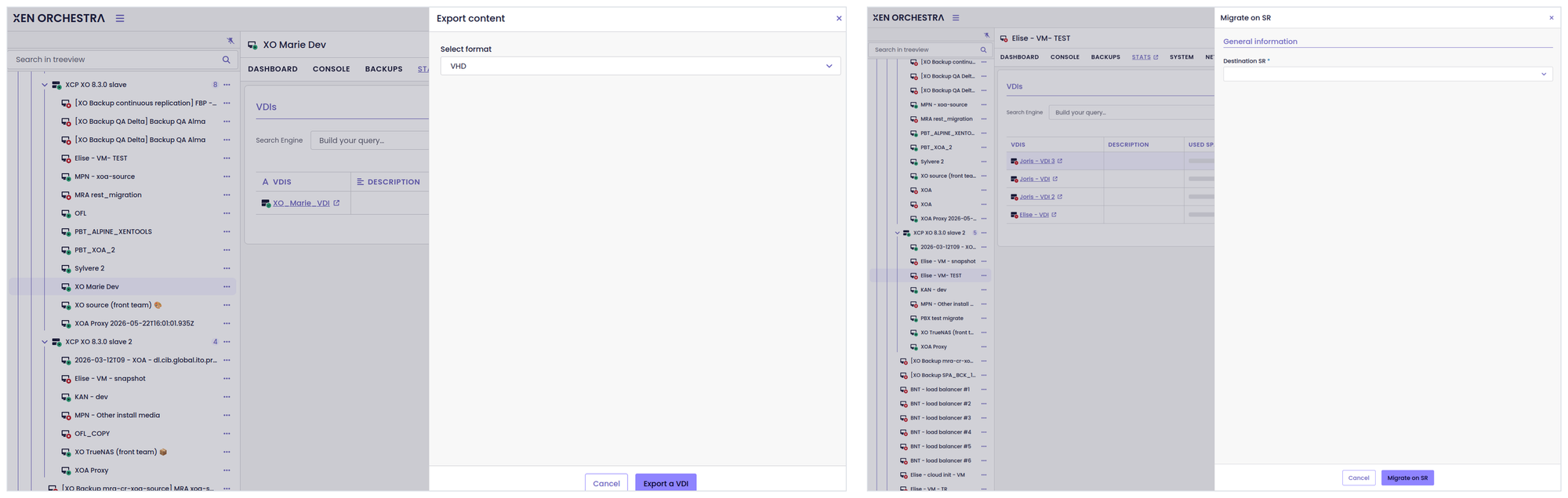
VDI export and migration
Virtual disks now have their own actions in XO 6. You can export a VDI and migrate a VDI between storage repositories without leaving the new interface. Moving a disk to a different SR, or pulling a copy out for safekeeping, becomes a couple of clicks in the same place you manage the rest of your storage.
Colored tags in the Policy column
The Policy column under the Pool → Security view now supports colored tags.
Instead of showing everything in a single neutral shade, the interface now assigns distinct colors to different tags. This tweak makes it easier to scan the table and quickly identify your security policies.
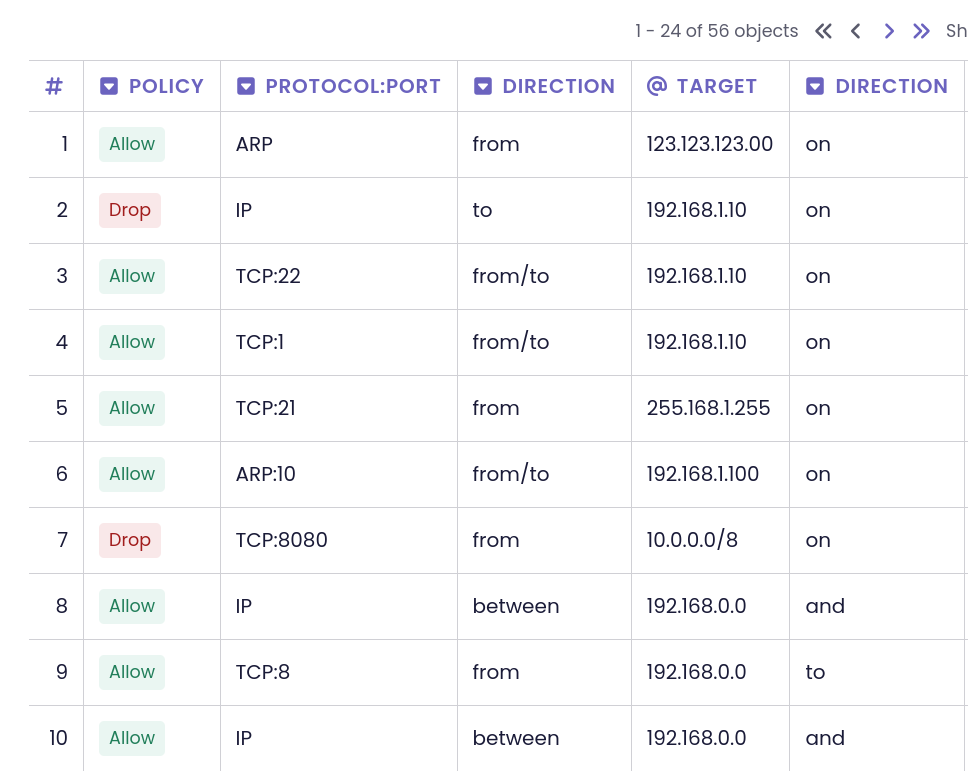
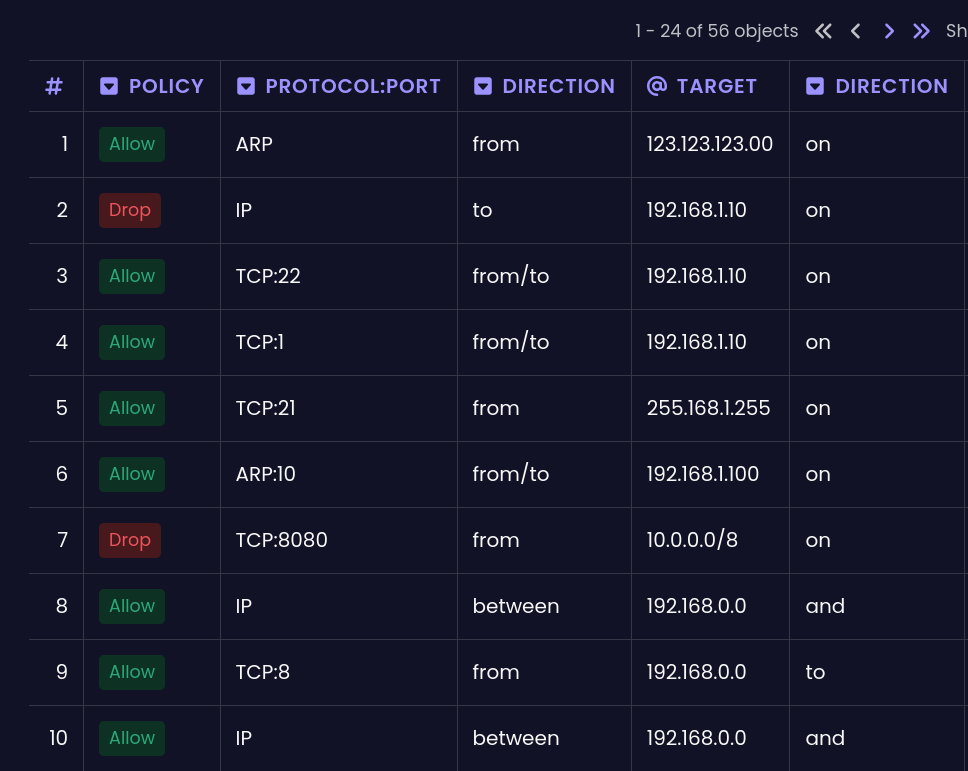
Colored tags in the Pool -> Security -> Policy view
🔭 XO Lite
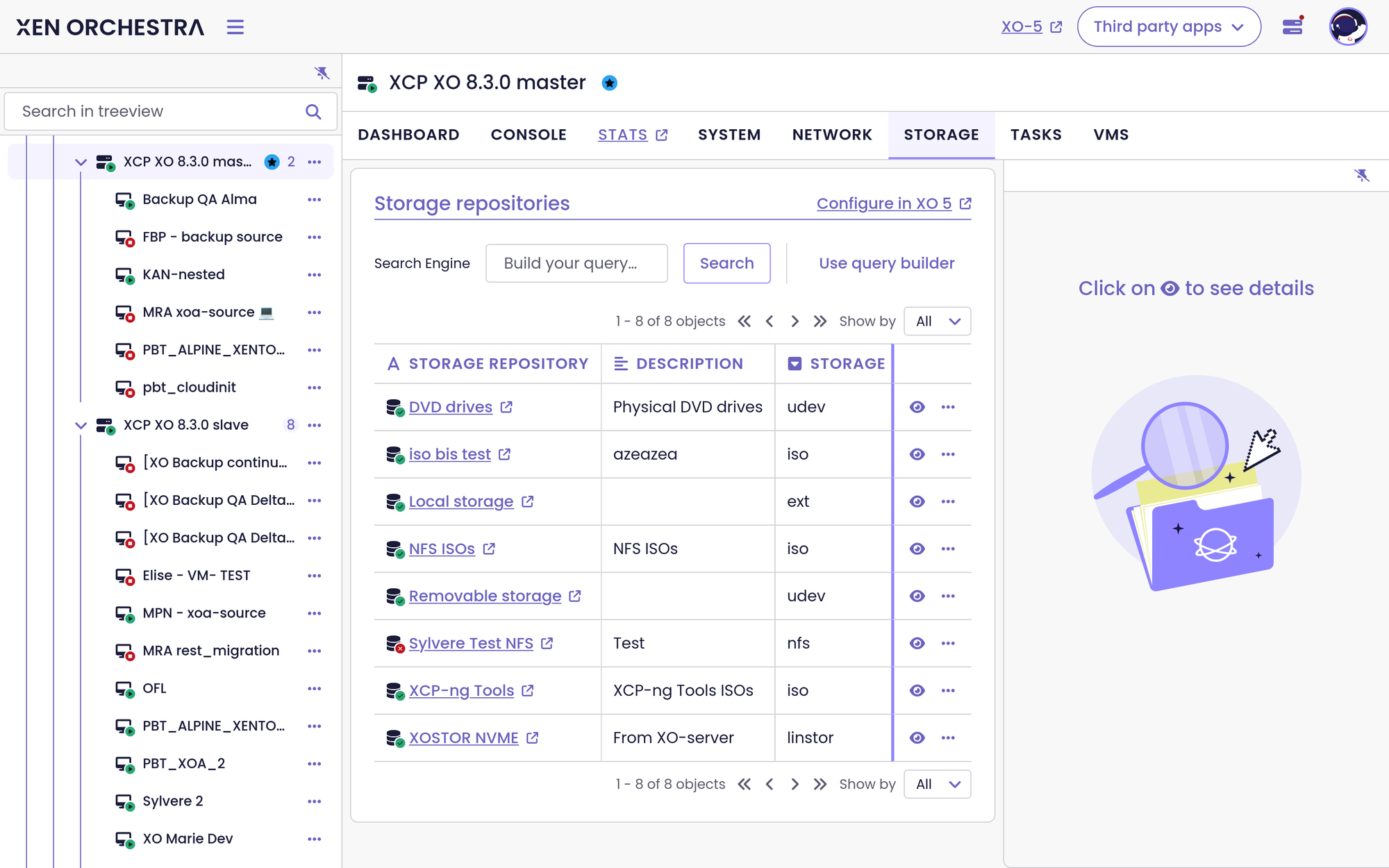
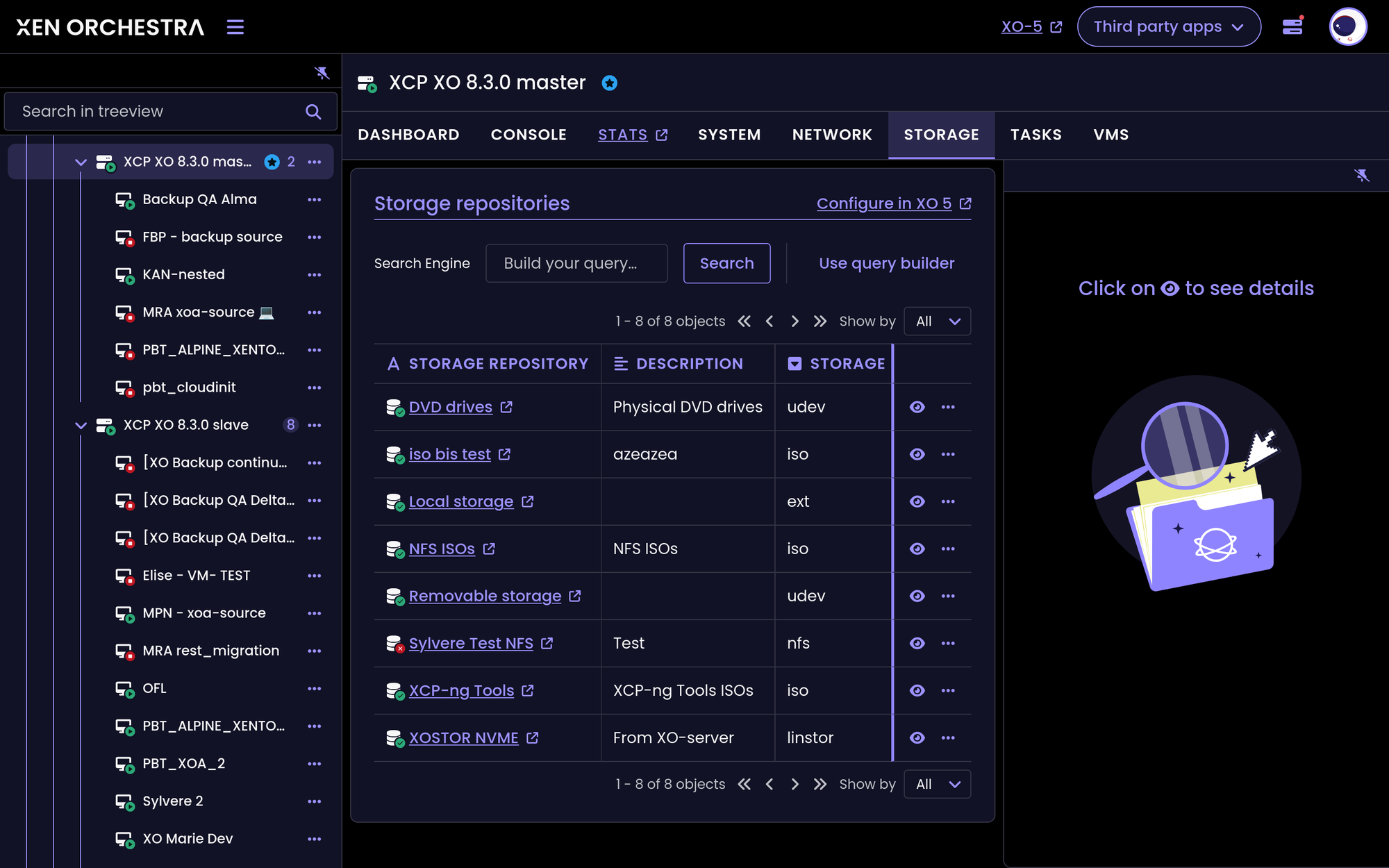
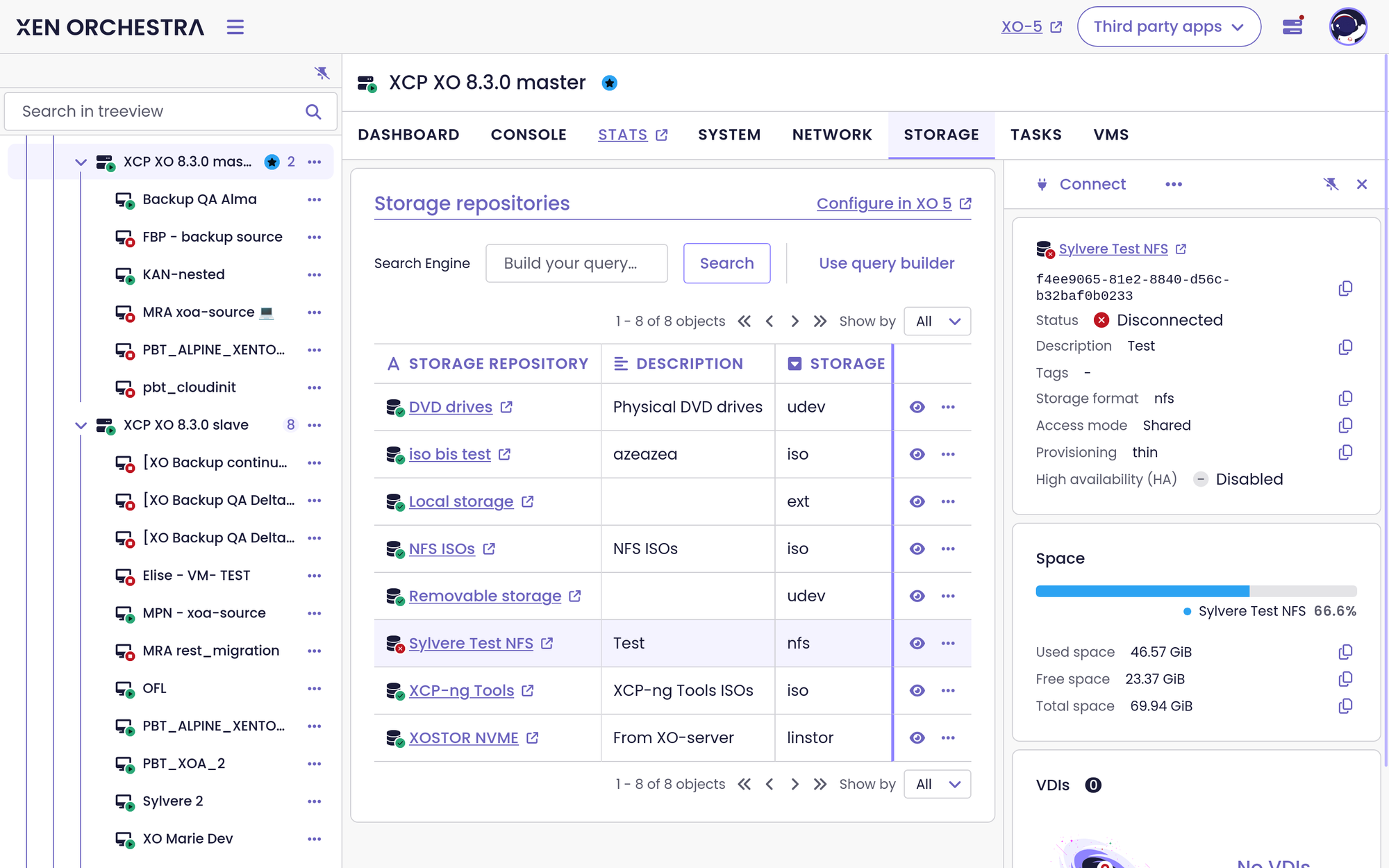
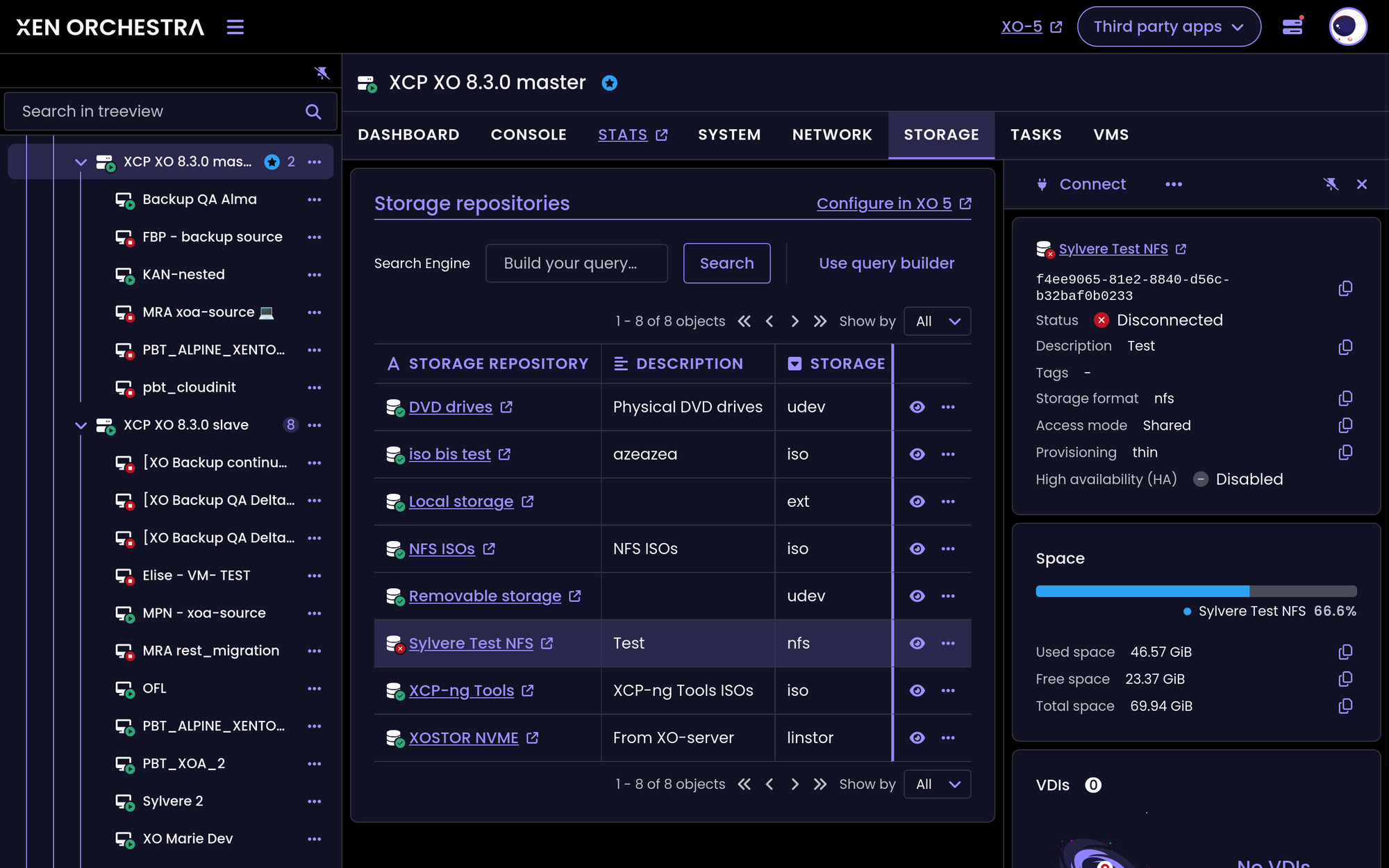
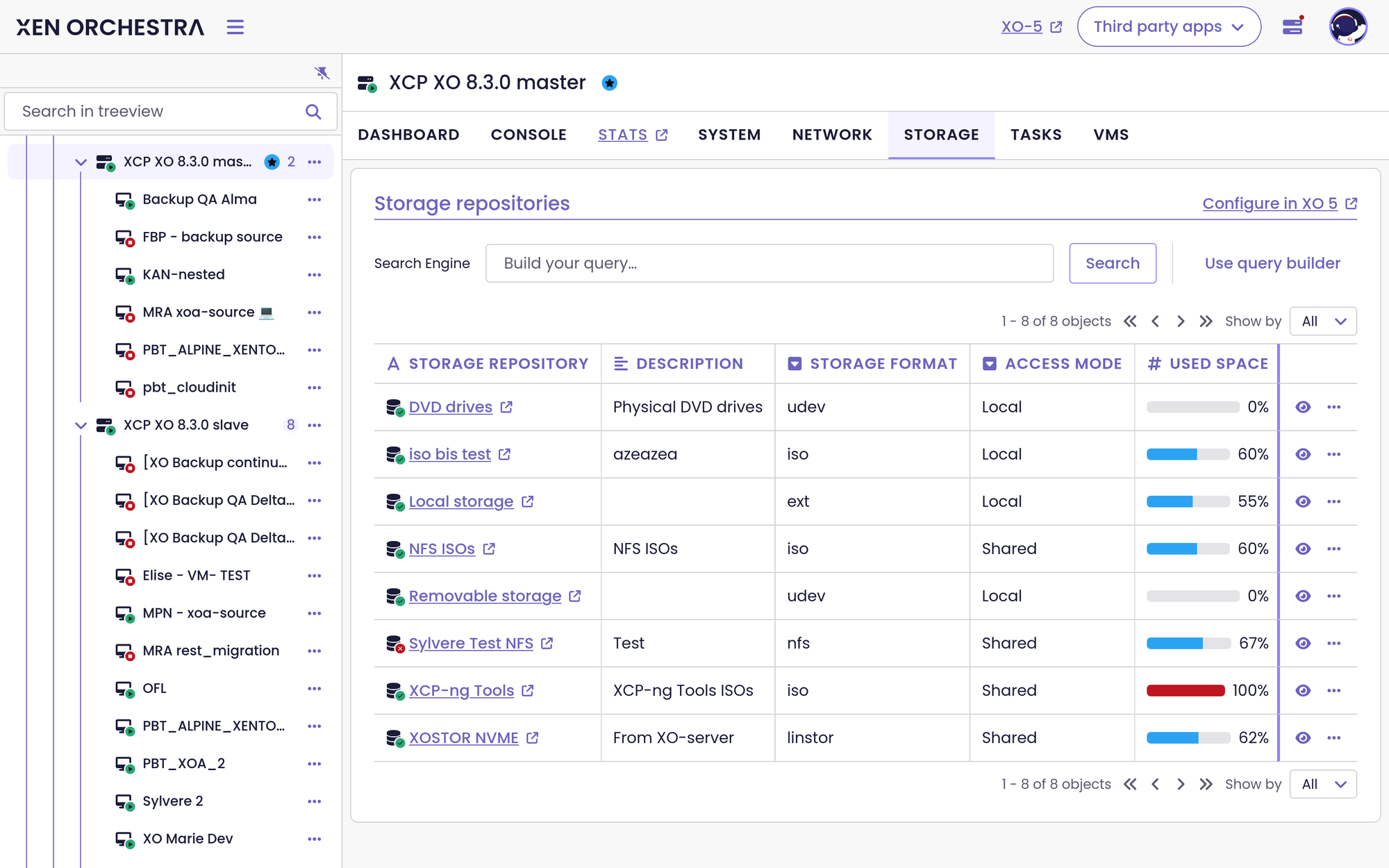
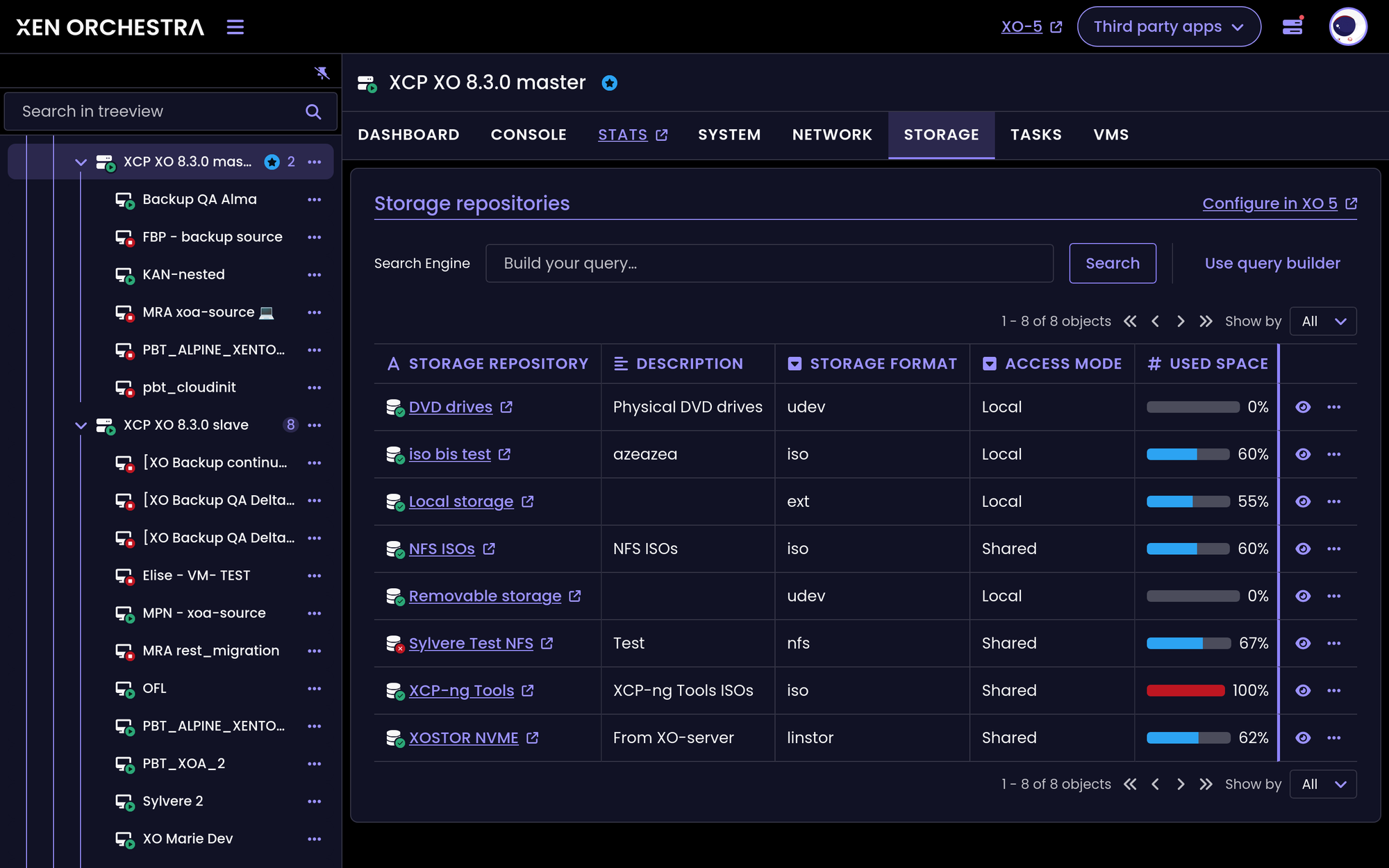
XO Lite gets a couple of handy improvements to help you monitor and secure your infrastructure. We’ve added a Storage tab to help you keep an eye on your disk space, along with a safety warning to make sure you don't accidentally navigate away during an active deployment.
Storage tab in Pool and Host views
The Pool and Host views now feature a dedicated Storage tab. This way, you can inspect your storage configuration and monitor space usage easily.
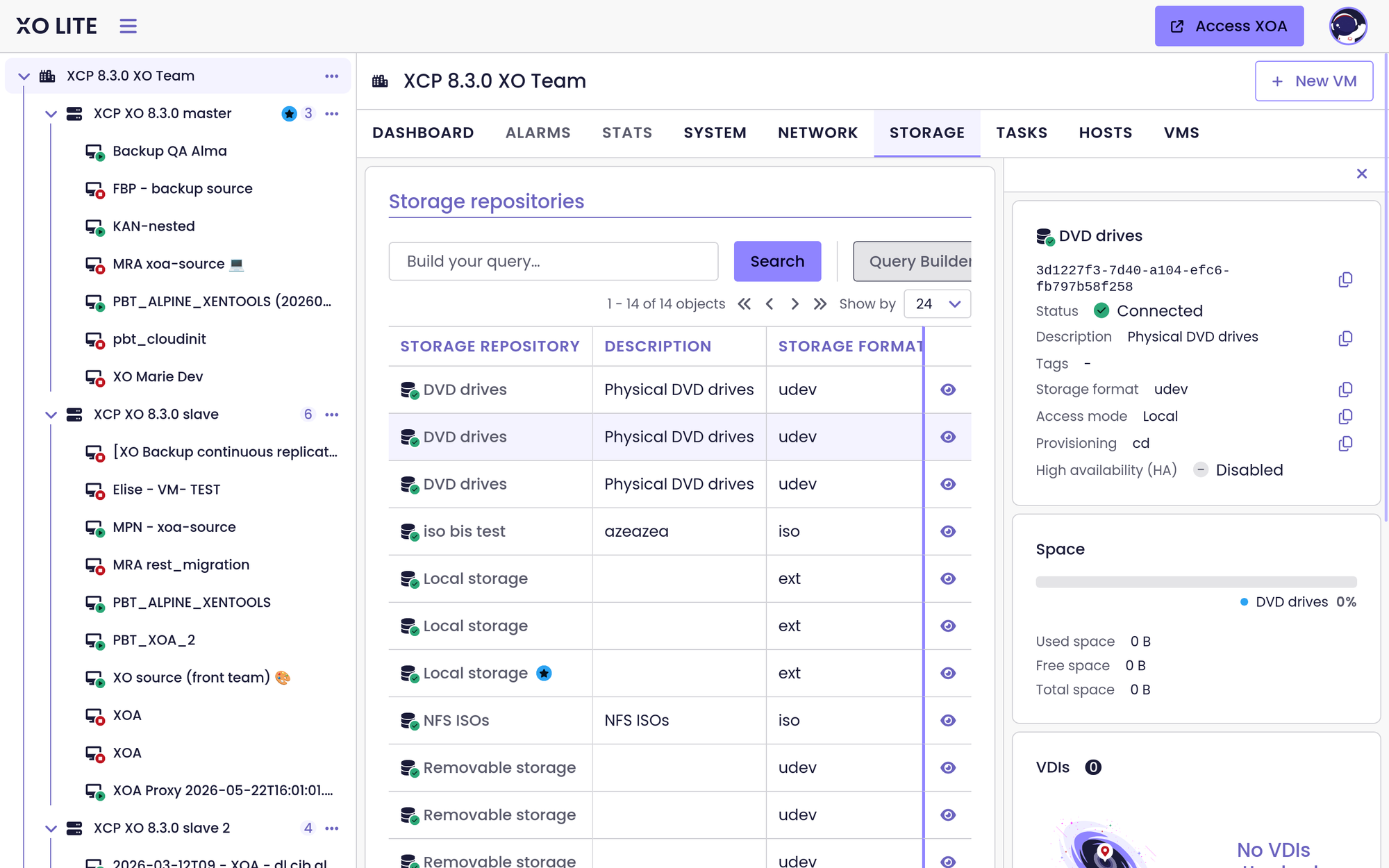
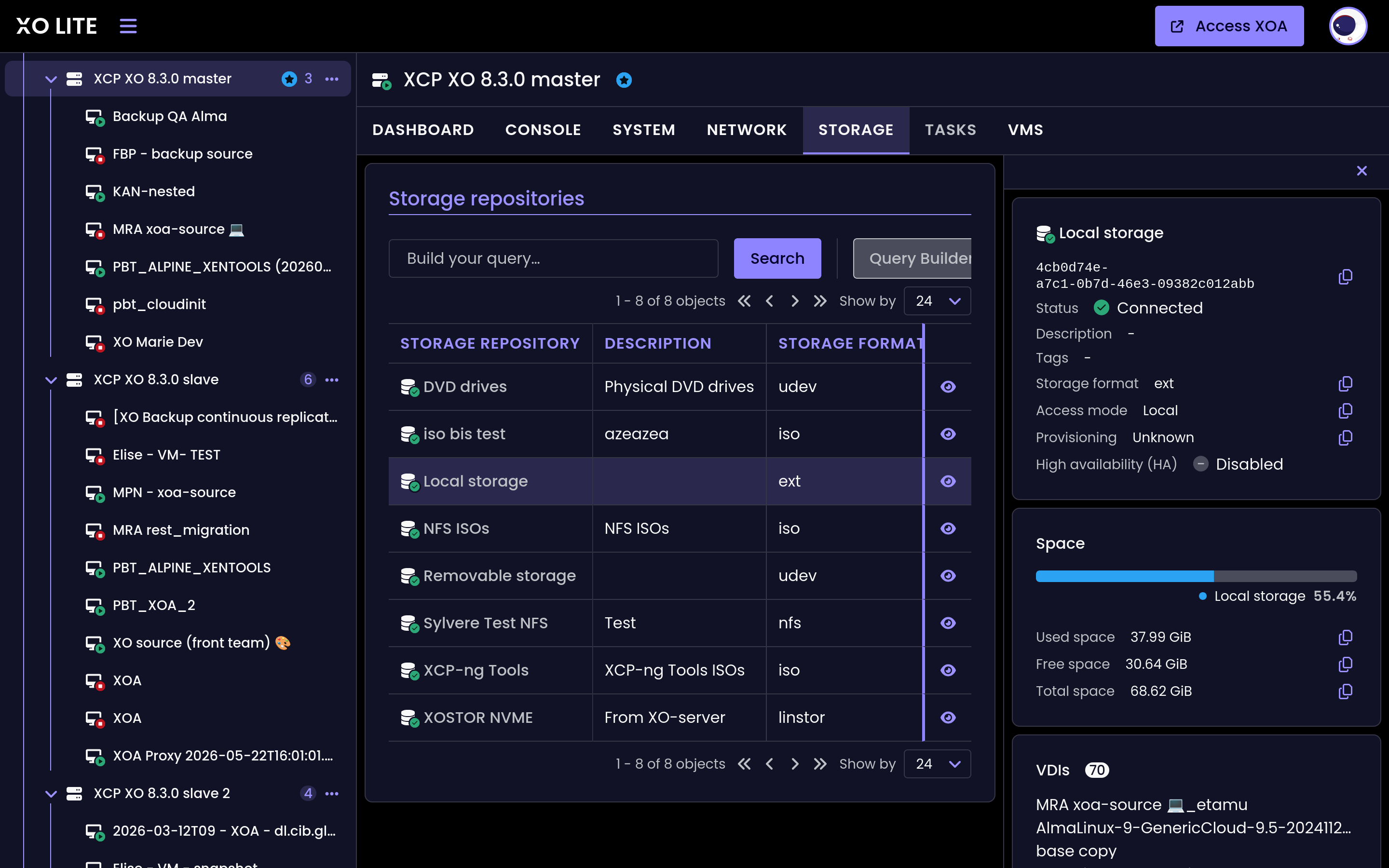
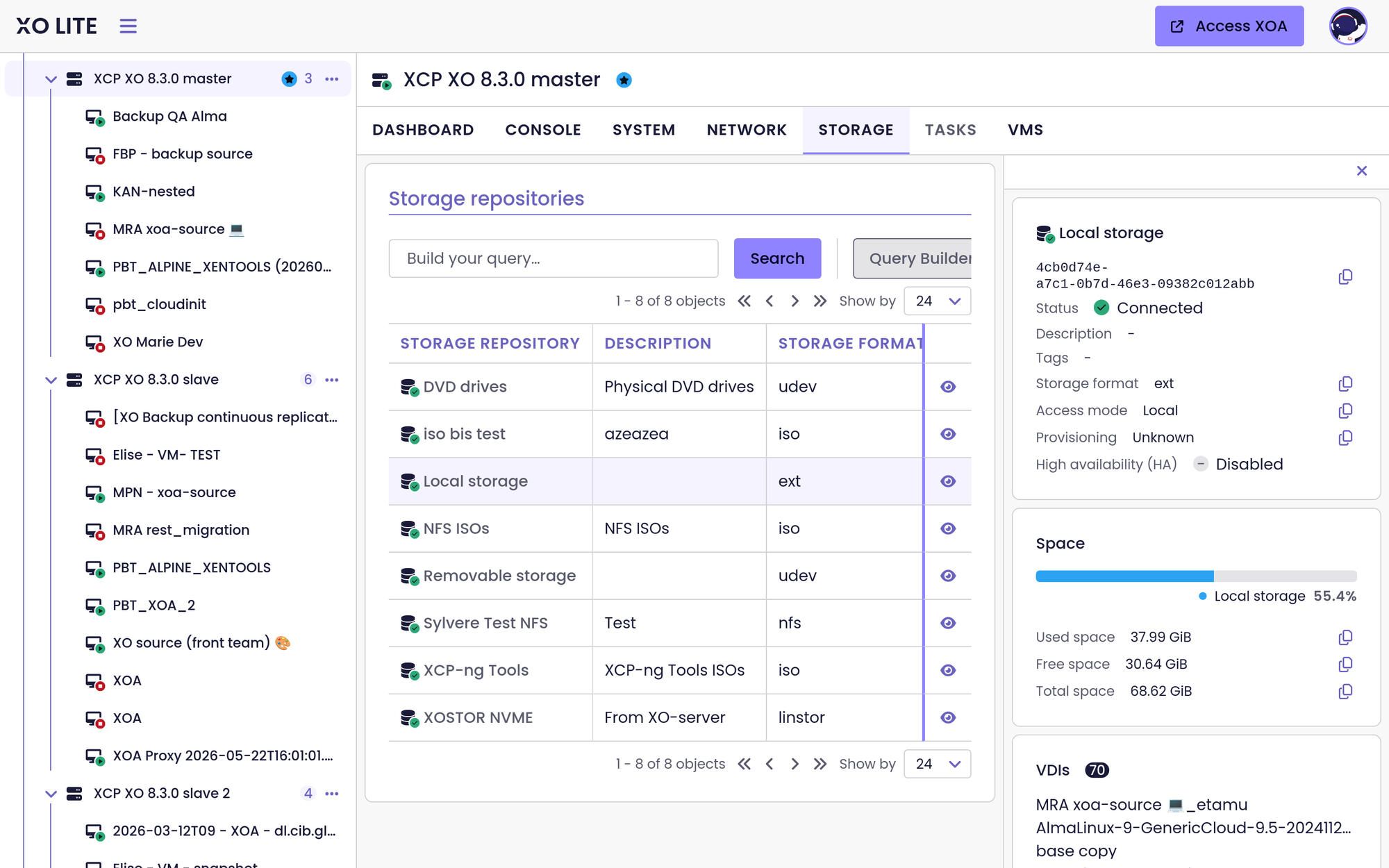
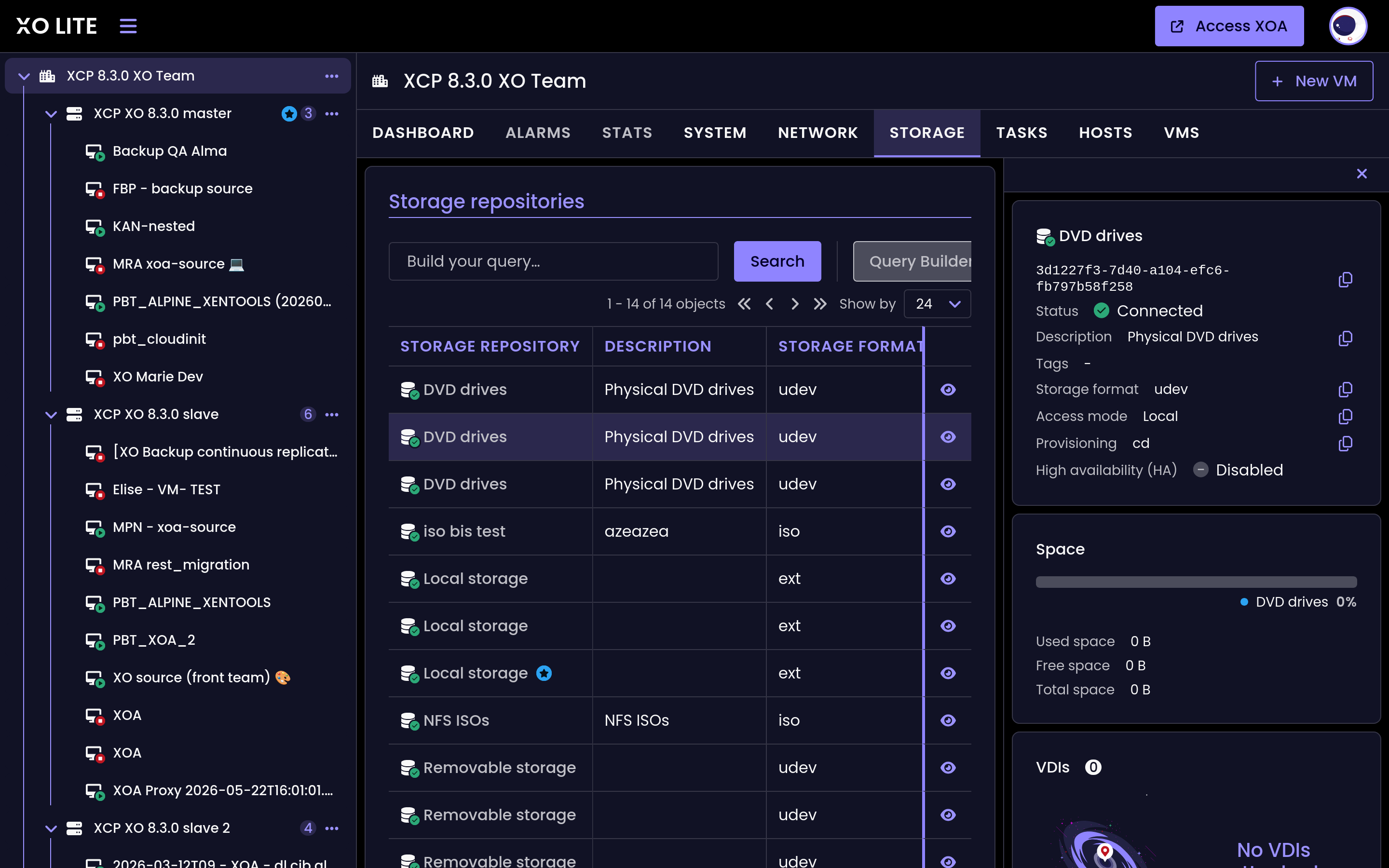
Storage tab in the Host and Pool views
Warning before leaving a page
XO Lite now warns you before you navigate away from a page while a deployment is still running. A deployment is exactly the moment you do not want to lose your place by accident, and this prompt gives you the chance to stay until it finishes.
XO Lite throws a warning before leaving the page while a deployment is running
🪐 XOA
With this release, we're adding some extra safety nets to XOA updates. You now get an automatic snapshot for an easy rollback if something goes wrong, and the xoa check tool will verify your network connection before a Node.js upgrade begins.
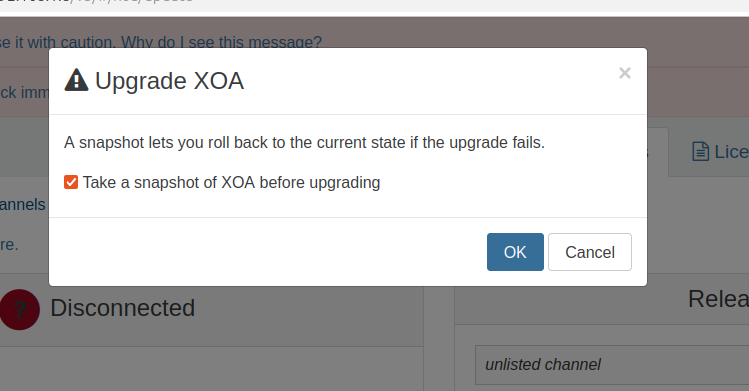
Automatic safety snapshots
Now, before applying an update, a new safety mechanism takes a snapshot of your XOA automatically. This provides an immediate fallback option if a release introduces unexpected issues or breaks the updater itself.
This option is enabled by default, but it can be disabled in the settings if you prefer faster update times.
The lifecycle of the safety snapshots is managed automatically, depending on the update outcome:
- Successful updates: The snapshot is deleted after a 7-day retention period to save storage space.
- Failed updates: The system prompts you to review the logs, gather bugtools for support, and safely revert to the pre-update state.
XOA check for nodejs.org access
The xoa check diagnostic tool now verifies connectivity to nodejs.org.
This check is crucial because some XOA updates include a Node.js version upgrade. Making sure your environment can reach this domain beforehand prevents update failures due to blocked network access.
LDAP redundancy and multi-domain authentication
Two enterprise authentication requests land together in this release. With LDAP redundancy, you can now configure a secondary LDAP server in the same domain. If the primary becomes unreachable, Xen Orchestra falls back to the replica, so a single directory outage no longer locks everyone out of the appliance.
Multi-domain authentication lets Xen Orchestra authenticate users across more than one LDAP domain. This matters for organisations that grew through mergers or never had a single flat directory to begin with, because you no longer have to consolidate everyone into one tree just to sign in. Together these two changes make directory-backed login both more resilient and more flexible for larger deployments.
📡 REST API
We’re expanding what you can do through the API with finer controls and better workflows. This includes the introduction of dedicated Storage and Network administrator roles, native authentication prompts, and new PATCH endpoints to update your resources more efficiently.
Storage Administrator role
A new Storage administrator role has been added to the API, as part of the ongoing ACL v2 / RBAC framework implementation.
This role is perfect for team members who handle storage across your infrastructure. It gives them full control over storage repositories (SRs) and virtual disks (VDIs) on both hosts and VMs. This makes it easy to delegate storage management without handing over full admin access to everything else.
Here are the privileges available for this role:
| Resources | Action | Rationale |
|---|---|---|
sr, vdi, vbd, pbd, backup-repository |
* |
Full control over writable storage resources (wildcard is future-proof for new actions) |
vdi-unmanaged, sm |
read |
Read-only resources today — explicit read avoids granting phantom verbs |
Network Administrator role
Following the Storage administrator role, a new Network administrator role joins the ACL v2 / RBAC framework. It is ideal for team members who handle networking across your infrastructure, granting complete control over networks, bonds, and PIFs/VIFs across pools, hosts, and VMs while leaving the rest of the environment untouched.
Here are the privileges available for this role:
- Networks —
read,create,delete,update:tags - Pool —
create:network(network creation happens on the pool),read - VIFs (VM side) — full lifecycle:
read,create,delete,connect,disconnect - PIFs (host side) —
readonly - Hosts —
readonly (context to see the hosts carrying the PIFs)
Backup Repository endpoints
The API now exposes endpoints to create and update backup repositories. These endpoints allow you to fully manage your backup storage destinations programmatically. You can now connect new remotes or adjust the configuration of existing ones directly through the API, making it much easier to automate infrastructure deployment and backup workflows.
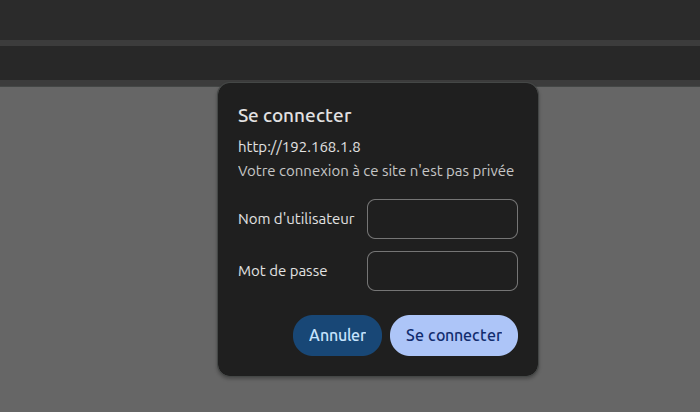
Basic auth challenge
We’ve updated the behavior of the API when a request lacks authentication. Instead of returning a generic error, the API now responds with a standard 401 Unauthorized status along with a WWW-Authenticate header.
This change forces browsers and API clients to trigger a native Basic Auth prompt. With this change, you can now authenticate on the fly when accessing a protected endpoint.
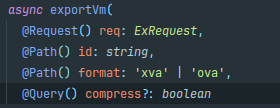
VM export compression options
The API now offers detailed options to handle VM export compression. Instead of a generic true/false setting, you can now specify the exact compression method (gzip, zstd, or undefined to disable it). This provides clearer control and better flexibility when managing your exports.
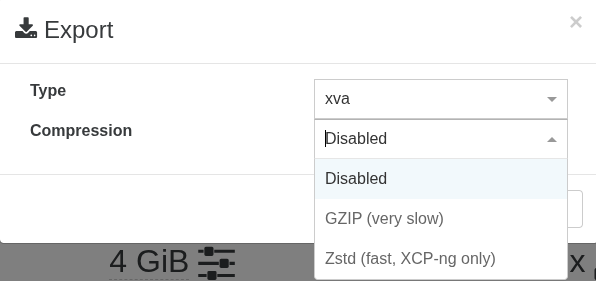
New export compression options
E2E tests for the SDN controller
To improve stability and prevent regressions, we’ve added end-to-end (E2E) tests covering all exposed SDN controller routes. These automated tests validate that the controller's API endpoints respond correctly and handle configuration changes as expected, which makes network management more robust and easier to maintain.
PATCH endpoints for VMs, VIFs, and VDIs
You can now update VMs and VIFs in place with PATCH requests on /rest/v0/vms/{id} and /rest/v0/vifs/{id}, so editing an object's properties no longer requires a workaround. A matching PATCH endpoint for VDIs on /rest/v0/vdis/{id} is on the way in this same cycle.
Testing on a mock XO REST API
A more subtle but impactful improvement this cycle is how software is built on top of Xen Orchestra. We’ve introduced a standalone simulator for the XO REST API, which is a mock environment you can run instead of a live instance. This allows client code to be tested without having to spin up a real Xen Orchestra server.
The Go SDK is already putting it to use. Its integration tests now run against the simulator in CI, meaning the SDK is automatically validated on every change rather than relying on manual testing against a live server. This translates to faster, more reproducible testing for anything built on the API.
Best of all, it’s fully open-source and not exclusive to Vates. Any partner or cloud provider building on the XO REST API is welcome to use it.
vatesfr
☸️ DevOps Tools
Our infrastructure-as-code tooling moved on several fronts this cycle, with new releases for the Terraform provider and the Kubernetes CSI driver, the first public appearance of a Kubernetes Cluster API provider, and a small addition to the Go SDK for those building directly on the API.
Terraform provider v0.39.0
The Terraform provider gains two additions that make pool targeting and VM sizing more flexible. You can now use a new xenorchestra_pools data source with tag filtering, so a configuration can select every pool that carries a given tag instead of hardcoding each pool name by hand. This is particularly useful as your fleet grows and pools come and go, and it came directly from a community request. The release also adds CPU topology configuration through a cores_per_socket field, letting you describe how virtual cores are distributed across sockets rather than leaving the layout implicit. Together, these give you finer control over both where VMs land and how their CPUs are presented to the guest.
vatesfrKubernetes CSI driver v0.4.0
The Kubernetes CSI driver picks up local-storage support and an automatic pool-discovery fallback, so volume provisioning works in more cluster layouts with less manual configuration. The most significant change is internal: the driver now stores its Kubernetes metadata in Xen Orchestra VDI tags rather than the deprecated other_config field. A practical consequence is that the driver no longer requires Xen Orchestra 6.4 or newer, widening the range of deployments it supports.
This release contains a breaking change. Because the metadata moved from other_config to VDI tags, a migration is required before you upgrade from v0.3.0. Do not upgrade in place: follow the v0.3.0 to v0.4.0 migration guide in the release notes first, then move to v0.4.0.
vatesfr
The CSI driver is closing in on a stable release candidate, and early-adopter feedback is what will get it there. If you run Kubernetes on XCP-ng VMs, v0.4.0 is the one to try: tell us what works, what breaks, and which storage setups you are running. Every real cluster we hear about moves it closer to stable, so open an issue on the repo or come find us on the forum.
Kubernetes Cluster API provider for Vates (early work in progress)
We have started a brand-new project: a Cluster API infrastructure provider for Xen Orchestra. The goal is to manage the full lifecycle of VMs on XCP-ng pools as Kubernetes control-plane and worker nodes, so you can declare and scale clusters the Cluster API way and have the underlying virtual machines provisioned for you on Vates infrastructure. This is early development with no tagged release yet, so treat it as a preview of where we are heading rather than something to deploy today. The repository is public if you want to follow the work as it takes shape.
vatesfr
Kubernetes cloud controller manager for Xen Orchestra v1.1.0
The Xen Orchestra Cloud Controller Manager reaches v1.1.0. As a reminder, it registers Kubernetes nodes, keeps them labelled with Xen Orchestra metadata, and cleans them up when their backing VM disappears, so a single cluster can span several XO pools. The headline change is observability: the CCM now emits Kubernetes events when it fails, so a misconfiguration or a lost connection surfaces in kubectl get events instead of staying buried in the logs. Configuration also gets more deployment-friendly, with values that can now be supplied through environment variables, which fits container and Helm workflows better than file-only config. Under the hood, dependencies and tooling have been refreshed, and the project moved to a new pipeline that releases the Helm chart and the code together.
vatesfrGo SDK v1.16.0
For those building on the Xen Orchestra API, the Go SDK adds a StringifiedInt type for the VBD Position and UserDevice fields, smoothing over how those values are handled.
vatesfr vatesfr
 vatesfr
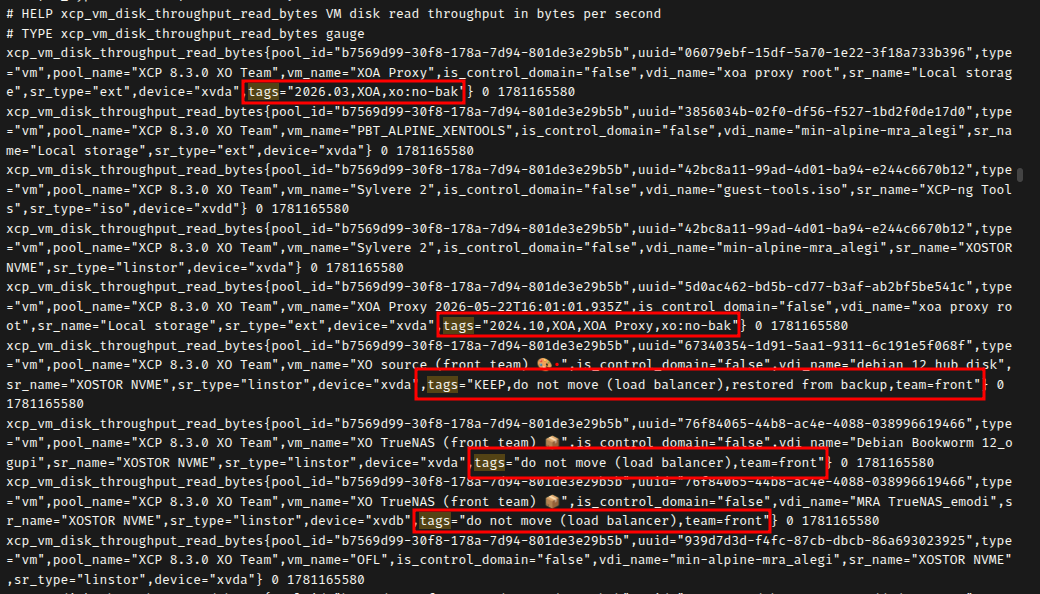
OpenMetrics now includes your XO tags
Your XO tags are now included in the OpenMetrics output, so you can slice your monitoring by the same labels you already use inside Xen Orchestra. Dashboards and alerts can group hosts and VMs exactly the way you organise them in XO, with no extra mapping.
EasyVirt DC Scope integration update
We updated the EasyVirt DC Scope integration so it keeps working smoothly with the latest changes on both sides. If you use DC Scope alongside Xen Orchestra for capacity planning and reporting, the integration stays current with this release.
⚖️ Load Balancer
The load balancer is getting a welcome boost in transparency. Instead of discovering that a VM moved after the fact, you can now see these migrations directly as XO tasks, complete with the exact reason why the balance happened.
Load balancer migrations show as XO tasks
Migrations triggered by the load balancer now appear as XO tasks, complete with the reason each one happened. When a VM moves on its own, you can finally see why, whether it was for performance, density, or another policy, instead of discovering the move after the fact with no explanation.

🐦 VMware to Vates (V2V)
We're making large-scale migrations lighter on your infrastructure. This includes a major optimization that cuts memory consumption during transfers, alongside better interface visibility so you know exactly what type of migration to expect before launching the process.
Smarter memory management
We fixed an invalid range error with QCow2, when dealing with specific block size issues. While digging into this, we also found an opportunity to drastically optimize how memory is allocated during the process.
The code now avoids loading massive datasets into memory multiple times. This change cuts memory consumption by up to 700 MB per terabyte of data transferred. It makes large-scale migrations much lighter on system resources and significantly more stable.
Migration type visibility
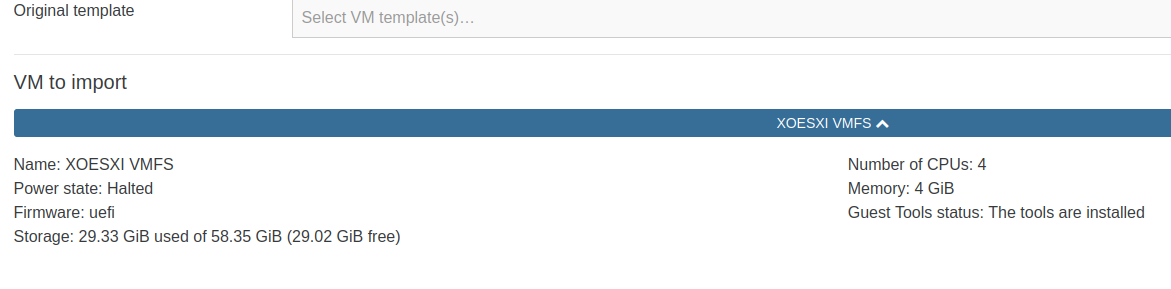
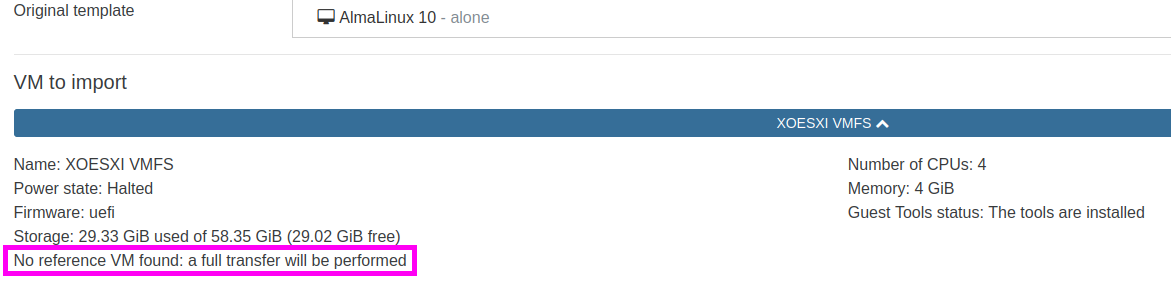
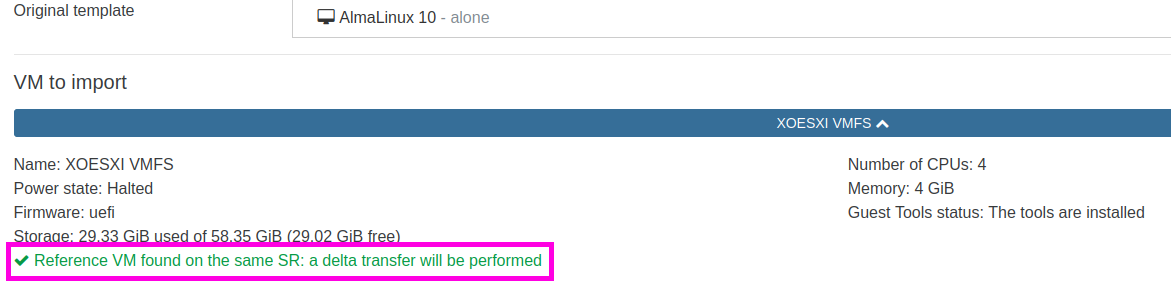
The interface now explicitly informs you whether a transfer will be a full migration or a delta transfer before you launch the operation.
To reuse a previously started transfer for a delta sync, the target storage repository must match the original destination. Since full transfers can be quite long, this indicator eliminates guesswork and makes sure you know what to expect before committing to the migration.
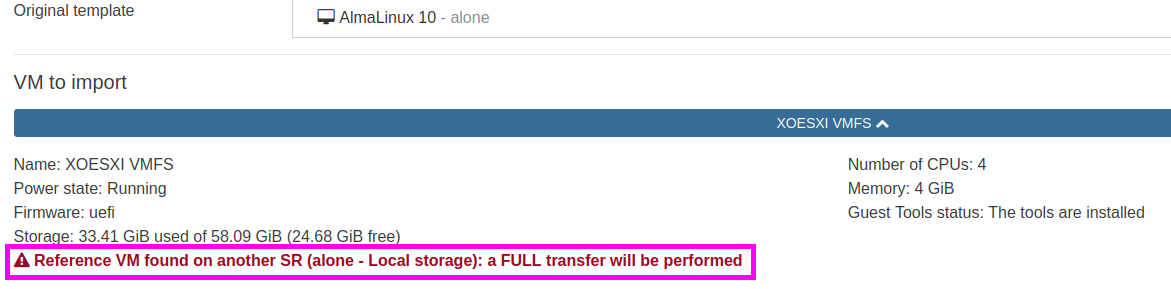
Migration type indicators in XO 6.6
📖 Documentation & Guides
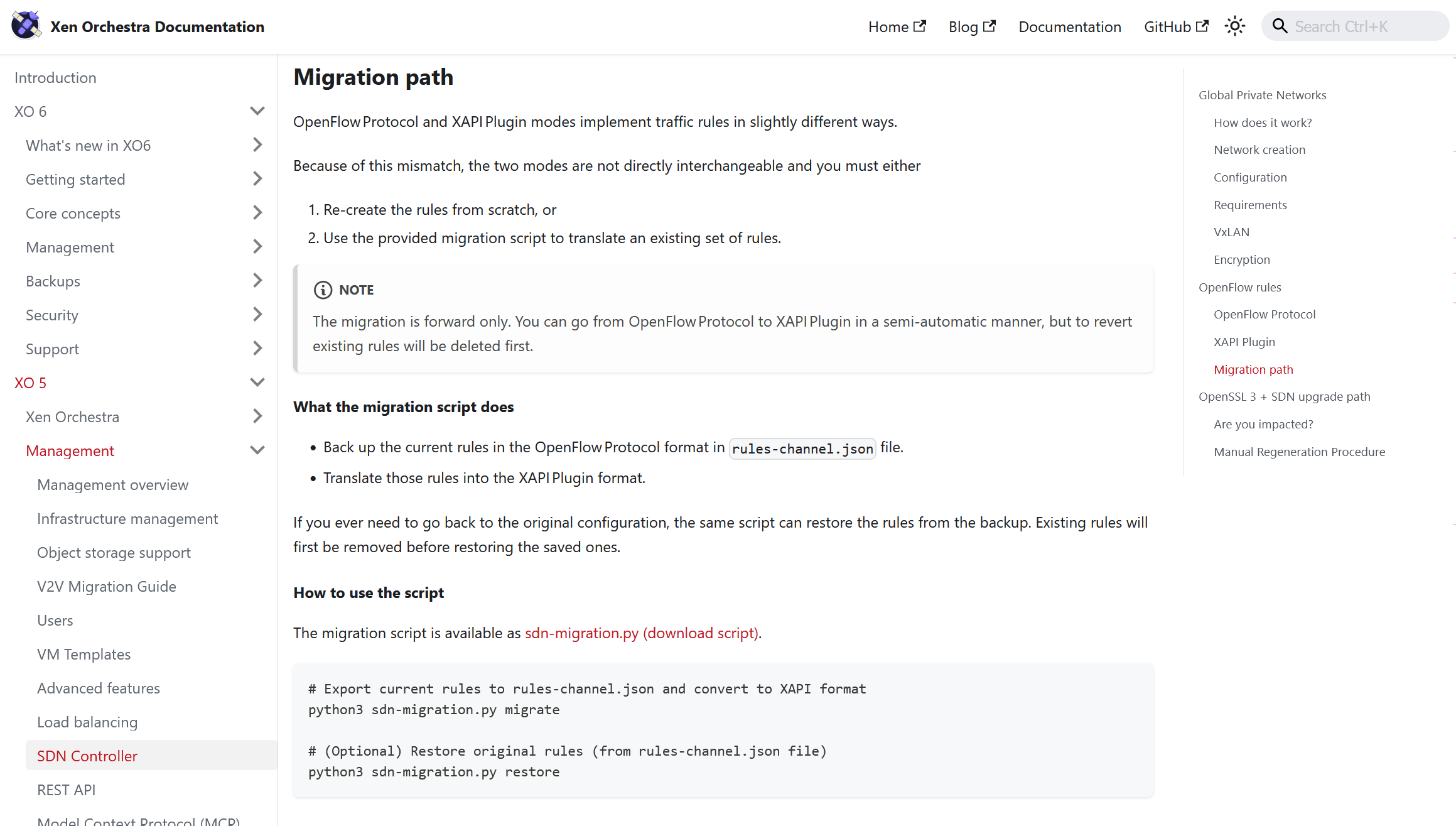
To support our recent networking updates, we've added a dedicated migration guide to the documentation. It walks you through switching your traffic rules over from OpenFlow to the XAPI plugin framework without hassle.
Traffic rules migration guide
The documentation now includes a clear guide for migrating network traffic rules from the OpenFlow protocol to the XAPI plugin framework.

🌐 Translations
We're always working to make Xen Orchestra feel native to everyone. Thanks to our community's ongoing efforts, a large batch of our translations has been refreshed and refined for this release.
10 languages updated
A big thank you to our community for their ongoing efforts in translating Xen Orchestra!
This month, 10 languages were updated: Chinese (simplified), Czech, Danish, Dutch, German, Korean, Norwegian (Bokmål), Slovak, Spanish, and Swedish.
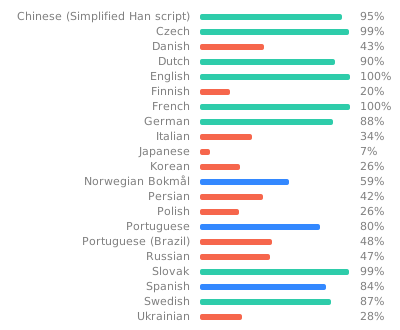
Want to help translate Xen Orchestra or improve existing translations? You’re more than welcome to join in here
🆕 Misc
Here is our usual roundup of under-the-hood fixes and smaller quality-of-life improvements. This month brings significant stability updates to file-level restores, critical fixes for large disk migrations, and official support for Netbox v4.6 alongside several performance tweaks for the SDN controller.
Improving file level restore reliability
Thanks to a new end-to-end testing suite, the file-level restore feature is now more reliable. These tests will help us prevent future regressions.
A key fix addresses an issue with certain OS installers, like Ubuntu Subiquity, which mistakenly mark LVM partitions with a generic Linux filesystem type instead of the standard LVM type. Xen Orchestra now correctly identifies these partitions anyway. To eliminate device collisions when restoring multiple files from identical VMs, the system now uses dmsetup snapshots and automatically renames LVM volumes and UUIDs on the fly.
Finally, we tracked down and resolved a memory leak that occurred when exporting restored files as a zip archive, so performance stays stable even during large file transfers.
Fixed: SDN controller cleanup
We’ve fixed a bug affecting the SDN controller. Now, private network configurations clean up properly when a Virtual Network Interface (VIF) is deleted.
Prior to XO 6.6, removing a VIF could leave behind stale network resources. Now, the controller triggers a thorough cleanup immediately upon interface deletion. This keeps your underlying network infrastructure clean and prevents resource leaks.
Fixed: Migration errors for large QCOW2 disks
We've fixed a Map range error that occurred when migrating large QCOW2 disks.
This error occurred because of how disk data blocks were tracked during the transfer. By switching the internal storage method from maps to arrays, the migration tool can now handle exceptionally large disks without hitting range limitations.
Netbox synchronization update
The Netbox plugin now features an option to ignore RFC 1918 private IP addresses during synchronization. This is particularly useful if you want to filter out local internal addresses and only sync public IPs to your Netbox instance.
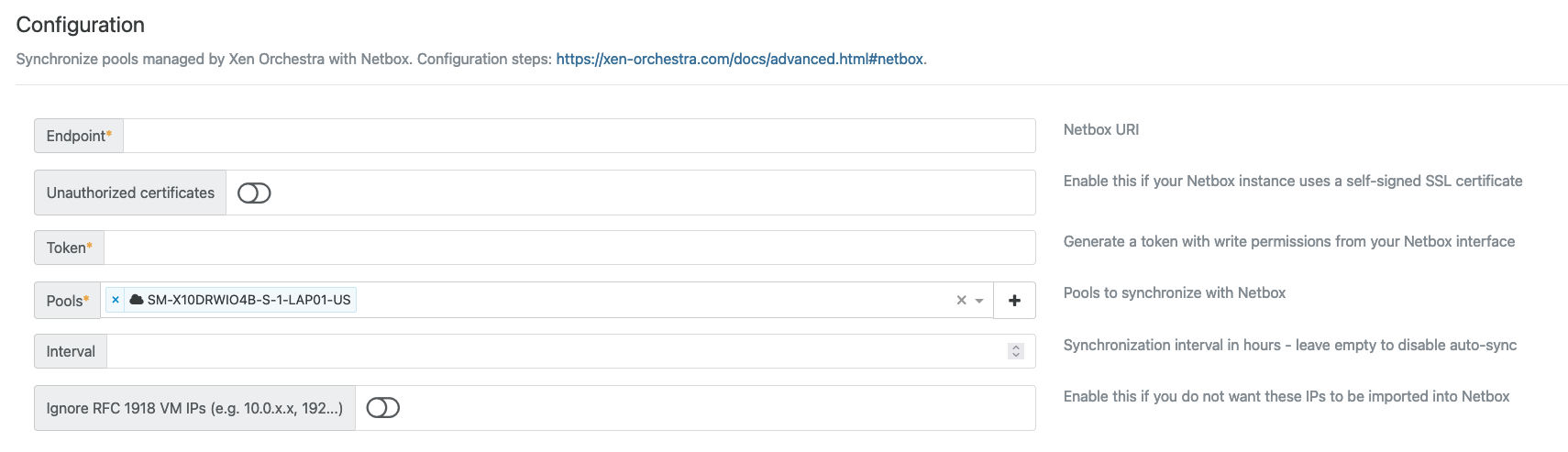
Many thanks to Stephen Boyd for this great contribution!
Netbox v4.6 compatibility
The Netbox plugin now officially supports Netbox v4.6. This update keeps your synchronization workflows running smoothly with the latest Netbox release, while introducing two notable changes:
- Support for clusterless VMs: Netbox v4.6 allows virtual machines to be assigned to devices without being tied to a cluster. The plugin now handles this gracefully, so these VMs are processed without issues.
- Deprecation of v1 API tokens: Netbox v1 tokens are now deprecated and will be completely removed in Netbox v5.0. While they still work for now, Xen Orchestra will display a warning in the console if a v1 token is detected. We highly recommend generating new v2 tokens at
/user/api-tokens/add/in your Netbox instance to future-proof your setup.
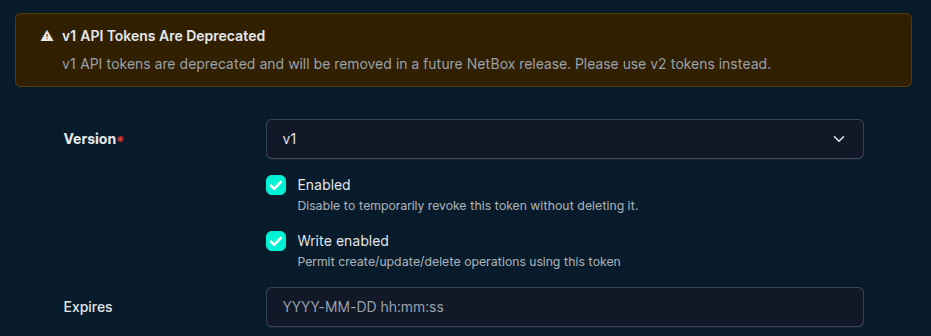
Warning about deprecated v1 tokens
PATCH endpoint for traffic rules
The SDN controller now also exposes a PATCH API endpoint for traffic rules at both the VIF and network levels.
Instead of forcing a full configuration replacement, this endpoint allows for partial updates. This makes it easier to modify specific parameters of a rule on the fly. It also opens the door for smoother automation and tighter integration with external tools.
SDN controller startup performance
We’ve optimized how the SDN controller filters objects during initializations. As a result, the controller’s startup performance has improved significantly.
Instead of scanning through all objects, the controller now targets specific object collections using type-based indexes. This completely eliminates unnecessary filtering for unrelated types.