
Xen Orchestra 6.5
XO 6.5 is out: QCOW2 GA, bidirectional replication, traffic rules on networks and VIFs, richer Prometheus metrics, plus a fresh Kubernetes CSI release and a Cluster API teaser.




Another month, another step forward for Xen Orchestra 6! XO 6.5 keeps pushing feature parity, REST API growth and monitoring, and this cycle also brings real Kubernetes news: a fresh CSI release and a first look at our Cluster API provider. Enjoy the read!
🔗 Summary
As usual, this announcement is available as a Youtube video:
👨🚀 Project & Community
Beyond Xen Orchestra itself, the wider Vates platform kept moving this cycle, with several XCP-ng updates, a new storage capability, signed Windows drivers, and a partnership worth flagging.
Building sustainable open source infrastructure models
One of the recurring themes is long-term viability in open source infrastructure. A recent article explores how organizations can ensure vendor independence without sacrificing stability or support. It highlights how open-source models, when properly structured, can provide a sustainable alternative to traditional proprietary approaches.
 Clément Schilling
Scaling infrastructure without storage bottlenecks
Another key area of focus is scalability, particularly around storage. As infrastructures grow, storage often becomes a limiting factor. This month’s article discusses how these constraints can be removed to support larger and more flexible deployments, ensuring that storage architecture does not block infrastructure evolution.
 Marc-André Pezin
Xen on RISC-V progress
For those following the longer-term hardware story, our post about Xen on RISC-V covers Dom0 boot, hypercalls, and a Docker-based toolchain. While in early-stage, it shows the direction the Xen ecosystem is heading beyond x86, and the toolchain notes make it reproducible if you want to experiment yourself.
 Baptiste Le Duc
XCP-ng 8.3 updates
XCP-ng 8.3 LTS received a steady stream of security and maintenance updates through late April and May. If you run XCP-ng 8.3 in production, applying these keeps your hosts current with the latest Citrix-derived security patches and bug fixes. We recommend reading each post before patching, since they call out any reboot requirements and known interactions.
 Samuel Verschelde
 Samuel Verschelde
QCOW2 is now GA in XCP-ng
The QCOW2 disk format reached general availability in XCP-ng, lifting the long-standing VHD ceiling and allowing individual VM disks up to 16 TiB. For anyone running large databases, file servers, or media workloads that previously had to be split across multiple disks, this removes a real constraint on growing infrastructures.
 Damien Thenot
Windows PV drivers: first signed build since 8.2.2
The Windows guest driver line saw three releases this cycle. The notable milestone is v9.0.9137 on May 19, the first signed build since the 8.2.2.20 series, which matters for clean installation on modern Windows without driver-signature warnings. A maintenance release v9.1.200 followed recently, and the v9.1.152 XenClean/XenBootFix build on May 5 addresses the VSA-2026-012 DLL sideloading advisory. If you maintain Windows guests, moving to a signed build is worth scheduling.
 xcp-ng
 xcp-ng
🏢 User stories
This month’s user story highlights another major migration away from VMware toward Vates VMS.
Biocoop successfully migrated its infrastructure to Vates VMS, reinforcing a broader trend we are seeing across organizations: moving away from legacy virtualization stacks in favor of more open, flexible, and cost-controlled environments.
 Clément Schilling
🎫 Events & webinars
Beyond product updates, sharing experience and structuring knowledge remains an important part of the ecosystem.
Vates & EasyVirt webinar
On July 2, Vates and EasyVirt will host a webinar focused on infrastructure optimization, migration planning, and operational visibility across multi-hypervisor environments. The session will showcase how the integration of DC Scope and DC NetScope within the Vates ecosystem helps organizations optimize resource usage, secure migrations, monitor network flows, and gain better control over infrastructure costs and operations through a single interface.
XO 6.5
This release is a broad one. On the security side, Redis encryption protects XO's credential store at rest. On the backup side, bidirectional incremental replication removes one of the last friction points in paired-site DR setups. And on the interface side, XO 6 crosses a threshold: disk management and snapshot reversion all land this cycle, so daily VM operations no longer require switching back to XO 5.
A lot of this came directly from your feedback and forum requests, alongside a substantial backend refactor of the backup cleanup code that sets the groundwork for upcoming storage integrations. XO 6.5 is one of the more complete releases we have shipped in this cycle.
🛡️ Security
Keeping XO secure is an ongoing effort, and 6.5 adds another concrete step. After securing inter-XO communications and hardening the XAPI surface in previous releases, this cycle focuses on protecting what XO stores at rest.
Redis encryption
After hardening the XAPI surface and securing inter-XO communications in earlier releases, we are adding another layer of defense-in-depth: encryption of the Redis database that backs Xen Orchestra. Redis holds a great deal of the state that makes XO work, and encrypting it raises the bar considerably for anyone trying to read that data off a compromised system. The protection is built around a key-derivation scheme that splits the decryption key between the XAPI side and a local file on the appliance filesystem. Decrypting the database requires root access, XAPI access, and the local key file all at once, which is a considerably harder bar to clear than any single compromise.
The feature is opt-in for now and will become the default in a later release, so you can adopt it on your own schedule. You enable it through a configuration flag on the XOA virtual machine, and the change is reversible if needed. Before enabling it, two things need to be in place: Xen Orchestra must run inside a VM, because the key-derivation mechanism depends on the appliance store, and configuration backups must have encryption turned on. The upgrade documentation walks through enabling it end to end.

💾 Backup
Backup work this month splits between a visible improvement for object-storage users, a large invisible backend cleanup, and a new replication mode.
S3 user-agent identification
Xen Orchestra now identifies itself to S3 providers by sending a User-Agent: Xen Orchestra FS <version> header on its object-storage requests. This means your S3 backend can see that the traffic is coming from Xen Orchestra and which version is running, which providers use to track usage and to move toward self-certification of their compatibility with our backup stack. The header is sent to all S3 providers, not a single one, so it works regardless of where your backup repository lives. Wasabi specifically asked for this, and it strengthens the relationship between Xen Orchestra and the storage vendors our users rely on for off-site backup.

Refactor and cleanVM refactor
We landed a substantial refactor of the backup cleanup code, the part of the system responsible for reflecting state and tidying up after backup jobs (the cleanVM path). Previously, this logic lived in one heavily coupled monolithic file that mixed many different checks and cleanup steps together, which made it both harder to reason about and harder to extend safely.
The new structure builds on a disk abstraction with cleaner separation between concerns. There is no user-visible change here, but it makes the code more reliable to maintain today and opens the door for upcoming direct-storage integrations such as Pure Storage. This was first raised in forum threads about backup reliability and migration blocking during backups.
 manilx
Bidirectional incremental replication
Incremental replication now supports bidirectional mode. When you run a replication job, XO looks for any snapshot already in common between source and destination (even one created by a different job) and transfers only what changed since then. No more full resync just because you're going the other way.
In practice, this covers two main DR situations:
- Planned failover: You had time to run a final prod-to-DR sync before cutting over. When you're ready to return, stop the VMs on DR, run the reverse job, and only the delta accumulated during the outage gets transferred back.
- Unplanned failover: You started the DR VMs immediately without a last sync. The return is still delta-only, but since the original prod disks were never cleaned up, XO creates a new VM copy on the prod SR rather than updating in place. That copy will trigger a one-time full replication on its next run.
One thing to keep in mind: this only kicks in when the job uses incremental replication mode with a single target SR.
 vatesfr
🥝 Core UI
Much of the Core UI work this cycle went into shared components, with a particular focus on the groundwork for consistent form validation across the product.
Shared components and form validation
We did a lot of work on shared components this month to support upcoming form validation. Rather than validating each form in its own ad-hoc way, we are building the validation behavior into the common components that every form is assembled from. The visible result this release is a set of small component updates across the interface, the larger goal being consistency: as more screens adopt the shared components, you will see the same clear, predictable validation everywhere you enter data. It is groundwork that will show up progressively over the coming releases.

🛰️ XO 6
XO 6 is no longer just catching up. Disk management, VIF handling, snapshot reversion: most of what you relied on in XO 5 for daily VM operations is now in the new interface, plus Traffic Rules as the first feature built exclusively for XO 6.
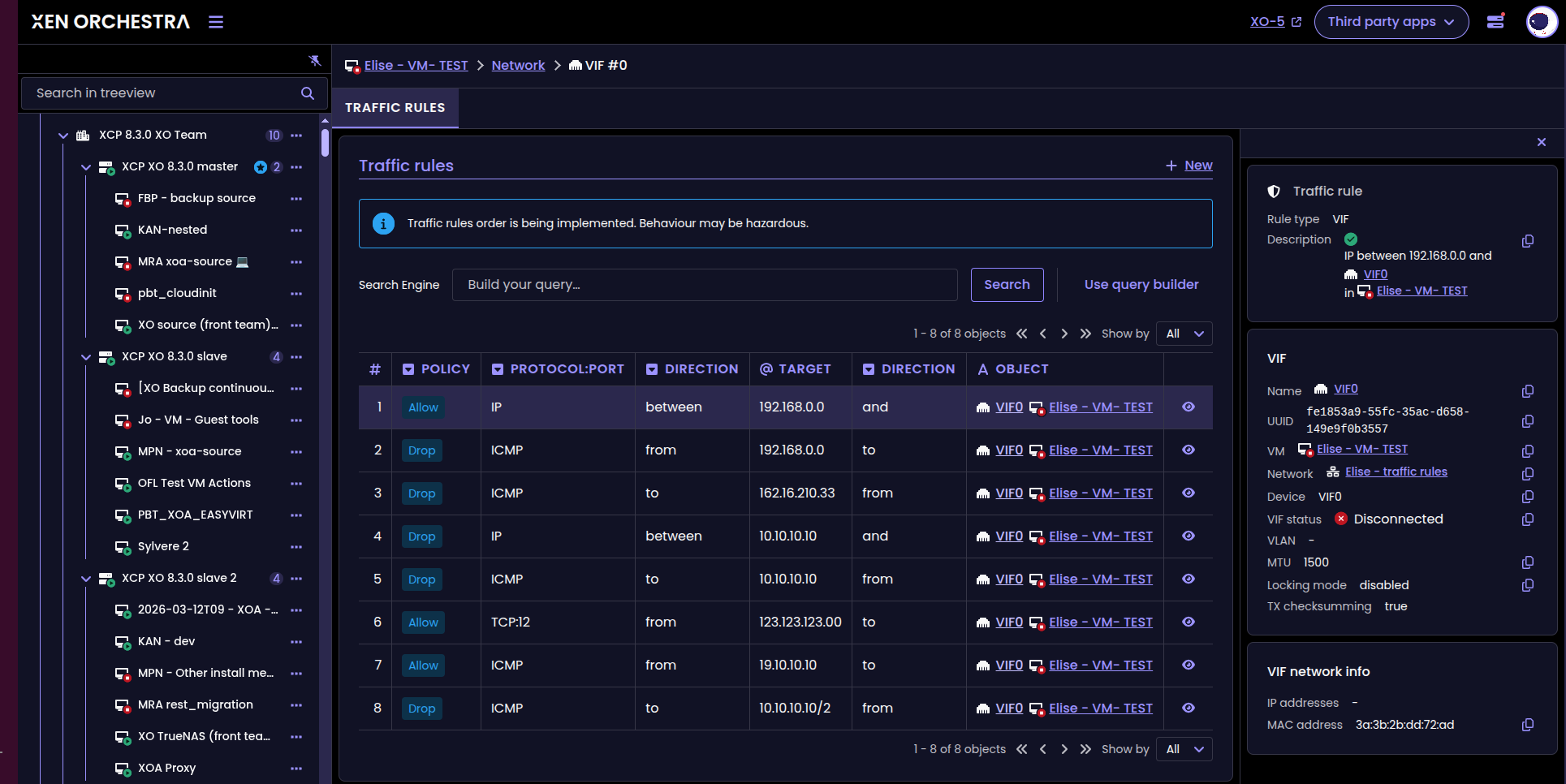
Traffic rules on networks and VIFs
Traffic Rules are the first feature built only for XO 6, with no back-port to XO 5. They let you define network-wide rules at the Network level and at the VIF level, giving you a single place to express how traffic should be allowed or blocked across your virtual networks. If you have been managing VM isolation on shared subnets or VLANs through workarounds, this gives you a proper tool to do it. It also sets the pattern for XO 6-only features to come.
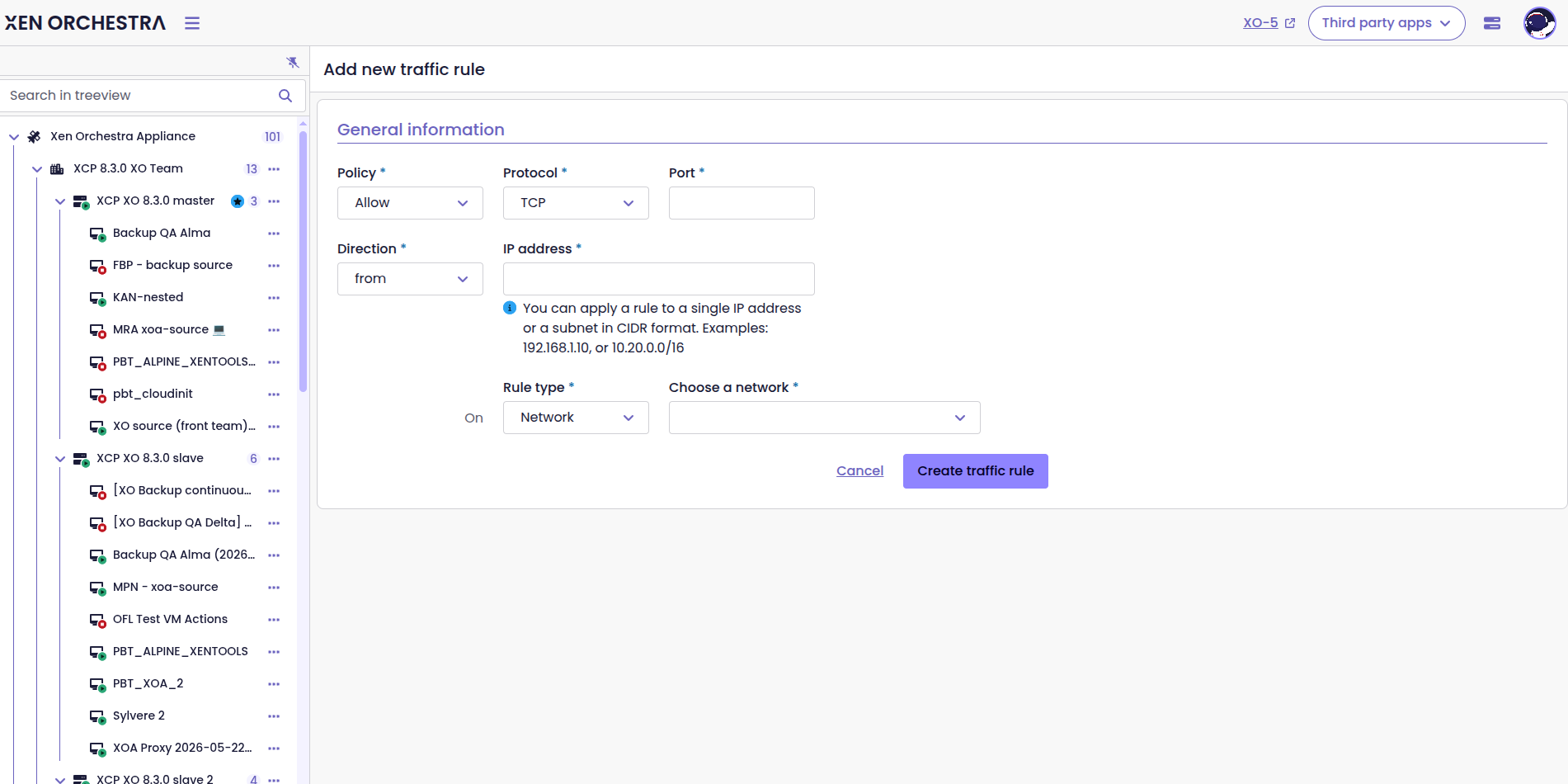
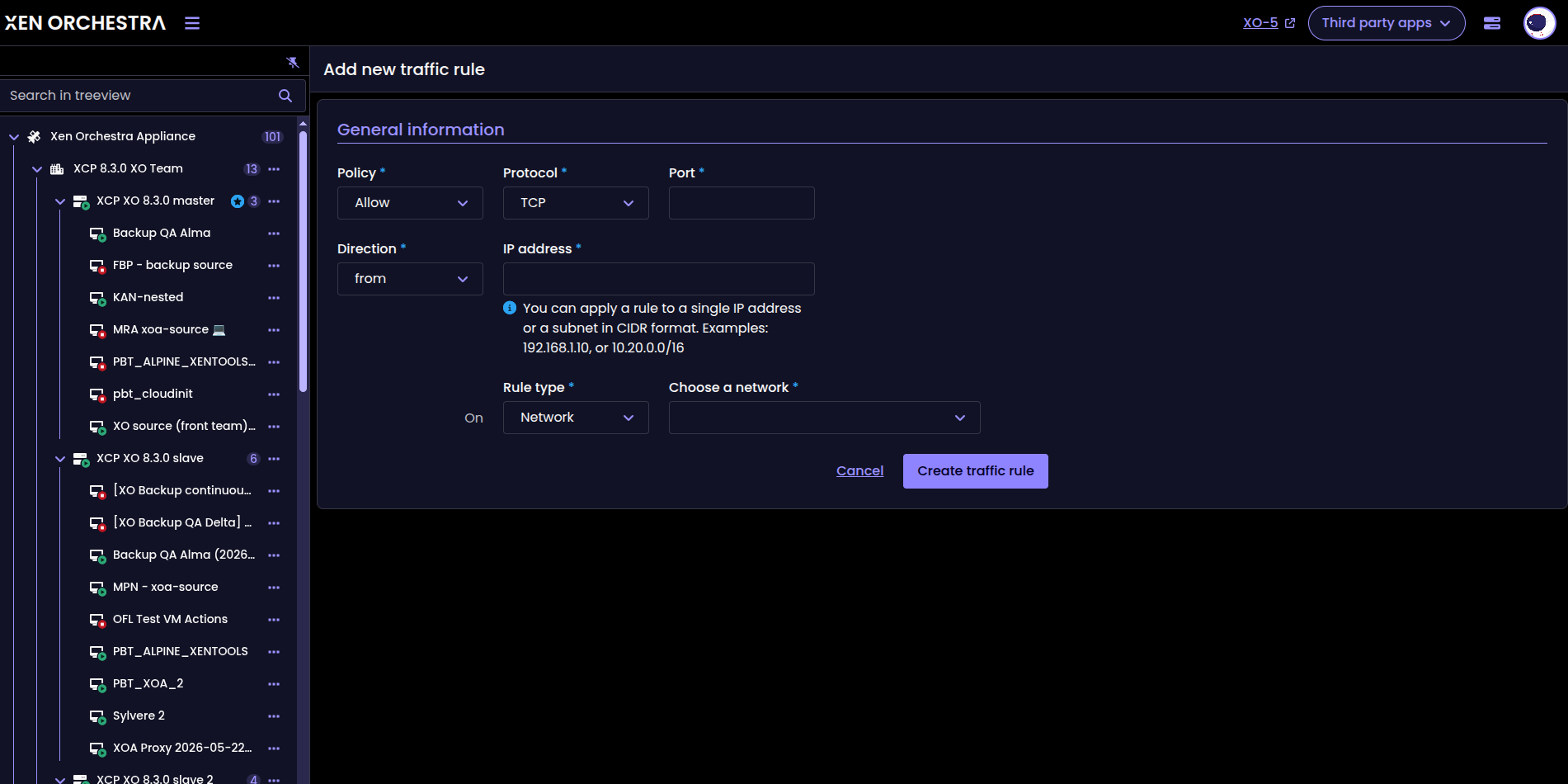
The new Traffic rules form
You have a recap of all the rules in a specific VIF:
 Admin55
Used space on snapshots
The VDI view now displays the correct used space for snapshots. Previously, a VDI with a snapshot attached could report 0% of its capacity in use, and the figure only looked right again once the snapshot was removed, which made it hard to understand how much storage a VM was actually consuming. We tracked this down to a display bug in how snapshot space was accounted for, and the view now shows accurate figures whether or not a snapshot is attached. If you have been puzzled by storage numbers that did not add up, this is the fix.
 olivierlambert
Attach an existing disk in the VM view
You can now attach an existing VDI to a VM directly from the VM view. This brings a routine operation that XO 5 users took for granted into the new interface, with a dedicated UI control in the VM's disk view. One less reason to switch back!
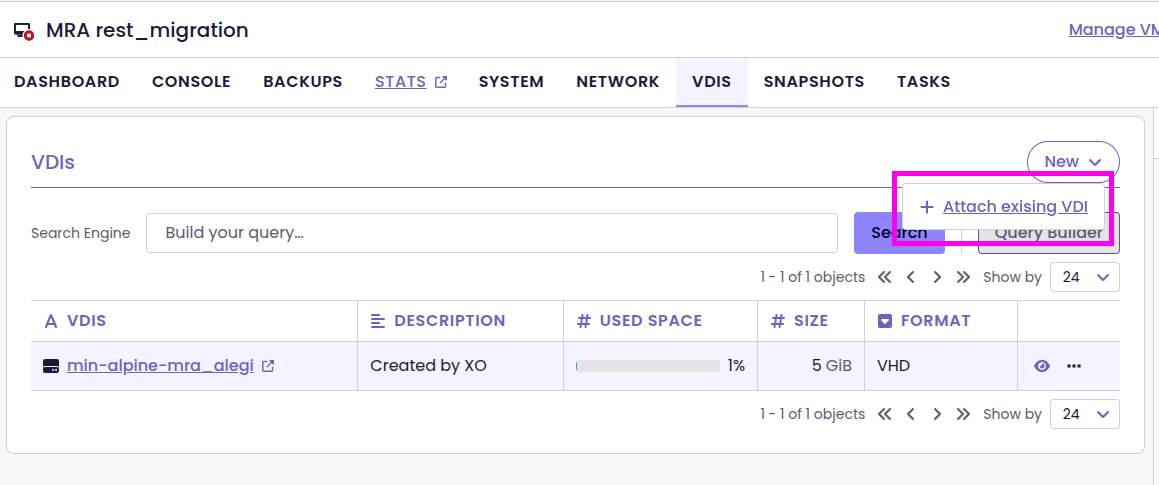
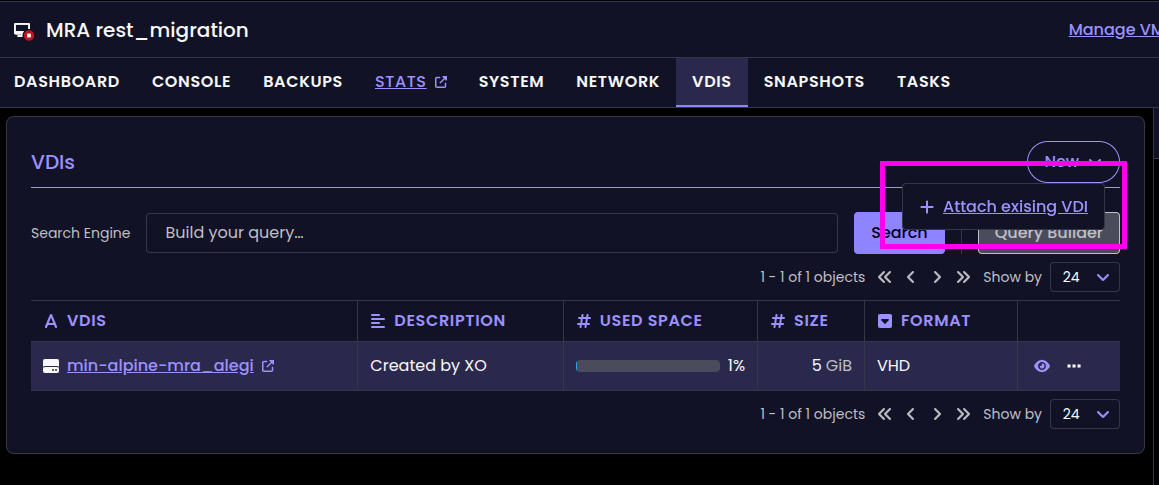
New 'Attach existing VDI' action
 coolsport00
Create a new VDI from scratch
Complementing disk attachment, XO 6 now lets you create a brand-new VDI from scratch in the VM view. You define the disk and add it to the VM without leaving the interface, which removes another reason to switch back to XO 5 for storage tasks. Together with attaching existing disks, this rounds out the basic disk lifecycle in the new UI.
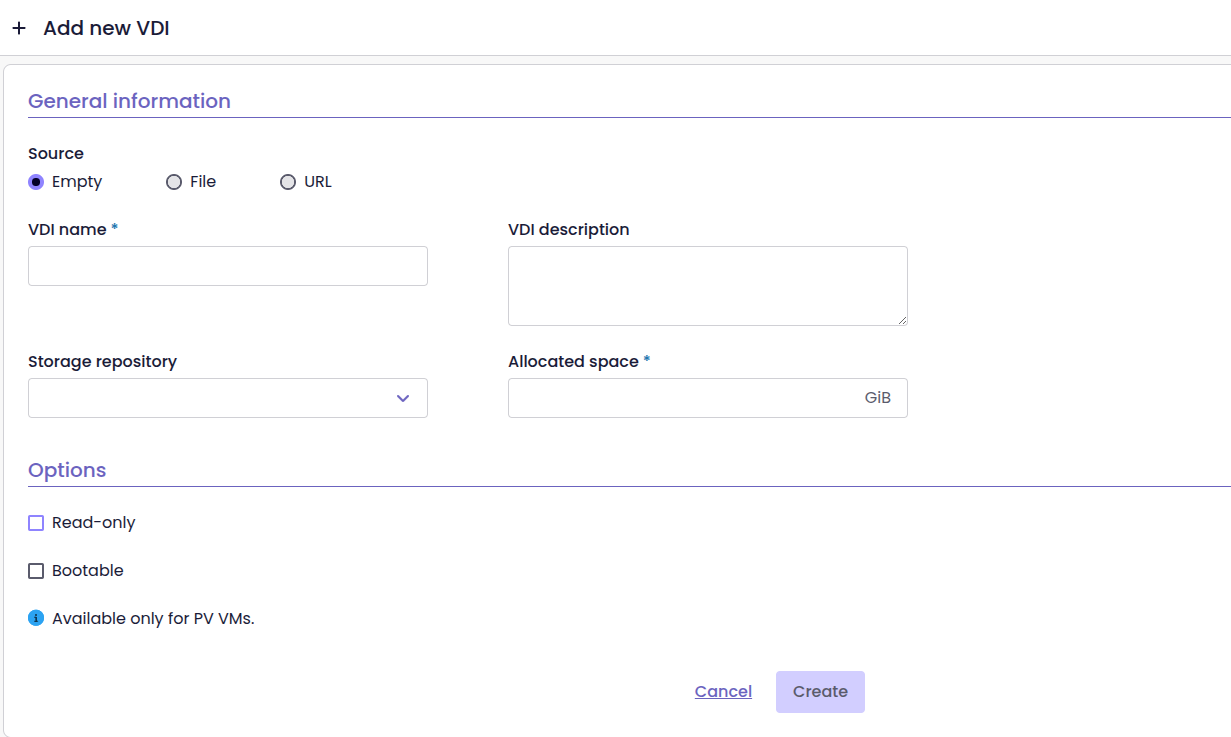
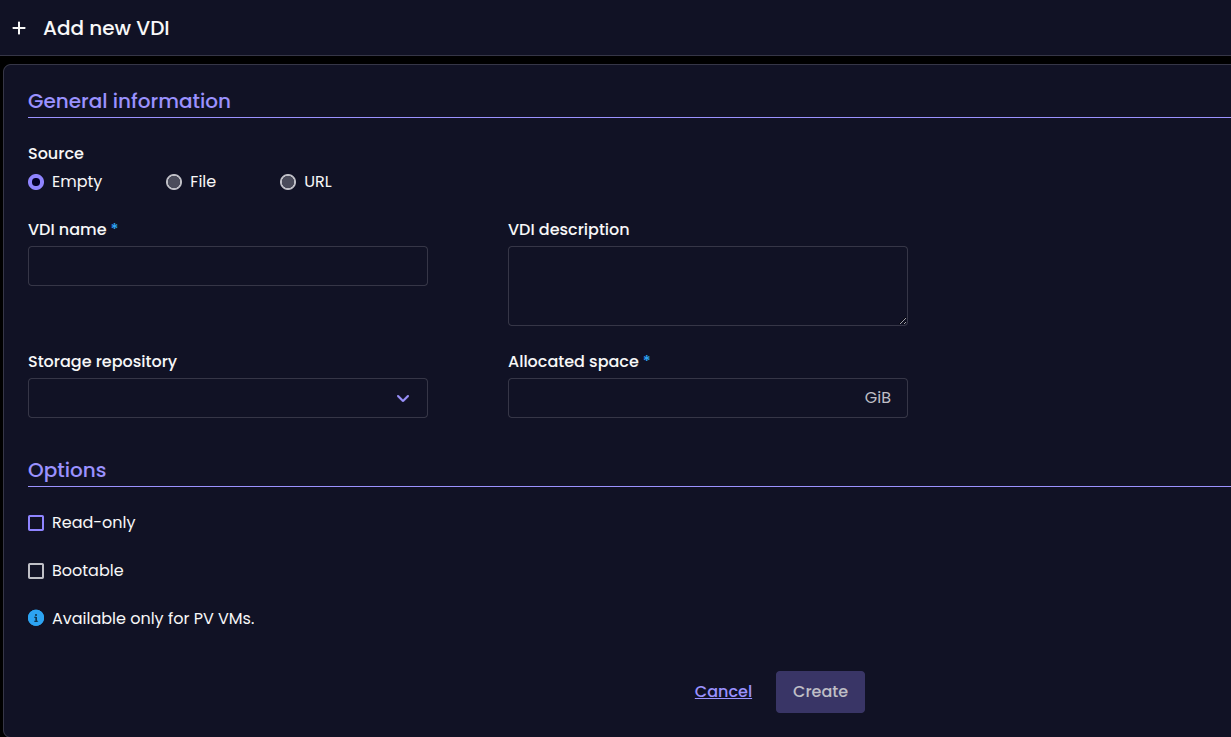
New VDI creation form

General tab for VIFs
The VIF page in XO 6 gains a General tab, giving you a clear, organized place to see and manage a virtual interface's core properties. A small addition that makes the VIF view consistent with how other objects are presented across the new interface.
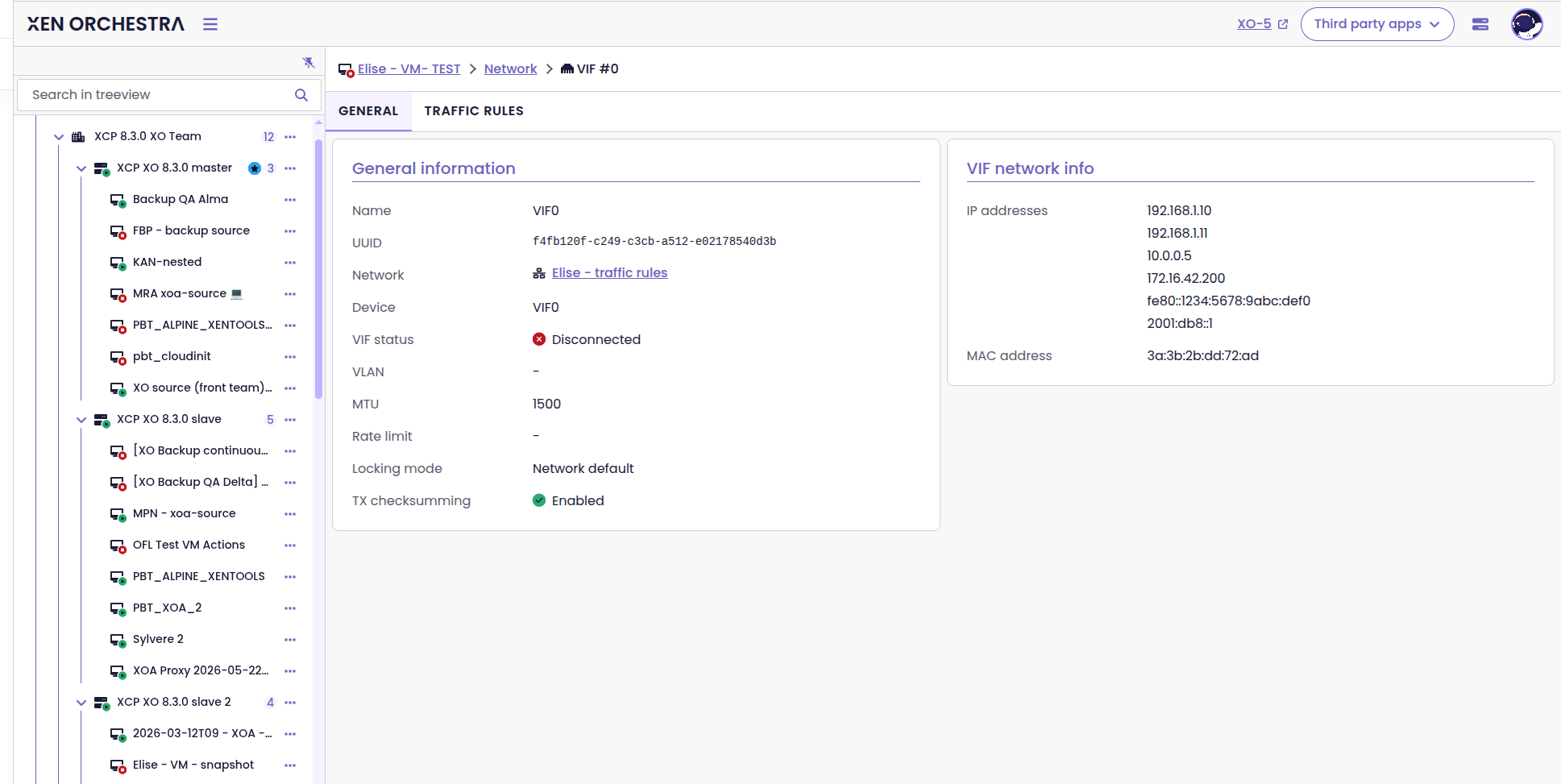
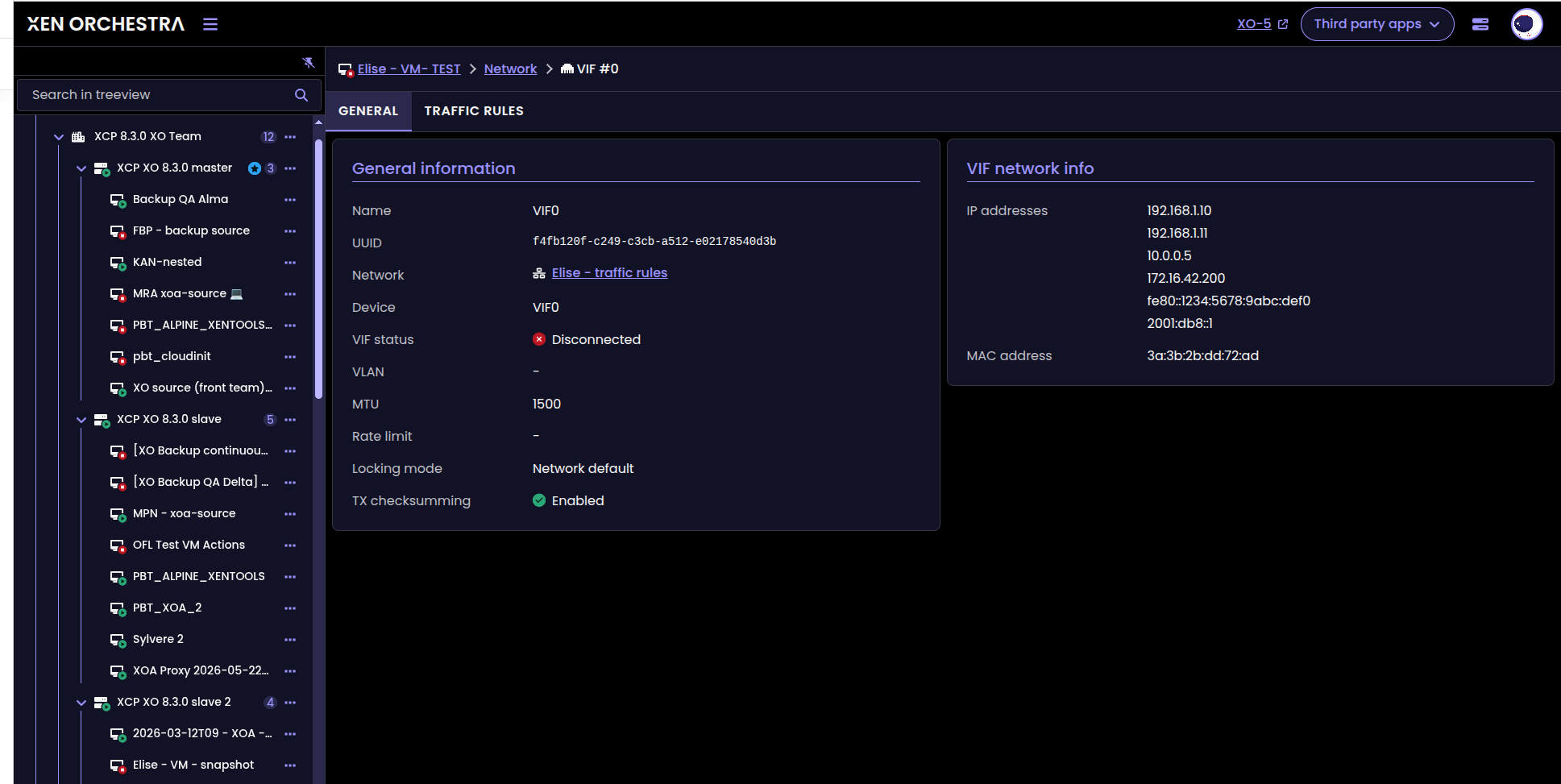
'General' tab for VIFs
 CB0b
CB0b
Improved revert-snapshot experience
We redesigned the VM snapshot reversion process to make it clear and predictable from the UI. Because rolling back a VM is a high-stakes operation, a smoother, more intuitive flow means fewer doubts about what will happen next. If you want to dive into the core concepts behind it, the forum thread on how to revert a VM to a snapshot is a great place to start.
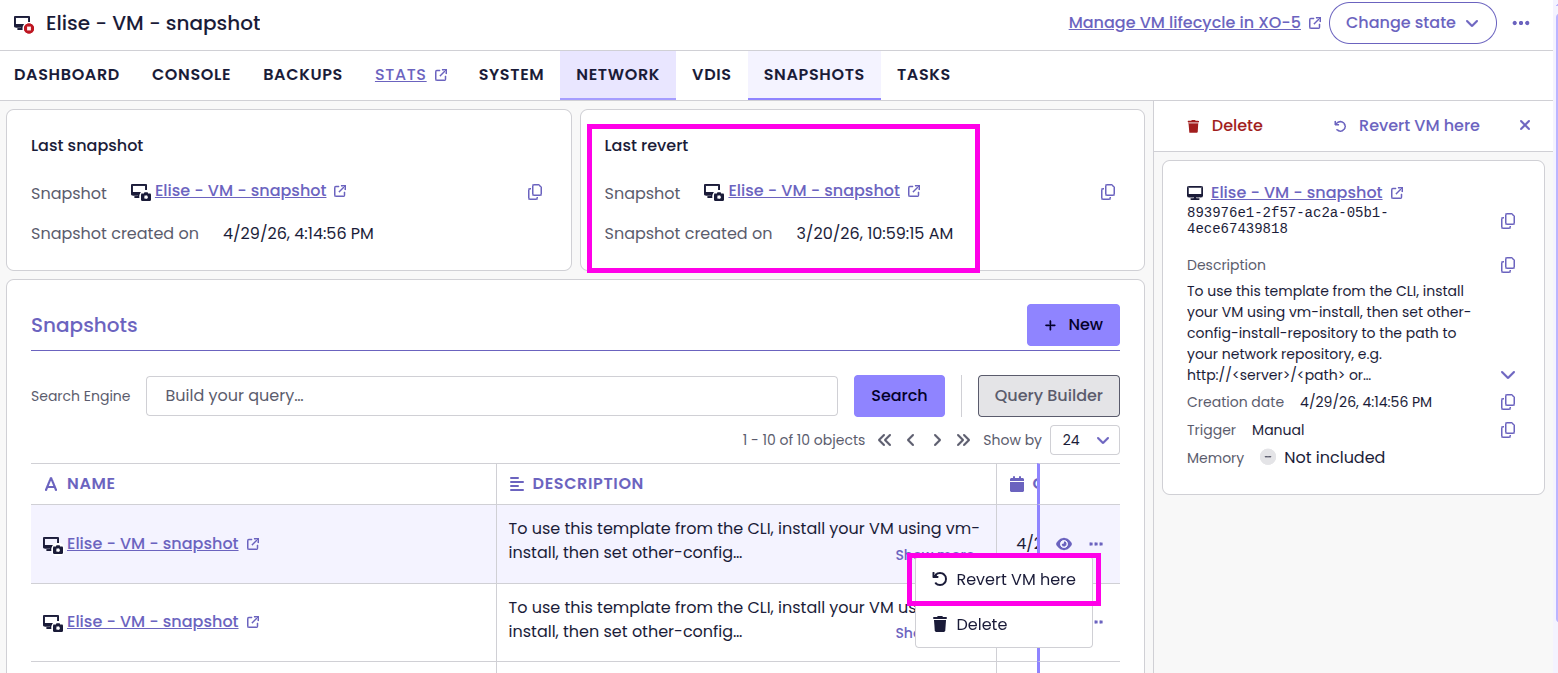
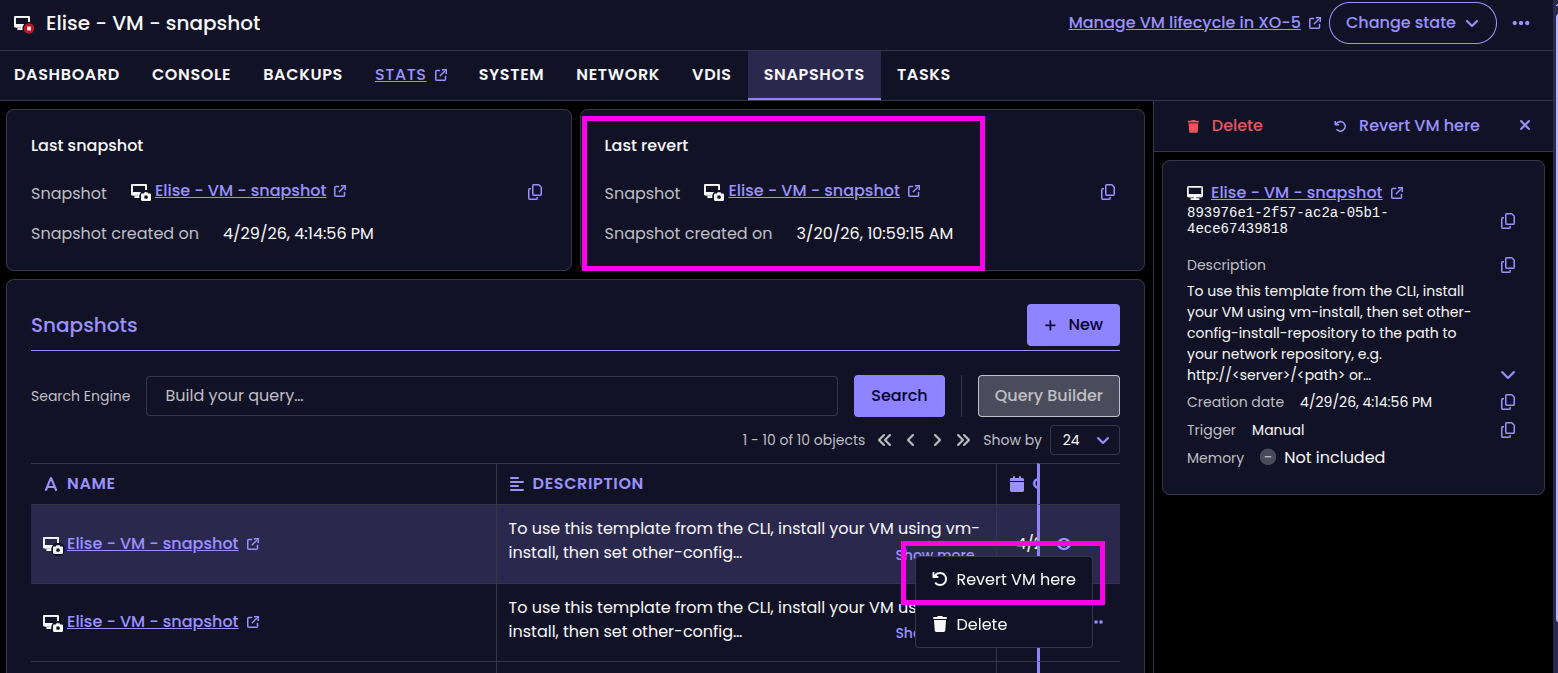
Improved experience for VM snapshot reversion
 slavavrn
🔭 XO Lite
XO Lite picks up one small but useful defensive improvement this cycle, worth knowing about if your instance is reachable from outside your network.
A robots.txt for exposed instances
XO Lite now serves a simple /robots.txt file. The point is to stop search engines from crawling and indexing XO Lite instances that happen to be reachable from the internet, so your management interface does not turn up in search results. It is a quiet defensive measure that costs nothing and avoids an easy form of exposure for instances that were never meant to be public.


📡 REST API
The REST API keeps expanding this release, with new endpoints across VIFs, snapshots, and backup repositories. There is also early groundwork for a VM Administrator role that separates VM management from full infrastructure access.
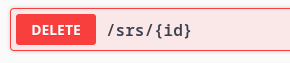
SR deletion
You can now remove a SR via the REST API. The front end will come next month!
Revert a snapshot via the API
A new endpoint lets you revert a VM to a snapshot through the REST API. Reverting was already possible from the interface, and exposing it programmatically means automation and disaster-recovery tooling can drive the operation without a human in the loop. A natural fit alongside the revert-snapshot UX work in XO 6 this release.
 slavavrn
Building a VM Administrator role
We’re currently working on a new VM Administrator role following the ACL v2/RBAC model. The goal is simple: allow someone to manage VMs (like editing tags, changing descriptions, or toggling power states) without giving them access to the underlying infrastructure.
While this is still a work in progress and not yet visible in the UI, the core API groundwork is being laid right now. If you've been waiting for a cleaner way to separate your VM operators from your infrastructure admins, this is where we're heading.

☸️ DevOps Tools
The DevOps work this cycle covers two fronts: observability and Kubernetes integration. On the observability side, the new Prometheus/Grafana series drop straight into your existing setup, no configuration changes needed. On the Kubernetes side, our CSI driver gets a fresh release, and further down we share a first look at our Cluster API provider, a glimpse of where Kubernetes-on-Vates is heading.
Kubernetes CSI new release
v0.3.0 is now available! On the menu:
- Stable CSI Volume Identity: This decouples Kubernetes volume identity from backend storage lifecycle events (e.g. VDI migration between Storage Repositories)
- Topology-Aware Volume Provisioning: Dynamic provisioning now supports topology-aware pool selection.
⚠️ Migration required from v0.2.0 to v0.3.0. Read the full release notes in here:
 vatesfr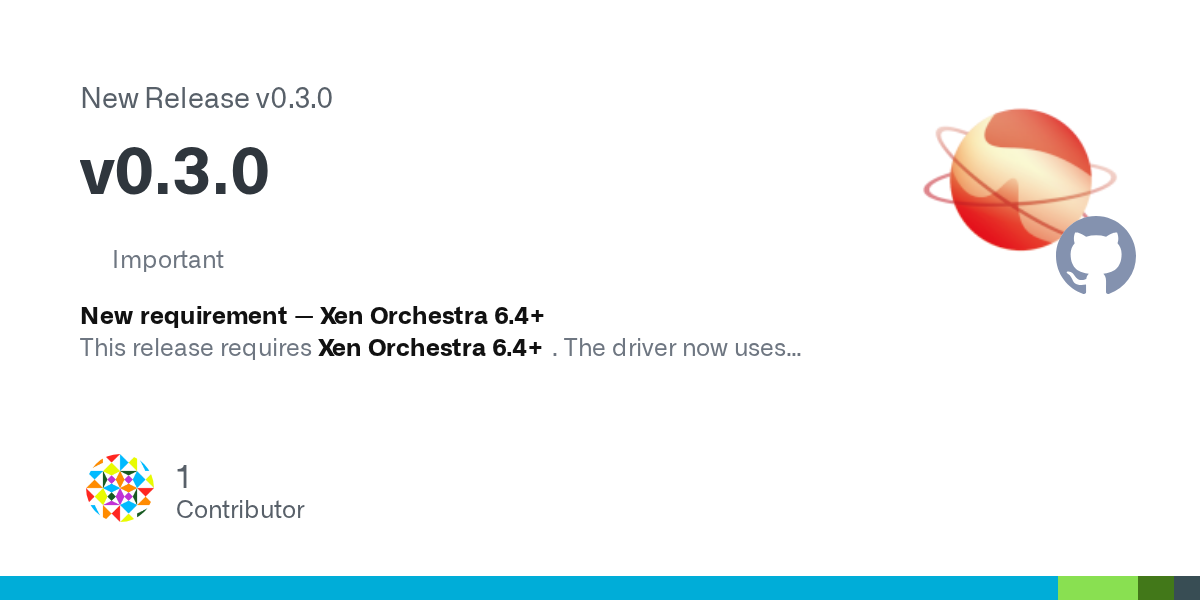
More Prometheus metrics
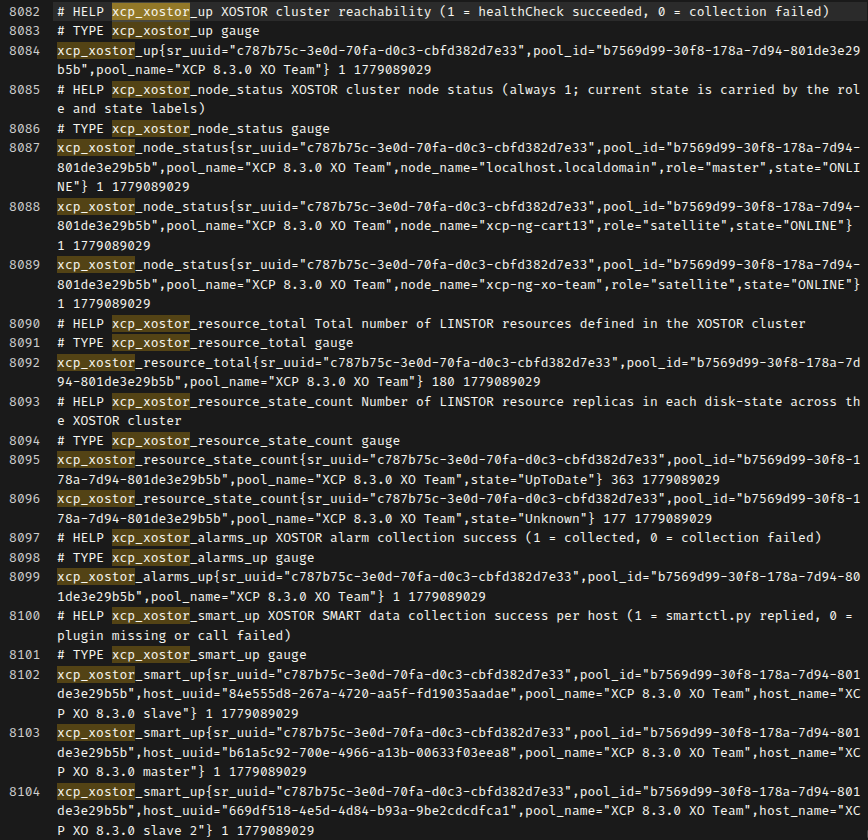
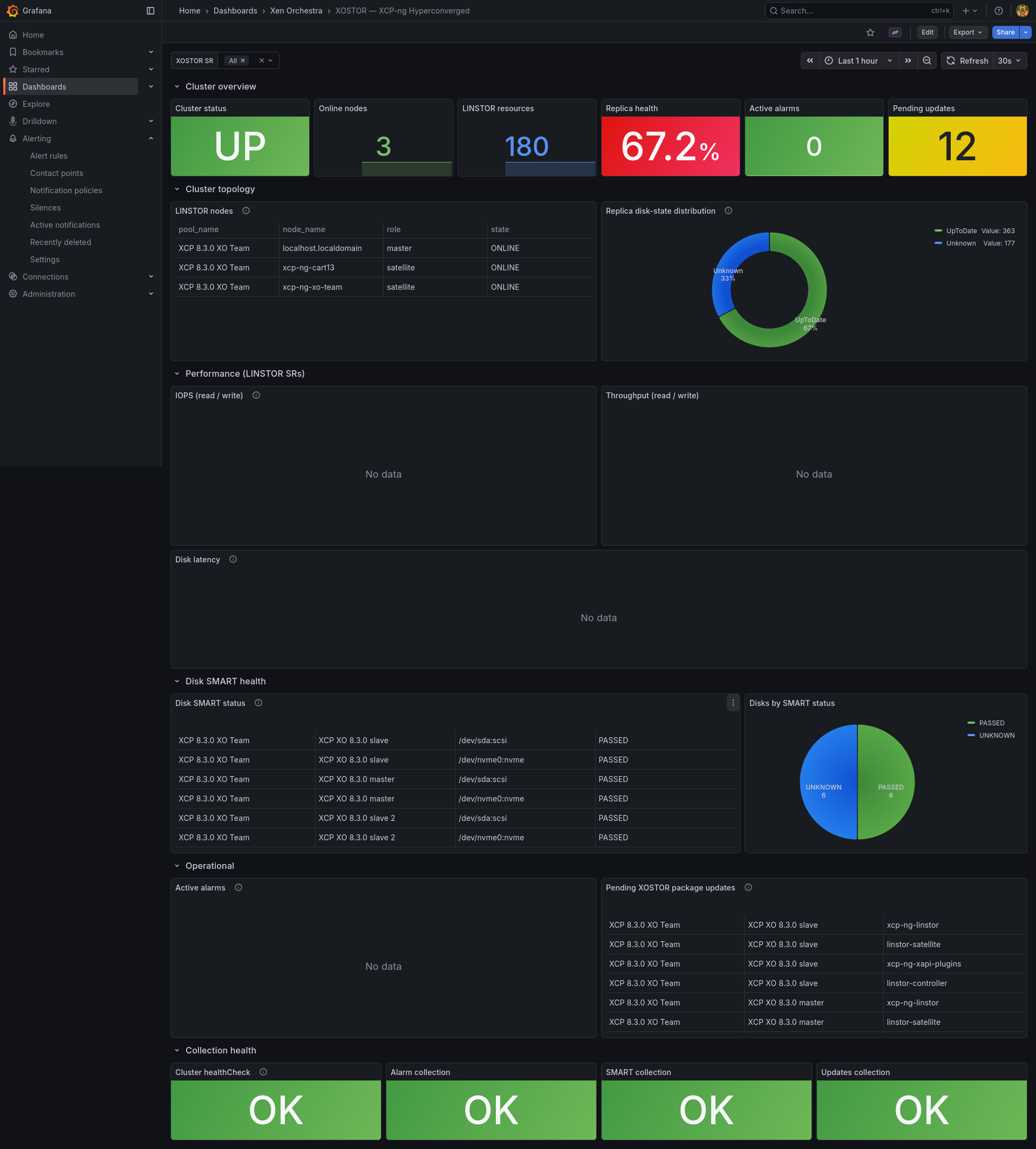
We added new metrics to the OpenMetrics / Prometheus plugin to help you track infrastructure behavior more precisely from your dashboards.
This release focuses on XOSTOR data. It builds on the previous update, which introduced VDI labels and VM mapping. If you already scrape the /openmetrics/metrics endpoint into Grafana, the new series slot straight into your existing setup.
We decided to prioritize these metrics to answer multiple requests on the forum for better visibility into host and storage data, through the Prometheus exporter.
 petr.bena
XOSTOR metrics exposed
New VDI storage metrics
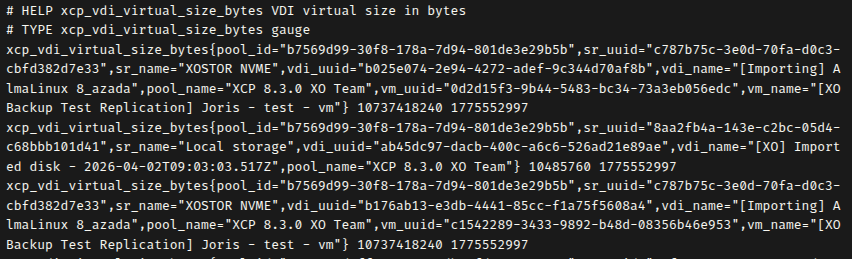
You can now monitor both the virtual size of your VDIs and the actual physical space they occupy on your SRs.
These metrics include labels for pool, SR, and VDI names, and even identify the associated VM when a disk is attached. This extra level of detail helps you pinpoint exactly where your storage is being used and anticipate capacity needs directly from your monitoring dashboard.
 prometheus
Updated Alpine Linux template
We've updated the Alpine Linux template in the XOA Hub to version 3.23:
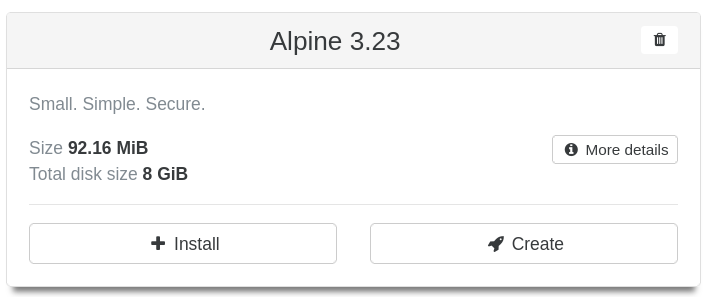
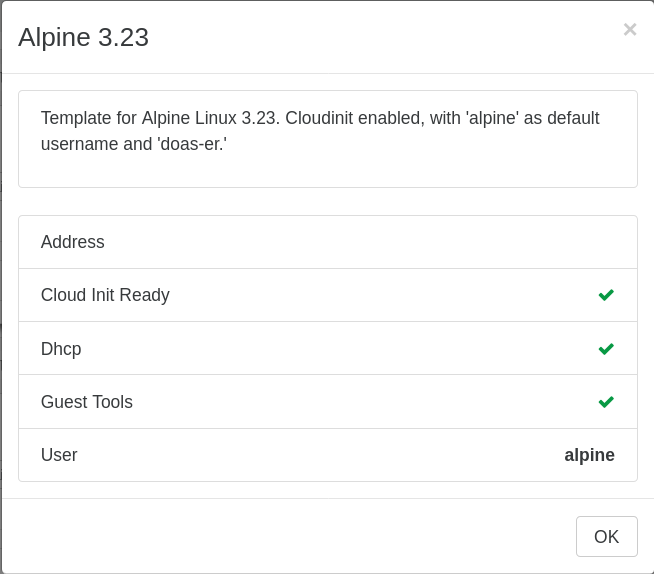
Alpine Linux 3.23 template
Kubernetes Cluster API: a glimpse into the future
If you've ever managed Kubernetes at scale, you know the real pain isn't creating a cluster, it's managing dozens of them over time: upgrades, scaling, node replacement, teardown. That's the problem Kubernetes Cluster API (CAPI) was built to solve. It turns clusters themselves into Kubernetes resources: you describe what you want in YAML, apply it, and a management cluster orchestrates the rest.
CAPI uses a provider model, where each infrastructure (AWS, vSphere, OpenStack, etc.) plugs in via its own provider while the workflow stays identical. With a Vates VMS provider, the same declarative API can spin up workload clusters directly on XCP-ng, with XO doing the heavy lifting underneath. Combined with the pieces we already ship (the CSI driver for storage, the CCM for load balancers and node lifecycle), this closes the loop: full Kubernetes lifecycle management on your own infrastructure, no proprietary control plane in sight.
Here's roughly how creating a cluster looks today:
apiVersion: cluster.x-k8s.io/v1beta2
kind: Cluster
metadata:
  name: my-cluster
spec:
  clusterNetwork:
    pods:
      cidrBlocks:
        - 172.31.0.0/16
    services:
      cidrBlocks:
        - 192.168.0.0/16
    serviceDomain: cluster.local
  topology:
    classRef:
      name: xo-almalinux
    version: v1.30.0
    variables:
      - name: controlPlaneEndpoint
        value:
          host: "10.30.139.10"
          port: 6443
    controlPlane:
      replicas: 1
    workers:
      machineDeployments:
        - class: almalinux-worker
          name: worker-md-0
          replicas: 2
This is still very much a work in progress, but expect news on this front very soon. 🚀
📖 Documentation & Guides
Great software needs great documentation, so we're constantly working to make ours better every month!
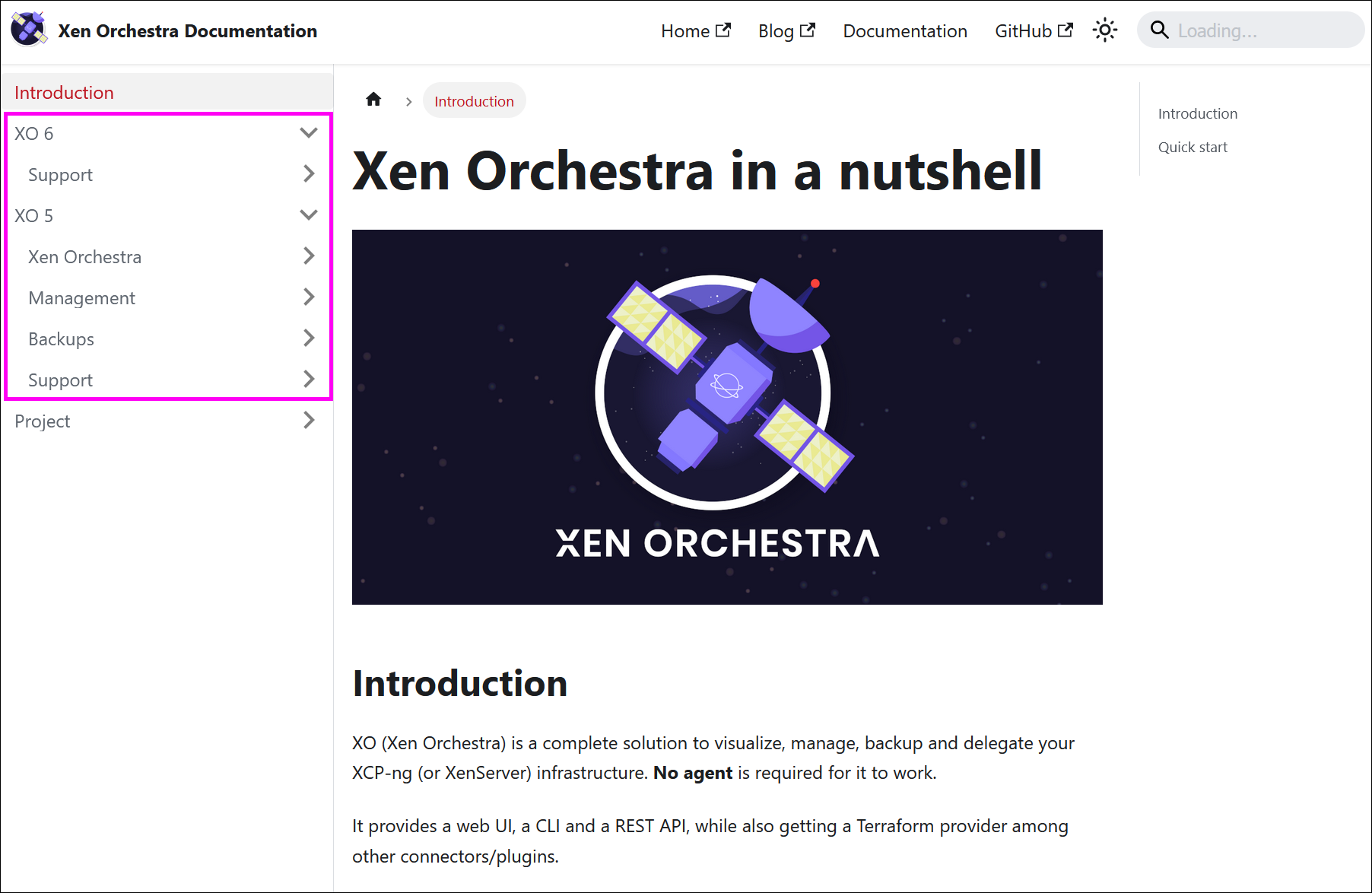
Restructuring our documentation for XO 6
We’ve started reworking our technical documentation to prepare for the future.
To keep things organized, existing pages have been split into two distinct sections: one for XO 5 and one for XO 6. For now, the vast majority of our current guides and docs live in the XO 5 section.
The new XO 6 section is a clean slate, designed for content that applies only to the new Xen Orchestra interface. As XO 6 picks up speed and gains new features, this section will grow alongside it, so you always know exactly which version a guide is meant for.
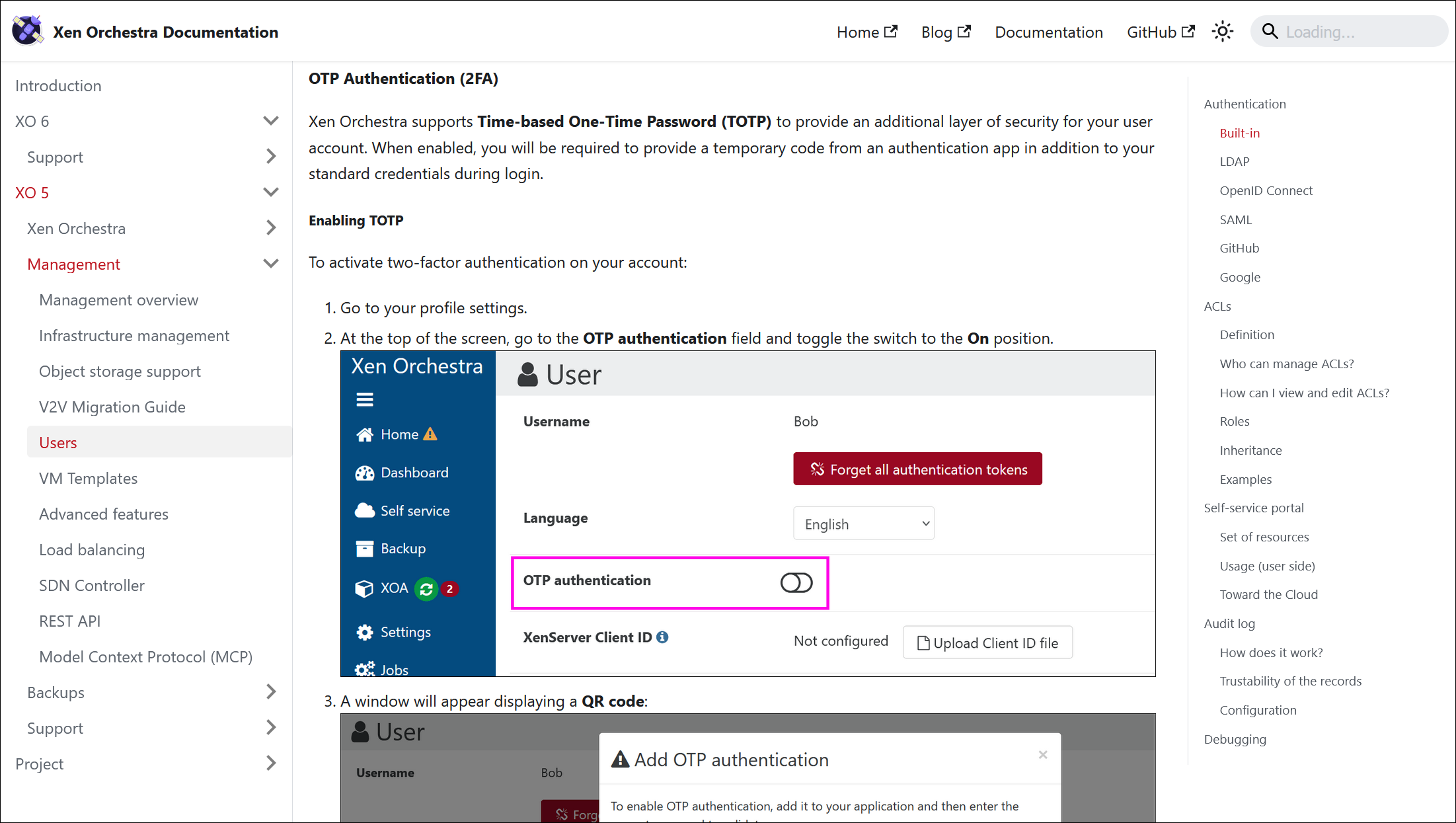
Setting up TOTP for your account
We’ve updated the Xen Orchestra documentation to include clear instructions on how to set up TOTP (Time-based One-Time Password).
If you want to add an extra layer of security to your account with two-factor authentication, you can now find the complete guide directly in the official docs. It covers everything from finding the settings in your profile to scanning the QR code with your authenticator app.

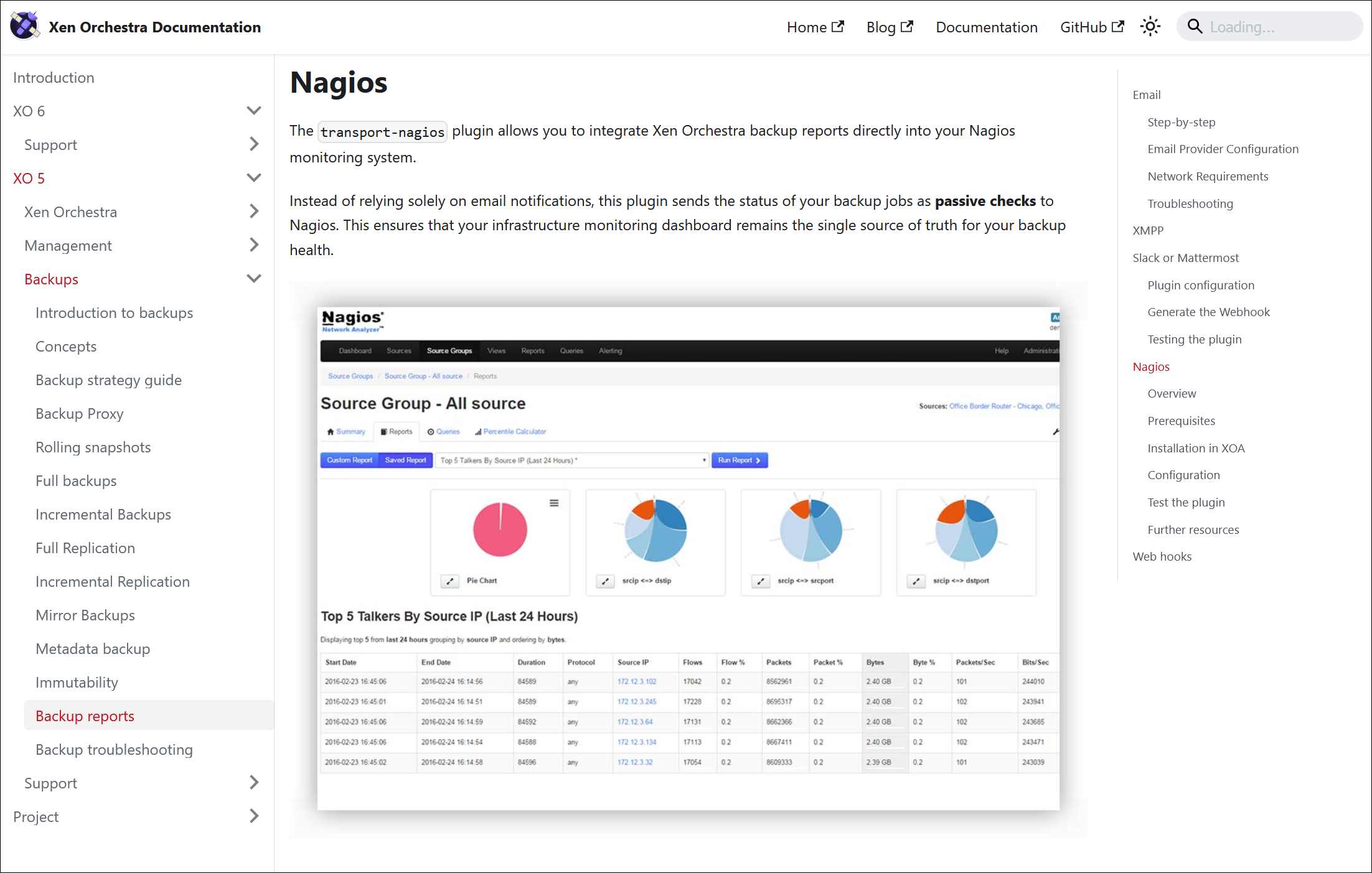
Nagios plugin documentation
The transport-nagios plugin is now properly documented. If you rely on Nagios or compatible monitoring systems to keep an eye on your infrastructure, this update is for you.
The new section in the Backup reports documentation explains how to route your Xen Orchestra backup statuses directly into your existing monitoring dashboard. Instead of relying solely on emails, you can now integrate backup success and failure states into your central alerting system.

🌐 Translations
Thanks to our community translators, Xen Orchestra keeps expanding its language support. Translating the interface is just as valuable as contributing code or reporting bugs! If your language isn’t fully covered (or missing altogether) you can pitch in to help fill the gaps.
8 languages updated
A big thank you to our community for their ongoing efforts in translating Xen Orchestra!
This month, 8 languages were updated: Czech, Chinese (simplified), Dutch, German, Korean, Slovak, Spanish, and Swedish.
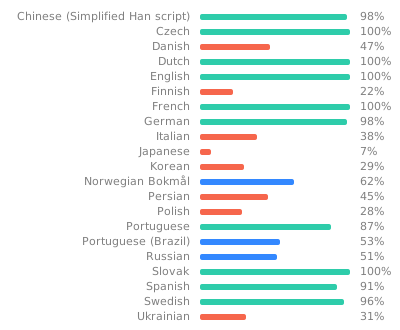
Want to help translate Xen Orchestra or improve existing translations? You’re more than welcome to join in here.
🆕 Misc
A handful of quality-of-life improvements round out the release.
Timestamped XO config exports
Exporting your Xen Orchestra configuration now adds a timestamp to the filename. It sounds minor, but users told us that XO 5 config exports were easy to lose track of because the files were hard to tell apart. With a timestamp baked into each filename, you can immediately see which export is which and find the one you want. This came directly from a request on our feedback platform.


Upload QCOW2 disks from the interface
You can now upload a QCOW2 disk directly from the Xen Orchestra UI. Two API calls that were previously missing have been added, completing the path so the format that just reached GA in XCP-ng can be brought in through the interface. The capability works for both XO 5 and XO 6, so importing a QCOW2 image is now a first-class operation regardless of which interface you use.
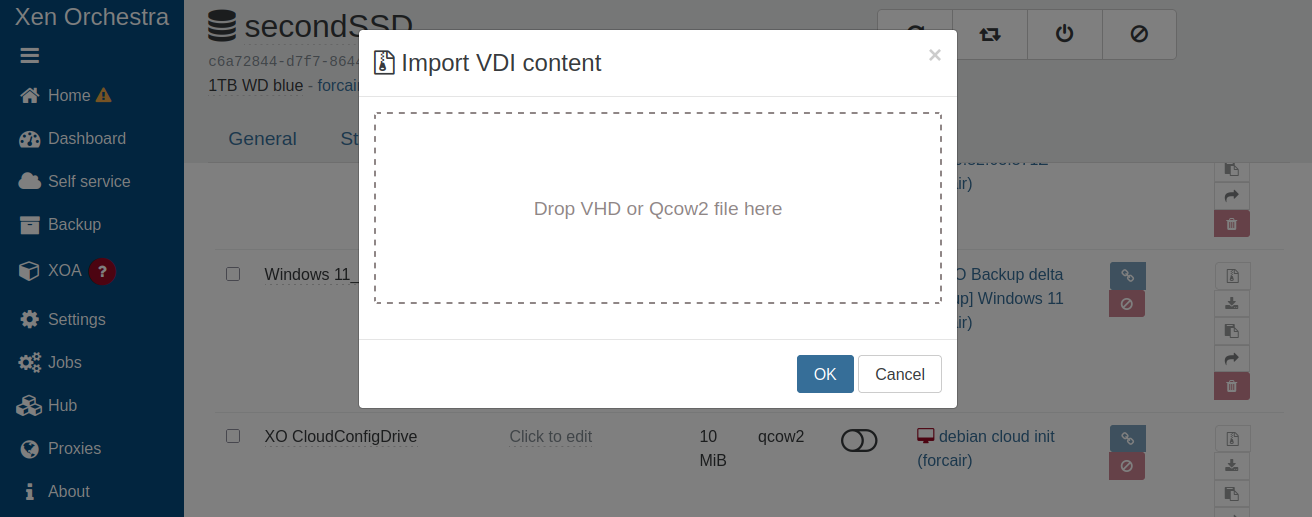
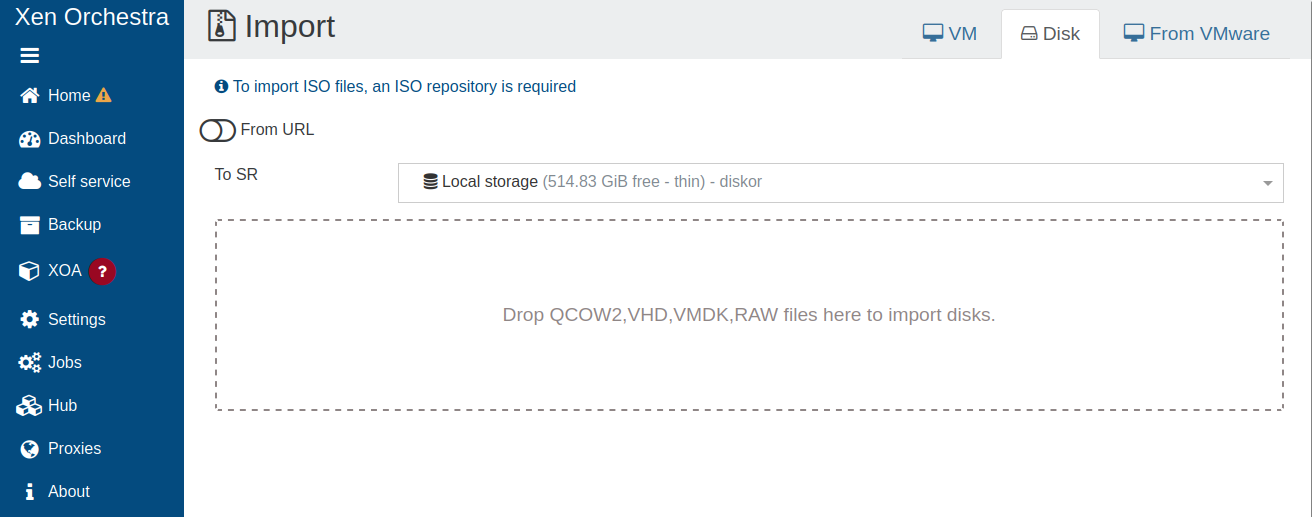
How to import QCOW2 disks from the XO 5 interface
 acebmxer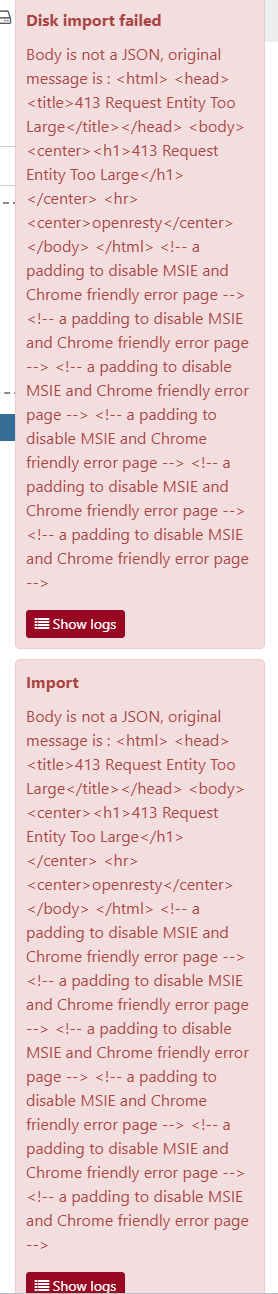
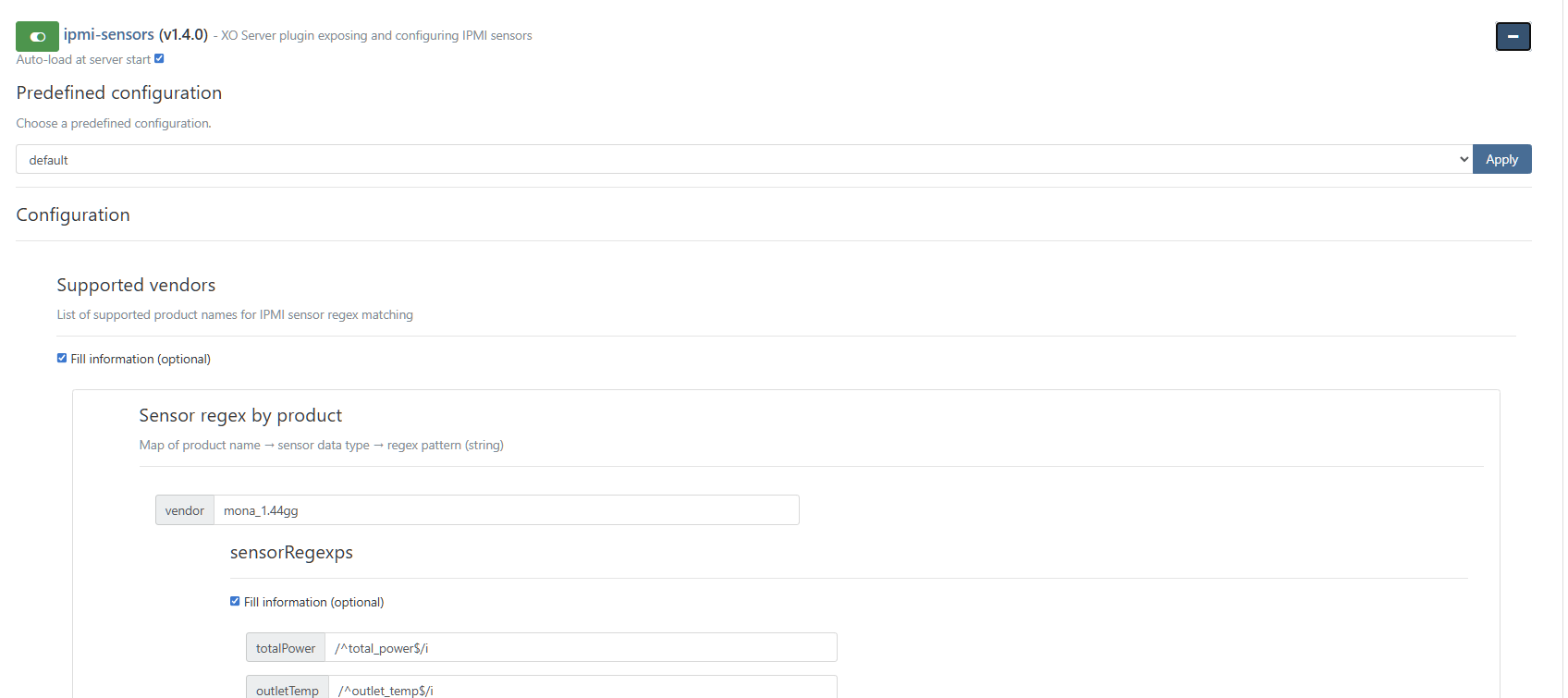
IPMI sensors via a dedicated plugin
IPMI sensor data has moved out of the core code and into its own dedicated plugin (xo-server-ipmi).
Previously, we relied on hardcoded rules to map product names to specific sensors. The problem? New or uncommon hardware often got left in the dark until someone manually updated the source code.
By switching to a plugin model, you now have the flexibility to configure exactly how sensors are classified for your specific hardware. This makes out-of-band monitoring much more adaptable, no matter what kind of machines you’re running in your racks. If you're looking to get started or troubleshoot missing temperature readings, check out the dedicated threads on our forum.
 stevewest15