Xen Orchestra 6.4
XO 6.4 is out: RBAC/ACL v2 arrives in the REST API, better MCP support, XO 6 gains more XO 5 features, plus Kubernetes CSI v0.2.0 and new DevOps updates.




It's time! Xen Orchestra 6.4 is now available, and it comes with many exciting things. From new features to long standing subtle bugs we fixed, it's a real adventure that happened in only a month. Enjoy the read.
🔗 Summary
As usual, this announcement is available as a Youtube video:
👨🚀 Project & Community
This month brought a mix of ecosystem progress, community contributions, and deeper involvement from Vates across the stack.
SMAPI maintainership
One notable step is that Vates is now actively maintaining parts of the XAPI storage stack (Smapi). This is more than a technical detail: storage is a critical layer in any virtualization platform, and this move reinforces the long-term sustainability of the ecosystem.
 xapi-project
Security hardening guide
This month, we also focused on security as a core part of the stack, not an afterthought. A dedicated hardening guide is now available to help users secure their infrastructure in a practical way.
 Clément Schilling
XCP-ng 8.3 updates
At the platform level, XCP-ng 8.3 LTS continues to receive regular security and maintenance updates, ensuring stability and long-term reliability for production environments.
 Samuel Verschelde
Everpure and Vates partnership
Finally and officially, Vates joined the Everpure Technology Alliance Program, strengthening the ecosystem around storage and enterprise integrations.
 Jb Piacentino
🏢 User stories
This month, one user story stands out and illustrates a broader trend across the industry.
Virtual Computing BV migrated 550 VMs to Vates VMS. What started as a response to licensing changes quickly turned into a more strategic move, driven by the need for cost control, flexibility, and long-term independence.
 Clément Schilling
🎫 Events & webinars
Beyond product updates, sharing experience and structuring knowledge remains an important part of the ecosystem.
Xen Spring Meetup 2026
The community gathered in early April for the Xen Spring Meetup 2026. The event brought together developers, users, and contributors to share insights, discuss real-world use cases, and continue building momentum around the Xen ecosystem.
 Clément Schilling
NextInfra series
This month, the NextInfra series ended, after exploring how organizations move from migration projects to broader infrastructure strategy. The focus was not just on replacing tools, but on designing platforms that are sustainable, adaptable, and aligned with long-term goals.
 Clément Schilling
XO 6.4
Our primary focus this month is the rollout of the new RBAC (ACL v2) system, a massive update that unlocks a new level of control within the platform. On top of this, we have integrated more features from XO 5 to XO 6, focused on core maintenance and reduced technical debt, to keep the environment healthy.
Many of these updates come straight from your feedback, like the return of real-time backup progress and better disk management. We also tracked down and fixed a very old memory leak, which makes the whole platform feel more stable. With these improvements (on top of the major updates to our REST API and DevOps tools) XO 6 becomes more mature than ever.
🛡️ Security
Keeping XO secure is our top priority. This month’s under-the-hood updates focus on refreshing core dependencies, to make sure the platform stays resilient and ready for our latest features.
Security: Dependency updates
We've updated several of our internal package dependencies to their latest versions. These updates mainly focus on patching potential security vulnerabilities and improving overall stability.
You won't notice any changes in the interface, as this is all "under the hood" maintenance. However, keeping these libraries current is essential for making sure the platform stays secure and runs smoothly with modern web standards.
💾 Backup
We know how important it is to see exactly what’s happening with your data. That’s why XO 6.4 brings back some of the visibility you missed, with real-time tracking and more detailed metrics to the backup logs.
Backup progress in XO 6
Based on your feedback, we’ve brought back the real-time progress tracking that many of you relied on in XO 5. Now, backup jobs feed directly into the general XO Tasks system (instead or their own task system), so you can monitor their status in real-time.
Instead of wondering if a job is stalled, you can now see the progress percentage and current throughput directly in the interface.


Merged size in backup logs
We’ve added a new merged size metric to your backup task logs. This shows up whenever a backup job merges data, which is common with Delta backups.
This change lets you see exactly how much data was processed during the cleanup phase. It's a great way to get a better handle on total disk activity. Also, it helps explain why some jobs take longer to finish, even when they aren't transferring much new data.
🛰️ XO 6
XO 6 is maturing fast. This month, we’ve ported over several of your most-requested features from XO 5, so can now manage your pools, networks, and storage without ever leaving the new dashboard.
Security tab for Pools
We’ve brought the Security tab over to the Pool view. The tab displays the current traffic rules for your networks and VIFs, so you can have a dedicated spot to manage security settings for your infrastructure.
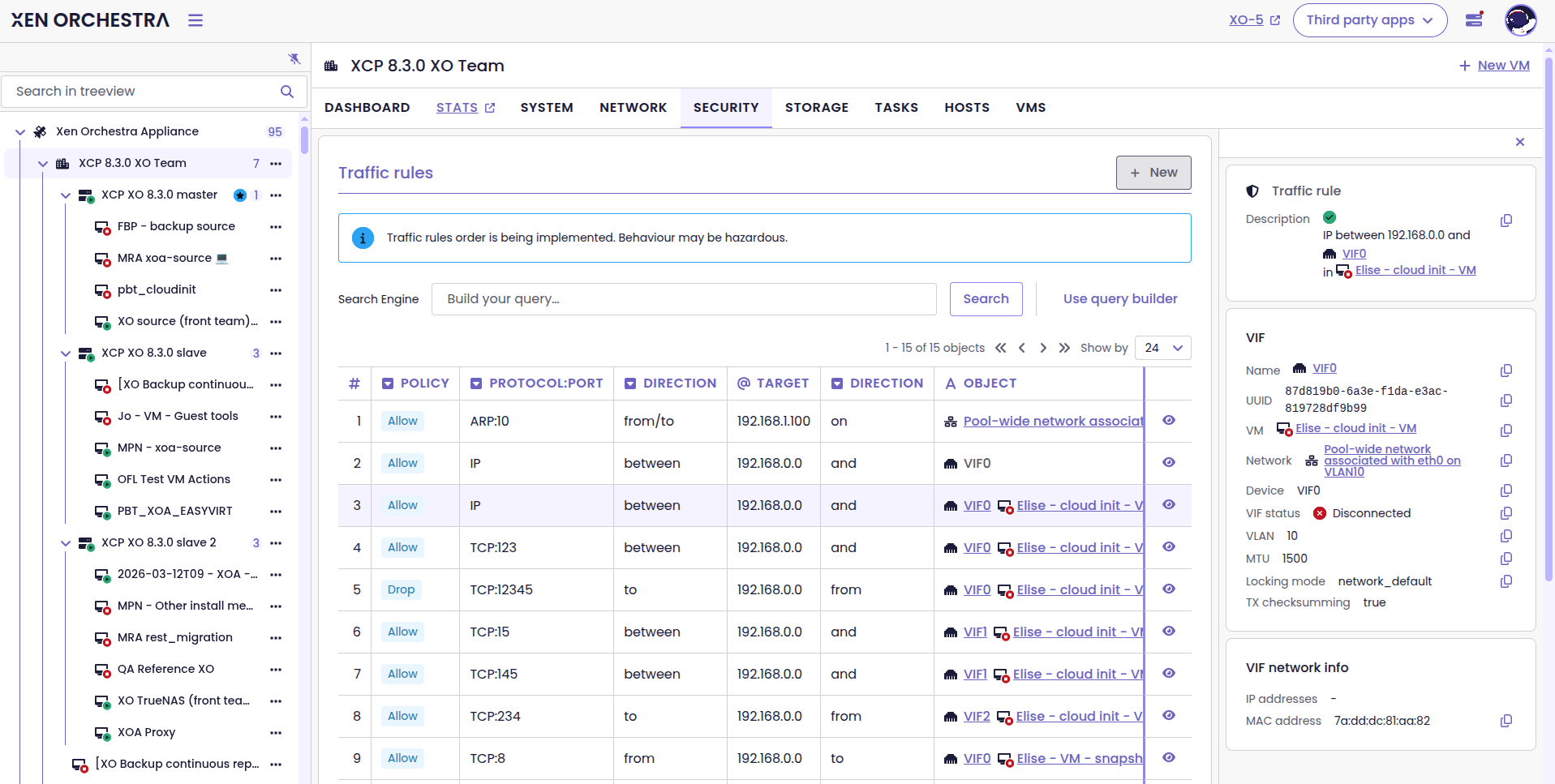
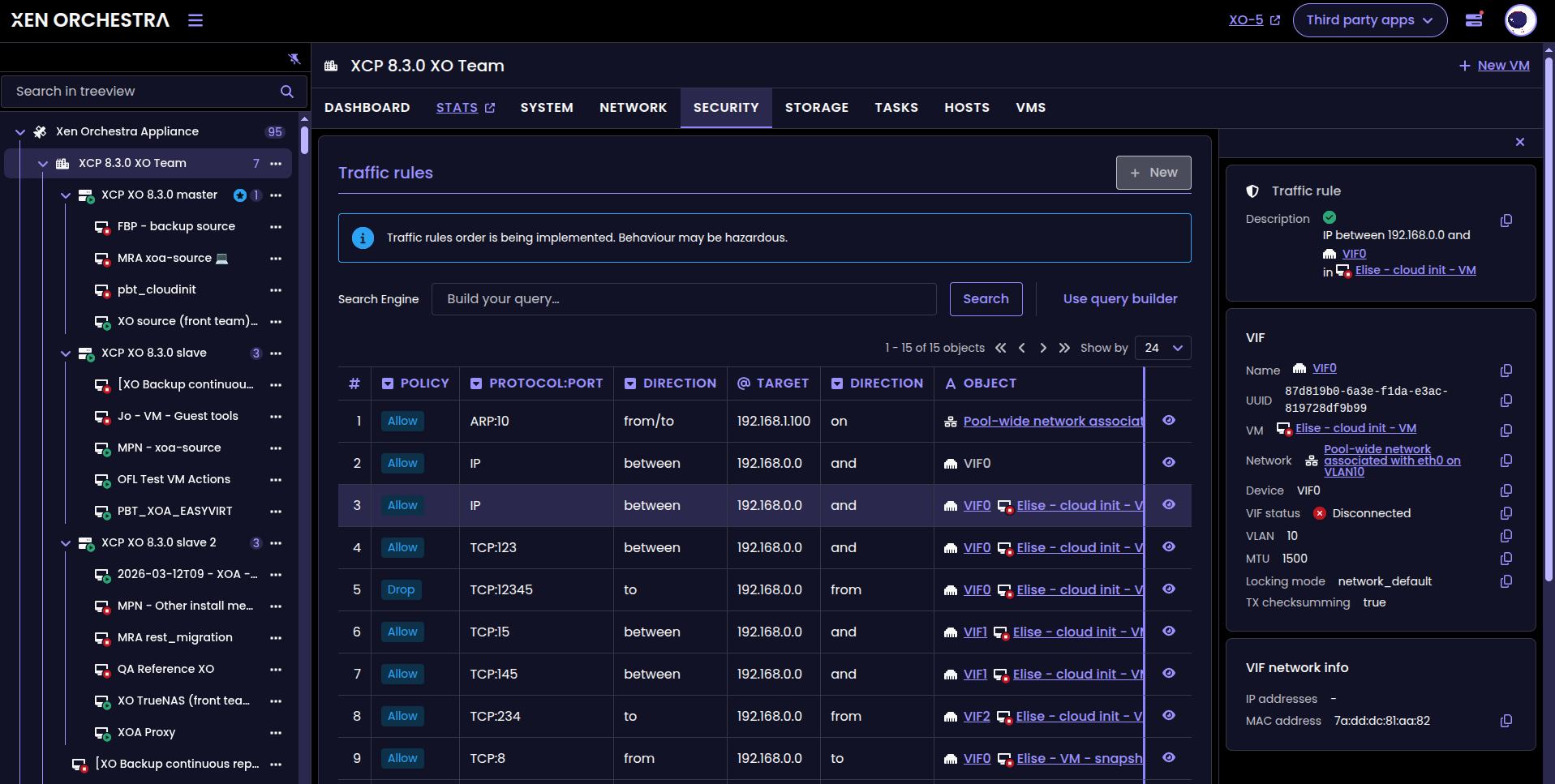
Security tab in the Pool view
Network deletion
You can now delete unneeded networks straight from XO 6. This feature was previously only available in XO 5, but you can now handle everything without leaving the new interface.
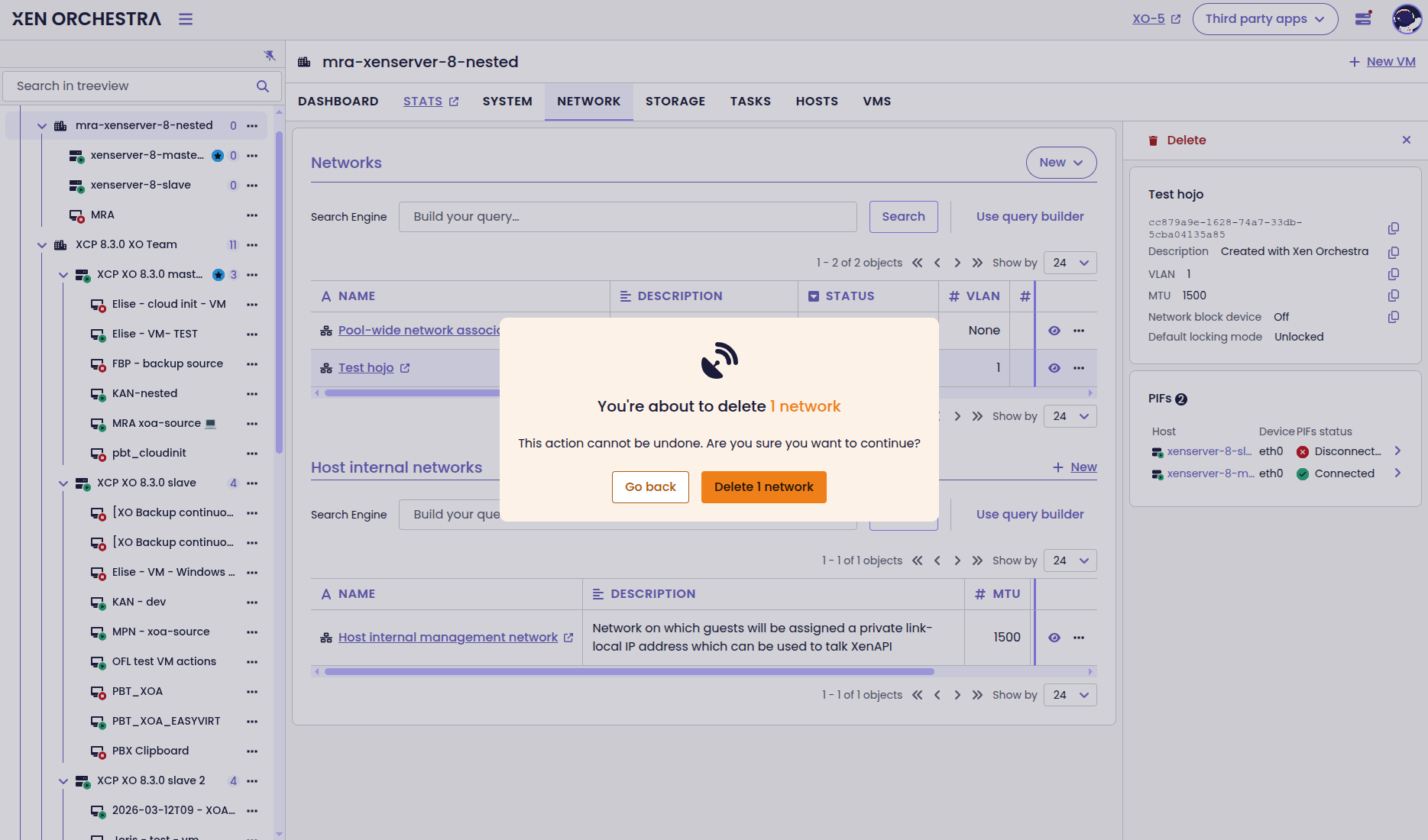
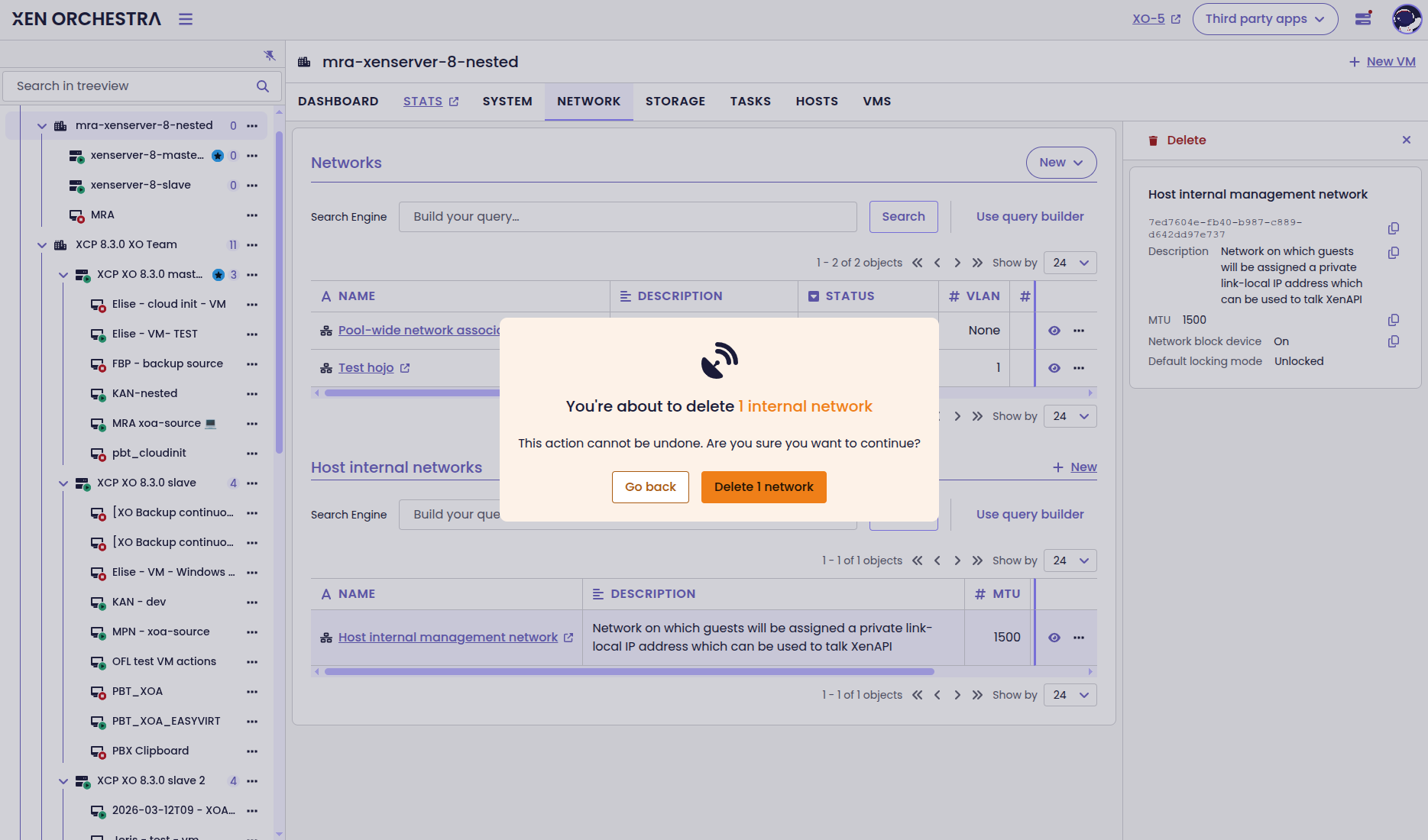
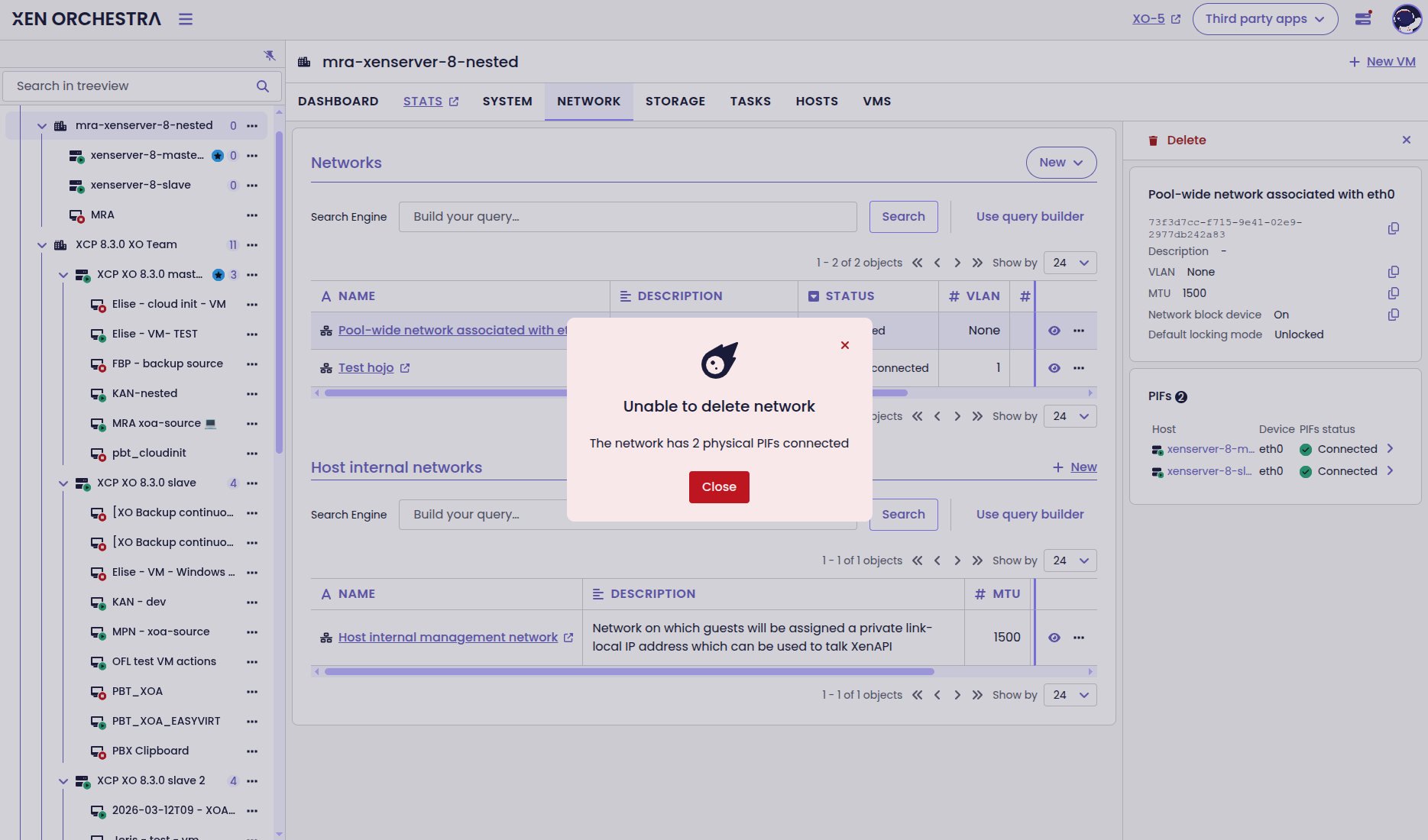
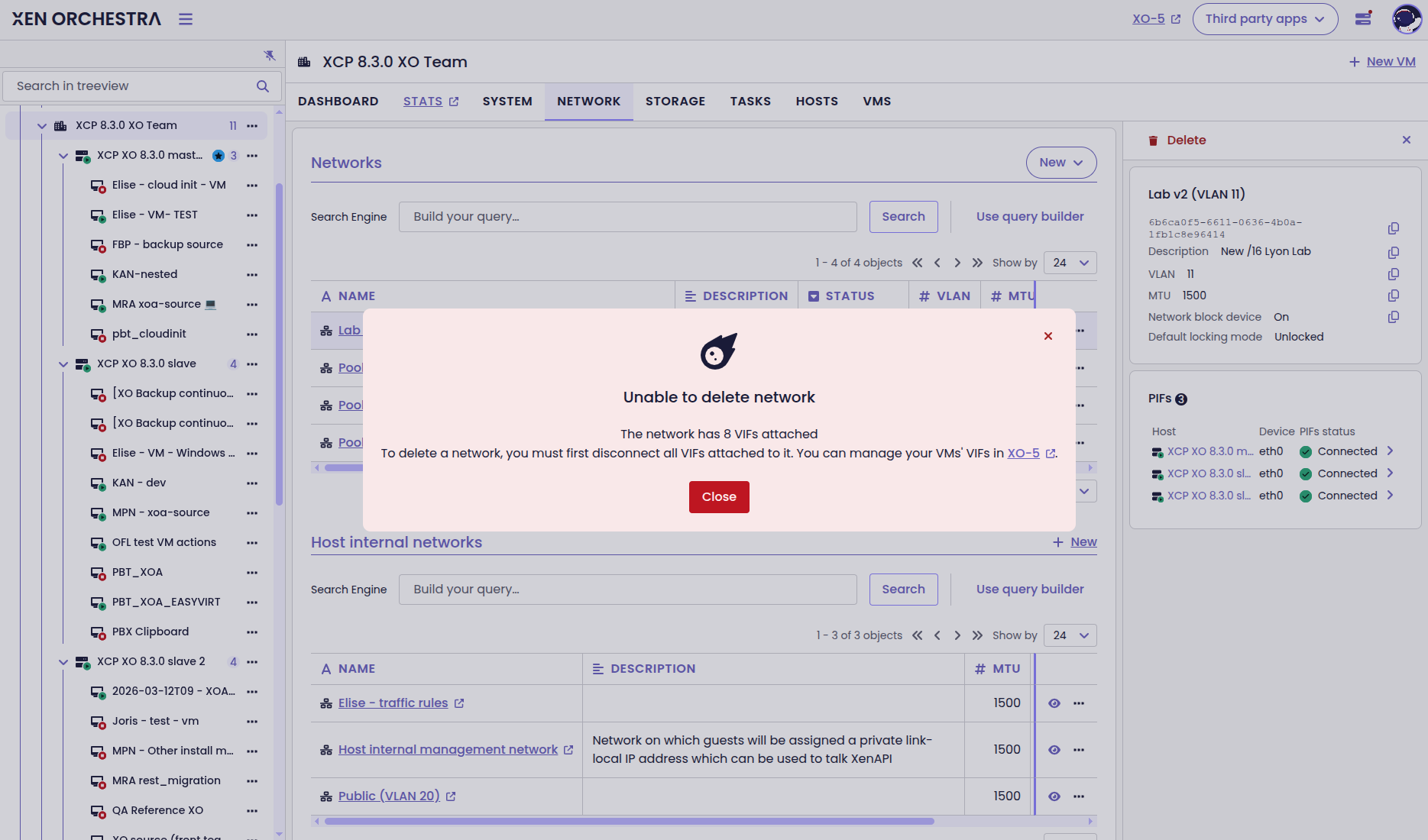
Dialog boxes for network deletion
Network interface deletion
XO 6 now lets you also remove network interfaces (VIFs) from your VMs. As we keep moving towards full feature parity with XO 5, you won’t have to jump back and forth between versions just to manage your VM networking.
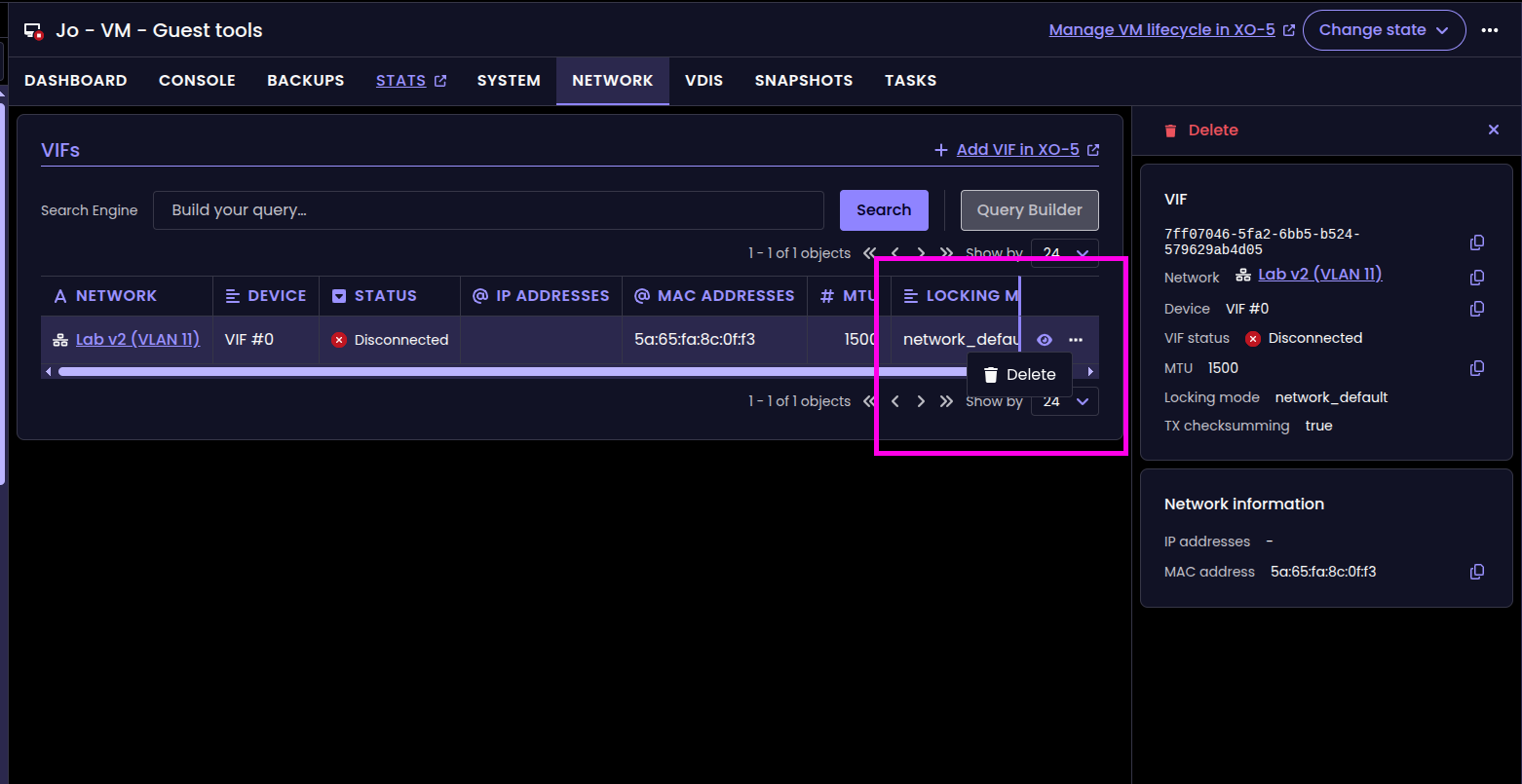
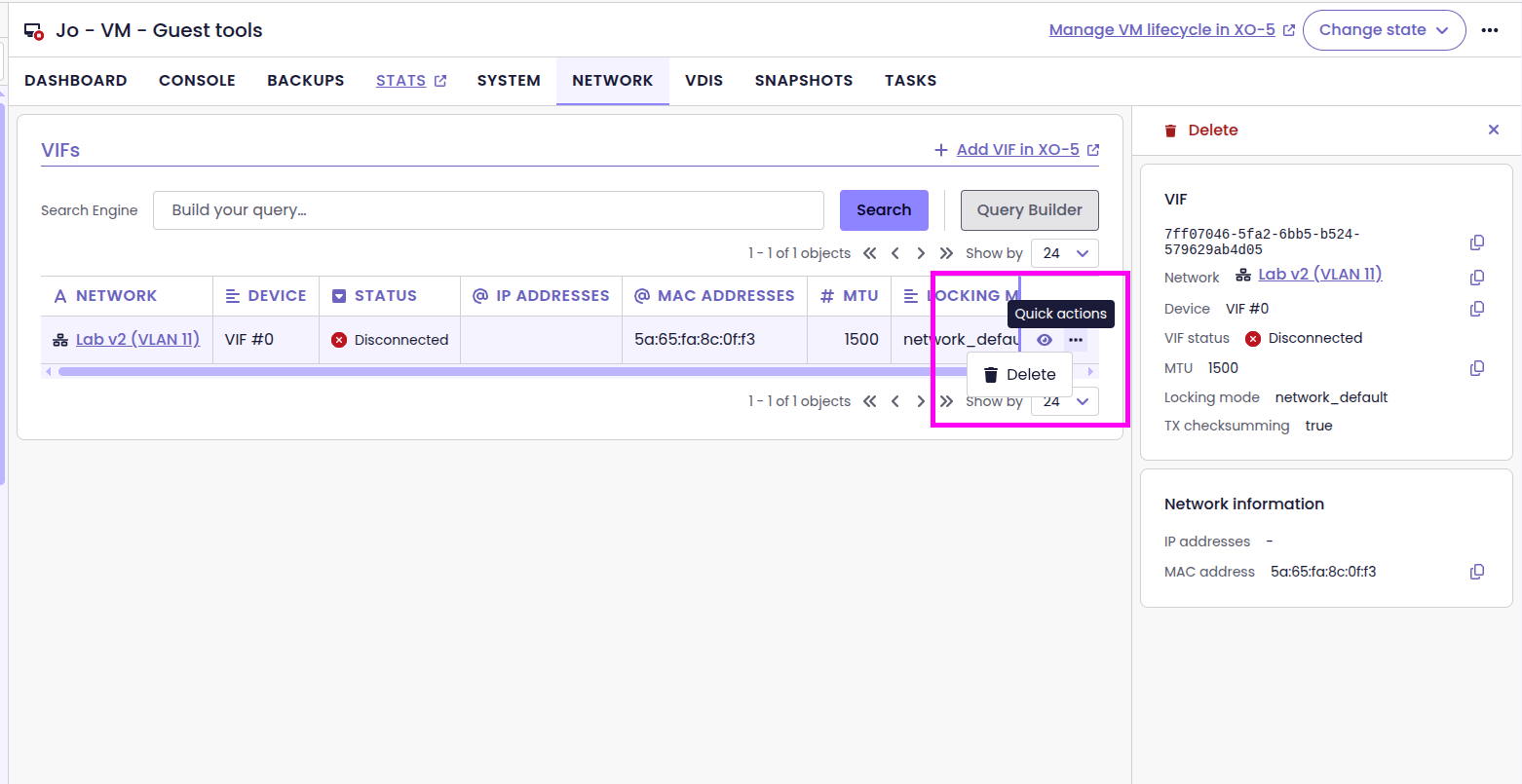
Delete VIFs straight from XO 6
Snapshot deletion
On top of deleting networks and VIFs, XO 6.4 lets you delete VM snapshots, with the new Delete action in the snapshot list.
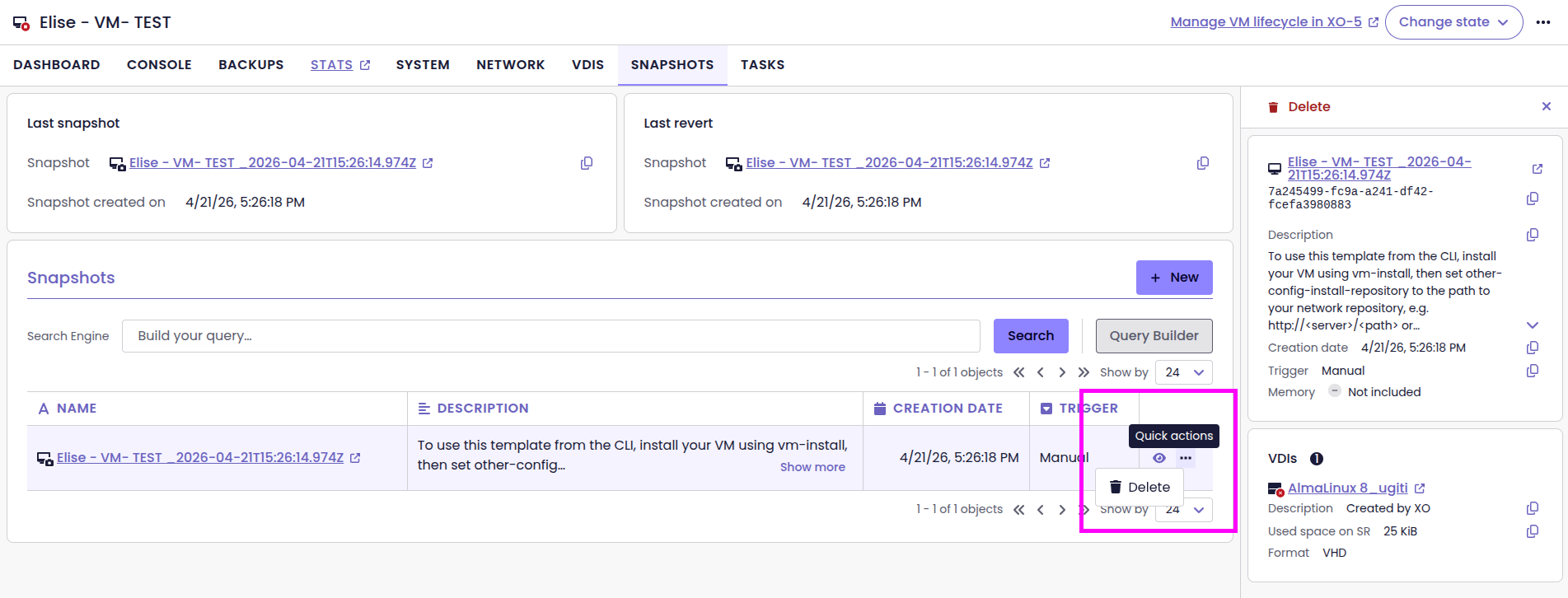
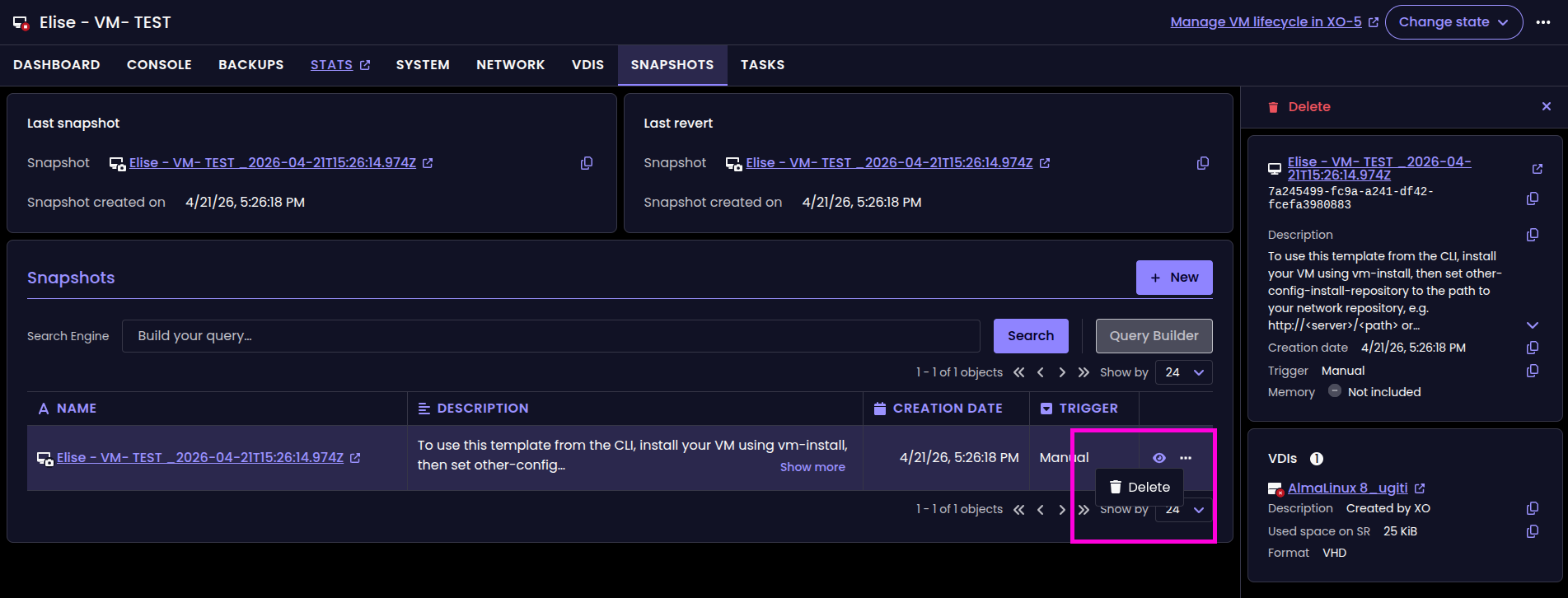
The new Delete button for snapshots
Smarter IP display in Pool and Host views
We’ve refined how IP addresses appear in the Pool and Host tables to keep the interface clean. Instead of crowding the columns with every available address, the table now prioritizes and displays only the Management IP. If a host has additional addresses, a small badge appears next to the main one.
To see the full list, you can still find the Management IP and Other IPs in the side panel. This keeps your host list organized, showing you the primary IP first and hiding the rest until you need it.
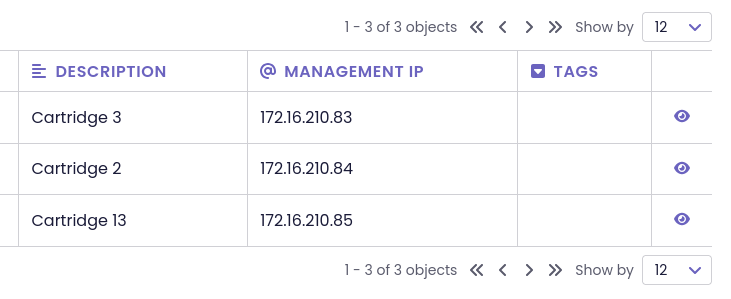
Smarter tab navigation
We’ve tweaked how XO 6 handles tabs to save you some unnecessary clicking. Now, if you’re looking at a VM’s System tab and switch to another VM, you’ll stay right where you are. This makes it faster to compare settings across multiple objects of the same type.
To keep things predictable, the interface "resets" when you head elsewhere. If you jump to a different category (like moving from a VM to a Host) or pick a new page entirely, clicking an item in the treeview will land you back on its main dashboard.
Improved VIF management
You can now connect or disconnect network interfaces (VIFs) directly in XO 6. It’s the virtual equivalent of plugging or unplugging a network cable. This makes troubleshooting much faster since you can cut the connection without losing any of your VIF settings.
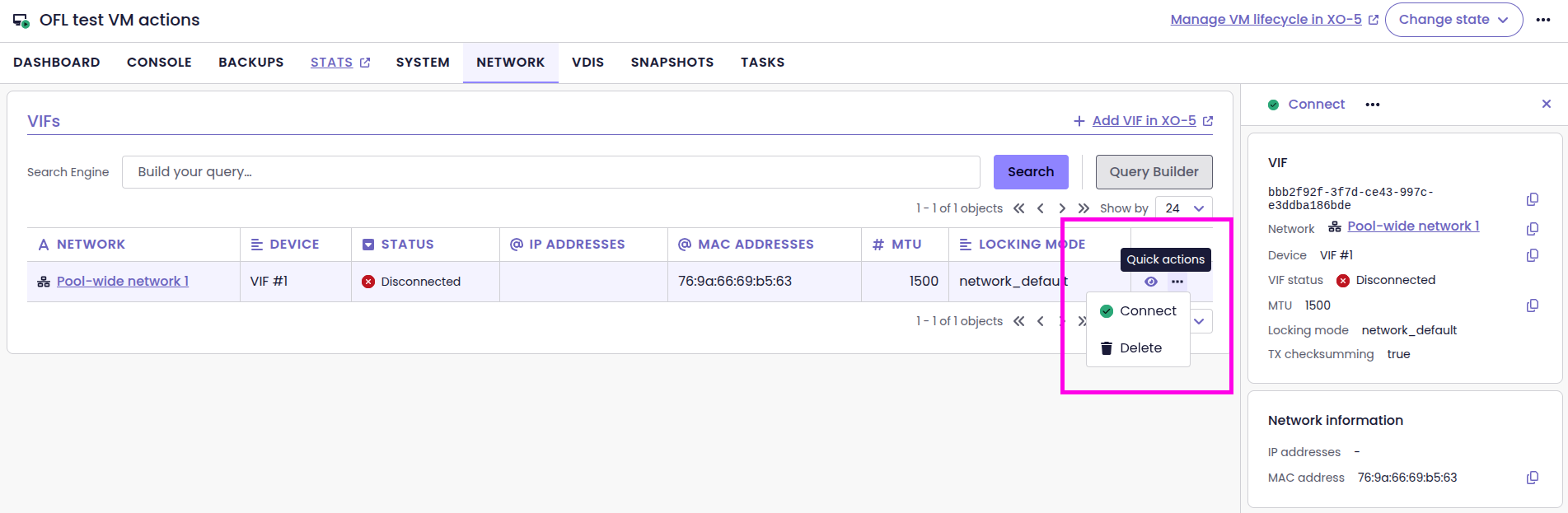
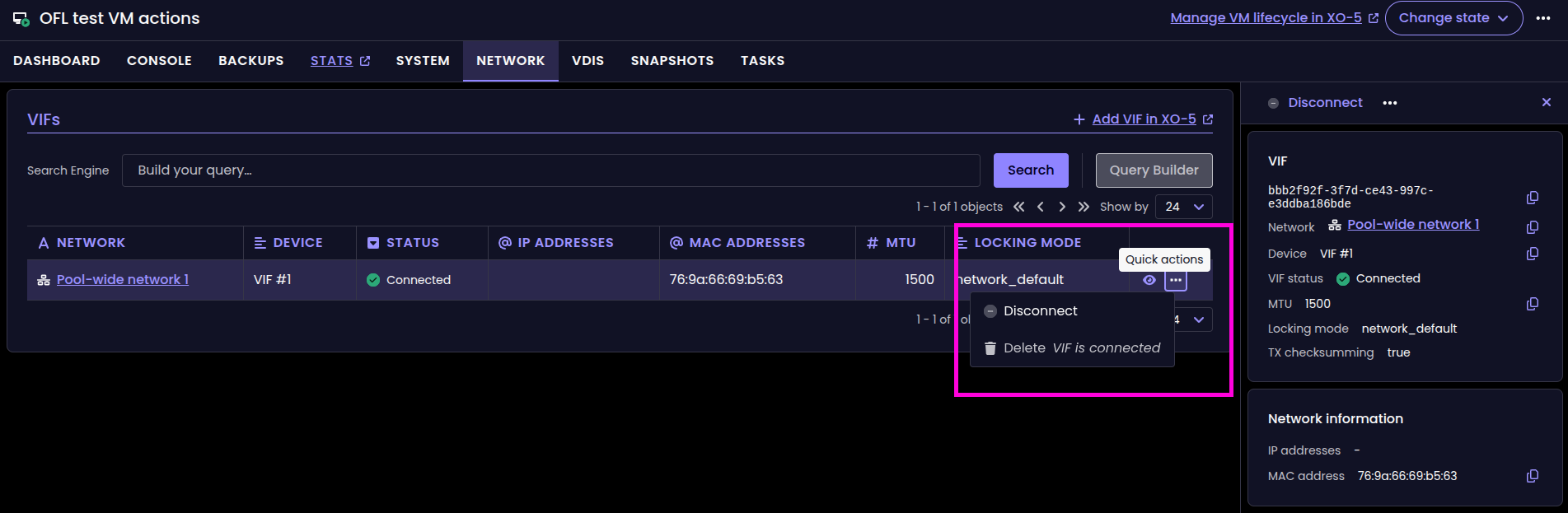
Connect and Disconnect VIF actions
Better disk management
We’ve added new ways to manage your disks (VDIs) directly from the VM view. First, a new toggle lets you connect or disconnect a disk on the fly. It’s like virtually plugging or unplugging a cable. The disk stays in your settings, but the VM stops seeing it.
If you want to remove a disk from the VM but keep the data, you can now detach it. This removes the VBD (the link to the VM) while leaving the disk safe in your storage. Finally, for a complete cleanup, the destroy action detaches the disk and permanently deletes it from your storage in one click. These updates mean you can now handle your entire storage workflow without leaving XO 6.
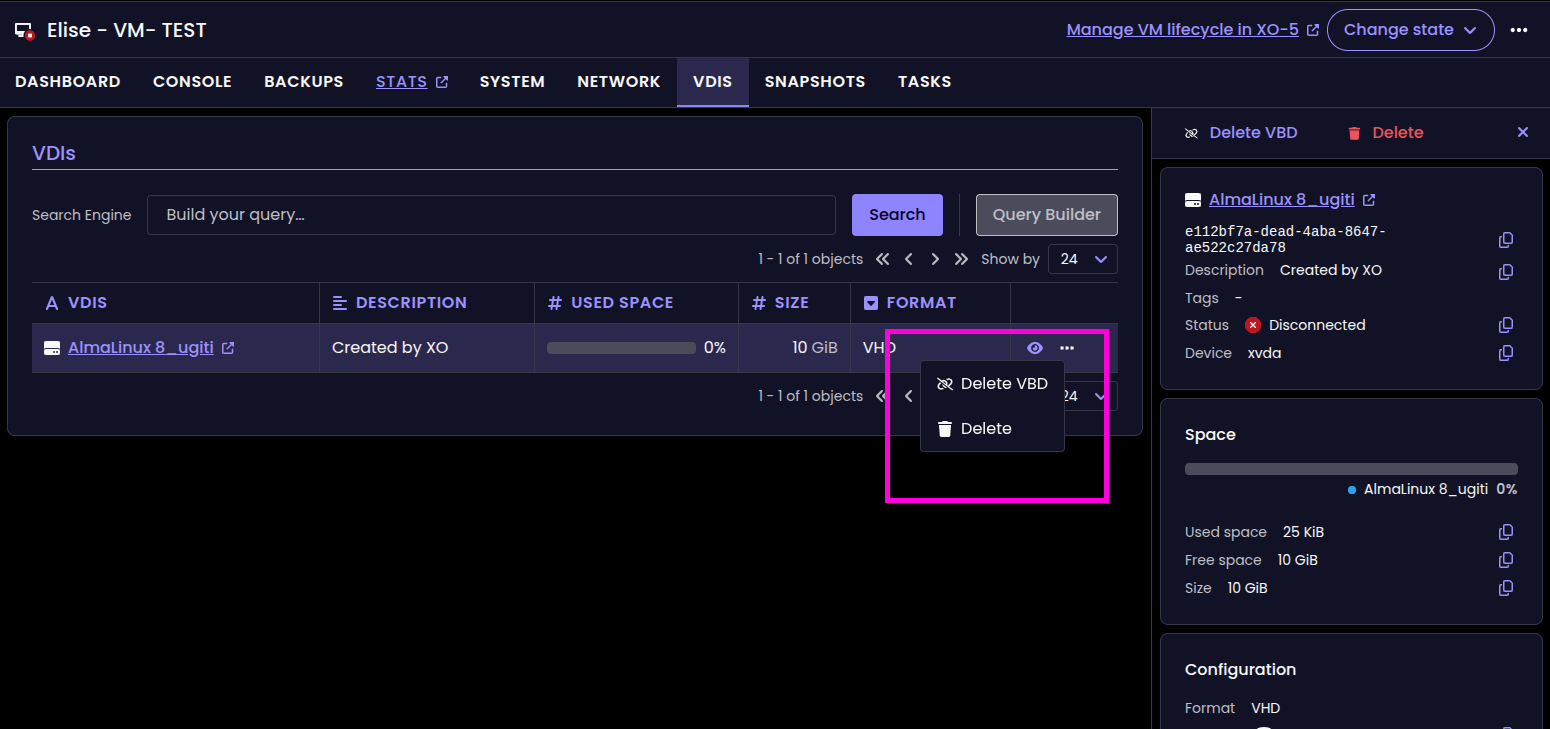
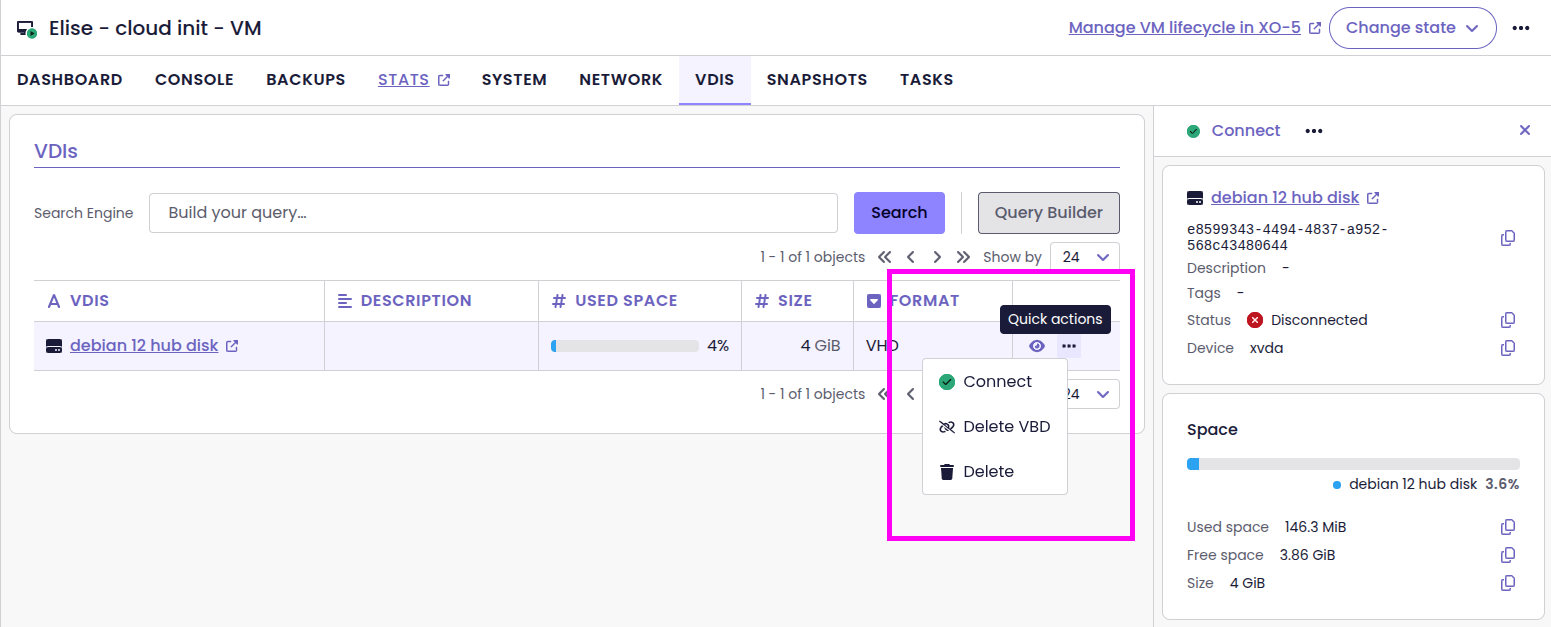
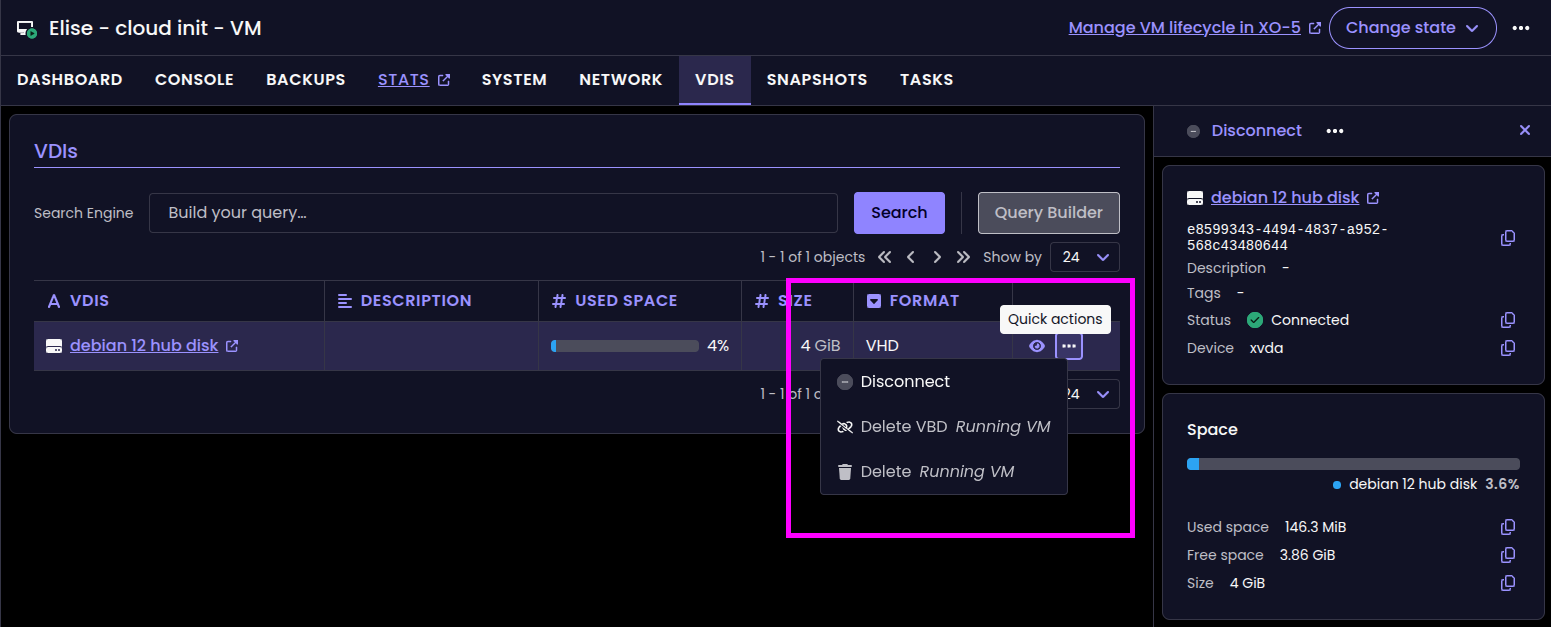
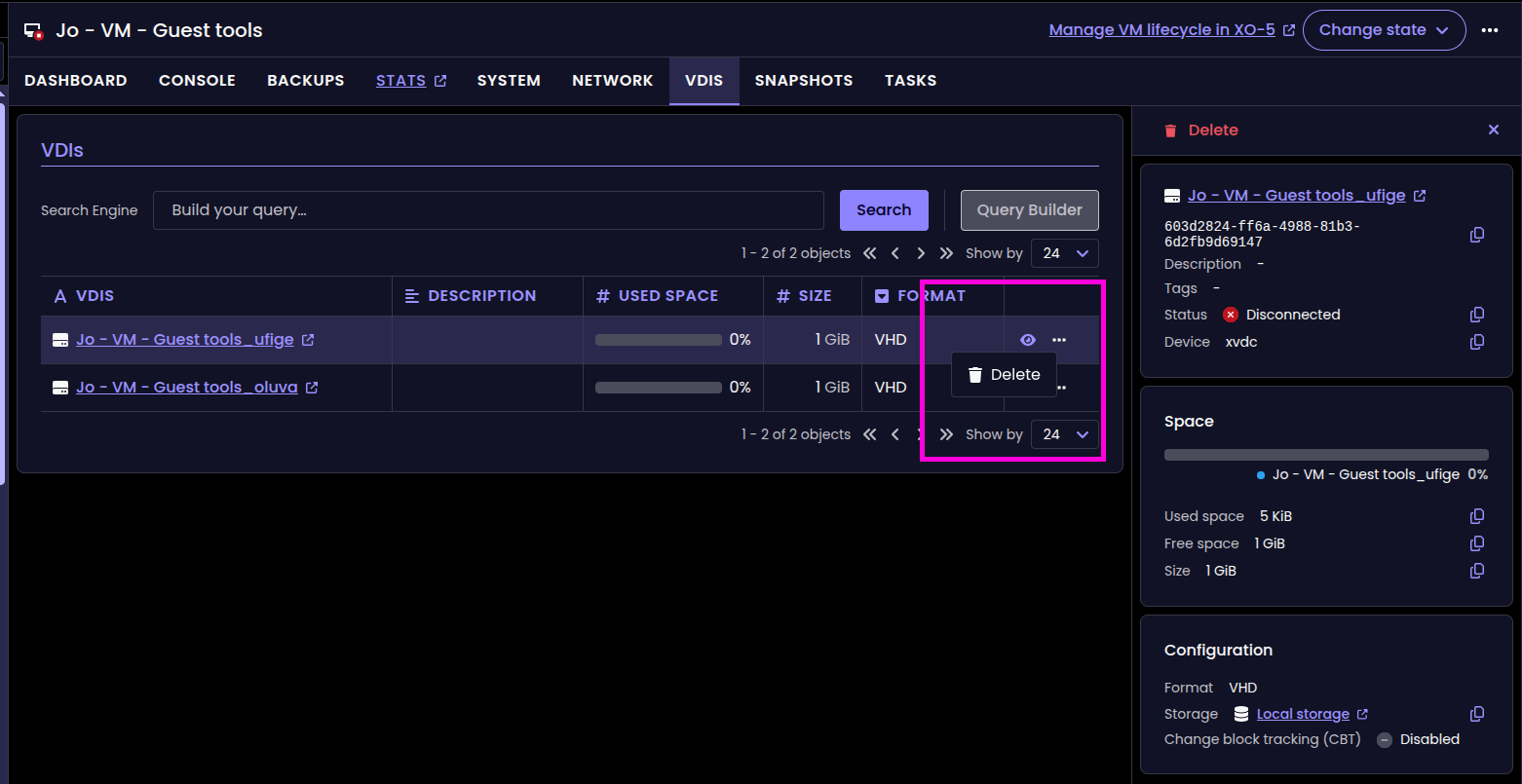
New disk management buttons in XO 6
Better system pages
We improved the "System"pages layout to display key-value data in a tabular way (vertically aligned). Basically, it's a lot easier to read, see the before/after:
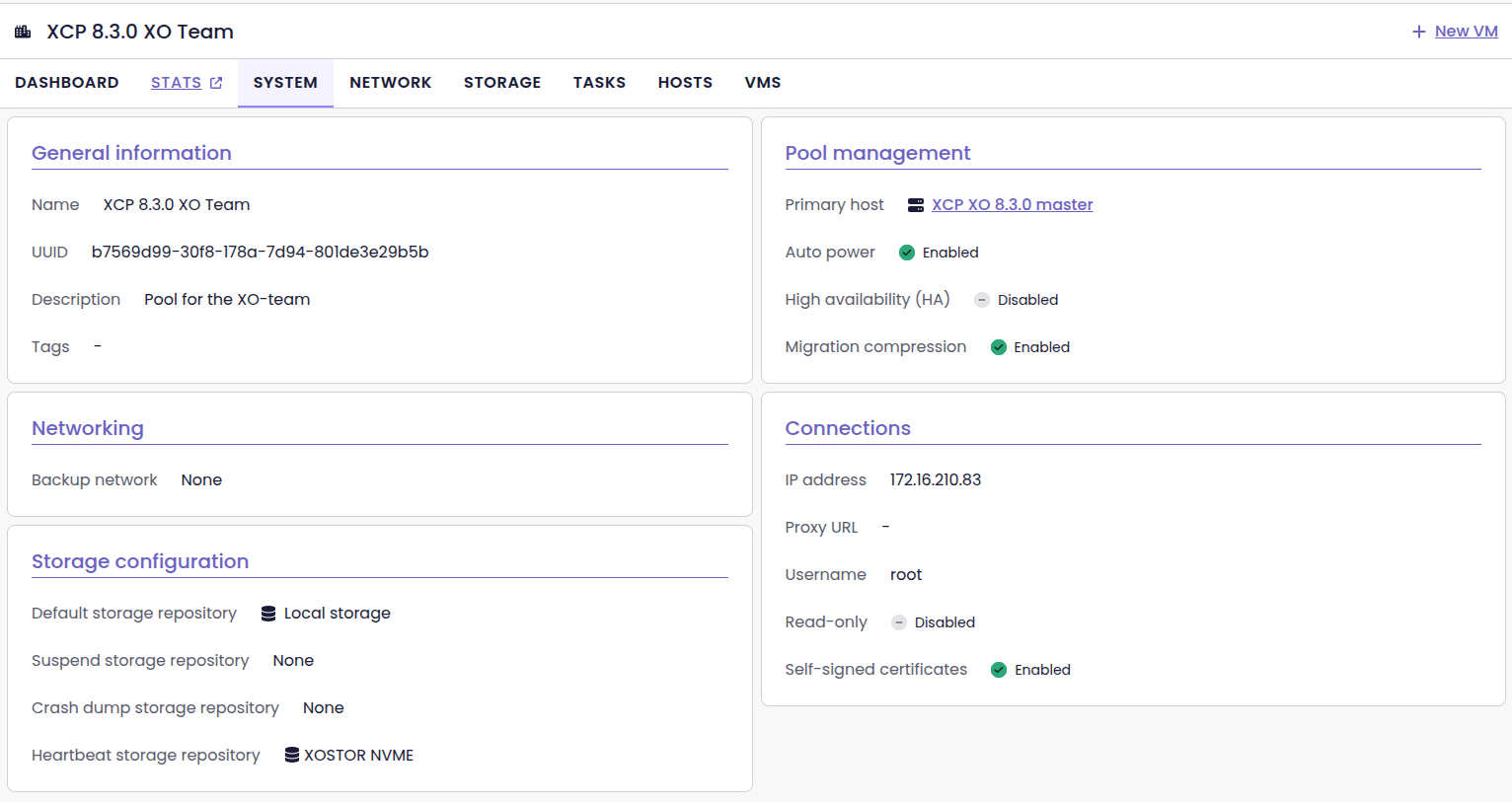
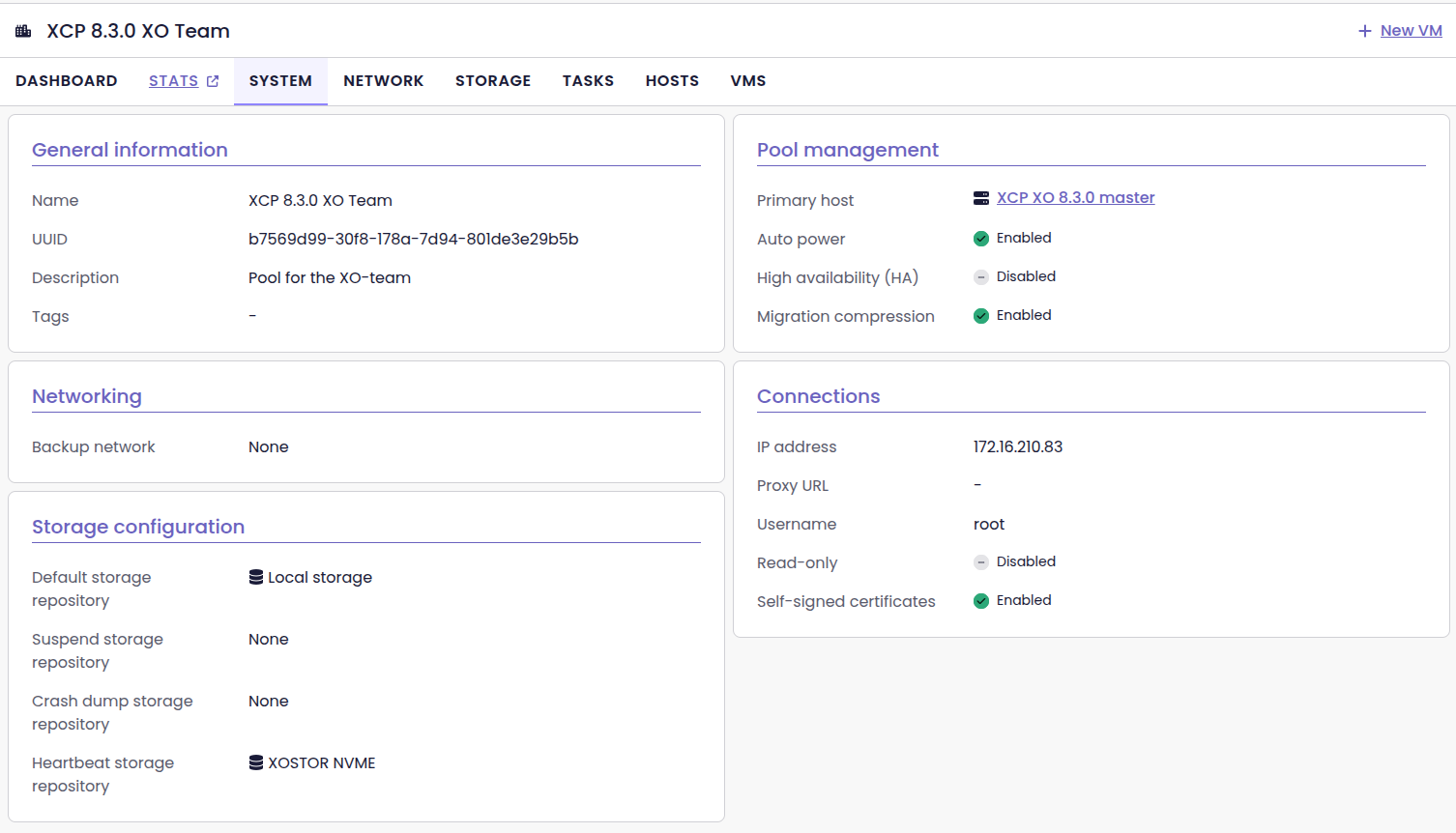
Thanks probain for the feedback!
🪐 XOA
Beyond the XO 6 updates, we're also maintaining the infrastructure that powers XOA. We’ve begun moving our internal tools to the next generation of Node.js, to ensure a seamless transition for everyone later this year.
Upgrading the XOA latest to Node.js 22 LTS
With Node 20 hitting its end-of-life on April 30, 2026, we’ve started transitioning our tools to the next LTS version. As a a result, we’ve upgraded Node.js to version 22 LTS on XOA with the latest release channel (XO 6.4, this very release).
This update is meant to flush out any potential bugs or compatibility issues before we roll out the update progressively until reaching stable.
latest branch will use Node.js v22 TLS and use XO 6.4, the stable branch will remain on XO 6.2.📡 REST API
The REST API is taking a massive step forward! The new RBAC (ACL v2) system is finally here, and we’ve also added AI-friendly formatting to help you automate your infrastructure more effectively.
RBAC/ACLv2 management
We’ve integrated our new RBAC (Role-based access control)/ACL (Access-control list) system into the REST API. This new version (ACL v2) offers increased flexibility and makes it easier to manage permissions programmatically.
One of the biggest changes is that you no longer need full administrator privileges to access or manage these RBACs. As long as a user has the appropriate v2 permissions, they can interact with the API directly.
This greatly simplifies permission management. You can now let people manage their own tasks, without giving them full access to everything else.
Don't forget to check out our new documentation on this subject! Scroll down to the Documentation & Guides section to know more.
If you have any feedback on RBAC, feel free to join the conversation over on our forum:
 MathieuRA
Markdown output
The REST API now supports Markdown formatting for endpoints that return collections of data. While it’s a nice touch for human readability, the real benefit is for automation and AI.
By structuring data in Markdown, the API becomes more efficient for our MCP (Model Context Protocol) server. Large Language Models (like Claude or GPT) can parse Markdown much faster and more accurately than raw, unformatted text. This leads to better performance, lower token costs, and more reliable responses when you’re using AI to manage your infrastructure.
Improving our MCP integration
Since the Xen Orchestra API has more than 200 endpoints, it was counterproductive to map each endpoint to a dedicated tool in our MCP server. Giving too many options at once to a large language model creates context pollution, which leads to higher costs, slower responses, and a higher risk of the AI making mistakes during tool selection.
We solved this by using our OpenAPI spec to load tools dynamically, and adding Markdown formatters to keep the data clean. This allows the MCP server to connect to Swagger, making all endpoints directly usable in a read-only mode. The LLM receives only the most relevant information, in a format that's structured and readable.
Additionally, you can now connect the MCP server to several Xen Orchestra instances at once. These improvements make your interactions across all MCP clients (including Claude Code and Claude Desktop) more reliable, as the AI only receives the most relevant, cleanly formatted information.
 Olivier Lambert
☸️ DevOps Tools
DevOps Tools team continues to deliver more every month, and the team itself is even growing. It's clearly a priority for us to make sure our XCP-ng+XO combo is cloud native.
Cloud Storage Interface (CSI) driver v0.2.0
The latest CSI driver release introduces dynamic provisioning: by creating a Kubernetes storage class that references the XO CSI driver and sets the poolId parameter to the default SR of your chosen pool, you can then create a PVC and pod using that storage class, and Xen Orchestra will automatically provision new VDIs to satisfy the requested volumes.
 vatesfr
Golang SDK v1.15.1
The v2 SDK now includes an SR service and support for creating empty VDIs, letting users inspect storage repositories, provision blank virtual disks, and later attach them to VMs—capabilities that underpin our Kubernetes CSI Driver.
 vatesfr
Terraform provider v0.38.0
All methods for connecting to the provider are now correctly listed in the example and dependencies have been bumped.
 vatesfr
OpenMetrics
We are still improving our OpenMetrics plugin, allowing to translate the RRDs into meaningful data for Prometheus/Grafana (for example).
9 more host RRD metrics exposed
We’ve added 9 more host RRD metrics to give you even deeper insights into your infrastructure.
These new metrics include : host load, memory reclamation data, running vCPUs, and aggregated network traffic. We’ve also added SR-level data like IOPS, throughput, and latency. This extra visibility helps you track your pool's performance and health more easily, through any OpenMetrics-compatible tool.
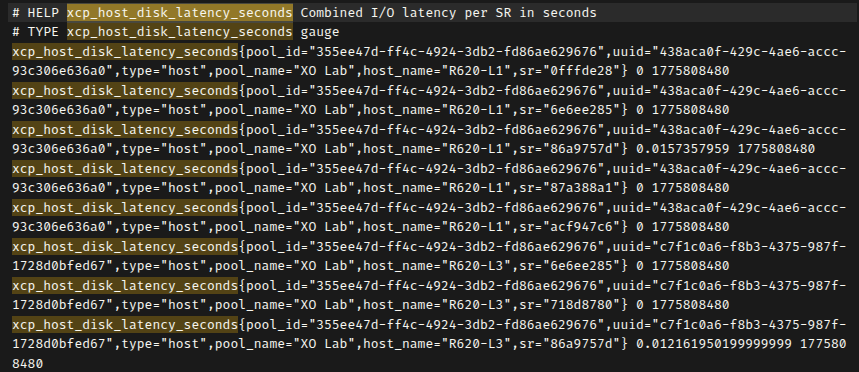
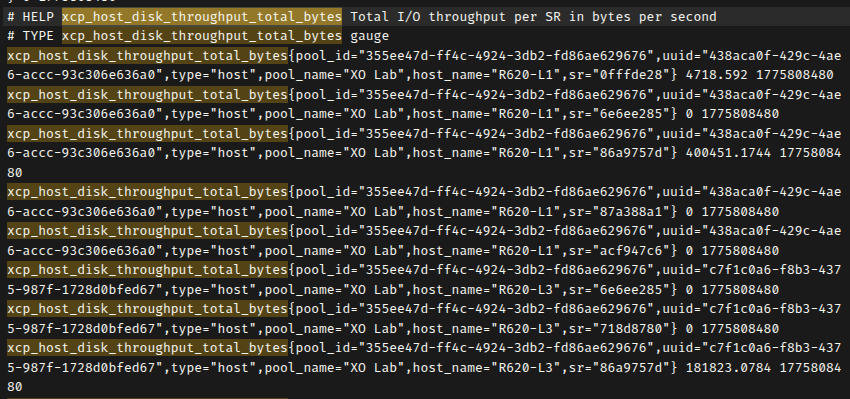
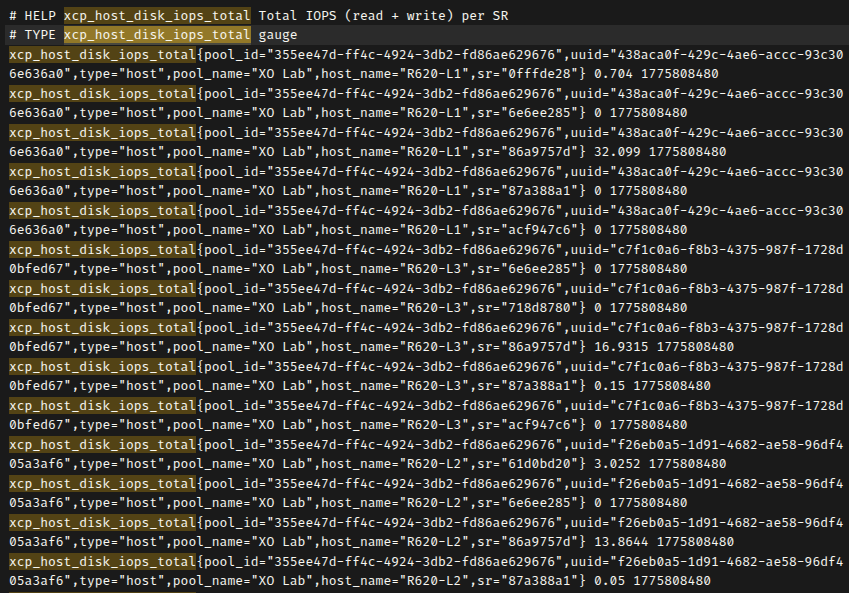
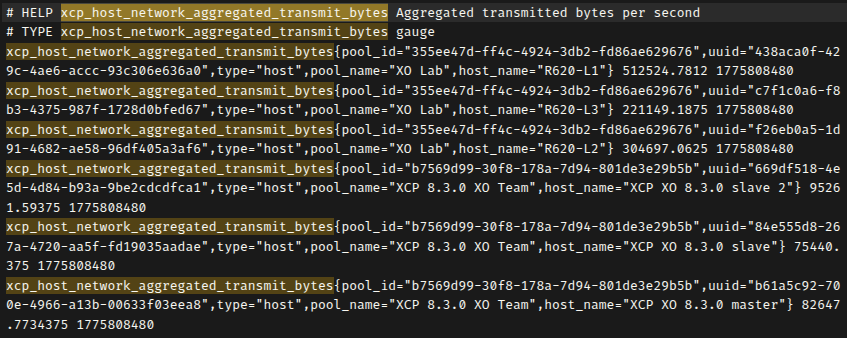
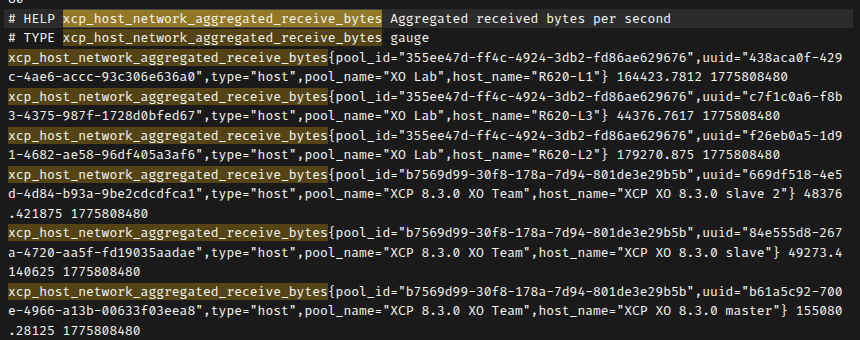
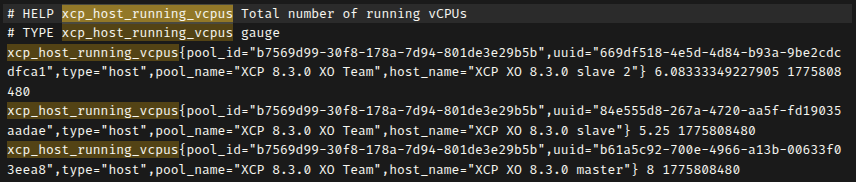
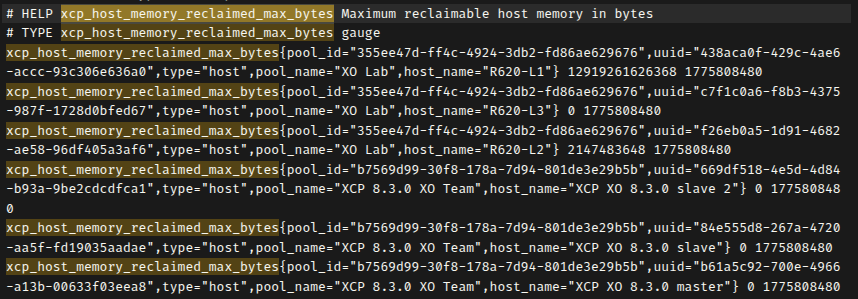
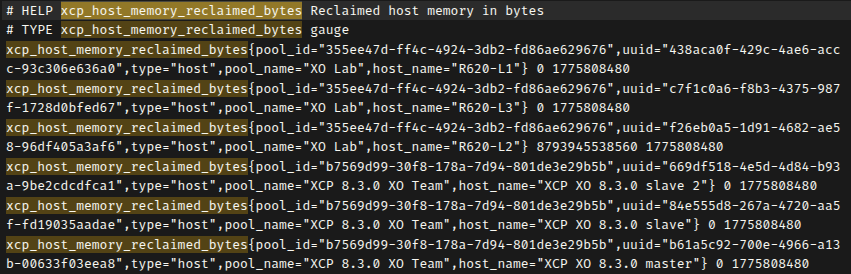

All 9 metrics returning valid data on a 3-host pool
New VDI storage metrics
You can now monitor both the virtual size of your VDIs and the actual physical space they occupy on your SRs.
These metrics include labels for pool, SR, and VDI names, and even identify the associated VM when a disk is attached. This extra level of detail helps you pinpoint exactly where your storage is being used and anticipate capacity needs directly from your monitoring dashboard.
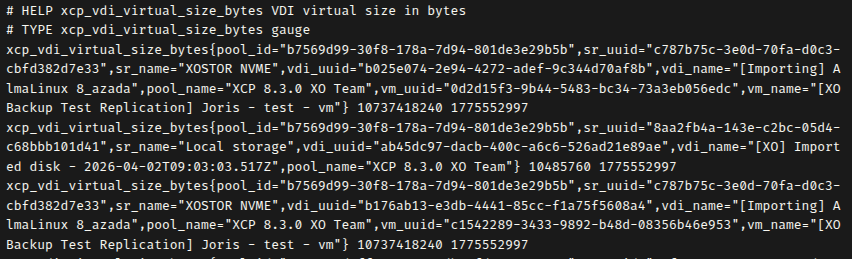
 prometheus
📖 Documentation & Guides
A good software cannot exist without a good documentation. So we make progress every month to make it better!
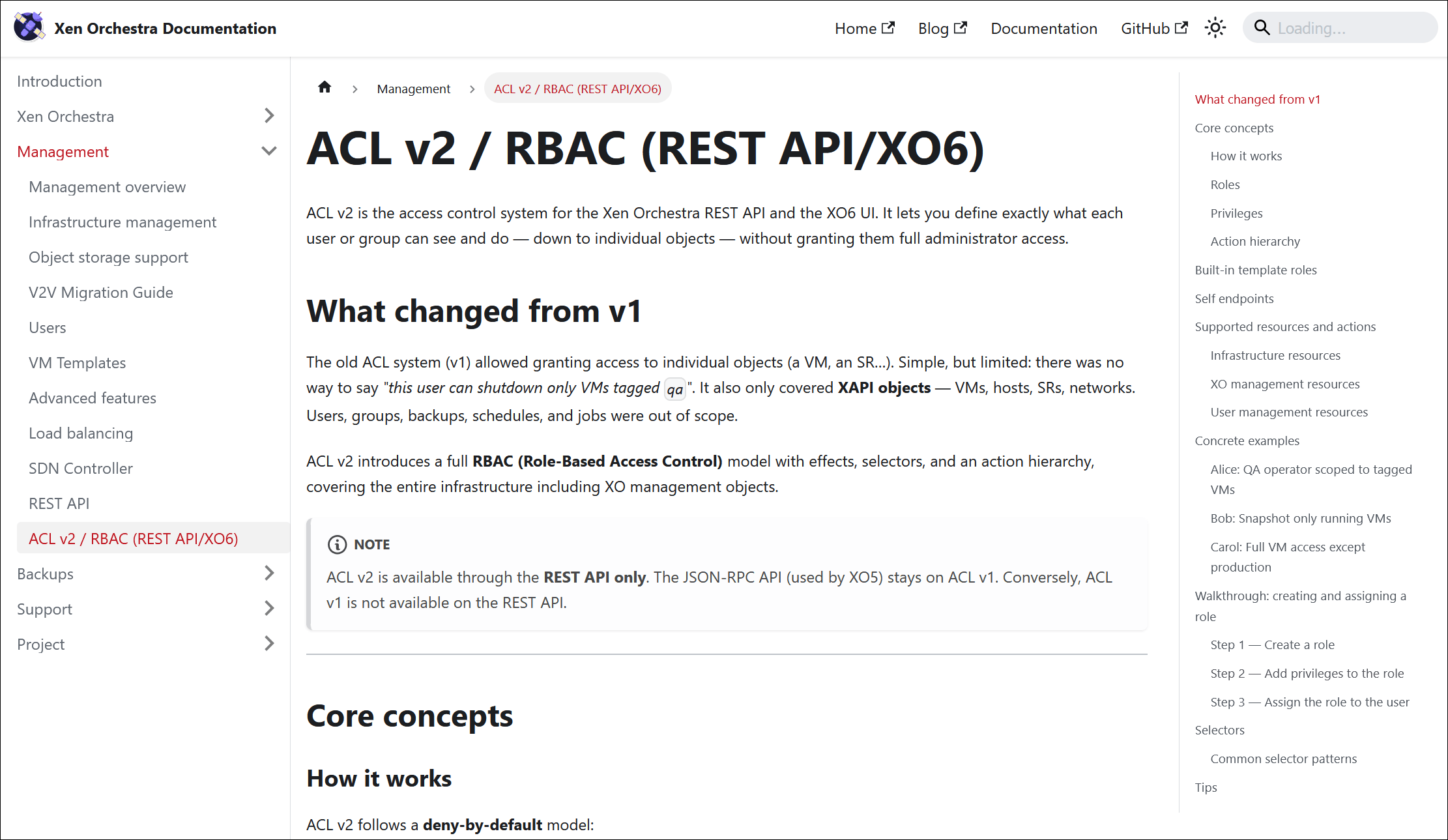
Documentation for RBAC / ACL v2
We’ve updated our documentation to reflect the new RBAC / ACL v2 system in the REST API. It’s a complete shift in how we deal with permissions. We’re moving to a more standard model, based on Subjects, Roles, and Permissions.
The documentation now include clear definitions and updated terminology. Admins setting up complex delegation and developers using the new REST API can now find all the details to understand the updated logic.

🔦 Community spotlight
Some two interesting items in our community this month.
VMware exit strategy
XenAdminQt
XenAdminQt, an alternative management interface, recently saw a new alpha release, illustrating the diversity of tools built around the platform.
 benapetr
Nice words from our community
Thank you! I am always impressed by you guys. Making testing and reporting upstream (to you guys) a good experience!
Thank you very much for those kind words 🤩 I personally think that's the best demonstration on how committed we are to serve our community!
🌐 Translations
Having the capacity to use the software in your preferred language is a big plus. Thanks to a great community effort, combined with WebLate, we can track our progress.
17 languages updated
A big thank you to our community for their ongoing efforts in translating Xen Orchestra!
This month, 17 languages were updated: Brazilian Portuguese, Czech, Danish, Dutch, Farsi, Finnish, German, Italian, Korean, Mandarin Chinese (simplified), Norwegian (Bokmål), Polish, Portuguese, Russian, Slovak, Spanish, and Swedish.
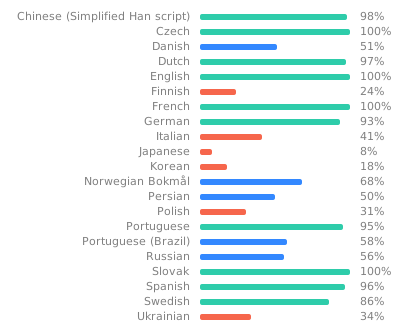
Want to help translate Xen Orchestra or improve existing translations? You’re more than welcome to join in here.
🆕 Misc
As usual, the things we cannot sort as "the rest" in this Misc section.
Fixed: Years-old TLS memory leak
We’ve finally fixed a persistent memory leak in our TLS session handling. This issue had been tucked away in the code for 8 years! It was very very variable, but in some extreme cases, some users were reporting up to 100MB of extra RAM every hour, which is definitely not ideal for long-term stability.
What was happening?
The issue was caused by a silent incompatibility between two libraries our web server uses: http-server-plus and stoppable. Because of a failed type check, the system wasn't properly tracking secure HTTPS connections. Every single request created a TLSSocket object that stayed stuck in memory forever, even after the connection was closed, because the garbage collector never received the signal to clean it up.
What we observed, in numbers
The memory leak impact was significant. Before the fix, heap snapshots from an affected XOA instance showed active TLSSocket instances jumping from 23 to over 1,500 in less than six hours. This led to the JS Heap growing by about 46 MB per hour, while native memory pressure from OpenSSL TLS contexts consumed roughly 2.6 GB of RAM per day. Combined, this resulted in a total memory leak of approximately 3.7 GB per day.
Closing an old chapter
The bug managed to survive for 12 years, with the affected code remaining untouched for the last 8. With this fix, Xen Orchestra will stay more stable, especially in busy environments with lots of active connections.
To know more about this, feel free to read this thread on our forum:
 acebmxer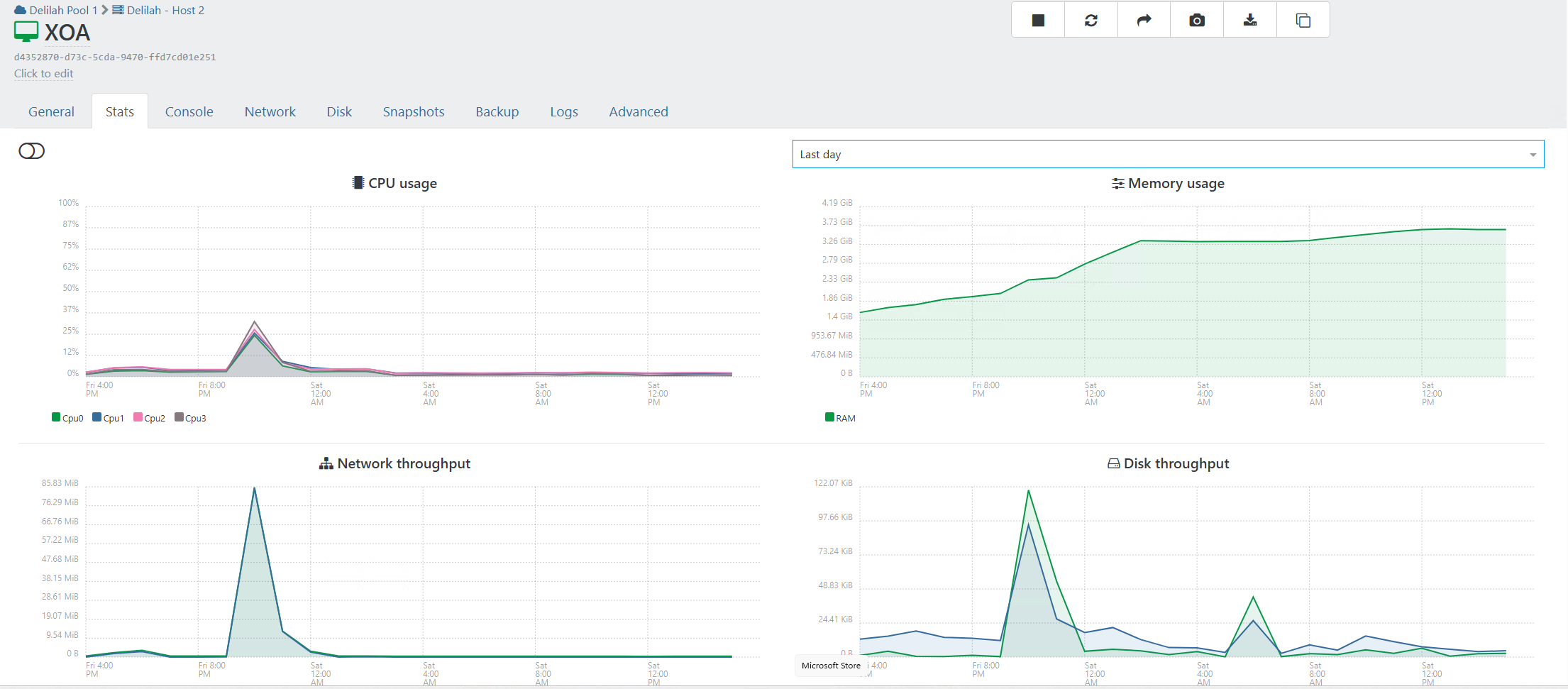
Fixed: VM copy timeouts
We fixed a bug that was causing 408 Request Timeout errors when copying VMs with compression enabled. Interestingly, we found that compression wasn't actually working in XO 5 due to an old bug, so users weren't getting the bandwidth savings they expected.
The fix is simple: the system now waits until the first compressed bytes are ready before starting the transfer. This stops the random timeouts and ensures that compression finally works as intended. As a result, your remote VM copies are now more reliable.
Smarter OS organization for NetBox
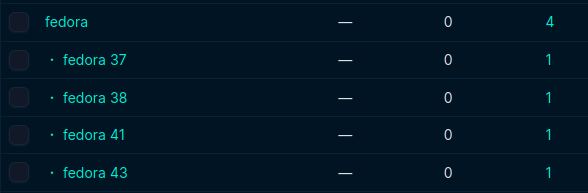
Thanks your feedback, we’ve improved how operating systems are synced with NetBox by taking advantage of the platform hierarchies introduced in version 4.4.
Now, when a major version number is detected, Xen Orchestra creates a versioned child platform (like Debian 12) under its parent distro (like Debian) and assigns the VM to it. If no version is found, it just uses the main distro platform as before. This addition makes your NetBox inventory much more organized and granular, directly addressing a request from our users.
Let's Encrypt DNS-01 support (Technical Preview)
We’ve added support for Let's Encrypt DNS-01 challenges, a feature suggested by our community to improve how you secure Xen Orchestra. This new method allows you to generate SSL certificates without exposing your XO instance to the public Internet.
Previously, using Let's Encrypt required an HTTP challenge, which meant opening your appliance to the outside world. With DNS-01, Xen Orchestra verifies domain ownership directly through your DNS provider instead. Your setup stays private and secure, but you still get the convenience of automatic renewals.
As always, if you have any feedback, feel free to share it over at https://feedback.vates.tech/!