
Xen Orchestra 6.3
XO 6.3 is out: major dashboard performance overhaul, symmetrical replication, a rewritten immutable backup engine, expanded MCP support, and more. Plus QCOW2 RC2 is coming next week!




March has been a packed month. Between InCyber in Lille, the Xen Spring Meetup in Grenoble, and everything happening around the project (new user stories, the Vates Alliance Network, a webinar series wrapping up) there was barely time to breathe.
And yet the engineering team kept shipping. XO 6.3 is here, with some changes I'm particularly happy about, including a dashboard performance rewrite for large deployments, and a completely reworked immutable backup engine. Oh, and QCOW2 RC2 is landing next week: I'll need your help on that one.
Happy Easter to those celebrating! 🐣
🔗 Summary
As usual, this announcement is available as a Youtube video but also a Spotify podcast:
👨🚀 Project & Community
Beyond the product itself, the broader Vates ecosystem has also been moving fast lately, with new technical content, a partner webinar, and fresh user stories showing how organizations are modernizing their infrastructure with open virtualization.
XCP-ng 8.3 March updates
March was busy on the XCP-ng side with one maintenance update and two security patches for XCP-ng 8.3 LTS, all requiring a host reboot.
The March 10 maintenance update was the most substantial XCP-ng: it brought OpenSSL up to version 3.0.9, a major version jump that strengthened cryptographic protections and required rebuilding many system packages. In most cases this is transparent, with one notable exception affecting XO's SDN controller plugin.
 Samuel Verschelde
The March 19 security update addressed XSA-480, a vulnerability on x86 Intel systems with EPT support where unintended host or guest memory regions could be accessed from privileged VM code, potentially leading to privilege escalation, denial of service, or information leaks. An ipmitool bugfix was bundled in as well.
 Gaël Duperrey
The March 26 security update patched a second vulnerability (CVE-2026-4397) where insufficient memory sanitization during VM creation could leak data from earlier instances and open the door to privilege escalation. Notably, this was caught before the Xen Project issued any upstream release, so there is no corresponding XSA.
 Gaël Duperrey
New Win PV driver release
In fact 2 releases: 9.1.145, which came 2 weeks ago, bundling the VGA display adapter to allow easy resolution change. The changelog is available here.
And more recently, the 9.1.146 (latest) which fixed a small bug:
 xcp-ng
DevOps Tools #1: Infrastructure as Code
We recently published the first article in a new DevOps Tools series, focused on Infrastructure as Code. It shows how version-controlled, repeatable workflows also apply to virtualization, networking, and storage in modern on-prem and hybrid environments.
 Clément Schilling
Introducing the Vates Alliance Network
We introduced the Vates Alliance Network (VAN), a new framework for building and showcasing validated solutions around Vates VMS. Through assets such as the Solutions Compatibility List, Solution Briefs, and Solution Guides, the VAN is meant to make tested integrations easier to discover and deploy.
 Jb Piacentino
QCOW2 volumes: RC2 coming next week!
The QCOW2 volume support (which removes the 2 TiB limit on virtual disks) is entering its second and final Release Candidate next week. This RC2 is the last planned testing round before the General Availability release, targeted for end of April.
If you want to help make that GA as solid as possible, now is the perfect time to jump in. The more issues we can surface and squash during RC2, the more confidence we'll have going into production. We've set up a dedicated thread with full testing instructions:
👉 Dedicated thread: Removing the 2TiB limit with QCOW2 volumes
Your feedback directly shapes the quality of the final release: don't hesitate to report anything you find, however minor it seems!
Protect Xen Orchestra with BunkerWeb
BunkerWeb recently shared a guide on securing Xen Orchestra’s management interface. It is a good example of how open source security tooling can complement XO with a safer access layer and reduced attack surface.
 Théophile DIOT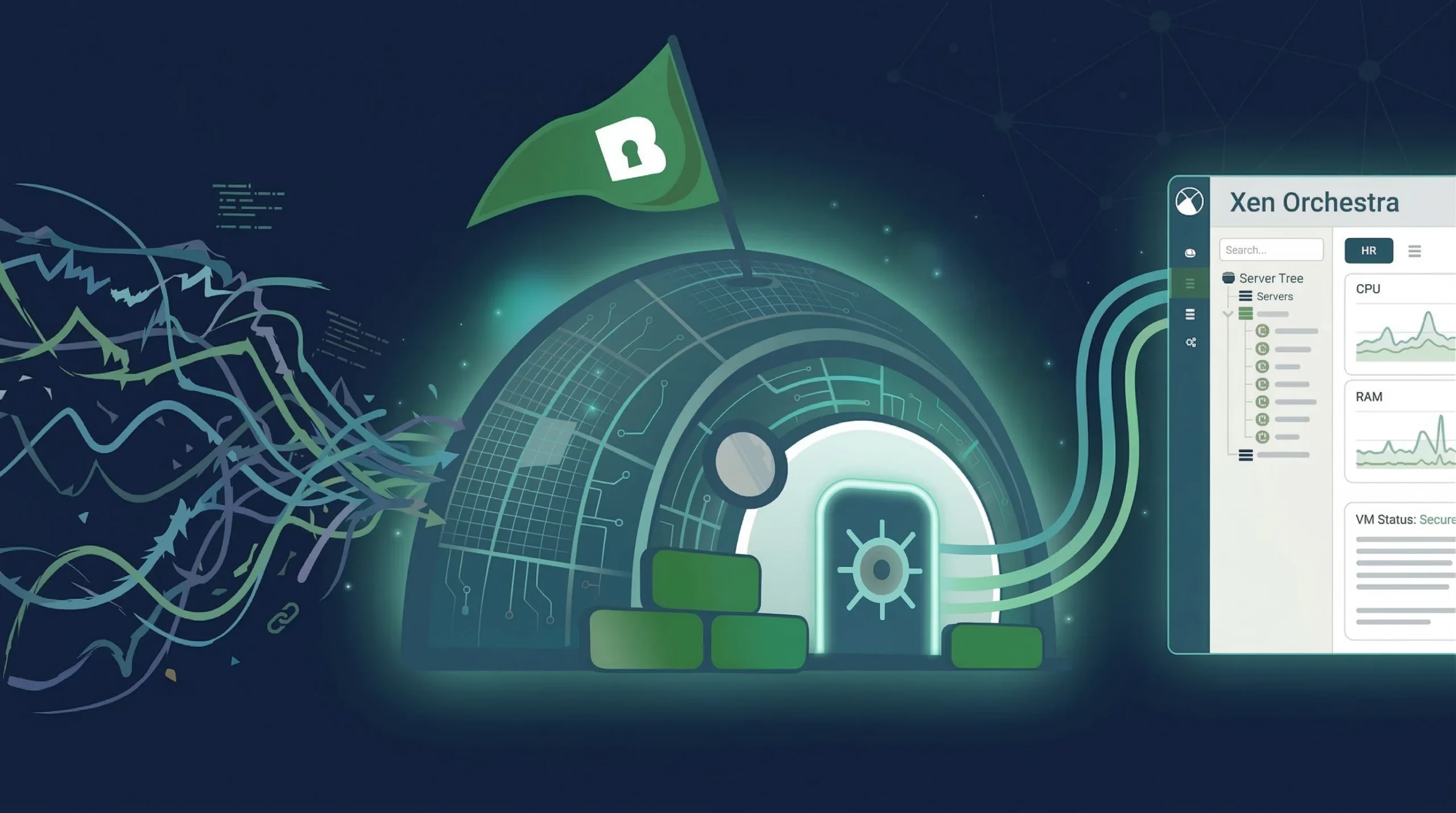
🏢 User stories
This month, we published two new user stories showing how organizations are putting Vates VMS to work in very different contexts: one in the French public sector, one in the private sector following a VMware migration. Both share a common thread: reducing vendor lock-in and regaining control over their infrastructure.
DRAC Grand Est
On the user stories side, we published a new case study on DRAC Grand Est, showing how a public-sector organization modernized its infrastructure while reducing vendor lock-in. The project highlights better cost control, simpler operations, and stronger alignment with sovereignty requirements.
 Clément Schilling
Fujifilm MicroChannel
We also shared the story of Fujifilm MicroChannel, which migrated from VMware to Vates VMS with a strong focus on predictability and operational continuity. It is a good example of how a well-prepared migration can reduce lock-in and create a more stable foundation for the future.
 Clément Schilling
🎫 Events & webinars
The event season is getting busy! In the coming weeks, Vates will be in Lille for InCyber Forum Europe 2026, our webinar series with Exodata will conclude in April, and the Xen community will gather again in Grenoble for Xen Spring Meetup 2026. Different formats, same focus: building better infrastructure through shared experience.
InCyber 2026
From March 31 to April 2, Vates will be in Lille for InCyber Forum Europe 2026. Meet us at booth G16 to talk about open virtualization, resilience, and infrastructure control.
 Clément Schilling
Xen Spring Meetup 2026
On April 2-3, the Xen community will gather in Grenoble for Xen Spring Meetup 2026. It is a focused event for technical talks, design discussions, and direct exchanges with the people building and using Xen.
 Clément Schilling
Webinar series with Exodata
Our webinar series with Exodata will conclude in April with a final session focused on sovereign infrastructure.
The March 26 webinar looked at skills, support, and long-term autonomy for technical teams, before the series closes on April 16 with NextInfra: building your roadmap toward sovereign infrastructure. Like the rest of the series, the final session will take a practical approach to building a more coherent, resilient, and sovereign infrastructure strategy.


Past webinar: DataCore, Vates & NeoVAD
Vates recently took part to a webinar with DataCore and NeoVAD on validated virtualization. The session looked at how Vates VMS, DataCore’s software-defined storage, and NeoVAD’s expertise can come together in a practical, production-ready approach. The webinar was held in French.
 Clément Schilling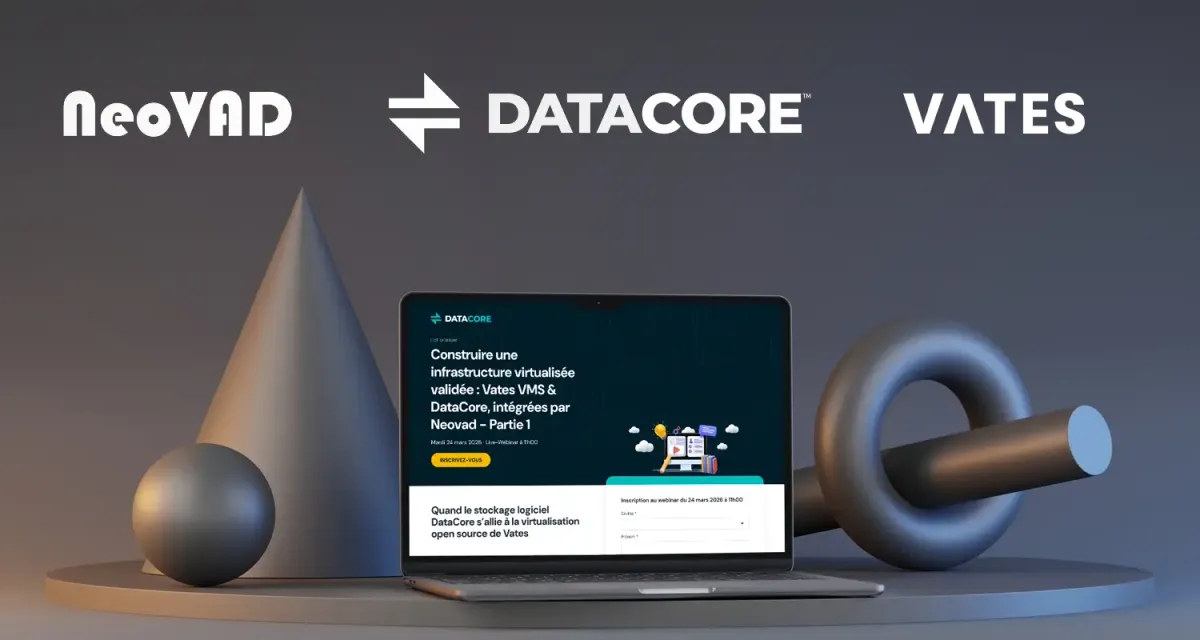
With all that happening around the project, let's get into the release itself!
XO 6.3
This release focuses on two things: performance and reliability: with a major UI overhaul for large pools, a rewritten immutable backup engine, and symmetrical replication to simplify disaster recovery.
🛡️ Security
As a reminder, you can check all our 2026 security announcements across the whole stack in here:


Axios supply chain attack
We are NOT AFFECTED by this supply chain attack. But if you are interested to read more about it, the story is interesting: https://thehackernews.com/2026/03/axios-supply-chain-attack-pushes-cross.html
💾 Backup
For XO 6.3, we've worked on many aspects of backup management: from performance boosts to compatibility, and interface tweaks so that you can catch relevant information with no effort.
Symmetrical replication
With XO 6.3, we’re introducing symmetrical replication, which is an evolution of incremental replication. Previously, incremental replication created a new VM for every job execution. Now, we reuse the same target VM, with the same UUID, whenever possible.
This change makes monitoring much simpler and ensures the source and target remain symmetrical. Also, this improvement will help prepare the ground for reversing replication flows. Reversing replication flows will make it easier to fall back after a disaster recovery scenario.
Optimized immutable backups
We have completely rewritten the underlying engine for immutable backups (introduced in the XO 5.91 release) to significantly reduce resource consumption. Previously, some users encountered "out of memory" errors when managing a large number of virtual machines or disks.
This new architecture replaces the old indexing system with a more efficient approach that uses native filesystem APIs. By batching operations and only locking a VM after all its disks have finished uploading, we have drastically reduced the memory footprint (dividing it by seven in our tests) while making both locking and unlocking up to 30 times faster. These technical improvements ensure that immutability remains stable and performant, even for the most demanding environments:
// Past performance

watchRemote startup: 26 ms
Phase A — rebuild index: 560023 ms TIMEOUT
Phase B — write backups: 401587 ms
Phase B — lock all: 2185 ms OK
Phase C — lift all: 771545 ms (0 entries remaining)
Memory before watch: 147.5 MB
Memory after watch: 337.6 MB
Peak RSS: 2081.5 MB
Current RSS: 1789.2 MB
// XO 6.3 performance
watchRemote startup: 72 ms
Phase A — rebuild index: 65726 ms OK
Phase B — write backups: 18682 ms
Phase B — lock all: 373 ms OK
Phase C — lift all: 40866 ms (0 entries remaining)
Memory before watch: 133.8 MB
Memory after watch: 153.1 MB
Peak RSS: 322.4 MB
Current RSS: 322.4 MBWe’re eager to hear how these updates improve your backup performance. Please take a moment to test the changes and let us know what kind of speed boost you’re seeing on your end.
 Olivier Lambert
CLI tools for backup repositories
We’ve introduced new command-line tools to help you manage your backup repositories. With these tools, you can explore and list the contents of your backup storage straight from the terminal (no need to use the web interface).
This addition is particularly useful for administrators who need to quickly verify backup sets or troubleshoot storage issues.
Here are some examples:
$ xo-disk-cli list file:///mnt/backups /xo-vm-backups/<vm-uuid>/vdis/<vdi-uuid>/
┌──────────────┬──────────────────────────────────────┬─────────────┬──────────────┬─────────────┬──────────────────────────────────────┐
│ File         │ UID                                  │ Size on disk│ Virtual size │ Differencing │ Parent UID                           │
├──────────────┼──────────────────────────────────────┼─────────────┼──────────────┼─────────────┼──────────────────────────────────────┤
│ base.vhd     │ xxxxxxxx-...                         │ 1.20 GiB    │ 8.00 GiB     │ no          │ (none)                               │
│ snapshot.vhd │ yyyyyyyy-...                         │ 128.00 MiB  │ 8.00 GiB     │ yes         │ ↑                                    │
└──────────────┴──────────────────────────────────────┴─────────────┴──────────────┴─────────────┴──────────────────────────────────────┘
$ xo-disk-cli transform file:///mnt/backups /xo-vm-backups/<vm-uuid>/vdis/<vdi-uuid>/snapshot.vhd raw > disk.img
$ xo-disk-cli transform file:///mnt/backups /xo-vm-backups/<vm-uuid>/vdis/<vdi-uuid>/snapshot.vhd qcow2 > disk.qcow2
$ xo-disk-cli transform file:///mnt/backups /xo-vm-backups/<vm-uuid>/vdis/<vdi-uuid>/snapshot.vhd vhd > disk.vhd vatesfr
Better S3 compatibility
We have improved our S3 backup compatibility to better support providers like DigitalOcean. Previously, some platforms handled bulk deletion commands differently, which could lead to issues when cleaning up old backup data.
To ensure a consistent experience across all S3-compatible storage, we have updated the removal process to handle object deletions individually and asynchronously when needed. This technical adjustment makes your backup rotations more reliable, regardless of the specific cloud provider you choose to use.
🥝 Core UI
The Core UI section covers updates shared by both the XO 6 and XO Lite interfaces. This month, we’ve added a small but essential option to the VM creation form: Secure Boot.
VM Snapshot tab
We’ve added a dedicated Snapshots tab to the VM management view. This section features a clean, organized table where you can view all snapshots for a specific VM, along with their names, creation dates, and descriptions.
In addition to snapshots, you can now monitor active VDI tasks directly from this tab. This update makes it easier to keep an eye on ongoing storage operations without having to switch views.
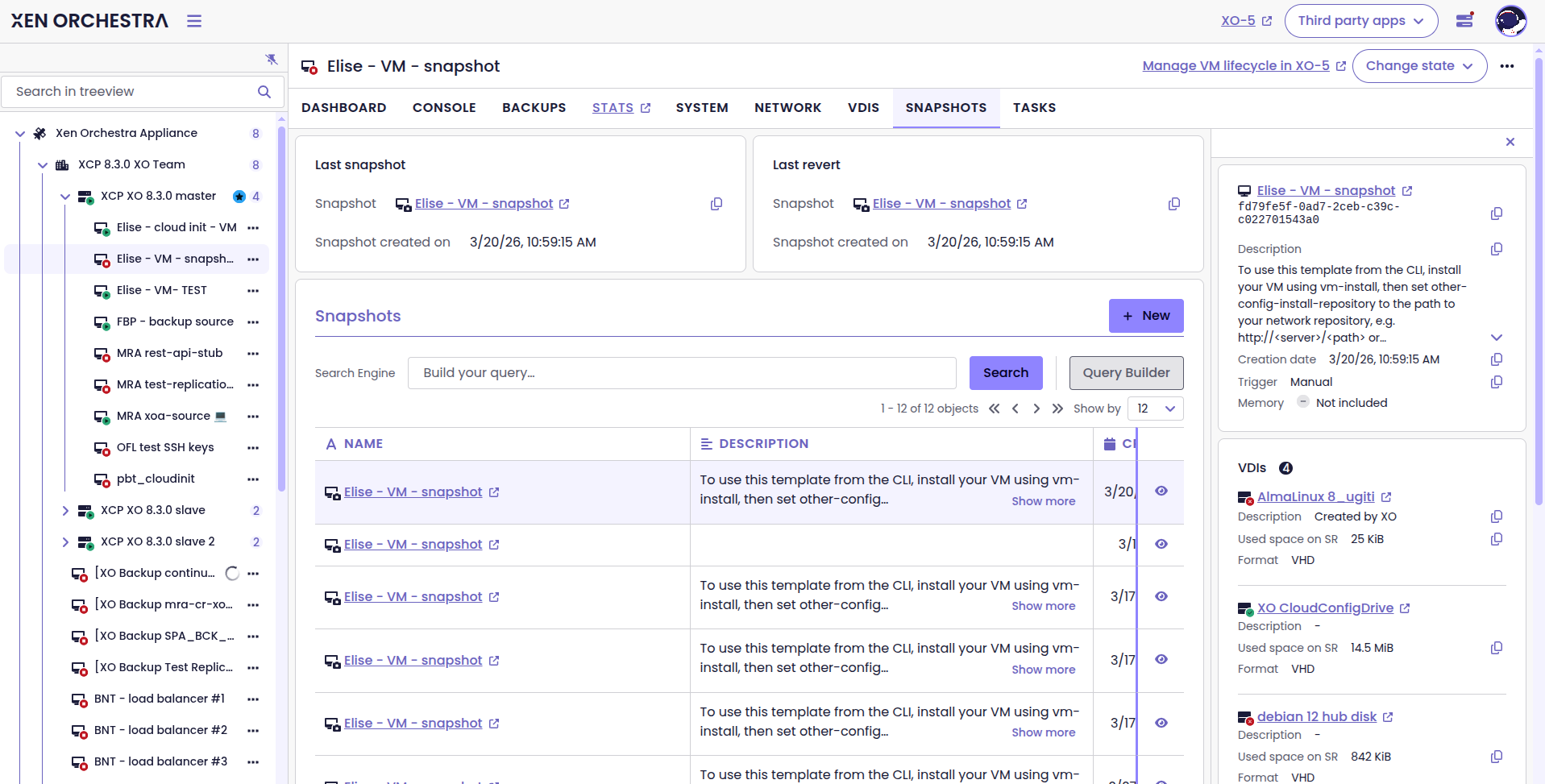
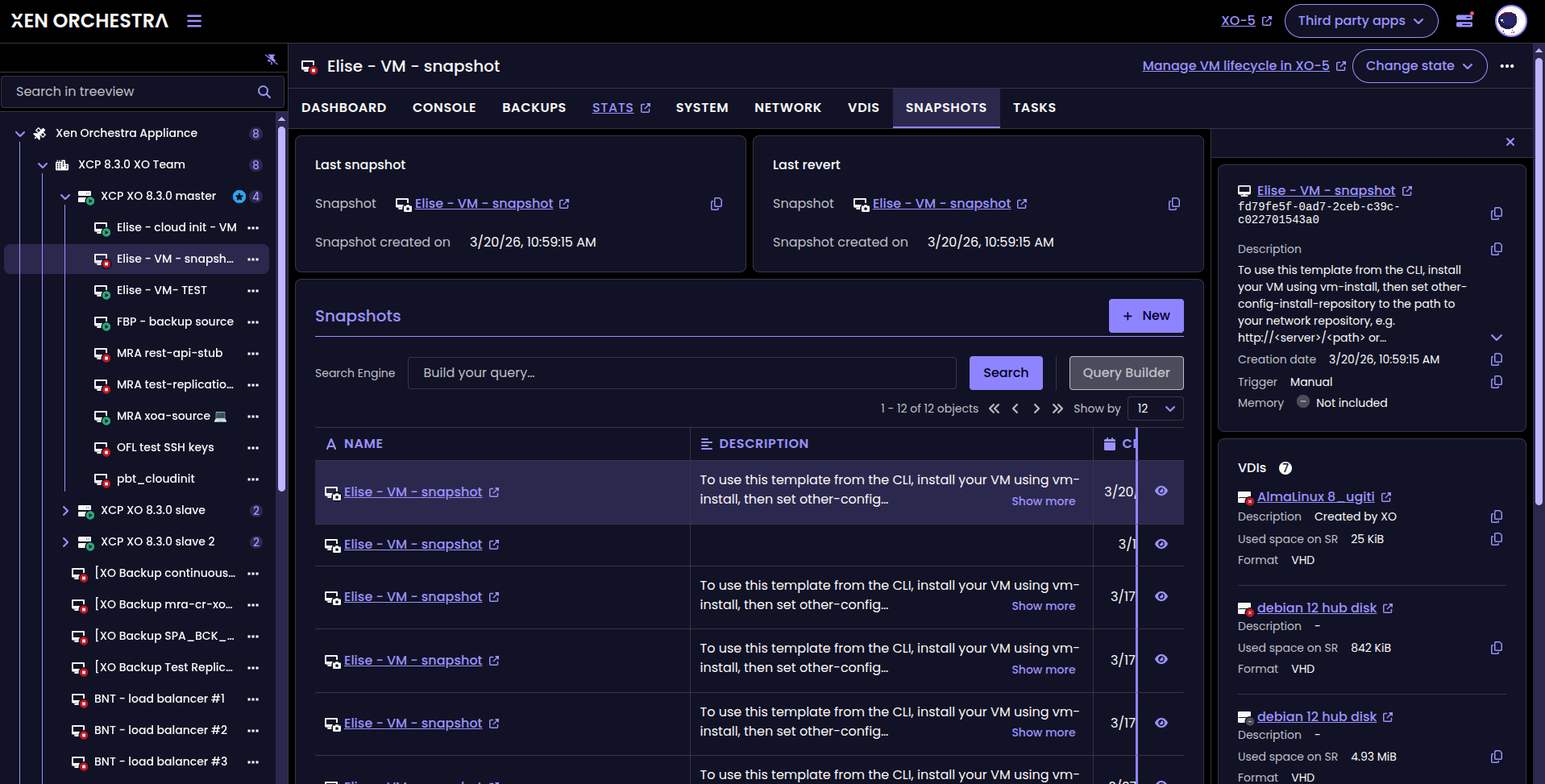
The VM Snapshot tab
Secure Boot support in VM creation
Secure Boot is now supported in XO 6 and XO Lite.
You can enable or disable Secure Boot directly when creating a VM, with behavior aligned across interfaces. If a template includes a Secure Boot setting, it is now properly handled during deployment.
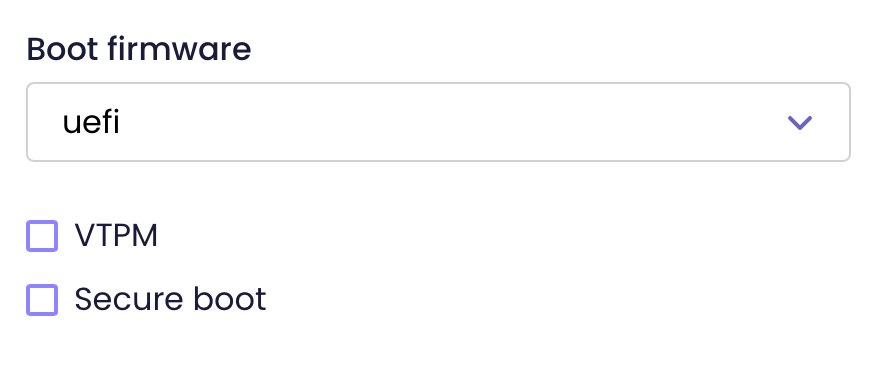
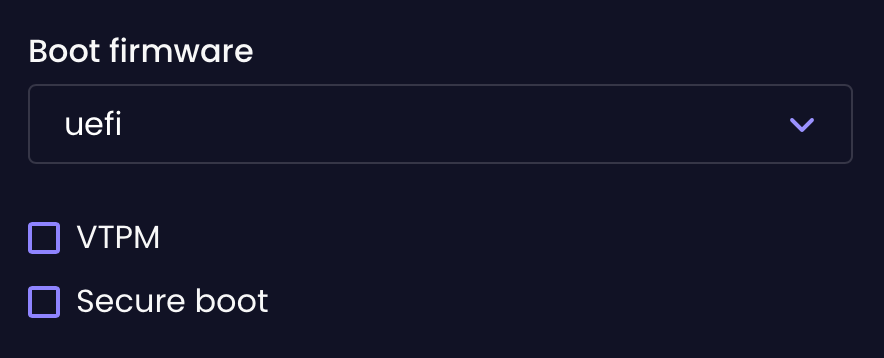
'Secure boot' options in the VM creation form
Bug tools download
You can now download directly all the logs from your host or your entire pool, directly from the UI!
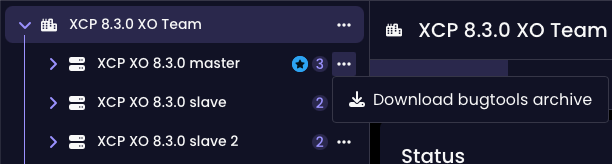
New Stepper component
We've added a new Stepper component to our web core library to simplify multi-step processes. This UI element breaks down complex tasks into a clear, numbered sequence, which makes the interface easier to follow.


The new Stepper component
🛰️ XO 6
We've some big features to the XO 6 dashboard this month, including huge performance improvements and new visibility tools that allow you to keep a better check on your infrastructure.
Major performance boost
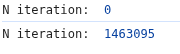
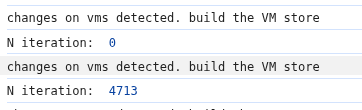
We have overhauled how the XO 6 interface handles data updates to resolve significant slowdowns. Previously, the system would recalculate every list and count one by one for every single event, which could cause the browser to freeze when connecting to large pools or during heavy activity.
By switching to a bulk-processing approach, we’ve drastically reduced the internal workload. For example, in a environment with 500 VMs, the interface now performs a fraction of the operations it used to. This results in a much smoother, more responsive dashboard that stays fluid even when managing thousands of objects.
New color for paused VMs
We’ve changed the Paused status color for your VMs, so that it’s more readable for users who use custom themes or different display settings.
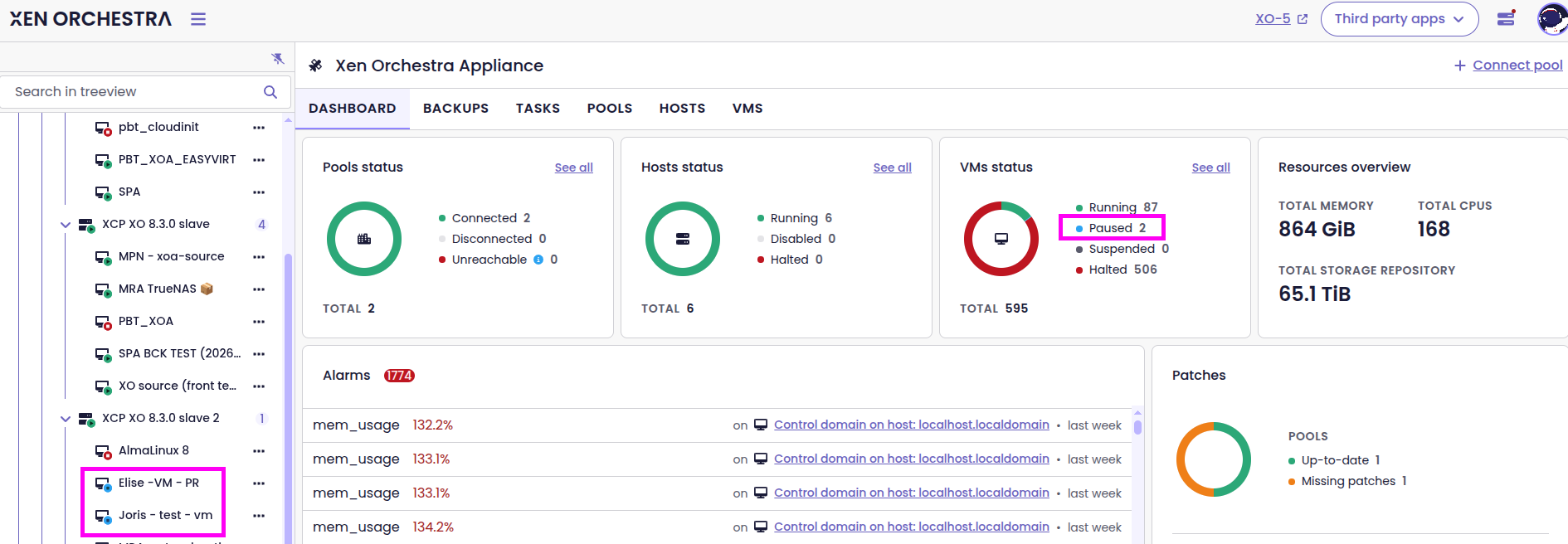
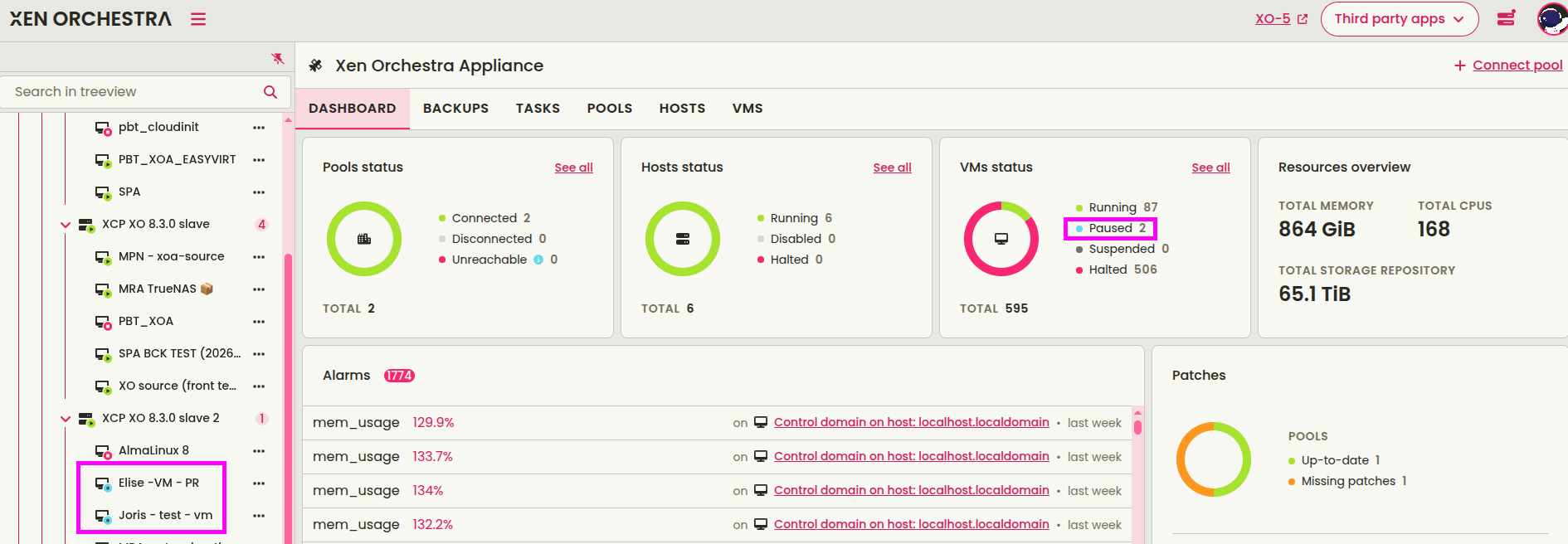
New color for the Paused status
This simple change will let you read your VM states easily, regardless of your preferred dashboard styling.
New server connection loader
Starting with XO 6.3, you will see a dedicated “Please wait” page and a loader during your first connection to the server. This addition ensures you aren't left staring at a blank screen while the initial configuration and services are warming up.
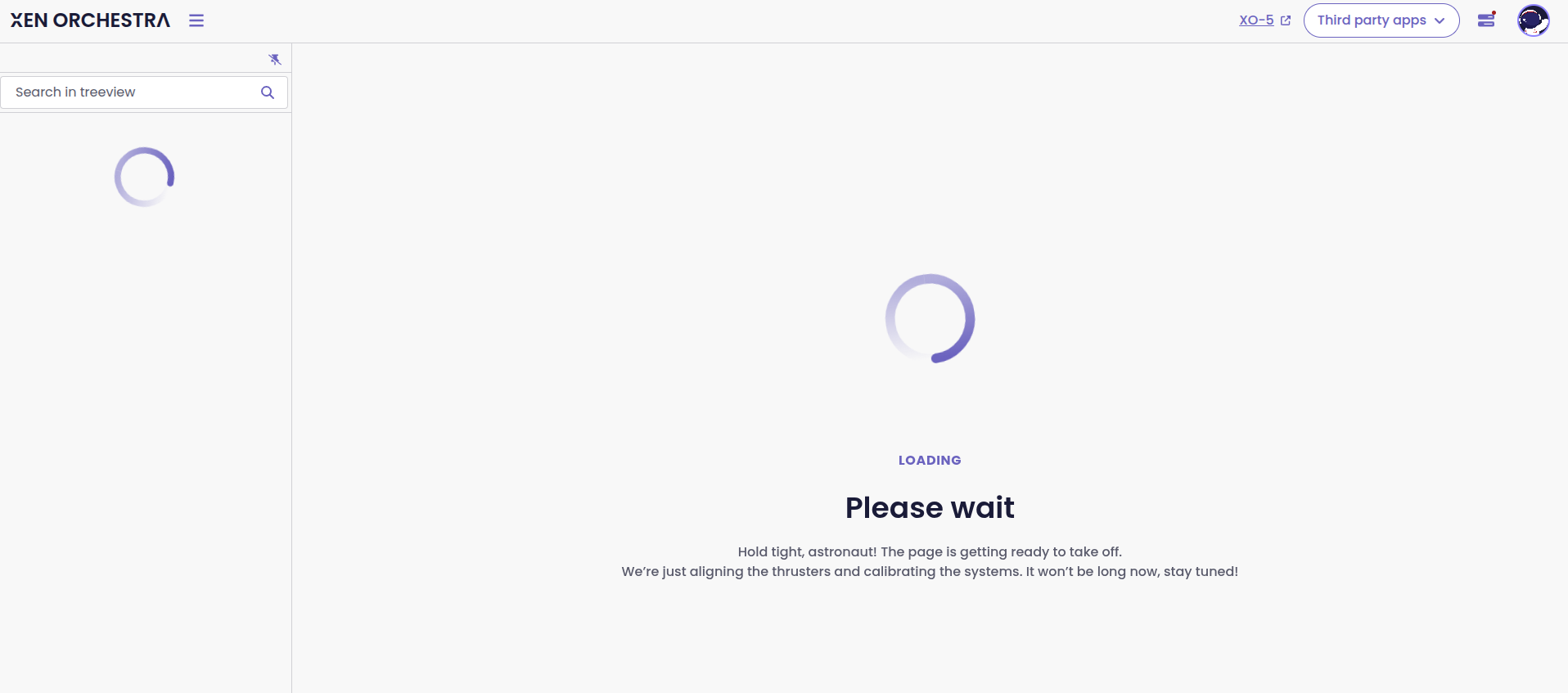
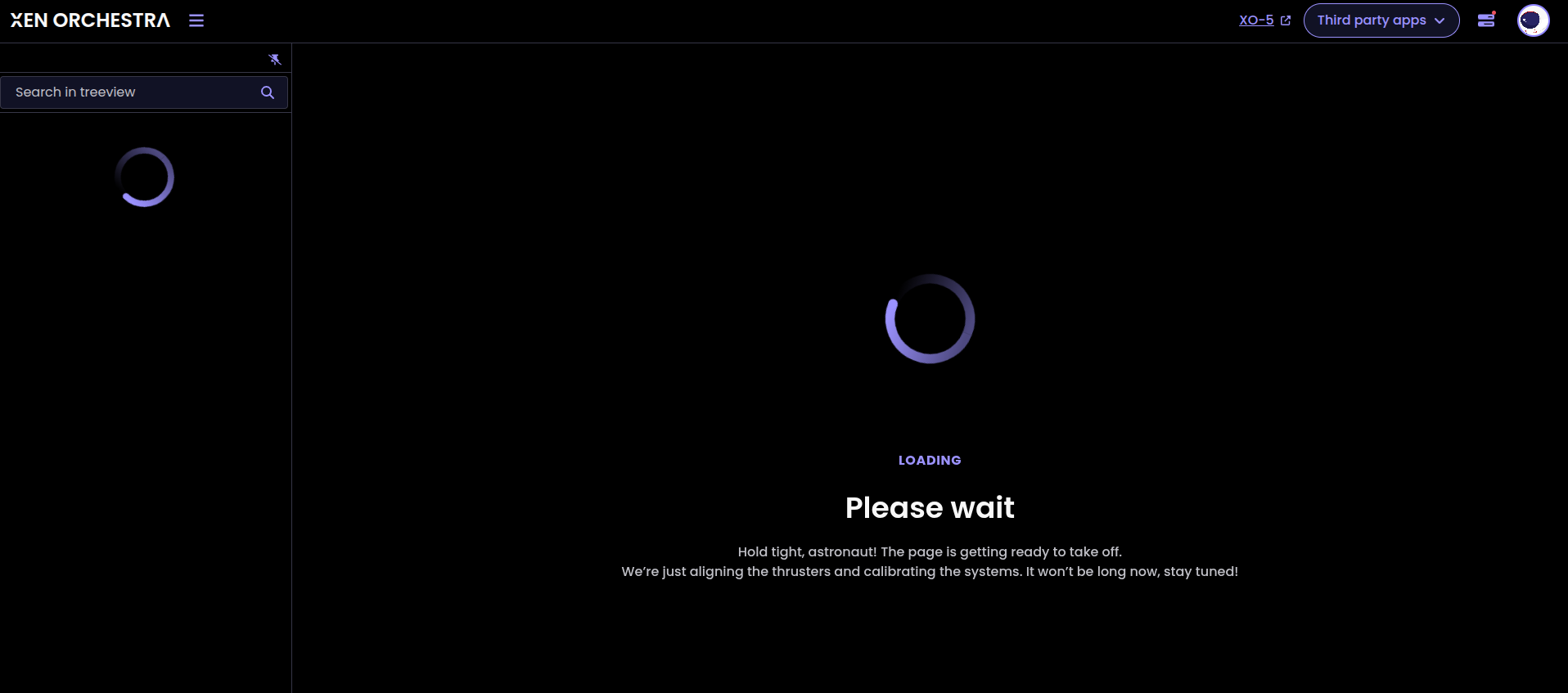
The new "Please wait" screen
This quality-of-life improvement makes the onboarding experience much clearer. Now, the interface lets you know exactly when the system is ready for you to jump in and start managing your infrastructure.
VM backup cards
We’ve added backup cards to the VM dashboard. These cards show recent backup runs and available archives for each VM.
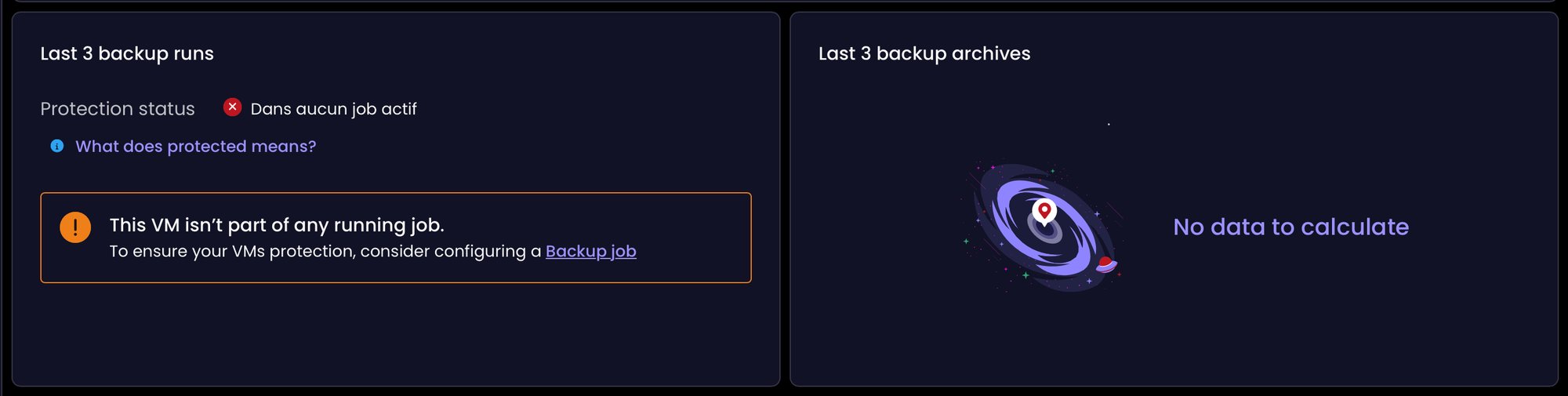
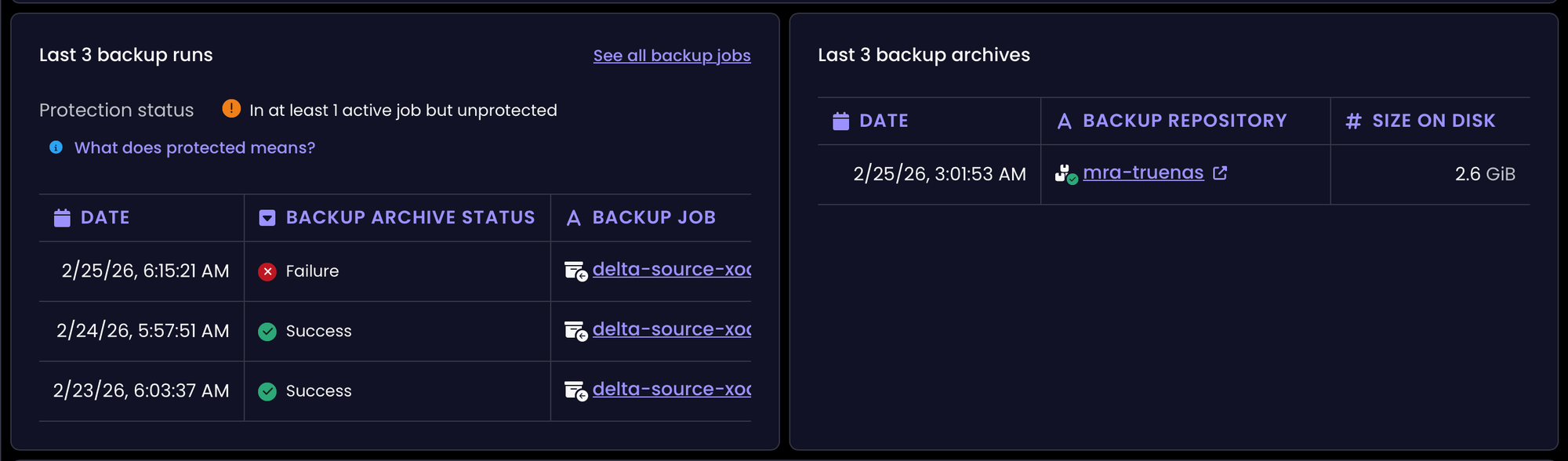
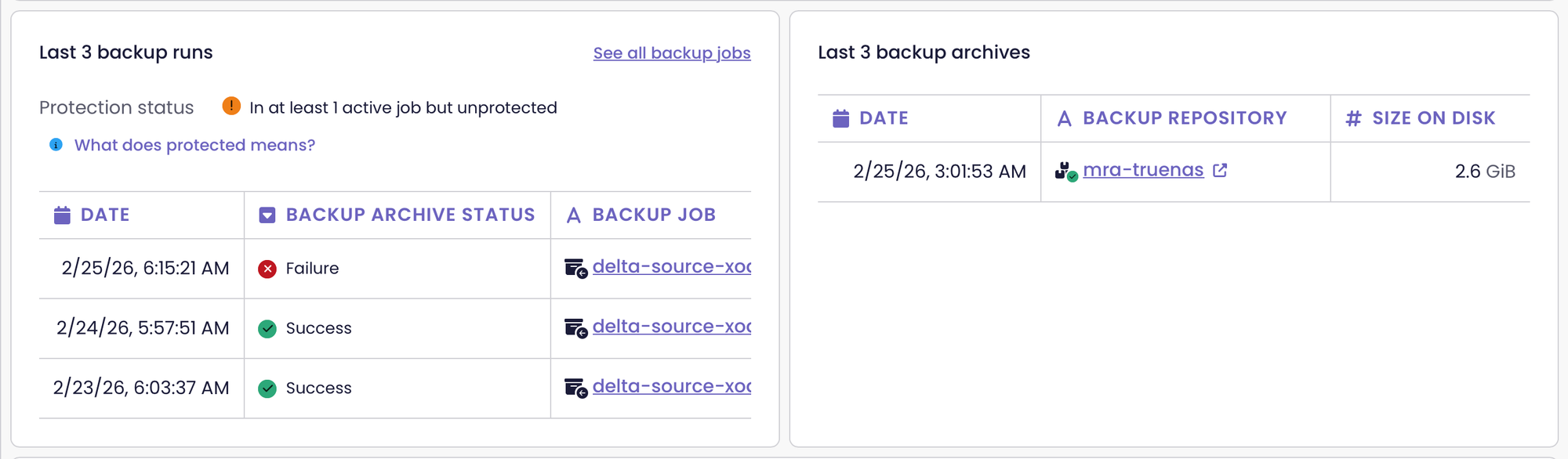
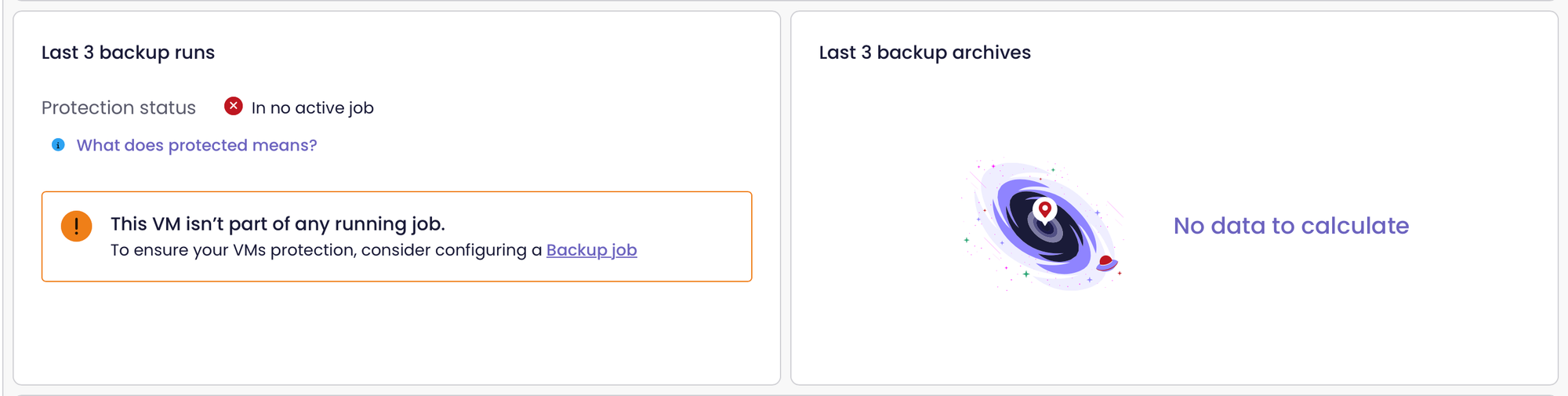
VM backup cards
Instead of jumping between menus, you can now check your restore points and ensure your data is safe right from the main VM view.
Backup replication card
We’ve added a Replication card to the VM dashboard.
This card shows the replication status of any VM involved in a backup job, with the outcome of your latest synchronization, the exact timestamp and how long the process took.
By making this information more visible, we’ve made it easier to confirm your disaster recovery readiness. You can now verify that your replicas are up to date, without having to dig through various backup logs.
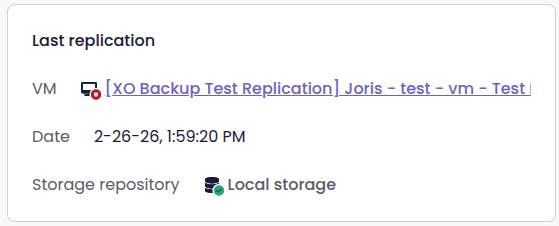
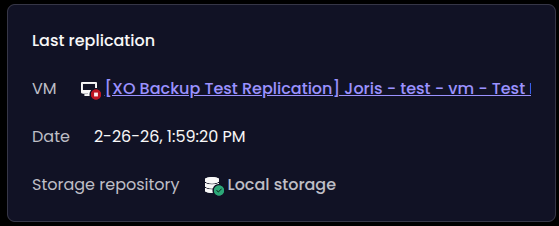
The new backup replication card
📡 REST API
Our REST API continues to evolve into a powerful tool for your automation. This month, we’re doubling down on the MCP support we introduced last month (which lets you interact with Xen Orchestra using LLMs) while expanding our Swagger documentation with a special focus on plugin integration.
Enhanced MCP support
The Model Context Protocol (MCP) allows you to interact with Xen Orchestra by using large-language models.
This is an all-new way to use XO features. Instead of clicking through menus, you can now use natural language to pull infrastructure data or execute changes in real-time.
Following our recent introduction of the MCP (Model Context Protocol), we have significantly expanded the range of data available to your AI models. With the XO 6.3 release, you can now query for snapshot lists, virtual disks and storage repositories.
We also exposed host and VM performance statistics, which were previously tucked away in our client but not yet accessible via MCP. Also, to make the connection more secure and easier to manage, you can now authenticate your MCP server using a dedicated token.
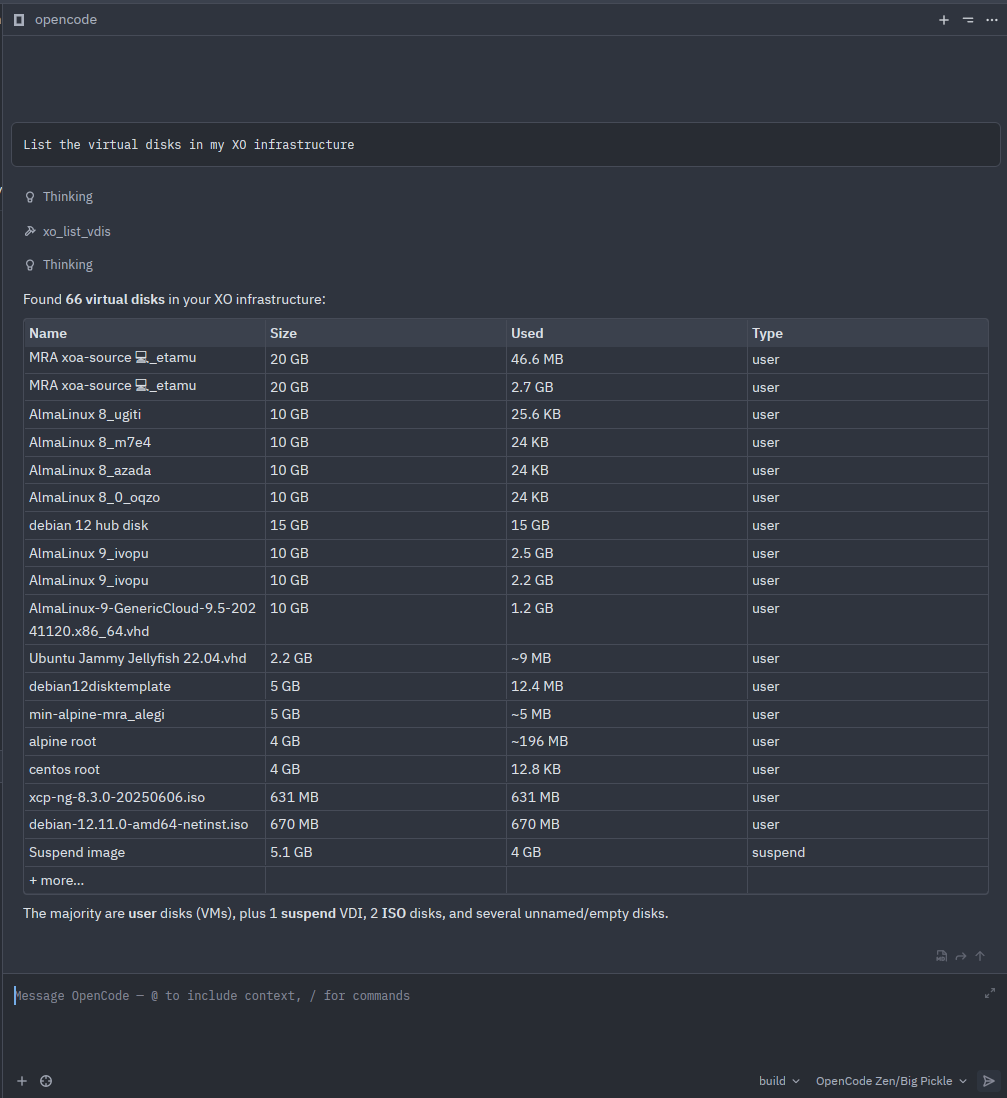
With these updates, you can get a clear overview of your infrastructure's health and resources through an AI interface, easily and quickly.
 Olivier Lambert
 Olivier Lambert
New maintenance mode endpoints
We’ve introduced new endpoints to manage maintenance mode for your hosts. Accessible directly via our Swagger documentation, these controls allow you to enable or disable maintenance mode programmatically:
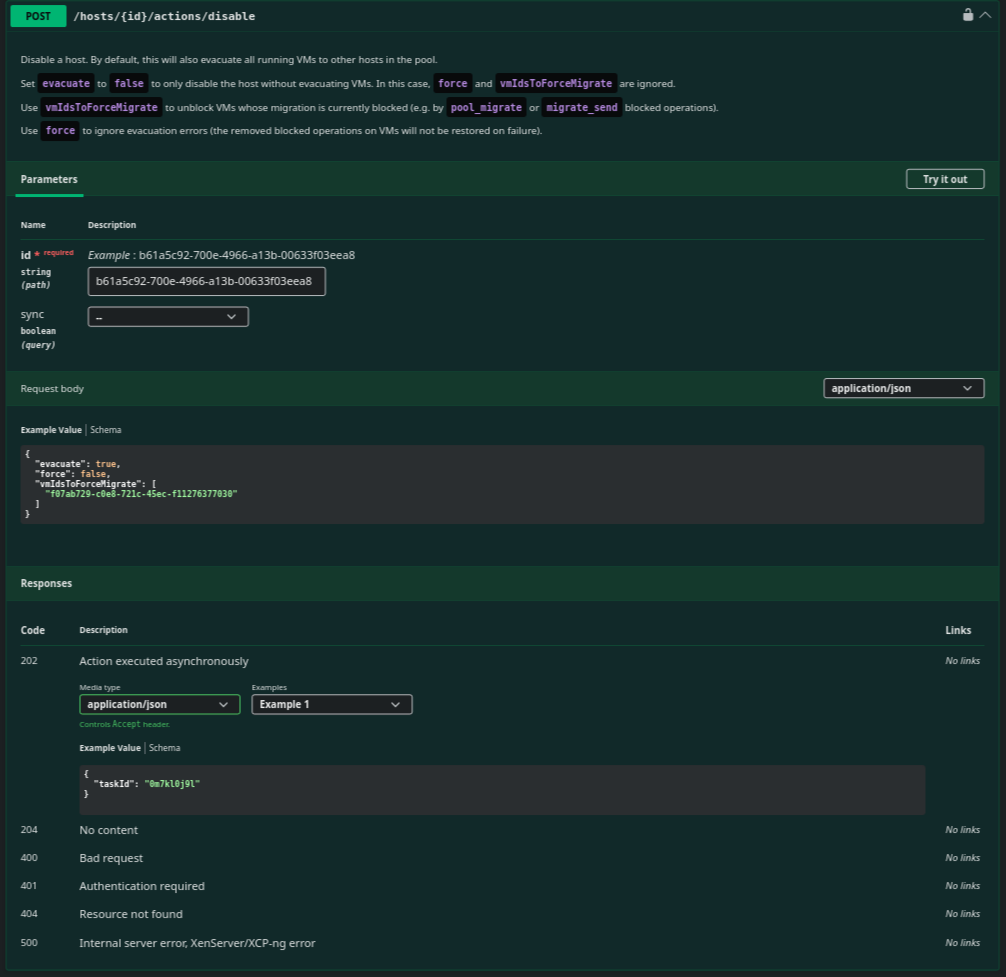
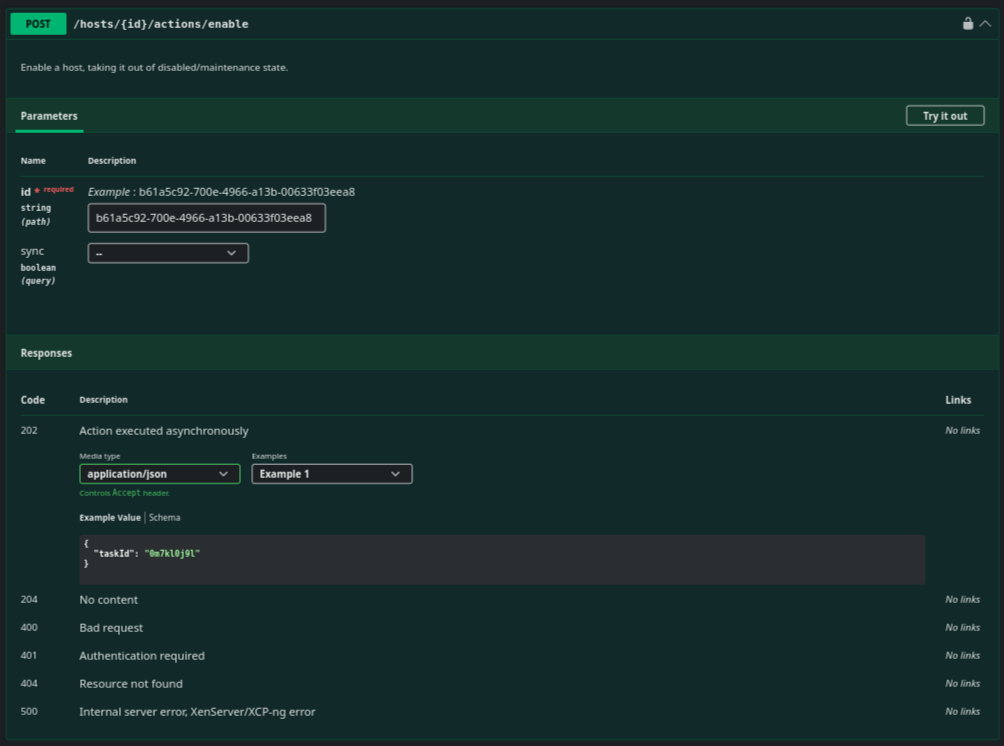
Maintenance mode endpoints in Swagger
New endpoints
We've added new endpoints (including their Swagger documentation).
The new endpoints include:
- Storage:
POST /rest/v0/srs/:id/actions/forget - VMs:
POST /rest/v0/vms/:id/actions/clone - Networking:
POST /rest/v0/pools/:id/actions/create_bonded_networkandPOST /rest/v0/pools/:id/actions/create_internal_network
This update continues our effort to bring full feature parity to the API.
ACLv2 in preview
We are working on a brand new access control model for Xen Orchestra. ACLv2 is a complete rethink of how permissions are handled, designed from the ground up to offer much finer-grained control over who can do what on your infrastructure.
It will be available via the API first, so developers and advanced users can start exploring and providing feedback early. A dedicated forum thread with instructions will be shared next week: stay tuned!
 MathieuRA
☸️ DevOps Tools
We know how much you rely on automation to keep things running, so this month we’ve also focused on sharpening our tools for your deployment pipelines.
Packer plugin for XCP-ng
We’ve released version 0.11.4 of our Packer plugin for XCP-ng. This update introduces several new features and brings all underlying dependencies up to date.
With the strength of an integration supported by Vates, built in the open and welcoming community contributions, we keep providing a reliable, up-to-date toolset for automated infrastructure deployment on XCP-ng.
 vatesfr
Cloud Controller Manager v1.0.0
First stable release 🥳
 vatesfr
Several improvements and fixes on the deployment and Helm Charts: deployment with daemon set, pool and host “name label” added in the node labels, cleaner chart roles and permissions, etc.
Cloud Storage Interface (CSI) driver v0.1.0
Since the first communication on the CSI driver in last November, there have been a lot of improvements to this 'on development' driver. For the moment, it only offers 'static volume provisioning' (i.e. use an existing VDI by UUID), but deployment is made easier thanks to several fixes and improvements.
 vatesfr
It is recommended to install the Xen Orchestra CCM in addition to the CSI driver.
Golang SDK update v1.14.0
The v2 SDK has received a new implementation of endpoints: we can now use it to retrieve and manipulate VDBs. It can also be used to retrieve and connect/disconnect PBDs.
 vatesfr
🐦 VMware to Vates (V2V)
It shouldn't be a headache to migrate your infrastructure, which is why we're always improving our V2V tools to make the move as simple as possible. With XO 6.3, we're rolling out smarter defaults and better disk handling. This way, switching to the Vates ecosystem gets more efficient and predictable.
Choose QCOW2 during SR creation
When creating a new Storage Repository, you can now choose in what order image formats will be used, depending on availabilty on the host. A new option lets you choose between QCOW2 and VHD right from the start.
Setting this at the creation stage ensures that all future virtual disks on that SR follow your chosen standard automatically. This helps you optimize storage performance or specific features for your needs.
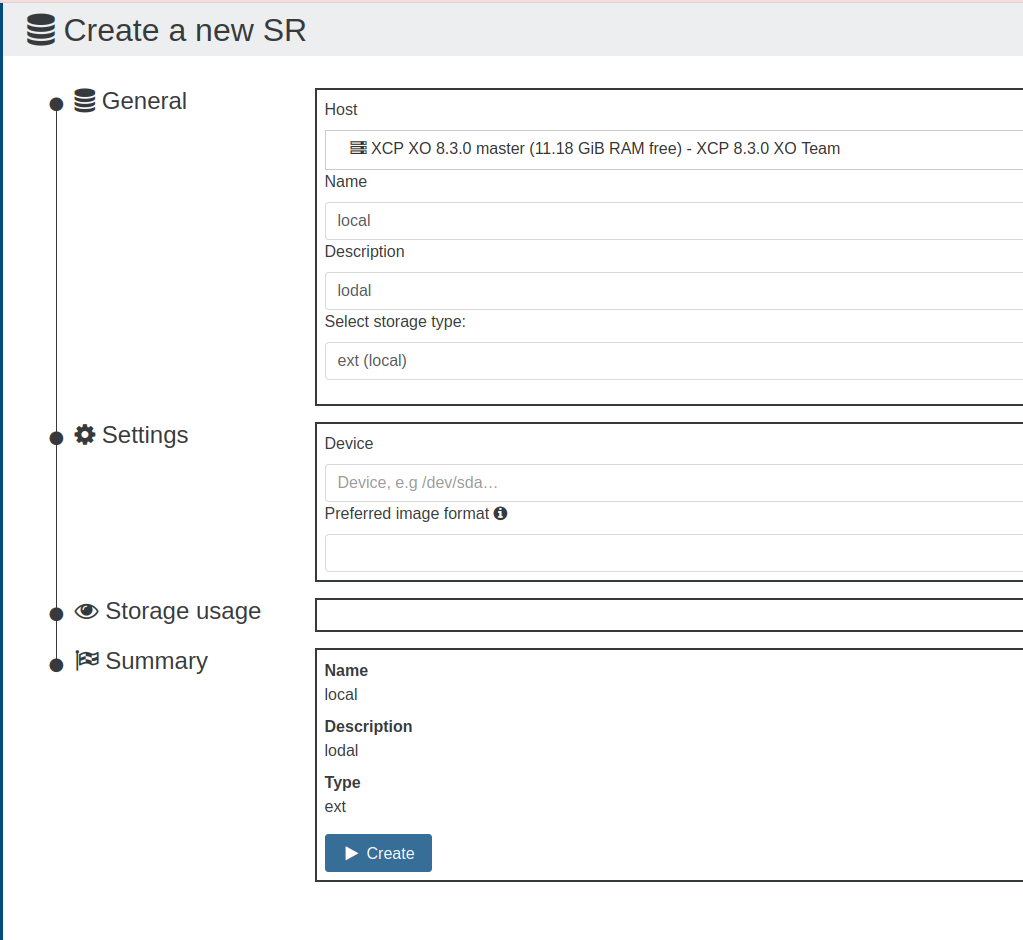
• Keep in mind that for any disks under 2TB, the system will still default to VHD.
• If the field is left blank, the default XCP-ng values will be used.
📖 Documentation & Guides
We’ve refreshed our docs to clear up some of the more technical changes from our recent updates. Our goal is to make your configuration process as straightforward as possible so you can keep your infrastructure running smoothly.
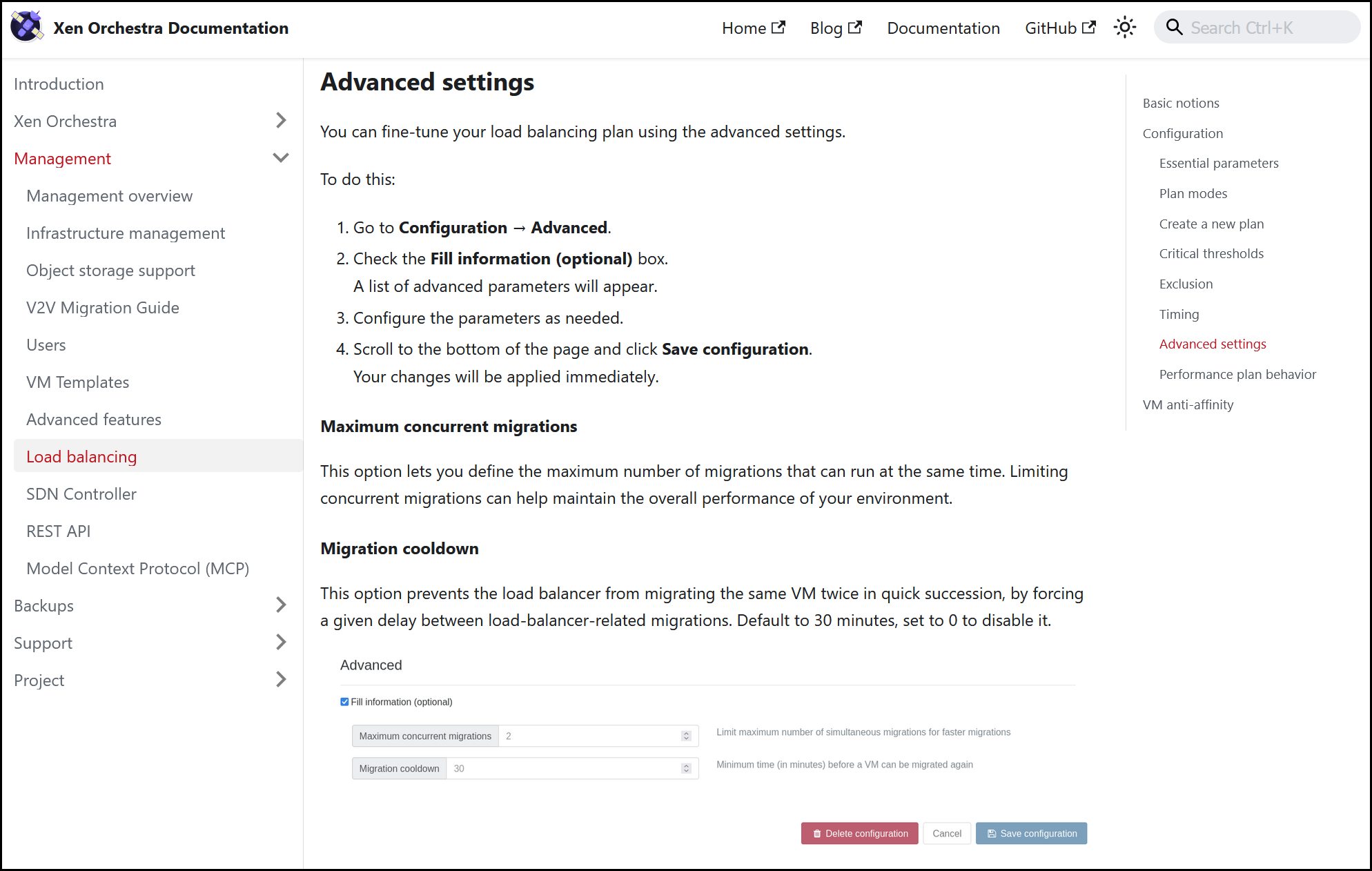
Migration cooldown
Following the addition of a migration cooldown with Xen Orchestra 6.2, we've added a dedicated section to the Load Balancer documentation. As a reminder, the migration cooldown prevents the same virtual machine from being migrated twice in quick succession by the load balancer.

 Olivier Lambert
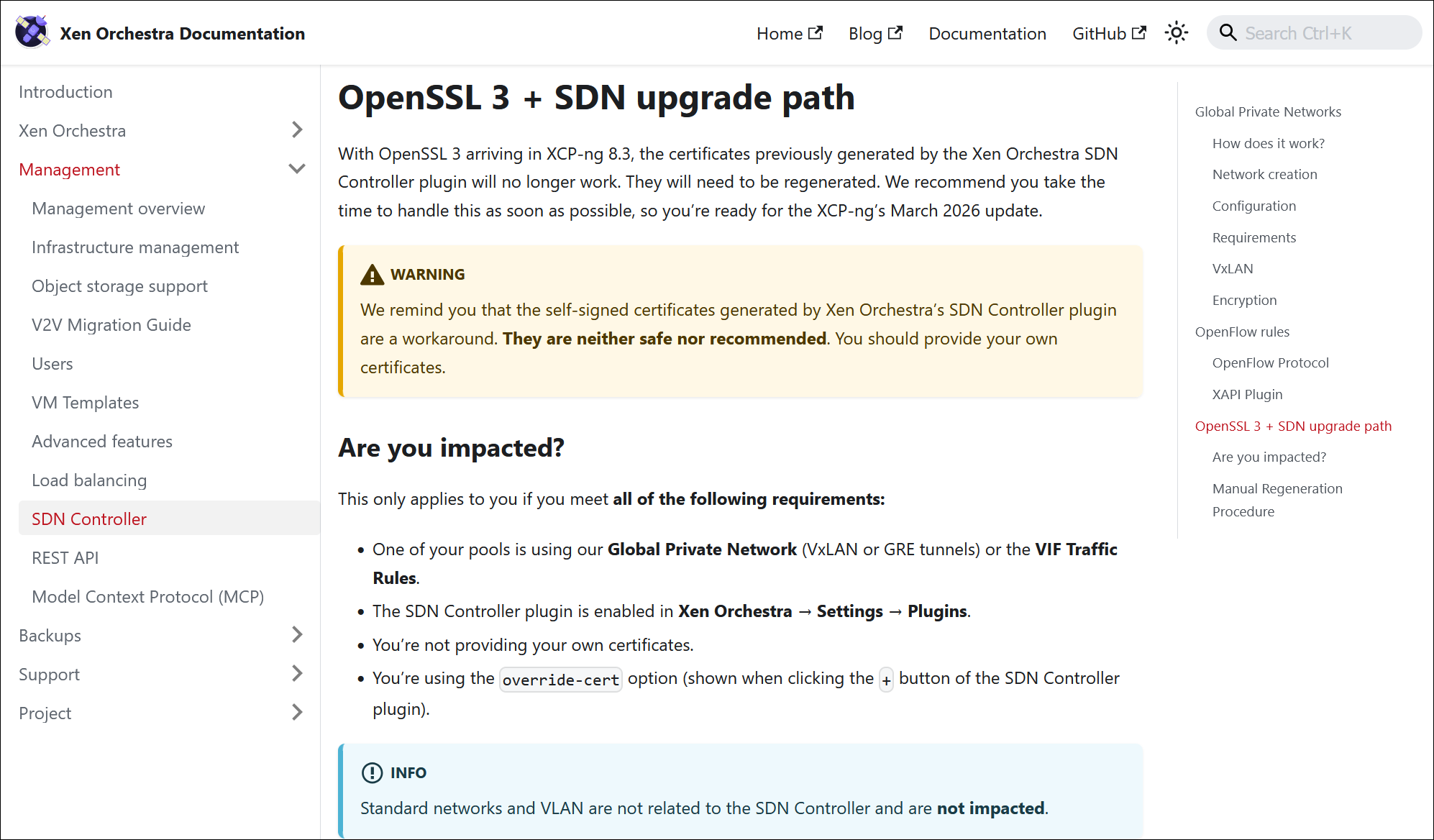
OpenSSL 3 certificates
With OpenSSL 3 arriving in XCP-ng 8.3, some certificates generated by the SDN Controller plugin in Xen Orchestra will soon become incompatible. To avoid any issues, these certificates will need to be regenerated.
We’ve updated our documentation to more clearly define which setups are affected, so there should be no more confusion. If your environment meets these criteria, we recommend regenerating your certificates before the March 2026 update to ensure your connectivity stays as it should.

🌐 Translations
Xen Orchestra is a global project, and it's always inspiring to see our community help make it accessible to everyone. Thanks to your ongoing contributions, we’ve just rolled out updates for many different languages, so the interface stays current for users all over the world.
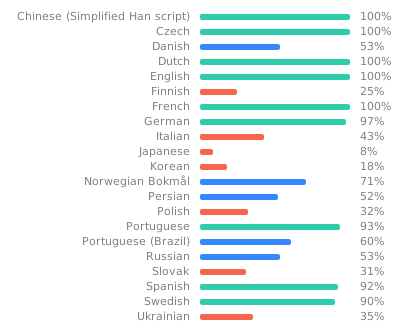
16 languages updated
A big thank you to our community for their ongoing efforts in translating Xen Orchestra!
This month, 15 languages were updated: Czech, Brazilian portuguese, Chinese (simplified), Danish, Dutch, English, French, Italian, German, Norwegian (Bokmål) Persian, Portuguese, Russian, Slovak, Spanish, and Swedish.
Want to help translate Xen Orchestra or improve existing translations? You’re more than welcome to join in here.
General wording refinements
A big thank you to our community for helping us polish the English localization in Xen Orchestra! This month’s release includes several fixes from user DustyArmstrong, which clean up technical labels, typos and other minor English mistakes.
These changes ensure that the wording remains consistent across the entire portal, for a more predictable and intuitive experience.


🆕 Misc
Behind every major feature are the smaller refinements thatmake a difference in your daily operations. This month, we’re giving you deeper visibility into your infrastructure by expanding the data available for your external monitoring tools.
More data and documentation for OpenMetrics
We’ve updated our OpenMetrics plugin to include several RRD (round-robin database) metrics that were previously missing. This gives you a clearer picture of your infrastructure’s performance when using external tools, like Prometheus or Grafana.
You’ll now find VM disk throughput (read, write, and total), along with average disk latency. For supported hardware, we’ve also added DCMI power readings, so you can monitor the actual wattage your physical hosts are pulling.
Also, we've updated the documentation for all the metrics exposed by Xen Orchestra through the OpenMetrics endpoint. By providing descriptions for each data point, you can build more accurate dashboards without jumping back into Xen Orchestra to check the details, and set up more effective alerts.