Xen Orchestra 6.2
XO 6.2 is here! This release brings distributed backups, a visual query builder, new REST API endpoints, a refreshed dashboard, and a new MCP package for AI-driven workflows.


February is already shaping up to be a busy month! XO 6.2 continues to build on the momentum of the new major version, bringing meaningful improvements across backup infrastructure, the core UI, and the REST API, alongside a refreshed dashboard and new DevOps tooling. As always, community feedback has played a direct role in shaping what landed in this release.
We also celebrated ten consecutive years at FOSDEM 🎉, a milestone that reflects just how far this project has come and how big the Open-Source ecosystem has become. And the momentum continues: CloudFest and InCyber are just around the corner, and our new webinar series with Exodata is already underway for French-speaking infrastructure teams.
👨🚀 Project & Community
Beyond the solution itself, 2026 is off to a strong start on the community and ecosystem front: a redesigned homepage, an updated getting-started guide, a new migration guide for VMware and Hyper-V users, and the launch of our updated Partner Program. We are doing everything in our power to welcome newcomers in the smoothest way possible.
New Partner Program
In 2026, the Vates Partner Program focuses on active engagement, measurable impact, and long-term success. With 2025’s strong results and the addition of Distributors, we are building a collaborative, high-performing ecosystem that rewards partner contribution.
 Clément Schilling
New migration guide: VMware & Hyper‑V to Vates VMS
Migrating from VMware or Hyper‑V to Vates VMS is a structured, low-risk program focused on phased execution, pilot testing, and rollback planning. Using XCP‑ng and Xen Orchestra, teams can move workloads safely while ensuring reliable operations, compliance, and long-term stability.
 Clément Schilling
Getting started guide updated
This updated guide walks users through setting up the Vates virtualization stack, from XCP‑ng installation to Xen Orchestra deployment, VM creation, backups, and monitoring. It covers practical steps, trial setup, and support options for safe, efficient operations.
 Clément Schilling
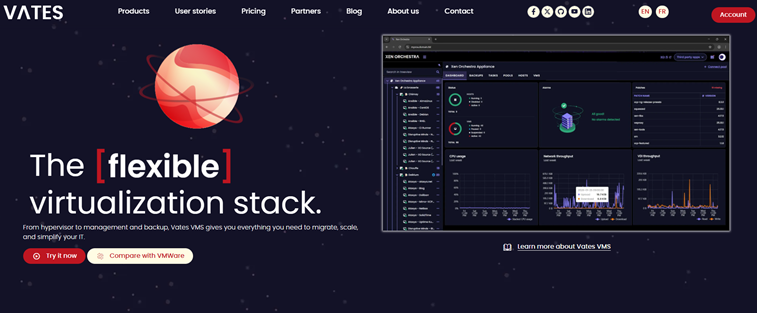
Vates homepage redesign
The Vates homepage has been redesigned with one clear goal: making it easier for anyone discovering our solutions for the first time to find their footing. Whether you're evaluating alternatives, comparing virtualization stacks, or ready to take your first steps, the new layout guides you naturally through your journey, from learning about our solutions, to understanding how they compare, to trying them out for yourself.
For returning visitors, key resources and partner ecosystem information remain front and center, now with a cleaner visual hierarchy and faster access to the content that matters most.
Windows standard VGA display driver
We are releasing a new open-source Windows display driver for XCP-ng: win-xstdvga. This driver enables high-resolution consoles and dynamic resolution switching for Windows UEFI VMs using the standard VGA emulation (std), which is the default on XCP-ng VMs.
This is an early release, currently available in beta, and already usable on your Windows VMs. Installation is straightforward: simply point pnputil.exe at the INF file, or right-click and install directly. The driver and its source code are available on GitHub. You can check the releases here.
🎫 Events
The busy event season continues! In the coming weeks, we will be attending two major European events: CloudFest in March (Germany) and InCyber in April (France). Meanwhile, we are kicking off a webinar series with Exodata, offering practical guidance for CIOs on migration, hypervisor choices, and long-term IT management. For now, the sessions are held in French only, but English content is on its way!
FOSDEM 2026 Recap
This year, we showcased XCP‑ng 9 on AlmaLinux 10, an Android VM, low-end SBCs, Xen + Zephyr on Raspberry Pi, and an open-source FPGA USB 3.0 analyzer. Discussions covered scaling, ARM/RISC‑V adoption, AI in open source, and KVM differentiation. The event reinforced collaborations and provided feedback shaping our 2026 roadmap.
 Clément Schilling
Cloudfest 2026
At CloudFest, from March 23 to 26, Vates will discuss practical VMware migration strategies, predictable costs and a production-ready open source virtualization stack.
 Clément Schilling
Webinar series with Exodata
Vates and Exodata are running a practical webinar series for CIOs and infrastructure leaders, offering actionable guidance on migration, hypervisor choices, and long-term infrastructure management. The first session, on February 26, 2026, covered seamless V2V migration, with upcoming episodes exploring hypervisor decisions, skills and support, and building a path toward sovereign infrastructure.

InCyber 2026
Vates will be attending InCyber Forum 2026, held from March 31 to April 2, at the Grand Palais in Lille. You’ll find us at booth G16, where we’ll showcase our secure Xen‑based virtualization solutions and connect with cybersecurity professionals from across Europe.


XO 6.2
Get ready for XO 6.2! It's packed with new updates to make your workflows easier to deal with, and answer your much-appreciated feedback.
💾 Backup
After last month’s long-term retention (LTR) updates, we’re moving our attention to distributed backups and replication.
These upgrades will make your workflows simpler and make better use of your storage capacity.
Distributed backups and replications
For a more flexible way to manage storage growth, we’re introducing distributed backups and distributed replication.
Instead of attaching a job (backup or replication) to a single repository and reconfiguring everything when it the repository fills up, you can now group multiple targets into one logical pool. As your storage needs grow, you simply add new repositories. Xen Orchestra automatically starts using the available space for new backup chains, without requiring job edits or tedious data migrations.
The system spreads data intelligently across the pool. It prioritizes available capacity, while keeping incremental chains consistent.
- It’s designed as a capacity and load management feature, not a redundancy mechanism. A distributed job still counts as a single copy in your backup strategy.
- This feature is available on an opt-in basis.
In case a repository fails, only the backups stored on that device are affected. The rest of the pool remains fully operational, and restores work as usual from the storage that holds the data.
Overall, this approach makes backup infrastructure easier to scale and better suited to real-world growth, especially when long-term storage forecasting is hard to predict.
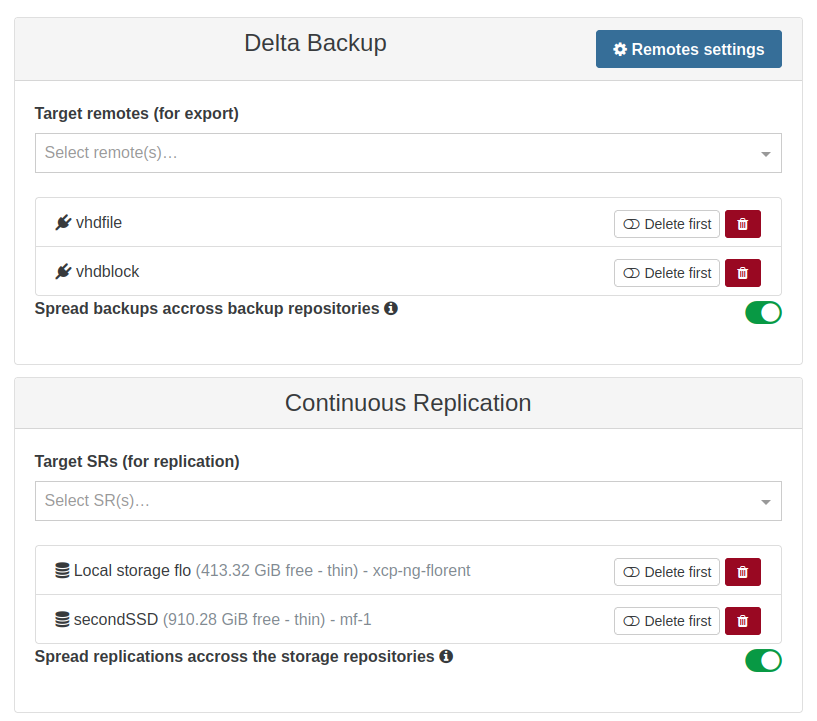
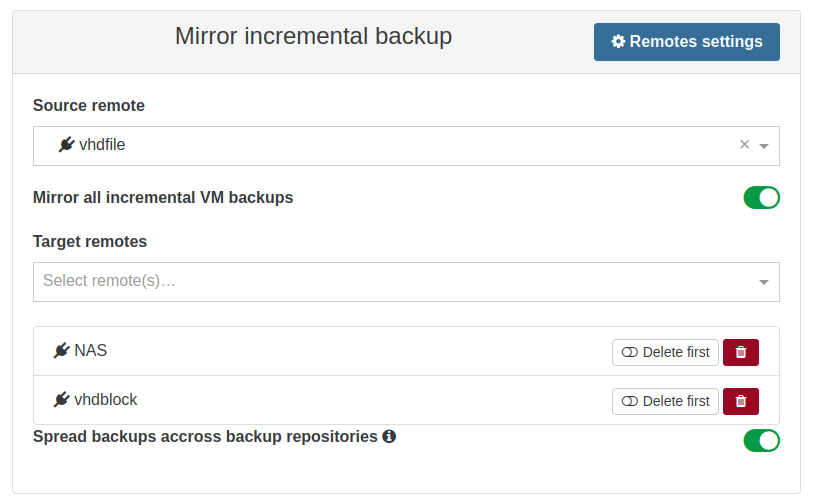
Distributed backup and replication forms
🥝 Core UI
This month, we’re enhancing XO 6 and XO Lite with a brand-new feature: the visual query builder.
This tool is designed to simplify complex queries, so you can easily filter and manage your infrastructure components. Read on for more details!
Visual query builder
We're introducing a visual query builder. It’s designed to make creating, editing, and reusing complex searches more intuitive. Instead of typing filters manually, you can now build them visually with nested conditions, AND/OR operators, and different field types.
Under the hood, this builder relies on our existing Complex Matcher engine. If you ever need something more advanced than what the visual builder can represent, you can still enter a raw Complex Matcher expression, directly in the search field. You get the best of both worlds: ease of use when you want it, and full power when you need it.
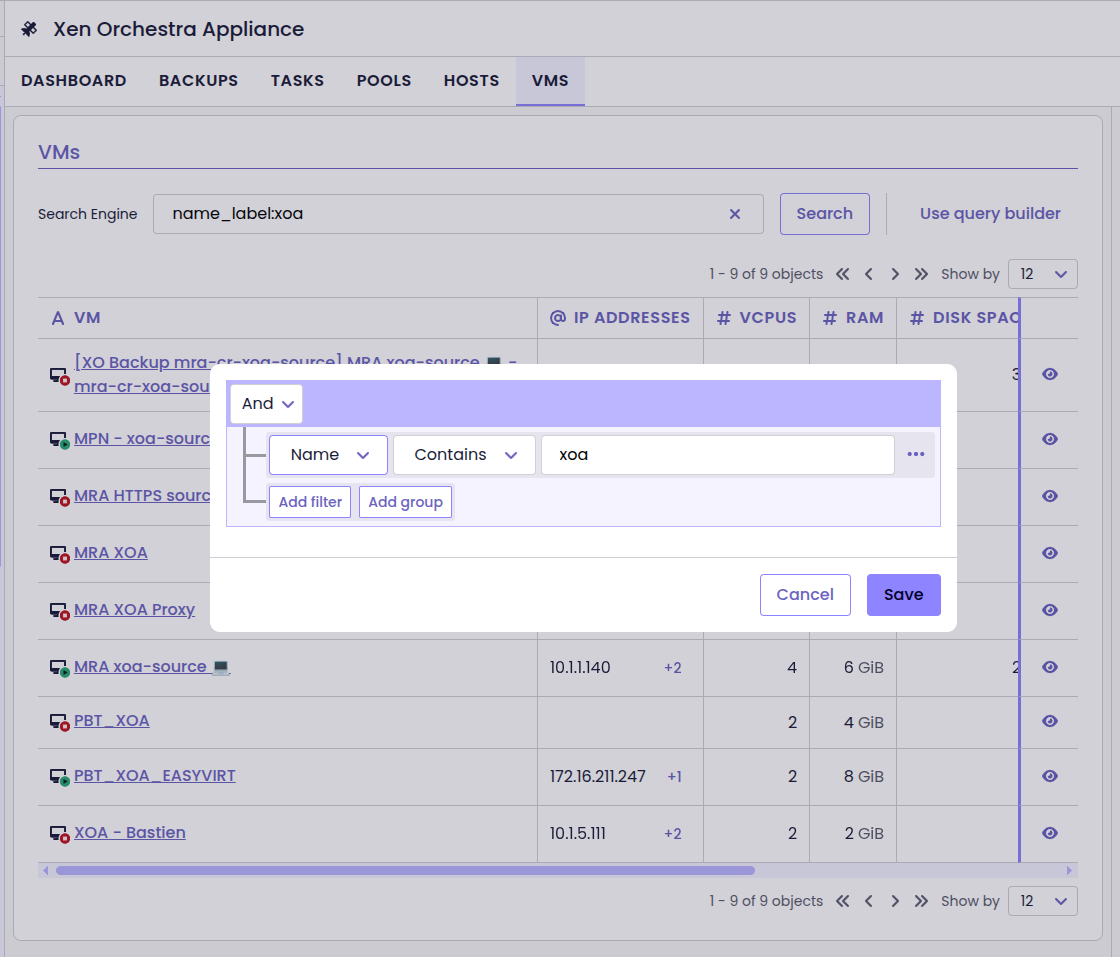
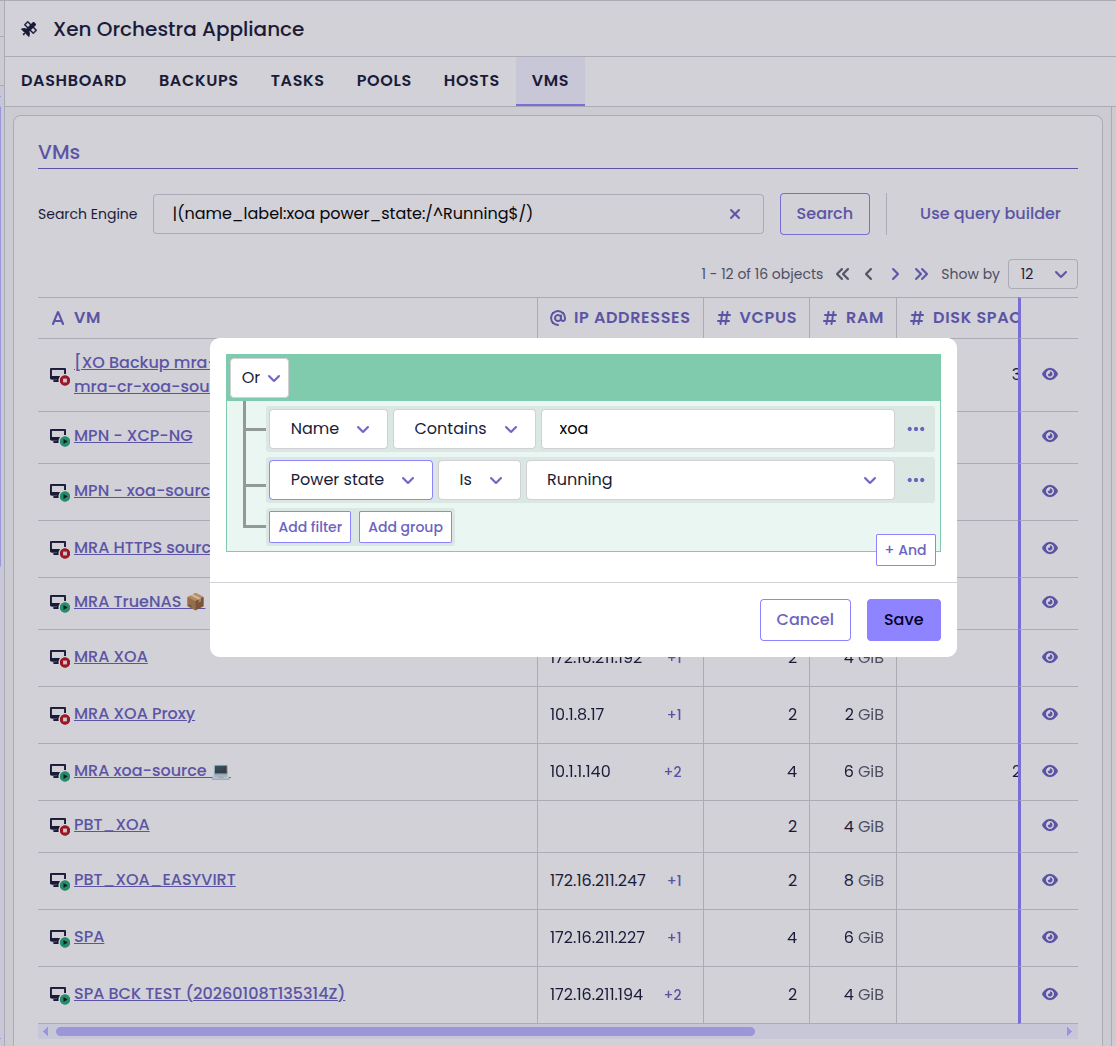
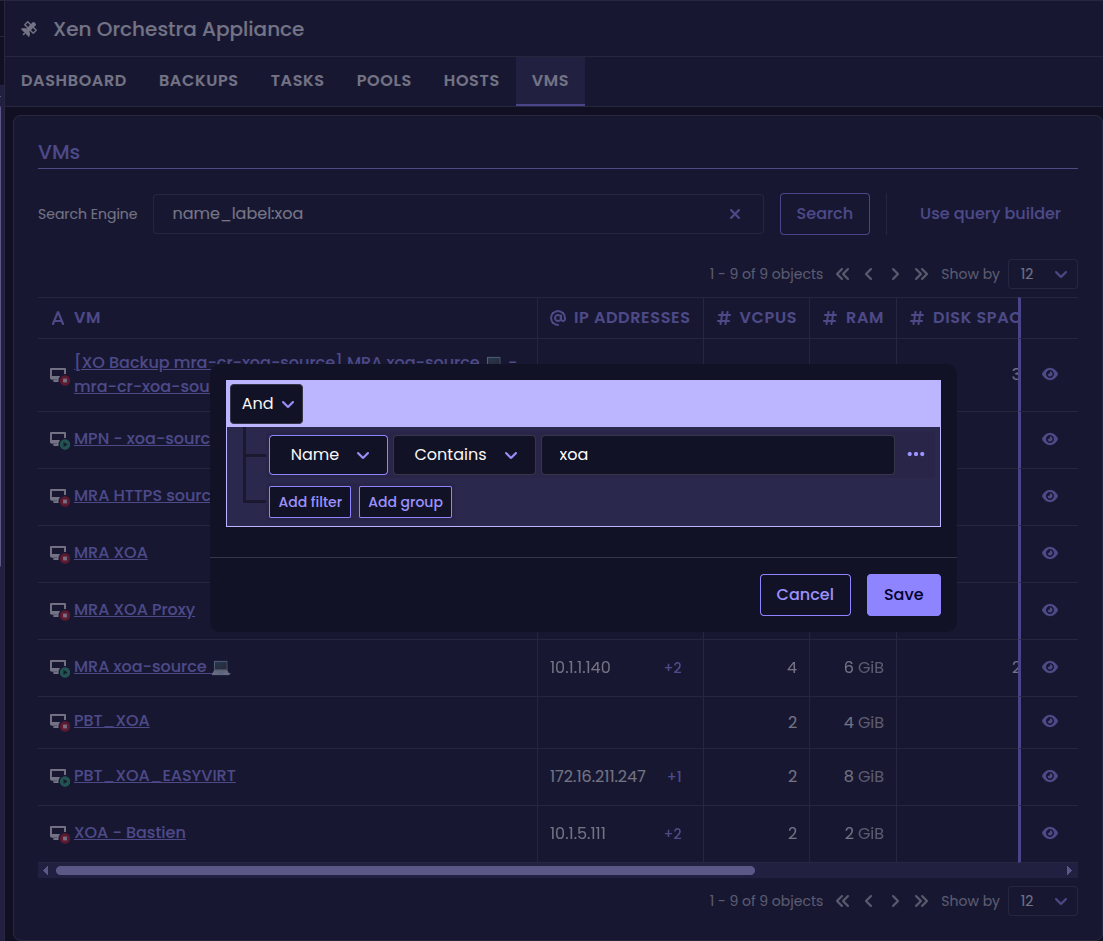
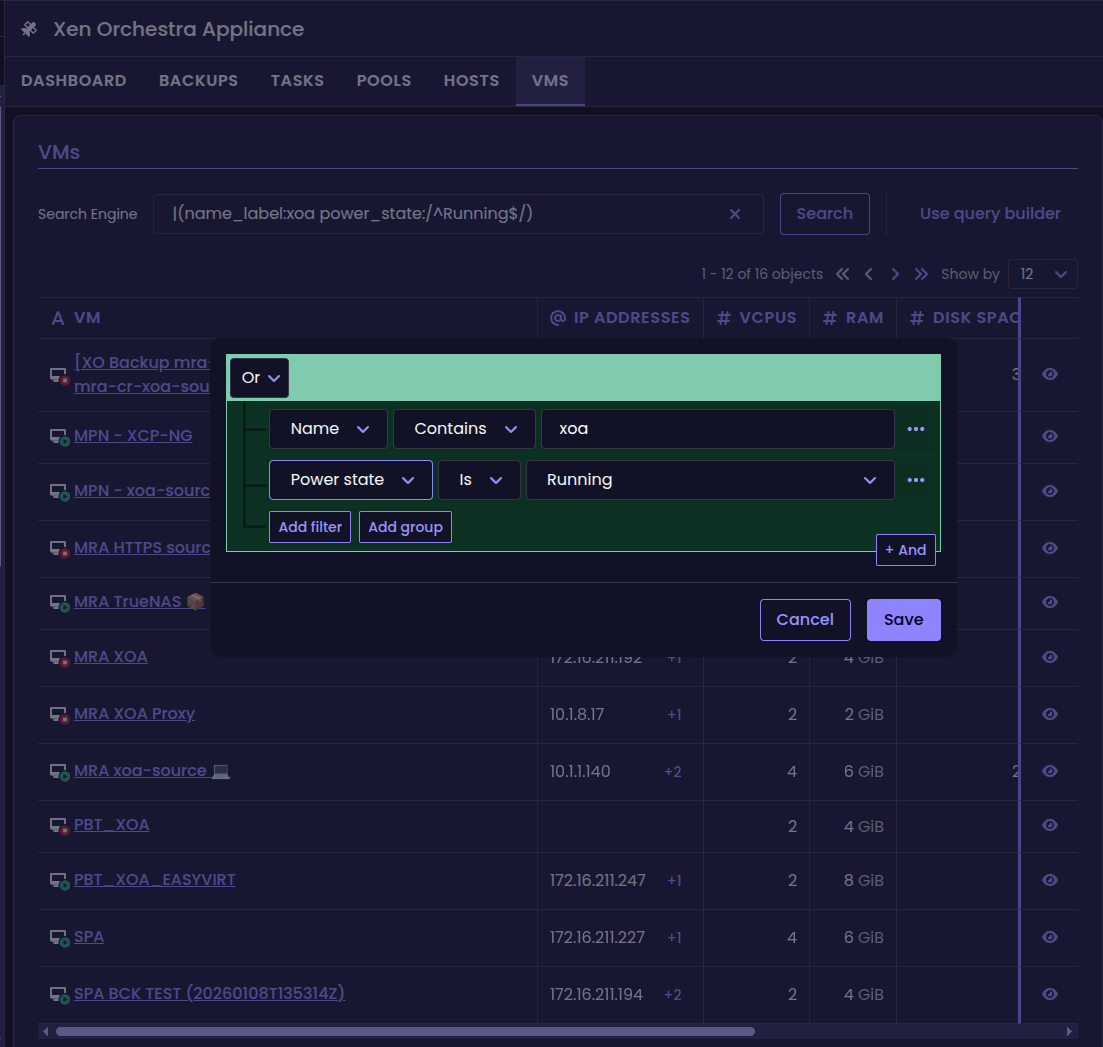
The new visual query builder
🛰️ XO 6
We’re continuing to refine Xen Orchestra 6, with updates that put even more power in your hands.
This release introduces new actions and a clearer interface, so you can manage your infrastructure with greater precision and ease. Explore what’s new below.
Quick actions in treeview
You can now access common actions directly from the treeview.
Based on the community's suggestions, we’ve added a quick actions menu available from the three-dot icon next to each object. It gives you fast access to the most common operations for VMs and other resources, without having to open their dedicated view first.
This small change in the user interface helps make everyday management tasks quicker and more user-friendly, especially if you have to manage several resources.
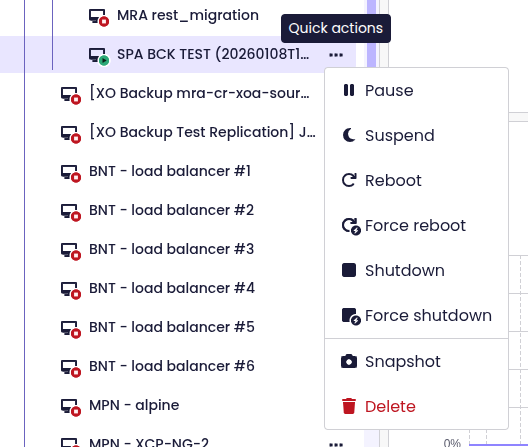
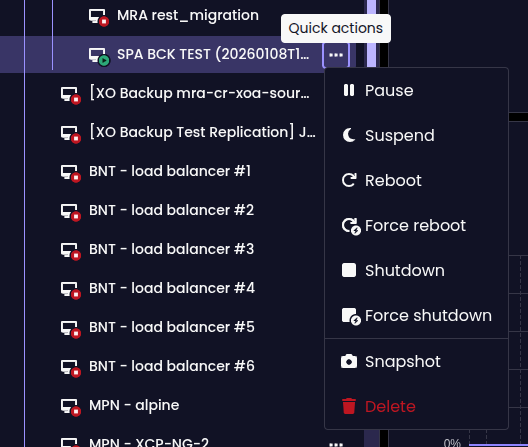
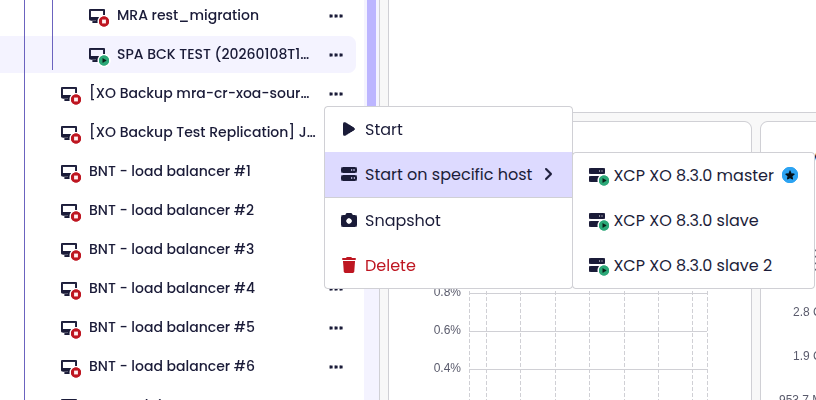
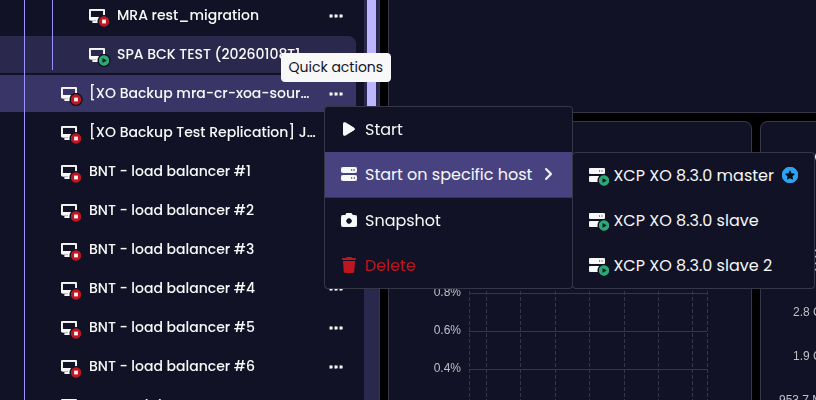
Actions available from the quick-access menu
Clearer connection status
XO 6 now alerts you when the web interface loses connection to xo-server.
Instead of leaving you guessing whether something is loading slowly or completely unreachable, the UI explicitly shows when it cannot reach the backend. This makes connectivity issues immediately visible, for easier troubleshooting and less confusion.


Banners showing ongoing connectivity issues
More VM actions
XO 6 now lets you take snapshots and permanently delete VMs.
Just open the More actions menu and you will find the Snapshot and Delete buttons. You will be able to take a snapshot of the selected VM, or delete the VM and all its data. No need to use any other tool or interface!
This completes the VM lifecycle management in XO 6. You now have full control, from creation to permanent removal.
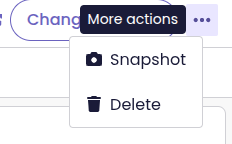
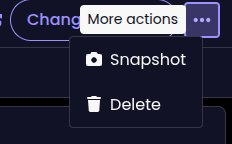
The new Delete button in XO 6
SSH key setup during VM creation
The VM creation form in XO 6 now includes the option to set up the SSH key.
Before, deploying a VM from a cloud-init template could leave you with a running VM, but no way to define SSH keys or custom settings from the interface. This often meant losing immediate access to your new VM.
Now, you can add SSH keys and customize configuration directly during creation. This makes cloud-init deployments fully functional in XO 6.
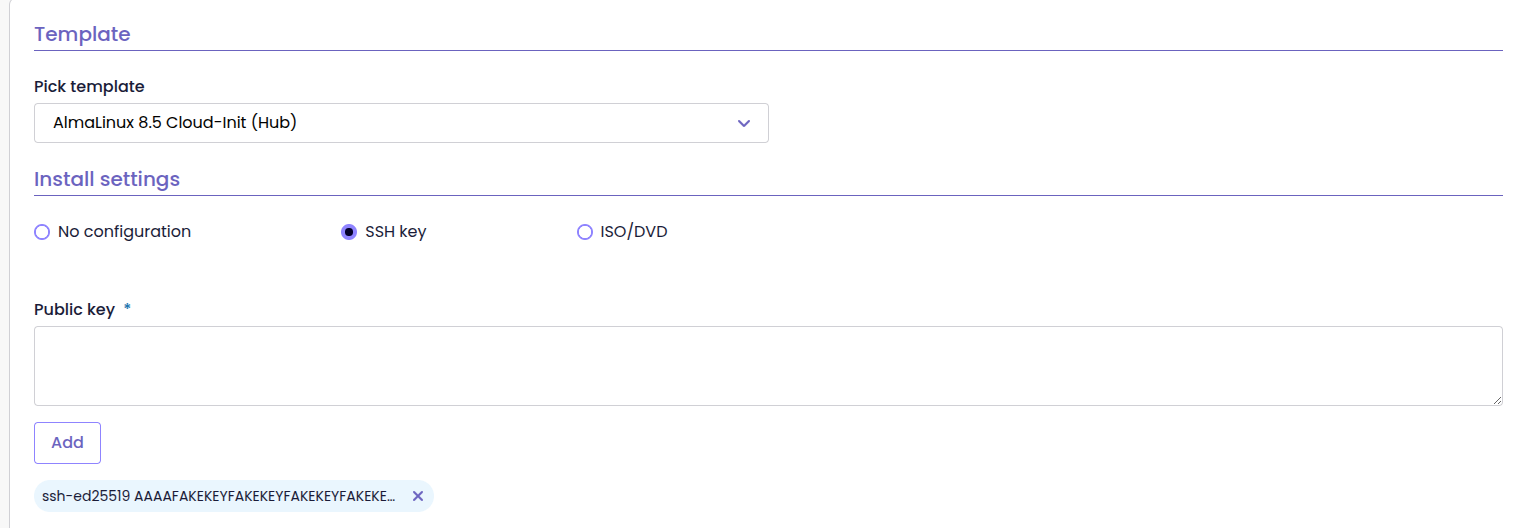
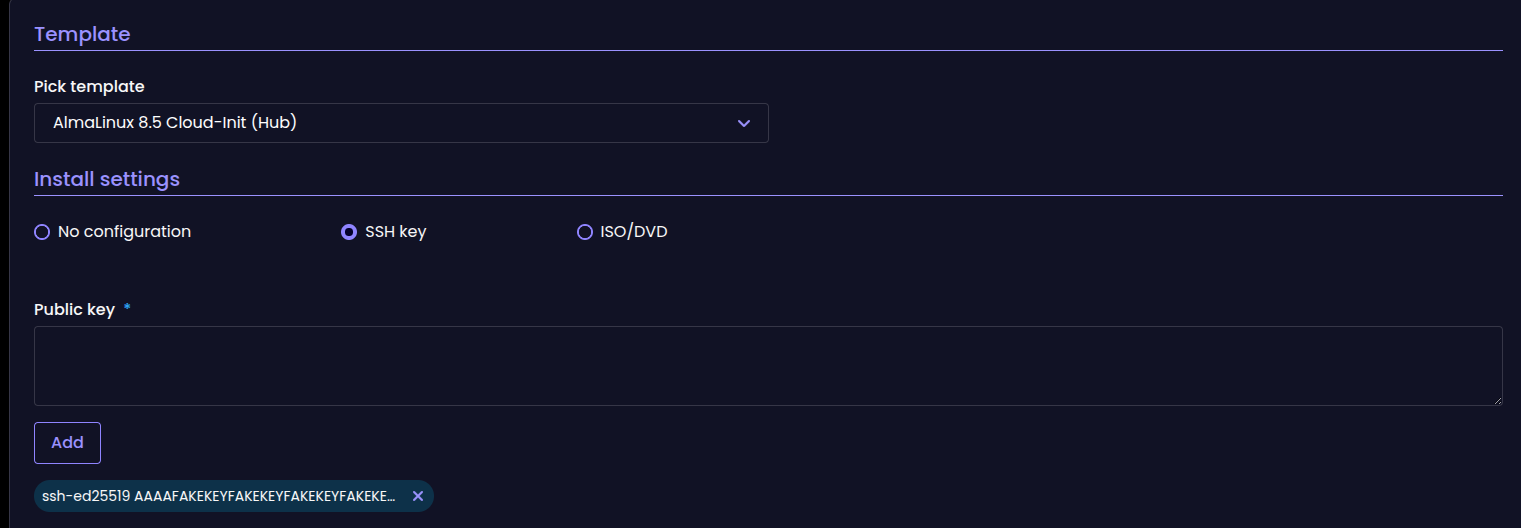
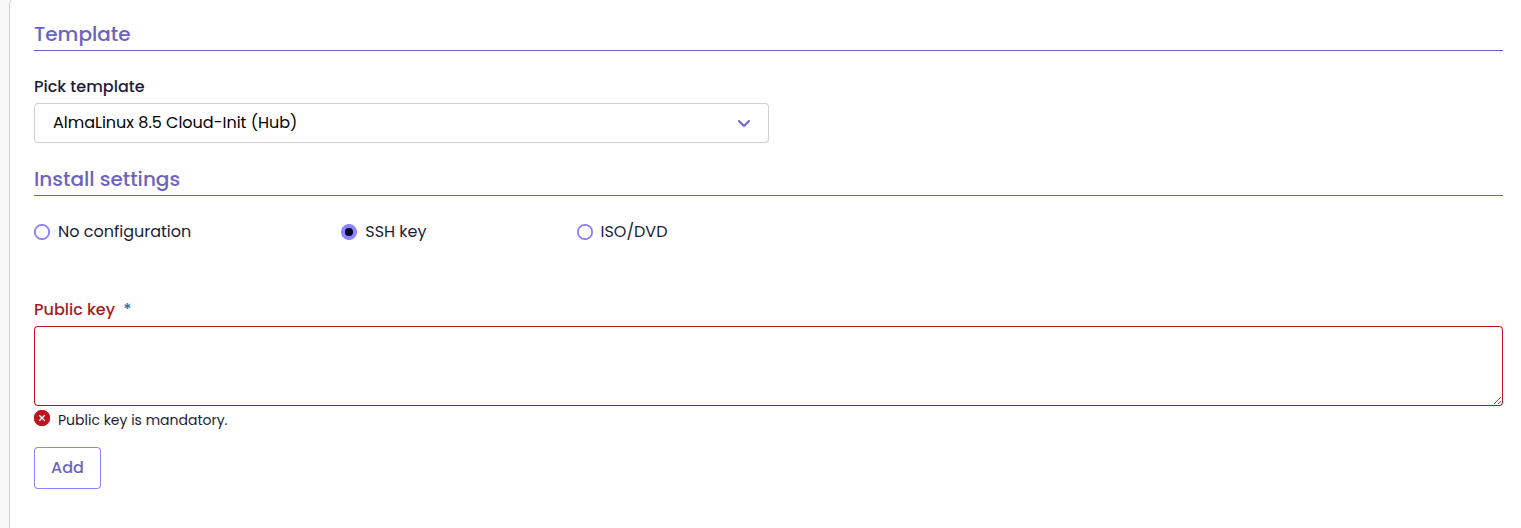
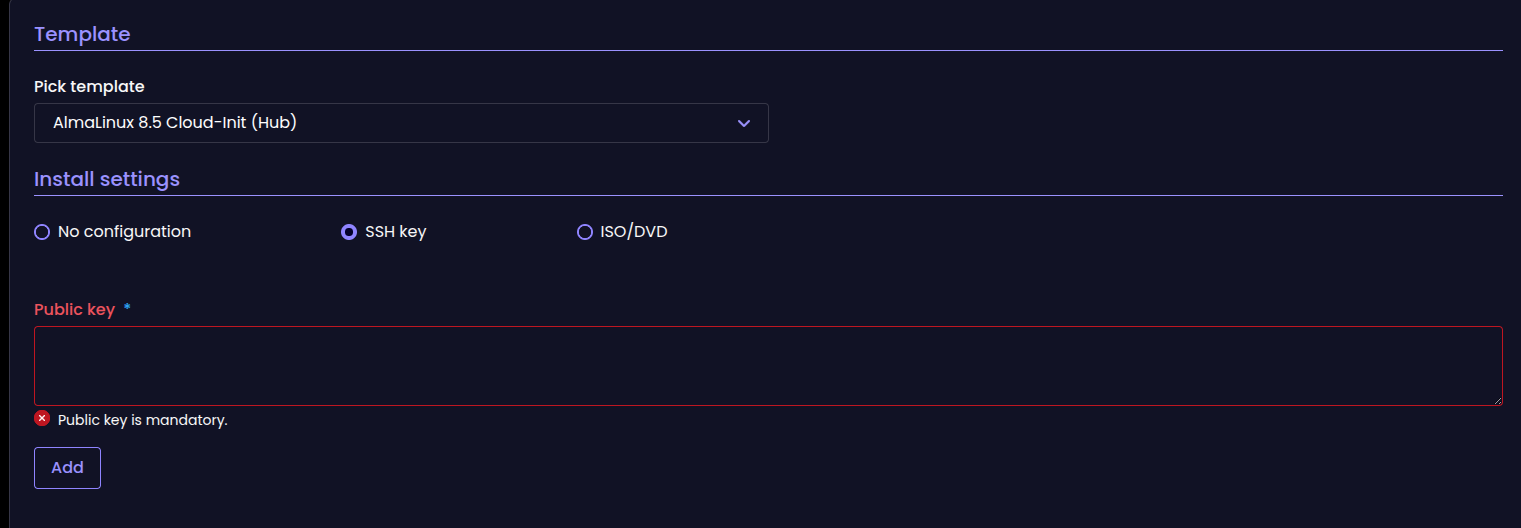
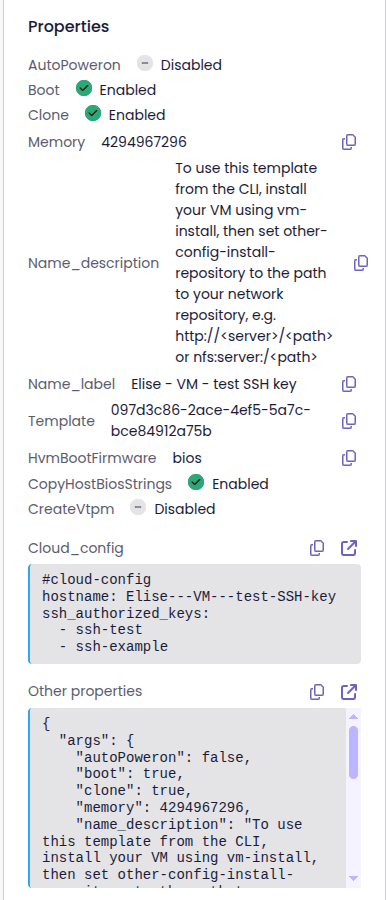
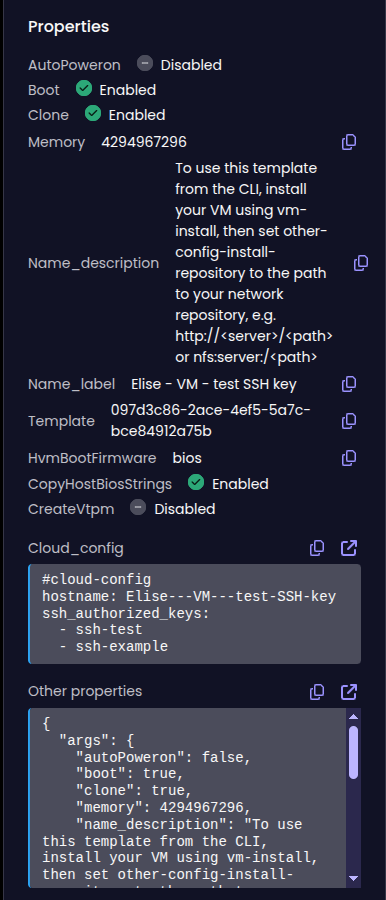
SSH key setup during VM creation + SSH info in side panel
Custom user config in VM creation
You can now define custom user-config values directly from the new VM creation form.
This makes it possible to pass advanced configuration parameters at deployment time, which is particularly useful with cloud-init templates or more complex provisioning scenarios. Instead of adjusting the VM after creation, you can inject the required settings right away.
It gives you more flexibility and tighter control over how new VMs are initialized.
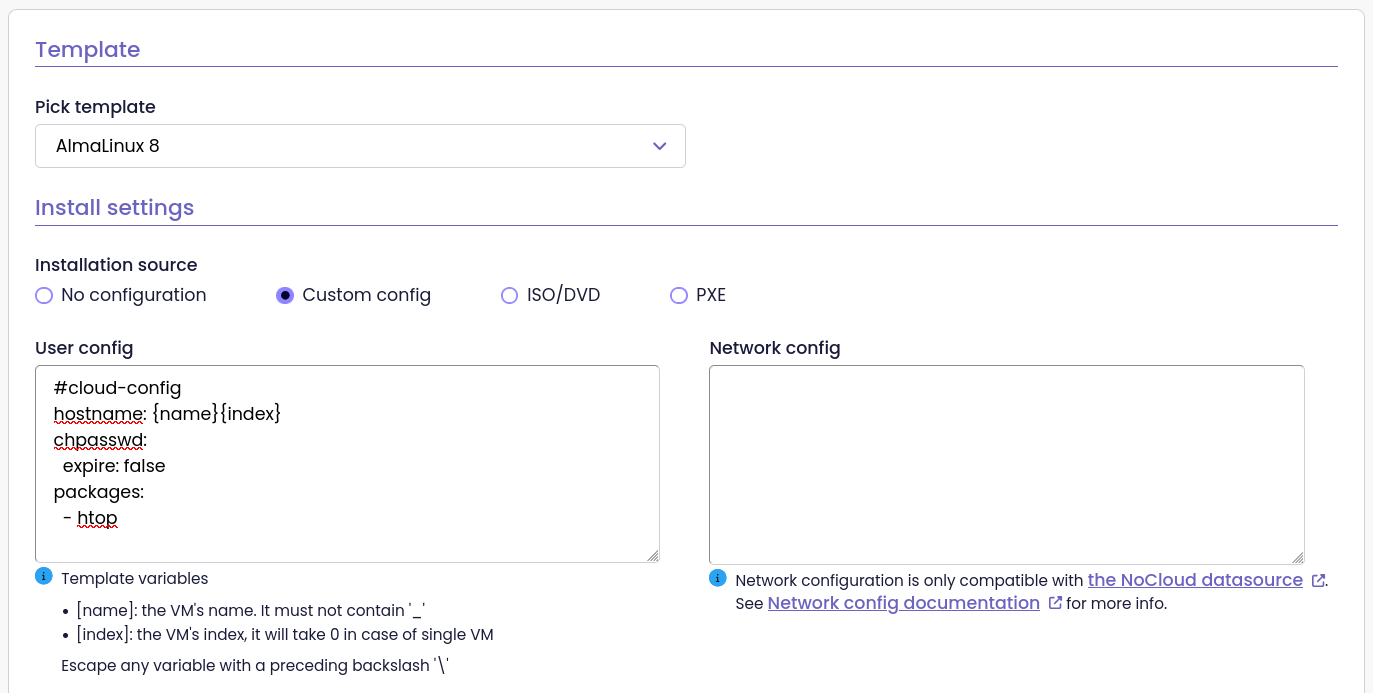
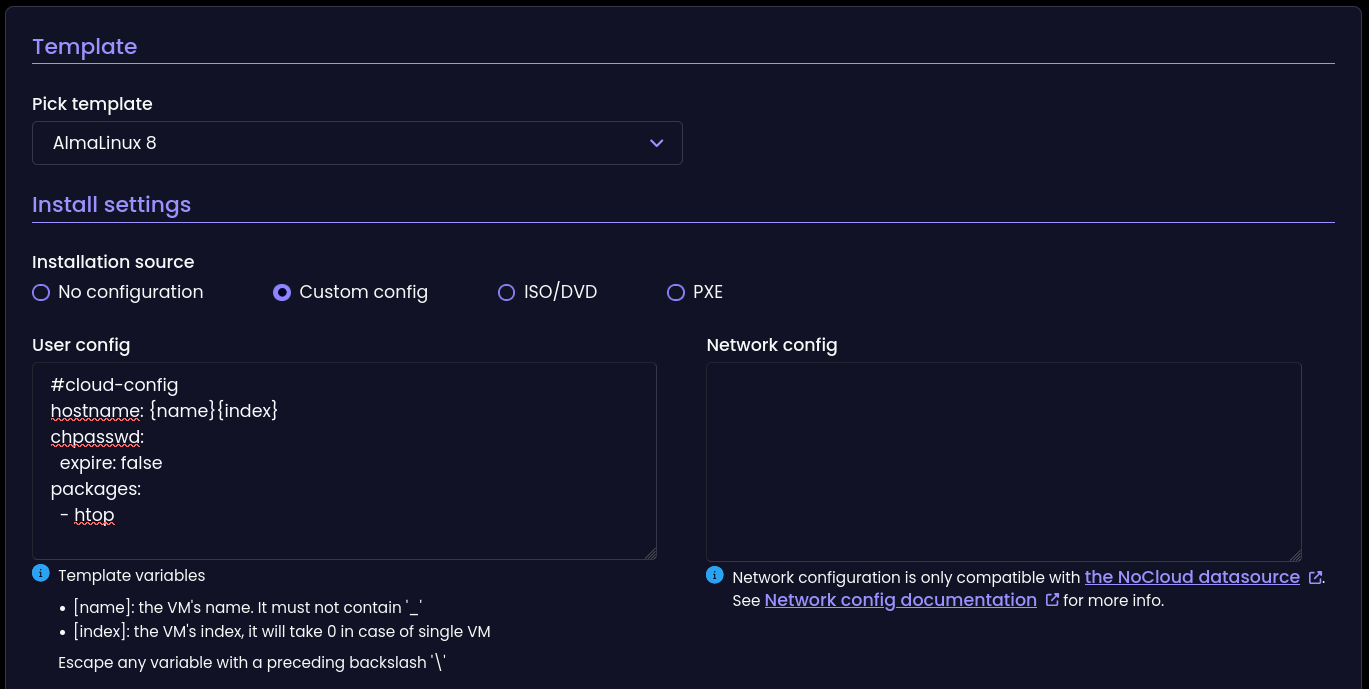
Custom user config field in the VM creation form
Refreshed Dashboard
We’ve redesigned the dashboard to align with the modern look and feel of the interface. The page is now easier to scan and more enjoyable to use, thanks to refined cards and clearer visual hierarchy.
We still give you a quick overview of your infrastructure, but now key information stands out even better.
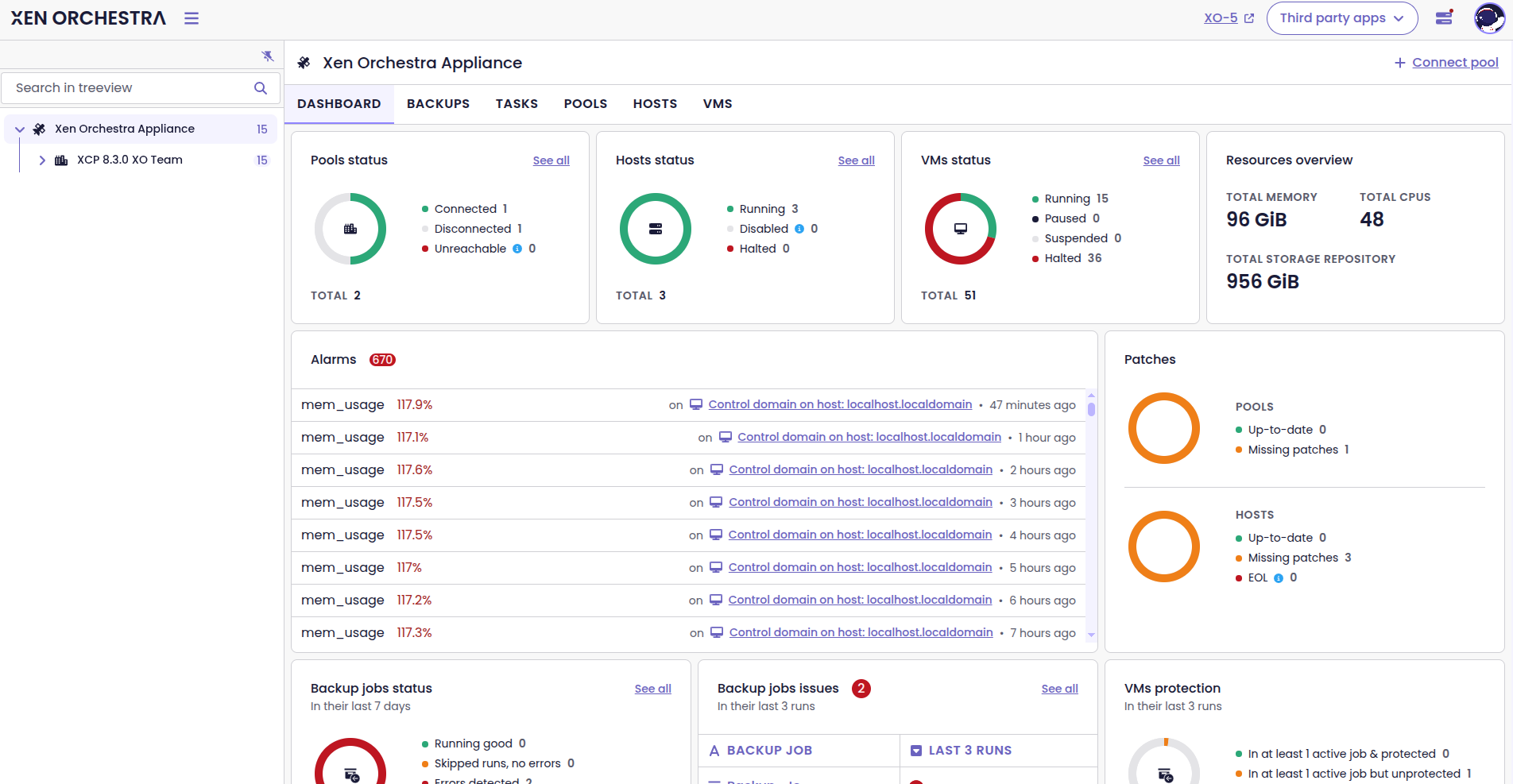
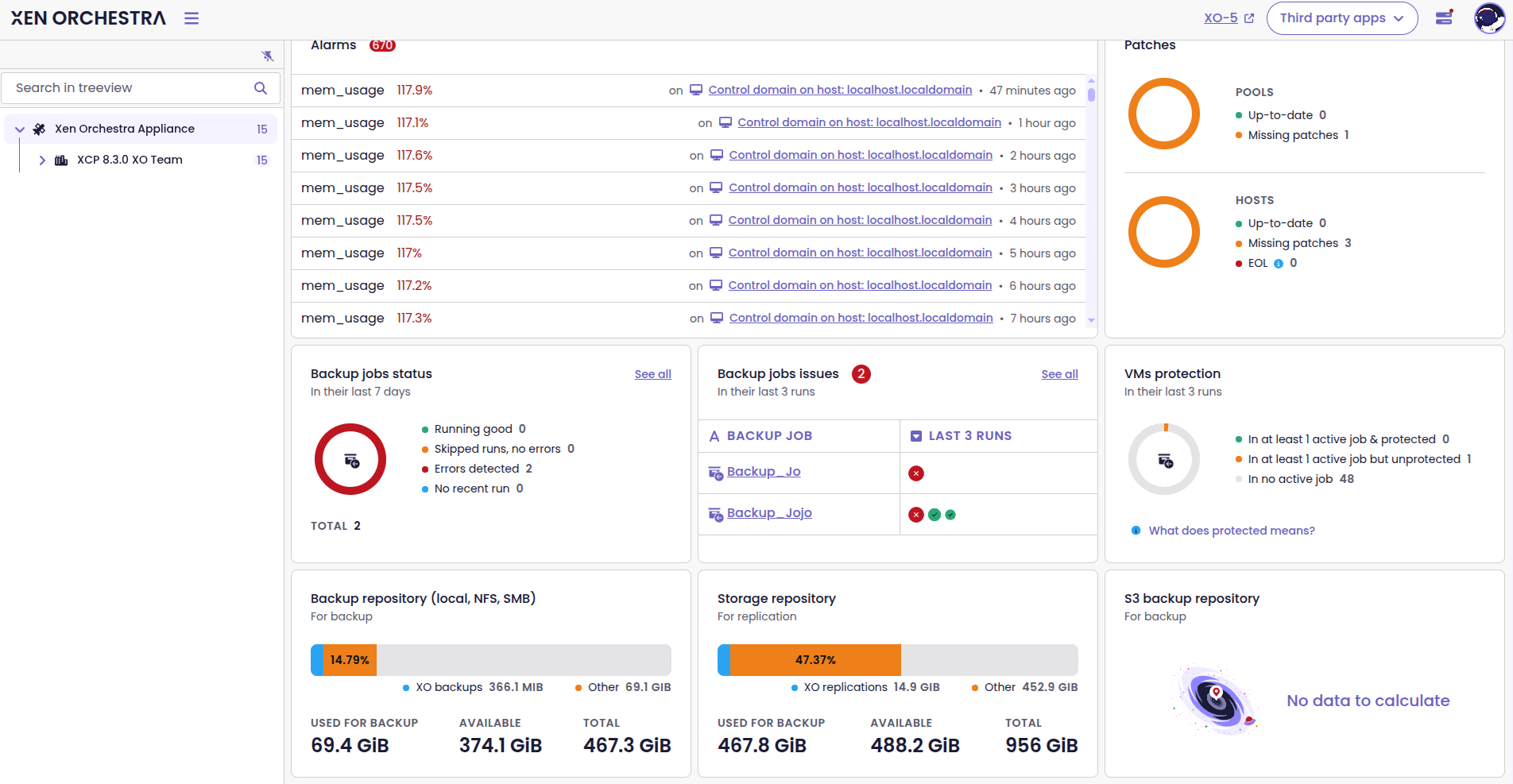
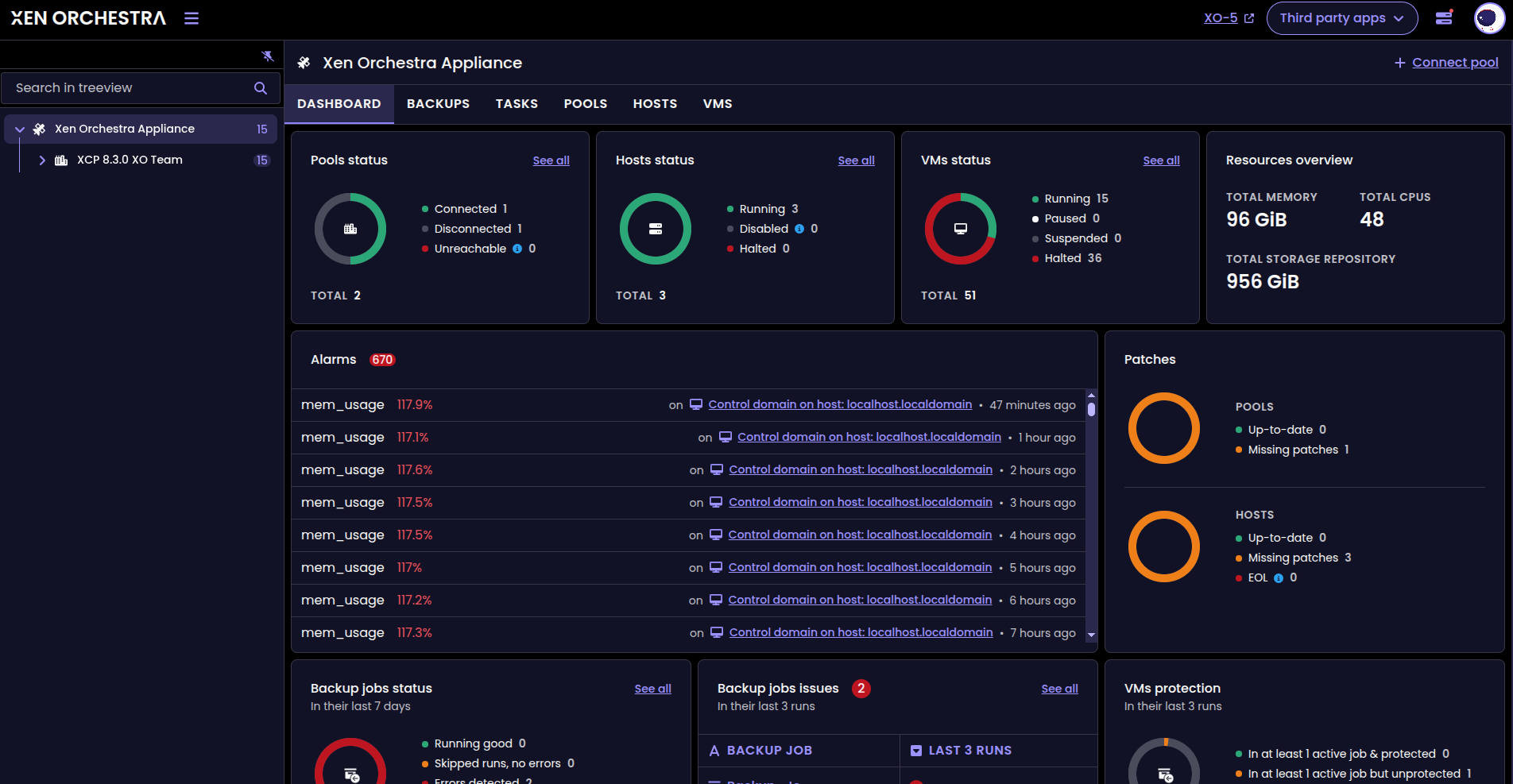
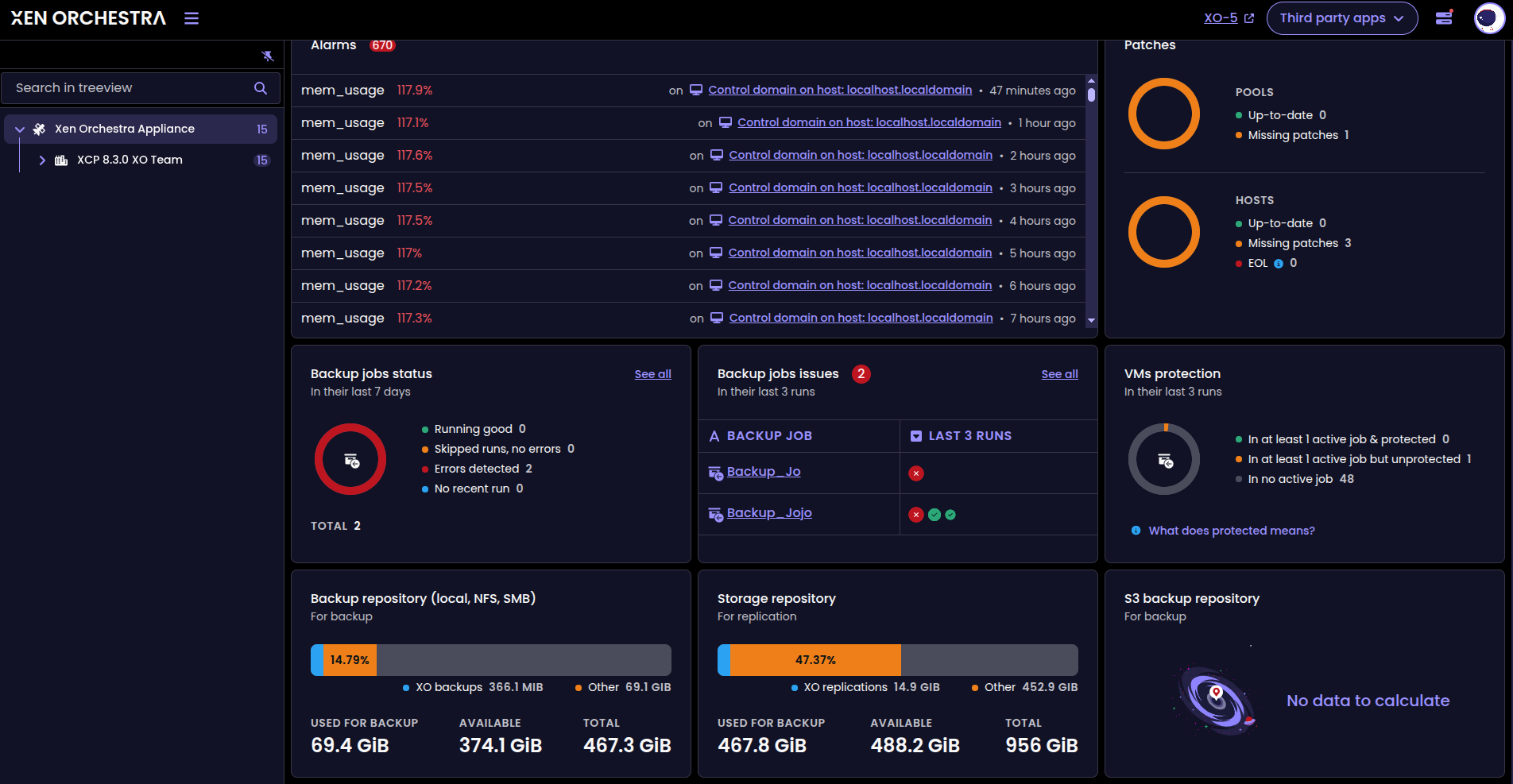
Refreshed dashboard design
📡 REST API
Every month we’re growing our API to better handle real-world tasks and let you automate complex workflows. This time, on top of the new API endpoints, we’ve added support for MCP so you can start experimenting with AI in Xen Orchestra.
New MCP package
We’ve added a new package, called @xen-orchestra/mcp.
MCP (Model Context Protocol) is a protocol that AI models can use when working with external systems, in a structured and secure way. This means that a tool such as Xen Orchestra can share its capabilities and contextual data with an AI assistant, who they can query infrastructure, retrieve information, and even make changes in a controlled manner.
By adding a dedicated MCP package, we’re providing a clean and modular integration. It’s an important step toward enabling AI-driven workflows around your virtualization stack, while keeping clear boundaries in the codebase.

New endpoints
We’ve expanded the API to support more everyday operations.
The new endpoints are:
POST /vms/{id}/actions/migrate: lets you trigger VM migrationsPOST /pbds/{id}/actions/plug: lets you plug PBD routesPOST /pbds/{id}/actions/unplug: lets you unnplug PBD routesPOST /vdis: lets you create VDIs on demand- You can also manage VIF traffic rules for automated VM networking, with:
POST /plugins/snd-controller/vif/rules/:idDELETE/plugins/snd-controller/vif/rules/:id
These endpoints give you finer control when integrating Xen Orchestra into your own tools and workflows.
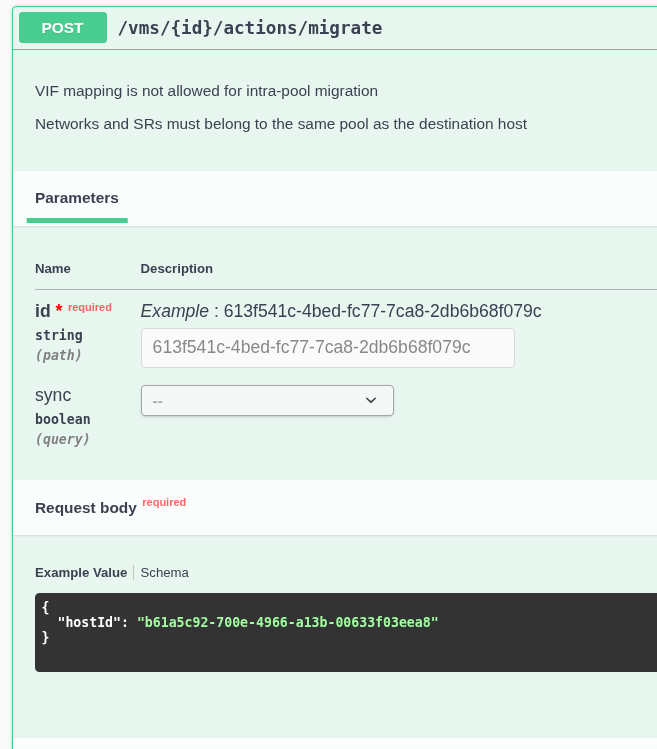
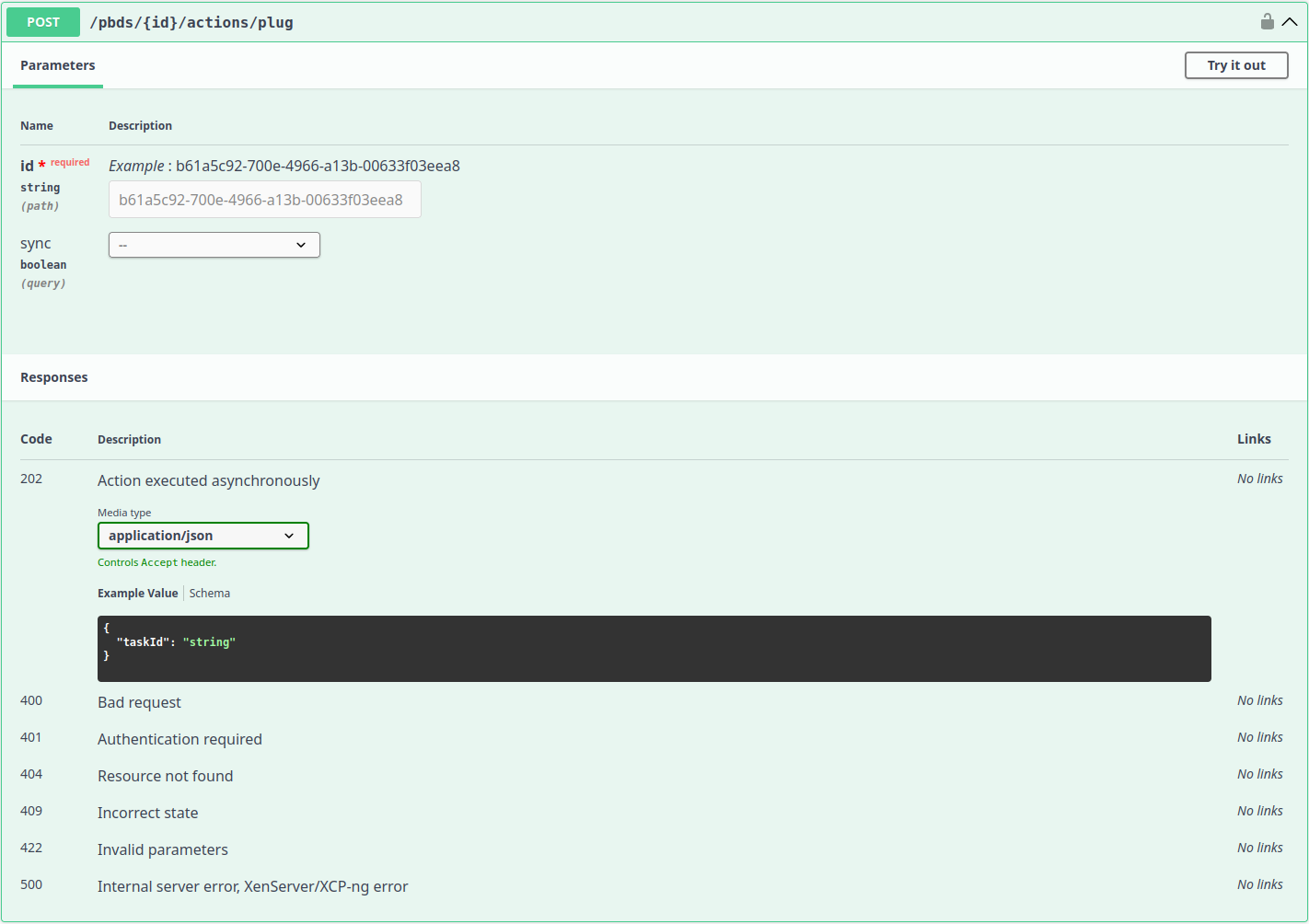
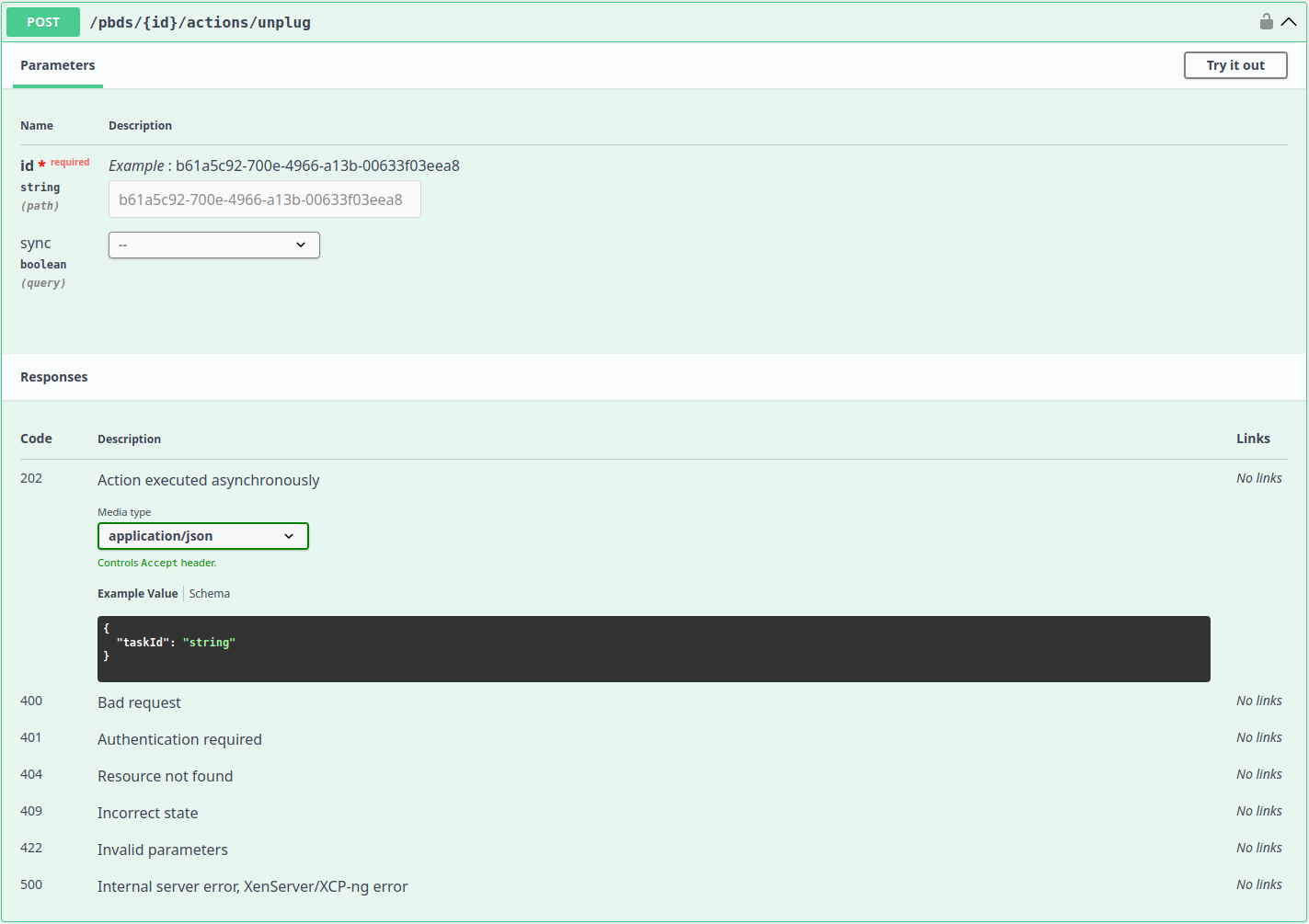
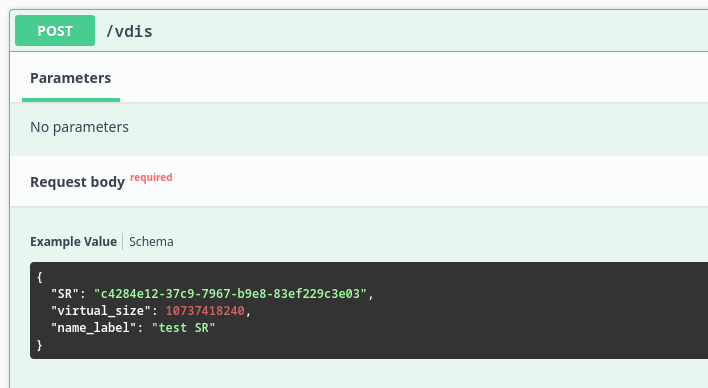
New API endpoints documented in Swagger
☸️ DevOps Tools
We're constantly refining the tools around Xen Orchestra to make development, automation, and integration more reliable. This section covers the latest updates across our ecosystem.
Golang SDK Update
New endpoints have been added to the v2 SDK. You can now retrieve and delete VDIs, manage tags, export and import VDI content. You can also migrate VDIs to different storage using the new v2 SDK VDI service.
 vatesfr
Pulumi Provider upgrade
We’ve updated to the latest Pulumi version and Terraform provider. This brings in all the latest fixes and features added to the Terraform provider over the last few months.
 vatesfr
Terraform Provider
We’ve updated several dependencies of the Terraform provider to improve security.
 vatesfr
🐦 VMware to Vates (V2V)
We’re committed to making your transition from VMware to the Vates ecosystem as easy as possible. Check out our latest improvements that will make the V2V experience more reliable!
Automatic snapshot before migration
Migrating a VM from VMware to Vates can be stressful, especially if you forget to create a snapshot before starting the process.
To prevent unexpected downtime and simplify the workflow, Xen Orchestra now automatically creates a snapshot of any running VM without an existing snapshot before migration begins.
Save VM import settings
To make V2V migrations smoother, we've introduced a "Remember" checkbox on the VM import page.
Thanks to this feature, you don't need to type in the same info over and over when you do several imports which saves time and contributes to a smooth experience.
We are always grateful to our community for your suggestions, which significantly influence the choices of features we develop!
⚖️ Load balancer
It's been a while since the last load balancer updates. They're back now!
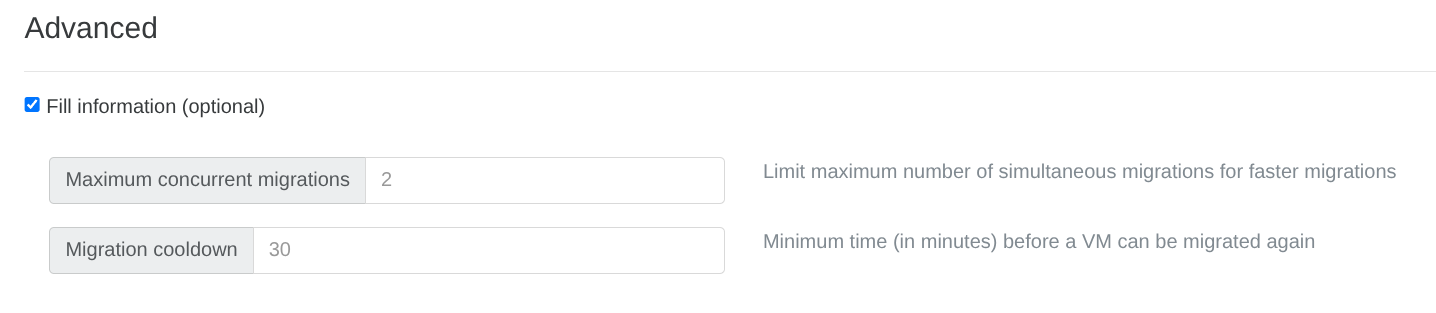
Cooldown for VM migrations
The load balancer now offers a customizable cooldown period.
This cooldown disables the migration of a VM shortly after the load balancer has moved it. It effectively prevents a cycle of unnecessary back-and-forth migrations caused by short-term metric fluctuations in the cluster.
As a result, the balancing behavior becomes more stable and predictable, particularly in dynamic environments.
🪐 XOA
This release also makes license tiers easier to identify in XOA.
Display license bundle name
XO 5 now displays the name of the bundle associated with your current Xen Orchestra license.
If you’re using XOA, you can immediately see which license level is linked to your instance. This makes it clearer what tier you’re running and helps avoid any confusion about available features.

📖 Documentation & Guides
We want you to enjoy all the great new features to the fullest, that's why we always release them together with fully detailed documentation. Below are the most recent guides and updates that have been published in the last month.
OpenMetrics Documentation Updates
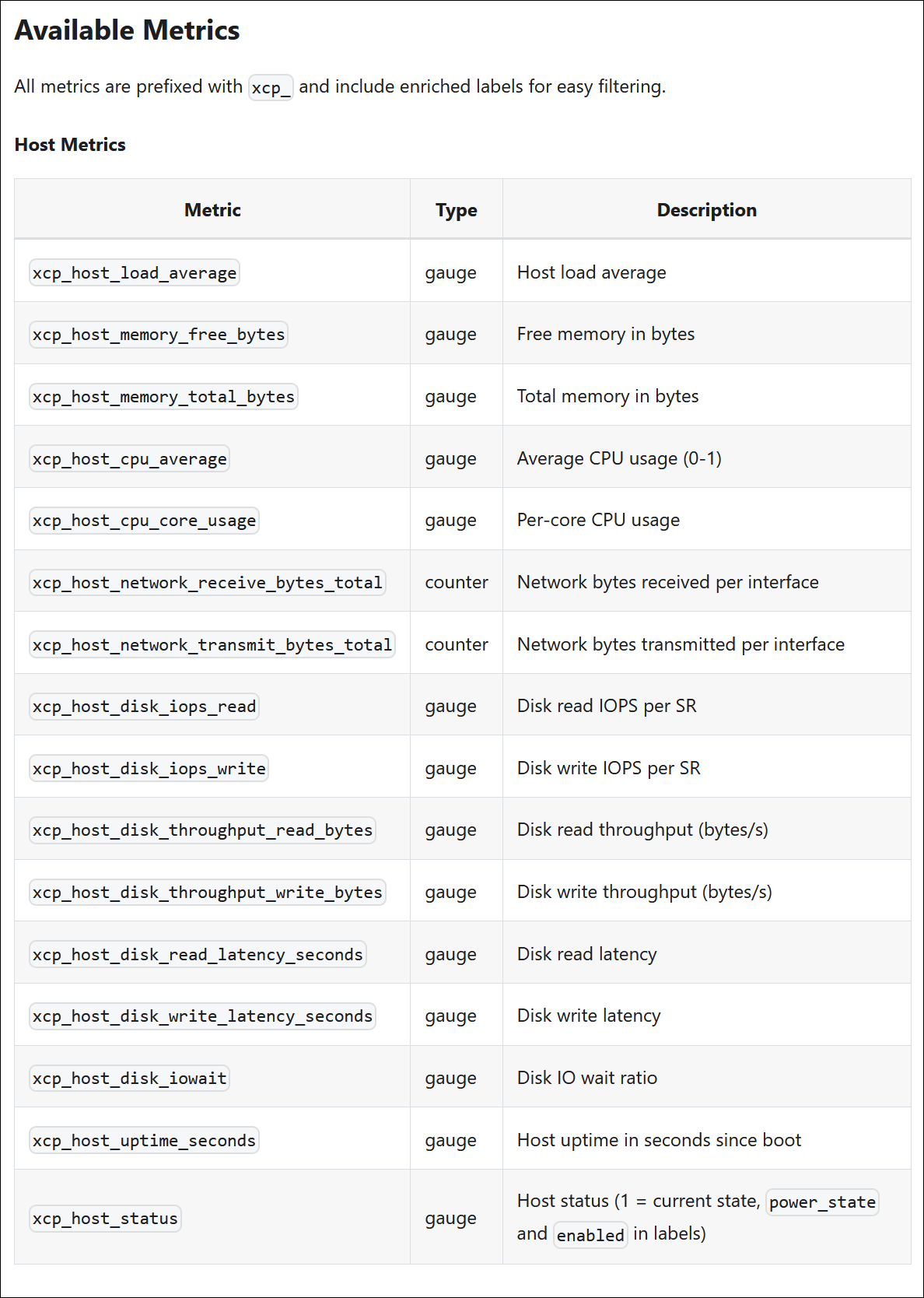
Last month, we updated the OpenMetrics documentation to explain how to expose the metrics form Xen Orchestra. To reflect the latest enhancements in the xo-server-openmetrics plugin, we’ve updated that documentation again.
It covers new metrics, such as host uptime, host status, and the is_control_domain label. This way you can understand scraped data easily, and make use of these metrics in Prometheus queries or dashboards.
Besides that, we’ve also updated the examples to match the current /metrics endpoint, to enable more precise monitoring and reduce the need for guessing.
 our blog post series about it
Prepare your SDN controller for OpenSSL 3
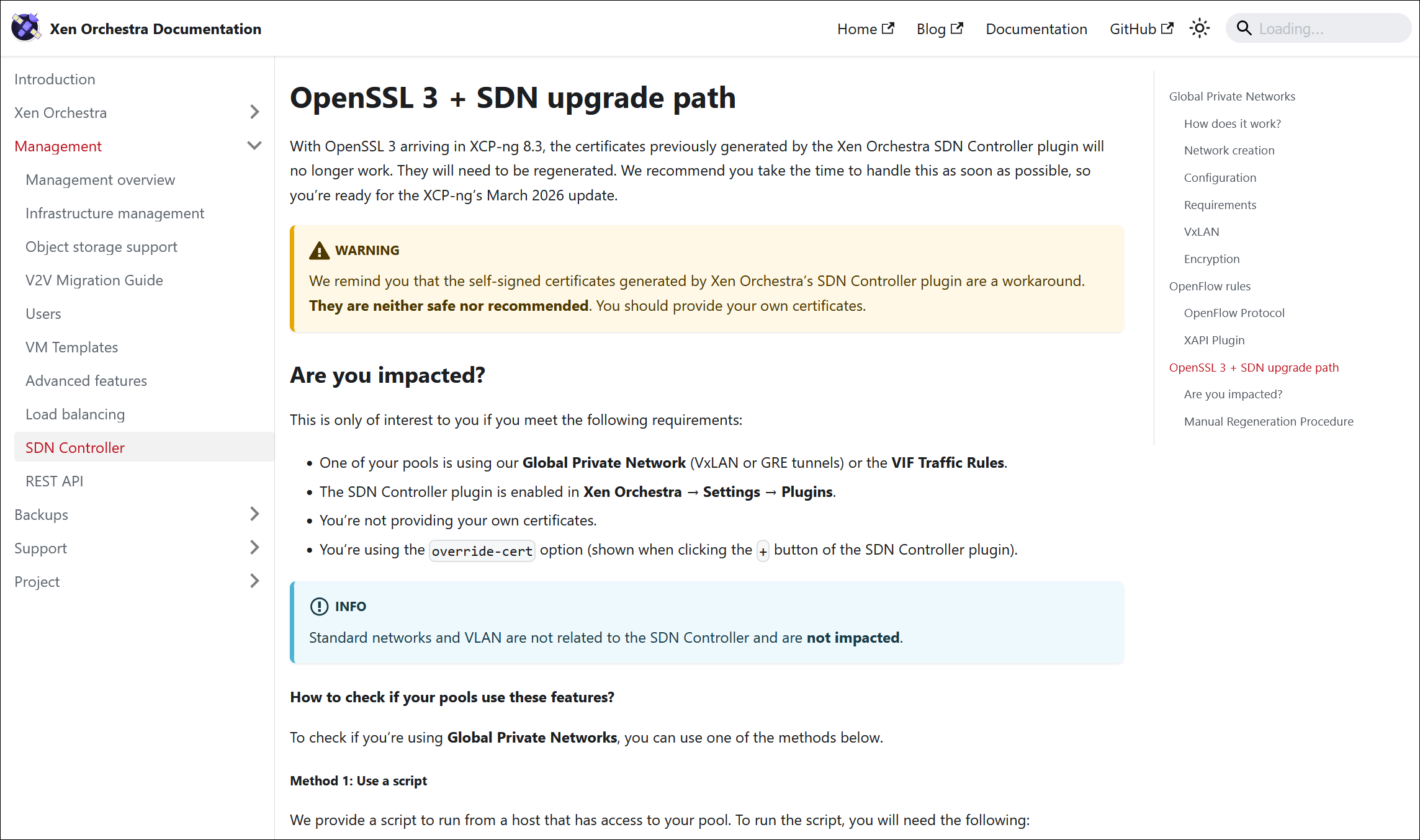
We’ve published a step-by-step guide for manually updating the SDN controller before the March 2026 update of XCP-ng, which introduces OpenSSL 3.
With OpenSSL 3 arriving in XCP-ng 8.3, the certificates previously generated by the Xen Orchestra SDN Controller plugin will no longer work. They will need to be regenerated. We recommend you take the time to handle this as soon as possible, so you’re ready for the XCP-ng’s March 2026 update. The guide details what to check and update for a seamless transition.
If you use the SDN controller, review this documentation before upgrading your hosts to avoid disruptions.

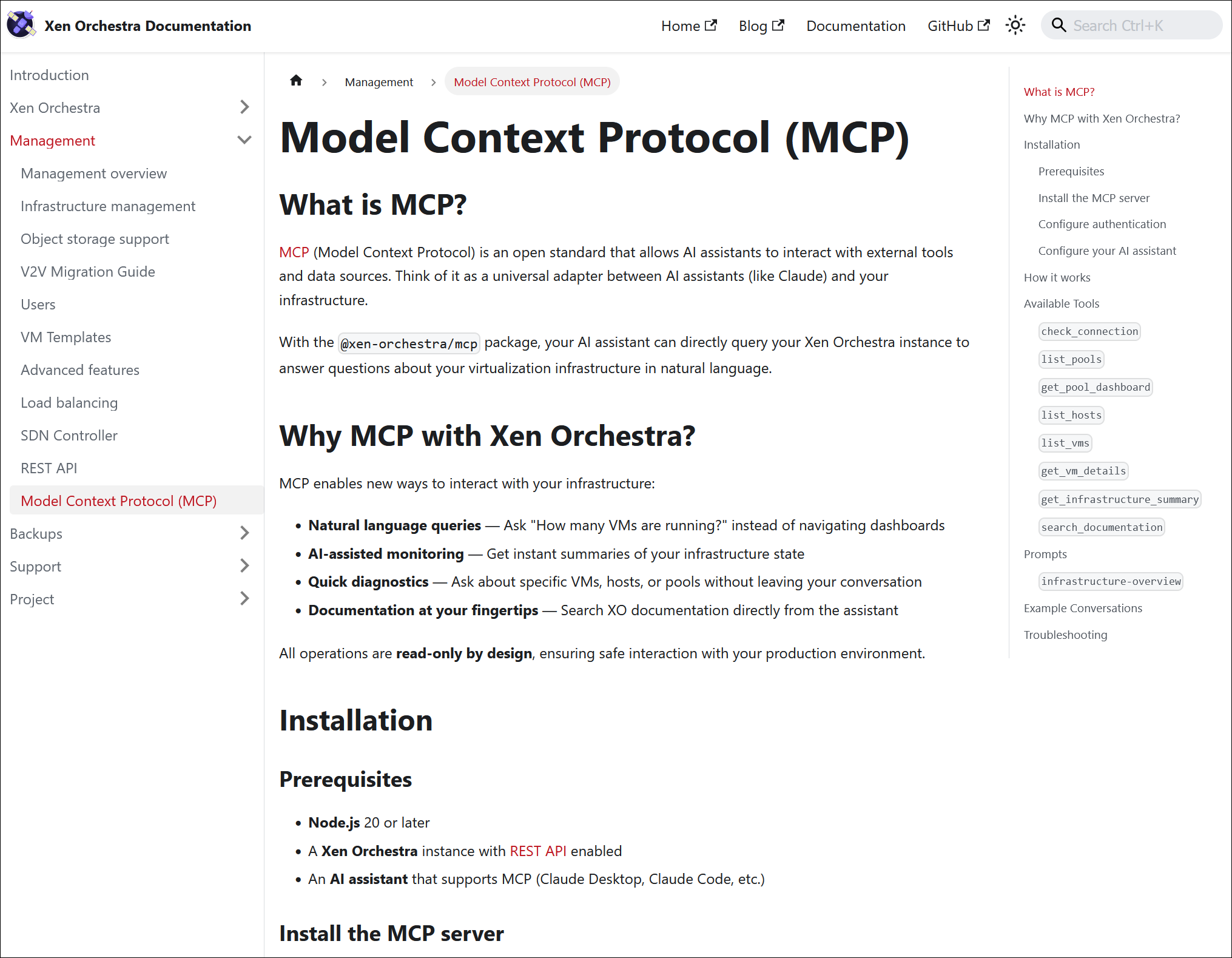
New MCP guide
With the new MCP package now included in Xen Orchestra, we’ve added comprehensive documentation to help you get started. This new page covers what MCP is, how it integrates with Xen Orchestra, and step-by-step setup instructions.
If you’re planning to experiment with AI-driven workflows or automation around your virtualization stack, this documentation is the right place to start.

Clearer metadata backup documentation
In response to community feedback, we’ve updated the documentation to define the two types of metadata backups in Xen Orchestra in more detail,
Previously, some readers found the distinctions unclear, which could complicate backup and restore planning. The guide now clearly outlines the differences and what each type includes, so you can design a more reliable recovery strategy.

🌐 Translations
Xen Orchestra is used globally, and accurate translations are essential to ensure everyone can use it effectively. Here, we share the latest language updates and recognize the community contributors who help maintain these translations. Your work makes the platform more inclusive for all users.
17 languages updated
A big thank you to our community for their ongoing efforts in translating Xen Orchestra!
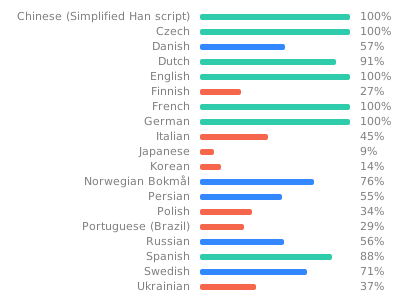
This month, 17 languages were updated: Chinese (simplified), Czech, Danish, Dutch, Finnish, German, Italian, Japanese, Korean, Norwegian (Bokmål), Persian, Polish, Portuguese (Brazilian), Russian, Spanish, and Swedish.
Want to help translate Xen Orchestra or improve existing translations? You’re more than welcome to join in here.
🆕 Misc
We've come up with several changes to make your daily activities easier. The main focus for us this month was on OpenMetrics and making VM migrations easier.
More host data in OpenMetrics
We’re exposing a few more useful data points in OpenMetrics exports.
First, we’re adding the dedicated is_control_domain = true tag for the dom0 VM. This makes it easy to distinguish the dom0 VM from regular VMs in your monitoring setup.
Host status is now exposed as well, along with host uptime. With these changes, you can get a more accurate idea of the host's condition. For example:
# HELP xcp_host_uptime_seconds Host uptime in seconds since boot
# TYPE xcp_host_uptime_seconds gauge
xcp_host_uptime_seconds{pool_id="...",pool_name="...",uuid="...",host_name="..."} 3600 1706889600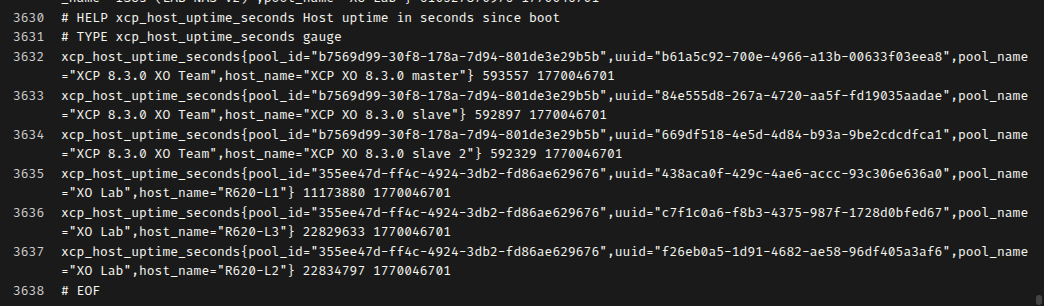
Warm migrations with stopped VMs
Warm migrations now also work with stopped VMs.
If a VM is already stopped when migration begins, the process completes successfully and returns the UUID of the newly created VM on the target. This ensures consistent behavior and simplifies automation, especially in scripted workflows.
NetBox v4.5.x compatibility
XO 6.2 is now fully compatible with the latest NetBox 4.5.x releases. This ensures a smoother connection with your infrastructure management setup.

 netbox-community