Xen Orchestra 6.0
Xen Orchestra 6.0 is here: the first release of our new major chapter.


For more than a decade, Xen Orchestra has grown alongside the infrastructures it manages. What started in 2015 as a straightforward management layer for Citrix Hypervisor, and later for XCP-ng in 2018, has progressively become a critical control plane for production environments, sometimes spanning hundreds of hosts and thousands of virtual machines.
Over the past few years, both Vates and its users have entered a new phase. Infrastructure sizes have increased, operational expectations have risen, and virtualization is now deeply intertwined with automation, security, DevOps practices, and long-term scalability concerns. These changes did not happen overnight, and neither did Xen Orchestra 6.
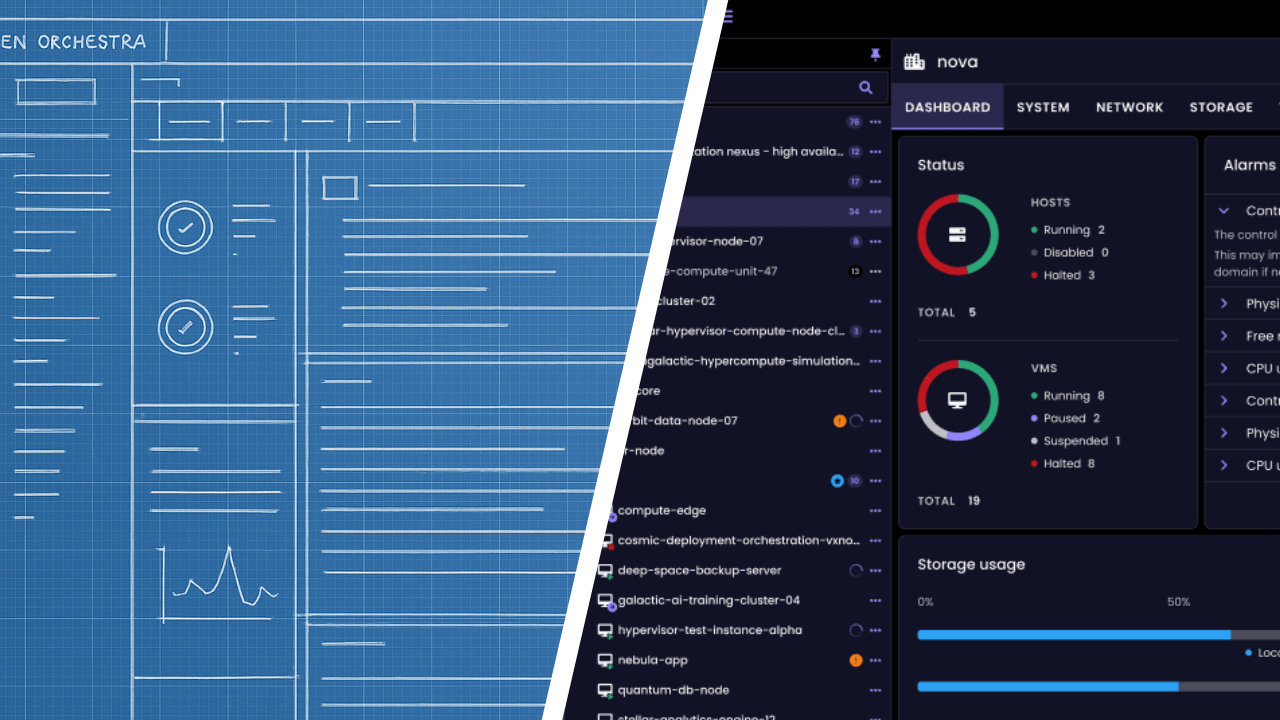
Xen Orchestra 6 is the result of several years of anticipation, design, and groundwork, and we are genuinely proud to finally announce its very first release. This is a major architectural evolution, built to provide stronger foundations for large-scale environments, clearer operational visibility, and a platform that can sustainably evolve alongside our users’ needs in the years to come.
At the same time, our commitment to open source remains unchanged. Xen Orchestra 6.0 is released under the same licenses as Xen Orchestra 5.0. All features remain available to anyone building from source, just as they always have been. This new version is not only about scale and architecture: it also brings many improvements in features, usability, and overall ergonomics, making Xen Orchestra 6.0 a powerful and accessible tool for our community users as well - and yes, it finally comes with the long-requested tree view.
With Xen Orchestra 6.0, we are opening a new chapter, one that continues to be shaped by our users, our community, and a shared belief that open source remains the strongest foundation for sustainable infrastructure software.
As this year comes to a close, we want to sincerely thank everyone: our community users, our customers, and our amazing teams, who are about to enjoy a well-deserved break during the holiday season.
2025 has been an incredible year, with many milestones and new features delivered. And 2026 is shaping up to be even more exciting, because of all of you. Thank you.
👨🚀 Project & Community
But Xen Orchestra 6.0 isn't the only news for today. Santa also bring many other cool surprises for this latest 2025 release. Buckle up!
XCP-ng 8.3 last 2025 update
The December 2025 update for XCP-ng 8.3 LTS delivers important security and maintenance fixes and requires a host reboot.
 Samuel Verschelde
It includes updated AMD microcode addressing entropy issues on some Zen 5 CPUs, along with a low-priority Xen security fix. The update also refreshes UEFI Secure Boot certificates for guest VMs, increases the supported number of virtual NICs per VM (16!), and updates Broadcom drivers in the installer to improve hardware compatibility.
And since Christmas is just around the corner, we also managed to ship improved performance for resumed and migrated VMs thanks to superpage restoration support, along with the latest XO Lite version and an updated release of the Windows guest tools.
XCP-ng 9.0 early demonstrator
We’ve published an early demonstrator of XCP-ng 9.0 to expose the technical direction early and gather community feedback. It’s built on a more modern base: Linux 6.12, Dom0 is loosely based on Alma 10 etc.
Many things are known not to work (see the dedicated thread on XCP-ng forums below), and many others are incomplete or untested. We are far below the alpha quality level we usually target before public releases. Keep that in mind before testing or reporting issues.
 olivierlambert
XCP-ng QCOW2 release candidate
Our QCOW2 format support has now reached release candidate status, in other words, the final step before general availability. We encourage you to test it and report your feedback: the more testing we get, the faster it can reach production in XCP-ng 8.3 in the coming months.
 tsukraw
Xen at the Open Source Summit Japan
Xen had a strong presence at Open Source Summit Japan 2025, with a clear focus on open automotive innovation. Talks and discussions highlighted concrete progress around secure, isolated, and safety-oriented systems, and showed how Xen is increasingly adopted in real-world automotive and embedded environments.
 Cody Zuschlag
Playtonic Games: open source that keeps up with production
Playtonic Games runs a production environment where infrastructure must stay out of the way. With XCP-ng and Xen Orchestra, they operate a stable, predictable platform with reliable backups, fast restores, and simple day-to-day operations, even under constant load.
 Clément Schilling
Festival de Cannes: when reliability is non-negotiable
At the Festival de Cannes, infrastructure must work without exception. Xen Orchestra is used to operate and monitor critical workloads, providing clear visibility and reliable backup workflows in an environment where downtime is not an option.
 Clément Schilling
🎫 Events
This year was rich in events! And it will be even richer in 2026.
Vates at Open Source Experience 2025
We took part in the 2025 Open Source Experience (OSXP) in Paris, where our DevOps team discussed how the Vates VMS stack — including Xen Orchestra — fits into modern DevOps and cloud-native workflows. We covered our API-first approach, infrastructure-as-code integrations like Terraform and Pulumi providers, how XO’s REST API supports these use cases, and where we see the stack heading next.
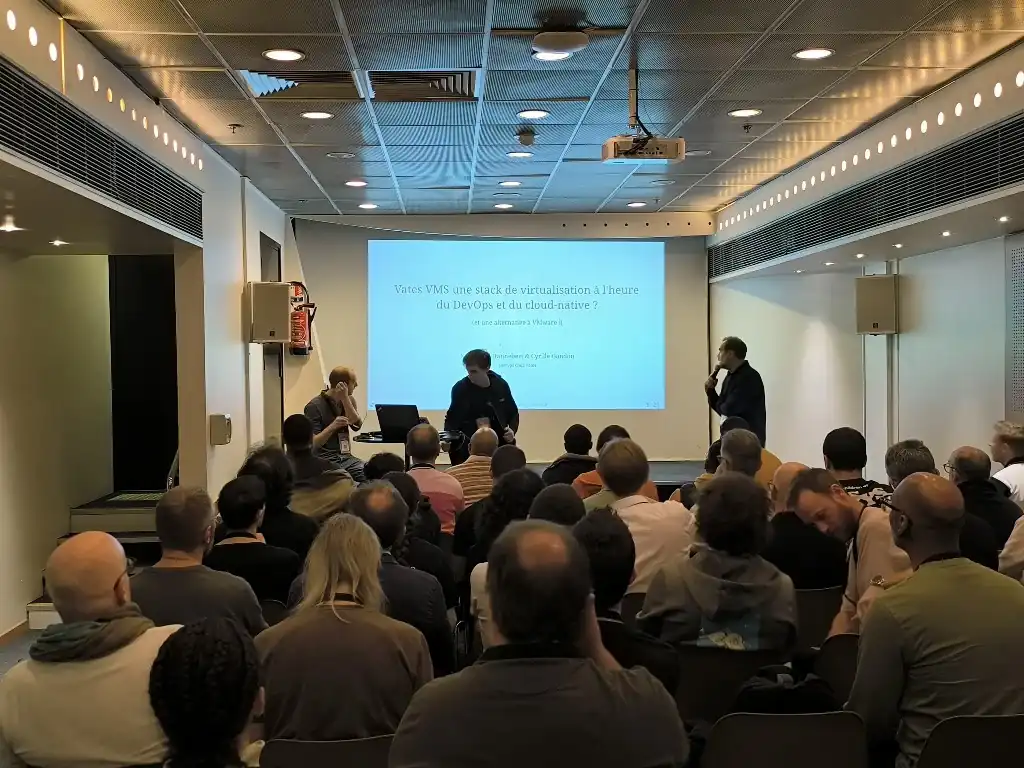
Missed the event? You can still review the presentation slides — available online in French — to catch up on all the details:

API days feedback
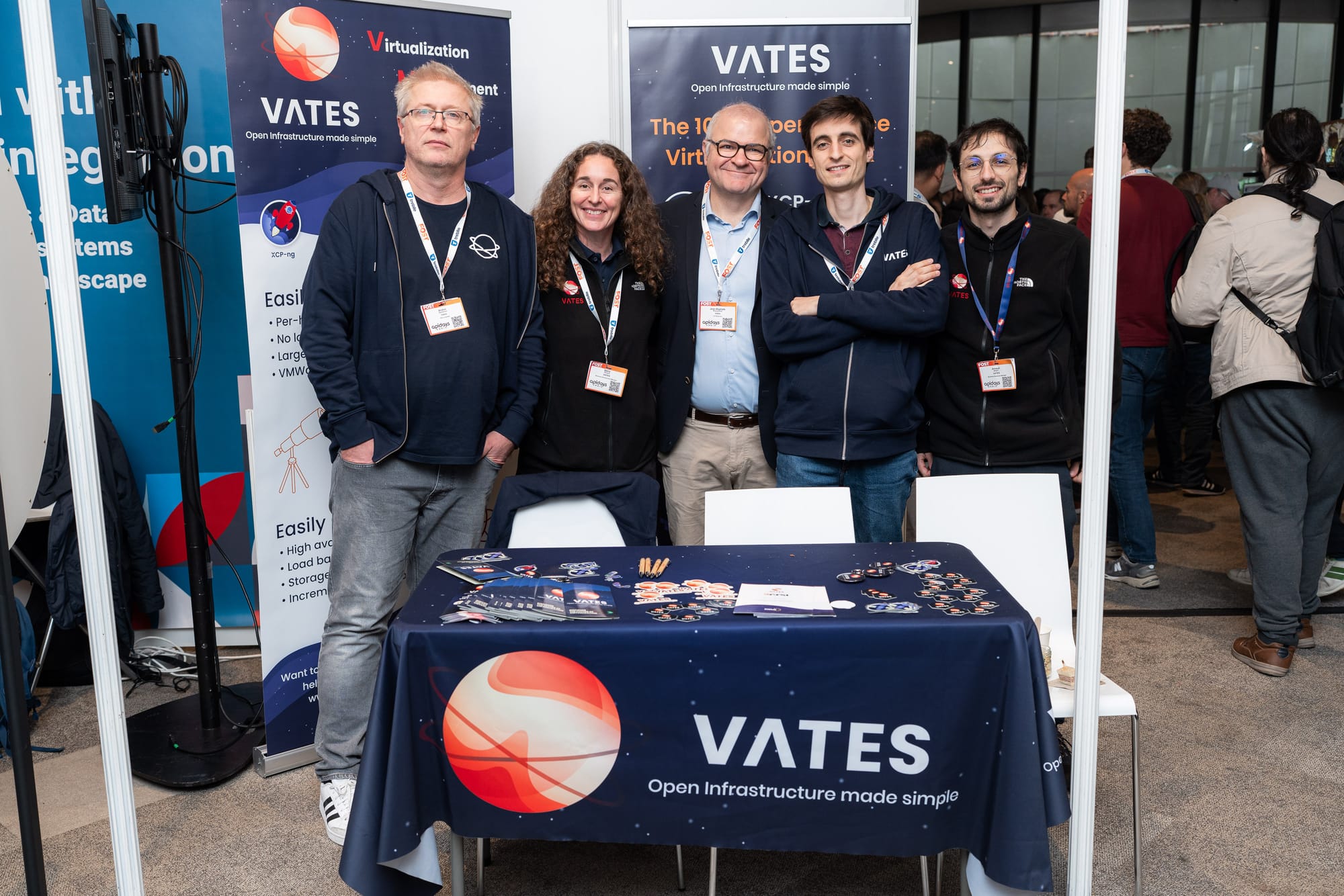
Vates was also present at API Days Paris, an event focused on APIs, automation, and modern integration practices. It was an opportunity to exchange with a broader tech audience on infrastructure automation, observability, and how open platforms like XCP-ng and Xen Orchestra integrate into complex, API-driven environments.
More to come in 2026
In 2026, we’ll continue engaging with the community at key events such as FOSDEM, InCyber, and Tech&Fest, with additional events planned, particularly in the United States.
XO 6.0
Let's talk about the elephant in the room: this is it. XO 6.0. Let's go in details about what it means!
But first, a mandatory disclaimer:
⚠️ Disclaimer
Please read that carefully!
- XO 6 by default is ONLY available on the
latestrelease channel (see below). If you are onstable, nothing changes. - XO 6 is currently designed for administrators only and is not yet intended for regular or less technical users.
- The interface remains primarily for "read" operation. Most day-to-day operations and changes should still be performed in the XO 5 interface until our next monthly releases.
- License management is not yet available in XO 6. All licensing actions must continue to be handled through the XO 5 interface.
A note about feedback and support
XO 6 is still evolving, and we really value your feedback. If you run into issues, unexpected behavior, or have suggestions, please do not open a support ticket on our support portal for XO 6.
Alongside Xen Orchestra 6, we are launching a dedicated feedback platform to better capture how XO6 is used in real-world environments and to help us prioritize what comes next. This tool allows users to submit ideas, report friction points, and upvote existing requests so that the most impactful topics naturally rise to the top.


Participating is simple: log in using one of the available third-party options (Discord, GitHub, …) or create an account with your email, browse existing feedback, upvote what matters most to you, or submit a new suggestion if it hasn’t been raised yet.
You can also share your overall experience with XO6 in the dedicated forum thread here:
 olivierlambert
Thanks for helping us shape what comes next!
Switching back to XO 5
If you need to return to the XO 5 interface (whether temporarily or permanently) you can easily do so by adjusting your Xen Orchestra configuration.
All the necessary steps are explained in the technical documentation (as we explained in last month's blog post):

Choosing your release channel
As a reminder, you can switch your Xen Orchestra release channel at any time to follow a different update track.
The process is simple and fully documented here:

stable release channel until we are happy with it, limiting the change for people who want to be on latest.What's next?
Many things in the pipes, each month will see more features available in XO 6. Even themes! If you feel adventurous, you can already tinker with the colors via the @xen-orchestra/web-core/lib/assets/css/_colors.pcss file. We'll have a theme selector later, but to give an you an idea, it could look like this:

In short, January will bring a huge number of new features in XO 6. Stay tuned!
🛡️ Security
Nothing specific this month, outside the usual dependencies upgrade. By the way, we are NOT affected by the React2Shell vulnerability (CVE-2025-55182).
💾 Backup
Various improvements on the backup side, mostly on listing speed but also more relevant errors when something happens.
Faster Backblaze directory listing
Previously, listing a directory in Backblaze required a full tree scan, which slowed down responses and added unnecessary load. Now, Xen Orchestra uses a lightweight cache stored in the xo-vm-backup folder.
When XO needs to list a directory, it relies on this cache instead of triggering a full scan. The result is much faster listings and a smoother experience when browsing Backblaze backups.
🥝 Core UI
As you can guess, most of the frontend work is now done on Core UI. Each month is delivering more and more components and features!
TaskItem component
We’ve added a new TaskItem component to the core interface.
This component standardizes how tasks are displayed. It provides a unified structure for status, progress, and context. It ensures task-related views remain visually consistent and behave predictably all across XO.
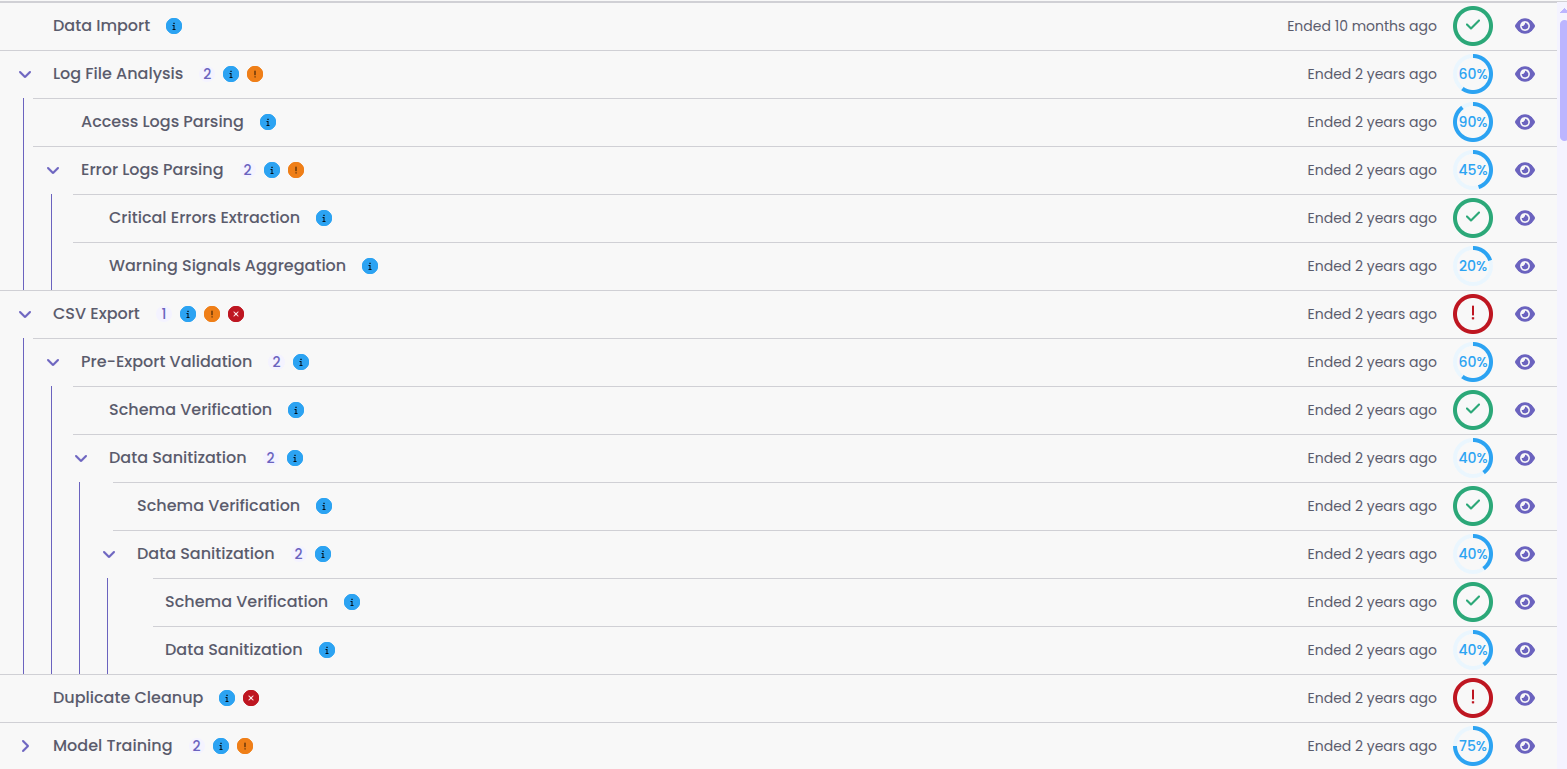
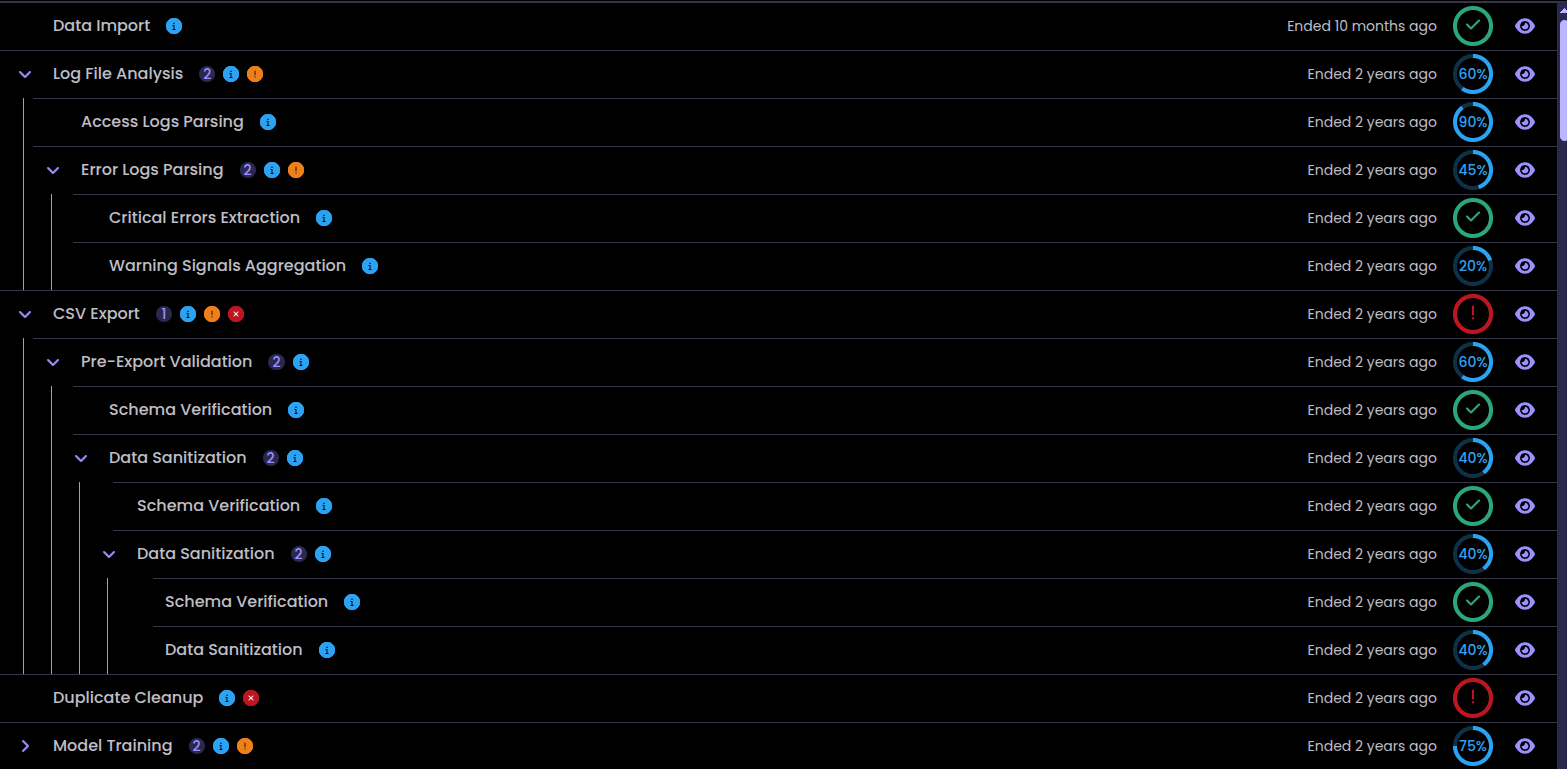
New TaskItem component in Xen Orchestra
🛰️ XO 6
Outside Core UI that's used for both XO Lite and XO 6, we also have specific XO 6 component. Let's see what's up in here!
Smarter navigation tree
The navigation tree now remembers which sections you’ve expanded or collapsed, so it stays exactly as you left it when you return. Now you won’t have to readjust the view every time.
Also, we’ve improved filtering the same way. Any changes you make to the tree’s layout while filtering (like expanding or collapsing items) won’t affect your default view. Once you clear the filter, your original setup is instantly restored. This update makes navigating navigation smoother in day-to-day use, especially on large infrastructures.
XO 6 is now the default on build
Starting this month, if you clone the repository and run XO from source, XO 6 will launch by default. No extra flags or environment tweaks are needed. You’ll get the latest version right away.
If you prefer to stick with XO 5 for now, that’s still possible: just adjust your local configuration to make it the default. This update makes it much easier to try XO 6 early, while keeping the classic version available for those who need it.
To know more, check out the blog post from last month’s release:
 Olivier Lambert
Task page
Xen Orchestra now has a dedicated Tasks page, with a side panel for monitoring task details, errors and background activity.
You can view running, completed, or failed tasks in one place, with clear status and progress details. The side panel lets you quickly check ongoing operations without interrupting your workflow.
This gives better visibility into into lengthy tasks and and makes task tracking tracking more intuitive.
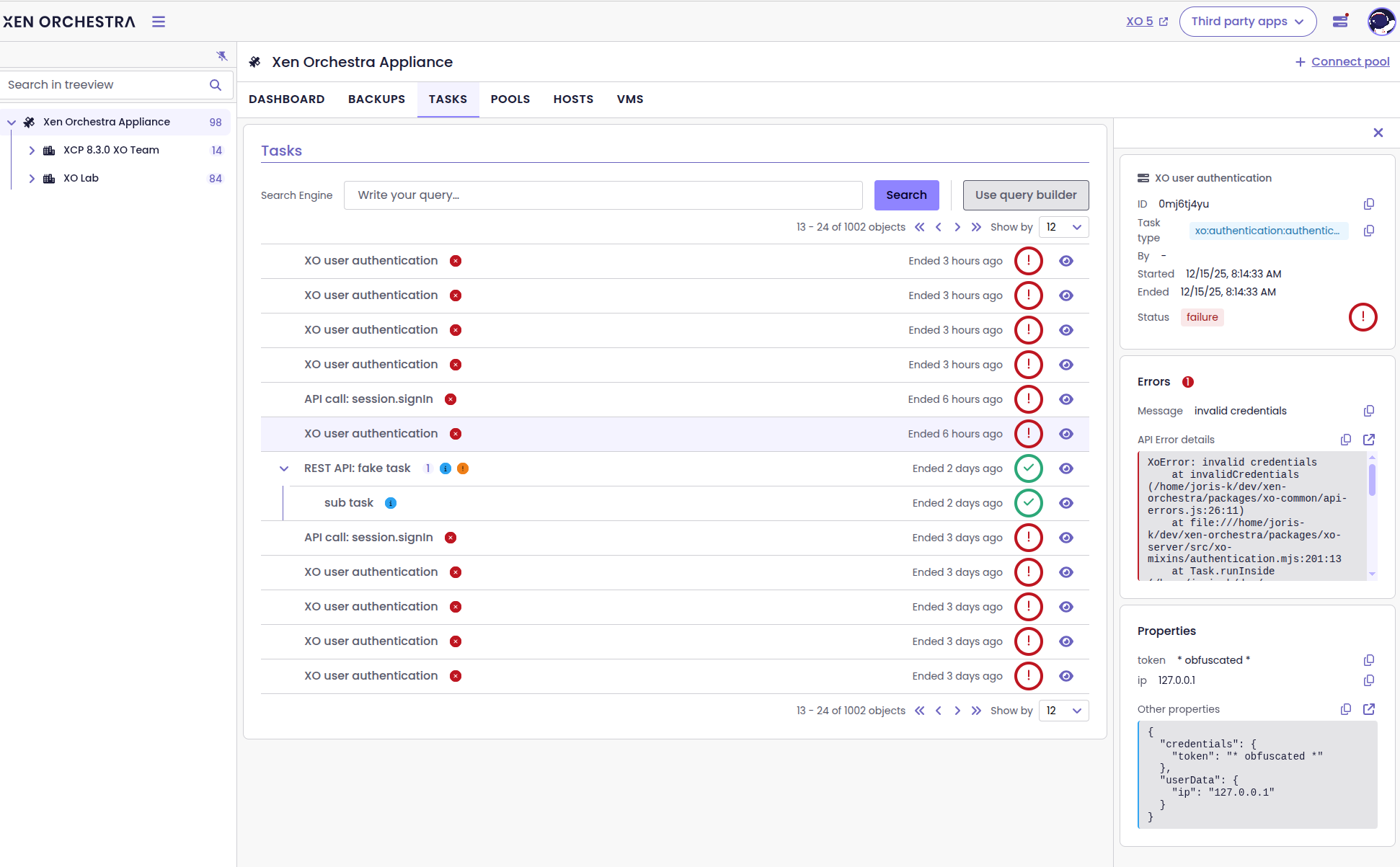
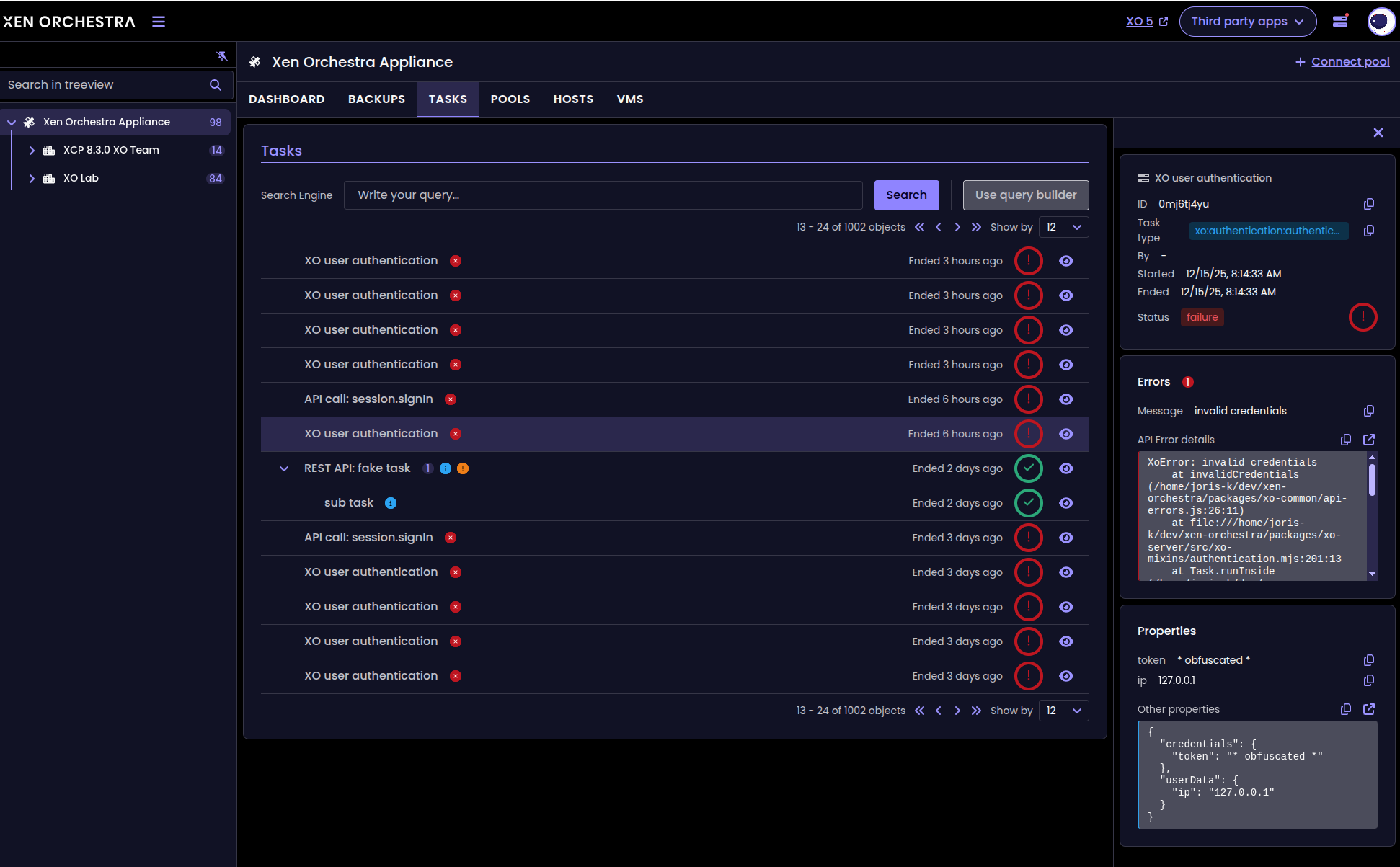
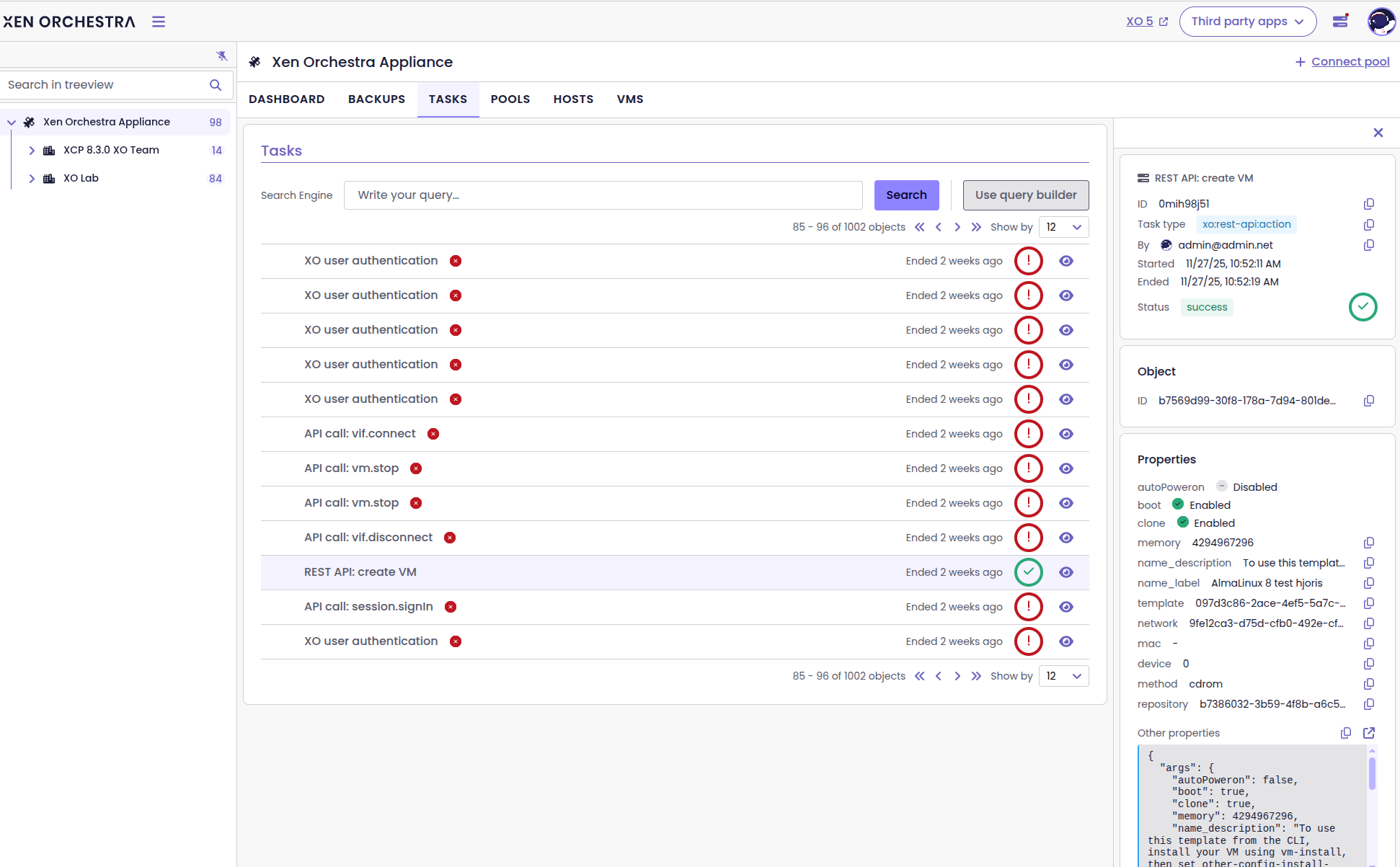
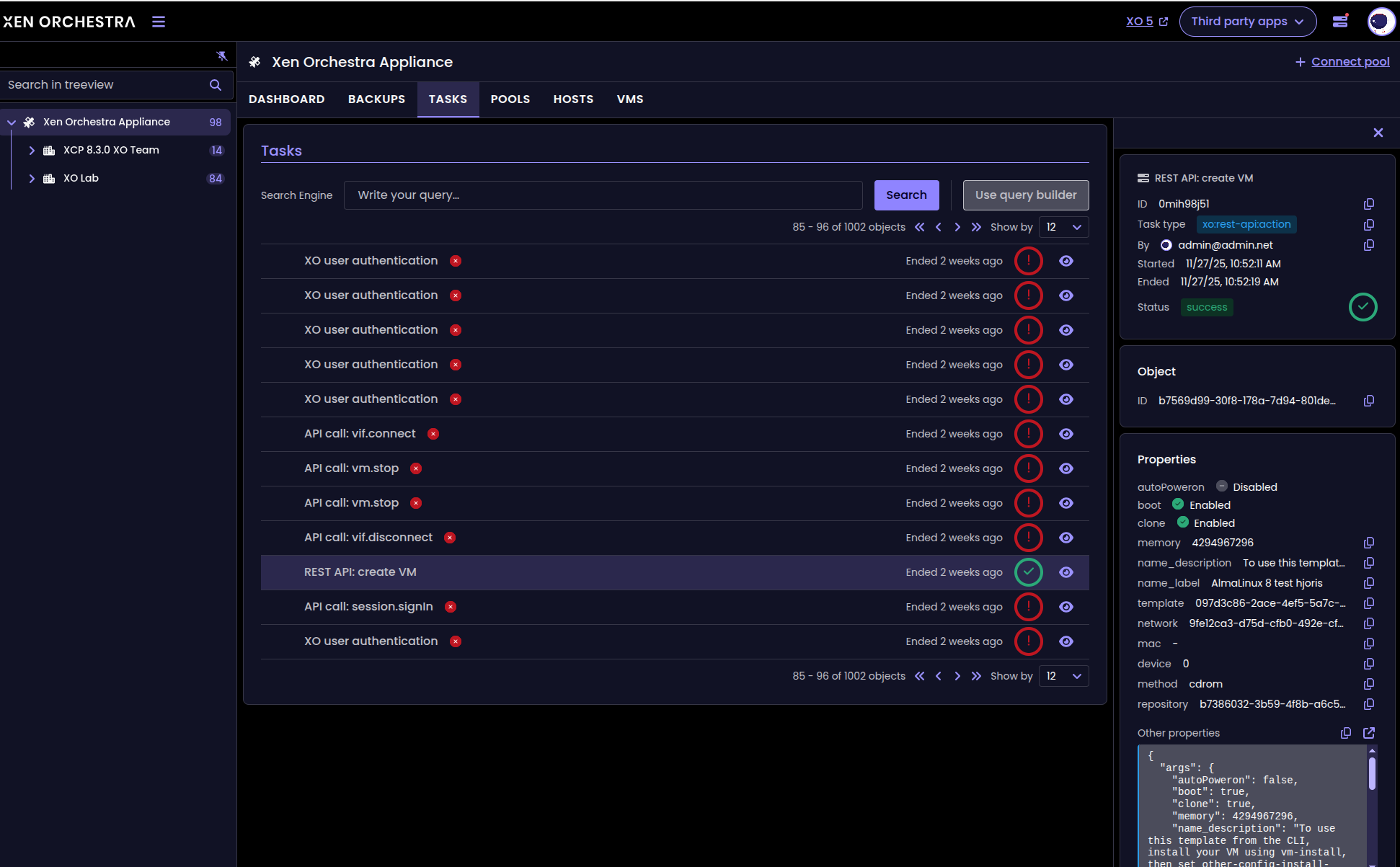
The new Task page, with its side panel
Tasks tab for VMs, Hosts, and Pools
On top of the new Tasks page, you can also access tasks directly from the VM, Host and Pool views, with the new Tasks tab.
When you select one of those resources in the navigation tree, the Tasks tab displays a filtered table of all related tasks and subtasks. The table uses the same layout as the Site → Tasks page, but focused only on the selected resource.
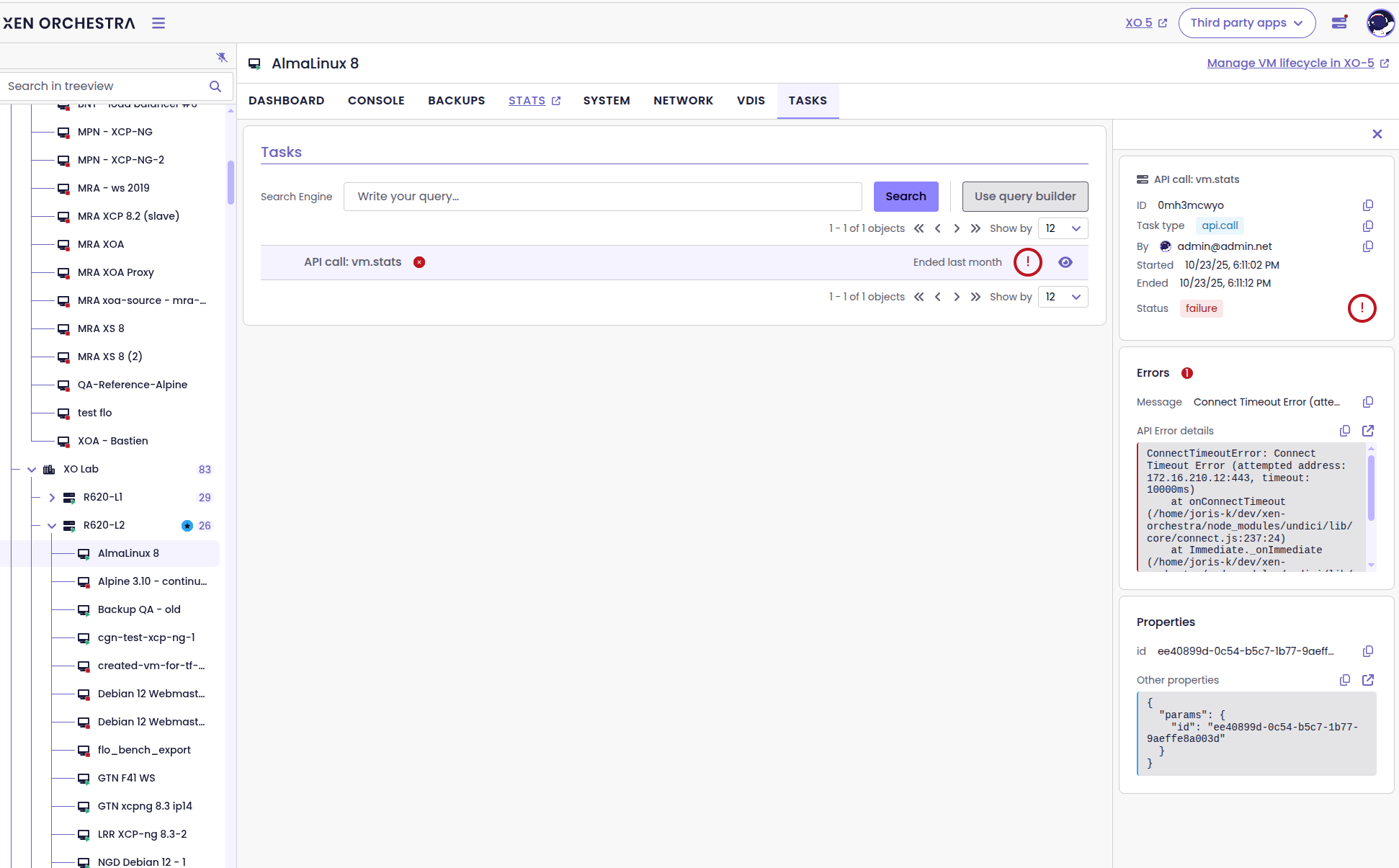
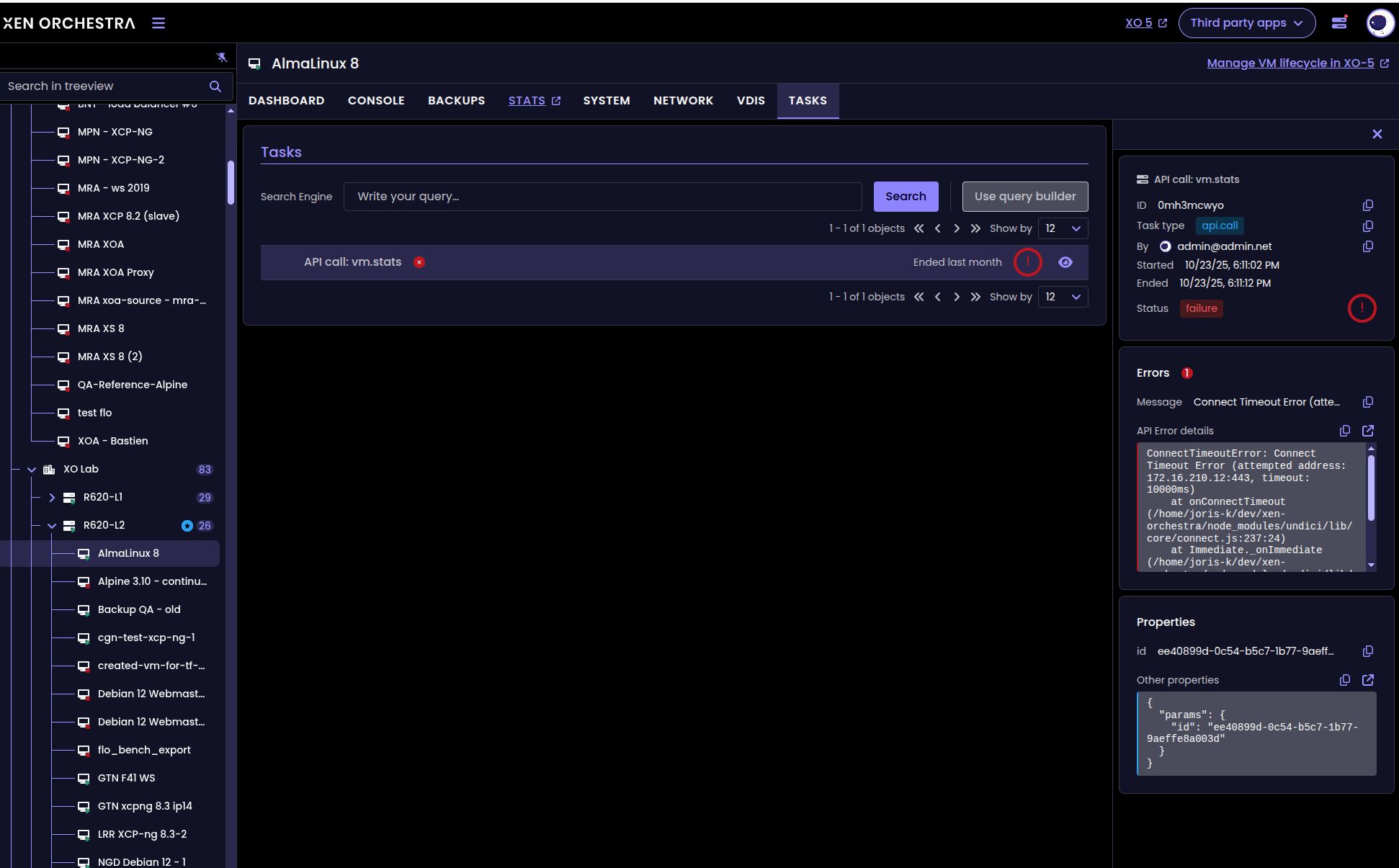
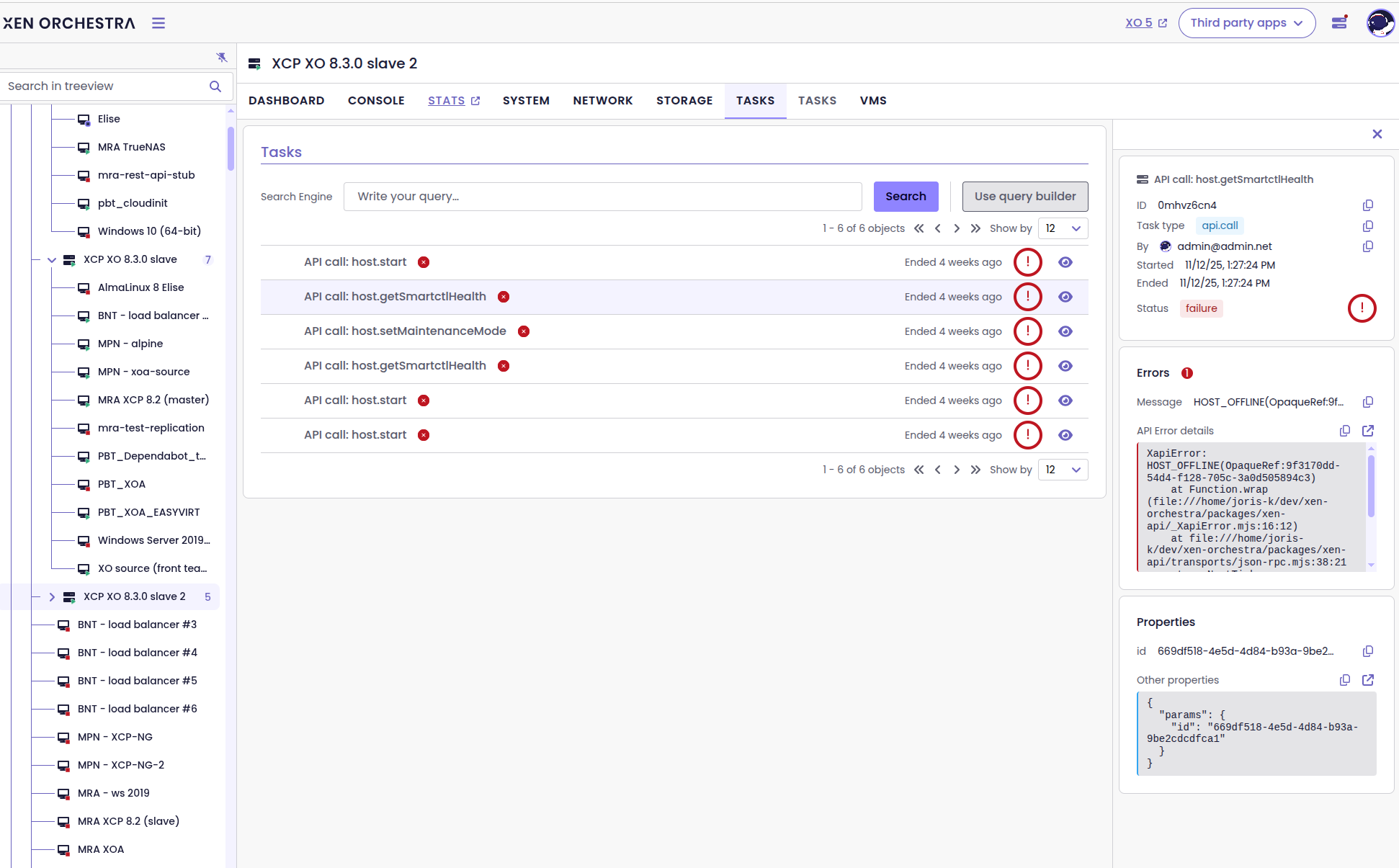
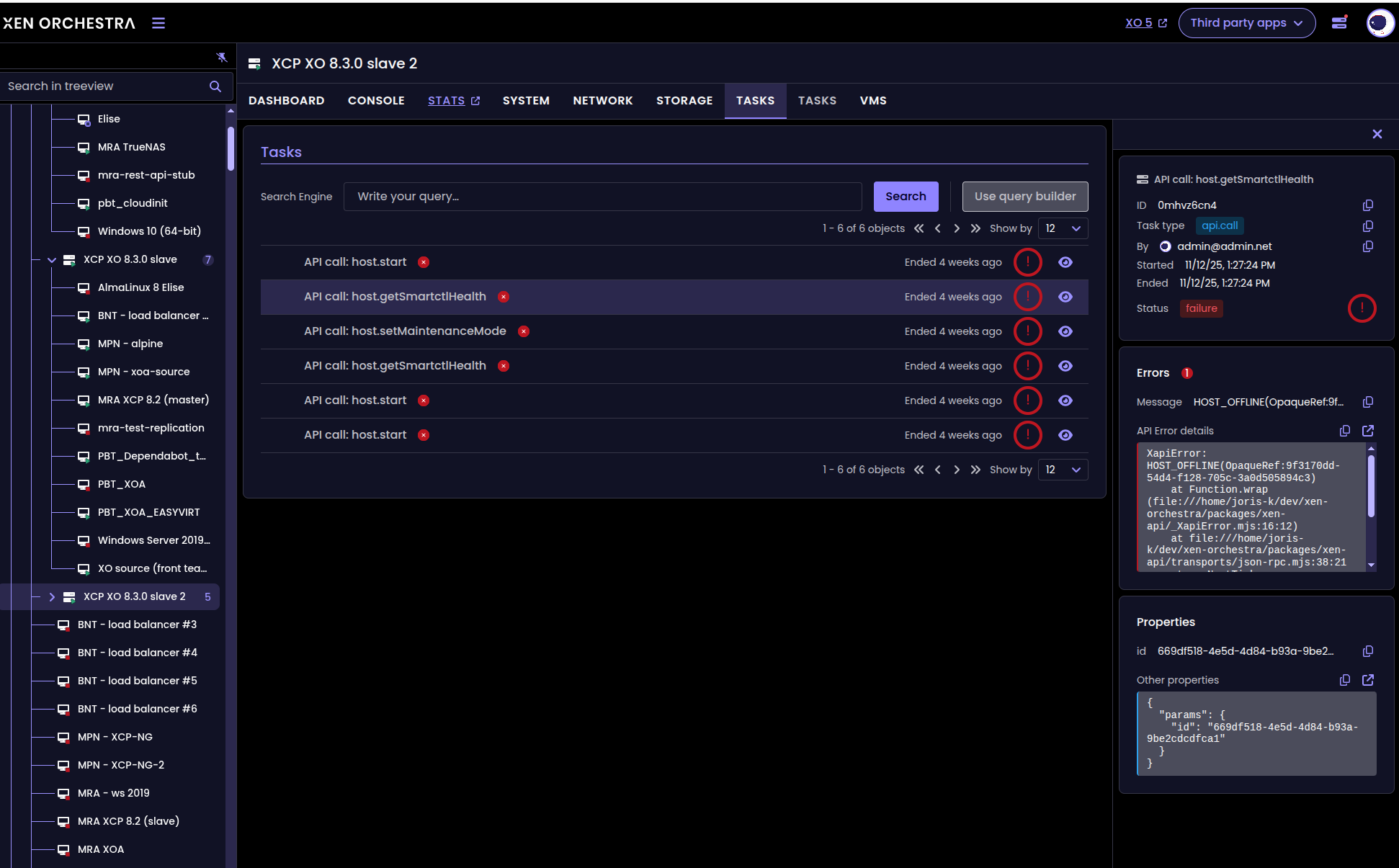
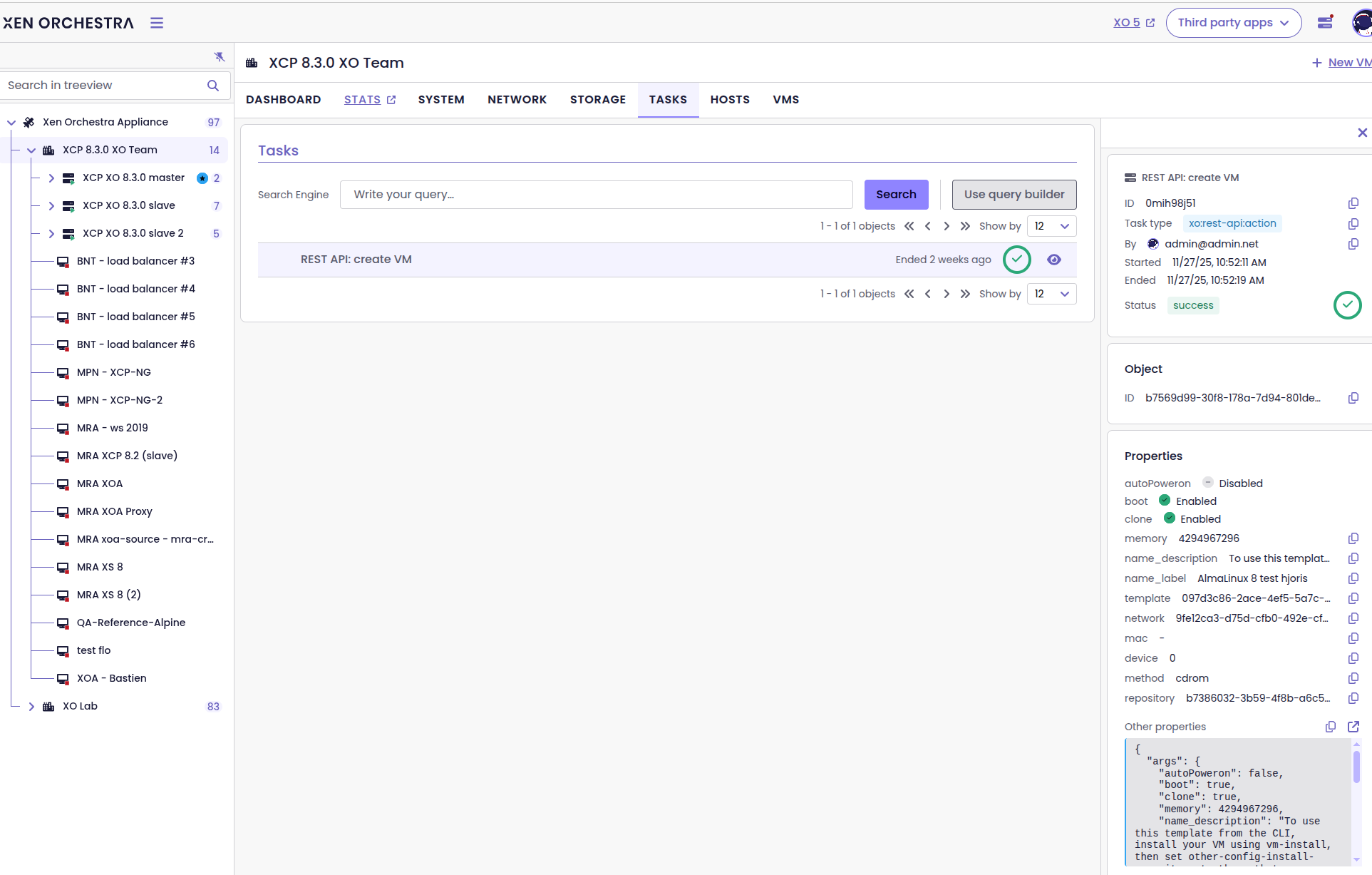
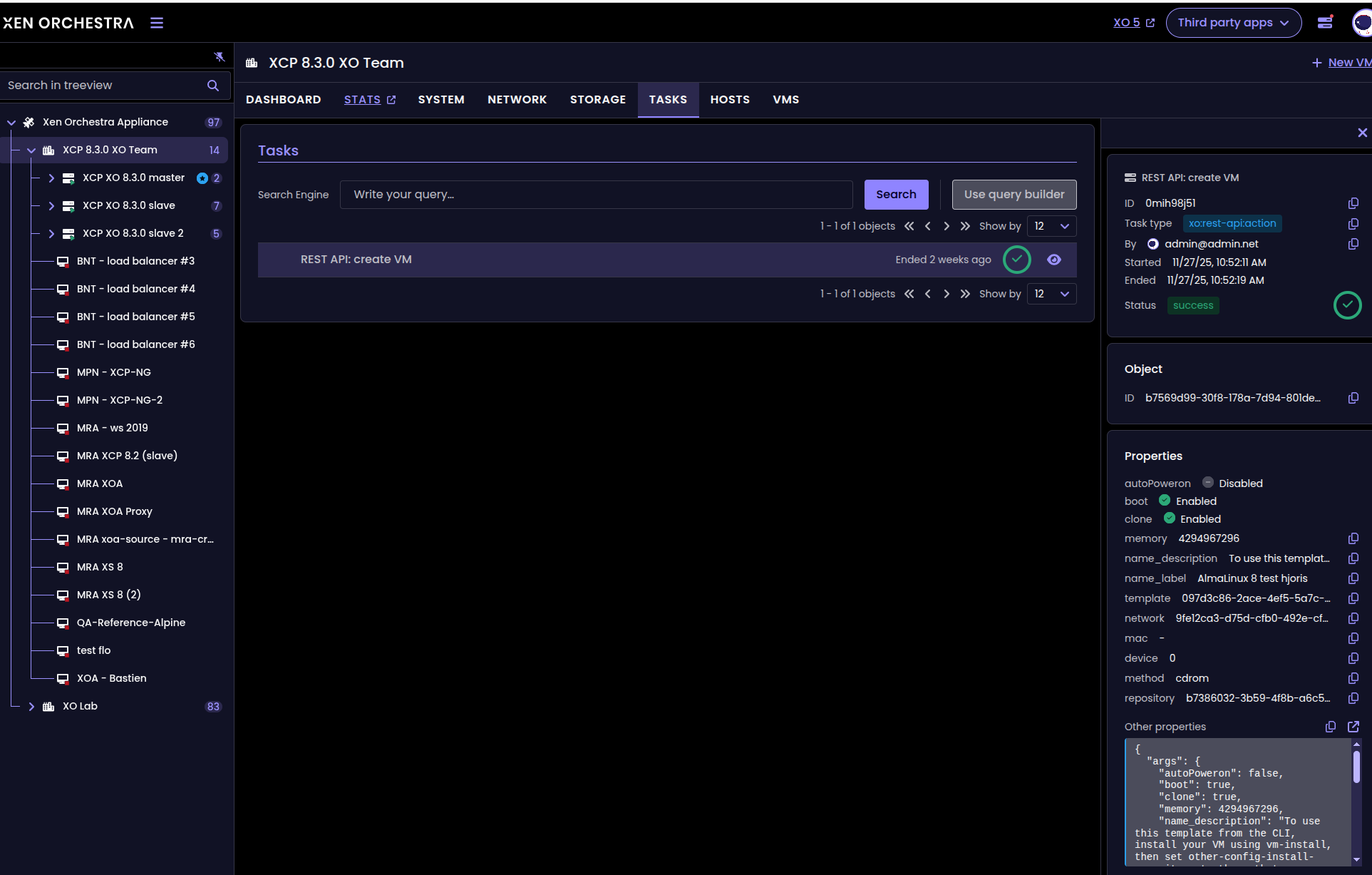
Task view for a selected VM, host or pool
This makes it easier to track activity for a specific VM, host, or pool without searching through the global task list or switching views.
🐦 VMware to Vates (V2V)
Following major improvements over the past months, we are very happy with our migration success rate. While a few corner cases still remain (and continue to be addressed with ongoing monthly improvements) overall, we are genuinely pleased with how well the tool has progressed this year.
📡 REST API
The REST API is a foundational component of XO 6. While much of the work is not directly visible, we have highlighted a selection of changes that have a real, tangible impact.
Better reactivity on XO tasks
The REST API now pushes task updates as they happen, so you no longer need to repeatedly check for changes. This means you can track progress in real time—whether you’re monitoring a long-running operation or building tools that rely on the API.
This makes it easier to track task progress in real time reduces unnecessary requests, and makes managing tasks smoother. You get faster feedback and the overall experience is more responsive.
☸️ DevOps tools
Unlike most of our releases this year, this one focuses on something completely new and unrelated to Terraform or Pulumi.
XO as OpenMetrics proxy
Thanks to a new plugin, Xen Orchestra can now serve as an OpenMetrics proxy for host and VM metrics, simplifying integration with Prometheus.
The plugin can be configured here:
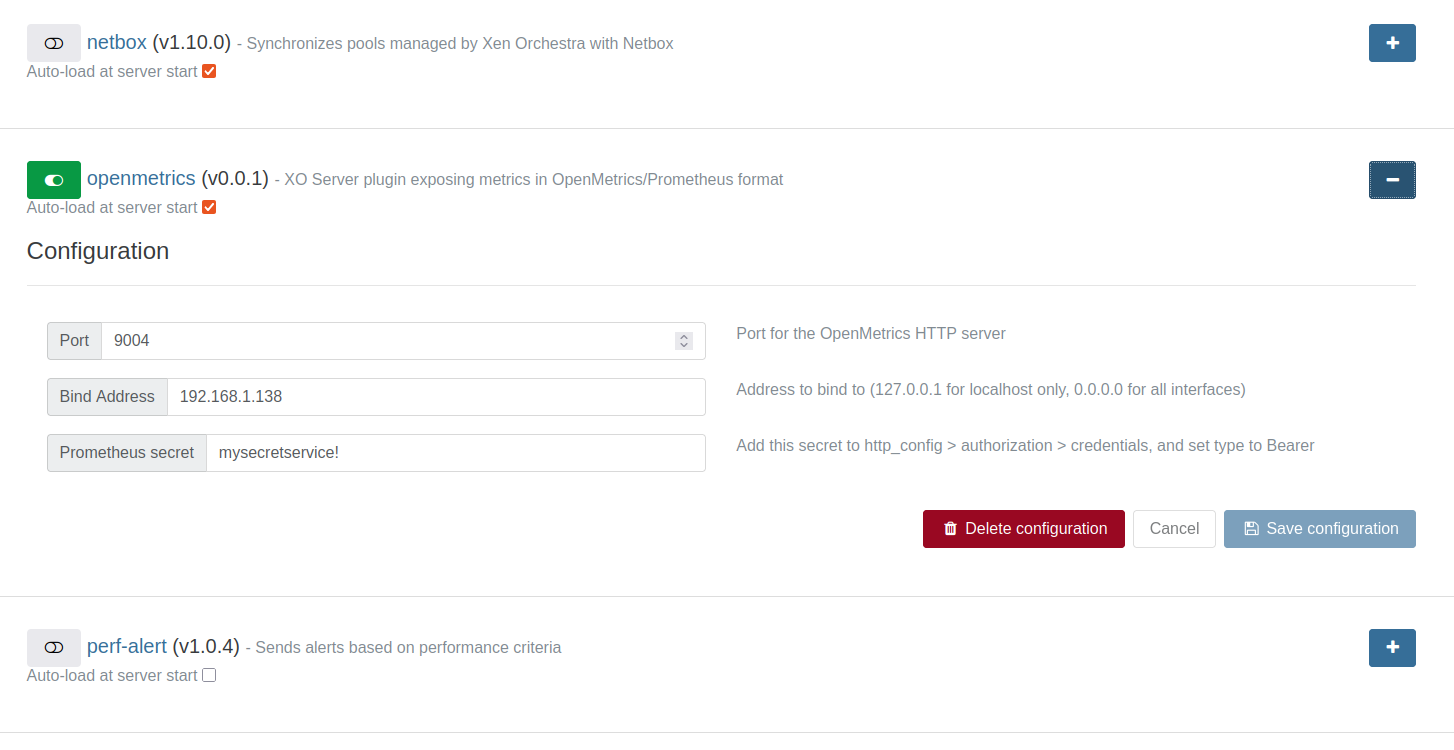
Instead of working directly with raw RRD data from XAPI (which is quick to retrieve but cumbersome to process) XO handles the heavy lifting for you. A dedicated service collects RRD metrics from your hosts and VMs, enriches them with helpful metadata and labels, and presents everything in OpenMetrics 1.0 format. This makes it easy for an external Prometheus instance to scrape the data.
ufw allow 9004 in our previous screenshot.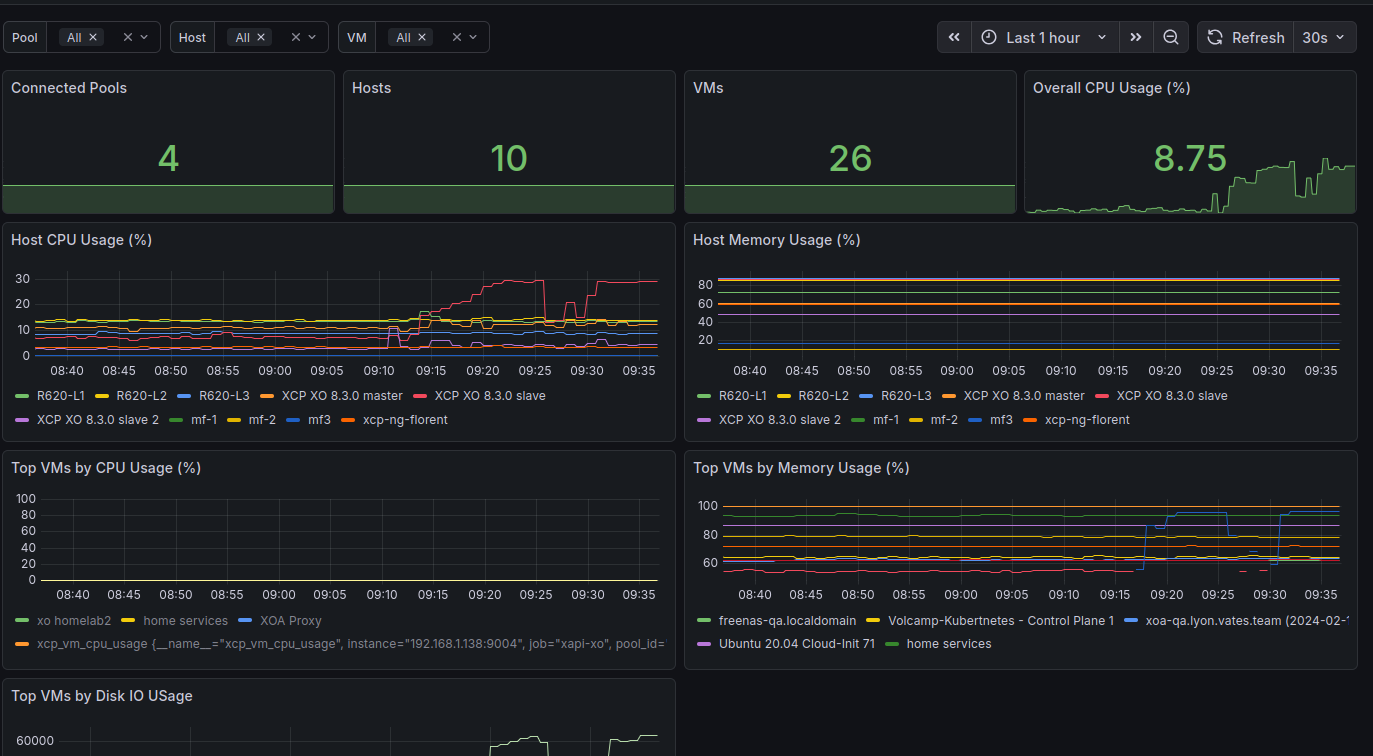
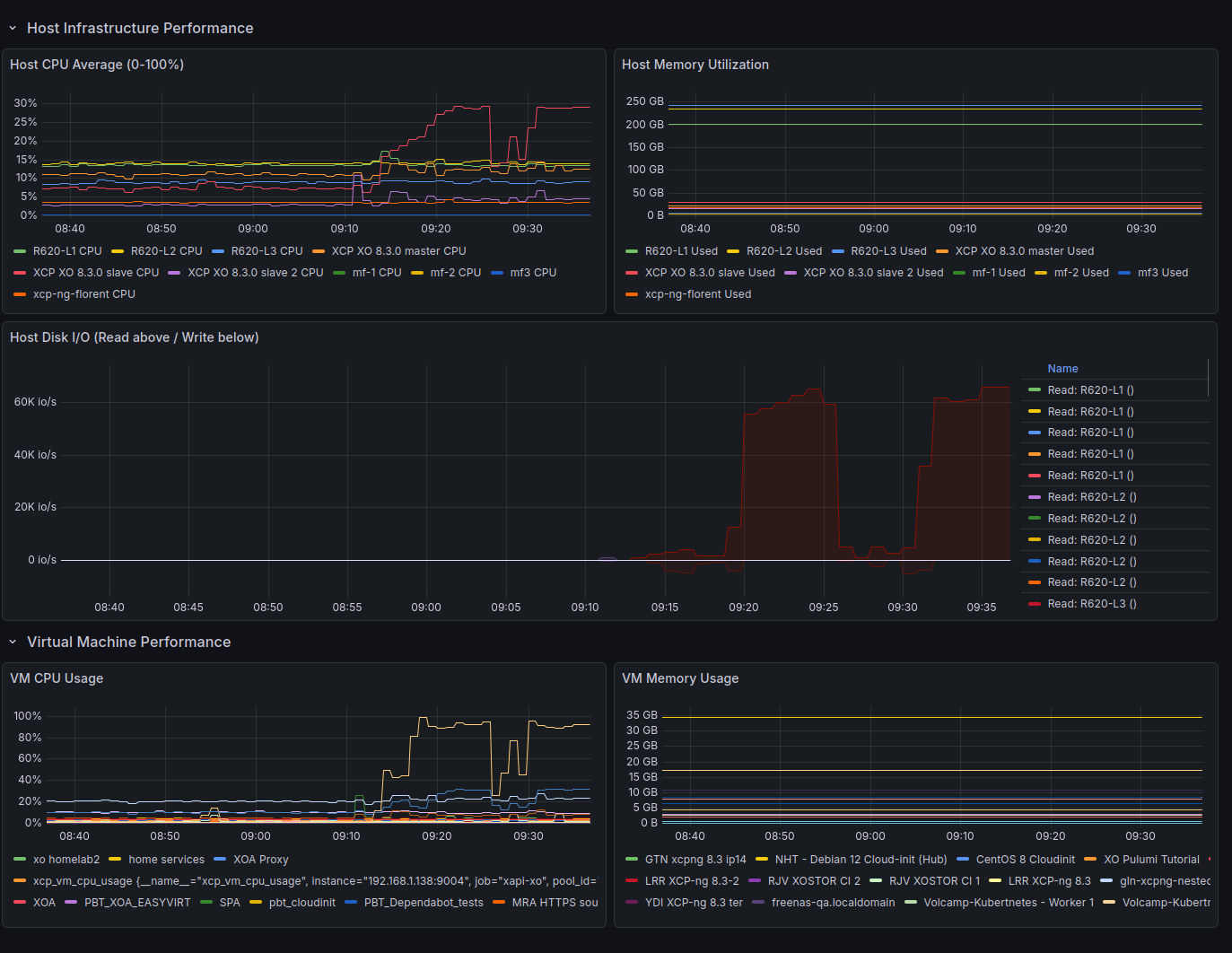
The service is fully managed by XO: it runs locally, provides health and metrics endpoints, and is accessible through XO at /openmetrics. From Prometheus’s perspective, all it needs to do is connect to XO, which automatically discovers hosts, fetches metrics at regular intervals, and converts them into a standardized, modern format.
The end result is a seamless way to monitor your infrastructure with Prometheus.


📖 Documentation & guides
This month’s documentation updates are lighter, but include a key improvement to the REST API documentation. It's especially valuable if you’re building integrations or automations with Xen Orchestra.
Updated REST API Documentation
We’ve updated the REST API documentation to make it clearer and more up-to-date. In particular, it better explains how to authenticate with the API, use it in your daily workflows, and create or refresh authentication tokens. Finally, we’ve refreshed the instructions for accessing the interactive Swagger documentation.
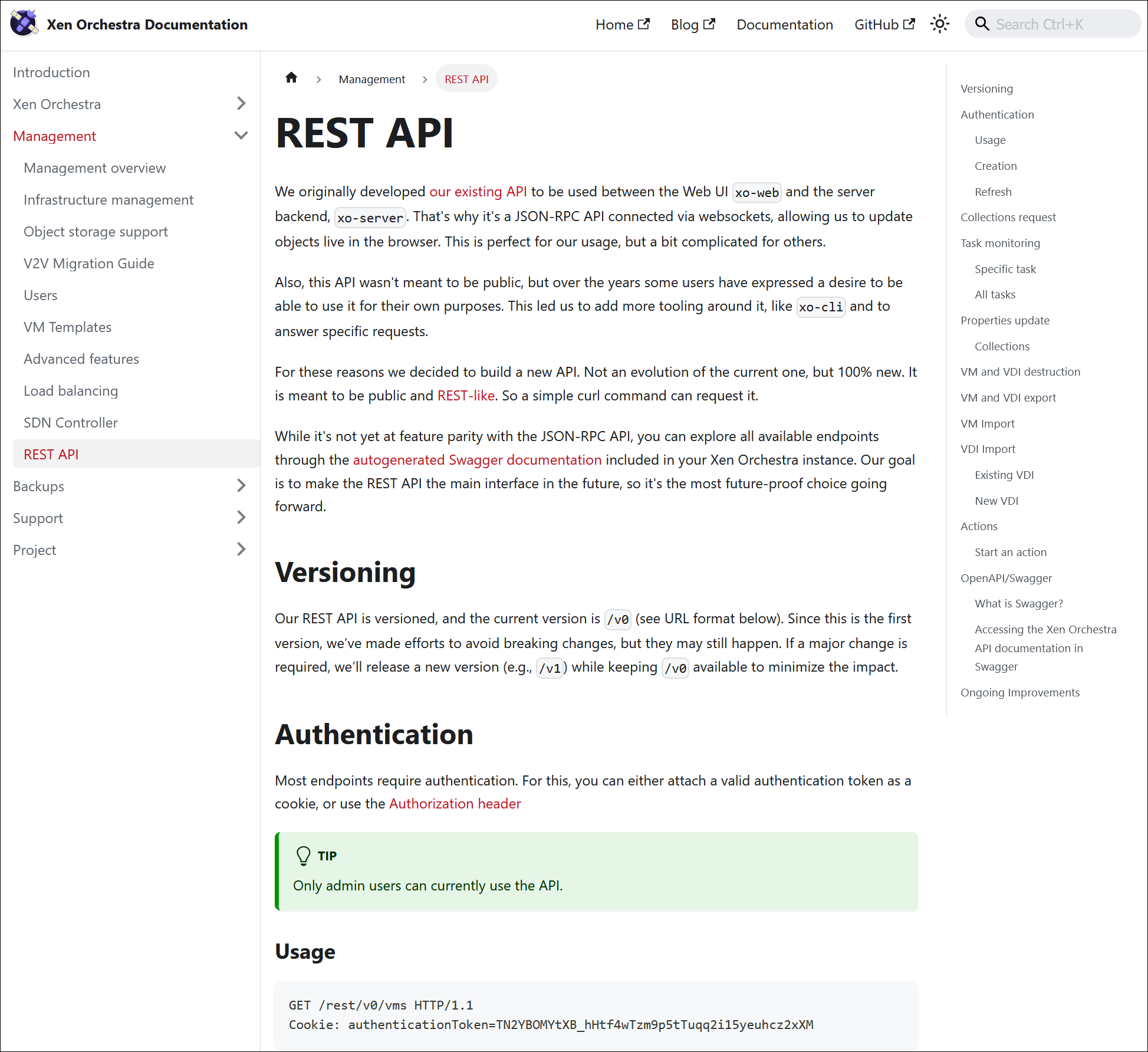
These improvements will help you get started and work with the API more efficiently.

🔦 Community spotlight
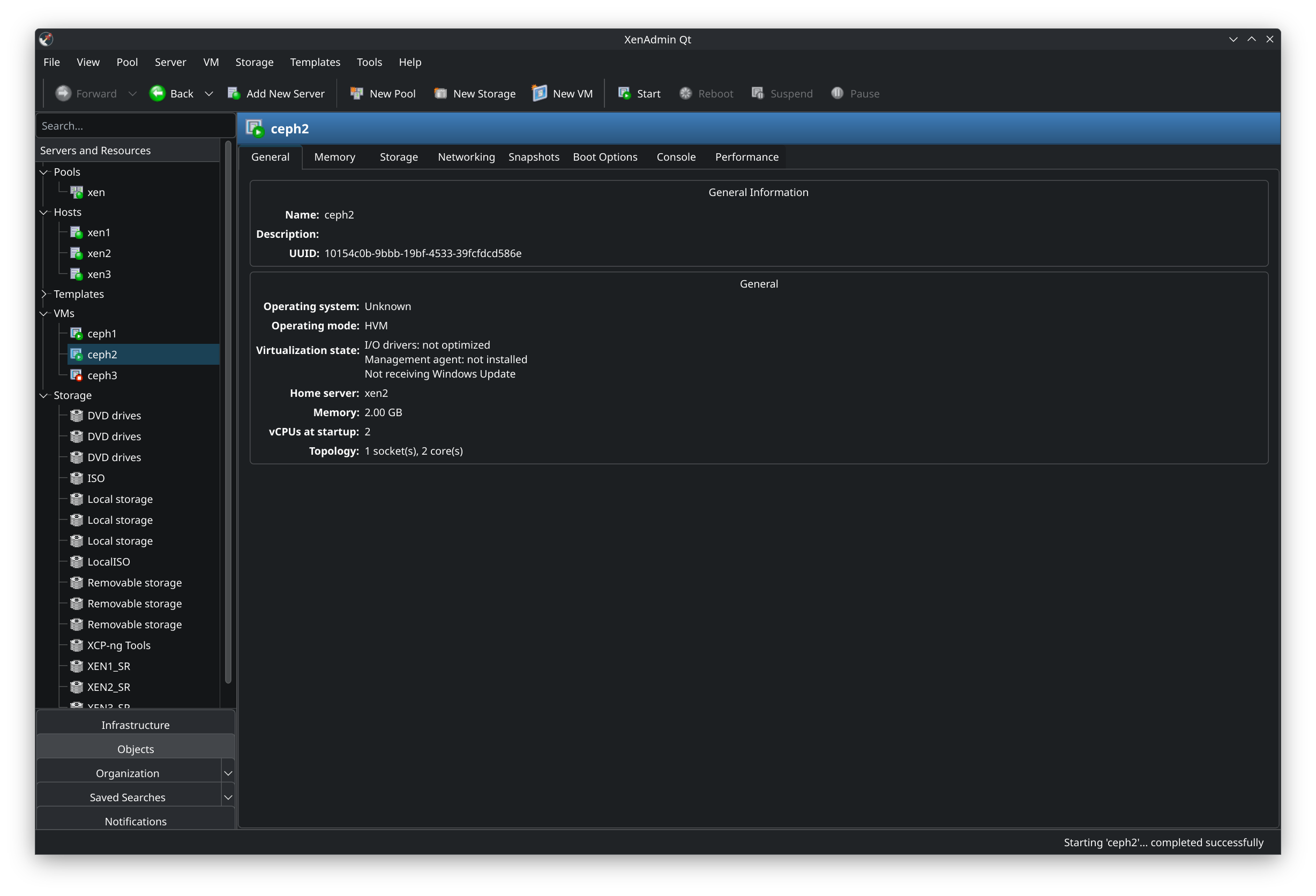
This month, we spotted an interesting new project for hardcore fans of thick clients: XenAdminQt, a cross-platform desktop client to manage XCP-ng. While it is not officially supported (just like XCP-ng Center), it offers another option if you really do not want to use XO Lite or Xen Orchestra.
 benapetr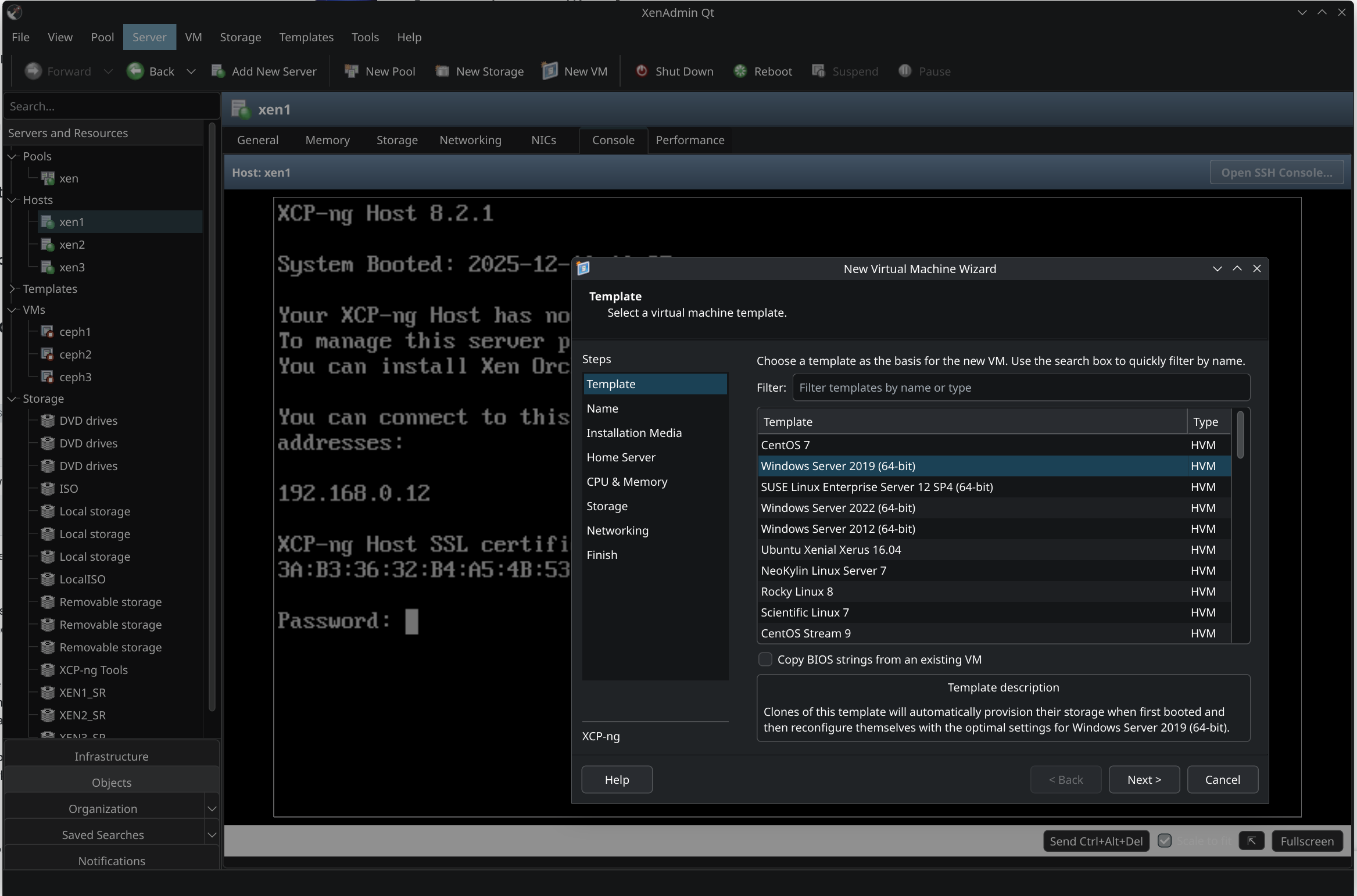
 benapetr
🌐 Translations
This month, we are coming with more than 10 languages updated. Maybe our new yearly record?
A big thanks to our community for their ongoing efforts in translating Xen Orchestra!
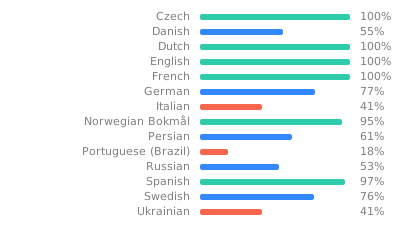
This month, special attention was given to Czech, Danish, Spanish, French, Italian, Korean, Norwegian (Bokmål), Dutch, Brazilian Portuguese, and Russian.
We also improved the documentation for contributors. There is now a dedicated menu entry for “Instructions for translators”, including a complete step-by-step guide. You can find all the details here:
 Michal Čihař